Online Skill Courses Professional Website Template
Clickthrough is a modular card-grid landing page built for a Google Ads training course targeting freelancers, Etsy sellers, and small business owners. It opens with an interactive quiz that personalizes the module grid in real time, drives visitors toward a free workshop registration, and captures leads with a low-friction three-field form.
by Rocket studio
Quick summary
Clickthrough is a single-page, quiz-driven landing page template built for a Google Ads training course. It greets visitors with a bold interactive question, reshuffles its card grid based on their answer, and funnels them toward a free live workshop. The Playful Geometric design keeps the experience approachable, structured, and energizing from first tap to final sign-up.
Who this template is for
This template is built for course creators and educators in the paid advertising space. It suits anyone selling structured Google Ads training to a practical, cost-conscious audience that learns best by doing.
- Freelancers and solopreneurs running Google Ads on tight daily budgets with inconsistent results
- Etsy sellers and small business owners trying to understand where their ad spend actually goes
- Agency educators onboarding junior team members who need fast, structured campaign training
What problem this template solves
Many Google Ads training pages talk at visitors rather than meeting them where they are. A generic hero headline and a single call to action cannot serve a beginner and an intermediate advertiser at the same time. This template solves that mismatch by letting visitors self-identify their skill level and immediately see content built for them.
- Visitors arrive with different experience levels, making one static page feel irrelevant to most of them
- Generic registration pages create friction because visitors cannot tell if the course matches their actual needs
- Standard landing pages lose warm leads who miss the live date and have no clear secondary path to re-engage
What you get with this template
This template gives you a complete, ready-to-customize landing page with every section a Google Ads course launch needs. The design, interactivity logic, and conversion structure are all planned and built in.
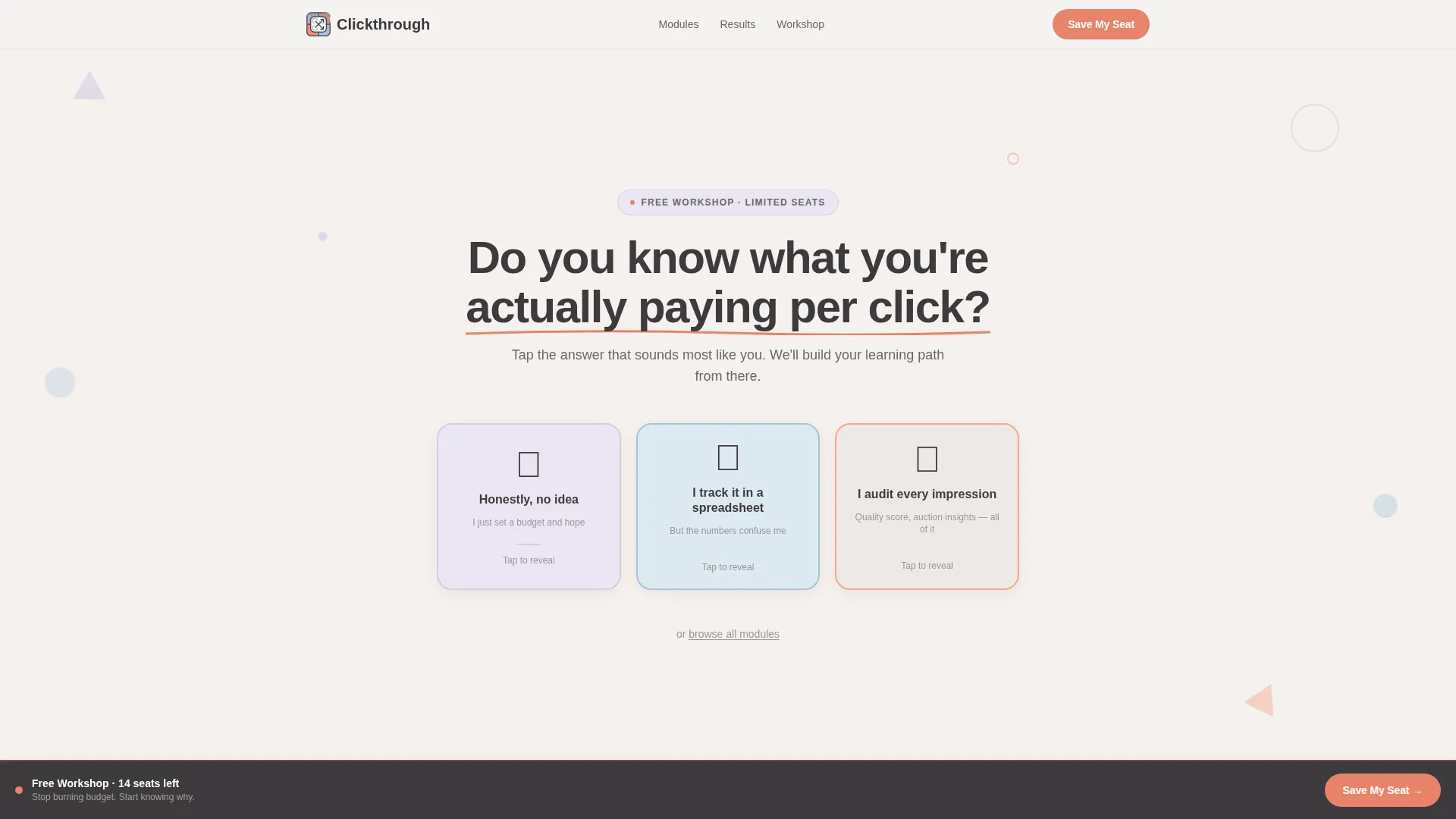
- An interactive quiz header with three illustrated flip cards and personalized stat reveals after each answer
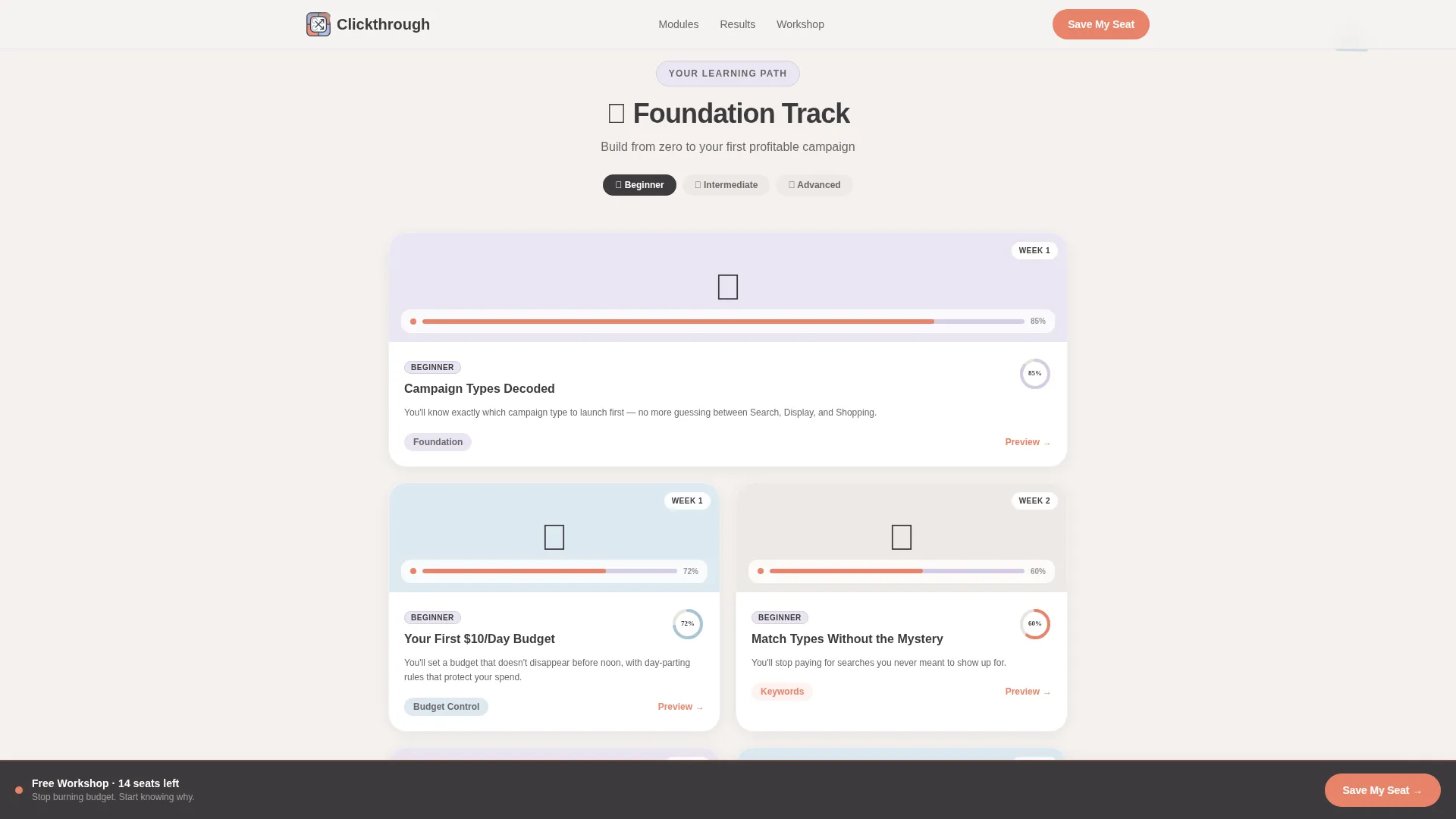
- A dynamic bento-style card grid that reorders itself based on the visitor's quiz selection, complete with geometric progress rings and outcome statements
- A workshop registration section with a low-friction three-field form, a seat-countdown display, and a sticky bottom bar with a coral "Save My Seat" button
Feature list
This template is packed with purpose-built components drawn directly from the course brief. Each feature supports a specific conversion or engagement goal.
Interactive Quiz Header
Three illustrated answer cards sit side by side in the hero area. Each card is a rounded rectangle with a playful geometric icon. When a visitor taps one, the card flips with a CSS micro-animation and reveals a personalized stat or insight tied to their chosen answer. The interaction replaces a static headline as the primary hook.
Personalized Module Card Grid
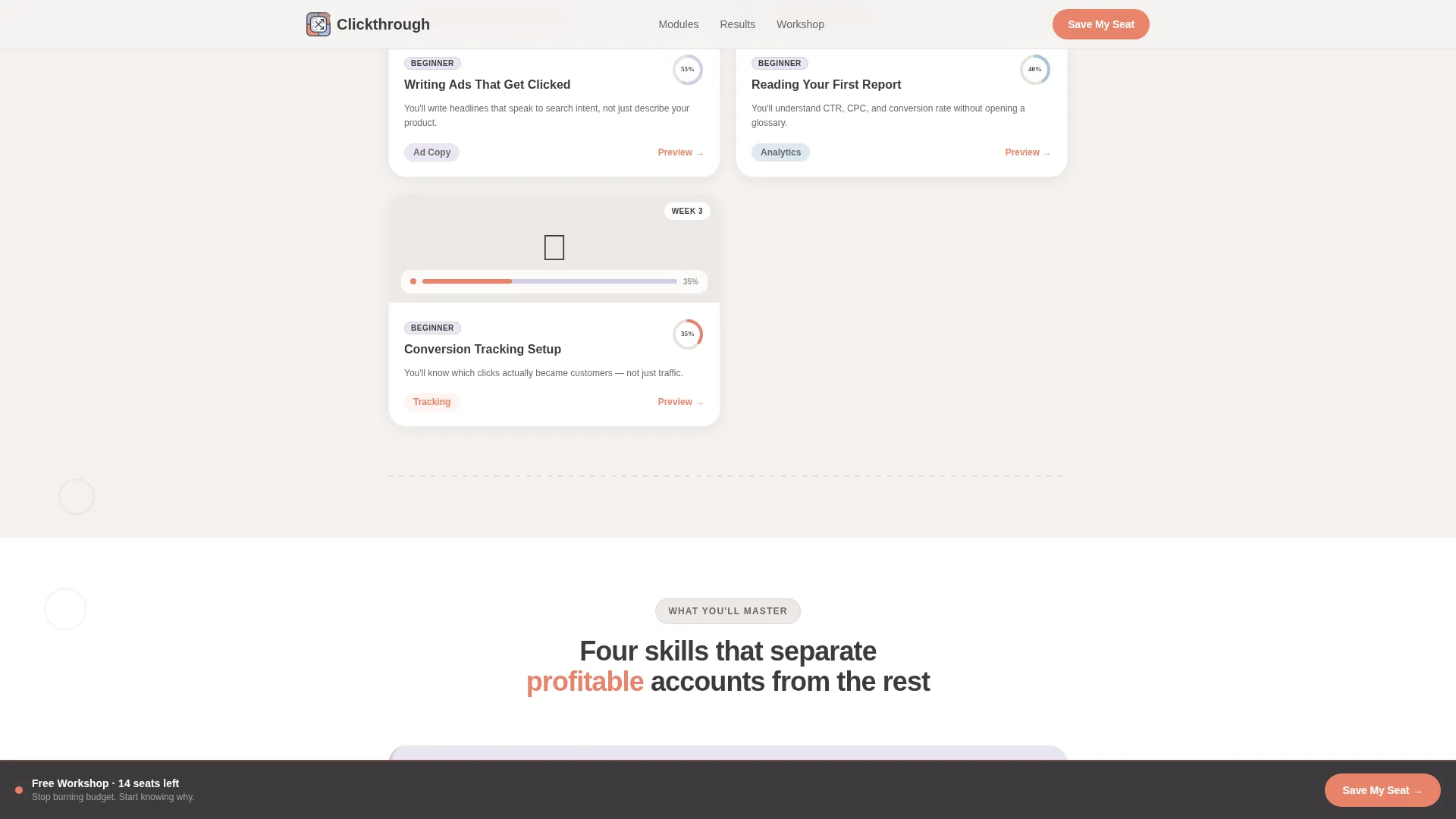
After the quiz interaction, the bento card grid reorders itself to surface modules matched to the visitor's self-identified skill level. Beginner selections surface foundational cards like "Campaign Types Decoded." Intermediate selections surface cards like "Negative Keyword Sculpting." Each card shows a geometric progress ring, a one-sentence outcome statement, and a peek-inside course thumbnail.
Sticky Registration Bar
A coral-colored sticky bottom bar appears after the quiz interaction is complete. It holds the primary "Save My Seat" call to action button and a live countdown showing seats remaining for the free workshop. The bar stays visible as the visitor scrolls, keeping the conversion path in reach at all times.
Low-Friction Registration Form
The workshop sign-up form asks for only three fields: first name, email address, and a single open-text field for the visitor's biggest Google Ads frustration. The minimal field count reduces drop-off. The open-text field doubles as a personalization signal for follow-up communication.
On-Demand Replay Path
Visitors who cannot attend the live workshop see a secondary call to action: "Send Me the Recording." This path captures the same three-field form without the urgency mechanic of the seat countdown. It ensures no warm lead is lost due to scheduling conflicts.
Social Proof with Specific Metrics
The social proof section uses named student results with specific before-and-after spend metrics rather than vague testimonials. This keeps claims credible and gives fence-sitters a concrete reason to register.
Page sections overview
| Section | Purpose |
|---|---|
| Quiz Hero Header | Opens with a bold question and three flip-card answer options that reveal personalized stats |
| Personalized Module Grid | Reorders course cards by skill level after the quiz answer is selected |
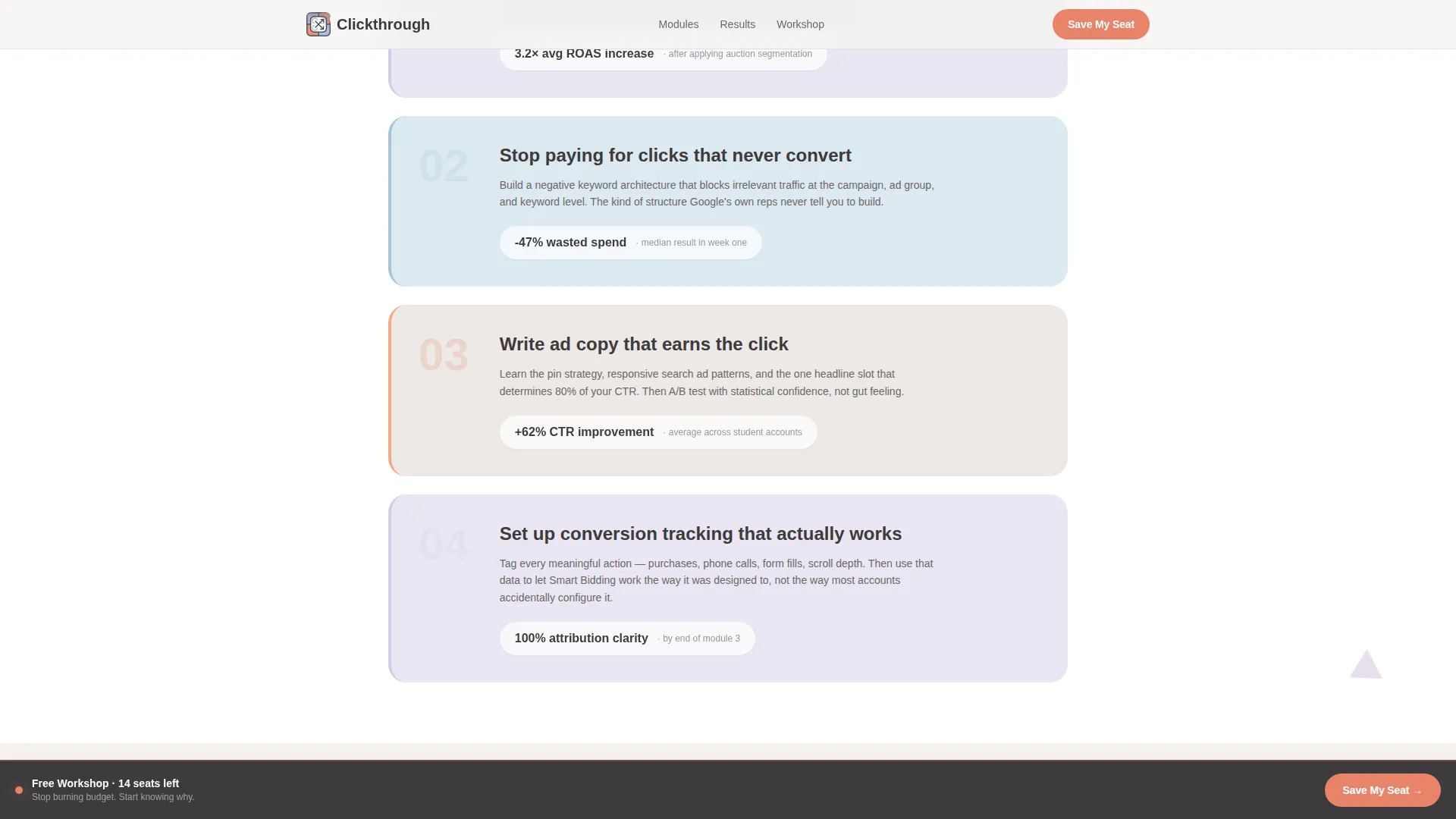
| What You'll Master | Asymmetric feature layout showing outcome statements for key course topics |
| Social Proof Results | Named student metrics and before-and-after spend data to build trust |
| Workshop Registration | Low-friction form, seat countdown, and sticky call to action bar |
| Footer | Single-row linear footer with essential links |
Design & branding system
The visual identity follows a Playful Geometric theme using the Soft Mist color palette. The whiteboard aesthetic uses pastel tones and doodle-style geometric shapes to make the learning environment feel structured but never intimidating. All type is set in DM Sans for headings and Manrope for body text.
- Colors: cloud white (#F4F1EE) as the base, morning fog lavender (#D5CCE2), chalk blue (#A8C4D6), warm graphite (#3D3A3C) for text, and optimistic coral (#E8836B) reserved for buttons and interactive quiz elements
- Shapes and decoration: rounded triangles, offset circles, and dotted connector lines float between cards to mimic margin doodles and reinforce a playful learning atmosphere
- Typography: DM Sans in bold and black weights for headlines, Manrope for body paragraphs, keeping the reading experience clean and easy at every scroll depth
Mobile & speed optimization
This template is built mobile-first, reflecting the audience's behavior. Late-night searching on a phone is the norm for this crowd, so every card, button, and form is designed to feel natural at thumb-reach.
- The card grid stacks cleanly on small screens, with tap targets sized for comfortable mobile interaction
- Client-side components handle quiz state and grid reorder logic, while static sections use server-side rendering to keep initial load light
- Scroll-linked opacity and staggered card reveals are CSS-driven, avoiding heavy JavaScript overhead on entry-level mobile devices
How this template helps you convert
This template is engineered around a specific conversion goal: getting visitors to register for a free live workshop. Every design and interaction decision serves that goal.
- The quiz interaction creates immediate personal investment. Visitors who answer a question about their own behavior are more likely to keep reading because the page now feels relevant to them specifically.
- The personalized card grid removes the "is this course for me?" doubt. Visitors see modules built for their exact level, lowering the mental barrier to signing up.
- The sticky coral call to action bar and seat countdown keep the registration moment visible throughout the scroll, so the decision to sign up never requires scrolling back to the top.
Other information about this template
This template is built on a modular card-grid structure, making it straightforward to swap course module titles, update outcome statements, and adjust color values to match an existing brand. The layout was designed with a Google Ads training course as the primary use case, but the quiz-and-personalize pattern can support other online skill courses in adjacent niches.
- The template includes both a live-registration path and an on-demand replay path, so it covers two audience segments without requiring a separate page
- Animation level is high by design: card flip CSS transforms, staggered section reveals, floating geometric shapes, and scroll-linked opacity changes are all included
- The footer uses a linear single-row pattern, keeping the page exit clean and uncluttered
- All color values and typographic settings are defined in the design system, making brand customization straightforward for any developer or no-code builder familiar with the stack
Theme
Playful Geometric
Creative direction
Quiz & Personalize
Color system
Soft Mist
Style
Card Grid (Modular)
Direction
Event Registration
Page Sections
Interactive Quiz Flip Cards
Personalized Bento Card Grid
Sticky Coral Call to Action Bar
Low-friction Workshop Form
On-demand Replay Registration
Specific-metric Social Proof Section
Related questions
Does this template support two separate registration paths?
Can I customize the quiz questions and card content?
What fields does the registration form include?
Does the page include social proof?
Is the template built for mobile users?



