Micro-SaaS & Developer Tools Expert Professional Website Template
Clipboard is a hub-and-spoke landing page template built for a clipboard manager tool aimed at developers, designers, and sysadmins. It pairs a Tech Glass visual identity with a Stats-First layout, anchor navigation, and a detailed feature-versus-default comparison table. The result is a single-page experience that earns trust fast and drives sign-ups through precision storytelling.
by Rocket studio
Quick summary
Clipboard is a single-page, anchor-navigated landing page template for a clipboard manager utility. It combines a dark IDE-inspired Tech Glass visual theme with Stats-First Impact storytelling. Each section opens with an oversized metric, then unpacks the proof beneath it. The layout guides developers, designers, and sysadmins from curiosity to conversion in one focused scroll.
Who this template is for
This template is built for micro-SaaS founders and developer tool teams who need a landing page that speaks directly to a technical audience. It assumes your product handles real workflows, and the copy structure reflects that.
- Developers mid-refactor who manage multiple files and need clipboard history fast
- Designers juggling brand assets, hex codes, and image fragments across tools
- Sysadmins who paste connection strings into terminals where accuracy is critical
What problem this template solves
The native clipboard on any operating system holds exactly one item. That single-slot limitation causes lost snippets, repeated searches, and broken focus during deep work. This template frames that problem clearly and positions your tool as the direct fix.
- Visitors immediately see the contrast between a default clipboard and a persistent clipboard history
- The Stats-First layout delivers hard numbers before any marketing language appears
- The versus comparison table makes the native clipboard feel like an obvious downgrade
What you get with this template
You get a complete, production-ready landing page structure with every section pre-designed to match the Teal Catalyst color system and Tech Glass theme. No placeholder layouts or generic hero images are included.
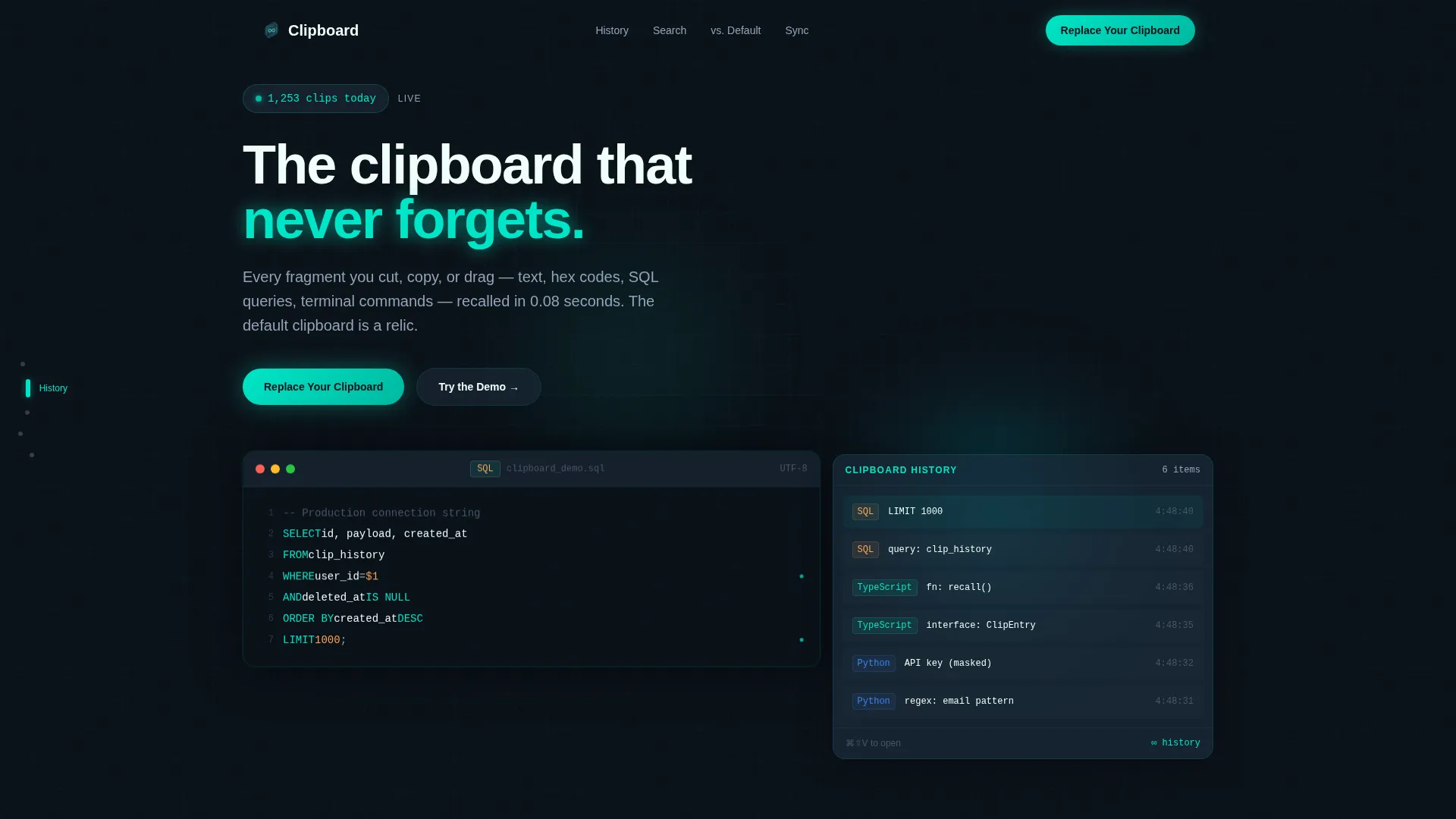
- An animated code-snippet header cycling through Python, TypeScript, and SQL copy actions
- A sticky anchor navigation rail linking to Clipboard History, Smart Search, Cross-Device Sync, and the versus comparison
- A feature-versus-default matrix with scroll-triggered row animations and primary and secondary call-to-action placements
Feature list
This template includes a focused set of purposeful components, each designed around the clipboard manager use case.
Animated Code Snippet Header
The header is a live editor pane, not a static image. It shows realistic multi-language code being copied line by line. Each action triggers a teal ripple on the floating clipboard history panel to the right. A real-time counter in the corner displays clips captured today.
Stats-First Section Architecture
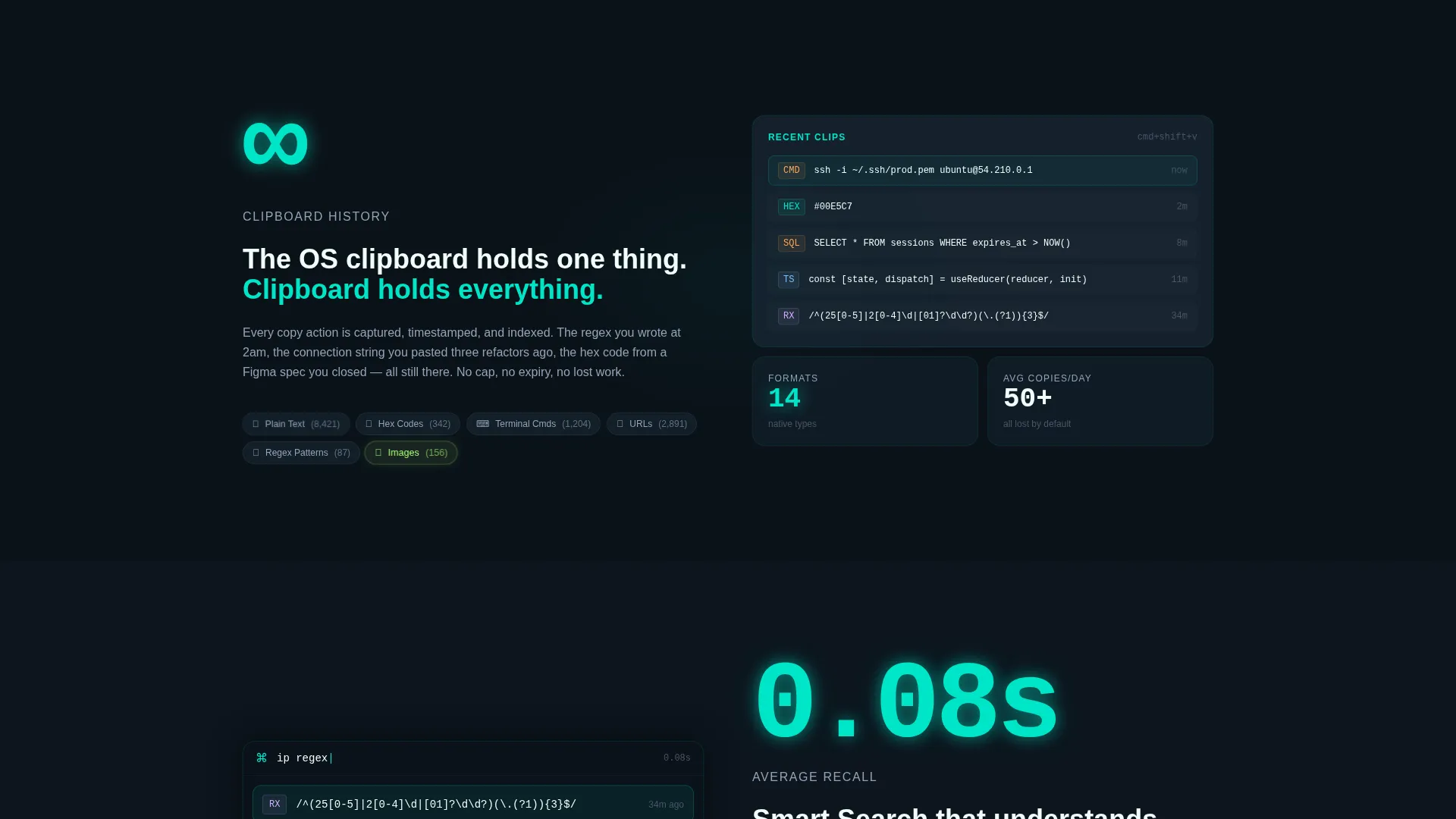
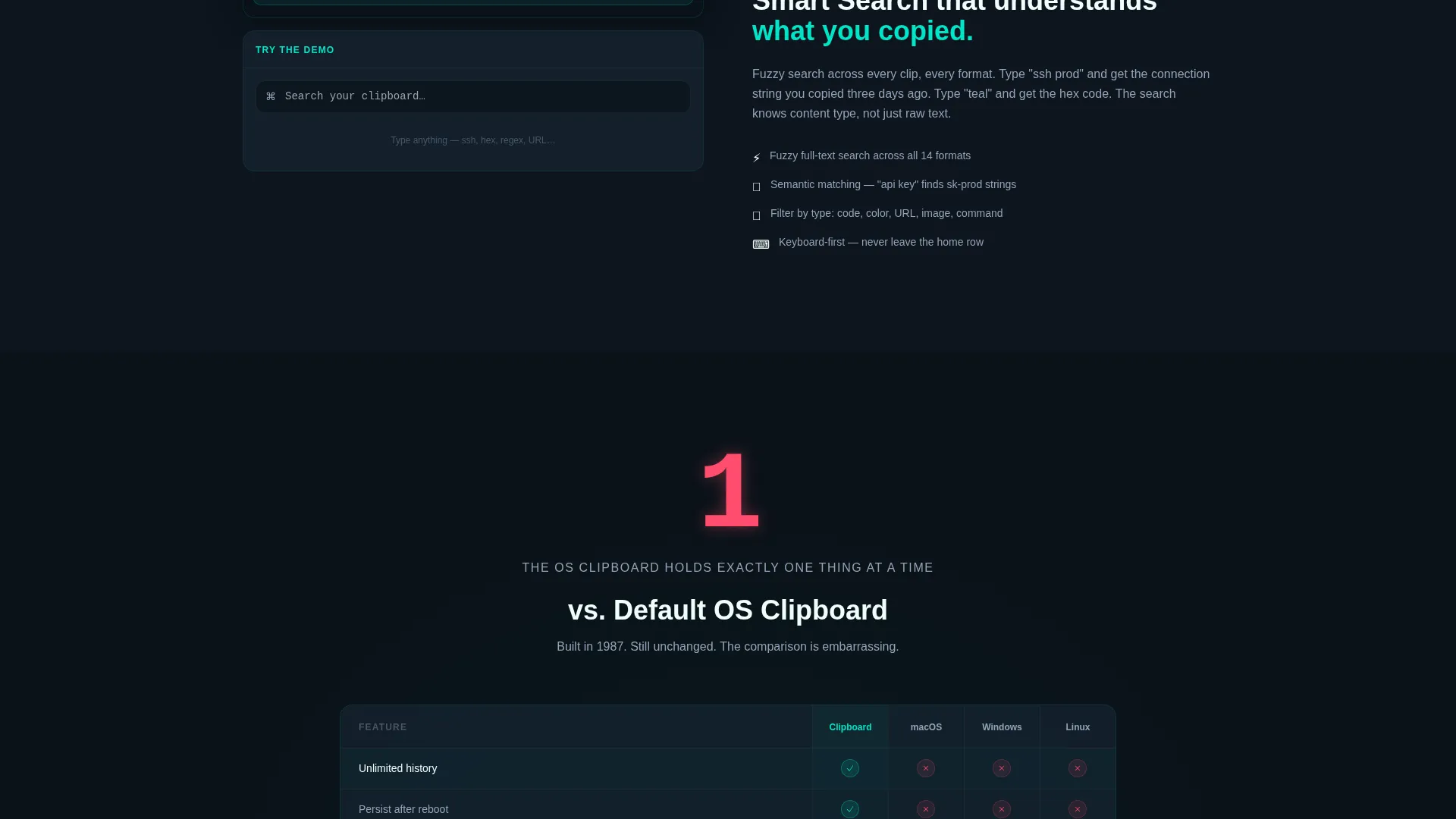
Every spoke section opens with a single oversized metric. Examples built into the template include "0.08s average recall," "∞ clipboard history," and "14 native formats." The number hits the eye first, and the explanation follows beneath it, creating a rhythm that keeps visitors scrolling.
Sticky Anchor Navigation Rail
A fixed left-side navigation rail lets visitors jump directly between major sections. Anchor labels include Clipboard History, Smart Search, Cross-Device Sync, and the versus comparison. This hub-and-spoke structure makes the page feel fast and scannable, not long and exhausting.
Feature-Versus-Default Comparison Table
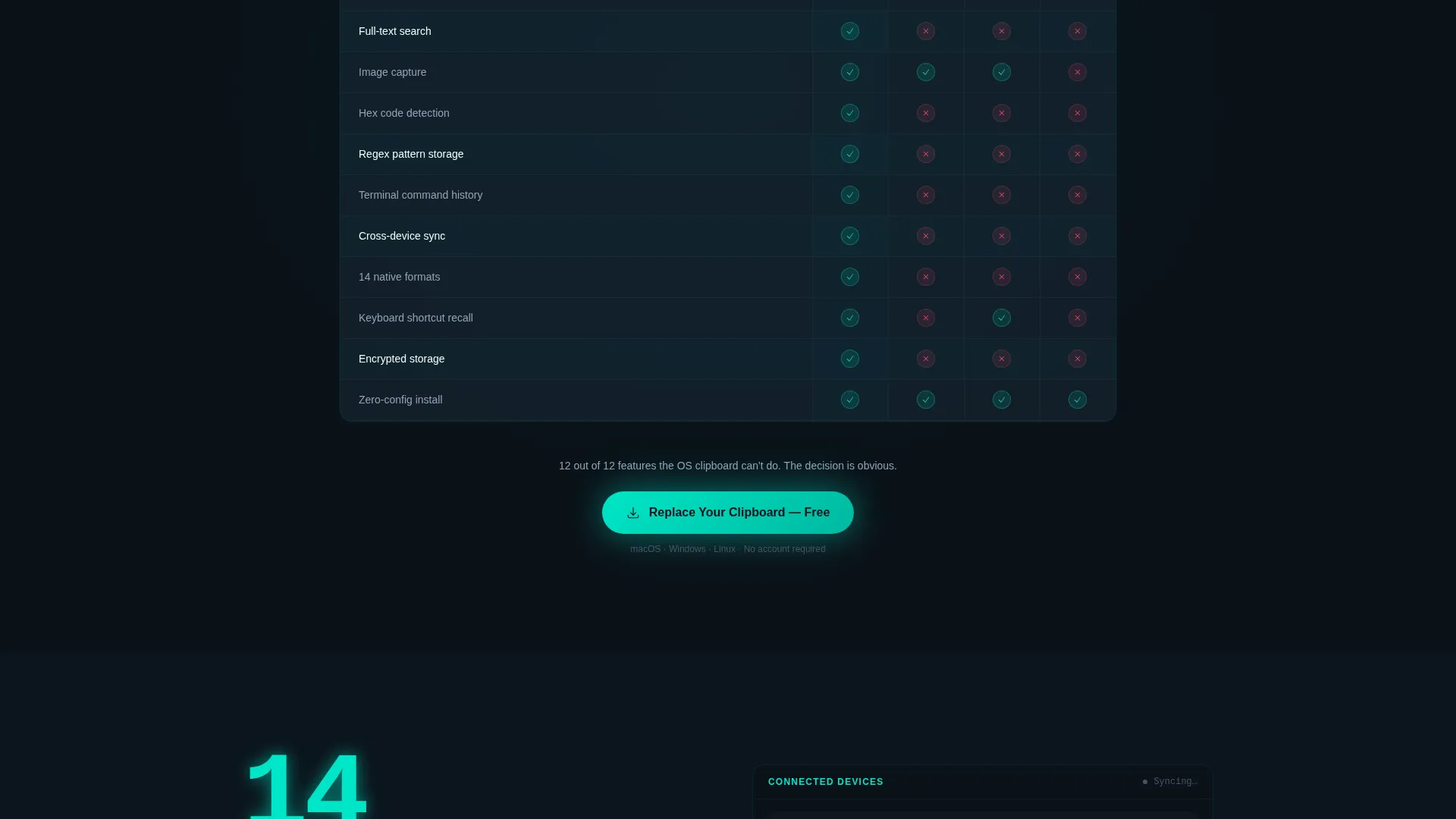
A sticky "versus. Default" section houses a detailed matrix comparing Clipboard against native clipboard managers on macOS, Windows, and Linux. Each row animates on scroll, showing a red X for the default and a teal checkmark for Clipboard. The primary call-to-action appears after the final row lands.
Interactive Demo Embed Placement
A secondary conversion path labeled "Try the Demo" is built into the template. It is positioned to launch an interactive embed where visitors can paste content and watch the clipboard history stack build in real time.
Dual Call-to-Action System
The primary call-to-action reads "Replace Your Clipboard" and is placed strategically after the comparison table. The secondary call-to-action, "Try the Demo," provides a lower-commitment entry point. Both are styled with the electric teal accent to draw attention without visual clutter.
Page sections overview
| Section | Purpose |
|---|---|
| Animated Code Header | Opens with live copy-action demo and clip counter |
| Anchor Navigation Rail | Lets visitors jump to any spoke section instantly |
| Clipboard History Spoke | Showcases persistent multi-format history feature |
| Smart Search Spoke | Highlights instant recall with 0.08s metric |
| Cross-Device Sync Spoke | Covers multi-device clipboard continuity |
| versus. Default Comparison | Pits Clipboard against native OS clipboard managers |
| Interactive Demo Embed | Invites hands-on trial before committing |
| Primary call to action Block | Drives "Replace Your Clipboard" sign-up action |
Design & branding system
The visual identity is built on the Teal Catalyst color system layered over a Tech Glass aesthetic. Every surface feels like a translucent heads-up display floating above a dark IDE. Edges are softened by blur and every accent color carries intentional weight.
- Deep void black (#0B1219) as the base, frosted glass panels (#1A2B3A at 60% opacity) for cards and modals
- Electric teal (#00E5C7) for active states, data highlights, checkmarks, and call-to-action buttons
- Cool slate (#94A3B8) for secondary text and labels, sharp white (#F0FDFA) for headings that glow against dark surfaces
Mobile & speed optimization
The template is designed so the anchor navigation and stat-first sections adapt cleanly to smaller screens. The layout prioritizes fast visual scanning at every viewport size.
- The sticky anchor rail collapses appropriately on mobile so content space is preserved
- Frosted glass panels and teal accents remain visually clear on both retina and standard displays
- The comparison table scrolls horizontally on narrow screens so no row data is hidden
How this template helps you convert
The conversion strategy is built directly into the page architecture. Every structural decision pushes hesitant visitors toward a clear action without pressure.
- The Stats-First layout leads with hard numbers, building credibility before any feature explanation begins, which reduces initial skepticism.
- The versus comparison table makes the cost of not switching visceral and visible, and the primary call-to-action appears at exactly the moment the case is strongest.
- The interactive demo embed gives technically minded visitors a hands-on proof point, lowering the barrier to a first click.
Other information about this template
This template is categorized under Technology, specifically in the Micro-SaaS and Developer Tools subcategory. It is optimized for the clipboard manager niche and matches the intersection of that niche with developer-focused single-page layout patterns.
- Template style is Hub and Spoke with Anchor Navigation, matching scan-heavy technical audiences who jump between sections
- Creative direction follows Stats-First Impact, a pattern well suited to productivity and developer tool pages where proof matters more than polish
- The header concept is a Code Snippet demonstration rather than illustration or photography, keeping the page honest and tool-focused
- The landing page direction is Comparison and Versus, meaning the structural emphasis is on winning the feature argument against the default OS clipboard
Theme
Tech Glass
Creative direction
Stats-First Impact
Color system
Teal Catalyst
Style
Hub & Spoke (Anchor Nav)
Direction
Comparison/Versus
Page Sections
Animated Code Snippet Header
Stats-first Section Layout
Sticky Anchor Navigation Rail
Versus Default Comparison Table
Dual Call-to-action System
Interactive Demo Embed Placement
Related questions
Can I customize the anchor nav labels for my own product sections?
Does the comparison table content come pre-filled?
What code languages does the animated header cycle through?
Is the interactive demo embed built in or does it need a third-party tool?
Who is this landing page template best suited for?



