Coaching Digital Presence Professional Website Template
Coachforum Highvelocity is a single-page coaching community landing page built on a Hub and Spoke anchor navigation structure. It leads with a live-stats header, moves through a Problem to Solution narrative arc, and closes with a sticky click-through call to action. The design uses a Carbon Fiber palette with ignition orange accents to build urgency and trust fast.
by Rocket studio
Quick summary
Coachforum Highvelocity is a click-through landing page for a private coaching community forum. It opens with a full-viewport stats wall, guides visitors through an honest Problem to Solution arc, and ends with a sticky call-to-action bar. Every section earns attention through real community evidence rather than polished marketing copy.
Who this template is for
This template is built for coaches who have real community traction and want a landing page that proves it. It works best when you already have numbers, member quotes, and active threads to show.
- Independent life coaches who want to attract peers rather than clients
- Corporate leadership consultants launching their first group coaching program
- Health coaches building a paid community around niche expertise
What problem this template solves
Coaching community pages often feel like brochures. They make claims without evidence, and skeptical visitors click away before reaching the offer. This template flips that dynamic.
- Isolation is named directly and early, so the right visitor feels seen immediately
- Community activity is shown as live data, not marketing promises
- The page builds conviction progressively so the final click feels earned, not forced
What you get with this template
You get a fully structured coaching community forum landing page with a clear narrative flow from first impression to final click. Every section has a defined role in the conversion sequence.
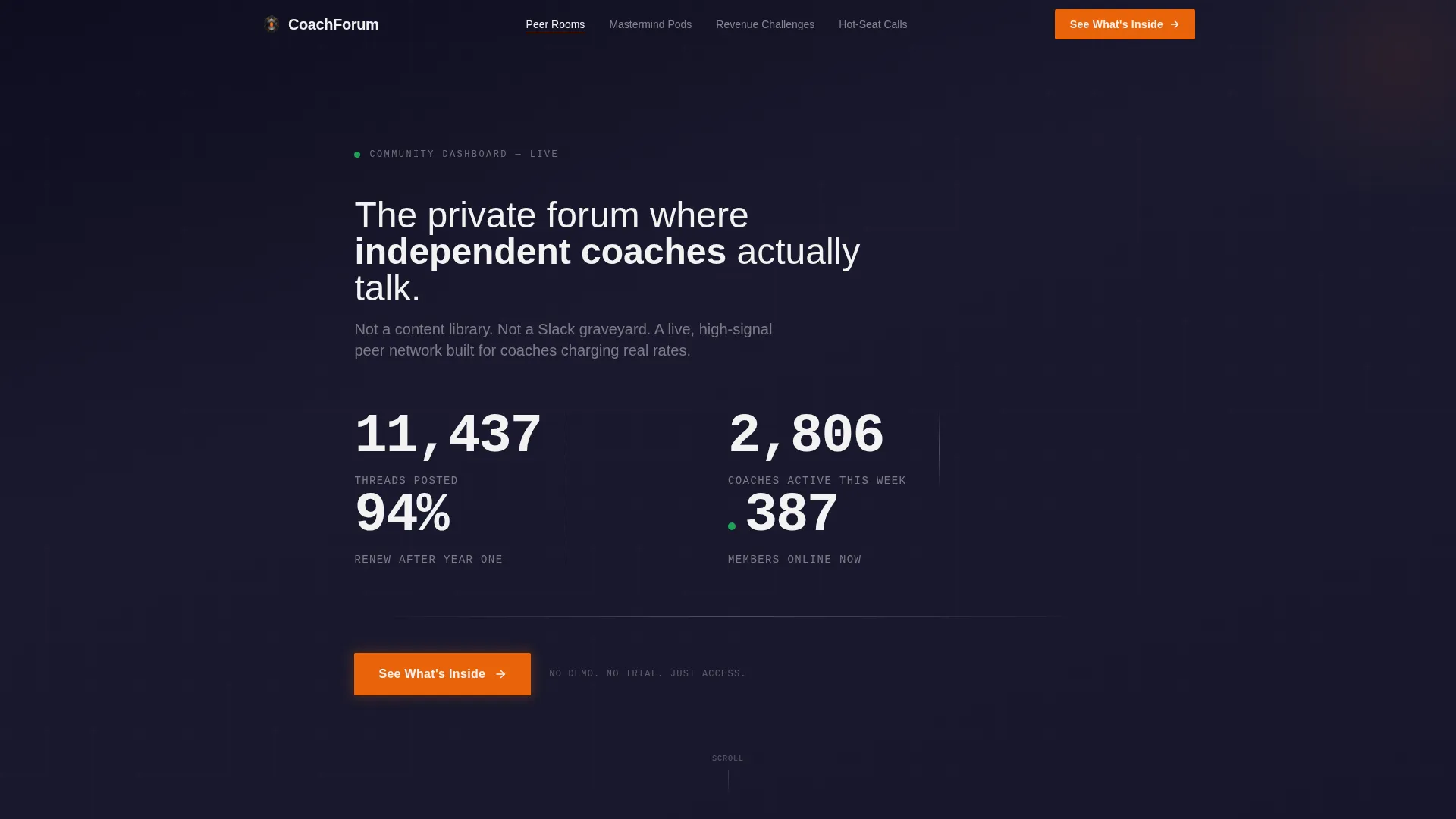
- A full-viewport stats header with animated counters and a pulsing live-member indicator
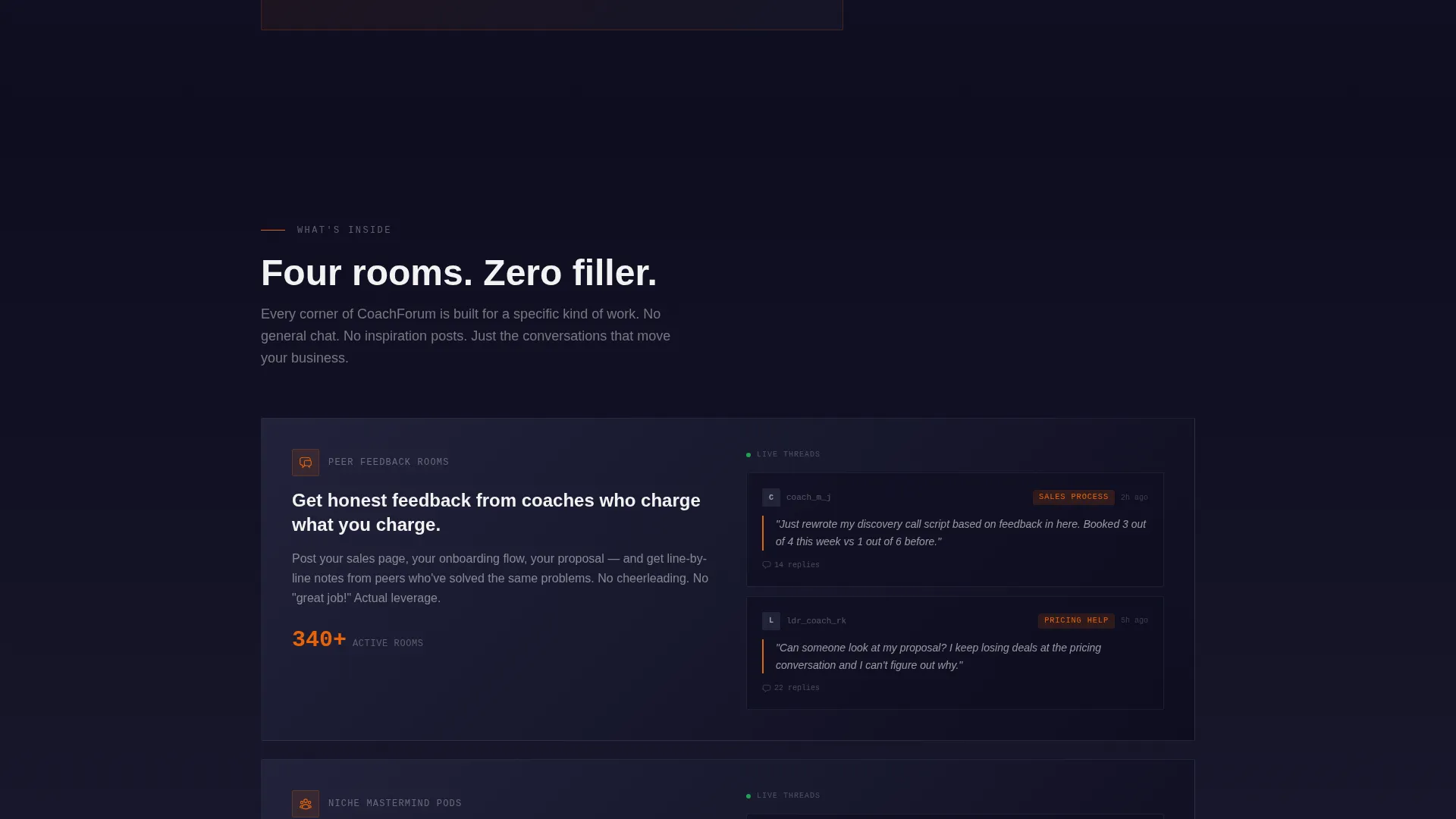
- Four anchor-nav spoke sections covering Peer Feedback Rooms, Niche Mastermind Pods, Monthly Revenue Challenges, and Live Hot-Seat Calls
- A scrolling testimonial ticker with member quotes tagged by months joined and revenue change
Feature list
This section details the six core functional and visual features built into the template.
Animated Stats Header Wall
The header fills the entire viewport with oversized monospaced numbers. Counters animate upward on page load, each staggering by 200 milliseconds in a left-to-right cascade. A pulsing green dot sits beside the live member count, signaling real-time community activity.
Hub and Spoke Anchor Navigation
Four community sections are anchored in a persistent navigation bar: Peer Feedback Rooms, Niche Mastermind Pods, Monthly Revenue Challenges, and Live Hot-Seat Calls. Visitors can jump directly to any spoke section, keeping exploration fast and intentional.
Problem to Solution Narrative Arc
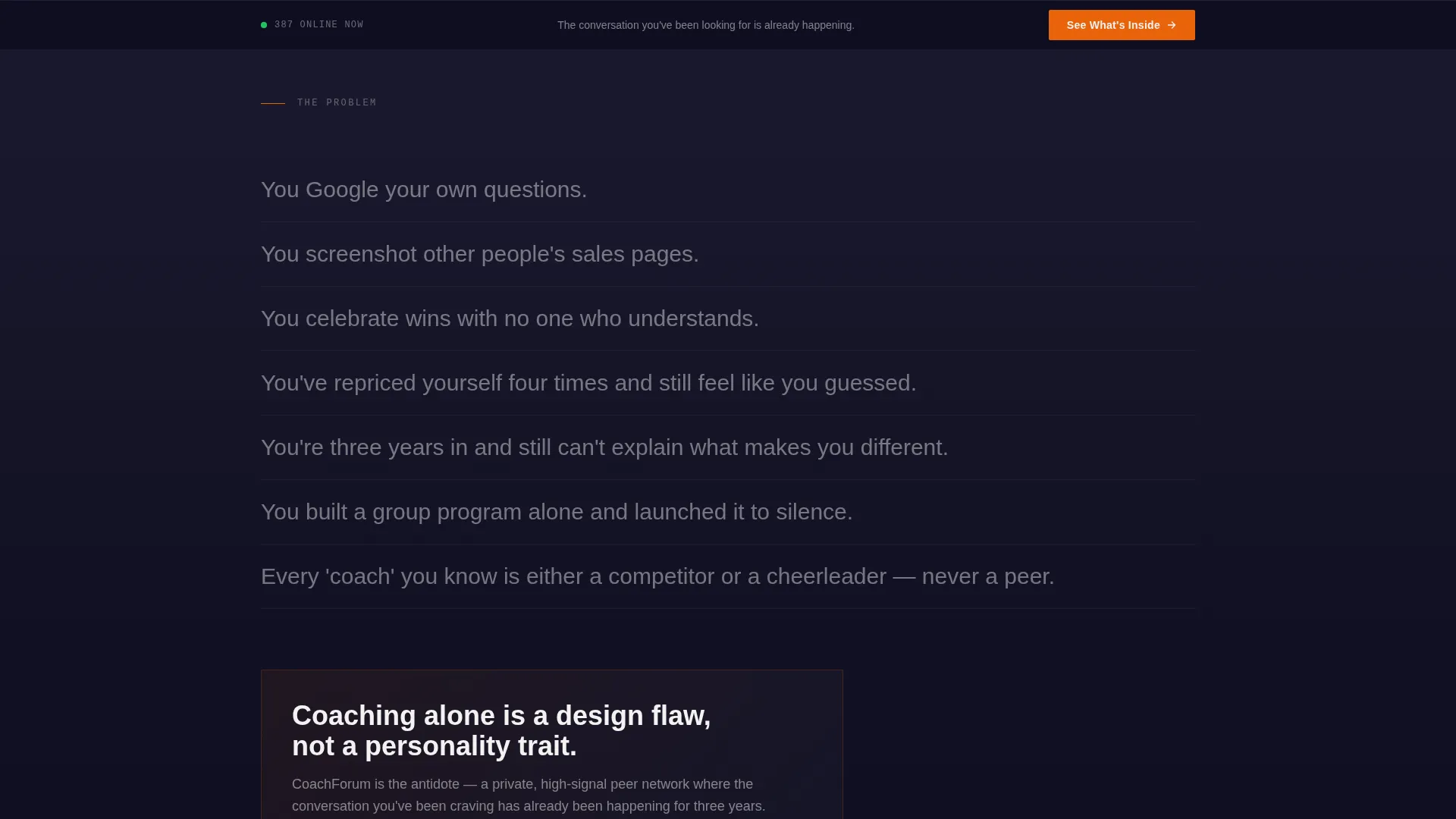
The scroll is structured in three emotional stages. First, short blunt statements name the isolation coaches feel. Second, each spoke section introduces the forum as a direct antidote. Third, the testimonial cascade builds compounding social proof.
Member Evidence Blocks
Each spoke section includes space for member screenshots and anonymized thread snippets. This grounds the community value in real artifacts rather than abstract descriptions, making the offering tangible and credible.
Scrolling Testimonial Ticker
A horizontal ticker carries one-line member quotes, each tagged with months since joining and a revenue change figure. The continuous scroll creates a wall of compounding evidence that builds momentum as the visitor approaches the final call to action.
Three-Placement Click-Through call to action
The "See What's Inside" call to action appears in three locations: after the stats header, mid-page after the spoke sections, and in a final sticky bar. Each instance links to a separate membership detail page with pricing and checkout. No form or email capture exists on this page.
Page sections overview
| Section | Purpose |
|---|---|
| Stats Header Wall | Opens with live community metrics to establish immediate credibility |
| Anchor Navigation Bar | Lets visitors jump to any spoke section from the top |
| Isolation Problem Block | Names the coaching loneliness problem with short, direct statements |
| Peer Feedback Rooms | Explains the first community spoke with member proof artifacts |
| Niche Mastermind Pods | Shows the second spoke focused on niche positioning and differentiation |
| Monthly Revenue Challenges | Covers the third spoke built around accountability and income growth |
| Live Hot-Seat Calls | Presents the fourth spoke for real-time coaching feedback sessions |
| Mid-Page call to action Bar | Delivers the second "See What's Inside" placement after spoke sections |
| Testimonial Ticker | Scrolling member quotes with tenure and revenue change tags |
| Sticky Footer call to action | Persistent bar with the final call-to-action click opportunity |
Design & branding system
The visual identity follows a Startup Velocity direction built on the Carbon Fiber color system. Every design decision is intentional and minimal, with no decorative elements.
- Color palette: deep carbon black (#1A1A2E), titanium mid-gray (#4A4E69), high-beam white (#F2F2F2), and ignition orange (#E8630A) reserved strictly for calls to action, live-status indicators, and data callouts
- Typography: oversized monospaced type for stats, white body text on carbon-to-titanium gradient backgrounds, zero ornamentation
- Orange is used sparingly so every instance commands the eye without competition
Mobile & speed optimization
The template layout is designed to stay readable and functional on smaller screens. The intentional design restraint, which avoids heavy imagery and decoration, naturally supports lean rendering.
- The anchor navigation bar collapses cleanly for thumb-friendly access on mobile devices
- Oversized monospaced stats and white-on-dark text maintain contrast and legibility at all viewport sizes
- The sticky call to action bar remains visible during scroll on both desktop and mobile, keeping the conversion path accessible
How this template helps you convert
The page is built as a pure click-through experience. Every design and copy decision exists to build enough curiosity and conviction that clicking "See What's Inside" feels like the obvious next step.
- The stats header opens with proof, not promises, so visitors anchor their trust in real community activity before reading a single sentence of marketing copy
- The Problem to Solution arc moves visitors emotionally through isolation toward belonging, making the forum feel like a personal solution rather than a generic product
- The three-placement call-to-action strategy ensures the prompt to click appears at the exact moments when conviction is highest, without relying on forms or email capture
Other information about this template
This template is part of the Coachforum Highvelocity series, which pairs the Carbon Fiber visual system with a Startup Velocity creative direction specifically for coaching and consulting community products.
- The template style is Hub and Spoke with anchor navigation, meaning each community feature has its own dedicated scroll destination
- The header concept is Stats and Metrics, a choice that positions the community as evidence-first rather than aspiration-first
- The landing page direction is Click-Through only, meaning there is no form, no email capture, and no gating before the membership detail page
- This template is categorized under Technology with a subcategory of Coaching Digital Presence, making it suitable for tech-forward coaches and consultants who want their community presence to feel like a product, not a flyer

Theme
Startup Velocity
Creative direction
Problem→Solution Arc
Color system
Carbon Fiber
Style
Hub & Spoke (Anchor Nav)
Direction
Click-Through
Page Sections
Animated Live Stats Header
Hub and Spoke Anchor Navigation
Problem to Solution Narrative Arc
Member Evidence Blocks
Scrolling Testimonial Ticker
Three-placement Click-through Call to Action
Related questions
Does this landing page include a sign-up form or email capture?
Can I use this template if my community is still early stage?
What are the four spoke sections built into this template?
How does the scrolling testimonial ticker work?
Who is this coaching community landing page template designed for?



