Coaching Digital Presence Directory Website Template
Coachmatch is a single-page coaching directory landing page built around a structured comparison table. It helps professionals find vetted executive coaches by filtering on methodology, credentials, session format, and client outcomes. The Monochrome Steel design system and Problem-to-Solution layout turn a cluttered vetting process into a clear, confident selection experience.
by Rocket studio
Quick summary
Coachmatch is a precision-built coaching directory landing page. It uses a side-by-side comparison table to show vetted coach profiles across key decision factors. The design follows a Dashboard Pro theme in Monochrome Steel tones. Every section moves the visitor from frustration with guessing to structured, filter-driven action.
Who this template is for
This template is built for founders, professionals, and HR leads who need a smarter way to source executive coaches. It also works well for teams building a coaching marketplace or directory product.
- Mid-career professionals stuck between promotions who need guided coach selection
- Founders dealing with decision fatigue who want clear credential and outcome data
- HR leads responsible for building leadership pipelines who are tired of informal referral loops
What problem this template solves
Finding a qualified executive coach today involves hours of manual vetting, unclear credentials, and chemistry calls that often lead nowhere. This template makes the mismatch problem visible and then solves it on the same page.
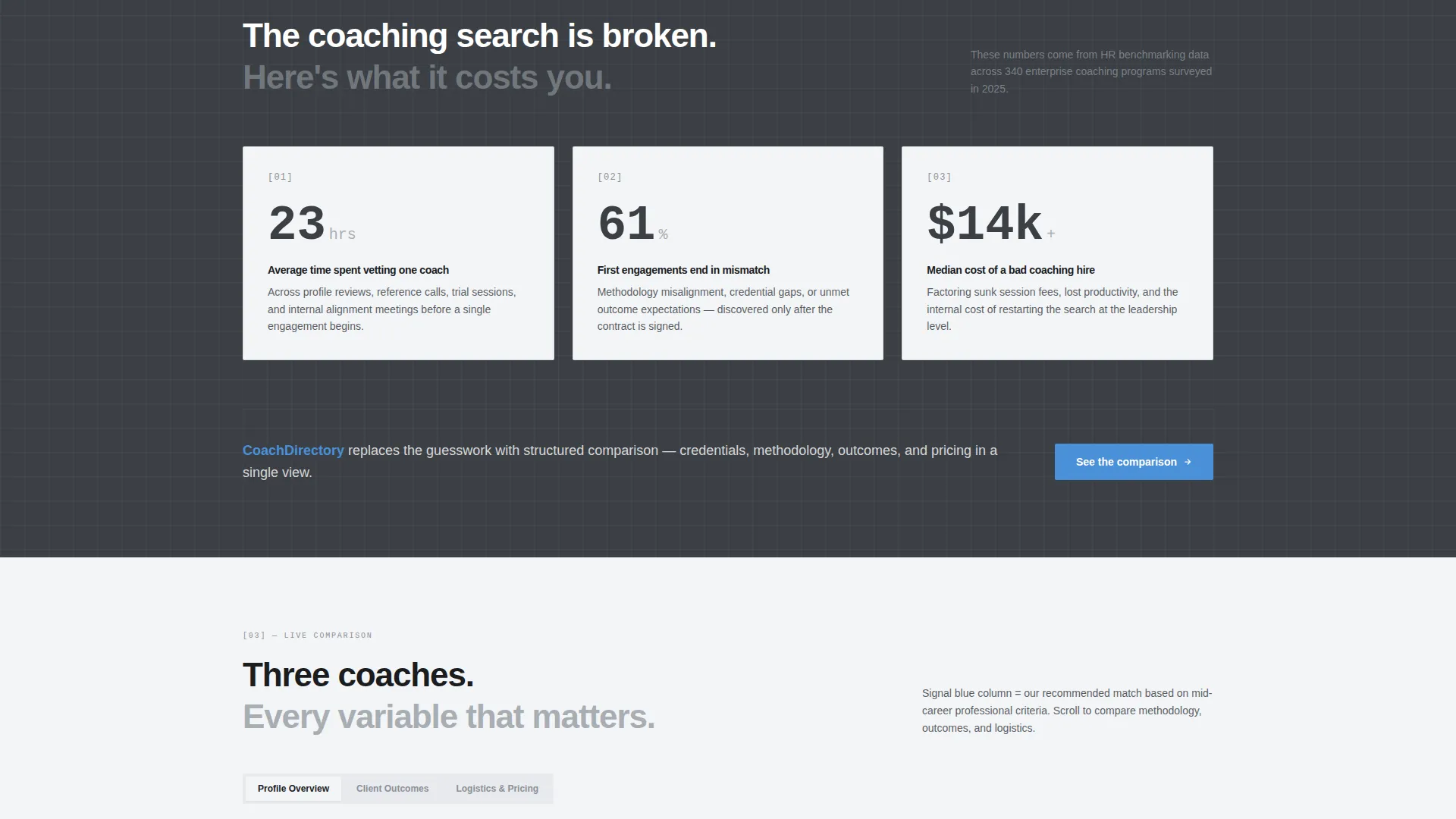
- Visitors see the real cost of a bad coaching hire presented as stat cards before the solution appears
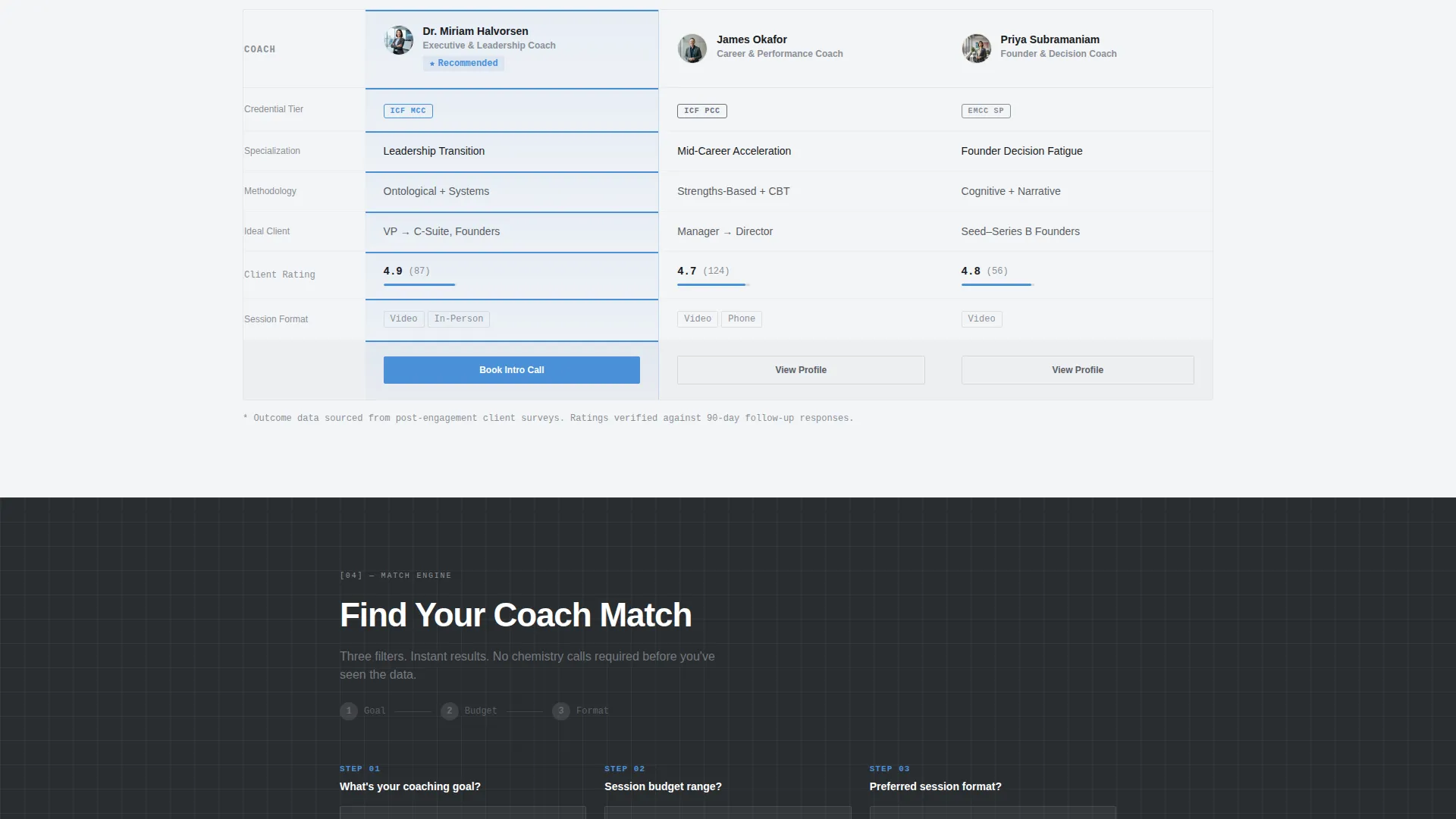
- The comparison table replaces guesswork with side-by-side data on specialization, pricing, and availability
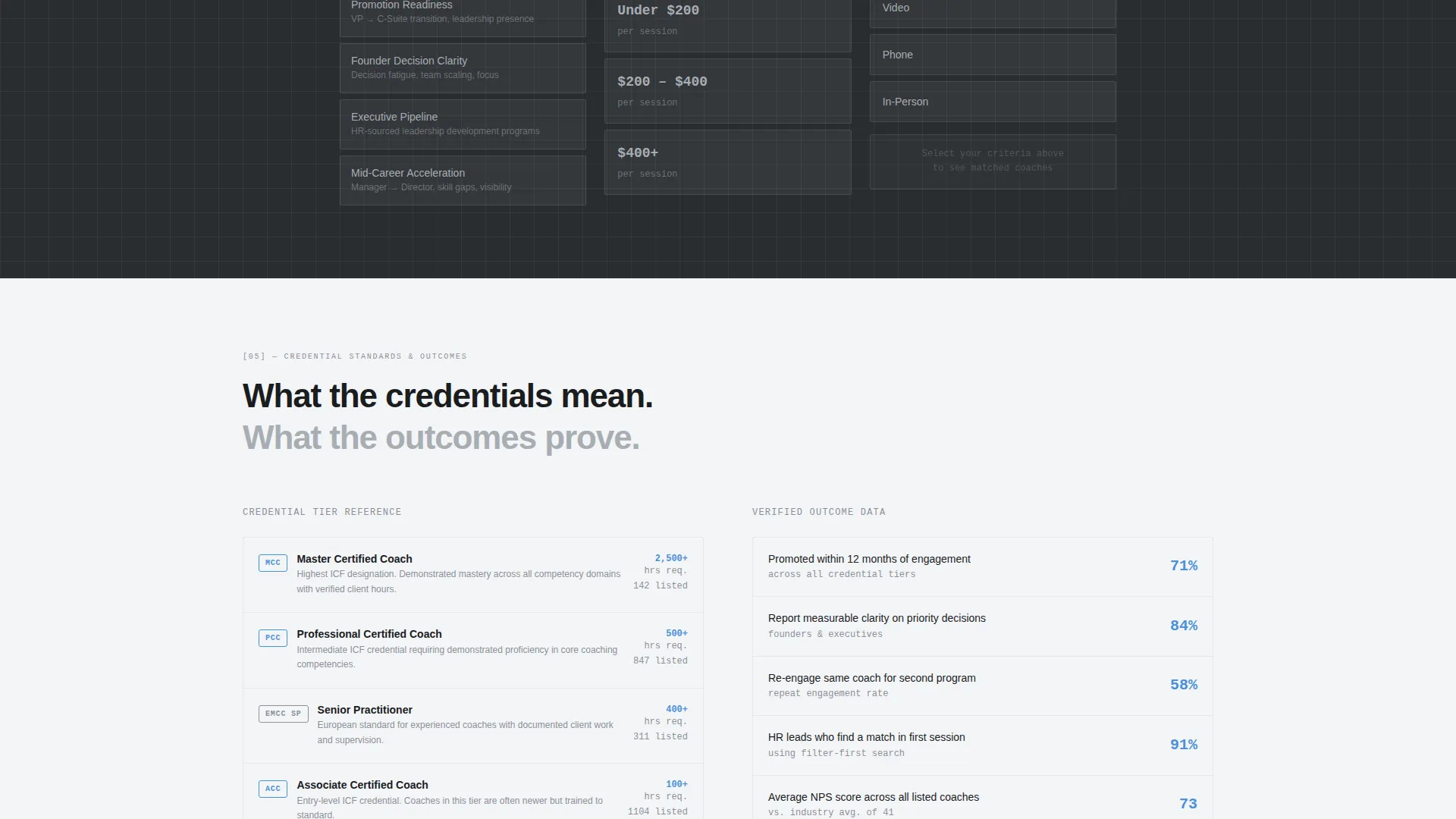
- A three-step inline filter narrows results by goal type, budget, and preferred session format
What you get with this template
This template delivers a complete single-page layout structured around the comparison experience. Every section earns its place before the call to action appears.
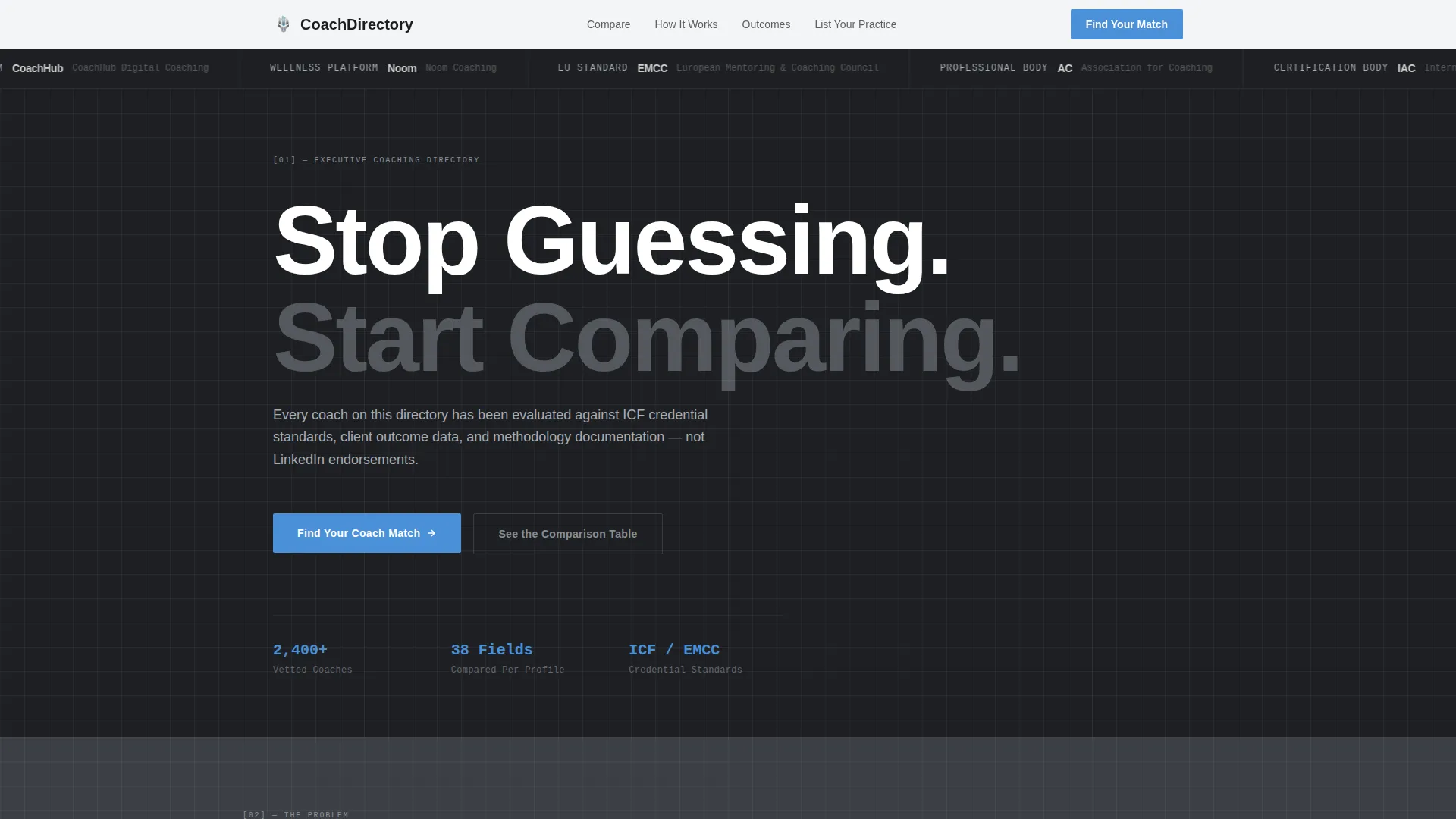
- A scrolling Logo Bar header establishing institutional credibility through recognizable certification and platform names
- Three-column coach comparison table with highlighted recommended column, methodology breakdowns, outcome metrics, and cancellation policies
- Dual conversion paths: a primary "Find Your Coach Match" flow and a secondary "List Your Practice" path for coaches
Feature list
This template bundles purposeful components that guide visitors from problem awareness to confident action. Each element is grounded in the brief and designed to reduce drop-off at every scroll point.
Scrolling Logo Bar Header
A horizontal ribbon of coaching certification and platform logos scrolls at a measured pace against the gunmetal background. It establishes institutional scale and credibility without relying on a hero image or illustration.
Stat Card Problem Section
Three data cards present concrete friction metrics: average vetting hours, first-engagement mismatch rates, and the cost of a poor coaching hire. The cards use steel tones to keep the problem visible and the tone grounded.
Live-Styled Comparison Table
Three fictional coach profiles sit side by side in a structured table. Columns cover specialization, credential tier, average client rating, session price, and availability. The recommended column is highlighted in signal blue for instant orientation.
Deep-Scroll Methodology Breakdown
As visitors scroll further, the comparison deepens into methodology detail, client outcome metrics, and cancellation policies. This progressive reveal ensures visitors interact with the tool before being asked to commit.
Three-Step Inline Filter
A goal type, budget range, and preferred format selector sits anchored to the primary call to action. It narrows the coach results experience in real time and demonstrates the product's value before sign-up.
Dual Conversion Path Layout
The primary call to action targets coach seekers. A secondary "List Your Practice" path targets coaches and is placed in the footer and navigation without competing with the main conversion flow.
Page sections overview
| Section | Purpose |
|---|---|
| Logo Bar Header | Establish credibility through recognizable coaching certification and platform names |
| Headline Block | Deliver the core value proposition in a single confident line |
| Stat Card Row | Surface the real cost and frequency of coaching mismatches |
| Comparison Table | Show three coach profiles side by side with key decision columns |
| Methodology Breakdown | Deepen the comparison with approach, outcomes, and policy detail |
| Inline Filter Block | Let visitors pre-qualify their coach match by goal, budget, and format |
| Primary call to action Section | Drive sign-up with the "Find Your Coach Match" anchor action |
| Footer with Secondary call to action | Offer the "List Your Practice" path for coaches without disrupting the main flow |
Design & branding system
The visual identity follows a Dashboard Pro theme built on a Monochrome Steel color system. Every color choice is intentional: warmth is removed, and clarity is the only decoration.
- Gunmetal base (#3B3F45) and brushed aluminum (#A8ADB3) form the structural palette, with panel white (#F4F5F7) for content surfaces
- Signal blue (#4A90D9) is reserved exclusively for interactive elements and the recommended-column highlight in the comparison table
- Typography uses a medium-weight sans-serif; spacing is generous and grid-tight to maintain the filing-cabinet precision described in the brief
Mobile & speed optimization
The layout is built to remain scannable and functional across screen sizes. The comparison table and filter block are the most critical elements to preserve on smaller viewports.
- The three-column comparison table is structured for horizontal scroll or stacked-card adaptation on narrow screens
- Section spacing and typography scale are set to maintain readability without requiring a zoom or pinch gesture
- The stat card row and logo bar are independently contained so they reflow cleanly without breaking the overall scroll sequence
How this template helps you convert
The page is designed as a Comparison and Versus conversion experience. It earns the click by showing the product before asking for sign-up.
- The Problem-to-Solution Arc builds urgency first, then transitions into the comparison table, so visitors understand why the tool exists before they engage with it
- The inline filter attached to the primary call to action lets visitors interact with a pre-qualification experience that makes the "Find Your Coach Match" action feel like a natural next step rather than a cold ask
Other information about this template
This template sits at the intersection of Technology, Coaching Digital Presence, and the Coaching Directory and Listing Site niche. It is a strong starting point for teams building a structured marketplace or a vetted coach search product.
- The template style is Comparison Table, making it suitable for any directory category that benefits from side-by-side credential or service comparison
- The Dashboard Pro theme and Monochrome Steel system are matched intersection context fields, meaning the visual language and layout direction are intentionally aligned for this niche
- The Logo Bar is designed to reference recognizable coaching certification bodies and coaching platform names to anchor trust at first glance; these include institutional-scale names relevant to the executive coaching space
- The "List Your Practice" secondary path means the template serves two audiences at once: professionals seeking coaches and coaches seeking visibility, without either flow interrupting the other
Theme
Dashboard Pro
Creative direction
Problem→Solution Arc
Color system
Monochrome Steel
Style
Comparison Table
Direction
Comparison/Versus
Page Sections
Scrolling Logo Bar with Credibility Anchoring
Stat Card Problem Section
Side-by-side Comparison Table
Deep-scroll Methodology Breakdown
Three-step Inline Filter
Dual Conversion Path Layout
Related questions
Can I customize the coach profiles in the comparison table?
Does this template work for coaching niches outside executive coaching?
How does the dual conversion path work without confusing visitors?
Is the inline filter connected to a live search system?
What makes this layout different from a standard directory template?



