Industrial Coatings Booking Landing Page Template
Coat is a modular card-grid landing page built for industrial coatings booking. It lets contractors, facility managers, and procurement teams spec epoxies, urethanes, and intumescent systems, then schedule application crews without a phone call. The Data Command visual theme and amber call-to-action buttons give the page an authoritative, job-site-ready feel from the first scroll.
by Rocket studio
Quick summary
Coat is a single-page booking landing page for industrial coatings professionals. It combines a live interactive header, a dense card-grid spec layout, and clear click-through calls to action. The result feels less like a marketing page and more like a technical data sheet that books crews, crisp, purposeful, and already halfway to a purchase order.
Who this template is for
This template was designed for businesses that sell or coordinate industrial coating applications. It speaks directly to the professionals who make the buying decisions on job sites and in facility offices.
- Plant maintenance supervisors managing planned shutdown windows for floor systems and structural coatings
- General contractors locking in coatings subcontractors before concrete cure deadlines
- Property managers scheduling parking-deck recoats around tenant occupancy calendars
What problem this template solves
Coatings procurement is slow. Spec documents are gated behind contact forms, pricing requires a phone call, and comparing systems side by side means juggling multiple PDF tabs. Coat removes that friction entirely.
- No gated technical data sheets: every card surfaces product name, coverage rate, VOC (volatile organic compound) rating, and cure window up front
- No phone-tag booking: crews are scheduled directly from the card interface
- No separate comparison workflow: an inline toggle lets users stack two coating systems side by side without leaving the page
What you get with this template
You get a fully structured click-through landing page built around a modular card grid. Every section is self-contained and production-ready, so you can customize copy and product data without rethinking the layout.
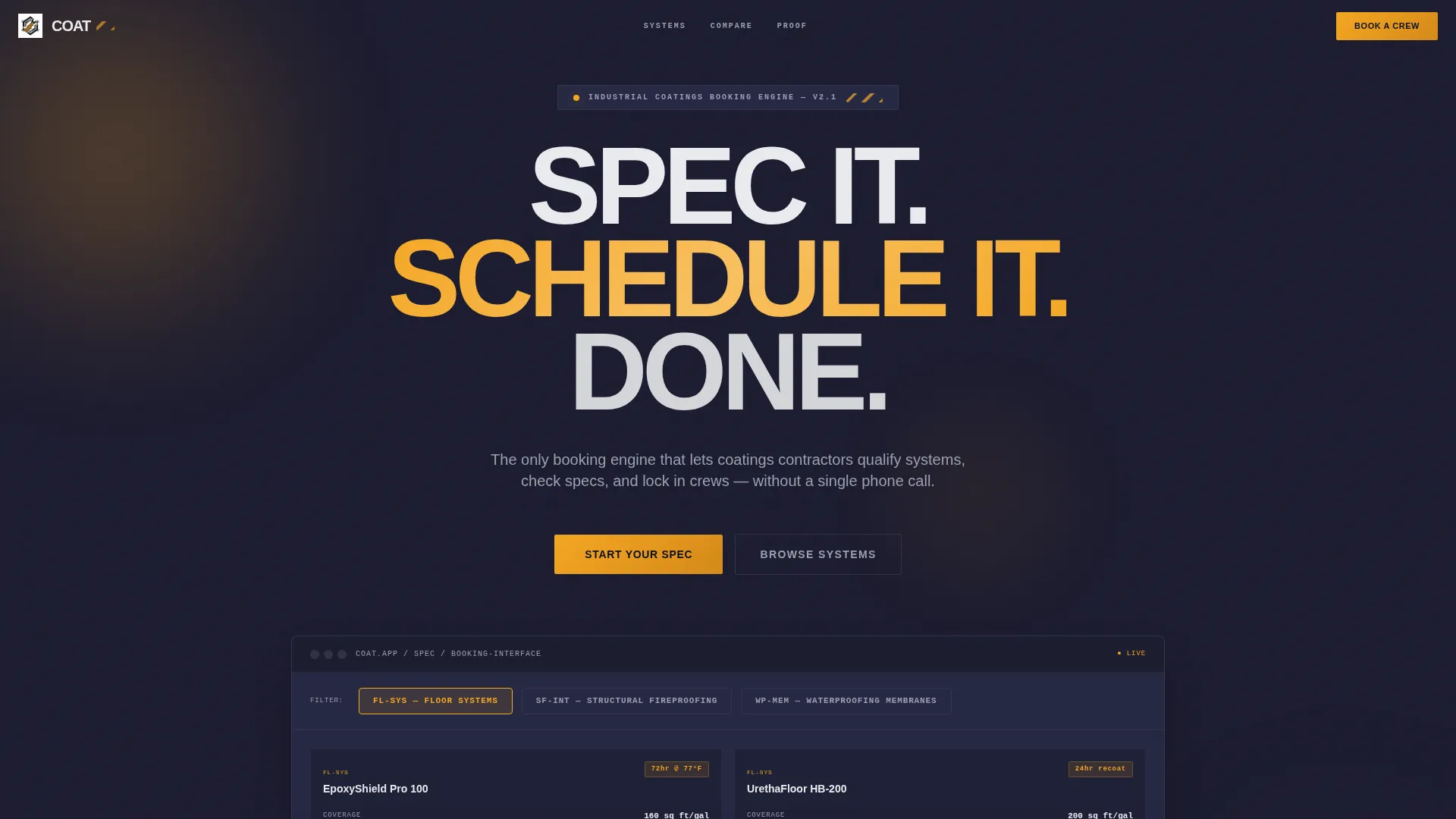
- An interactive header with a live booking interface preview and real-time category toggling
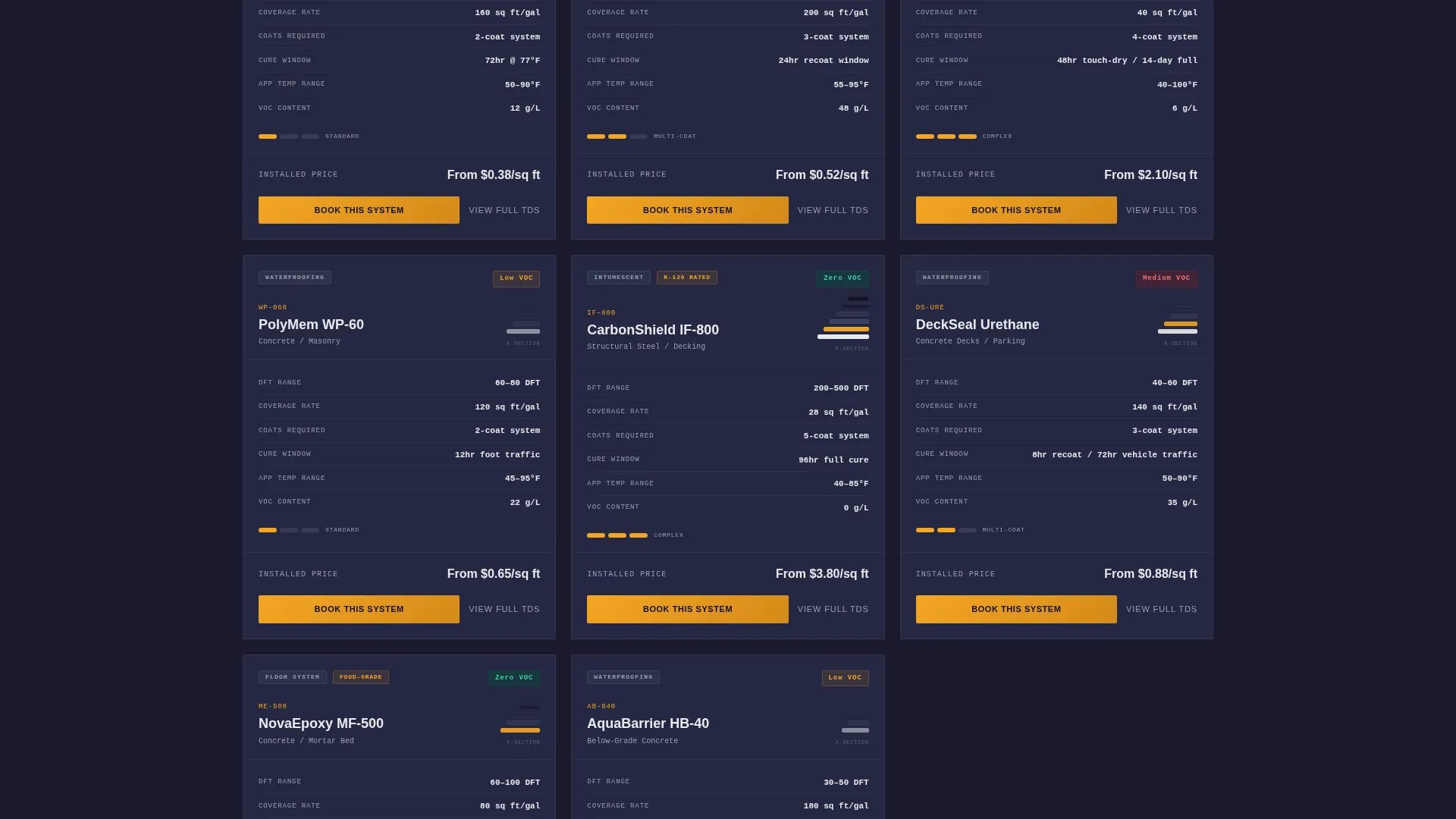
- A scrollable card grid where each card carries a full spec summary, a primary "Book This System" button, and a secondary "View Full TDS" (Technical Data Sheet) link
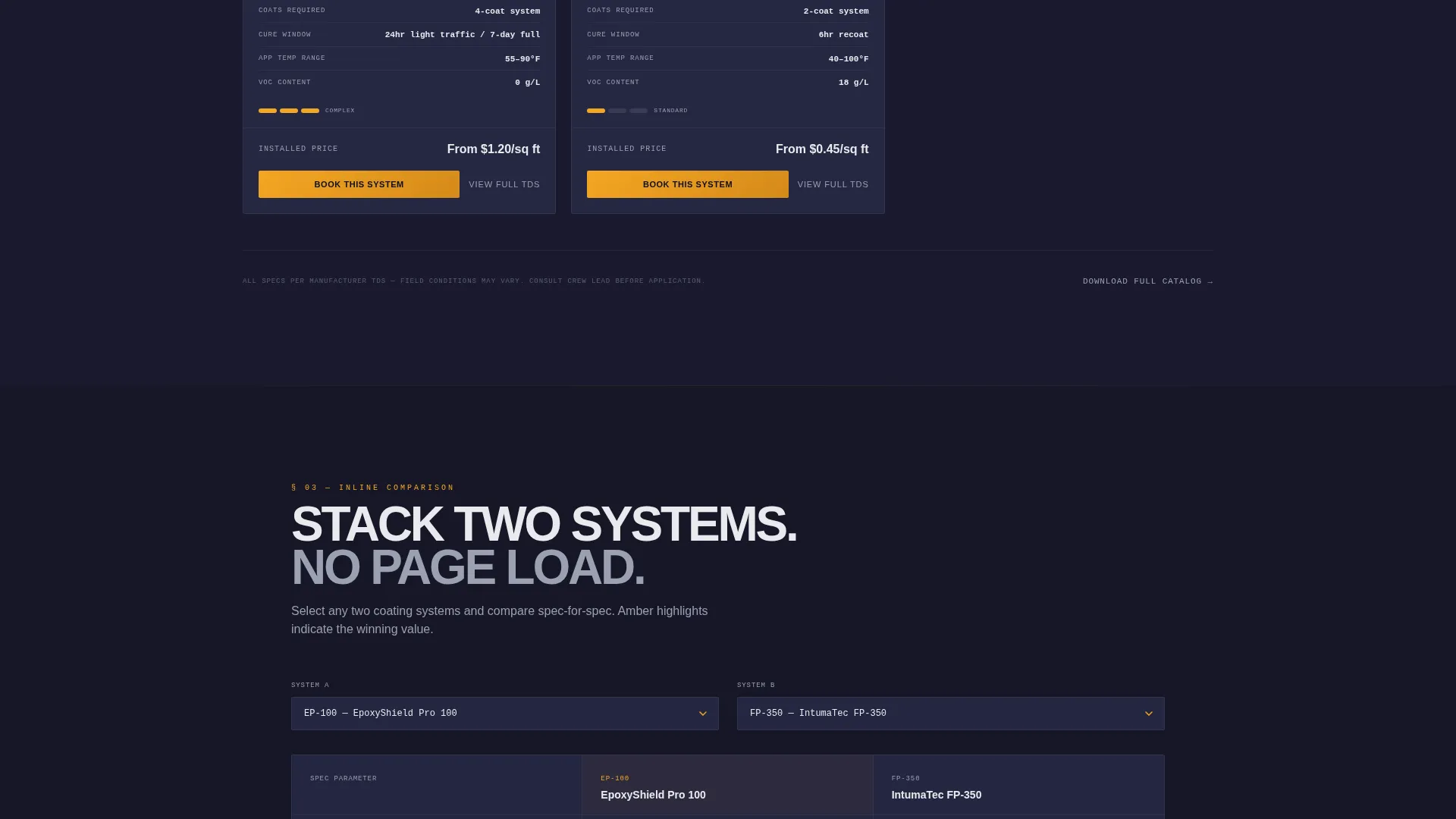
- An inline side-by-side comparison toggle that keeps users on the page while they evaluate systems
Feature list
The following features are built into the Coat template as described in the source brief.
Interactive Category Header
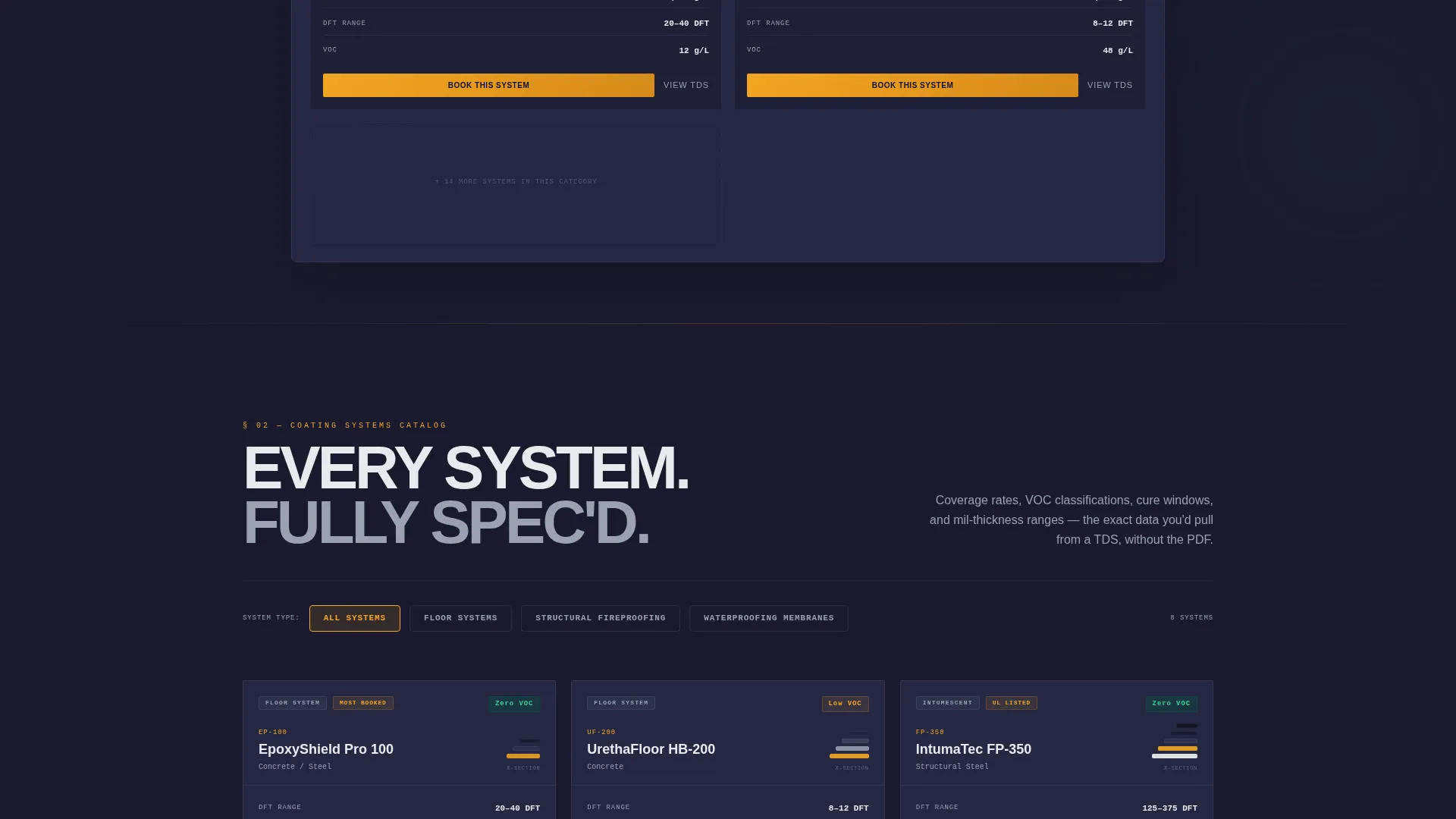
The header is a live mockup of the booking interface. Visitors toggle between coating categories, floor systems, structural fireproofing, and waterproofing membranes, and the card grid below reorganizes in real time. Product thumbnails display actual mil-thickness cross-sections and cure-time badges. The headline "Spec It. Schedule It. Done." fades in over the working interface.
Modular Spec Card Grid
Each card is a self-contained coating system entry. It displays product name, coverage rate, VOC rating, cure window, and a booking button in the dense, scannable format that coatings professionals already read daily. Cards escalate in complexity as visitors scroll, moving from simple architectural paints to multi-coat industrial systems and building a strong impression of depth.
Dual Call-to-Action Per Card
Every card carries two action paths. The primary button reads "Book This System" in hazard-stripe amber, moving ready buyers into the full booking flow. The secondary text link reads "View Full TDS" for spec-checkers who need one more confirmation before committing.
Inline System Comparison Toggle
Users can select two coating systems and view them side by side without navigating away. This keeps spec-checkers engaged on the page and reduces the need to open external documents or spreadsheets for comparison.
Data Command Visual Theme
The Carbon Fiber color system uses deep carbon black for the page background, gunmetal gray for structural elements, titanium white for card surfaces, and hazard-stripe amber for calls to action and interactive highlights. The result reads like the label on a five-gallon pail of industrial primer: technical, no-nonsense, and immediately credible to a trade professional.
Page sections overview
| Section | Purpose |
|---|---|
| Interactive Header Preview | Introduces the booking interface live, with category toggles and a fading headline |
| Coating Category Toggles | Lets visitors filter cards by floor systems, structural fireproofing, or waterproofing membranes |
| Spec Card Grid | Displays each coating system with full technical specs and booking actions |
| Inline Comparison Toggle | Enables side-by-side system comparison without leaving the page |
| Card call to action Block | Drives click-through to the full booking flow from every product card |
Design & branding system
The template follows a Data Command theme built on the Carbon Fiber color system. Every design decision reinforces technical authority and trade credibility.
- Color palette: deep carbon black (#1A1A2E) background, gunmetal gray (#30364F) structural elements, titanium white (#E8EAED) card surfaces, and hazard-stripe amber (#F4A623) for all calls to action and interactive highlights
- Visual language: cards sit on the dark background like spec sheets pinned to a job-site trailer wall, each one clean, self-contained, and dense with useful information
- No stock photography of people: the header showcases the booking tool itself, working in real time, which builds immediate trust with technical buyers
Mobile & speed optimization
The card-grid layout is modular by design, which makes it well-suited to adapting across screen sizes. Coatings professionals increasingly spec and schedule from tablets and phones on active job sites.
- Modular card structure allows cards to reflow naturally across different viewport widths without breaking the spec layout
- Minimal decorative imagery keeps the page focused; the header uses the interface itself rather than large photographic assets
- Each card is self-contained, so content loads and renders independently rather than relying on a single large page block
How this template helps you convert
Coat earns the click before the button is ever pressed. The page front-loads the technical data that contractors and facility managers need to qualify a product themselves.
- The interactive header demonstrates the booking tool immediately, building confidence that the system is real and ready to use before the visitor reads a single line of body copy
- Every spec card gives buyers enough information to self-qualify, VOC rating, cure window, coverage rate, so when they reach "Book This System," the decision is already made
- The secondary "View Full TDS" link captures spec-checkers who are not ready to book yet, keeping them on the page and in the funnel rather than sending them to a search engine for data
Other information about this template
This template fits naturally within the Paint and Coatings vertical SaaS category, serving the intersection of trade-focused technology and industrial procurement workflows.
- Template style: Card Grid (Modular), built for dense information display across a single scrollable page
- Designed to serve the industrial coatings booking system use case, including epoxies, urethanes, and intumescent fireproofing systems
- The click-through landing page structure means every interaction on the page points toward one goal: getting the visitor into the booking flow
- The Spec Sheet creative direction ensures the scrolling experience mirrors the product catalog format that coatings professionals already use and trust
Theme
Data Command
Creative direction
Spec Sheet
Color system
Carbon Fiber
Style
Card Grid (Modular)
Direction
Click-Through
Page Sections
Interactive Booking Interface Header
Modular Spec Card Grid
Dual Call-to-action Per Card
Inline System Comparison Toggle
Data Command Color System
Related questions
Who is the Coat template designed for?
Does the template include actual booking functionality?
Can I customize the coating categories and card content?
What makes this template credible to trade professionals?
Is this template better suited to a single product or a full catalog?



