Medical Coding Analytics Landing Page Template
Codex is a medical coding analytics landing page template built for revenue cycle teams who need clarity, not more spreadsheets. It features a live interactive calculator, dark command-center visuals, and a hub-and-spoke navigation structure that guides billing managers, compliance officers, and RCM directors from curiosity straight into a demo environment.
by Rocket studio
Quick summary
Codex is a single-page landing page template for a medical coding analytics dashboard. It opens with a glowing live-styled widget and an embedded interactive calculator. A sticky anchor navigation then guides visitors through denial analysis, compliance signals, benchmarking, and integration details. Every section funnels toward one destination: the interactive demo.
Who this template is for
This template is designed for teams in healthcare revenue cycle management (RCM) who need to communicate complex data value clearly and fast. It speaks directly to professionals who live inside claim data every day.
- Billing managers at multi-specialty groups who need denial patterns by CPT (Current Procedural Terminology) code family and payer
- Compliance officers preparing for Office of Inspector General (OIG) audits who need audit risk scores and anomaly flags
- RCM directors at health systems who need system-wide denial trends and integration confidence before committing to a platform
What problem this template solves
Most medical coding analytics tools lose potential users before the demo. The pitch is too abstract, the value too buried, and the ask too early. Visitors arrive skeptical and leave without converting.
- Billing teams waste time building pivot tables by hand when denial patterns already exist in the claim data
- Compliance officers cannot quickly judge audit readiness without seeing specialty-specific benchmarks and risk scores
- RCM directors need to verify electronic health record (EHR) compatibility before they invest attention in a new platform
What you get with this template
You get a complete, structured landing page built around interaction and visual clarity. The template includes every section needed to move a skeptical healthcare professional from first impression to demo click.
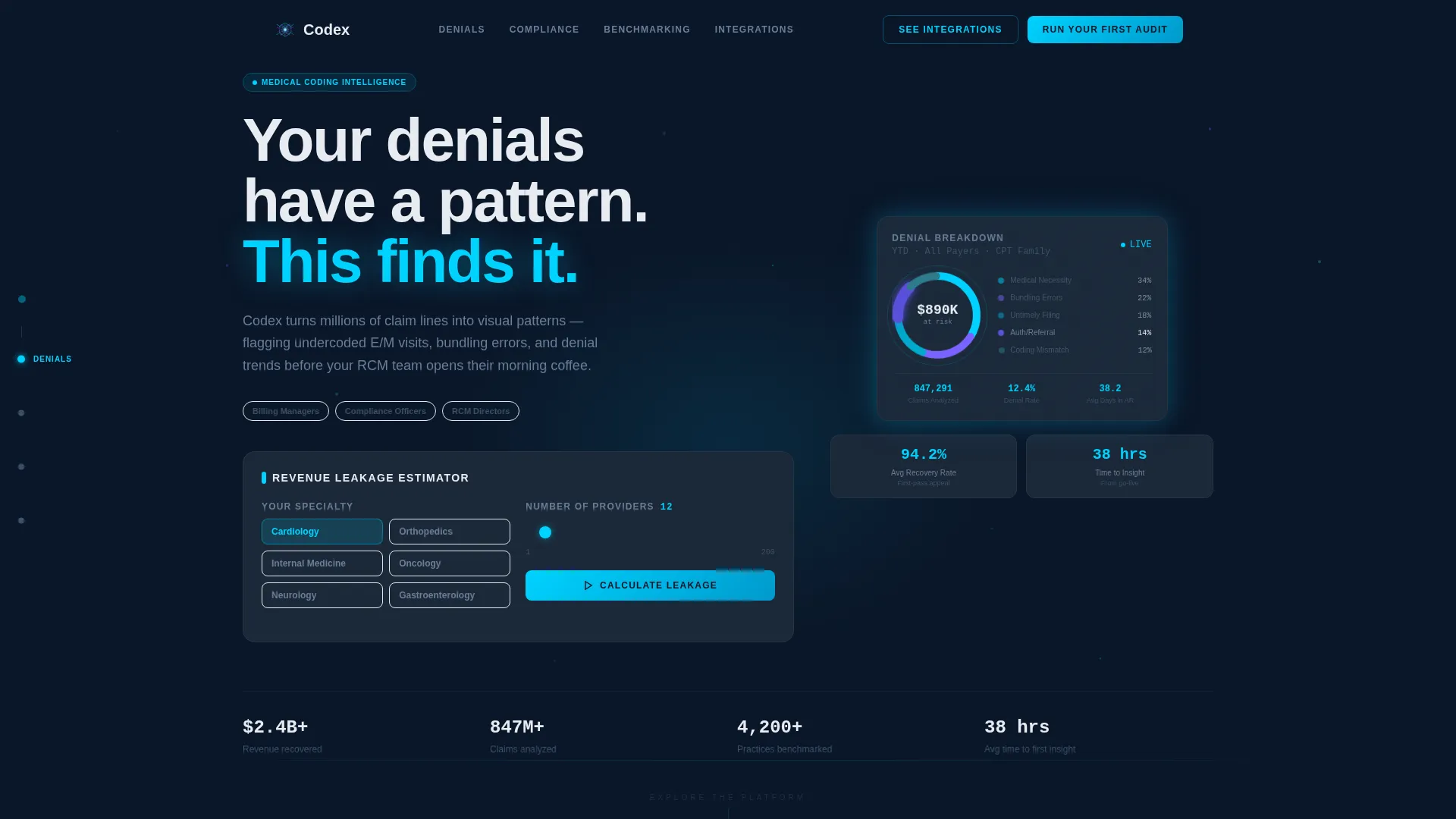
- A hero section with a live-styled donut chart widget, specialty selector, and volume slider that calculates estimated revenue leakage on demand
- A hub-and-spoke anchor navigation covering Denials, Compliance, Benchmarking, and Integrations with constellation-style mini-visualizations
- A click-through conversion path that requires no form, carrying specialty selections directly into a guided product sandbox
Feature list
This section covers the core capabilities built into the Codex landing page template. Each feature is grounded in the template structure and design brief.
Interactive Revenue Calculator
The hero section includes an embedded specialty selector and volume slider. Visitors pick a specialty such as Cardiology, set a provider count, and the dashboard preview recalculates estimated annual revenue leakage, top undercoding opportunities, and a projected audit-risk score. The numbers feel personal and specific before a single scroll.
Live-Styled Denial Visualization Widget
At the center of the header sits a glowing donut chart breaking down denial reasons by CPT family. Numbers tick in real time, and a cyan ring pulses around the highest-value segment. The glow bleeds outward as a radial gradient, making the product itself the visual hero of the page.
Hub-and-Spoke Anchor Navigation
A sticky left-edge navigation links to four spoke sections: Denials, Compliance, Benchmarking, and Integrations. Each spoke ends with a contextual prompt that returns the visitor to the hub. This structure builds a sense of mastery rather than overwhelm across a long, detail-rich page.
Denial Pattern and Payer Breakdown Cards
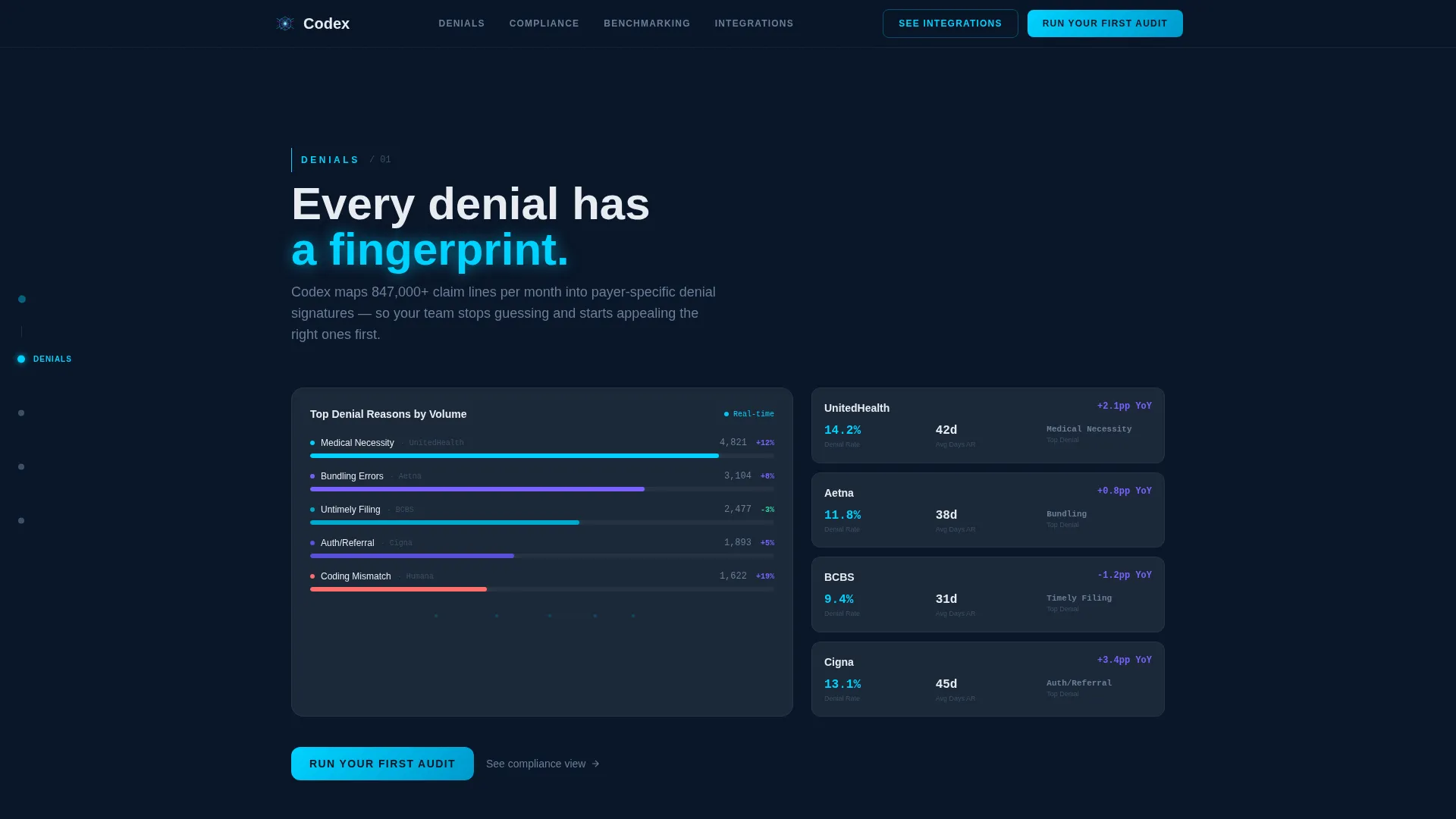
The Denials spoke features a constellation map of denial reasons alongside dark floating payer breakdown cards. Cyan connector lines link related metrics visually, giving billing managers a spatial understanding of where revenue is leaking and which payers are driving it.
Compliance and Audit Risk Scoring Section
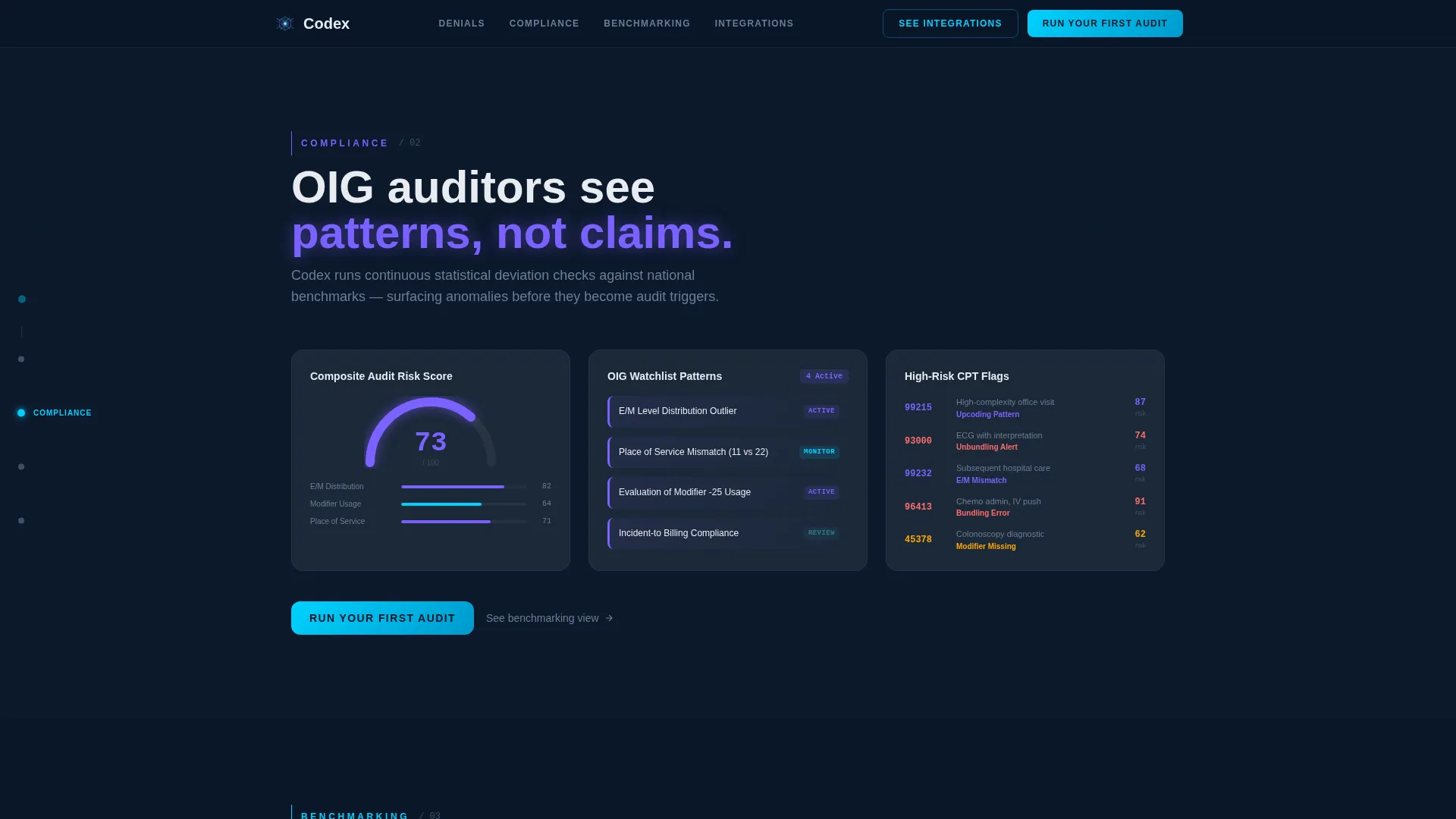
The Compliance spoke surfaces OIG watchlist patterns, anomaly flags marked in soft violet, and audit risk scores tied to specialty benchmarks. Compliance officers can see at a glance where claim patterns deviate from expected norms before an audit cycle begins.
EHR Compatibility and Integration Grid
The Integrations spoke presents an EHR compatibility grid and payer remittance connector overview. A secondary call-to-action, "See the Integration List," is placed here to serve compliance officers and RCM directors who need to confirm system fit before exploring further.
Page sections overview
| Section | Purpose |
|---|---|
| Hero with Calculator | Introduce the platform with an interactive specialty selector, volume slider, and live denial widget |
| Denials Spoke | Show denial reason patterns, payer breakdowns, and constellation-style metric connections |
| Compliance Spoke | Display OIG watchlist flags, audit risk scores, and anomaly highlights |
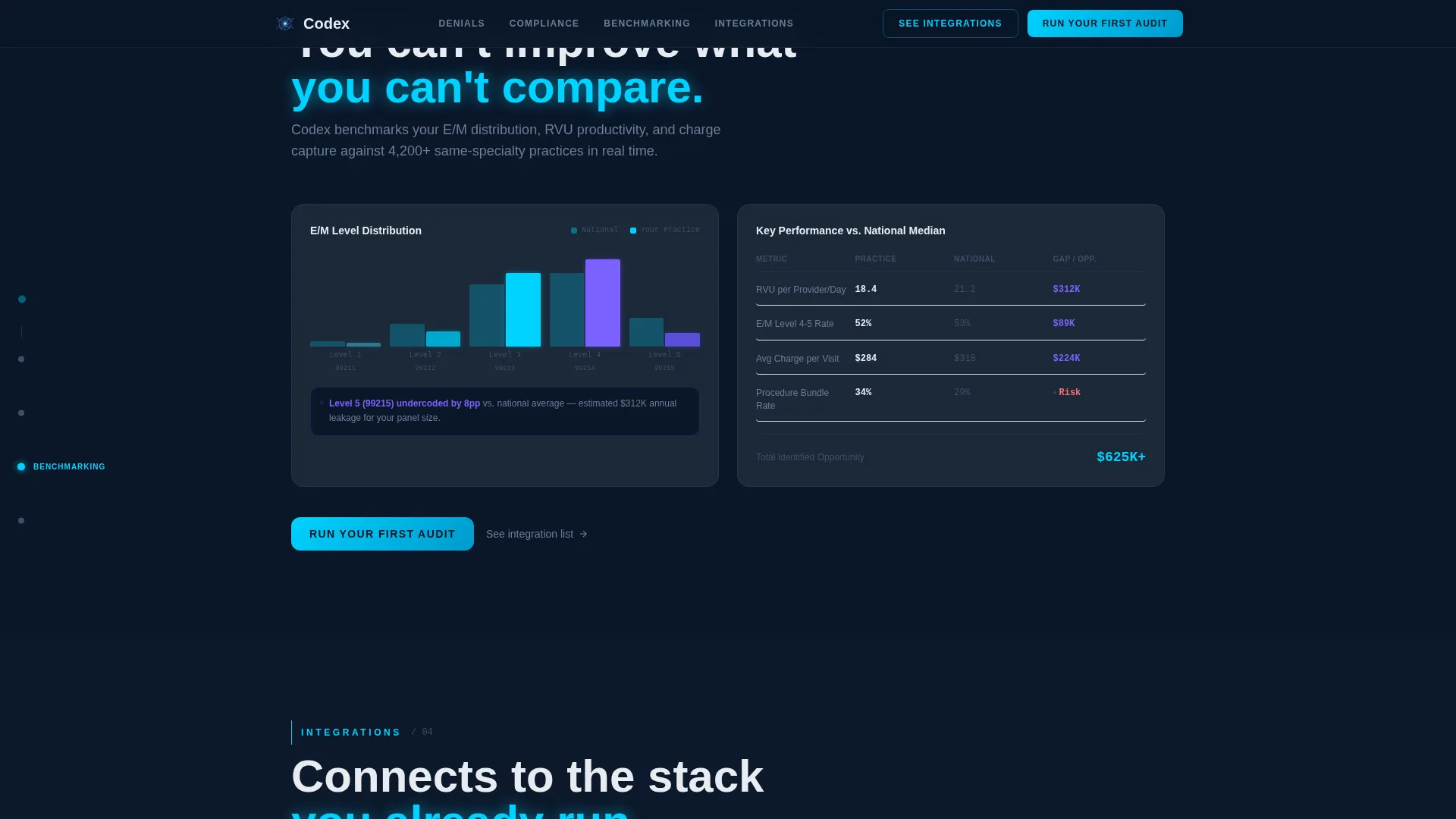
| Benchmarking Spoke | Present specialty benchmark comparisons and evaluation and management (E/M) distribution charts |
| Integrations Spoke | Confirm EHR compatibility and payer remittance connector support |
| Footer | Single-row linear footer with minimal navigation |
Design & branding system
The visual identity follows a dark command-center aesthetic that feels like a hospital monitoring room at 2 a.m. Every color choice serves a functional signal, not decoration.
- Deep terminal navy (#0A1628) as the primary background, steel-panel gray (#1B2838) for card surfaces, and clinical white (#E8ECF1) for body text
- Cool data-stream cyan (#00D2FF) for active states, glow accents, and connector lines; soft violet (#7B61FF) for alert states and anomaly highlights
- DM Sans for body copy and user interface labels; JetBrains Mono for all data values, scores, and numeric outputs to reinforce the data-terminal feel
Mobile & speed optimization
The template is built desktop-first, reflecting how billing managers and RCM directors work on large monitors. It scales responsively to tablet viewports without sacrificing the command-center feel.
- Desktop-first layout with responsive adaptation to tablet screen sizes for field and meeting use
- Server components handle static content sections while the interactive calculator runs as a client component, keeping the page balanced between performance and interactivity
- High-animation fidelity using GSAP ScrollTrigger and CSS keyframe animations on charts, with interactive hover states across all data cards
How this template helps you convert
The conversion architecture of this landing page is built around one click, not a form. Every design and structural decision reduces friction between first impression and demo entry.
- The interactive calculator in the hero section creates a personalized result before the visitor scrolls, making the value feel concrete and specific to their specialty and team size
- The hub-and-spoke structure lets visitors explore only the sections relevant to their role, so a compliance officer dives into audit risk while a billing manager focuses on denial patterns, each arriving at the same "Run Your First Audit" call-to-action
- The no-form conversion path carries the visitor's specialty selection directly into the product sandbox, so their first demo moment already reflects their own context
Other information about this template
This template is part of the Codex product identity and is categorized under Medical Coding Vertical SaaS within the broader Technology category. It is built for the medical coding analytics dashboard niche and follows a Directory and Discovery theme with a hub-and-spoke anchor navigation style.
- The creative direction is Calculator and Tool First, meaning interactivity precedes scrolling and the tool output drives engagement
- The header concept is a Dark Full-Bleed with Glow, where the live widget is the only light source on the page and the product becomes its own hero
- The landing page direction is Click-Through, with no form gate and a primary call-to-action of "Run Your First Audit" and a secondary path of "See the Integration List"
- Localization is English, United States healthcare context, with terminology aligned to CPT coding, E/M visit levels, OIG audit standards, and Centers for Medicare and Medicaid Services (CMS) billing guidelines
Theme
Directory & Discovery
Creative direction
Calculator/Tool First
Color system
Midnight Blue
Style
Hub & Spoke (Anchor Nav)
Direction
Click-Through
Page Sections
Interactive Revenue Leakage Calculator
Live-styled Denial Visualization Widget
Hub-and-spoke Anchor Navigation
Denial Pattern and Payer Breakdown Cards
Compliance Audit Risk Scoring Section
EHR Compatibility and Integration Grid
Related questions
Who is this landing page template designed for?
Does this template require visitors to fill out a form?
What sections are included in this landing page template?
Can I customize the color palette and typography?
Is this template suitable for desktop-heavy users?



