Searchable Real Estate Knowledge Base Landing Page
Codex is a split-screen real estate knowledge base landing page built for agents, brokers, and investors who need fast answers. It pairs a live-stats header and functional search bar with scrolling spec-sheet sections that reveal real formulas, definitions, and decision trees. One click routes visitors directly into the full knowledge library.
by Rocket studio
Quick summary
Codex is a single-page, split-screen landing page template for a real estate knowledge base. It opens with a metrics wall and a search bar, then scrolls through category-indexed spec-sheet sections that each reveal a genuine knowledge snippet. The page is built as a click-through funnel with one primary call to action and no forms to fill out.
Who this template is for
This template suits anyone who needs to present a deep real estate reference library to an audience that values speed and substance over decoration.
- Newly licensed agents preparing for their first listing appointment
- Seasoned brokers who need a fast refresher on financing limits or compliance rules
- Real estate investors reverse-engineering cash-on-cash returns or 1031 exchange timelines
What problem this template solves
Real estate professionals waste time hunting for reliable answers across scattered sources. A knowledge base landing page needs to prove its depth instantly, not just describe it. This template solves the trust gap by putting real content in front of visitors before they ever click through.
- Visitors leave before clicking because the page shows promises instead of proof
- Agents and investors cannot quickly judge whether a resource is worth their time
- A generic hero image or marketing copy fails to communicate the actual value of a technical reference library
What you get with this template
You get a fully structured, single-page landing page laid out as a 50/50 split screen throughout every scroll section. The design follows a Directory and Discovery theme with a dark, high-contrast Void and Violet color system. Every section is purpose-built to earn the visitor's trust through real content.
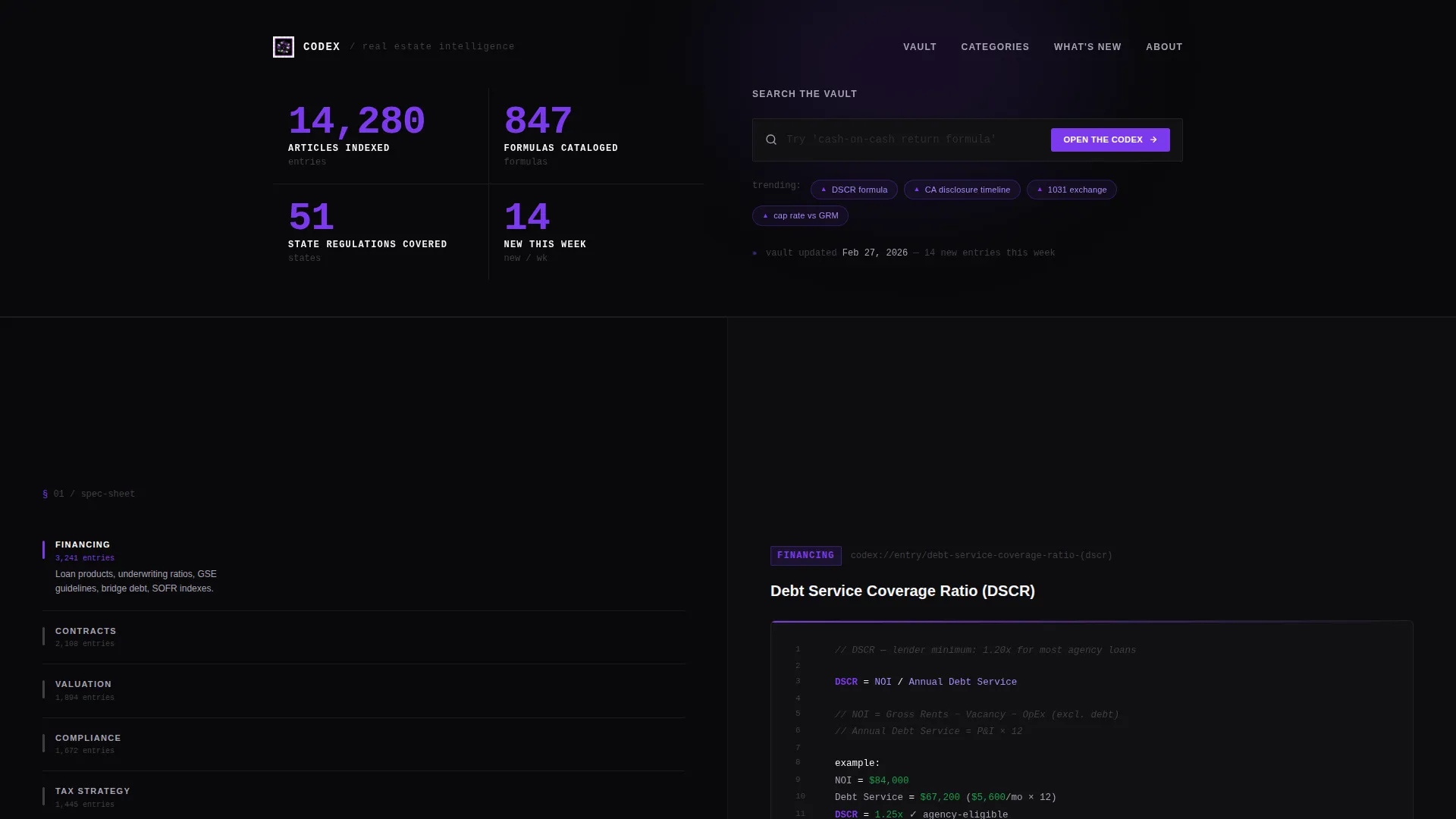
- A stats and metrics header with four live-count numbers and a functional search bar
- Scrolling spec-sheet sections pairing a category index on the left with a sample knowledge card on the right
- A click-through funnel structure with a repeated primary call to action and one secondary text link
Feature list
This section covers the core functional and design components included in the Codex landing page template.
Split-Screen Spec Sheet Layout
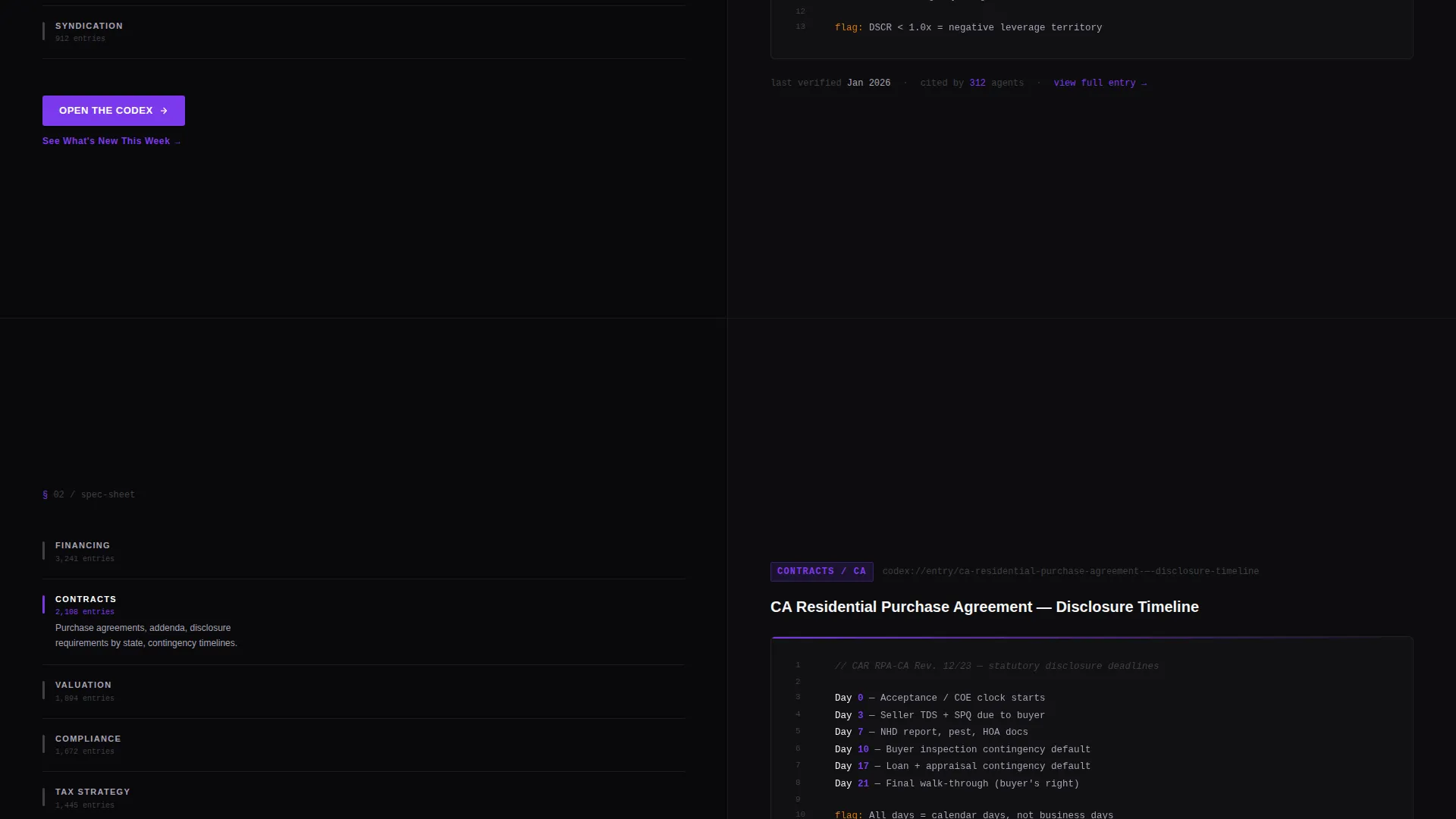
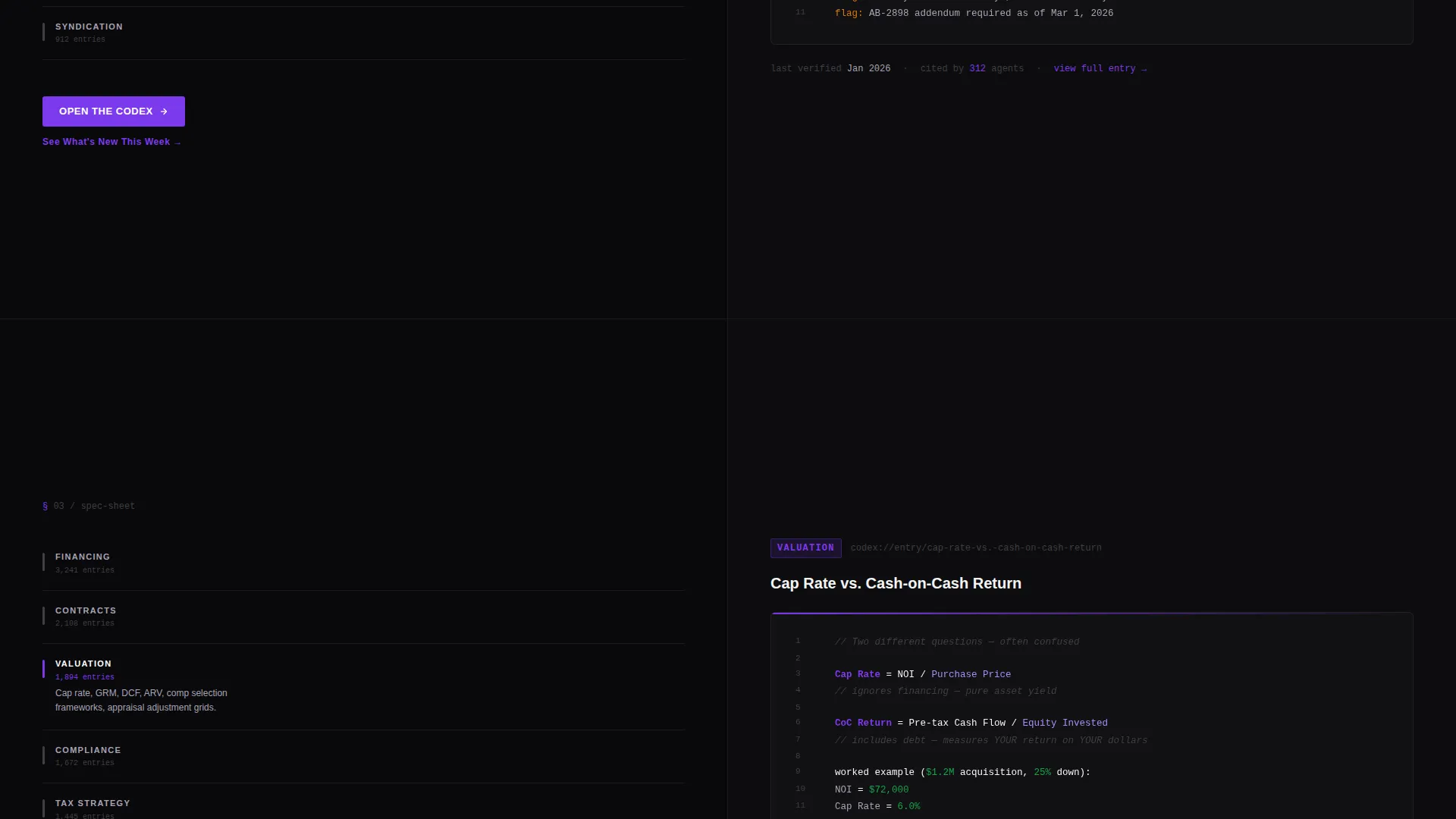
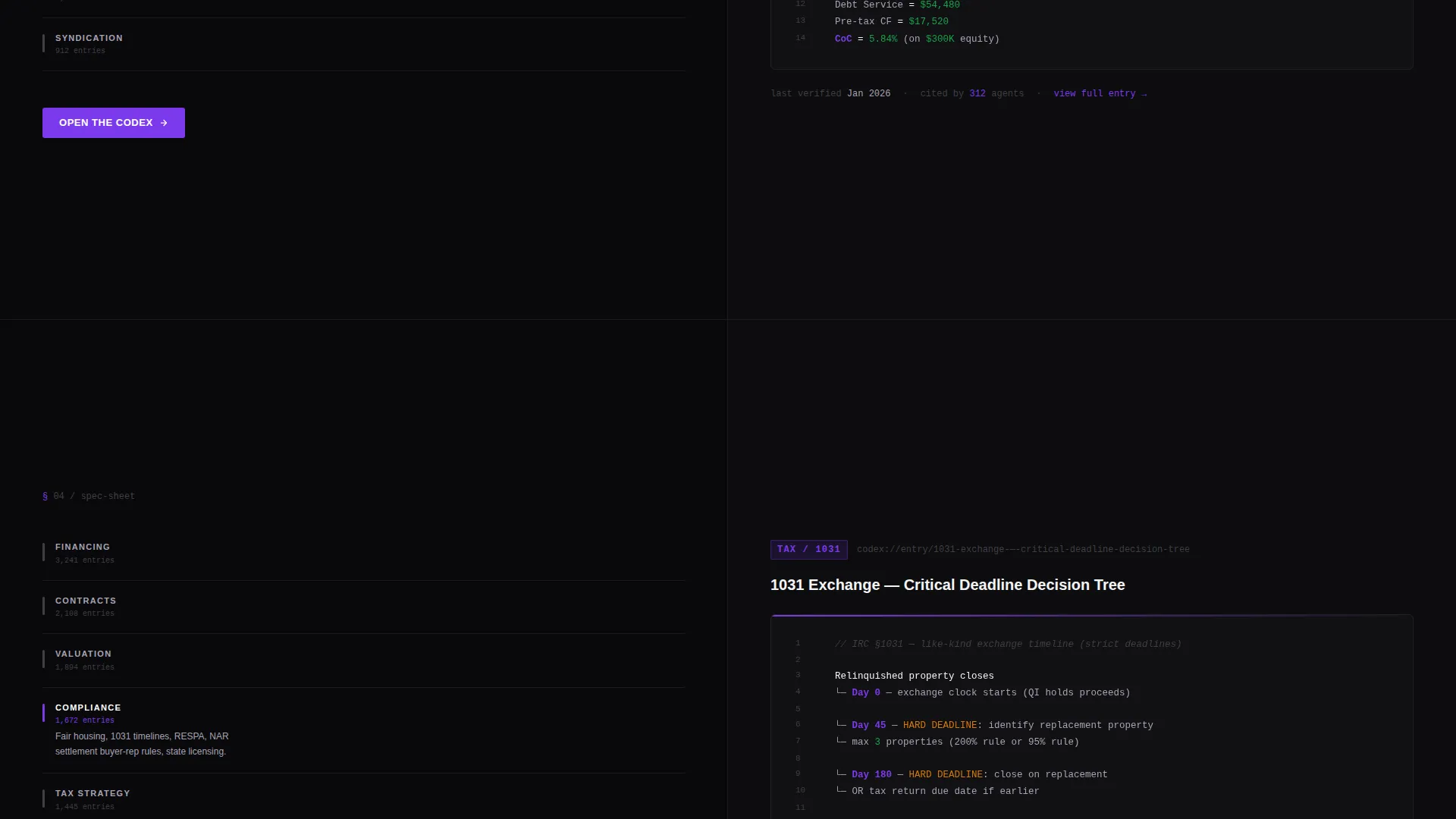
Every scroll section divides the viewport 50/50. The left side shows a category index covering topics such as Financing, Contracts, Valuation, and Compliance. The right side displays a sample entry card with a real knowledge snippet in clean monospace type. As visitors scroll, the left category shifts and the right card swaps, simulating the experience of flipping through a professional reference manual.
Live-Count Stats Header
The header is a metrics wall, not a hero image. Four stacked numbers on the left side tick upward in violet and display counts such as total articles indexed, formulas cataloged, state-specific regulations covered, and weekly new entries added. Each number carries a thin unit label in lavender gray.
Functional Search Bar with Ghost Text
The right half of the header holds a search bar with descriptive ghost text that hints at the library's depth, for example "Try 'debt service coverage ratio' or 'CA disclosure timeline'." Three pill-shaped trending-topic tags sit beneath it. The search bar doubles as the primary call-to-action placement for the "Open the Codex" button.
Complexity-Escalating Scroll Flow
Content difficulty increases intentionally as visitors scroll. Basic terms and definitions appear near the top. Advanced topics such as tax strategy, syndication structures, and exchange timelines appear toward the bottom. The scroll arc itself demonstrates the library's range without requiring a table of contents.
Click-Through Funnel with Anchored Call to Action
No forms, no fields. The primary call to action, "Open the Codex," appears first inside the header search bar and repeats at the bottom of every spec-sheet section. A secondary text link, "See What's New This Week," appears mid-page to catch visitors who want proof of freshness before committing.
Void and Violet Visual Identity
The color system uses absolute void black (#09090B) as the base, electric violet (#7C3AED) on active states and key highlights, muted lavender gray (#A8A3B5) for secondary labels, and bright white (#F4F4F5) for content surfaces. Violet pulses on links, active tabs, and search focus states so the interface feels like a high-end development environment at night.
Page sections overview
| Section | Purpose |
|---|---|
| Stats Metrics Header | Displays four live-count numbers and a search bar with trending tags to establish depth immediately |
| Category Index Panel | Shows the left-side navigation labels (Financing, Contracts, Valuation, Compliance) as visitors scroll |
| Knowledge Entry Card | Presents a real formula, definition, or decision tree on the right side of each spec-sheet section |
| Mid-Page Freshness Link | Places the "See What's New This Week" secondary text link to reassure browsers mid-scroll |
| Anchored Call to Action | Repeats the "Open the Codex" primary button at the bottom of every spec-sheet section |
Design & branding system
The visual identity follows a Directory and Discovery theme built entirely around a Void and Violet palette. The result feels like a high-end integrated development environment late at night, where the dark surround disappears and the information itself floats.
- Absolute void black (#09090B) base, electric violet (#7C3AED) for interactive and highlight states, lavender gray (#A8A3B5) for secondary text, and bright white (#F4F4F5) for content surfaces
- Monospace typography inside knowledge entry cards to reinforce the reference-manual and spec-sheet aesthetic
- Violet pulses on links, active tabs, and search focus states; white content panels contrast sharply against the black surround
Mobile & speed optimization
The split-screen layout is designed with a structured two-column grid that can reflow naturally on smaller screens, stacking the category index above the knowledge card. The minimal asset approach keeps the page light by design.
- No hero images or heavy media assets; the data and text content carry the visual weight
- Pill-shaped tags, monospace cards, and stat counters are all text-based components that render efficiently
- The click-through funnel structure avoids form fields, reducing friction on touch devices
How this template helps you convert
The Codex landing page earns the click by giving something real before asking for anything. Every section is a small proof point that builds cumulative trust.
- The stats header quantifies the library's depth instantly, so visitors understand the scale of what they are about to access before reading a single line of copy.
- Each spec-sheet section gives away a genuine knowledge snippet, such as a cap rate formula or a disclosure timeline, so the visitor experiences the value of the resource rather than just reading about it.
- The repeated "Open the Codex" call to action is always one scroll away, and the zero-field click-through structure removes every barrier between interest and entry.
Other information about this template
This template is built for the real estate knowledge base niche within the broader category of real estate digital presence and technology. It is a strong fit for operators building reference tools, training libraries, or deal-prep resources for real estate professionals at any experience level.
- The template style is a 50/50 split screen, following a Spec Sheet creative direction and a Directory and Discovery theme
- The header concept is a Stats and Metrics wall, and the landing page direction is a Click-Through funnel with no form fields
- The Void and Violet color system is purpose-designed to make dense technical content readable under low-light conditions
- This template is well-suited for real estate knowledge platforms, agent training portals, and investor reference libraries that want to demonstrate content depth before asking for a signup
Theme
Directory & Discovery
Creative direction
Spec Sheet
Color system
Void & Violet
Style
Split Screen (50/50)
Direction
Click-Through
Page Sections
Split-screen Spec Sheet Layout
Live-count Stats Header
Search Bar with Trending Tags
Complexity-escalating Scroll Arc
Zero-field Click-through Funnel
Void and Violet Color System
Related questions
Do I need technical skills to edit this template?
Can I change the categories shown in the spec-sheet sections?
Is this template suitable for a niche outside of real estate?
Does the search bar actually connect to a live database?
How does the 'See What's New This Week' link work?



