Advanced Tech & AI Platforms Professional Website Template
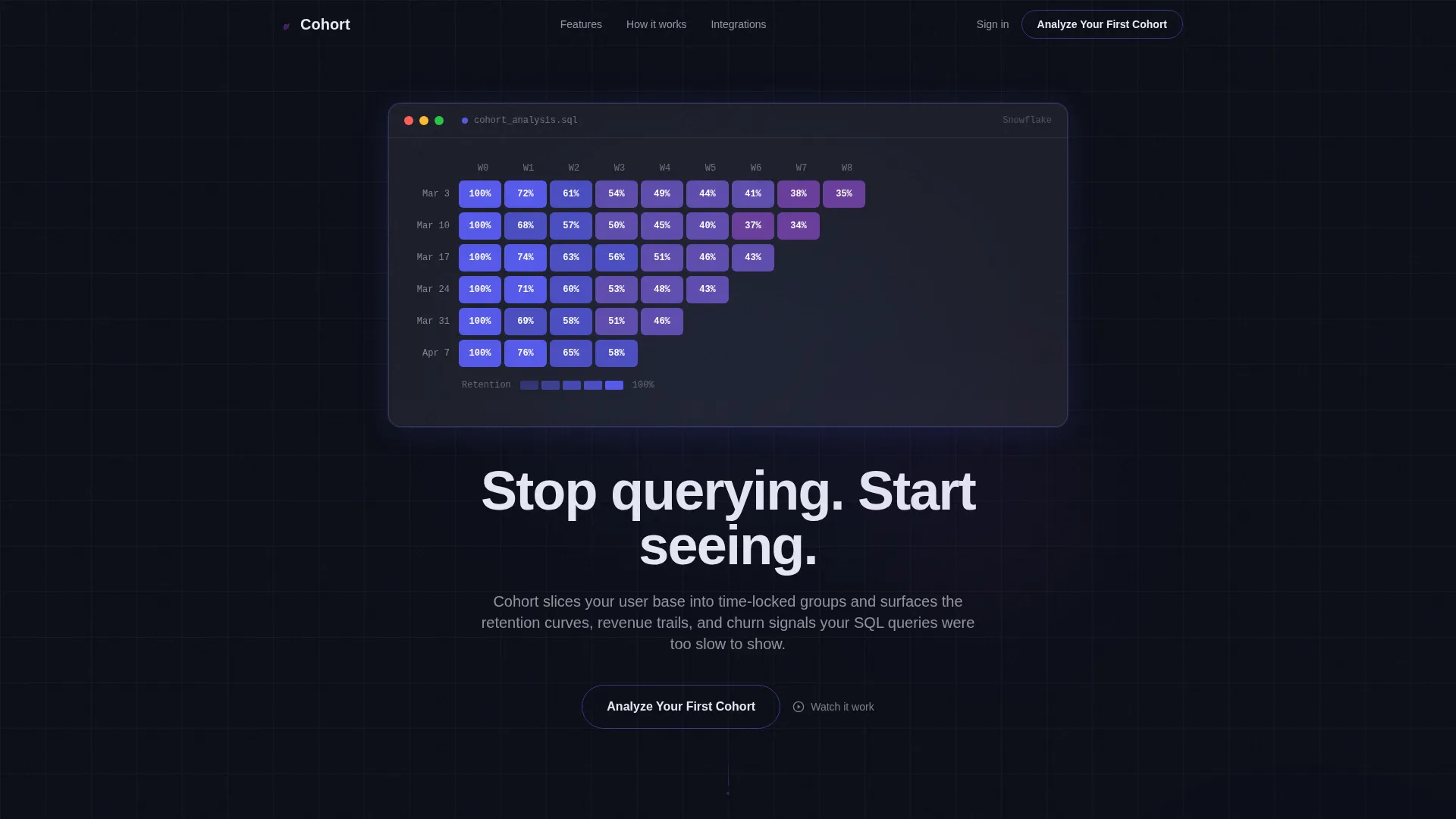
Cohort is a scroll-reveal landing page template built for cohort analysis tools. It combines a syntax-highlighted SQL header animation, a living retention heatmap, and a progressive feature matrix of frosted-glass cards. Designed for growth teams at Series B software-as-a-service companies, it guides visitors from curiosity to conversion through a two-step lead generation flow.
by Rocket studio
Quick summary
Cohort is a single-page, scroll-reveal landing page template for cohort analysis products. It opens with an animated SQL code snippet that dissolves into a retention heatmap, then walks visitors through four escalating feature cards before presenting a two-step lead capture form. The Tech Glass visual identity keeps every screen sharp, dark, and data-forward.
Who this template is for
This template speaks directly to the teams who live inside retention data every day. It is built for products targeting analytical buyers who need to see value before they commit to a form.
- Growth product managers at Series B software-as-a-service companies watching flat retention charts
- Data analysts who rebuild the same cohort queries every Monday and want a faster path to insight
- Revenue operations leads who need to prove the impact of pricing changes on specific user cohorts
What problem this template solves
Most analytics landing pages describe features without making the visitor feel the gap in their current workflow. Cohort solves this by showing the analysis in motion before asking for anything in return.
- Visitors leave before converting because they cannot picture the product working on their own data
- Generic hero sections fail analytical buyers who need evidence of depth, not marketing copy
- Premature calls to action push away data-driven teams who want to earn trust before signing up
What you get with this template
You get a fully structured, scroll-reveal landing page that earns visitor trust section by section. Every design choice is intentional, and every conversion element is sequenced to reduce friction.
- An animated SQL header that builds a cohort query line by line, then resolves into a live retention heatmap
- Four progressive frosted-glass feature cards, each pairing a product screenshot with a three-line capability explanation
- A two-step lead generation form capturing work email, company size toggle, and primary data warehouse selection
- Floating single-stat callouts between cards that reinforce conviction at natural scroll rest points
- A secondary "See the Live Demo" path that opens an interactive sandbox and captures email only on export
Feature list
This template packages each major capability as a distinct, scroll-triggered moment. The sequence below reflects the exact order and intent described in the source brief.
Animated SQL Header with Retention Heatmap
The page opens with a real, syntax-highlighted SQL query that types itself line by line against a void-black background. Once the final semicolon appears, the query dissolves and a retention heatmap fills in from left to right, with electric indigo deepening where retention holds and fading to violet where it drops.
Progressive Feature Matrix Cards
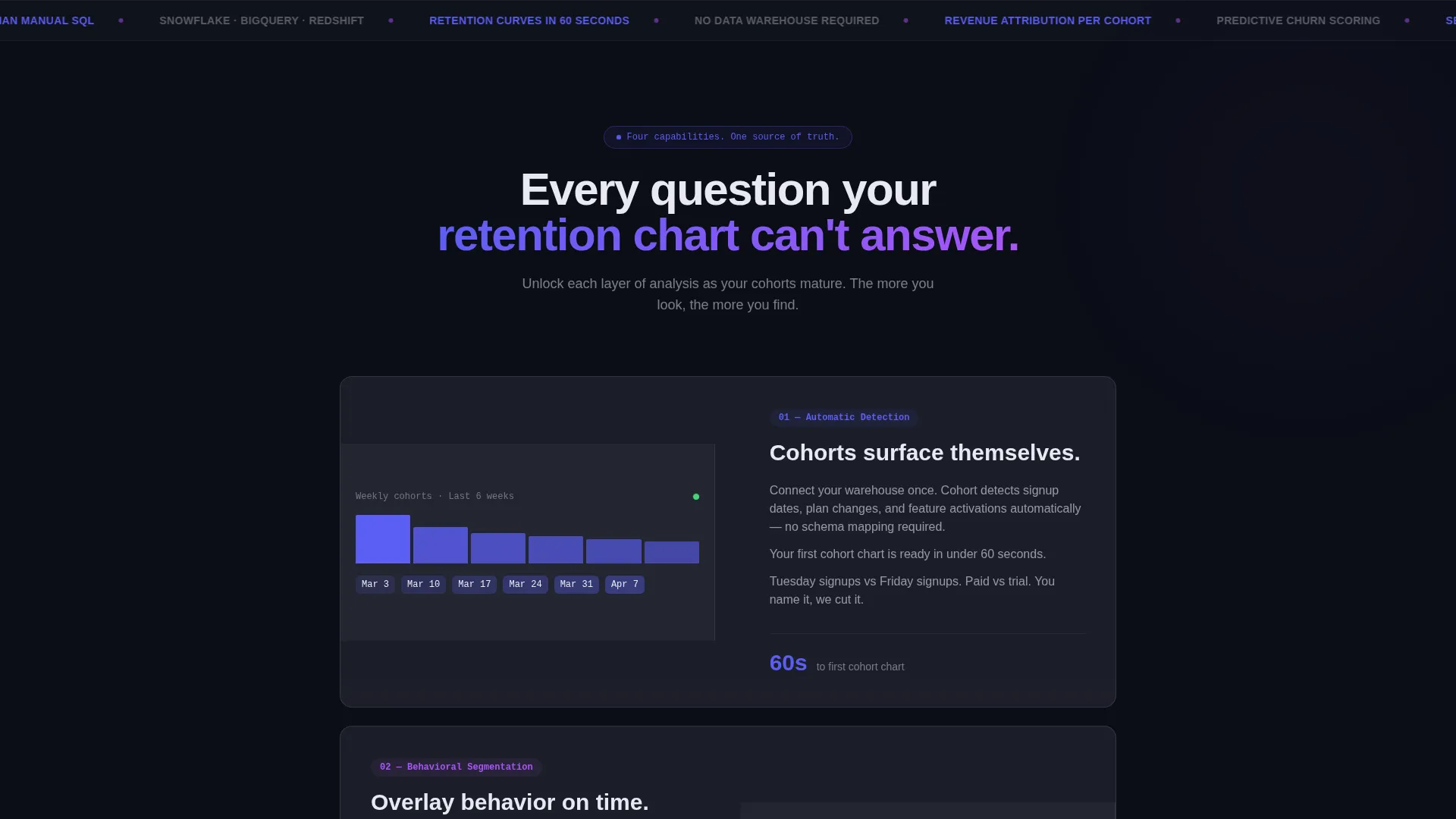
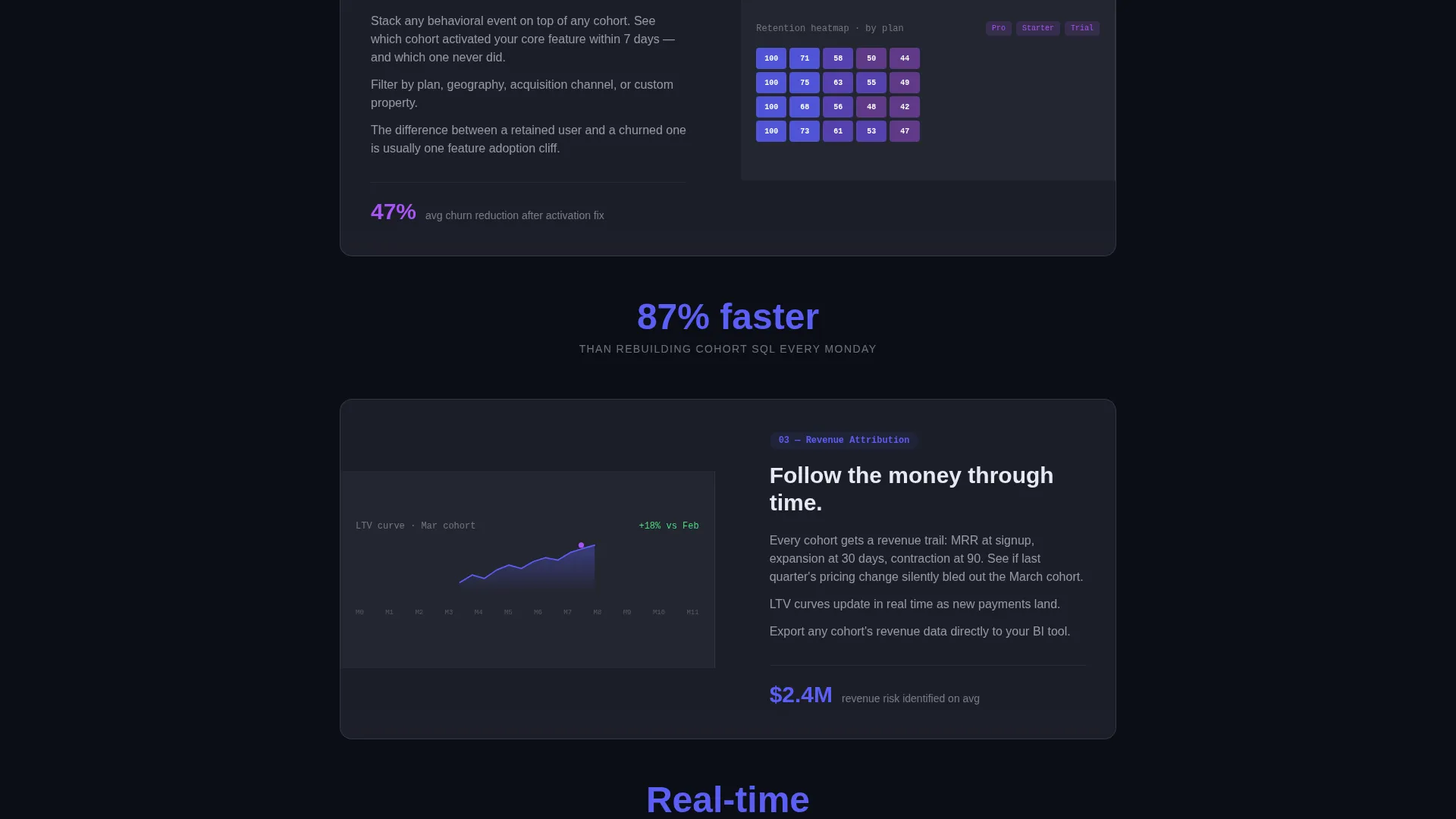
Four frosted-glass cards slide up and sharpen into focus as the visitor scrolls. Each card pairs a product screenshot with a three-line explanation. The screenshot data density increases from card to card, training the visitor's eye to want more complexity rather than less.
Escalating Capability Sequence
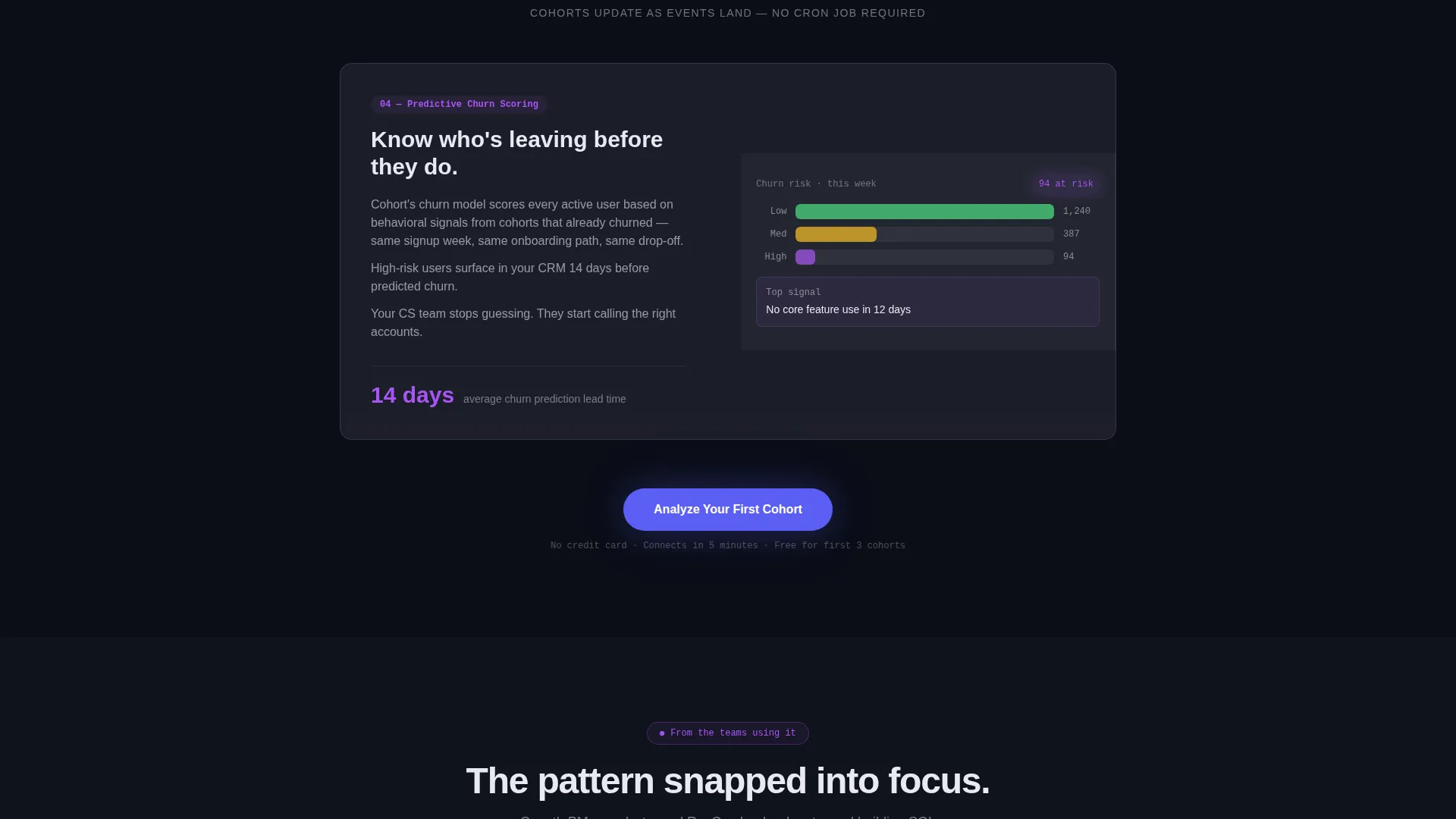
The four feature cards follow a deliberate analytical arc: automatic cohort detection first, then behavioral segmentation overlays, then revenue attribution per cohort, then predictive churn scoring. The order mirrors how an analyst naturally builds toward a complete picture.
Floating Conviction Callouts
Between feature cards, single-stat callouts float into view. Examples include "87% faster than manual SQL" and "Cohorts update in real time." These act as short rest stops that reinforce confidence before the next feature section loads.
Two-Step Lead Generation Form
The primary call to action appears first as a ghost-outlined button in the header, then solidifies into a filled electric-indigo button after the third feature card. The form collects work email, a company size toggle with three ranges, and a data warehouse selector with four options.
Interactive Demo Sandbox Path
A secondary conversion path sits beneath the primary form as a "See the Live Demo" text link. It opens an interactive sandbox chart loaded with sample data. Email is captured only when the visitor chooses to export, reducing the barrier for high-intent but commitment-shy visitors.
Page sections overview
| Section | Purpose |
|---|---|
| Animated SQL Header | Opens with a code snippet that builds a cohort query line by line, then dissolves into a retention heatmap |
| Headline Reveal | Types the core product promise beneath the heatmap to anchor the visitor's attention |
| Ghost call to action Button | Presents the primary call to action early, before full value has been demonstrated |
| Feature Card One | Introduces automatic cohort detection with a screenshot and three-line explanation |
| Conviction Callout One | Floats a single speed stat into view as a scroll rest point between features |
| Feature Card Two | Reveals behavioral segmentation overlays with increased screenshot data density |
| Conviction Callout Two | Floats a real-time update stat to reinforce product credibility |
| Feature Card Three | Presents revenue attribution per cohort, escalating analytical depth |
| Feature Card Four | Closes the feature sequence with predictive churn scoring at full data complexity |
| Lead Generation Form | Captures work email, company size, and data warehouse selection in two steps |
| Demo Sandbox Link | Offers a secondary path to an interactive chart, gating only on export |
Design & branding system
The visual identity follows a Tech Glass theme built around an Electric Indigo color system. Every color choice is tied to a specific role in the interface, so the palette communicates hierarchy without needing labels.
- Deep void black (#0B0E17) as the primary background, creating the late-night monitor atmosphere described in the brief
- Electric indigo (#5B5EF4) as the signature accent on charts, hover states, active user interface elements, and the filled call-to-action button
- Frosted glass white (#E8E9F3) for body text and card surfaces rendered at 12% opacity, giving depth without noise
- Hot signal violet (#A855F7) reserved for data highlights, retention drop indicators, and notification badges
Mobile & speed optimization
The scroll-reveal structure is designed to feel intentional on any screen size. Each section loads as a self-contained moment, which keeps the experience coherent even when the viewport is narrow.
- Frosted-glass cards are structured to reflow cleanly, keeping screenshot and explanation readable at smaller widths
- Floating callout stats are concise by design, making them easy to absorb on a mobile scroll without breaking rhythm
- The two-step form uses a single toggle and a simple selector, keeping the mobile input experience minimal and fast
How this template helps you convert
Cohort earns the conversion rather than demanding it. The page sequences trust-building and social proof before presenting the form, which is a deliberate choice aligned to how analytical buyers make decisions.
- The animated header and heatmap demonstrate product depth in the first five seconds, giving skeptical visitors a reason to keep scrolling before any ask is made.
- The ghost-to-filled call-to-action button progression signals that the template has earned the click by the time the button solidifies after the third feature card.
- The secondary demo path lowers the barrier for visitors who are not ready to submit a form, capturing intent through an export action instead.
Other information about this template
This template is part of a broader set of advanced tech and artificial intelligence platform templates designed for high-intent, analytical buyer audiences. A few additional details worth noting:
- The template category is Technology, subcategory Advanced Tech and AI Platforms, with a niche focus on cohort analysis tools
- The scroll-reveal progressive style means each section is hidden until the visitor reaches it, keeping attention focused on one capability at a time
- The Tech Glass theme and Electric Indigo color system are consistent with the visual language common in modern data tooling products
- The two-step form is designed to qualify leads without creating friction, using a company size toggle and a data warehouse selector rather than open text fields
- The interactive demo sandbox is framed as a secondary path, giving the template two distinct conversion surfaces without competing for the same click
Theme
Tech Glass
Creative direction
Feature Matrix
Color system
Electric Indigo
Style
Scroll Reveal (Progressive)
Direction
Lead Generation
Page Sections
Animated SQL Header and Heatmap
Progressive Frosted-glass Feature Cards
Floating Conviction Callout Stats
Ghost-to-filled Call-to-action Flow
Two-step Qualifying Lead Form
Interactive Demo Sandbox Path
Related questions
Who is this landing page template designed for?
What does the animated SQL header actually do?
How does the two-step lead form qualify visitors?
Can visitors engage with the page without submitting the main form?
What makes the feature card sequence different from a standard feature list?



