Coldchain — Expert Temperature-Control Landing Page Template
Coldchain is a single-column landing page template built for frozen and perishable food freight forwarders. It combines a live-styled shipment monitoring dashboard with dense, tabular specification blocks to turn operational data into qualified leads. The design uses a dark warehouse aesthetic, teal, charcoal, and amber, to signal precision, reliability, and always-on visibility across every cold chain mile.
by Rocket studio
Quick summary
Coldchain is a landing page template for frozen and perishable food freight forwarders. It opens with a live-styled dashboard showing three active shipments and flows into scannable specification blocks. The conversion goal is a gated spec sheet download. Every design choice, from dark charcoal backgrounds to amber deviation alerts, reflects the operational reality of maintaining a continuous -18°C cold chain.
Who this template is for
This template is built for B2B freight businesses that move temperature-sensitive cargo at scale. It is designed for teams who need to demonstrate operational depth before a prospect ever picks up the phone.
- Seafood importers and frozen food manufacturers who track container temperatures around the clock
- Pharma-adjacent food ingredient suppliers with deep compliance and documentation requirements
- Cold chain freight forwarders marketing reefer container services to high-stakes buyers
What problem this template solves
Buyers of frozen freight services arrive with high anxiety and specific technical questions. A generic logistics page cannot answer them. This template gives freight forwarders a page that speaks the buyer's language from the first scroll.
- It replaces vague service promises with tabular specification data, SLA metrics, and certification details
- It removes the barrier to entry by offering an ungated live transit demo before asking for contact details
- It earns the spec sheet download by showing enough operational depth to prove the business is worth trusting
What you get with this template
The template is a fully structured single-column flow built around five major content sections. Each section is a self-contained data card with consistent visual rhythm and expandable detail rows.
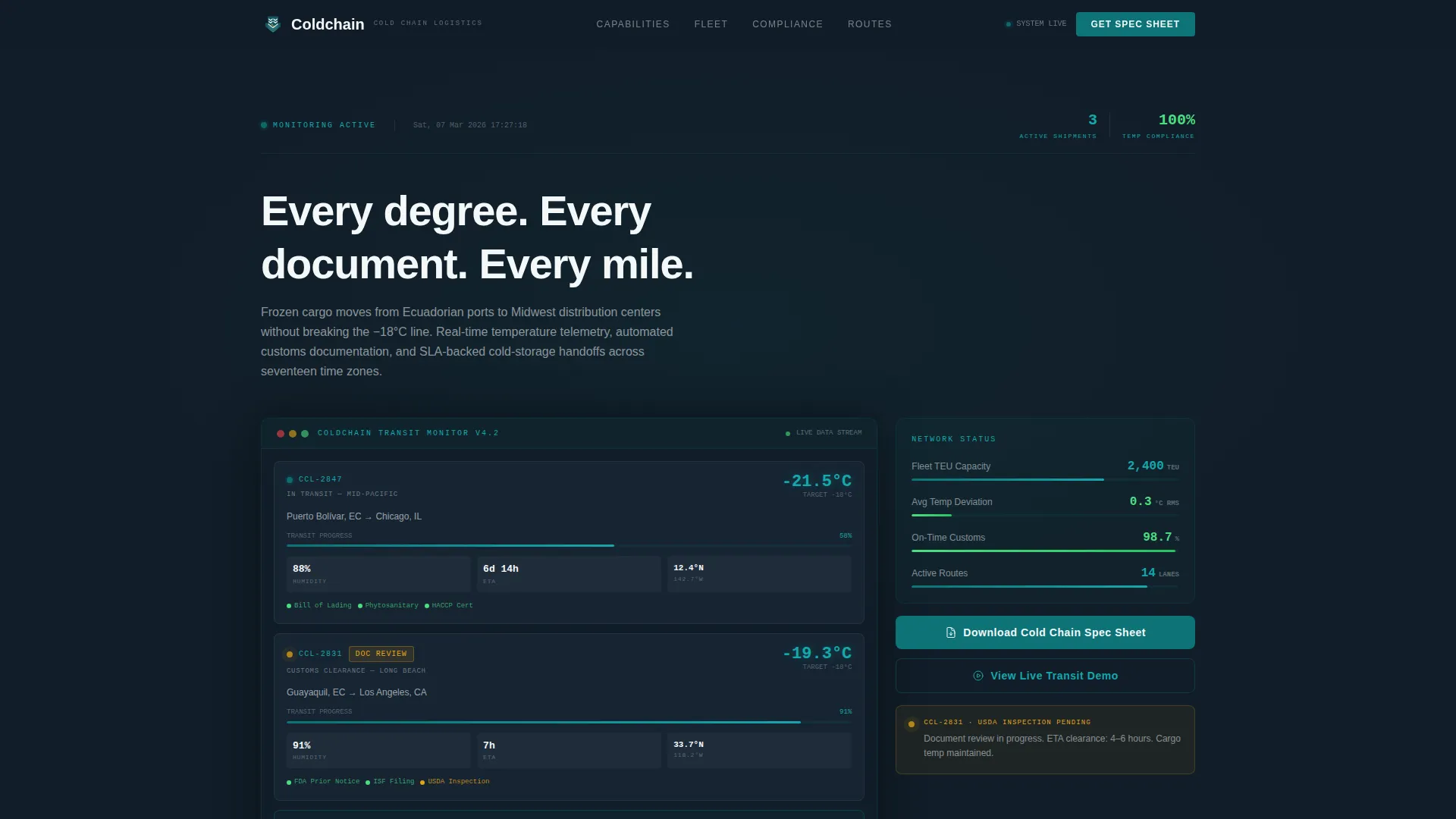
- A hero section with a live-styled three-shipment dashboard and a typewriter headline
- Three specification blocks covering temperature capabilities, container fleet details, and compliance and SLA data
- A mid-page gated form and a secondary ungated demo path, both driving toward the cold chain spec sheet conversion
Feature list
This template includes a focused set of built-in components designed for the frozen freight forwarding use case.
Live-Styled Monitoring Dashboard
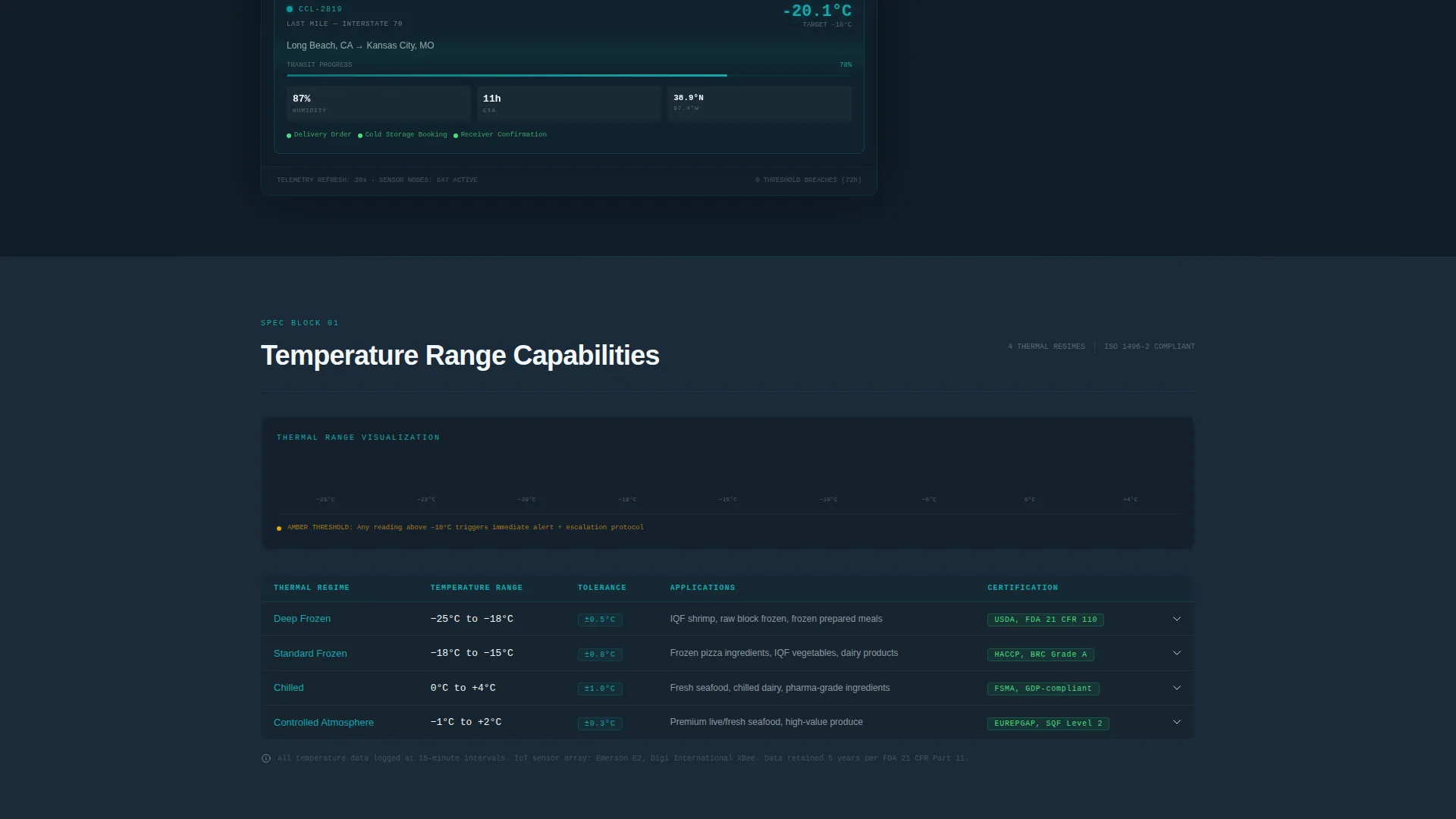
The hero section presents a simulated monitoring interface showing three active shipments. Each shipment card displays real-looking data: core temperature readings, humidity levels, ETA countdowns, document status indicators, and updating GPS coordinates. Client-side components power the dashboard simulation so the data feels operational.
Typewriter Headline Animation
A single headline types itself in above the dashboard on page load. The animation sets the operational tone immediately and draws the eye before the visitor starts reading specification data.
Tabular Specification Blocks
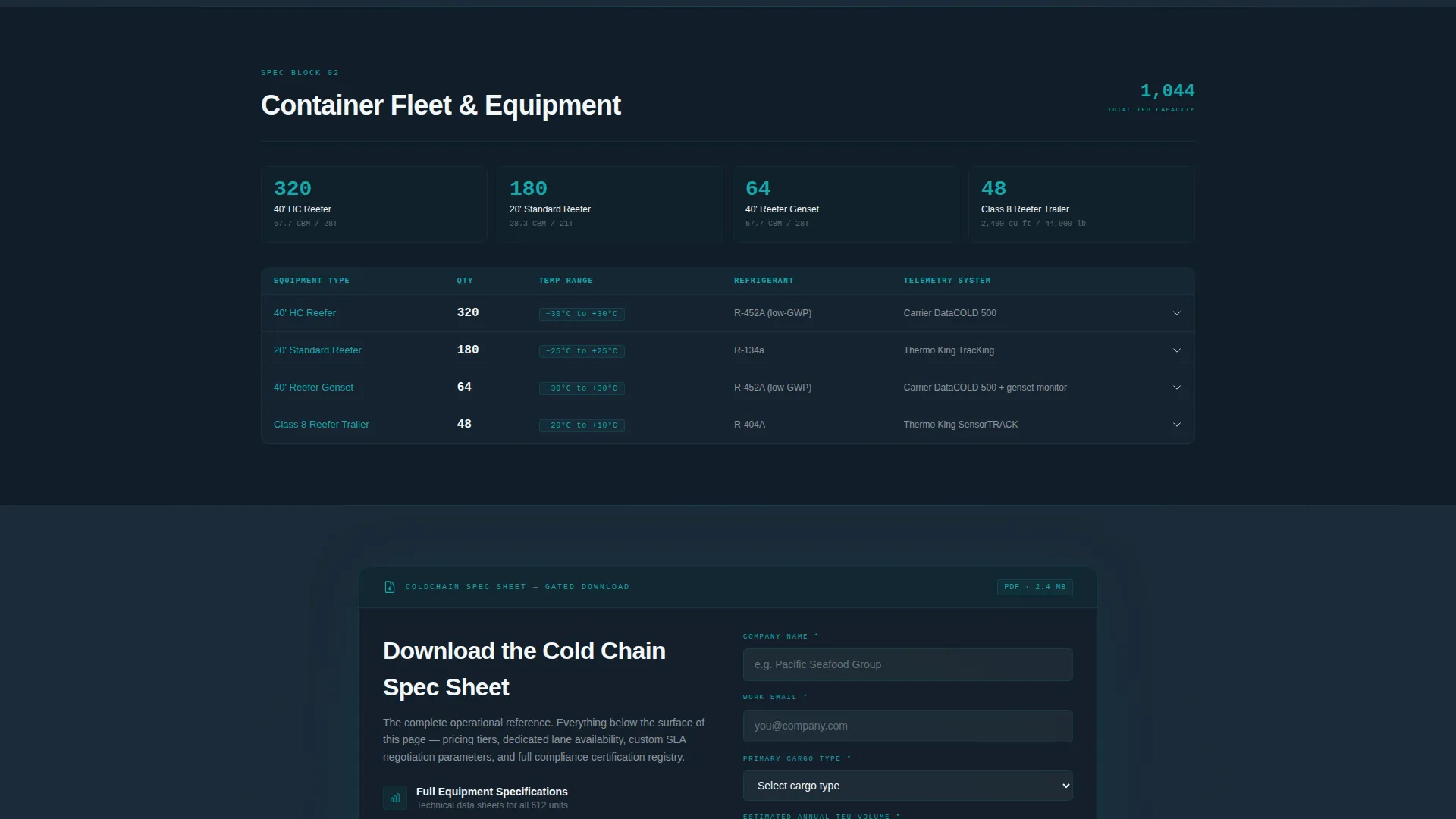
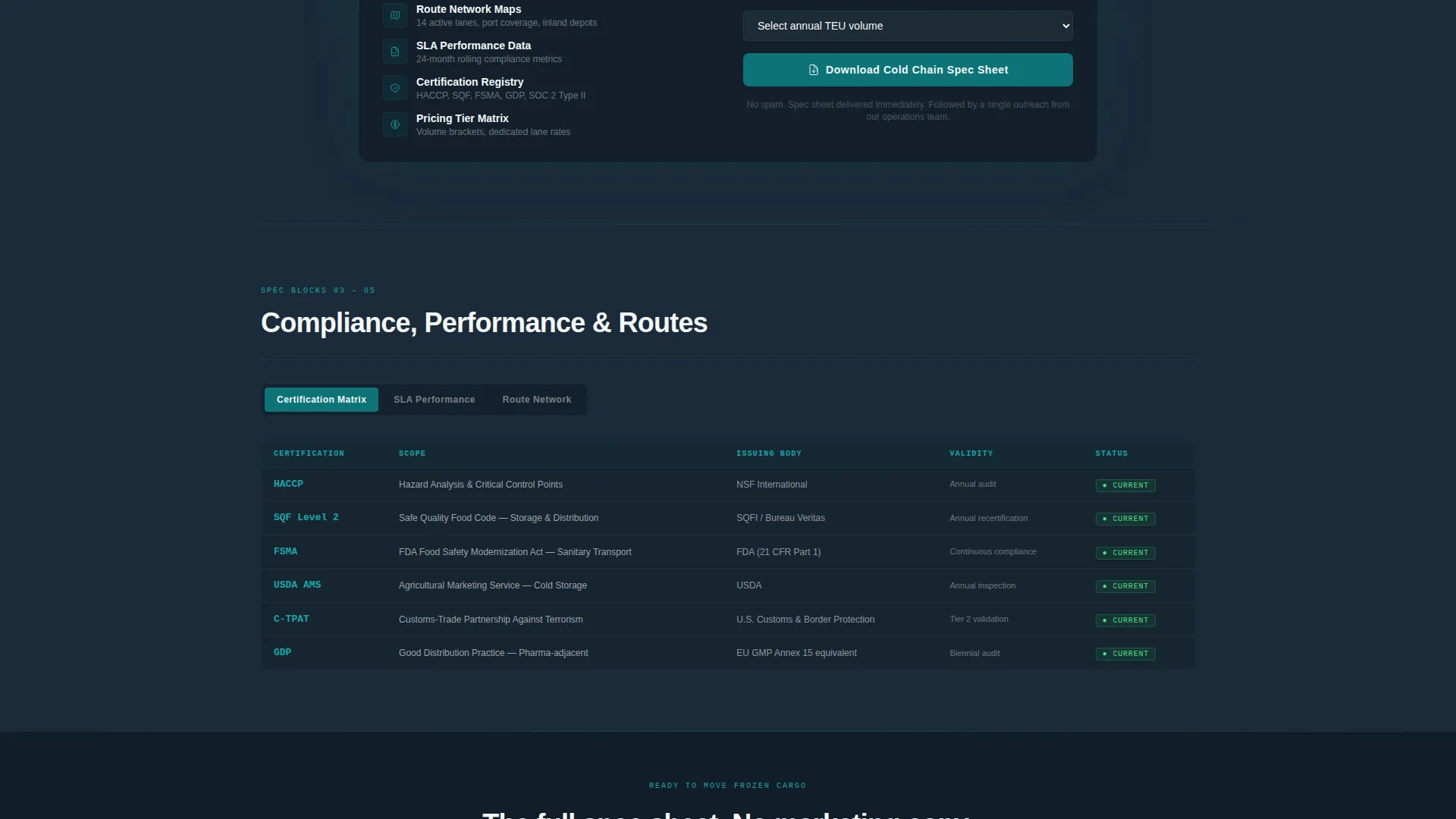
Below the dashboard, three discrete specification blocks present temperature range capabilities, container fleet and equipment details, and a compliance and certification matrix with SLA performance data. Each block uses teal headers, tabular layouts, and expandable detail rows. The consistent rhythm lets visitors scan faster as they scroll deeper.
Gated Spec Sheet Form
A mid-page call-to-action section gates the downloadable cold chain spec sheet behind a short form. The form collects company name, a cargo type dropdown with four categories, and estimated annual TEU (twenty-foot equivalent unit) volume. The same call to action repeats at the bottom of the page.
Ungated Live Transit Demo Path
A secondary button opens an interactive version of the header dashboard. Prospects can explore the monitoring interface before committing contact details, lowering friction for early-stage buyers who are not yet ready to fill out a form.
Scroll-Reveal Animation System
Specification rows reveal on scroll using counter animations and scan-line effects. Pulsing status dots on the dashboard indicate live signal states. Alert amber appears only for temperature deviation callouts and hover states, training the eye to treat every gold flash as an action signal.
Page sections overview
| Section | Purpose |
|---|---|
| Hero Dashboard | Presents live-styled shipment monitoring with three active container cards and typewriter headline |
| Temperature Spec Block | Displays tabular temperature range capabilities as a scannable data card |
| Container Fleet Block | Lists reefer container fleet and equipment specs with expandable detail rows |
| Mid-Page call to action | Gates the cold chain spec sheet download behind a short qualification form |
| Compliance and SLA Block | Shows certification matrix and SLA performance data to build operational credibility |
| Page Footer | Repeats the spec sheet download call to action in a linear single-row layout |
Design & branding system
The visual identity follows a Service Utility theme built around the Teal Catalyst color system. Every color in the palette has a defined functional role, and none of them are decorative.
- Operational teal (#0D7377) is used for primary actions, data highlights, and section headers; deep cold-room charcoal (#1B2A38) fills backgrounds and section dividers; compliance white (#F4F7F9) surfaces content panels and spec tables
- Alert amber (#E8A317) appears strictly for temperature deviation callouts and interactive hover states, ensuring every gold element reads as a signal rather than decoration
- Typography pairs DM Sans for data clarity in body and label text with JetBrains Mono for temperature readings, coordinates, and time-format data fields
Mobile & speed optimization
The template is designed desktop-first to match how importers and operations managers review dashboards at workstations. A mobile fallback ensures the page works for the audience checking container temps from a phone at 2 AM.
- Static specification content uses server-rendered components to keep page weight low and initial load fast
- The dashboard simulation runs as a client-side component, isolating interactive overhead from the static spec blocks
- Dual imperial and metric unit display with 24-hour time format supports the logistics audience across international and domestic contexts
How this template helps you convert
The conversion architecture is deliberate. The page earns trust through data density before it asks for anything.
- The live-styled dashboard and typewriter headline create immediate credibility, showing prospects that operational visibility is the actual product, not a marketing claim.
- Three progressively granular specification blocks build trust through transparency, with each block rewarding the visitor who keeps scrolling.
- The ungated demo path removes the commitment barrier for early-stage prospects, while the gated form qualifies serious buyers by cargo type and annual volume before they receive the full spec sheet.
Other information about this template
This template is designed specifically for the frozen and perishable food logistics market in the United States, with localization details aligned to that audience.
- Page copy supports dual imperial and metric units throughout, with 24-hour time formatting standard in logistics operations
- The gated form cargo type dropdown includes four categories: seafood, dairy, frozen prepared foods, and pharma-grade ingredients
- The spec sheet PDF promised by the gated form is intended to contain full equipment specs, route maps, SLA guarantees, and compliance certifications
- Animation intensity is set to high, including scan-line effects, pulsing status dots, counter animations, and scroll-reveal specification rows
- The template is built as a single-column flow, making it straightforward to adapt the spec block content to different freight lanes or cargo categories
Theme
Service Utility
Creative direction
Spec Sheet
Color system
Teal Catalyst
Style
Single Column Flow
Direction
Content/Resource
Page Sections
Live-styled Shipment Dashboard
Typewriter Headline on Load
Tabular Specification Blocks
Gated Spec Sheet Download
Ungated Live Transit Demo Button
Scroll-reveal and Alert Animation System
Related questions
What kind of business is this template built for?
Does the dashboard show real shipment data?
Can I update the specification blocks for my own fleet and routes?
How does the two-path conversion model work?
What information does the gated form collect?