C++ Course Landing Page Template with Quiz Funnel
Compile is a zigzag landing page template built for C++ programming courses. It pairs an Institutional Authority visual identity with a Hero's Journey narrative structure. A multi-step diagnostic terminal header captures leads through a quiz funnel, and alternating sections guide visitors from frustration to mastery. The result is a focused, conversion-ready page for serious technical educators.
by Rocket studio
Quick summary
Compile is a single-page landing page template designed for C++ programming online courses. It uses an Institutional Authority theme, a Slate and Sky color system, and a Hero's Journey creative direction to turn a cold visitor into an engaged learner. The multi-step terminal header doubles as the primary lead-capture form, making the course pitch feel like it has already begun.
Who this template is for
This template is built for instructors and course creators who teach systems-level programming. It speaks directly to audiences with real technical fluency, and the design reflects that seriousness.
- Educators running online C++ programming courses at beginner-to-advanced levels
- Developers and engineers packaging technical knowledge into a structured course product
- Course marketplaces or independent creators who need a high-credibility, conversion-focused landing page
What problem this template solves
Most online course landing pages feel generic. A page selling a rigorous C++ course cannot afford to look like a yoga class signup form. Visitors who write low-level code expect a page that earns their respect before asking for their email.
- Generic templates fail to signal technical authority or match the tone of the subject matter
- Standard hero-plus-call to action layouts do not segment visitors by skill level before pitching a course
- Flat, passive pages miss the chance to engage visitors through interaction before asking them to convert
What you get with this template
You get a fully structured, single-page landing page layout built around a quiz and assessment funnel. Every section has a defined role in the Hero's Journey narrative arc, from diagnosing the visitor's current skill level to showing them the outcome of completing the course.
- A multi-step diagnostic terminal header with three clickable code snippets and a three-step lead capture flow
- Zigzag alternating sections that visually pair the struggle with the breakthrough at each stage of C++ learning
- A mid-page embedded readiness quiz with five timed questions and an instant percentile score
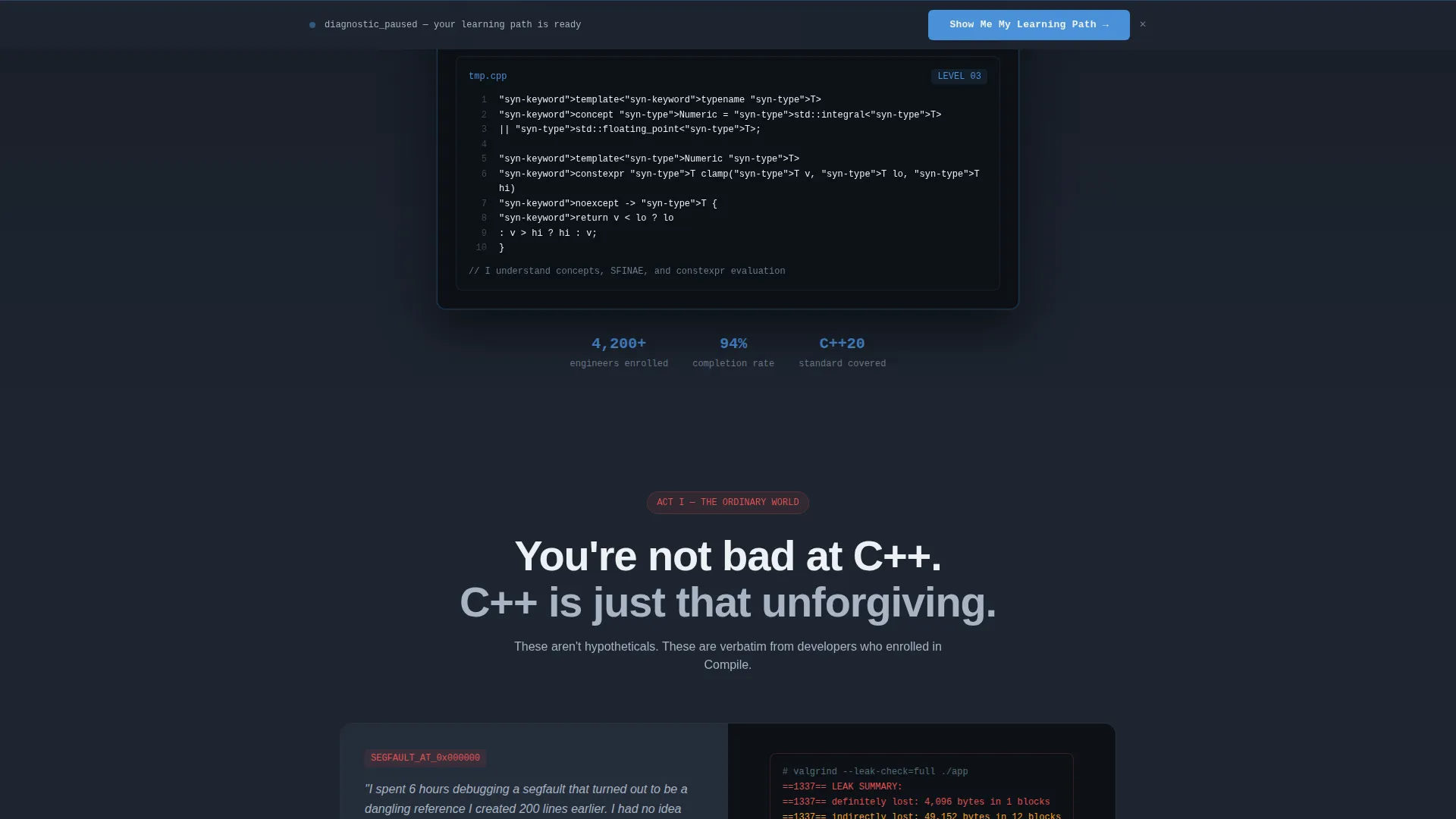
- A sticky bottom bar that echoes the visitor's earlier diagnostic choice and repeats the primary call to action
Feature list
This section describes the core built-in components and interaction patterns the Compile template delivers.
Diagnostic Terminal Header
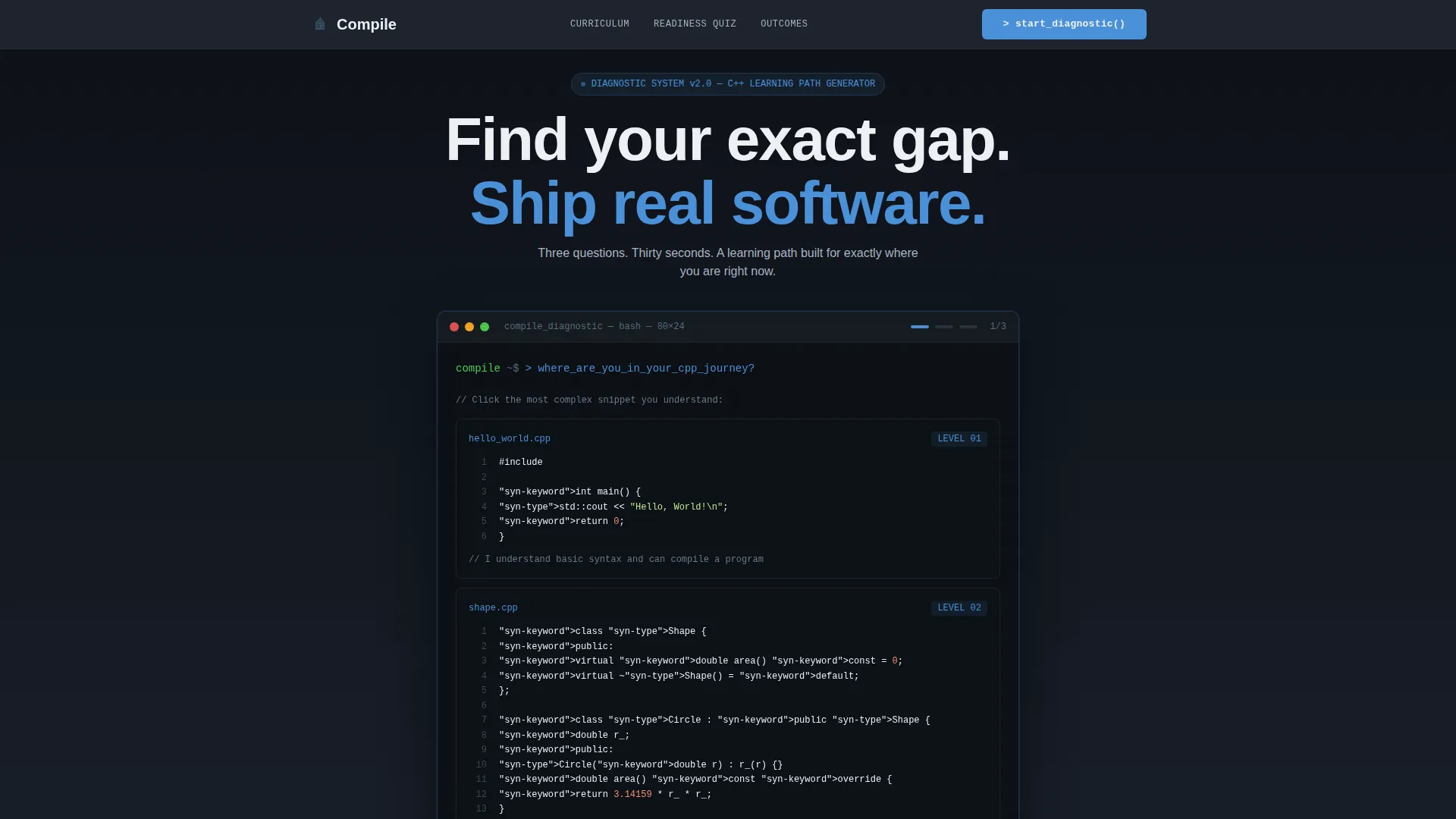
The header is styled as a terminal window with a blinking cursor and monospaced typography. It presents three clickable code snippets of increasing complexity: a Hello World example, a class with inheritance, and a template metaprogramming example. The visitor's selection advances a three-step form that ends with an email capture framed as delivery of a personalized learning path.
Zigzag Alternating Section Layout
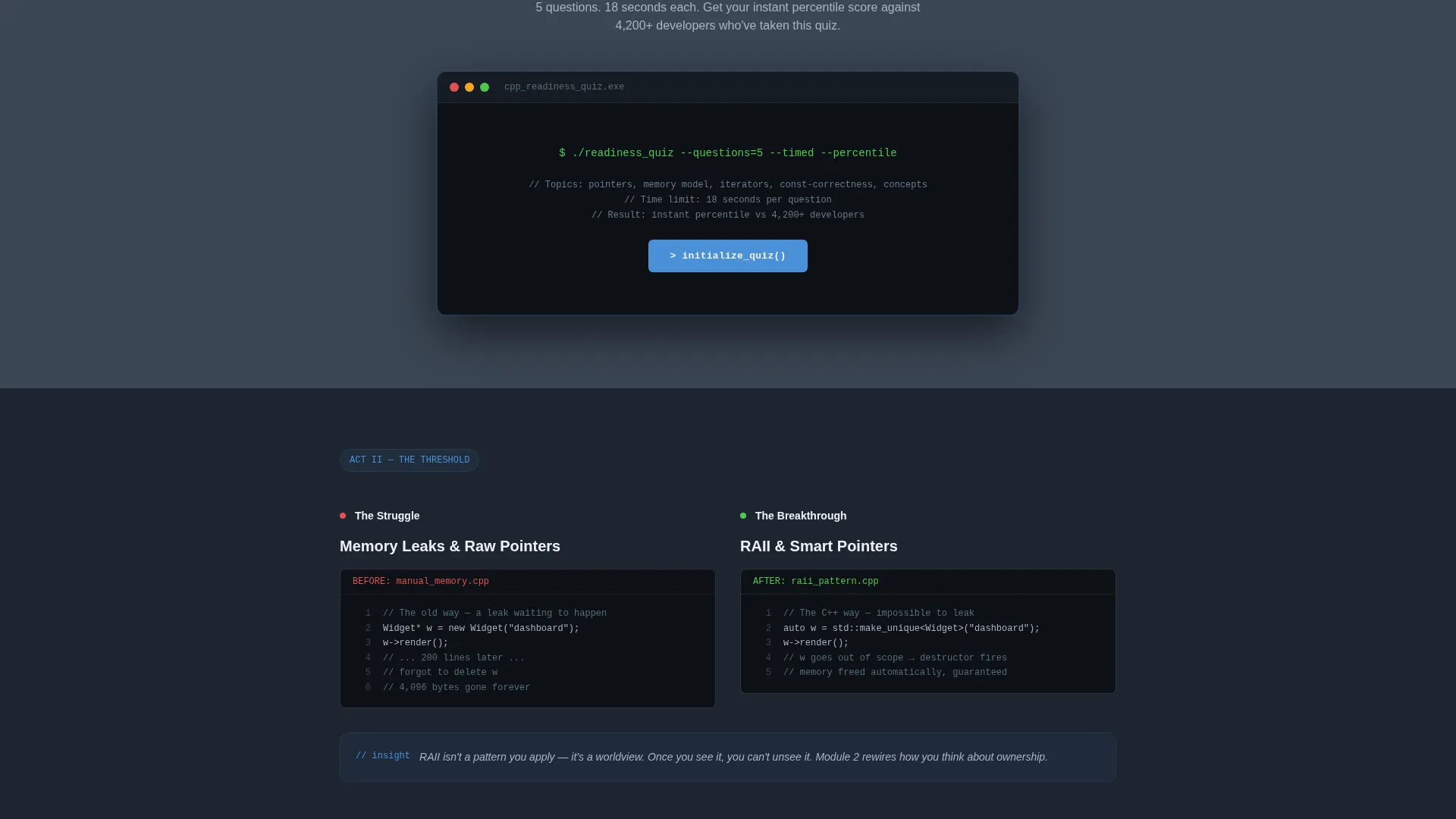
Each content section uses a left-right alternating layout. Left panels show the struggle side of the learning journey, such as memory leaks and dependency graph confusion. Right panels show the corresponding breakthrough, such as clean RAII (Resource Acquisition Is Initialization) patterns and elegant move semantics. The rhythm builds escalating narrative tension from fundamentals through to systems-level mastery.
Mid-Page Readiness Quiz
A five-question timed quiz is embedded mid-page. It evaluates pointer comprehension, memory model understanding, and template syntax recognition. After completion, the visitor receives an instant percentile score that creates urgency and specificity, setting up the full course pitch that immediately follows.
Sticky Bottom Conversion Bar
A persistent bottom bar stays visible as the visitor scrolls. It references the diagnostic choice made in the header and repeats the primary call-to-action button. This creates a secondary conversion path for visitors who scroll past the header without completing the form.
Hero's Journey Narrative Arc
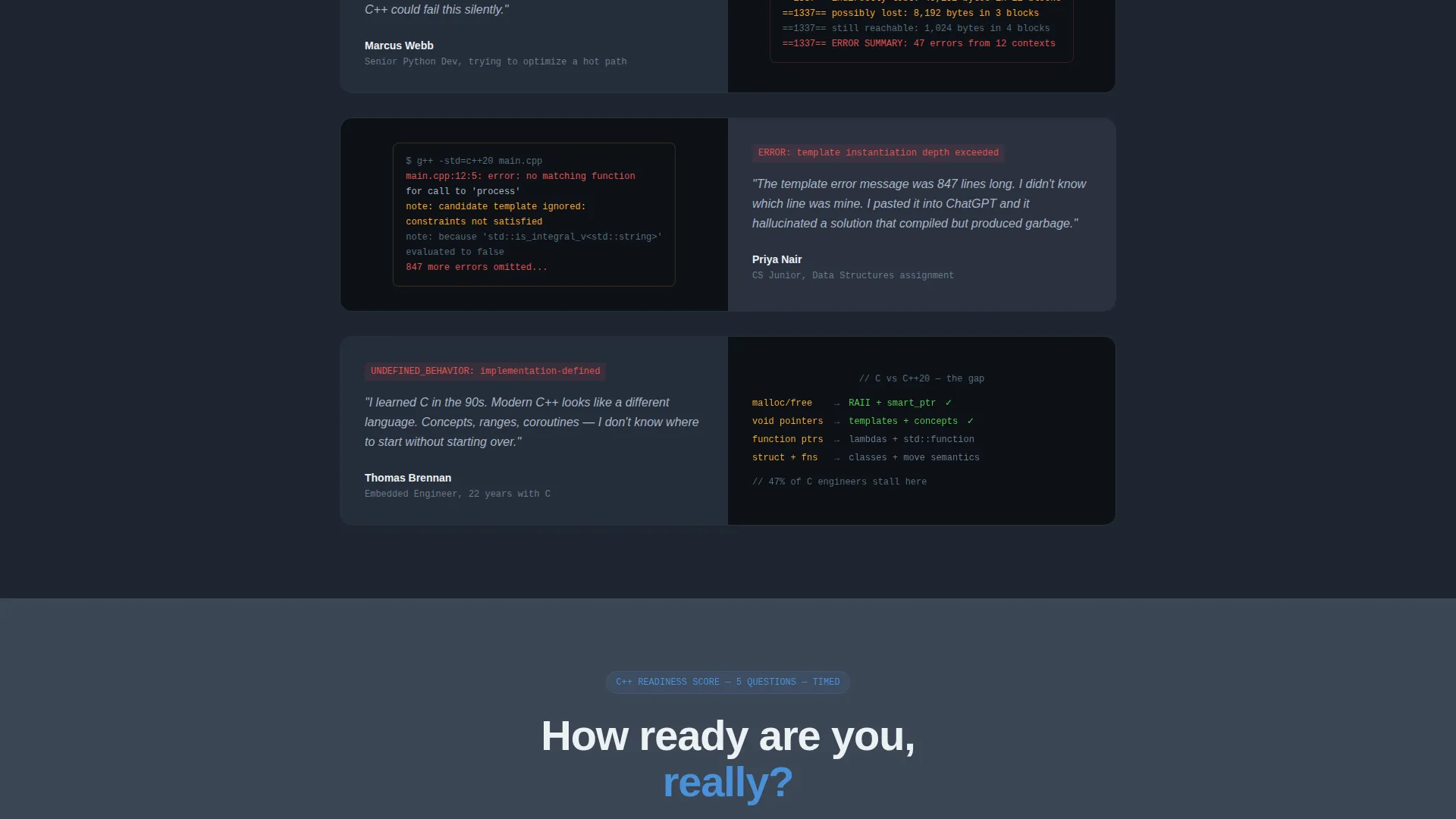
The page follows a structured narrative from the ordinary world of developer frustration through staged transformation to the return, where students ship real software and land systems-level roles. Real developer quotes about segfaults and undefined behavior anchor the early sections in lived experience.
Institutional Authority Visual System
The Slate and Sky color system is applied with discipline throughout. Every interactive element uses stratosphere blue, so visitors learn quickly which elements are clickable. The palette and layout together signal the weight and seriousness of a university-level course without feeling academic or cold.
Page sections overview
| Section | Purpose |
|---|---|
| Diagnostic Terminal Header | Segments visitors by skill level and captures email in three steps |
| Ordinary World Quotes | Grounds visitors in shared developer frustration before the pitch |
| Fundamentals Zigzag | Pairs memory-leak struggles with RAII and clean-code breakthroughs |
| Object-Oriented Design | Contrasts spaghetti inheritance with well-structured class hierarchies |
| Template Mastery Section | Moves from template confusion to confident metaprogramming patterns |
| Readiness Quiz Block | Delivers percentile score and primes visitors for the full course offer |
| Systems Thinking Section | Elevates the course promise to embedded and compiler-level work |
| Student Outcomes Section | Shows the return: shipped software, open-source contributions, roles landed |
| Sticky Bottom Bar | Echoes diagnostic choice and repeats primary call to action persistently |
Design & branding system
The visual identity follows an Institutional Authority theme that communicates expertise without formality overload. The palette is restrained and purposeful, built around two tones with one active accent.
- Deep charcoal slate (#1E2530) dominates primary backgrounds; cold gunmetal (#3B4654) fills alternating sections; chalk white (#EDF0F4) is used for body text and section breaks
- Stratosphere blue (#4A90D9) is reserved exclusively for links, buttons, and interactive highlights, so every blue element is something the visitor can act on
- Monospaced typography inside the terminal header and quiz reinforces the feeling that the course experience has already begun the moment the page loads
Mobile & speed optimization
The template layout is designed to remain usable and readable across screen sizes. The zigzag structure collapses cleanly without losing the problem-then-power narrative rhythm.
- The multi-step terminal form and embedded readiness quiz are structured to work on smaller screens without truncating the interaction flow
- The sticky bottom bar is built to remain visible and functional at mobile viewport sizes, keeping the secondary conversion path available throughout the scroll
How this template helps you convert
The Compile template treats conversion as a designed experience rather than a form at the bottom of a page. Every structural decision serves the goal of moving a skeptical technical visitor toward an email submission.
- The diagnostic terminal header segments visitors by skill level before asking for anything, which makes the email capture feel like a useful exchange rather than a forced signup
- The mid-page readiness quiz delivers an instant personalized score, creating urgency and relevance that makes the course offer feel specifically matched to the visitor's current situation
- The sticky bottom bar ensures that visitors who scroll through the entire page still have a clear, low-friction path back to the primary call to action without needing to scroll up
Other information about this template
The Compile template is a strong fit for anyone building a course presence in the C++ programming space. It was designed with the specific psychology of technical learners in mind, and every layout decision reflects that.
- The template style is zigzag and alternating, making it well suited to courses that want to contrast before-and-after states across multiple topic areas
- The quiz and assessment funnel direction makes it adaptable beyond C++ to any technical course where skill-level segmentation improves conversion
- The lp_direction is Quiz and Assessment, the header concept is Multi-Step Form, and the creative direction is Hero's Journey, all of which are baked into the layout structure as delivered
- This template is categorized under Education and Training, specifically the Online Skill Courses subcategory, and is scoped to the C++ programming online course niche
Theme
Institutional Authority
Creative direction
Hero's Journey
Color system
Slate & Sky
Style
Zigzag/Alternating
Direction
Quiz/Assessment
Page Sections
Diagnostic Terminal Header with Multi-step Form
Zigzag Alternating Narrative Layout
Embedded Five-question Readiness Quiz
Persistent Sticky Bottom Bar
Institutional Authority Color System
Student Outcome and Social Proof Sections
Related questions
Can I change the code snippets in the terminal header?
Does the readiness quiz deliver scores automatically?
Is this template only useful for C++ courses?
What does the sticky bottom bar show?
How does the three-step form handle email capture?



