Computer Science Tutoring Landing Page Template
Compile is a single-column landing page template built for computer science tutoring services. It opens with a terminal-style free trial prompt, guides visitors through a personalized micro-assessment, and dynamically reorders tutor bios and testimonials to match each visitor's weak area. The page closes with a clear session booking form and a free group review option.
by Rocket studio
Quick summary
Compile is a focused, single-column landing page template for computer science tutoring services. It starts with an interactive terminal header, walks visitors through a three-question diagnostic quiz, and reshapes the page content around their answers. By the time they reach the booking form, the page already feels like it was built for them.
Who this template is for
This template is designed for educators and tutoring operators who teach computer science to real learners at real skill levels. It speaks directly to the people running the sessions and the students signing up for them.
- CS tutors and small tutoring services targeting undergraduate students and career changers
- Coding bootcamp instructors or independent educators offering structured one-on-one sessions
- Parents or students looking to book trial lessons in data structures, object-oriented programming, or systems topics
What problem this template solves
Most tutoring landing pages look like academic brochures. They list credentials, show stock photos of smiling students, and ask visitors to fill out a contact form before anything meaningful happens. That approach creates friction and erodes trust.
- Visitors land without context and leave without booking because nothing speaks to their specific problem
- Generic pages force potential students to explain themselves from scratch, which feels like extra work
- There is no mechanism to match a visitor's actual skill gap to the right tutor or session type
What you get with this template
You get a complete, ready-to-customize landing page that puts interaction before persuasion. Every section is structured to build trust incrementally, from the first terminal prompt to the final booking step.
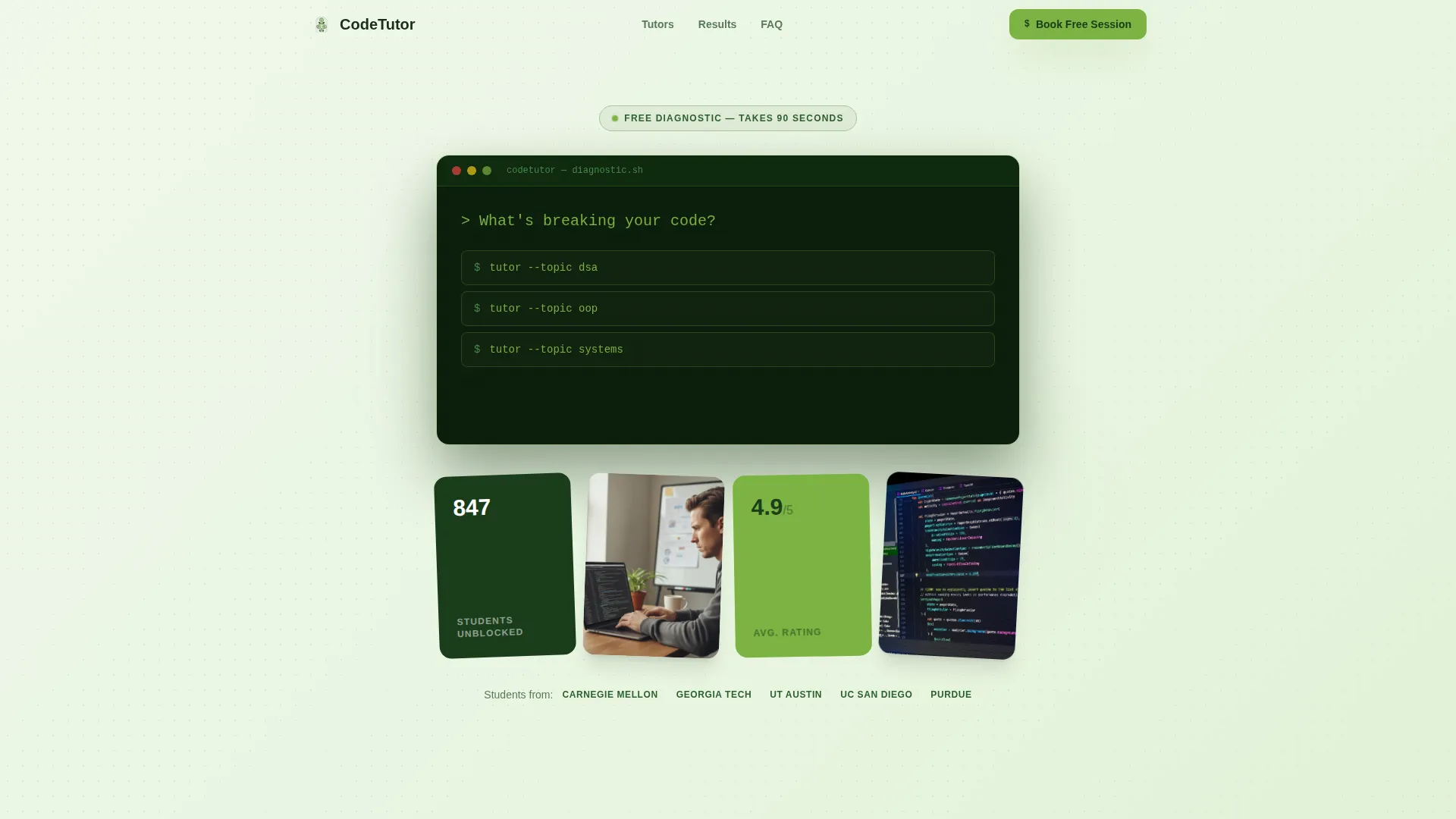
- A terminal-style header with a blinking cursor and three clickable topic commands
- A three-question adaptive micro-assessment that reorders tutor bios and testimonials based on answers
- A session booking form pre-filled with quiz results, plus a secondary group review sign-up path
Feature list
This template ships with purpose-built components that work together as a single, coherent conversion flow. Each feature below comes directly from the design and interaction brief.
Terminal-Style Free Trial Header
The header frames the free trial invitation as a command-line interface. A single prompt reads: > What's breaking your code? Three topic options appear below it styled as terminal commands. This is the visitor's first interaction, and it doubles as the start of the diagnostic.
Adaptive Three-Question Quiz
Clicking a topic triggers a three-question micro-assessment built around real computer science problems. Difficulty adjusts based on each answer. The quiz does not feel like a lead capture form; it feels like the first five minutes of a tutoring session.
Dynamic Page Personalization
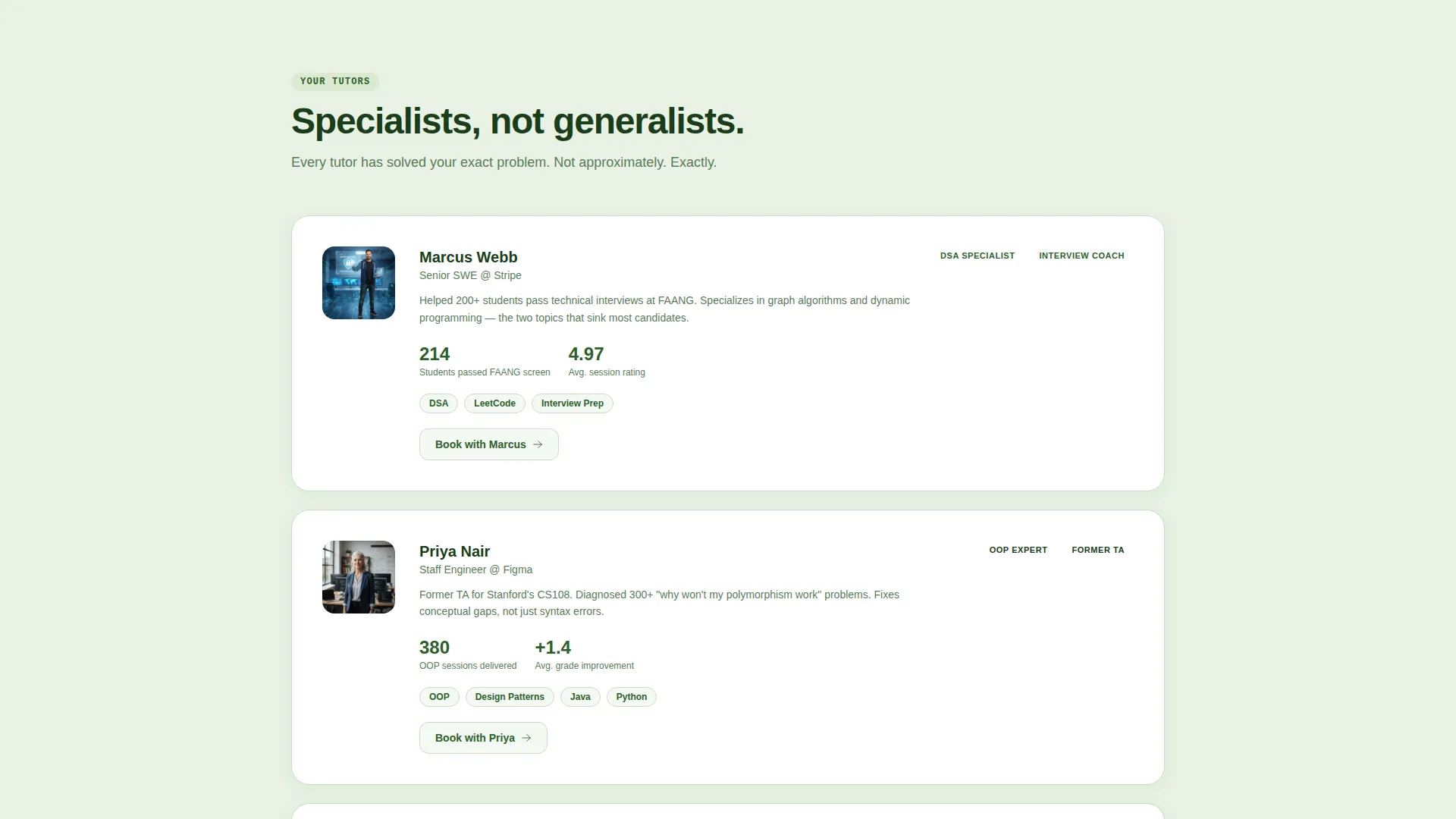
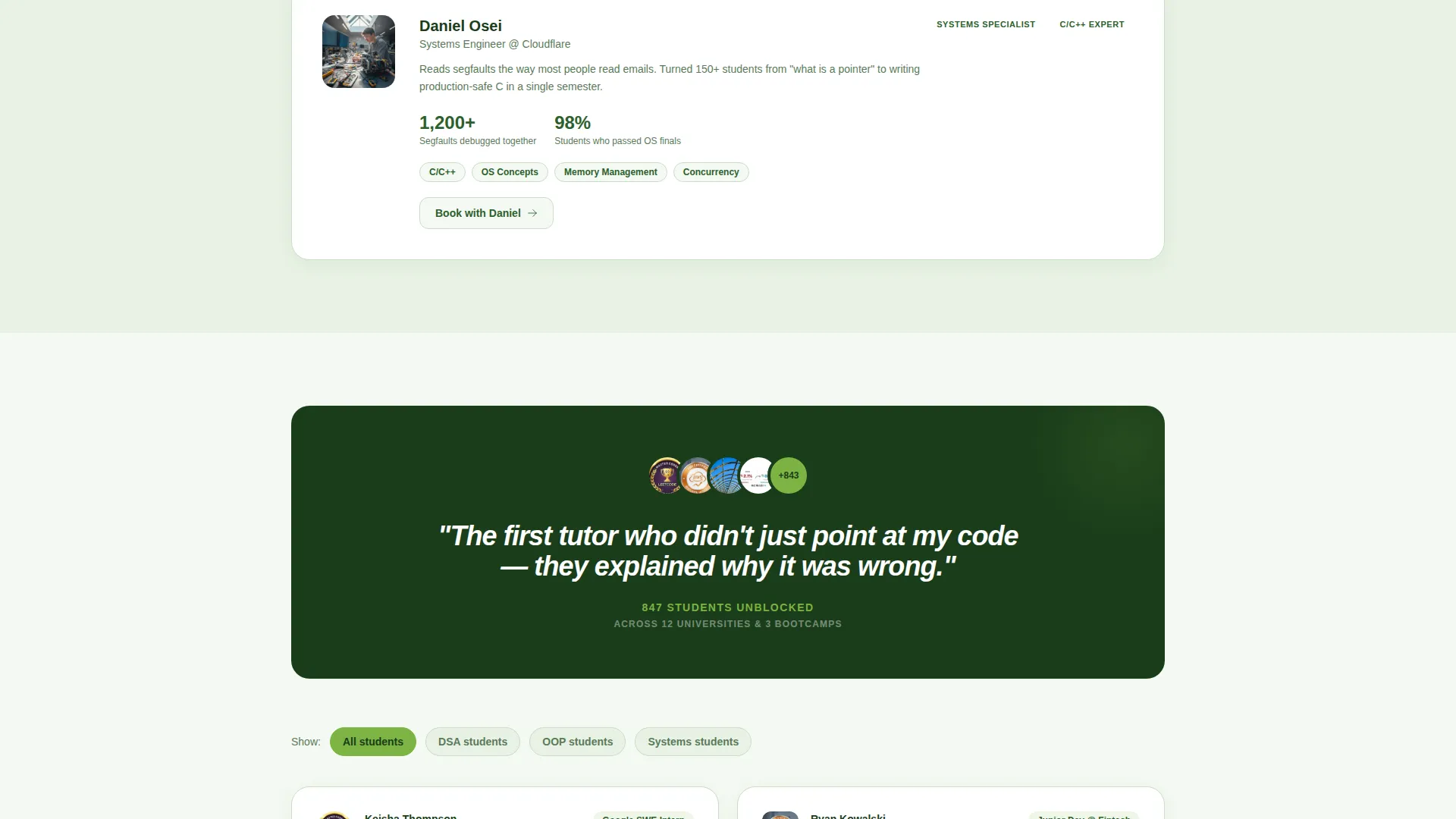
After the quiz completes, the page reshapes itself. Tutor bios reorder to surface specialists in the visitor's identified weak area. Testimonials filter to students who faced the same challenge. The session recommendation shifts between fundamentals and advanced depending on quiz performance.
Floating and Anchored Booking calls to action
The primary call to action, "Book Your Free Session," appears twice. A floating button emerges once the quiz is complete. A second anchored instance sits at the bottom of the page. Both lead to the same registration form, reducing the chance a ready visitor misses the next step.
Pre-Filled Session Registration Form
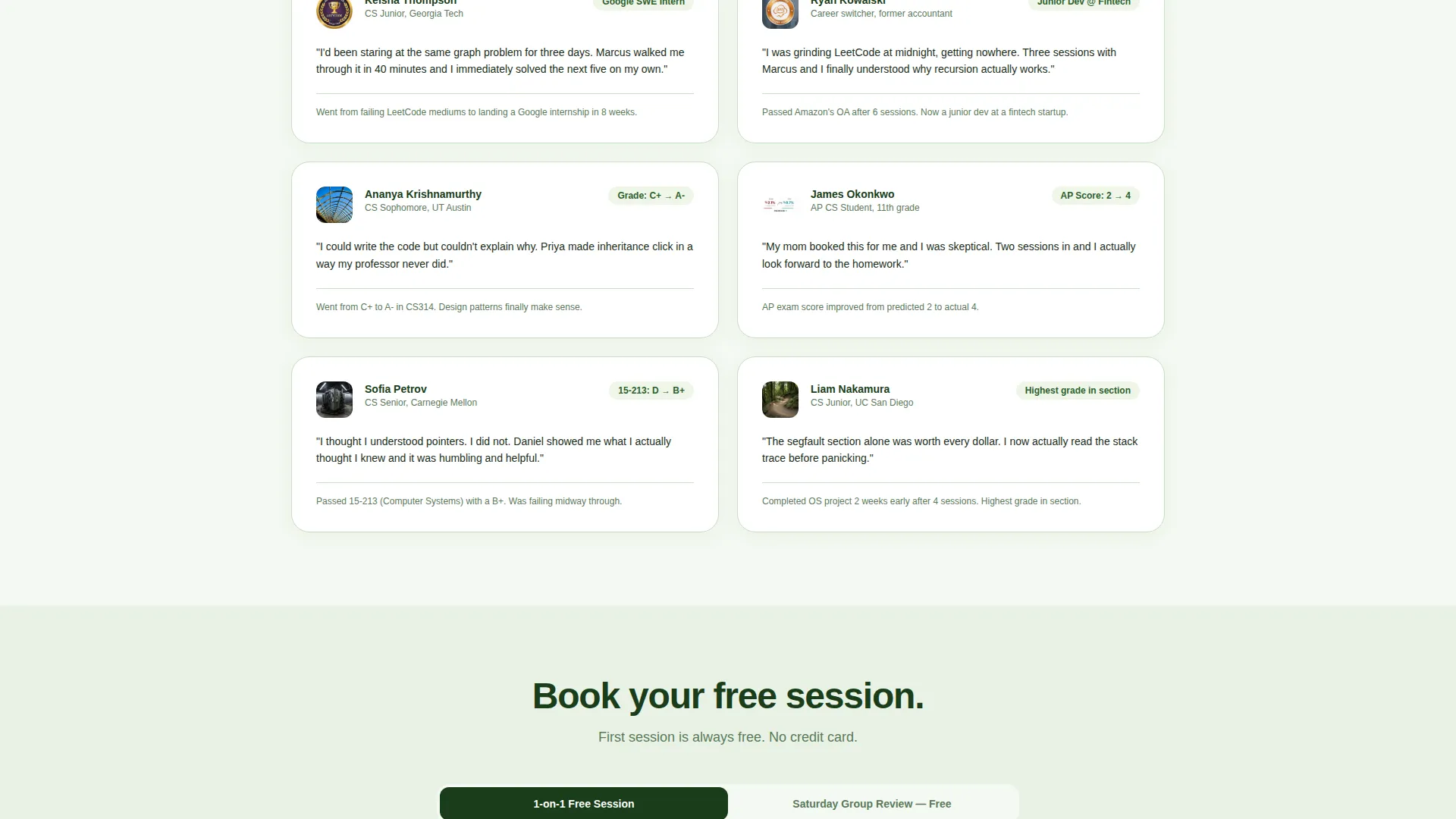
The booking form asks for first name, quiz-identified topic (pre-filled automatically), current course or goal as a free-text field, and a preferred session window. Session windows include weekday evening, weekend morning, and weekend afternoon. The pre-filled topic removes a friction point right at the conversion moment.
Group Review Secondary Path
Visitors who are not ready to commit to a one-on-one session see a secondary option: "Join Saturday Group Review, Free." This path keeps those visitors inside the funnel without pressuring them into a private booking they are not ready for.
Page sections overview
| Section | Purpose |
|---|---|
| Terminal Header | Opens with diagnostic prompt and topic commands |
| Adaptive Quiz Block | Delivers three-question micro-assessment per topic |
| Dynamic Tutor Bios | Reorders specialists based on quiz results |
| Filtered Testimonials | Shows relevant student stories per identified gap |
| Session Recommendation | Adjusts level from fundamentals to advanced |
| Floating call to action Button | Surfaces booking action after quiz completes |
| Registration Form | Captures name, topic, goal, and session window |
| Group Review Path | Offers free Saturday session as secondary option |
| Anchored Bottom call to action | Repeats booking action at page close |
Design & branding system
The visual identity follows a Corporate Precision theme expressed through a Botanical color palette. The result is a page that feels structured and serious without being cold or clinical.
- Deep fern green (#2D5F2D) anchors primary text and section markers; soft sage (#A8C5A0) washes across alternating background panels
- Crisp chlorophyll white (#F4F9F2) serves as the dominant canvas color throughout the page
- Bright chartreuse (#7CB342) is applied to buttons and progress indicators, making interactive elements immediately visible
Mobile & speed optimization
The single-column layout is inherently suited to mobile viewing. Content stacks cleanly without requiring complex grid adjustments or breakpoint overrides.
- Single-column flow means every section reads top to bottom without horizontal scrolling or layout collapse
- The terminal header, quiz block, and registration form are each designed to fit a standard mobile viewport without truncation
- Floating call to action button placement is sized and positioned for thumb-friendly interaction on small screens
How this template helps you convert
The page is structured so that each interaction step increases a visitor's personal investment before asking for anything. By the time the form appears, the visitor has already identified their problem, seen relevant tutors, and read testimonials from students in their exact situation.
- The terminal quiz creates immediate engagement by making the first click feel diagnostic rather than promotional, which lowers resistance right at the entry point.
- Dynamic content personalization means the page responds to the visitor, so the booking form feels like a natural continuation rather than a cold ask.
- The dual call to action placement, floating after the quiz and anchored at the bottom, ensures a ready visitor always has a clear next step visible at the right moment.
Other information about this template
This template is built specifically for the computer science tutoring niche. It handles the full range of learner types the brief describes, from undergraduate students to adult career changers to teenagers entering AP Computer Science for the first time.
- The quiz topics cover the three most common CS sticking points in the brief: data structures and algorithms, object-oriented programming, and systems and architecture
- The page works equally well for solo tutors building a client base and small tutoring operations managing multiple specialists
- The Botanical color system and Corporate Precision theme give the page a polished, professional tone that appeals to both students and the parents booking sessions on their behalf
- The secondary group review path is especially useful for operators who run weekly review sessions and want to grow attendance without reducing one-on-one bookings
Theme
Corporate Precision
Creative direction
Quiz & Personalize
Color system
Botanical
Style
Single Column Flow
Direction
Event Registration
Page Sections
Terminal-style Free Trial Header
Adaptive Three-question Quiz
Dynamic Page Personalization
Pre-filled Session Registration Form
Dual Call to Action Placement
Group Review Secondary Path
Related questions
Can I change the quiz topics to match what I teach?
Does this template work for a solo tutor or only for a team?
What happens if a visitor skips the quiz?
Can I adjust the session window options in the booking form?
Is the group review path required, or can I remove it?



