Healthcare Software Expert Cost Calculator Website Template
Comply is a healthcare contract management landing page template built for revenue cycle teams who need to model, monitor, and enforce payer contracts in one place. It features a live-feel dashboard with a three-tab switcher, spec-sheet capability blocks, and a mid-page underpayment calculator, all styled in a Data Command visual theme against void black with iridescent accents.
by Rocket studio
Quick summary
Comply is a single-page landing page template designed for healthcare contract management platforms. It combines a Feature Tab Switcher dashboard header, data-card capability blocks, and a free-audit conversion flow. The visual identity uses void black, holographic violet, and spectral teal to create a command-center feel built for CFOs, compliance officers, and revenue integrity teams.
Who this template is for
This template is built for healthcare software companies and revenue cycle management platforms targeting serious B2B buyers inside hospital finance and compliance functions. The design and content structure assume a technically literate audience that evaluates tools the way engineers read specification sheets.
- CFOs at mid-size hospital systems tracking underpayments across multiple payer contracts
- Compliance officers who need to monitor regulatory amendment deadlines with precision
- Revenue integrity analysts who currently reconcile payer terms against remittance advice manually
What problem this template solves
Revenue cycle teams often lose significant recoverable revenue because payer contract terms, fee schedules, and reimbursement clauses live in disconnected spreadsheets, email threads, and shared drives. There is no single view that shows where the money is, where it is leaking, and what to do next. This template helps a healthcare contract management platform present its solution as the fix for exactly that operational gap.
- Scattered payer contract data that makes underpayment detection slow and inconsistent
- No unified workflow connecting contract modeling, claims monitoring, and appeal enforcement
- Buyers who arrive skeptical and need to see proof of capability before they commit to a trial
What you get with this template
The template delivers a fully structured, single-page layout built around showing the product working before asking for anything. Every section is a decision-support tool, not decoration. The layout is designed to build rational confidence from the header all the way to the call to action.
- A three-tab dashboard header that animates between Model, Monitor, and Enforce views
- Data-card capability blocks covering contract ingestion, fee schedule parsing, underpayment detection, appeal automation, and a compliance calendar
- A freemium conversion flow with a primary "Start Your Free Audit" call to action, a sticky bottom bar, and a mid-page underpayment calculator widget with email-gated results
Feature list
This section walks through the core interactive and structural components included in the template.
Animated Feature Tab Switcher
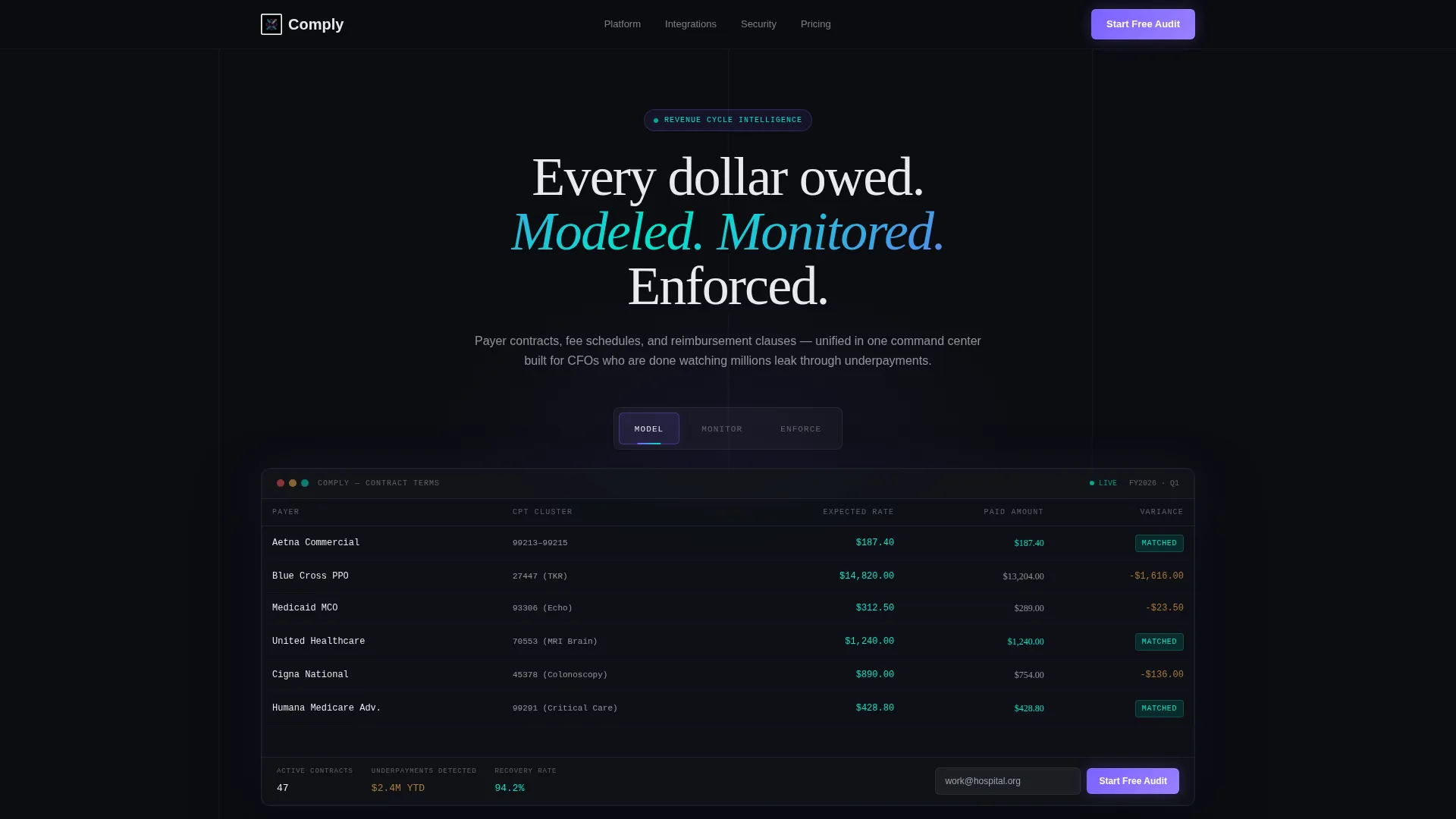
The header contains three tabs labeled "Model," "Monitor," and "Enforce." Each tab reveals a different dashboard view with animated data grid transitions. Columns slide, numbers recalculate, and charts redraw on every tab switch to communicate that this is a live system.
Live Contract Terms Data Grid
The default Model tab displays a contract terms grid showing payer names, CPT code clusters, expected reimbursement columns in spectral teal, and a variance column where underpayments pulse in soft amber. This visual proof point communicates product depth before the visitor reads a single line of body copy.
Spec-Sheet Capability Blocks
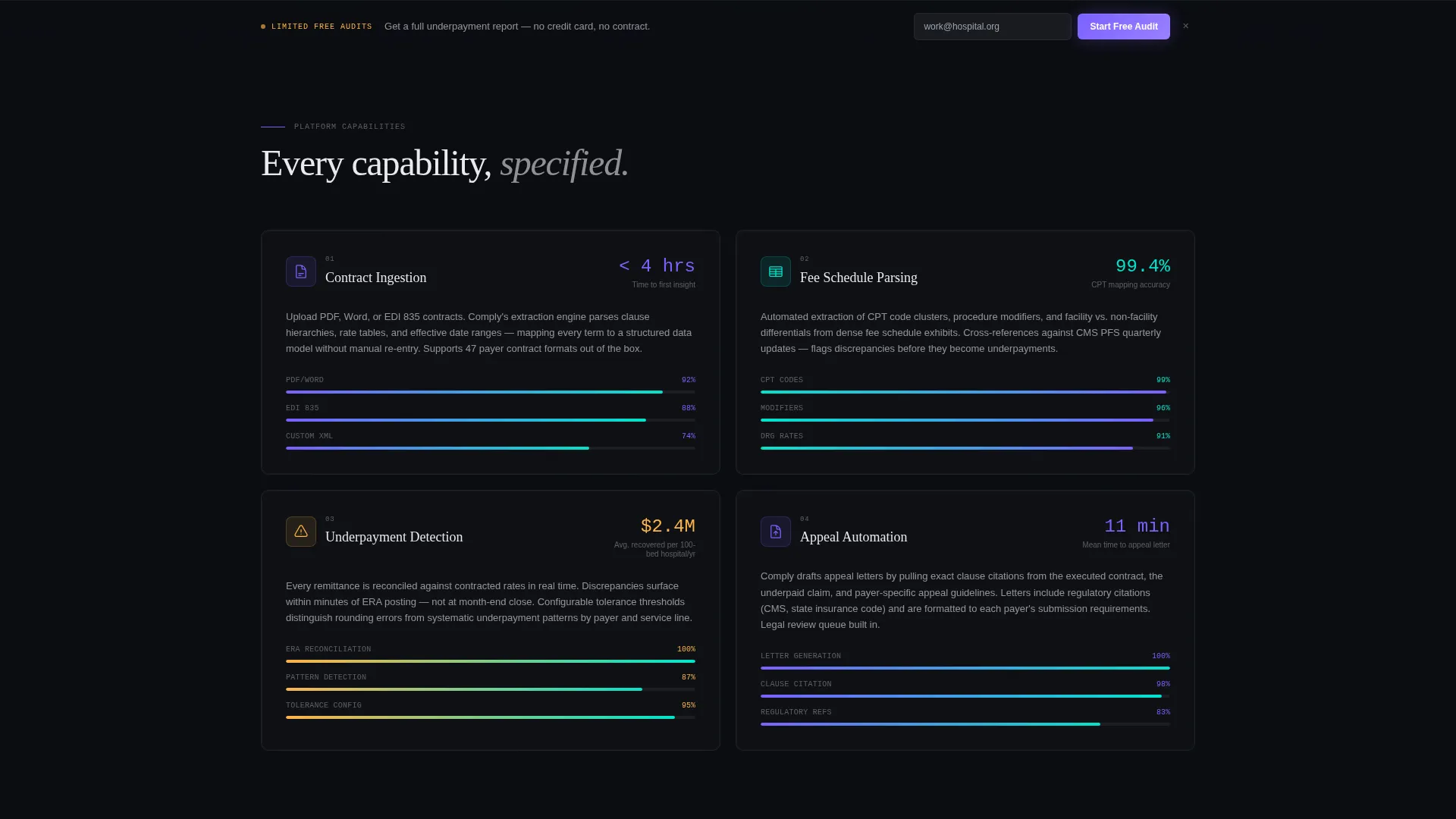
Below the header, each major platform capability gets its own discrete data card. Each card includes a key metric, a micro-visualization, and a focused explanatory paragraph. Capabilities covered include contract ingestion, fee schedule parsing, underpayment detection, appeal automation, and the compliance calendar.
Underpayment Calculator Widget
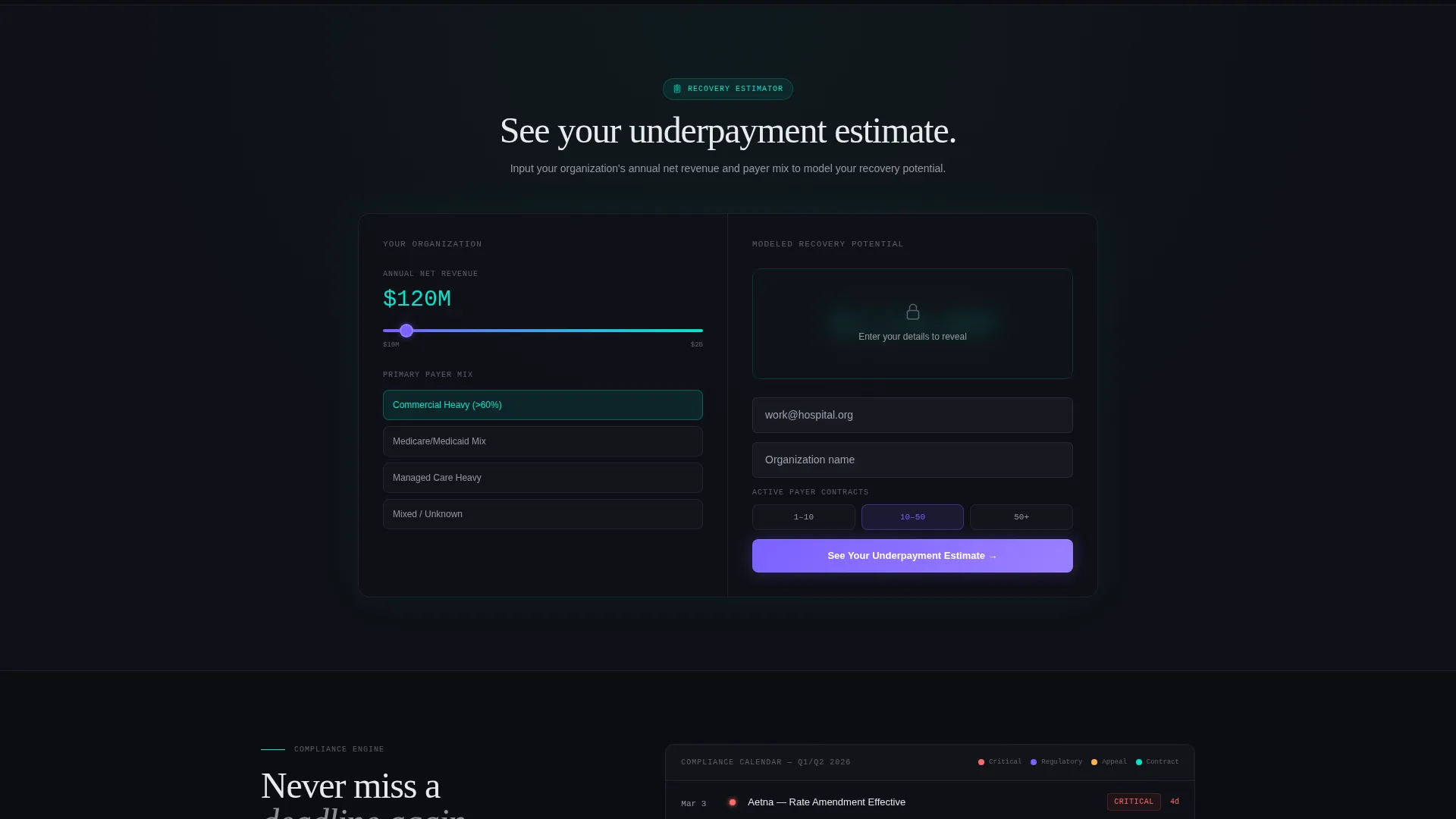
A mid-page interactive calculator lets visitors input their annual net revenue and payer mix to receive a modeled recovery figure. The result is gated behind an email capture form, making the conversion feel earned rather than forced.
Freemium Conversion Flow
The primary call to action, "Start Your Free Audit," appears first inside the dashboard header and again as a sticky bottom bar after the third scroll section. The sign-up form collects work email, organization name, and number of active payer contracts via a simple range slider.
Enforce View with Appeal Letter Preview
The Enforce tab inside the header reveals an auto-generated appeal letter with flagged contract clause references highlighted in holographic violet. This tab gives compliance and legal buyers a direct preview of the enforcement workflow without requiring a demo.
Page sections overview
| Section | Purpose |
|---|---|
| Feature Tab Header | Showcase Model, Monitor, Enforce views with animated dashboard grid |
| Contract Terms Grid | Display payer names, CPT clusters, reimbursement columns, variance data |
| Monitor Claims View | Show real-time claims waterfall with status badges |
| Enforce Appeal View | Preview auto-generated appeal letter with highlighted clause flags |
| Contract Ingestion Block | Explain how payer contracts are captured and structured |
| Fee Schedule Parsing | Detail how fee schedules are read and mapped to CPT codes |
| Underpayment Detection | Communicate how variance is identified across payer remittance data |
| Appeal Automation Block | Describe how appeal letters are generated from flagged clauses |
| Compliance Calendar Card | Show how regulatory amendment deadlines are tracked |
| Underpayment Calculator | Let visitors model personal recovery figures before signing up |
| Primary call to action Section | Collect work email, organization name, and contract volume |
| Sticky Bottom Bar | Keep "Start Your Free Audit" visible after the third scroll section |
Design & branding system
The visual identity follows a Data Command theme using an AI Iridescent color system. Every color choice carries functional meaning: backgrounds recede, active states glow, and positive data reads at a glance. The overall effect is a neural interface rendered in glass, where every light source has a reason behind it.
- Void black (#0B0D11) as the primary background, holographic violet (#7B61FF) for active states and key metrics, spectral teal (#00E5CC) for positive variance indicators, and pale plasma white (#E8EAED) for body text and grid lines
- Accent gradients shift between violet and teal on hover states, giving interactive elements a shimmer effect similar to light refracting through a prism
- Soft amber (#FFB347) is reserved for underpayment variance pulses, creating an immediate visual signal for problem data without requiring a label
Mobile & speed optimization
The template is structured as a single-page layout, which keeps the scroll path linear and predictable on any screen size. The data grid and tab switcher components are designed to reflow cleanly on smaller viewports without losing their functional clarity.
- Tab switcher and data grid components scale down for tablet and mobile screen widths
- Sticky bottom bar conversion element stays visible and tappable on mobile without obscuring content
- Data cards and capability blocks stack vertically on small screens, preserving the spec-sheet reading flow
How this template helps you convert
The conversion strategy is built around earning the click before asking for it. Every element from the header downward is sequenced to reduce skepticism and increase personal relevance before a form appears.
- The tab switcher in the header proves product capability immediately, so visitors understand what they are evaluating before they read a description.
- The spec-sheet capability blocks build rational confidence section by section, giving technical buyers the depth they need to feel certain before they commit.
- The underpayment calculator makes the value personal and specific, turning an abstract platform promise into a modeled dollar figure tied to the visitor's own organization.
Other information about this template
This template is built specifically for the healthcare contract management software category, where buyers are slow to trust and quick to leave if the product does not prove itself immediately. The layout is designed to match the mental model of revenue cycle professionals who evaluate tools the way they read a contract, clause by clause, with skepticism, until the numbers add up.
- The template style is a Dashboard and Data Grid layout, suited for platforms where data density signals credibility
- The creative direction follows a Spec Sheet approach, meaning each section functions like a capability checklist rather than a narrative story
- Testimonials and social proof are intentionally positioned at the bottom of the page, after the spec blocks have already done the heavy analytical work
- This template is appropriate for healthcare software platforms, revenue cycle management tools, payer contract analytics products, and related healthcare technology offerings

Theme
Data Command
Creative direction
Spec Sheet
Color system
AI Iridescent
Style
Dashboard/Data Grid
Direction
Freemium/Trial
Page Sections
Animated Three-tab Dashboard Header
Contract Terms Data Grid with Variance Signals
Spec-sheet Capability Block Sections
Mid-page Underpayment Calculator
Freemium Audit Conversion Flow
Enforce Tab Appeal Letter Preview
Related questions
Can I customize the payer names and data shown in the contract grid?
Does the underpayment calculator connect to a live calculation engine?
Who is this landing page template built for?
Can I add or remove capability blocks from the spec-sheet section?
Is the sticky bottom bar visible on mobile screens?



