Advanced Hospitality Software Privacy Policy & Terms Website Template
Comply is a split-screen landing page template built for hospitality compliance management platforms. It combines a Data Command visual theme with a Monochrome Steel color system to project authority and operational precision. The layout guides multi-unit hotel operators, restaurant group directors, and resort compliance officers toward downloading a compliance app or requesting a portfolio demo.
by Rocket studio
Quick summary
Comply is a single-page, split-screen landing page template designed for hospitality compliance software. It uses a Feature Matrix layout to walk visitors through every compliance domain, from health codes to labor audits, one 50/50 section at a time. The result feels less like a marketing page and more like a control room briefing.
Who this template is for
This template is built for software teams and product marketers promoting compliance management tools in the hospitality industry. It speaks directly to operations leaders who carry real regulatory weight every day.
- Multi-unit hotel general managers overseeing brand-standard audits across dozens of properties
- Restaurant group operations directors managing food safety logs, walk-in temperature records, and health inspections
- Resort compliance officers preparing for unannounced state inspections across mixed-use properties
What problem this template solves
Hospitality compliance involves overlapping regulations, shifting deadlines, and dozens of property-level variables. A generic software landing page cannot communicate that level of operational complexity with any credibility.
- Visitors arrive skeptical and need proof the platform covers their specific compliance domains before they will act
- The page must replace a long sales conversation by answering "but does it handle..." for every major regulation category
- Enterprise buyers need a clear secondary path to request a demo before committing to a download
What you get with this template
You get a fully structured, single-page layout that moves visitors from institutional trust to confident action. Every section is purpose-built, and nothing decorative is included.
- A Logo Bar header section with scrolling hospitality brand logos for immediate credibility above the fold
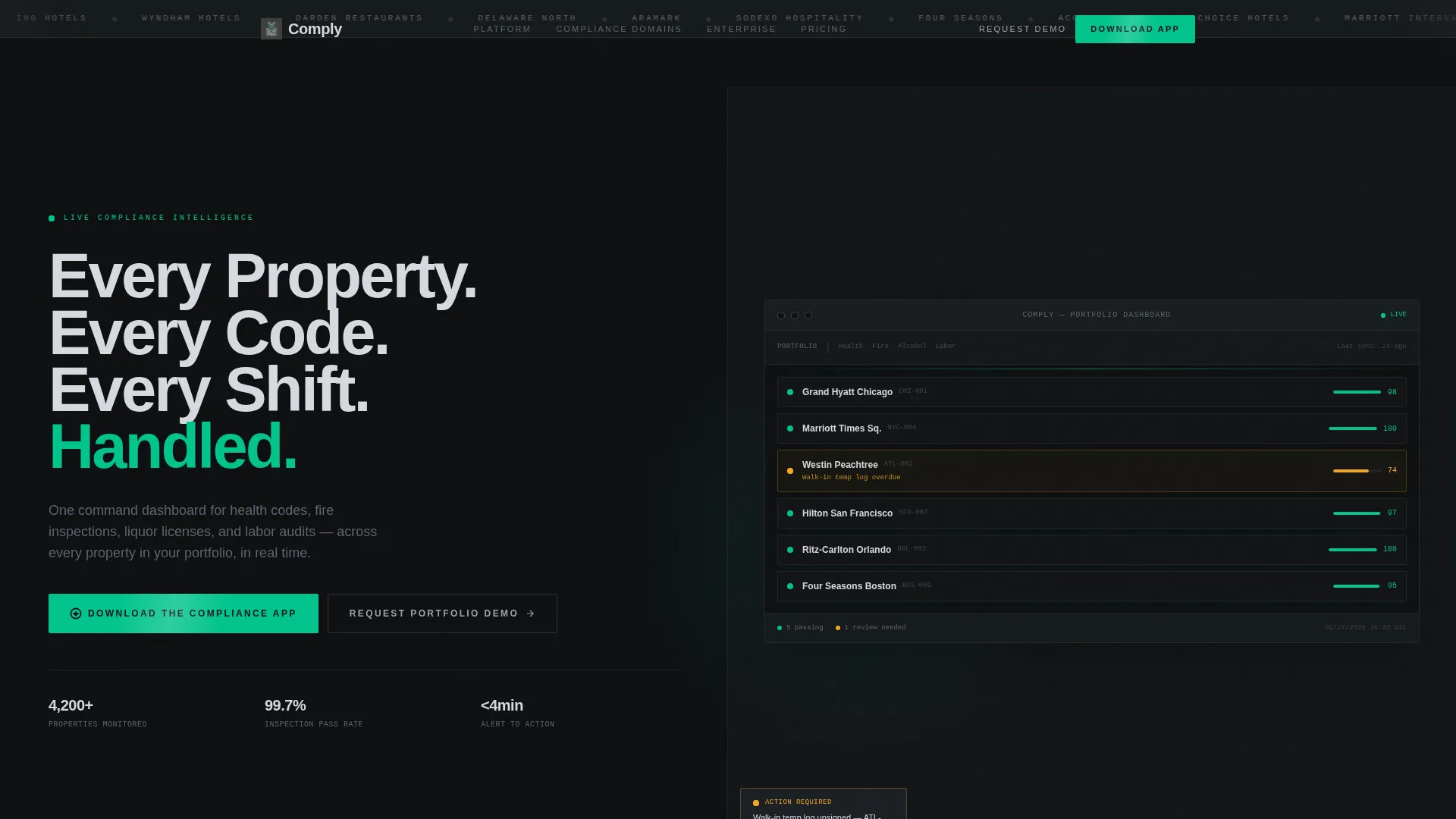
- A split hero with a stark condensed headline on the left and a live compliance dashboard screenshot on the right
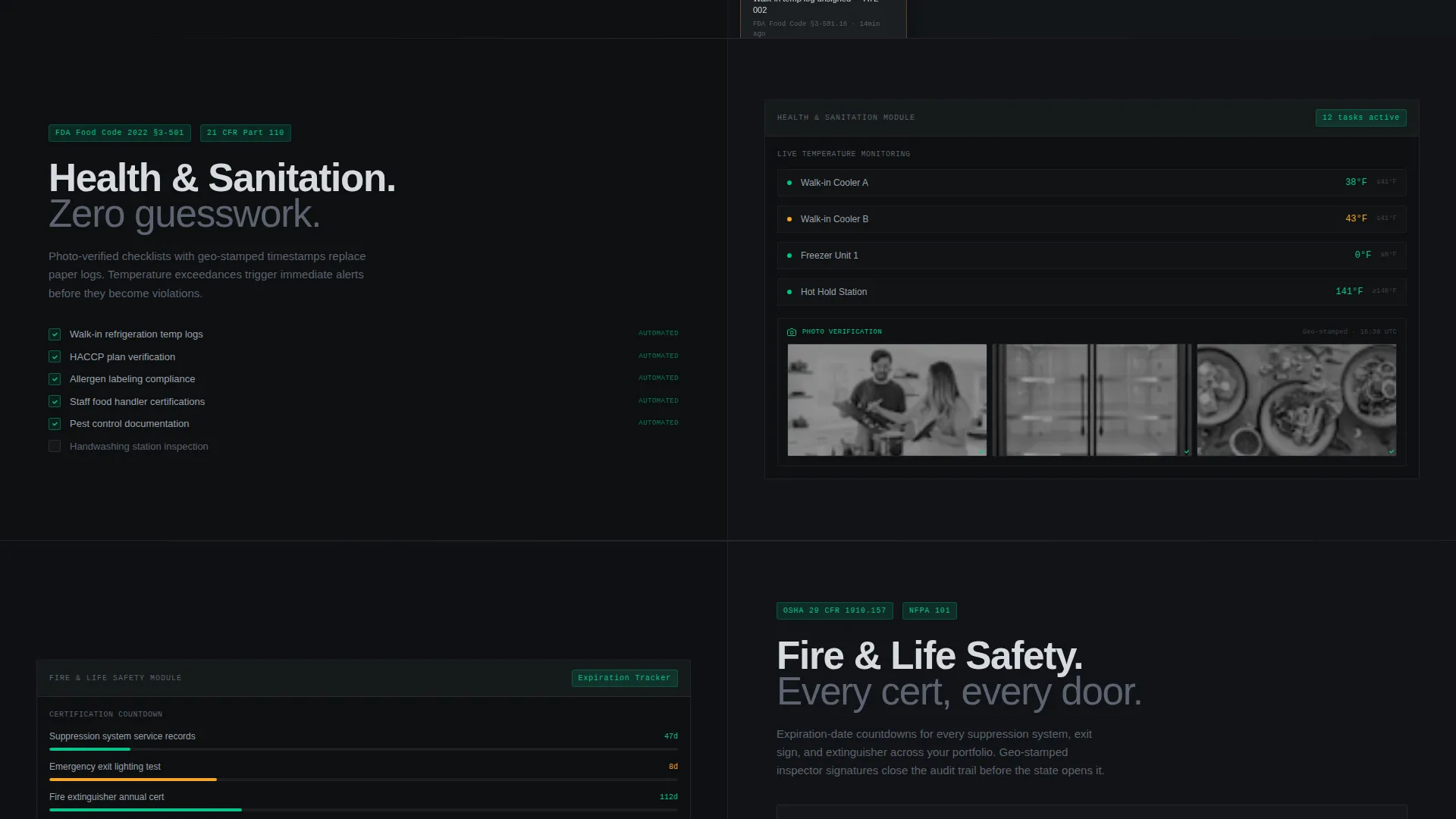
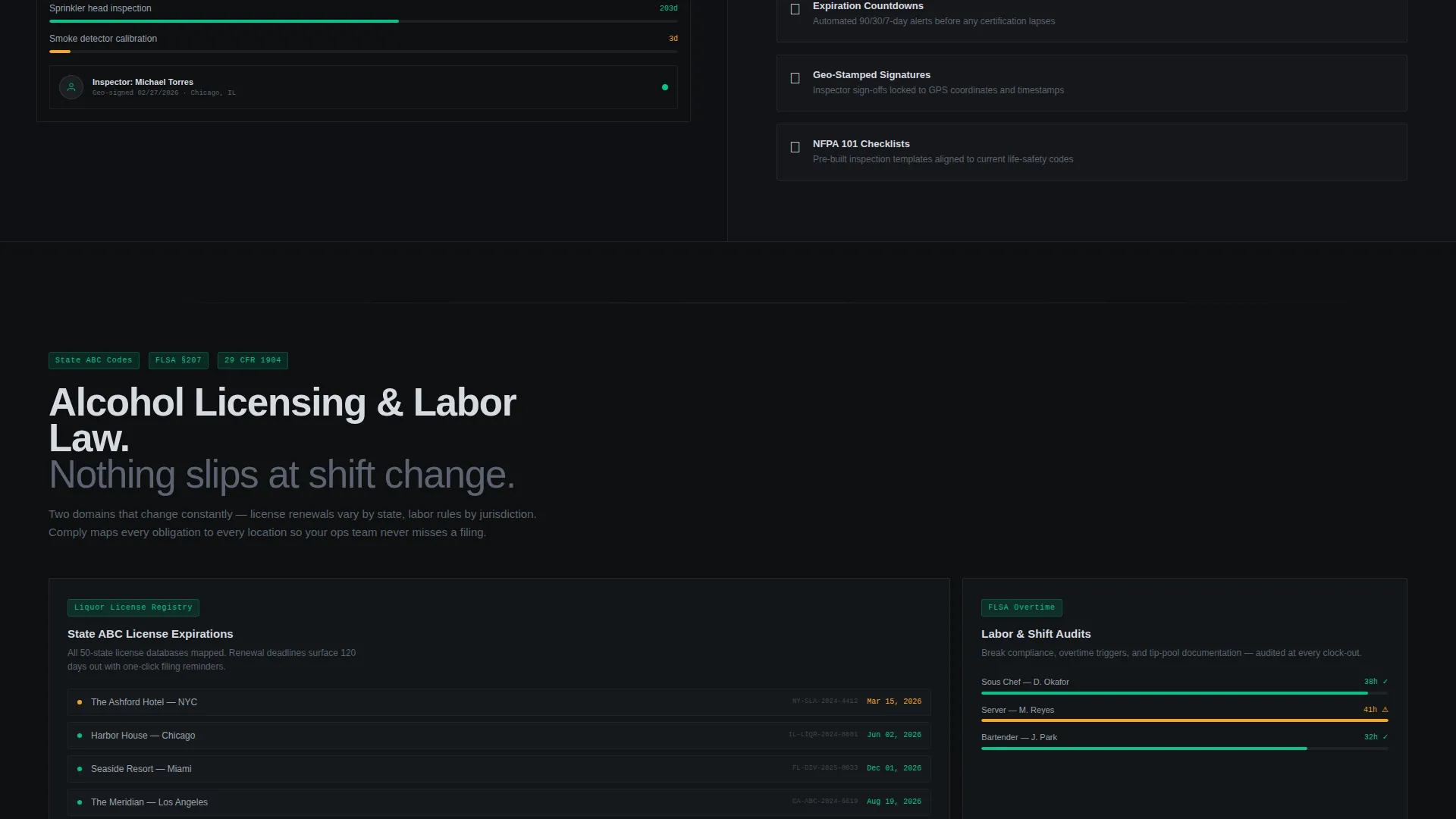
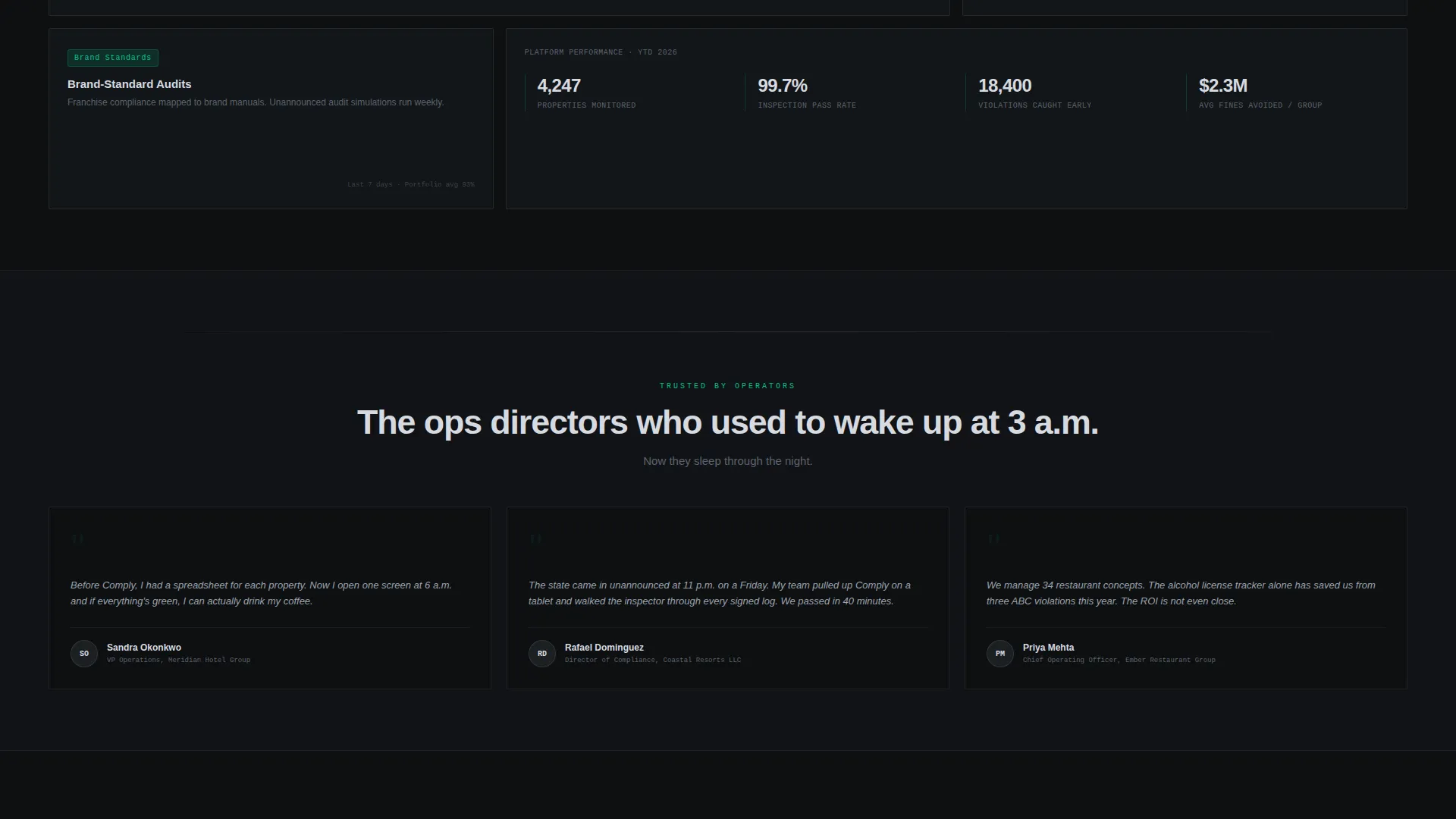
- Alternating 50/50 Feature Matrix sections covering health and sanitation, fire and life safety, alcohol licensing, labor law, and brand-standard audits
Feature list
This template is built around a defined set of layout components and design decisions that come from the source brief. Each feature below reflects what is included in the template structure.
Split-Screen Hero Layout
The hero divides the viewport evenly. The left side holds a bold condensed headline in chrome-white text. The right side displays a cropped, slightly angled compliance dashboard screenshot with property tiles glowing green and one pulsing amber, showing the system actively catching issues.
Scrolling Logo Bar Header
A slow, silent horizontal strip of hospitality brand logos runs above the fold before the hero. It establishes institutional trust through recognition before the visitor reads a single word of copy.
Alternating Feature Matrix Sections
After the hero, the page builds a spec-sheet rhythm of alternating 50/50 blocks. Each block isolates one compliance domain, names the governing regulation, shows the corresponding module screenshot, and lists exactly what the platform automates. The sequence covers five domains and systematically removes every buyer doubt.
Dual Call-to-Action Architecture
The primary call to action, "Download the Compliance App," appears in operational green at the fold and repeats as a sticky bottom bar on mobile. A secondary path, "Request a Portfolio Demo," gives enterprise buyers a lower-friction entry point before committing.
Minimal Lead Capture Form
The download and demo form collects only three inputs: work email, number of properties via a dropdown (1 to 10, 11 to 50, or 50 and above), and platform preference (iOS, Android, or both). The brevity is intentional. The matrix has already done the convincing.
Operational Green Accent System
The single accent color, operational green at hex value 00C48C, appears only on status indicators and call-to-action buttons. Its scarcity gives it meaning. When green appears, it signals that something is live and passing, which is exactly what the platform promises.
Page sections overview
| Section | Purpose |
|---|---|
| Logo Bar Header | Builds institutional trust with scrolling hospitality brand logos before any copy is read |
| Split-Screen Hero | Delivers the core value proposition with headline on the left and dashboard screenshot on the right |
| Health and Sanitation Module | Covers food code compliance with screenshot and automation list for this domain |
| Fire and Life Safety Module | Addresses fire inspection and OSHA regulation coverage with corresponding visuals |
| Alcohol Licensing Module | Presents state ABC code management features and expiration-date countdown visuals |
| Labor Law Module | Shows labor audit automation and geo-stamped signature capabilities for this domain |
| Brand-Standard Audits Module | Covers multi-property brand audit tracking with photo-verified checklist details |
| Demo Request Form | Provides enterprise buyers a minimal form to map their own properties before committing |
| Sticky Mobile call to action | Keeps the app download action visible at all times on mobile viewports |
Design & branding system
The template uses a Data Command theme built on a Monochrome Steel color system. The palette is cold, precise, and functional, designed to feel like the stainless-steel pass of a professional kitchen under fluorescent light.
- Core palette: deep gunmetal (#1B1F23) and near-black backgrounds, brushed steel mid-tone (#5C6370) for secondary elements, polished chrome highlight (#D7DAE0) for body text and labels
- Typography: condensed sans-serif headlines for authority and density, chrome-white text throughout, no decorative type treatments
- Accent rule: operational green (#00C48C) appears exclusively on status indicators and call-to-action buttons, used sparingly so every appearance carries weight
Mobile & speed optimization
The template is structured with mobile delivery in mind. The sticky bottom call-to-action bar is a deliberate mobile-first decision that keeps the conversion path visible at all times.
- Sticky bottom bar on mobile keeps "Download the Compliance App" reachable without scrolling back to the top
- The three-field form structure reduces friction on small screens where lengthy forms cause abandonment
- Alternating 50/50 sections are designed to restack cleanly on narrower viewports without losing the spec-sheet reading rhythm
How this template helps you convert
The layout is engineered to remove doubt and reduce friction at every stage of the visitor journey, from first impression to final tap.
- The Logo Bar builds credibility before the visitor reads a word, lowering skepticism at the most critical moment of the page
- The Feature Matrix eliminates objections one compliance domain at a time, so the call to action arrives after the visitor's mental checklist is already empty
- The dual call-to-action path captures both ready-to-download users and enterprise buyers who need a demo first, preventing drop-off from either segment
Other information about this template
This template is part of the Technology category under the Hospitality Software subcategory, specifically targeted at the hospitality compliance management niche. It is built as a single landing page, not a multi-page website, and is optimized for a single conversion goal per visitor type.
- The template style is Split Screen (50/50), and the creative direction is Feature Matrix, meaning the layout functions as a structured argument rather than a promotional brochure
- The header concept is a Logo Bar, a pattern commonly used by enterprise software platforms to front-load social proof before any feature claims are made
- The landing page direction is App Download, with a secondary enterprise demo path layered in to accommodate portfolio-level buyers
- The theme is Data Command and the color system is Monochrome Steel, both of which signal operational seriousness rather than consumer-facing warmth
- Specific regulations referenced in the brief include OSHA 29 CFR 1910, state ABC codes, and FDA Food Code 2022, which are named within the Feature Matrix sections to ground each compliance domain in real regulatory language
Theme
Data Command
Creative direction
Feature Matrix
Color system
Monochrome Steel
Style
Split Screen (50/50)
Direction
App Download
Page Sections
Split-screen Hero with Dashboard Visual
Scrolling Hospitality Logo Bar
Five-domain Feature Matrix
Dual Conversion Path Design
Minimal Three-field Lead Form
Operational Green Accent System
Related questions
Who is the Comply template designed for?
What compliance domains does the Feature Matrix cover?
Does the template include both a download call to action and a demo request option?
What makes the form design effective for this audience?
Can the color system be updated to match a different brand?



