Nonprofit Software & SaaS Reviews Website Template
Comply is a hub and spoke landing page template built for nonprofit compliance software. It opens with a high-fidelity dashboard preview, guides visitors through a problem-to-solution narrative across five anchor-nav sections, and drives leads with a progressive three-step audit form. The design uses deep graphite, iridescent violet, and soft teal to balance institutional authority with modern clarity.
by Rocket studio
Quick summary
Comply is a single-page, anchor-nav landing page template for nonprofit compliance software. It pairs a dramatic dashboard header with a structured problem-to-solution scroll, covering deadlines, filings, board governance, audit trails, and integrations. The iridescent color system and data-specific mockups make the platform feel credible and ready to use from the first scroll.
Who this template is for
This template is built for software teams and founders marketing nonprofit compliance platforms to mission-driven organizations. It speaks directly to the people who live inside compliance risk every day.
- Operations directors at mid-size foundations managing multi-state charitable solicitation renewals
- Compliance officers at university endowments tracking Internal Revenue Service (IRS) filings and amendments
- Executive directors at grassroots organizations who discovered a lapsed tax-exempt status from a donor's accountant
What problem this template solves
Nonprofit compliance is fragmented, stressful, and high-stakes. Teams juggle dozens of state deadlines, overlapping IRS schedules, and board governance requirements across tools that were never designed to work together. This template turns that anxiety into a clear value proposition.
- Missed state registration renewals and penalty notices erode donor trust and organizational credibility
- No centralized view of filing deadlines forces staff to rely on manual calendars and memory
- Lapsed tax-exempt status can blindside leadership, often discovered too late to act without penalty
What you get with this template
The template delivers a full anchor-nav landing page with five navigable spokes, a realistic dashboard mockup in the header, two conversion paths, and a cohesive visual identity. Every section is structured around a specific compliance anxiety and resolves it with a feature screenshot or data surface.
- A five-spoke anchor navigation covering Deadlines, Filings, Board Governance, Audit Trail, and Integrations
- A progressive three-step lead capture form and a secondary gated PDF download for the "50-State Filing Calendar"
- Section-level problem statements paired with resolution screenshots, moving visitors emotionally from dread to control
Feature list
This section covers the core built-in components that make Comply functional as a lead generation landing page.
Dashboard Preview Header
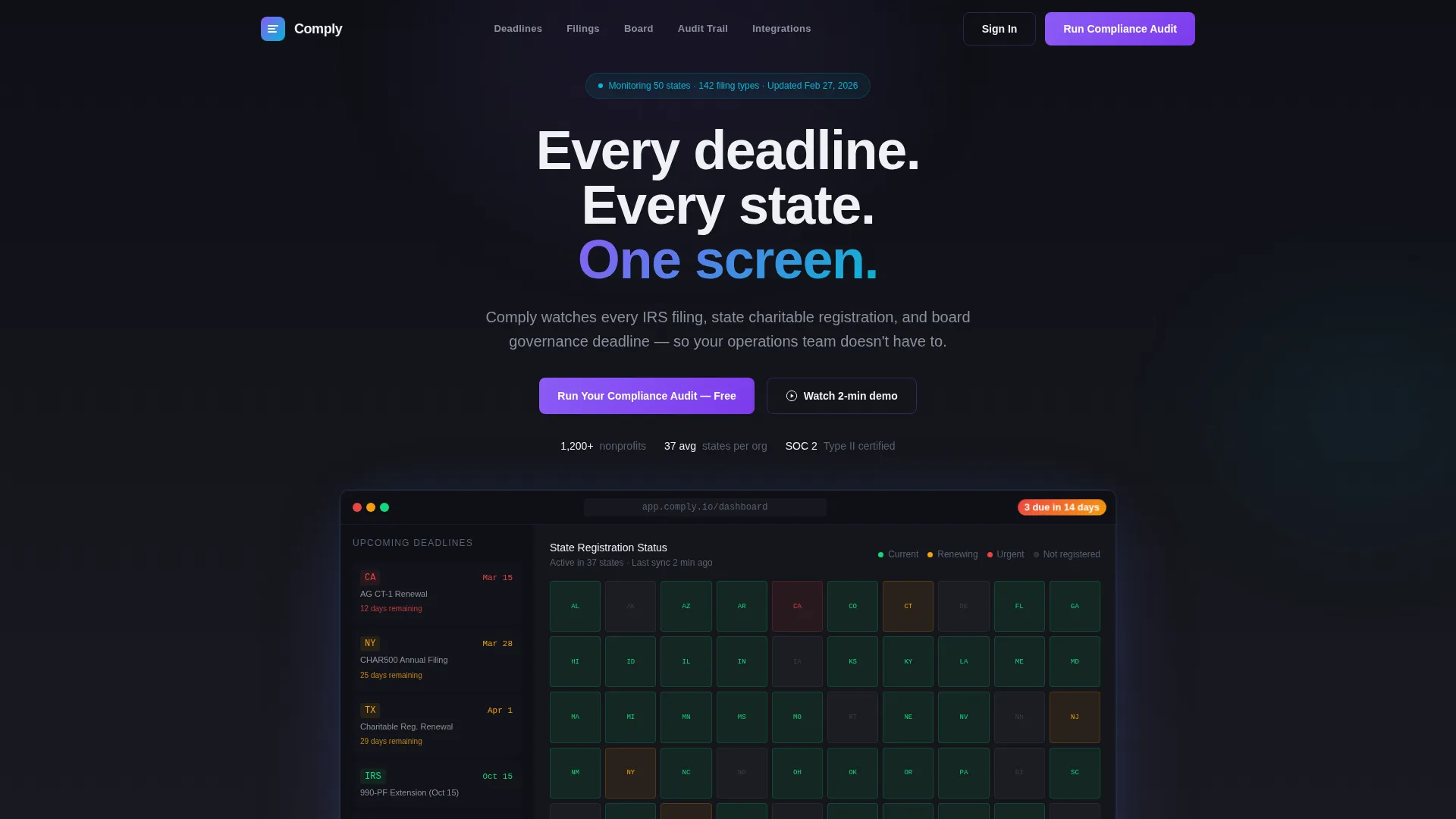
The header opens with a high-fidelity compliance command center mockup. It shows a United States map with state registration statuses in green, amber, and red, a deadline sidebar sorted by urgency, and a notification badge reading "3 filings due in 14 days." Specific entries like "California AG: CT-1 renewal, due March 15" make the data feel real rather than illustrative.
Anchor Navigation System
Five sticky spoke links pin to the top of the page as visitors scroll. Each spoke label corresponds to a core compliance function: Deadlines, Filings, Board Governance, Audit Trail, and Integrations. Teal pulses gently on the active item, giving visitors a clear sense of location within the page.
Problem-to-Solution Arc Sections
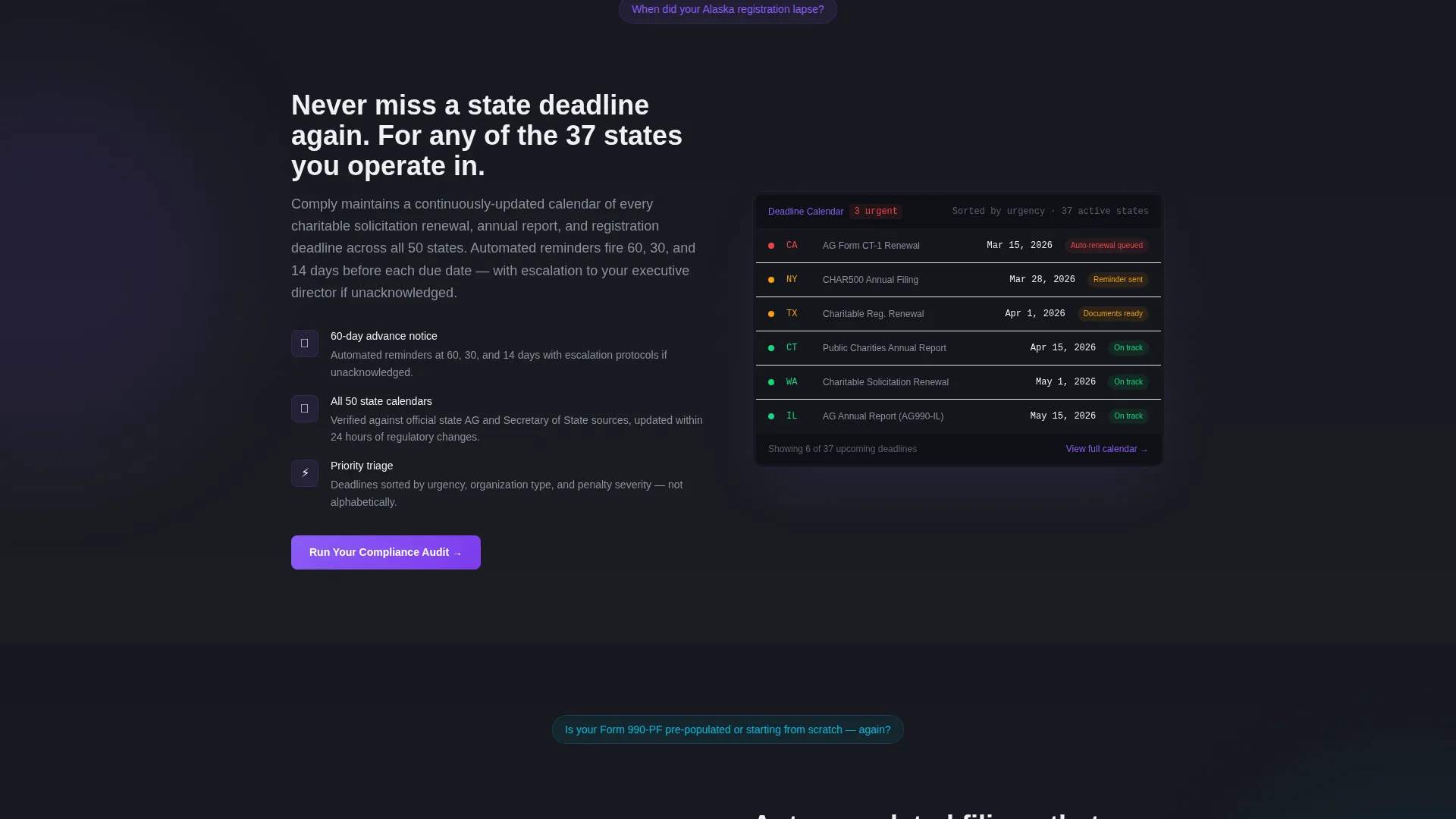
Each spoke section opens with a single pointed question, such as "When did your Alaska registration lapse?" A screenshot closes the section by answering it visually. This structure moves the emotional temperature from dread to control, section by section.
Progressive Lead Capture Form
The primary call to action, "Run Your Compliance Audit," appears in the dashboard header and repeats at the close of every spoke section. The form runs three steps: organization name and Employer Identification Number (EIN) first, active state selection from a checkbox map second, then name, role, and email to complete.
Gated PDF Secondary Conversion
A secondary path offers a free downloadable "50-State Filing Calendar" PDF gated behind an email address. This catches visitors who are not yet ready to request a full audit but are already motivated enough to plan ahead.
Iridescent Visual Identity System
Deep graphite (#1B1D23) anchors the background. Shifting holographic violet (#8B5CF6) and soft teal (#06B6D4) ripple across card edges, navigation states, and section header washes. Chalk white (#F0F1F5) keeps body text and data surfaces clean and legible throughout.
Page sections overview
| Section | Purpose |
|---|---|
| Dashboard Header | Anchors the value proposition with a live-feel compliance mockup and primary call to action |
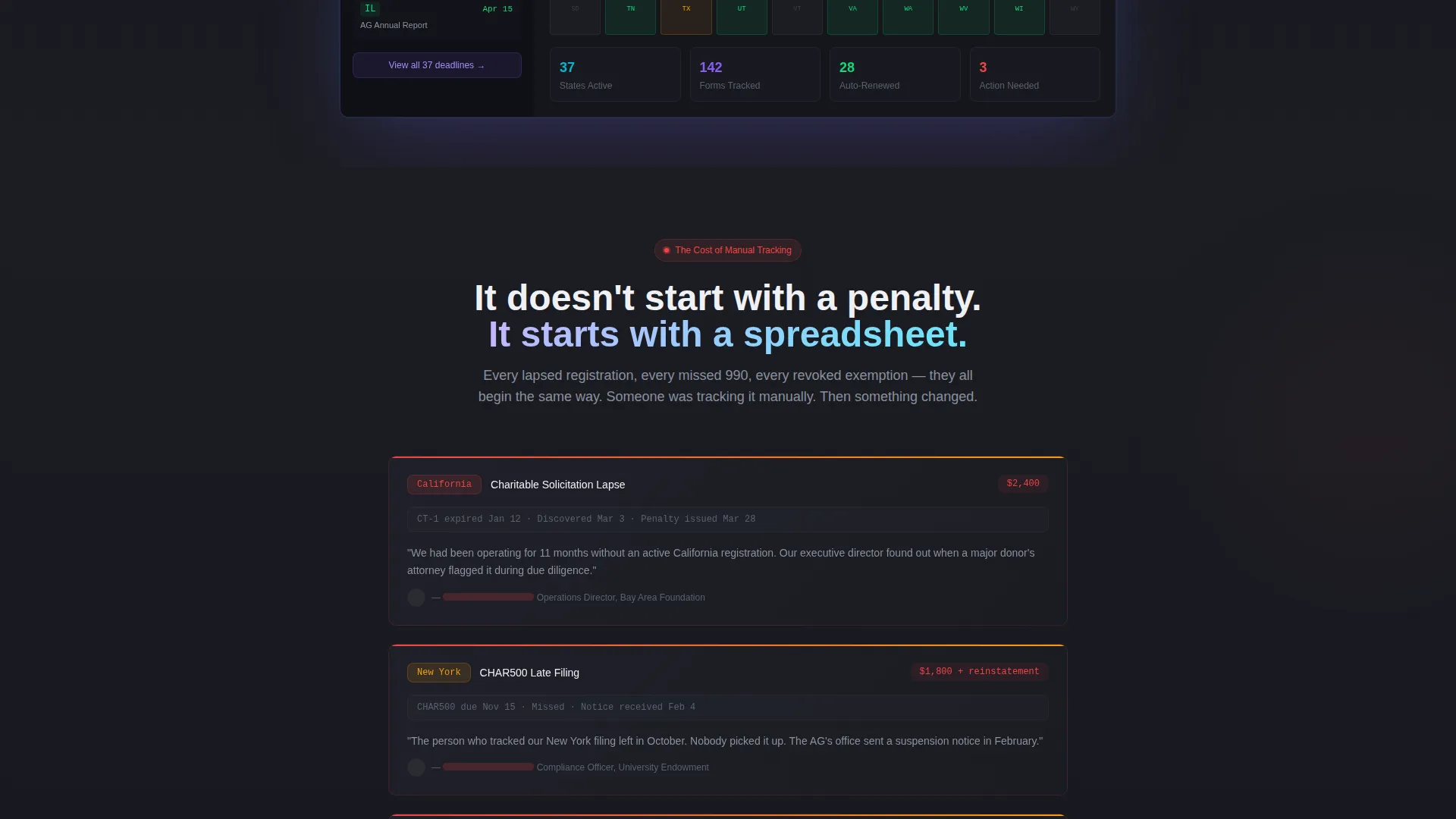
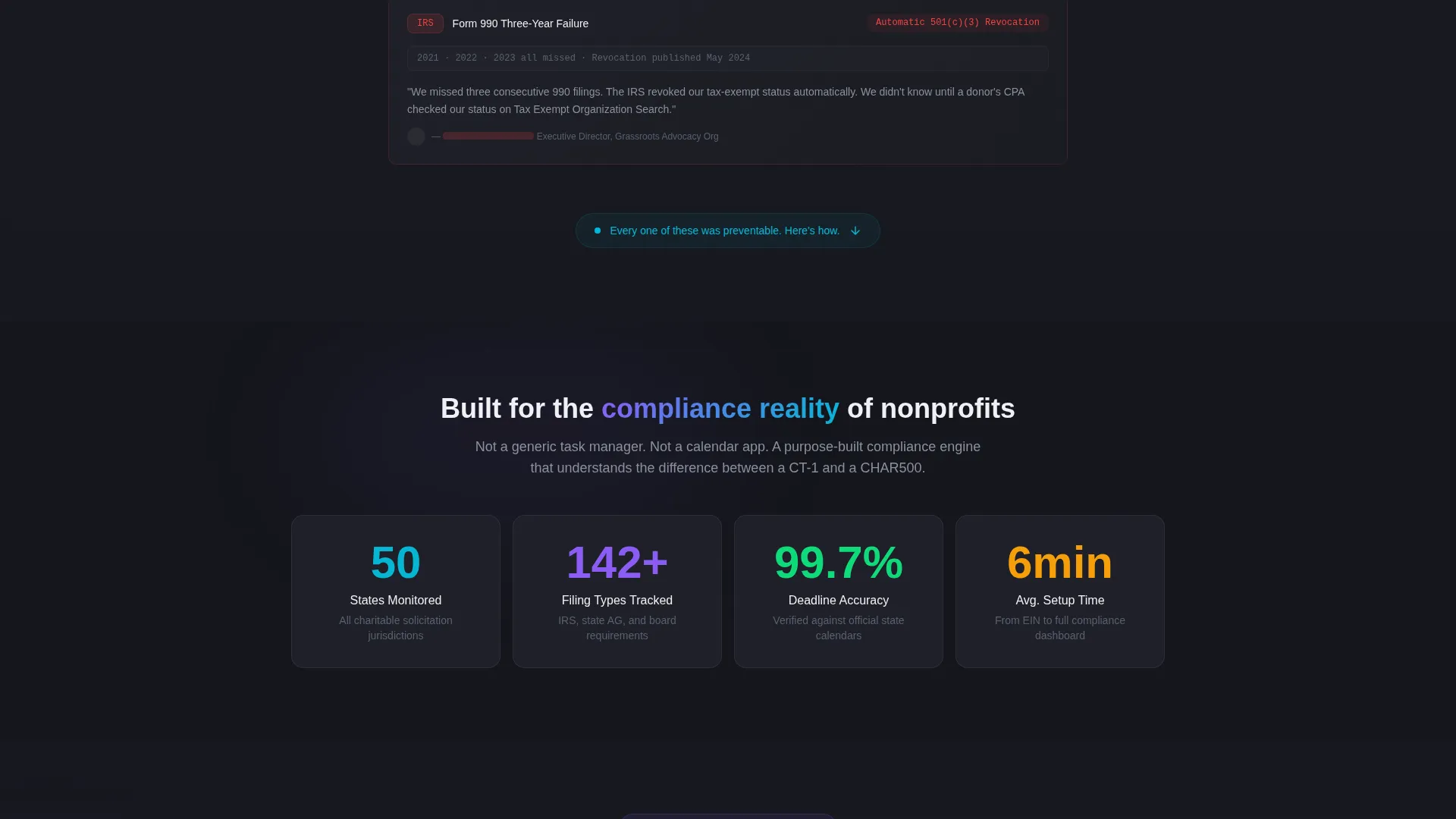
| Problem Cascade | Presents missed deadlines and penalties as redacted case studies to build emotional urgency |
| Deadlines Spoke | Shows calendar automation resolving deadline anxiety with a screenshot close |
| Filings Spoke | Demonstrates auto-populated filing forms eliminating manual data entry risk |
| Board Governance Spoke | Introduces board resolution templates for governance deadline management |
| Audit Trail Spoke | Highlights exportable audit logs that document compliance history clearly |
| Integrations Spoke | Covers platform connection options to show where Comply fits existing workflows |
| Footer Conversion | Closes the page with a repeated call to action and secondary PDF download path |
Design & branding system
The visual identity follows a Directory and Discovery theme built on an AI Iridescent color system. The palette balances institutional gravity with something unexpectedly alive, like light refracting through a prism laid on a legal document.
- Deep graphite (#1B1D23) as the primary background, chalk white (#F0F1F5) for all body text and data surfaces
- Holographic violet (#8B5CF6) and soft teal (#06B6D4) used as gradient accents on card borders, section headers, and active navigation states
- Gradients stay restrained and purposeful: a two-pixel iridescent border on a compliance card, not a carnival of color
Mobile & speed optimization
The template is structured for clean display across device sizes, keeping the anchor navigation and dashboard mockup functional on smaller screens without sacrificing the visual impact of the compliance data surfaces.
- Sticky anchor nav collapses cleanly on mobile so spoke links remain accessible without crowding the viewport
- Dashboard mockup and compliance data cards are laid out to reflow at smaller breakpoints, keeping urgency cues visible
- Progressive form steps are spaced for touch interaction, reducing friction in the lead capture sequence on mobile devices
How this template helps you convert
Comply is built around two conversion goals working in parallel. Every structural choice on the page is designed to reduce hesitation and increase the likelihood that a visitor takes action before leaving.
- The "Run Your Compliance Audit" call to action appears in the header and again at the end of every spoke section, keeping the primary conversion path visible at every decision point across the scroll.
- The gated "50-State Filing Calendar" PDF gives anxious visitors a low-commitment reason to share their email, expanding the lead pool beyond visitors ready to request an audit immediately.
Other information about this template
Comply is categorized under Technology, specifically within the Nonprofit Software and Software as a Service (SaaS) subcategory, with a niche focus on nonprofit compliance software. It is well-suited for marketing platforms that help organizations track charitable solicitation registration deadlines, Form 990 filings, and board governance requirements across all fifty United States.
- The template style is Hub and Spoke with Anchor Navigation, meaning each section is independently accessible via the pinned nav and resolves a distinct compliance pain point
- The creative direction follows a Problem-to-Solution Arc, opening with cascading failure scenarios before pivoting to platform-driven resolution in each spoke
- The header concept is a Dashboard Preview, using specific, realistic compliance data to establish platform credibility before any feature copy appears
Theme
Directory & Discovery
Creative direction
Problem→Solution Arc
Color system
AI Iridescent
Style
Hub & Spoke (Anchor Nav)
Direction
Lead Generation
Page Sections
Dashboard Preview Header
Five-spoke Anchor Navigation
Problem-to-solution Arc Structure
Progressive Three-step Audit Form
Gated PDF Secondary Conversion Path
AI Iridescent Visual Identity
Related questions
What types of organizations is this template best suited for?
How does the lead capture form work?
Can this template capture leads at different stages of buyer readiness?
What does the dashboard mockup in the header show?
How is the page organized for a first-time visitor?



