Comply - Streamlined Compliance Landing Page Template
Comply is a bento grid landing page template built for wedding compliance software. It uses a dark, teal-accented visual system to showcase a platform that handles marriage license requirements, vendor insurance verification, permit applications, and liability waivers. The design targets wedding planners and venue coordinators who need to replace manual paperwork with a single, reliable dashboard.
by Rocket studio
Quick summary
Comply is a single-page bento grid template designed for a wedding compliance software platform. It uses frosted Dark Glass Panels, a Teal Catalyst color system, and an expanding Feature Matrix layout to communicate technical depth at a glance. The page guides visitors from curiosity to a low-commitment lead capture form, all without a single wedding photo.
Who this template is for
This template is built for compliance-focused software products in the wedding industry. It speaks directly to buyers who manage regulated, deadline-driven workflows at volume.
- Wedding planners managing thirty or more events per year who lose time to county clerk research
- Venue coordinators juggling overlapping permit and insurance deadlines across multiple bookings
- Boutique agencies that have outgrown spreadsheets and need a scalable compliance workflow
What problem this template solves
Wedding compliance involves multiple moving parts: jurisdiction-specific license rules, vendor certificate of insurance (COI) tracking, outdoor ceremony permits, and signed liability waivers. Managing all of this manually creates costly delays and gaps. This template gives the software platform a visual and structural language that matches that complexity and resolves it clearly.
- Prospects arrive overwhelmed by fragmented compliance tasks and need to see a unified solution fast
- The page must prove that real jurisdiction data exists before asking for any personal information
- Agencies evaluating volume tools need a demo path separate from individual planner sign-ups
What you get with this template
The Comply template delivers a complete single-page layout structured around the platform's six core modules. Every section has a defined job, from the header that shows the product in action to the lead form that earns the click.
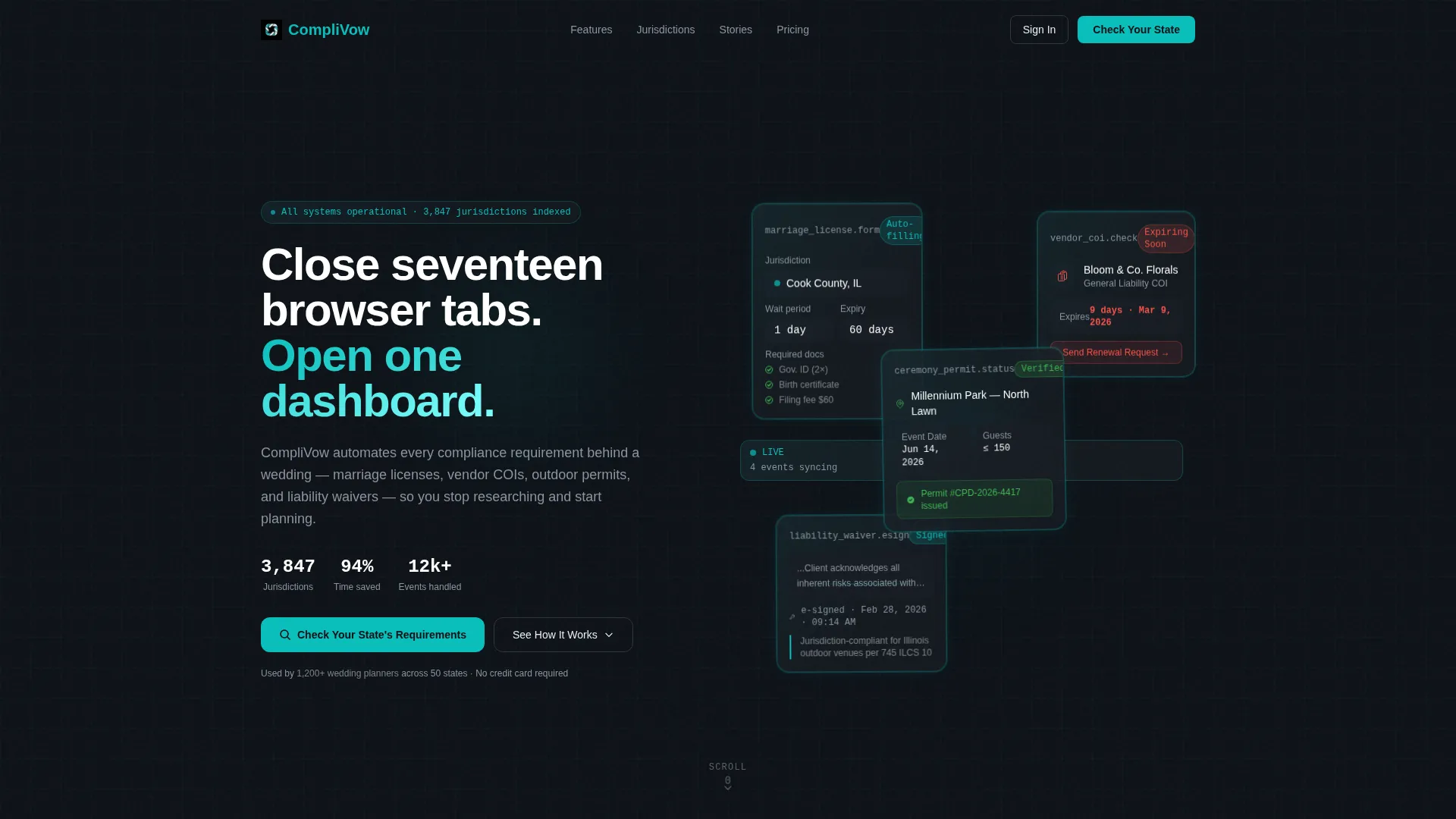
- A bento grid header with four frosted glass panels, each displaying a different compliance artifact mid-process
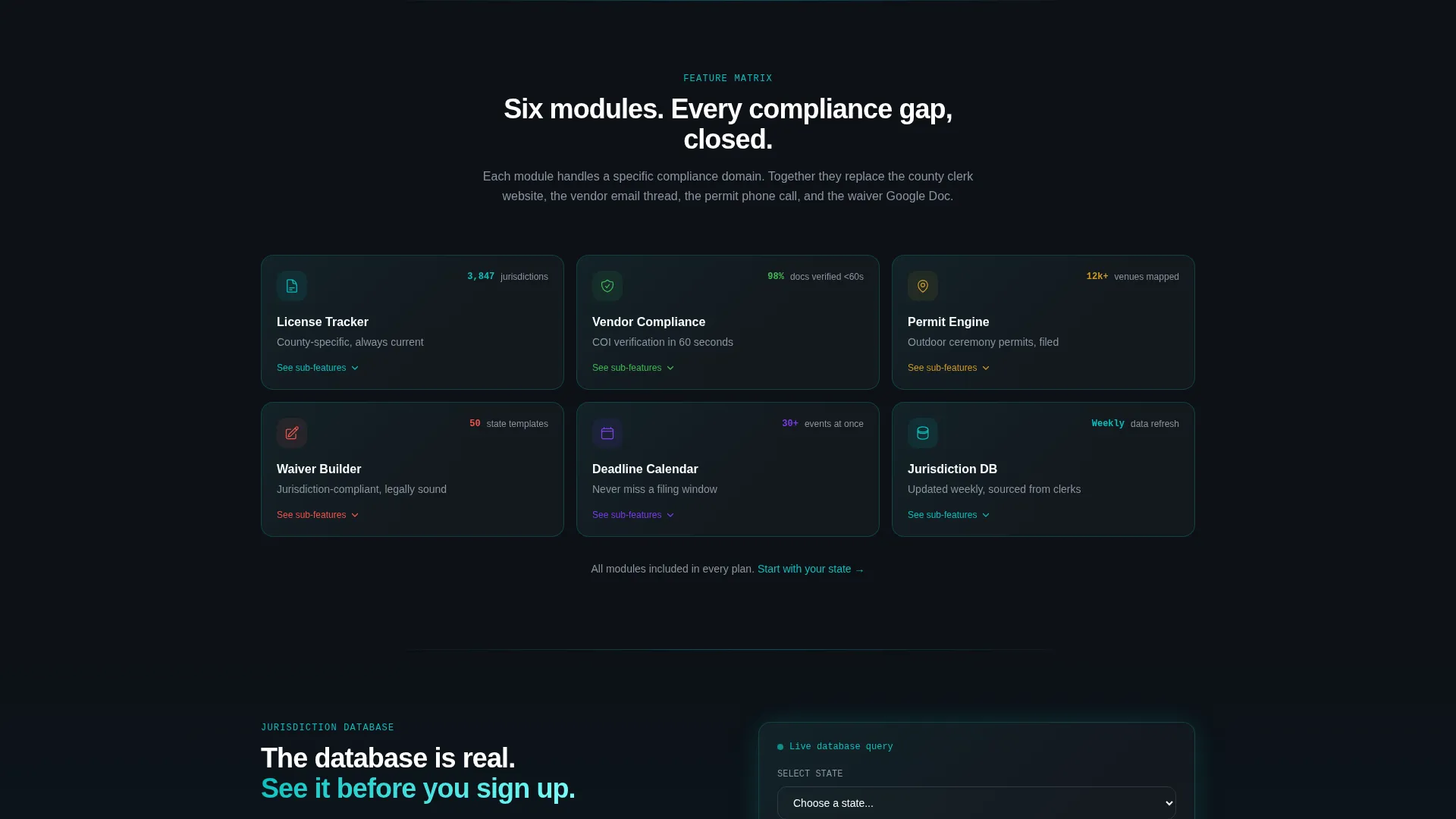
- An expanding Feature Matrix section where each module card opens into sub-feature detail with micro-animations
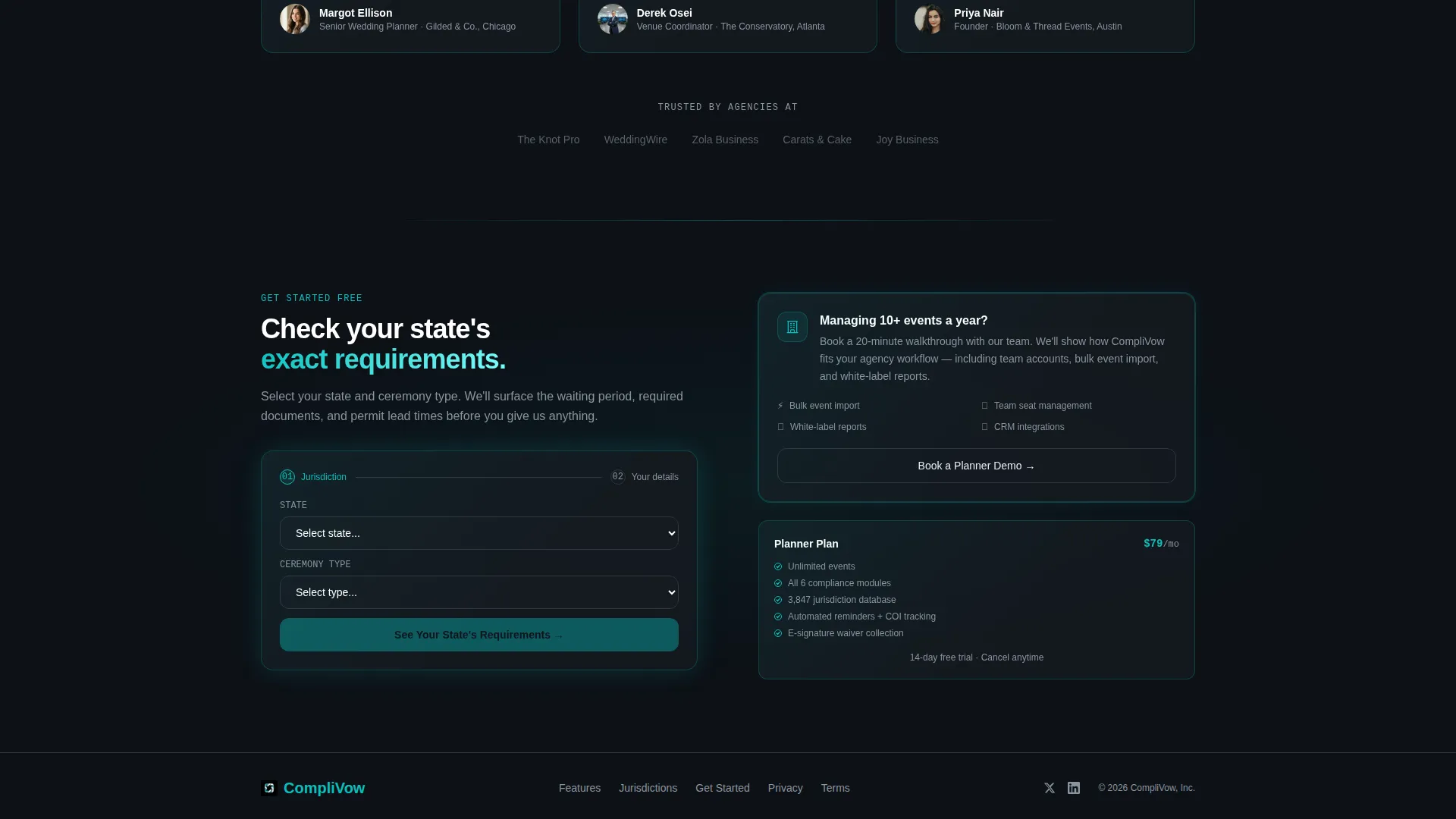
- A dual-path conversion section with a jurisdiction selector form and a separate planner demo booking path
Feature list
This template is built around six capability modules and a lead generation flow. Every design and layout decision connects back to a specific compliance use case.
Dark Glass Panel Header
Four asymmetric frosted panels sit against a near-black background. Each panel shows a live compliance artifact: a marriage license auto-populating county fields, a vendor COI flagged with nine days to expiry, a ceremony permit with a green verification badge, and a liability waiver with an e-signature timestamp. Teal edge glow makes the panels feel like active system monitors.
Expanding Bento Feature Matrix
Six compact, icon-led module cards cover License Tracker, Vendor Compliance, Permit Engine, Waiver Builder, Deadline Calendar, and Jurisdiction Database. As the visitor scrolls, each card expands into a mini-grid showing three to four sub-features. The rhythm alternates between compressed overview and expanded detail, building a mental model of product depth without overwhelming the reader.
Live Jurisdiction Selector Form
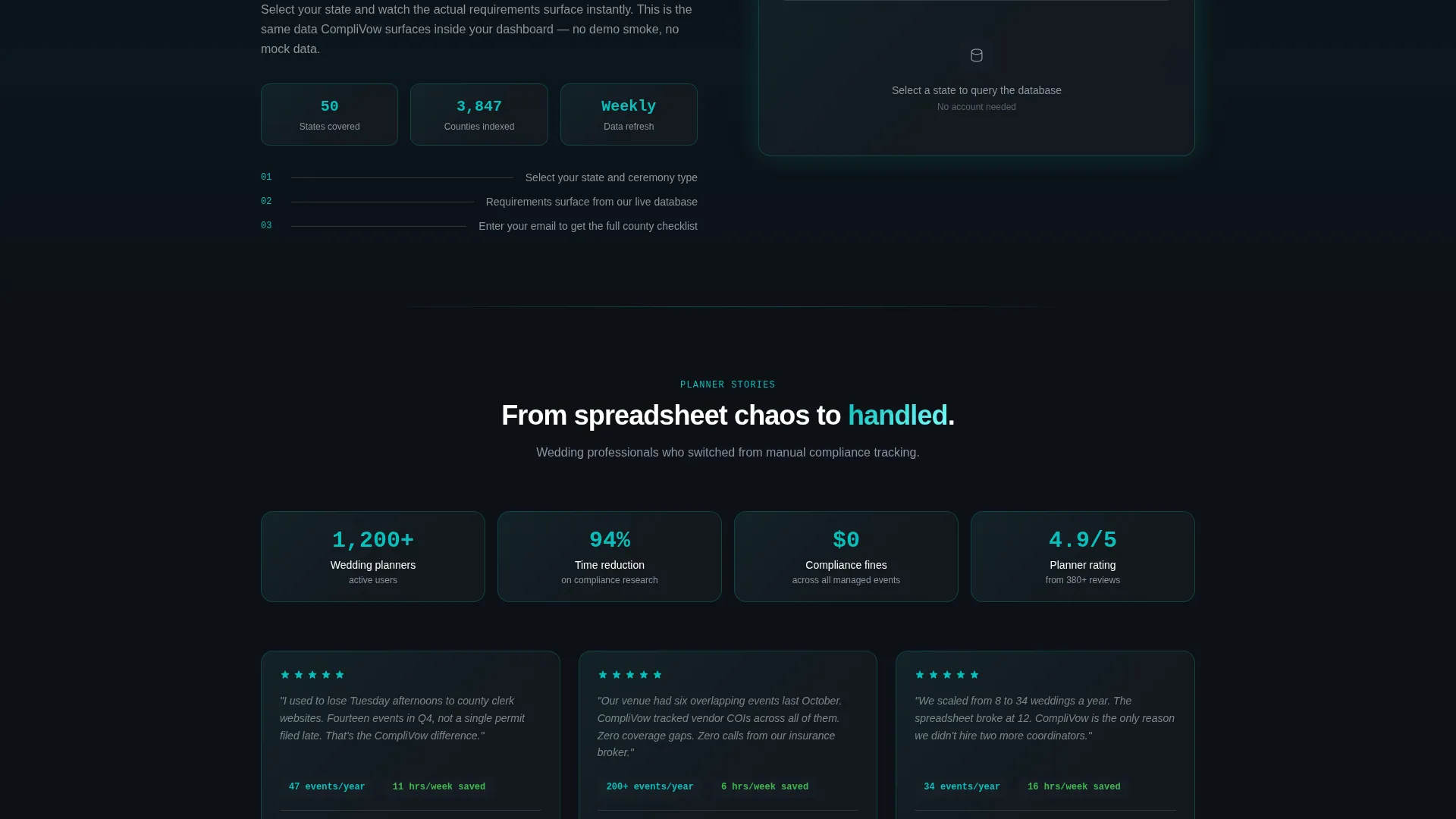
The primary call to action reads "Check Your State's Requirements." Clicking it opens an inline form: state dropdown, then county, then ceremony type. Selecting a state immediately surfaces that jurisdiction's license waiting period and required documents below the dropdown. This proves the database is real before the visitor submits a name or email.
Dual Conversion Paths
A secondary call to action, "Book a Planner Demo," appears after the feature matrix. It targets agency leads managing high event volumes. Placing it after the expanded module detail ensures complexity has already made the case for automation before the ask appears.
Deadline Calendar Module
A visual timeline bar shows automated reminder sequences tied to each compliance deadline. This sub-feature appears inside the Deadline Calendar module card when it expands, giving planners a concrete sense of how the platform handles time-sensitive tasks without manual follow-up.
Jurisdiction Database Visual
A county map highlights supported jurisdictions inside the Jurisdiction Database module card. This visual sub-feature appears during the scroll-triggered expansion, confirming geographic coverage in a format that is faster to read than a bulleted list of states.
Page sections overview
| Section | Purpose |
|---|---|
| Dark Glass Header | Show live compliance artifacts and establish product credibility immediately |
| Feature Module Grid | Introduce six core modules as compact, icon-led bento cards |
| Expanding Module Detail | Reveal sub-features through scroll-triggered micro-animations |
| Jurisdiction Selector Form | Capture leads via a low-commitment, data-first entry point |
| Planner Demo call to action | Convert agency leads after the feature matrix builds the case |
Design & branding system
The Teal Catalyst color system is built for a product that needs to feel both technically credible and approachable. Every color choice has a functional role on the page.
- Deep launch-pad black (#0D1117) forms the background, signal white (#FFFFFF) handles typography on dark panels, and soft cloud gray (#E6ECF1) surfaces bento card backgrounds
- Catalyst teal (#0ABFBC) appears as edge glow on glass panels, active-state indicators, and the primary call-to-action button, acting as a visual pulse that confirms system readiness
- The Startup Velocity theme keeps spacing generous and layouts asymmetric, so the page feels like a mission control room that was designed with care rather than urgency
Mobile & speed optimization
The bento grid layout is structured to reflow cleanly across screen sizes. Module cards that expand on scroll are designed to work within a single-column stack on smaller viewports without losing the detail hierarchy.
- The glass panel header collapses into a vertically stacked artifact sequence on narrow screens, preserving each compliance example without horizontal overflow
- Inline form steps (state, county, ceremony type) are designed as sequential single-field inputs to keep the lead capture flow functional on touch devices
How this template helps you convert
Every section of this template is designed to reduce friction and build trust before the form appears. The conversion logic is layered intentionally.
- The header removes abstract claims by showing the product actively processing real compliance artifacts, so visitors understand the value proposition before reading a single headline
- The live jurisdiction selector proves database accuracy in real time, which earns the lead form submission by demonstrating value before asking for personal information
- The dual call-to-action structure separates individual planners from agency buyers, routing each segment to the conversion path that matches their intent and reduces drop-off
Other information about this template
This template was designed specifically for the wedding compliance software niche, where the buying decision involves both emotional and operational trust. A few additional details about scope and fit:
- The Comply template sits within the Technology category and the Wedding Software and Software as a Service subcategory, making it relevant for compliance-focused platforms targeting professional wedding industry buyers
- The bento grid format and Feature Matrix creative direction are well suited to software products with multiple distinct modules, where showing depth without overwhelming the visitor is the core challenge
- The template uses the Lead Generation landing page direction, which means every section flows toward one of the two defined conversion actions rather than branching into informational sub-pages
- Teams using page builders or custom development environments can adapt the color tokens, module labels, and form fields to match their specific platform branding and jurisdiction coverage
Theme
Startup Velocity
Creative direction
Feature Matrix
Color system
Teal Catalyst
Style
Bento Grid
Direction
Lead Generation
Page Sections
Dark Glass Panel Header
Expanding Feature Matrix Layout
Live Jurisdiction Selector Form
Dual Conversion Path Structure
Deadline Calendar Sub-feature
Jurisdiction Database Map Visual
Related questions
Is Comply designed for a single page or a multi-page site?
Can the six module cards be renamed or reordered?
Does the jurisdiction selector form connect to a live database automatically?
Who is the secondary call to action aimed at?
What makes this template different from a generic software landing page?



