Aerial & Drone Photography Studio Lead Capture Website Template
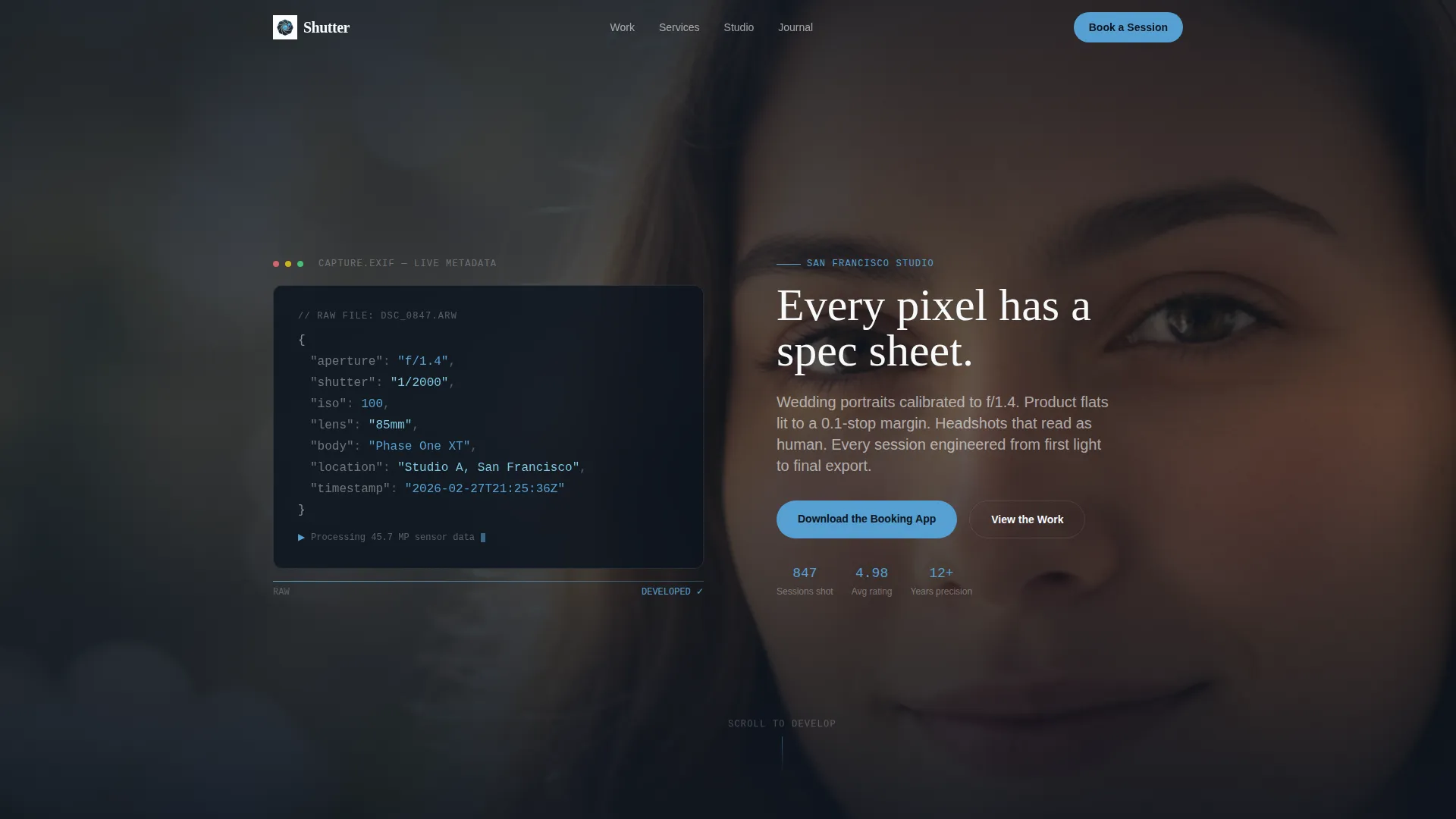
Shutter is a scroll-reveal photography studio landing page built to capture leads and drive app downloads. It combines a live EXIF metadata header, animated spec-card sections, and an interactive shot-list demo to move visitors from curiosity to booking. The dark, calibrated aesthetic feels like a professional editing suite, precise, confident, and built for photographers who take craft seriously.
by Rocket studio
Quick summary
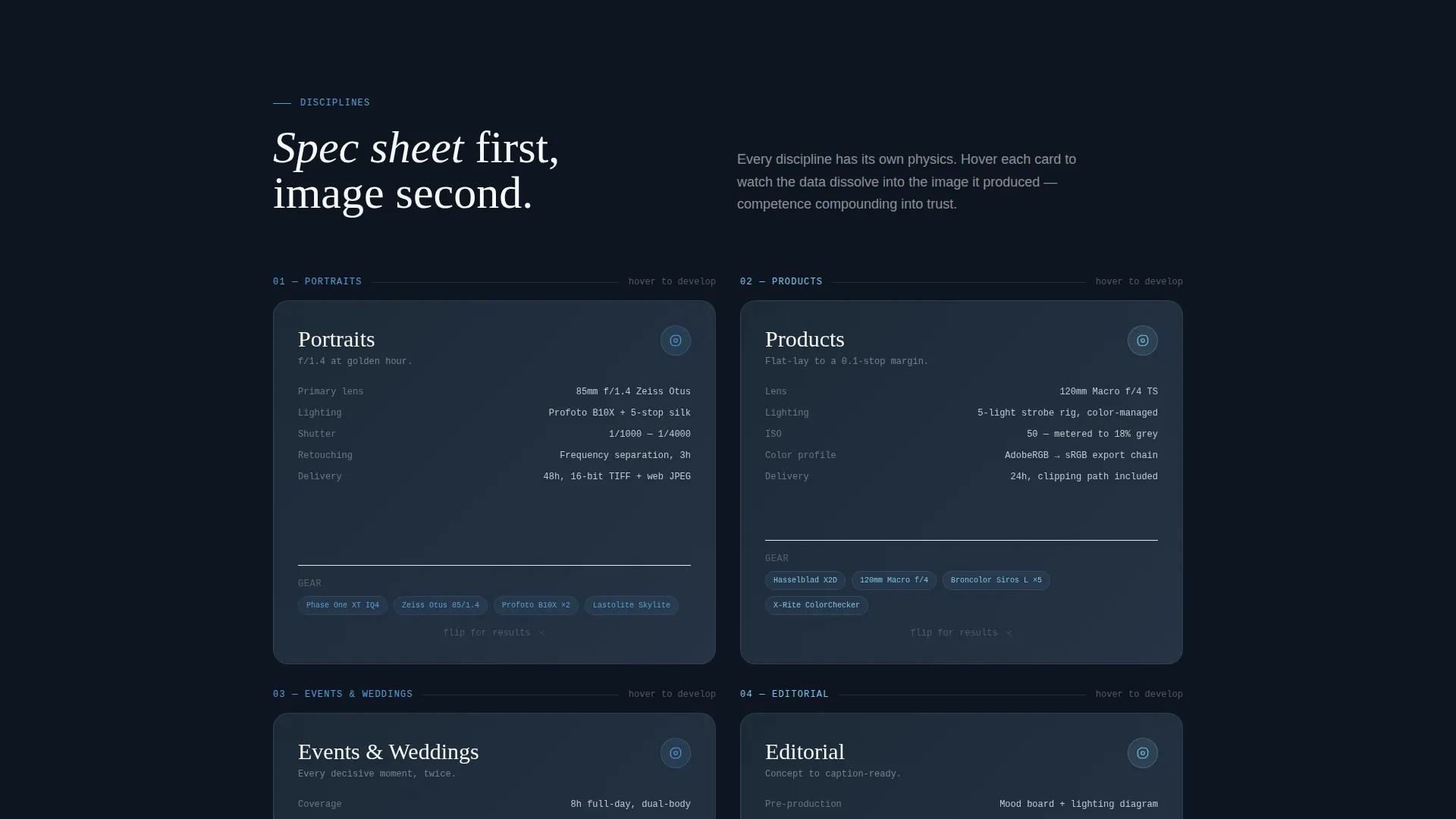
Shutter is a single-page photography studio lead capture landing page with a progressive scroll-reveal structure. It opens with an animated EXIF code block, walks visitors through four photography disciplines as flipping spec cards, and closes with an app download call to action backed by a three-screen phone mockup. Every section is designed to build trust before asking for a commitment.
Who this template is for
This template speaks directly to professional photographers who serve multiple client types and need one focused page that handles all of them. It works whether you shoot weddings, headshots, product flat-lays, or editorial assignments.
- Wedding photographers targeting engaged couples who browse late at night on their phones
- Commercial and portrait photographers serving small business owners and creative directors
- Studios ready to drive bookings through a dedicated mobile app with a shot-list builder
What problem this template solves
Most photography websites try to be portfolios and booking tools at the same time. The result is a cluttered experience that loses visitors before they ever reach a contact form. Shutter solves this by keeping one goal visible at all times: get the visitor to download the booking app or request a link.
- Visitors leave before converting because gear and gallery content compete for attention
- The booking process feels unclear, so potential clients hesitate and move on
- Mobile visitors in particular need a fast, thumb-friendly path to act
What you get with this template
You get a fully structured, single-page landing page built around a scroll-driven narrative. Each section serves a specific job in the conversion flow, from first impression to final tap.
- An animated EXIF code-snippet header that crossfades into a finished portrait photograph
- Spec-card sections for portraits, products, events, and editorial that flip from technical data to gallery images
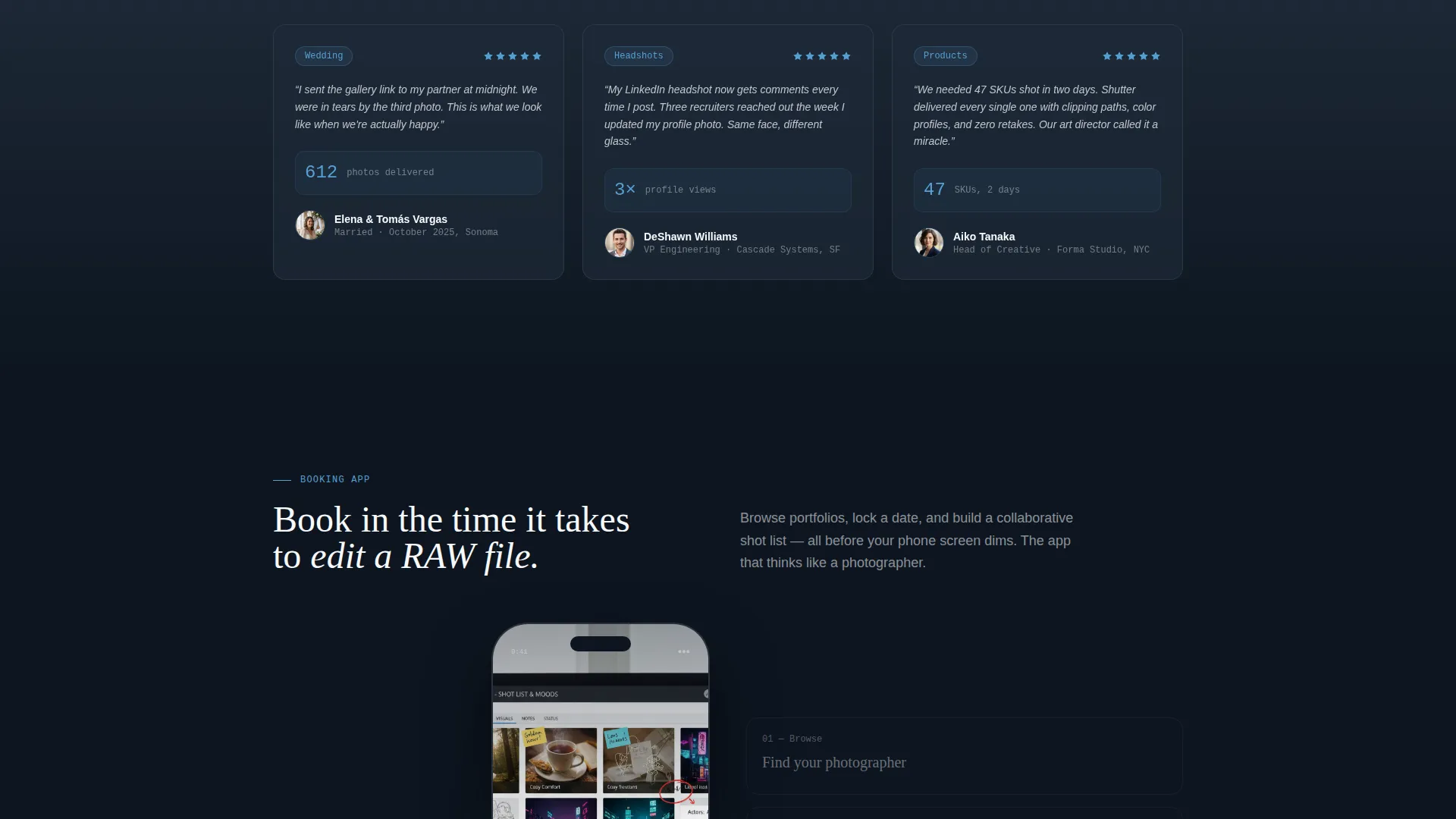
- A three-screen animated phone mockup and an interactive shot-list drag demo leading into the app download call to action
Feature list
This template is built around deliberate visual mechanics that reflect how a photographer actually works. Each feature has a clear role in the visitor's journey.
Animated EXIF Code Header
The page opens with a monospace metadata block displaying aperture, shutter speed, ISO, lens, and camera body. Each line types itself in like a terminal readout. The background then crossfades from black to the photograph those settings produced, and the headline types itself beneath.
Scroll-Reveal Spec Card Sections
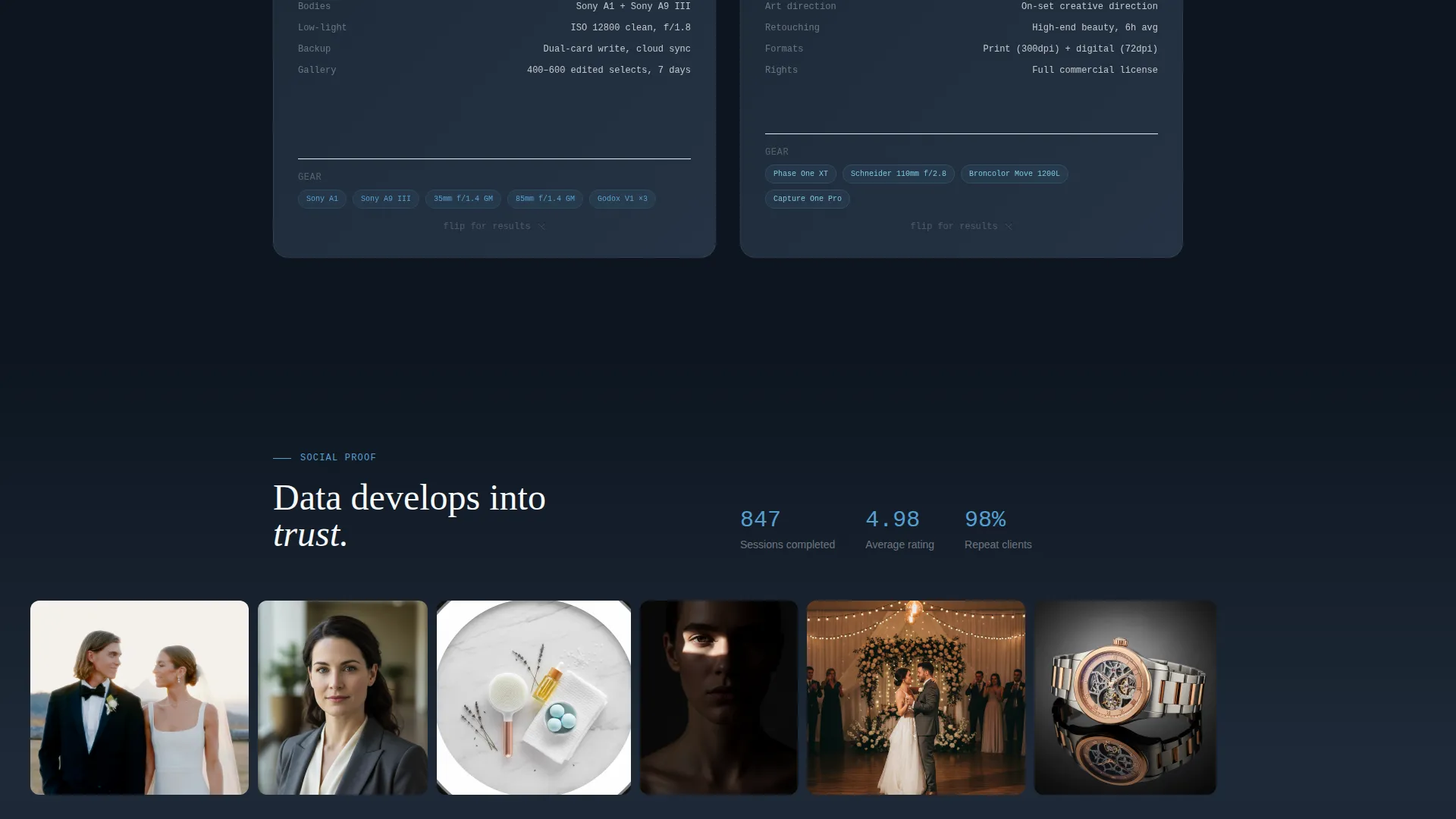
Four photography disciplines are presented as technical cards. Each card flips from clinical specs and lighting diagrams to full-bleed gallery images as the visitor scrolls deeper. The progression mirrors a developing print: data first, then image, then testimonial.
Interactive Shot-List Drag Demo
Before the primary call to action appears, visitors can drag sample shots into a mood board directly on the page. The interaction demonstrates the booking app's shot-list builder in a tactile way, making the utility feel real before the download prompt arrives.
Three-Screen Phone Mockup
An animated phone mockup shows three screens from the booking app: session browsing, date selection, and shot-list collaboration. The animation plays as part of the scroll flow, preparing visitors for the app download step.
Dual App Download call to action
The primary call to action offers platform-detected buttons for both iOS and the App Store. A secondary path lets visitors enter a phone number to receive a text link, capturing mobile visitors who prefer not to tap through to a store directly.
Dashboard Pro Visual Theme
The page uses the Slate and Sky color system throughout. Deep darkroom slate, calibrated mid-gray, open-sky blue for interactive elements, and clean white for typography create a cohesive editing-suite atmosphere that reinforces professional credibility.
Page sections overview
| Section | Purpose |
|---|---|
| EXIF Header Block | Opens with animated metadata, crossfade portrait, and self-typing headline |
| Portraits Spec Card | Flips from technical specs to gallery and testimonial for portrait work |
| Products Spec Card | Reveals product flat-lay discipline with gear list dissolving into imagery |
| Events Spec Card | Presents event photography specs that transition to full-bleed event shots |
| Editorial Spec Card | Shows editorial discipline with lighting diagrams giving way to final images |
| Shot-List Drag Demo | Interactive mood board that lets visitors experience the app before the call to action |
| Phone Mockup Sequence | Animated three-screen preview of session browsing, date selection, collaboration |
| App Download call to action | Primary download buttons with platform detection and secondary text-link field |
Design & branding system
The visual identity is built around the Dashboard Pro theme using a Slate and Sky color palette. The overall feel is a photographer's editing suite at golden hour: the cool glow of a calibrated monitor in a dim room, with one sliver of open sky visible through a studio window.
- Deep darkroom slate (#1E2A38) as the primary background, calibrated mid-gray (#4A5568) for secondary surfaces, open-sky blue (#56A0D3) for interactive highlights and progress indicators, and lens-flare white (#F7FAFC) for body text and breathing space
- Monospace typography in the header and spec cards reinforces the technical, precision-instrument aesthetic throughout the page
- Progressive scroll reveals treat each section like a developing print, using crossfades and flip animations to move between data and imagery
Mobile & speed optimization
The template is structured with mobile visitors as a first-class audience. Engaged couples browsing at 11pm and creative directors sourcing talent on the go both need a scroll experience that works on a small screen without friction.
- The three-screen phone mockup and shot-list drag demo are designed to function within a thumb-friendly layout
- The dual call to action path, download buttons plus a single phone-number field, ensures mobile visitors always have a frictionless next step
- The progressive scroll-reveal structure loads narrative in stages, keeping the visual experience focused and uncluttered as the visitor moves down the page
How this template helps you convert
The page is built around a single conversion goal and every section is ordered to earn that outcome before asking for it. The scroll sequence compounds trust progressively, so the download request feels natural rather than premature.
- The EXIF header immediately signals technical credibility, setting a tone that attracts serious clients and filters out poor-fit visitors early in the scroll
- The spec-to-gallery card flips demonstrate range and quality across four disciplines, giving every visitor type a reason to stay and a result they can picture for their own project
- The interactive shot-list demo makes the app's value tangible before the call to action appears, so visitors already want the tool by the time the download button is in view
Other information about this template
This template sits at the intersection of photography studio website templates and app-focused lead capture design. It is built as a scroll-reveal progressive landing page, meaning all content lives on one scrollable page with no internal navigation required.
- The creative direction follows a Spec Sheet approach: technical details precede emotional payoff in every section, mirroring how professional photographers think and communicate
- The header concept draws from Code Snippet conventions, using formatted data blocks to establish authority before the visual content takes over
- The template style is categorized under the Dashboard Pro theme, which applies data-display conventions from professional software interfaces to a client-facing context
- This template is suited for photographers who already have or plan to launch a dedicated booking app and want a landing page built around driving that specific download
Theme
Dashboard Pro
Creative direction
Spec Sheet
Color system
Slate & Sky
Style
Scroll Reveal (Progressive)
Direction
App Download
Page Sections
Animated EXIF Code Snippet Header
Scroll-reveal Spec Card Sections
Interactive Shot-list Drag Demo
Three-screen Animated Phone Mockup
Dual-path App Download Call to Action
Dashboard Pro Visual Theme
Related questions
Can I use this template without a booking app?
How does the EXIF header animation work?
Who is the primary audience this landing page is built for?
Does the shot-list drag demo require coding knowledge to set up?
What makes this different from a standard photography portfolio template?



