Pharmacy Digital Presence Patient Education Website Template
Compound is a bento grid pharmacy licensure training landing page template built for pharmacology education platforms. It features a terminal-style auto-type header, interactive discipline tiles with hover stats, an outcomes dashboard, and a persistent enrollment call to action. The dark Data Command aesthetic signals precision and authority to pharmacy students and licensed pharmacists preparing for high-stakes exams.
by Rocket studio
Quick summary
Compound is a single-page pharmacy licensure training landing page template designed for EdTech platforms in the pharmacy education space. It combines a terminal code-snippet header, an interactive bento grid curriculum map, and a sticky enrollment bar to move visitors from curiosity to enrollment with minimal friction.
Who this template is for
This template fits platforms that deliver clinical pharmacy education and licensure preparation resources to professional learners. It is purpose-built for teams creating a high-converting pharmacy landing page for a serious, credential-focused audience.
- Final-year pharmacy students preparing for NAPLEX and MPJE licensure exams
- Licensed pharmacists pursuing continuing education credits and refreshing clinical competencies
- PharmD candidates converting textbook theory into applied practice through simulation-based courses
What problem this template solves
A generic website fails pharmacy learners who arrive with specific, urgent needs. Patients and practitioners both search for clarity and precision. This template gives EdTech managers a clean, conversion-ready pharmacy landing page structure that communicates expertise immediately and guides every visitor toward enrollment.
- Visitors abandon pages that feel unorganized or vague about program scope and outcomes
- Pharmacy staff and technicians need to evaluate training resources quickly, often outside business hours
- Standard enrollment pages miss the depth signals that build trust with clinical professionals
What you get with this template
This template delivers a complete single-page system with high-interactivity components and a focused call to action flow. Every section is designed to support the training process from first impression to enrollment click.
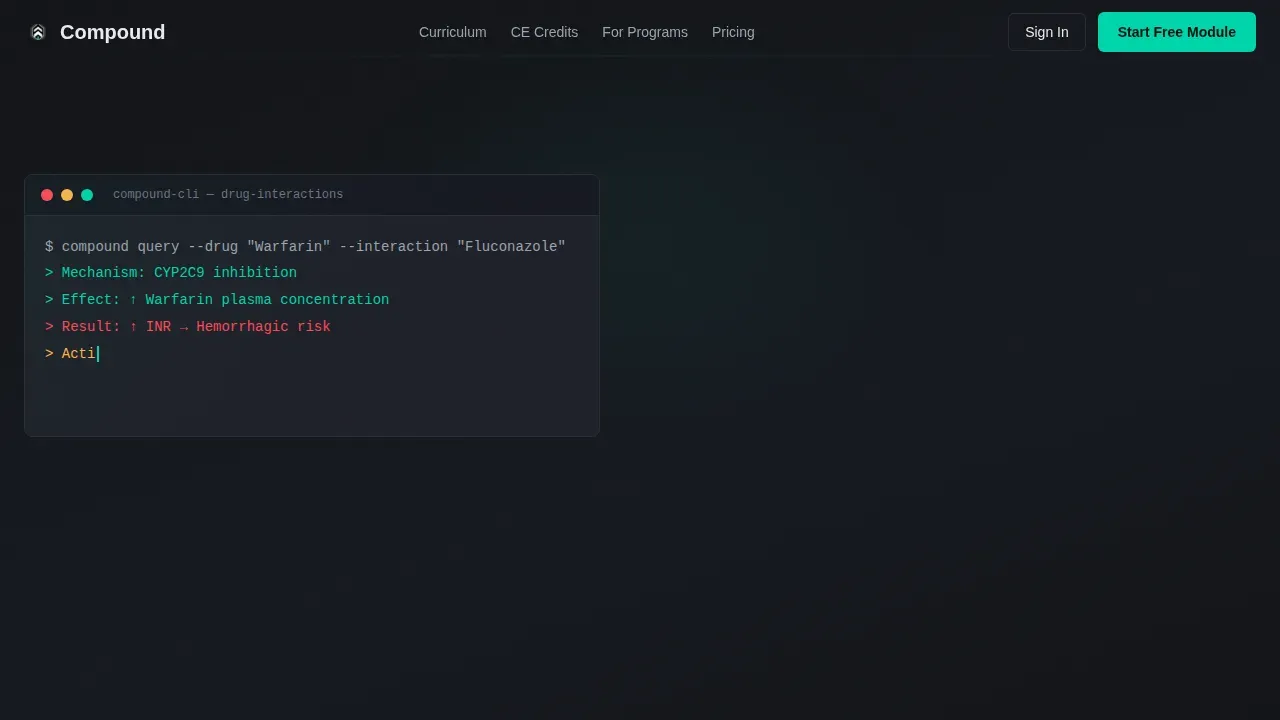
- A terminal auto-type header with an animated clinical scenario and a primary call to action button
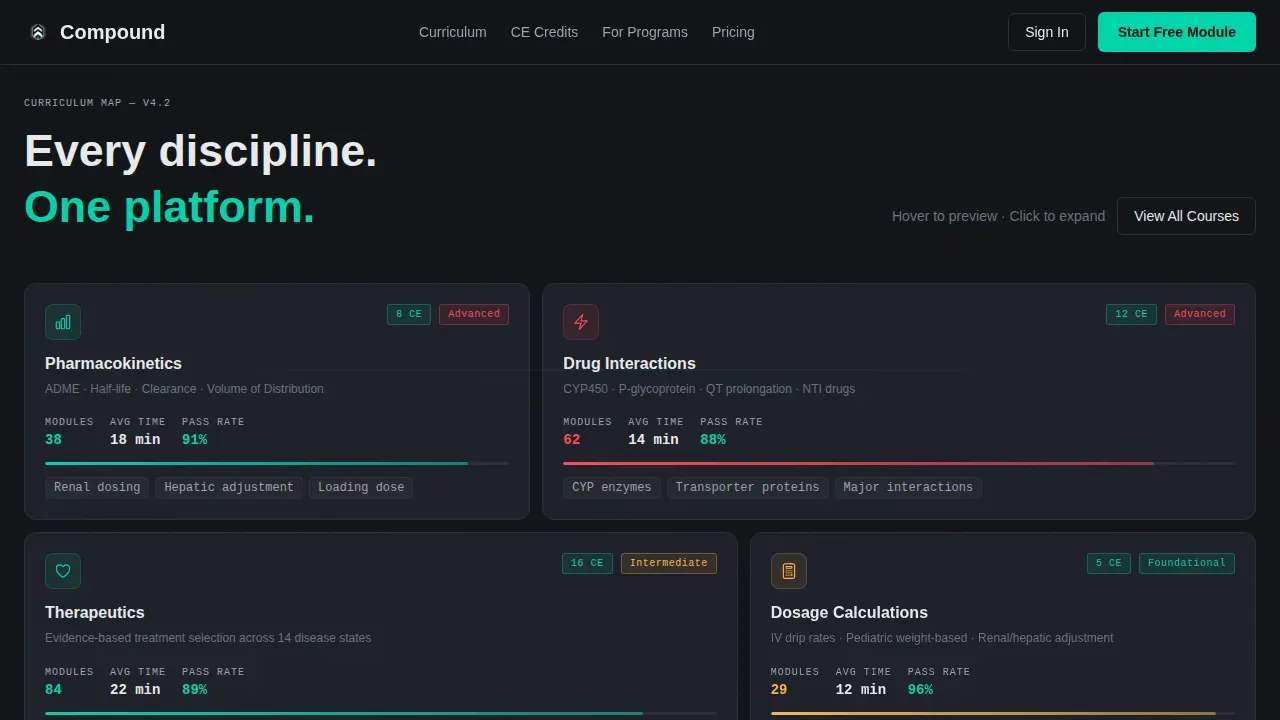
- A bento grid curriculum map with hover-reveal stats covering pharmacokinetics, therapeutics, compounding, law, and calculations
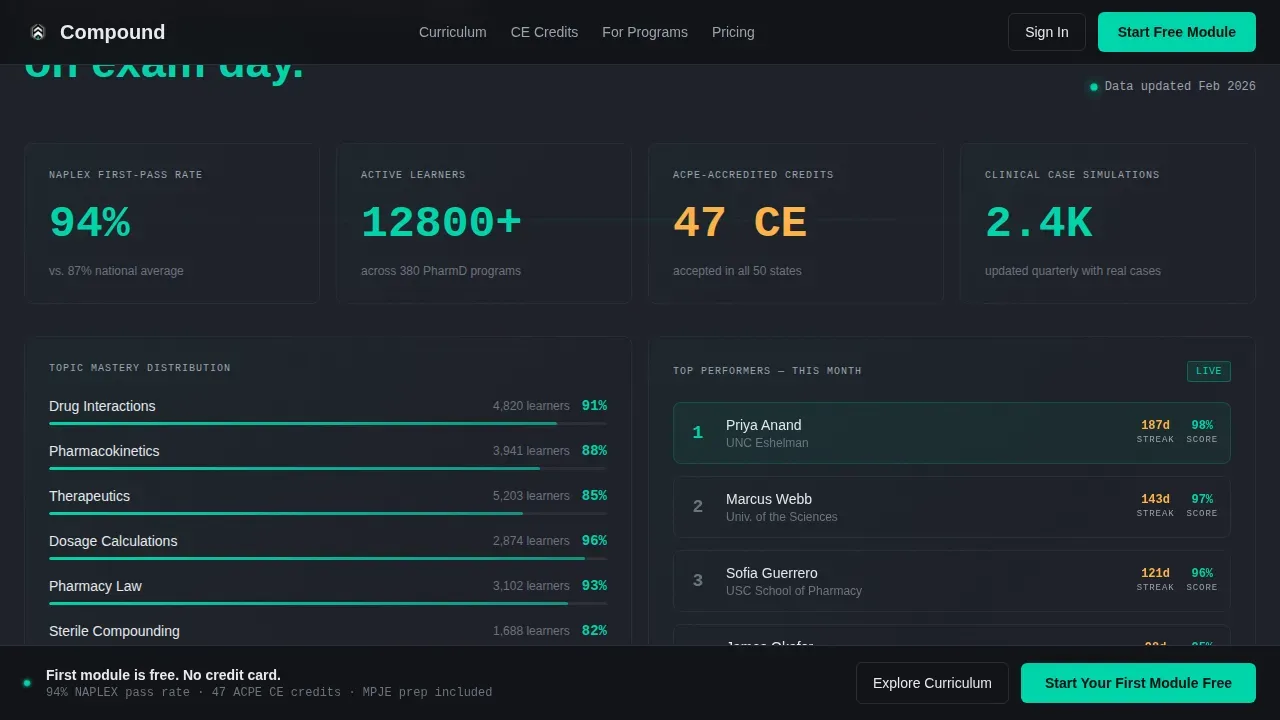
- An outcomes dashboard, a clinical case preview section, a sticky bottom enrollment bar, and a linear single-row footer
Feature list
This template packages six distinct interactive components into one coherent pharmacy landing page experience. Each feature is grounded in the specific needs of licensure-focused pharmacy education.
Terminal Code Snippet Header
The header opens with a monospace auto-type animation rendering a clinical drug interaction scenario character by character. The sequence resolves into the platform headline, immediately establishing authority and clinical focus for pharmacists and students alike.
Interactive Bento Grid Curriculum Map
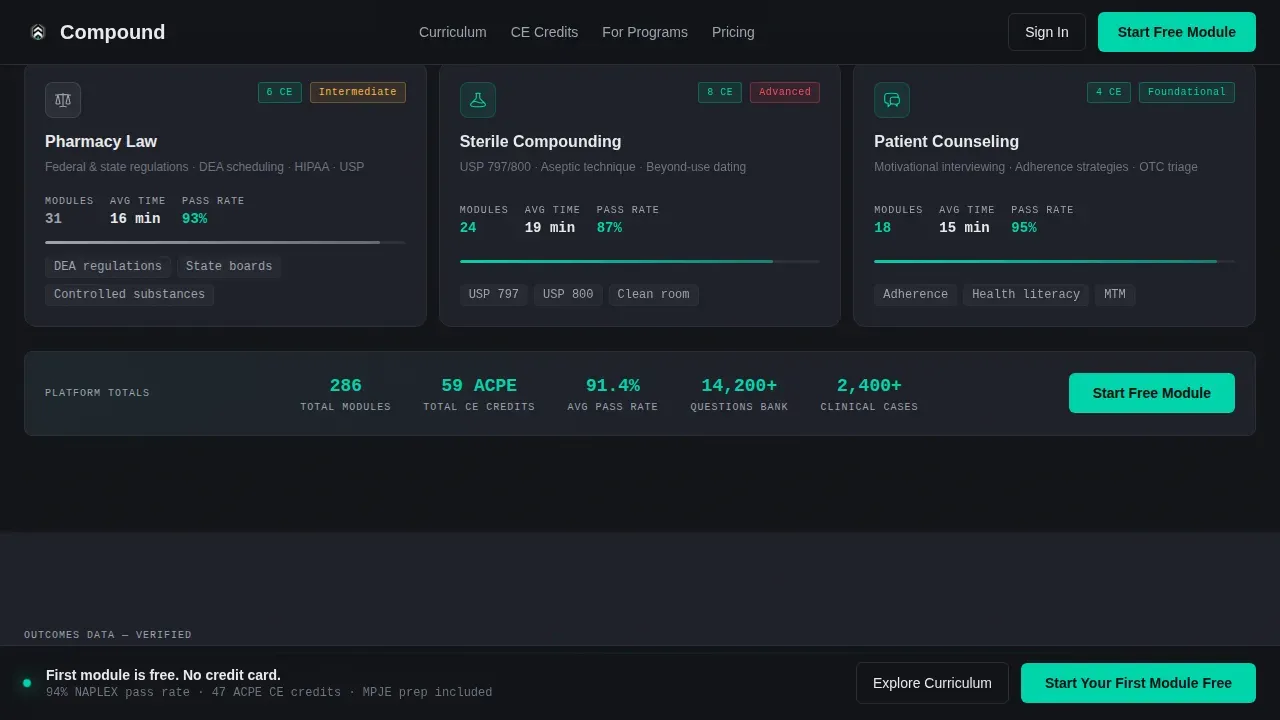
Each tile in the grid represents a pharmacy discipline. Hovering reveals live stats including module count, average completion time, and pass-rate percentage. Clicking a tile expands it to preview a sample question or a short clinical simulation video, helping visitors evaluate program depth before enrolling.
Outcomes Dashboard Section
This section visualizes pass rates, continuing education credit totals, and module completion data. It gives pharmacy staff and managers concrete evidence of training effectiveness, supporting evaluation and building confidence in the program.
Clinical Case Preview Component
An interactive sample question or simulation preview sits inside the page, letting visitors experience the training format firsthand. This is essential for skeptical professionals who need to assess clinical rigor before committing.
Persistent Enrollment Call to Action Bar
After the second scroll fold, a sticky bottom bar repeats the primary enrollment prompt. No form is required. The click carries full context, keeping the process frictionless and reducing drop-off at the final decision point.
Expandable Full Curriculum View
A secondary call to action opens an expanded bento view of all available courses. Each course displays a difficulty badge and continuing education credit value, warming hesitant visitors who need to understand full program scope before they commit.
Page sections overview
| Section | Purpose |
|---|---|
| Terminal Hero Header | Auto-type clinical scenario and primary call to action |
| Bento Grid Tiles | Discipline explorer with hover stats and click previews |
| Outcomes Dashboard | Pass rates, CE credits, and completion data |
| Clinical Case Preview | Interactive sample question and simulation preview |
| Persistent call to action Bar | Sticky enrollment prompt after second scroll fold |
| Single-Row Footer | Minimal linear footer for links and legal text |
Design & branding system
The template uses a Data Command visual identity built on a Carbon Fiber color system. The palette is purpose-built to feel like the backlit interface of a precision clinical environment, making branding feel authoritative rather than decorative.
- Carbon black (#121417) background, pharmaceutical charcoal (#1E2028) panel separators, and clinical white (#E8EAED) for all text and data surfaces
- Reactive teal (#00D4AA) fires on hover states, progress indicators, and interactive tile borders to signal active elements
- JetBrains Mono handles terminal and code-style type; DM Sans handles body and interface text for readability
Mobile & speed optimization
The template is desktop-first by design, reflecting how pharmacy students and dispensary pharmacists typically access training resources at a workstation. Mobile support is included to cover on-the-go access needs.
- Static sections use server-rendered components for fast initial load; client-side components handle animations and interactivity
- Scroll reveal animations, bento tile hover expansions, and the blinking cursor effect are scoped to client rendering to avoid blocking static content
- The sticky enrollment bar and expandable curriculum view are touch-accessible on mobile, supporting pharmacists who access resources from smaller screens
How this template helps you convert
A well-designed pharmacy landing page can convert casual visitors into enrolled learners by combining trust signals with a low-friction path to action. This template is structured around that single goal.
- The auto-type header creates immediate authority, showing clinical knowledge in action before a visitor reads a single marketing line, building trust that supports the enrollment decision.
- The bento grid rewards curiosity by surfacing relevant program depth on hover and click, giving pharmacy technicians and pharmacists the information they need to feel confident before committing.
- The persistent bottom bar and no-form click path remove every possible obstacle at the final step, so the effort to enroll is as close to zero as the template can make it.
Other information about this template
This compound pharmacy licensure training landing page template is designed to address the full scope of what a serious pharmacy education platform needs to communicate. It supports teams creating a pharmacy landing page that speaks directly to the importance of clinical accuracy, regulatory compliance, and patient safety.
- Standard operating procedures and training documentation are core themes in pharmacy education; the template's outcomes dashboard and curriculum structure help platforms demonstrate that their program meets regulatory requirements and supports staff training checklists
- Pharmacy technicians, sterile compounding specialists, and pharmacists preparing for audits or inspections all benefit from a training program that surfaces competencies clearly; this template gives those resources a professional, credible home on the web
- SOP software solutions and training checklists are increasingly essential for pharmacy operations; the template's expandable curriculum view is convenient for managers evaluating program coverage across multiple competencies and pharmacy staff roles
- The template's branding system is fully customizable, allowing compounding pharmacy platforms to reflect their own identity through color and design adjustments without rebuilding the layout from scratch
- Additionally, the integration of pass-rate data and CE credit values into the visible page structure gives visitors the analysis they need to evaluate program value and achieve their licensure or continuing education goals
Theme
Data Command
Creative direction
Interactive Explorer
Color system
Carbon Fiber
Style
Bento Grid
Direction
Click-Through
Page Sections
Terminal Auto-type Header
Interactive Bento Grid Curriculum
Outcomes Dashboard
Clinical Case Preview
Persistent Sticky Enrollment Bar
Expandable Full Curriculum View
Related questions
Who is this template designed for?
Does this template include real course content or training materials?
Can the bento grid tiles be customized for different pharmacy disciplines?
How does the enrollment flow work on this template?
Is this template suitable for a compounding pharmacy services website?



