Conceive - Precision Fertility Landing Page Template
Conceive is a hub-and-spoke anchor-nav landing page template built for fertility booking systems. It targets clinic operations managers and reproductive endocrinologists who need a scheduling engine that eliminates cycle-disrupting gaps. The dark Midnight Blue visual system, live code-snippet header, and data-driven section flow create an authoritative, lead-generating page that converts clinic decision-makers.
by Rocket studio
Quick summary
Conceive is a precision-built landing page template for fertility vertical software. It opens with an animated API code snippet, builds a prosecutorial case through data-driven spoke sections, and closes with two conversion paths: a free clinic schedule audit and a downloadable benchmark report. Every design choice signals operational rigor to clinic operations managers and reproductive endocrinology specialists.
Who this template is for
This template is designed for teams selling scheduling software to fertility clinics. It speaks directly to the people who feel scheduling pain every single day.
- Clinic operations managers coordinating 200 or more active patients across monitoring visits, egg retrievals, and transfer days
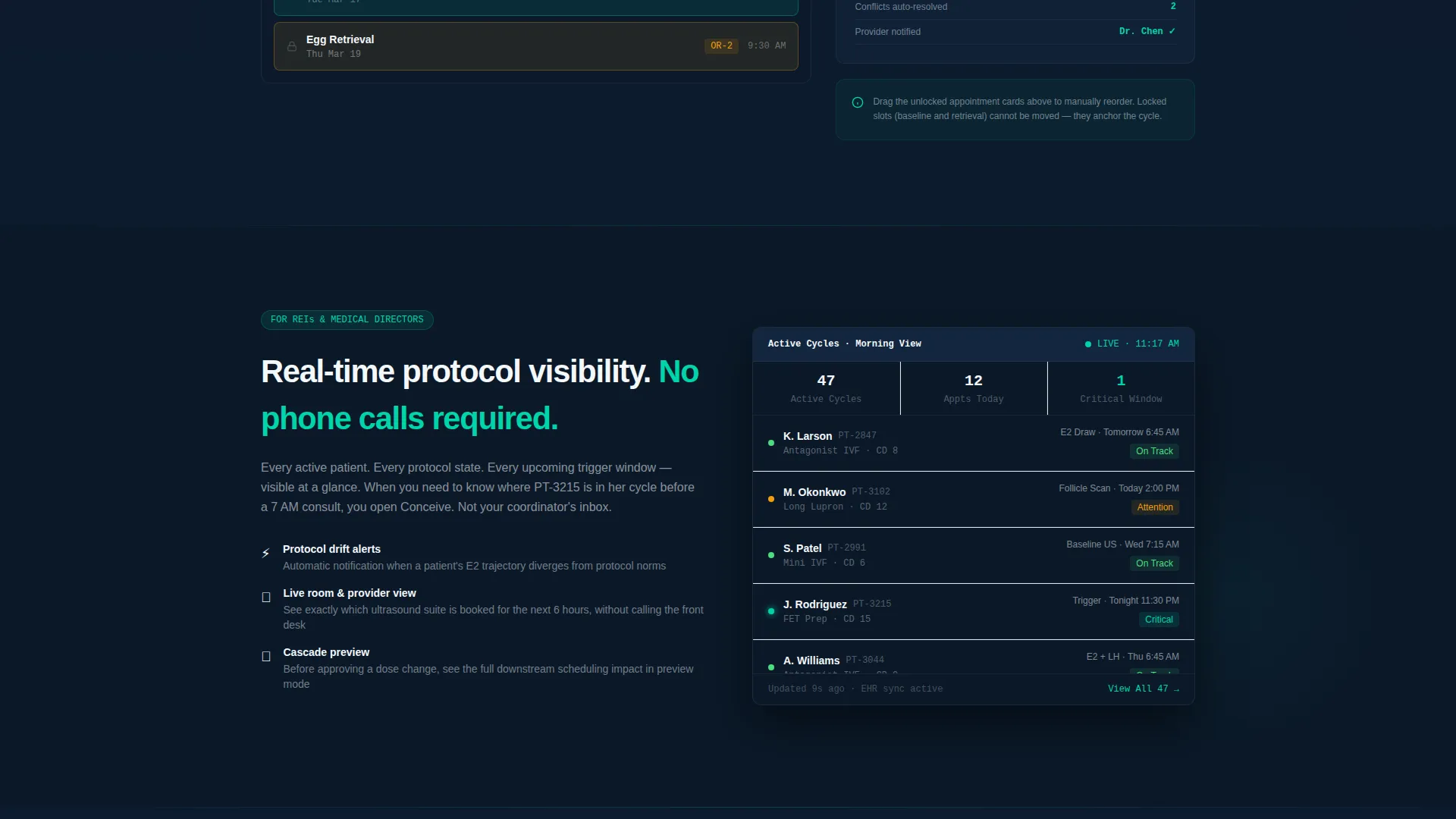
- Reproductive endocrinology specialists who need real-time protocol visibility without waiting on a phone call
- Fertility vertical software founders and product marketers who need a credible, data-led landing page that earns clinical trust fast
What problem this template solves
Fertility treatment scheduling is unforgiving. A single missed blood draw or a skipped ultrasound window can cancel an entire cycle, costing a patient months and a clinic its reputation. The template exists to show that the status quo has a measurable cost.
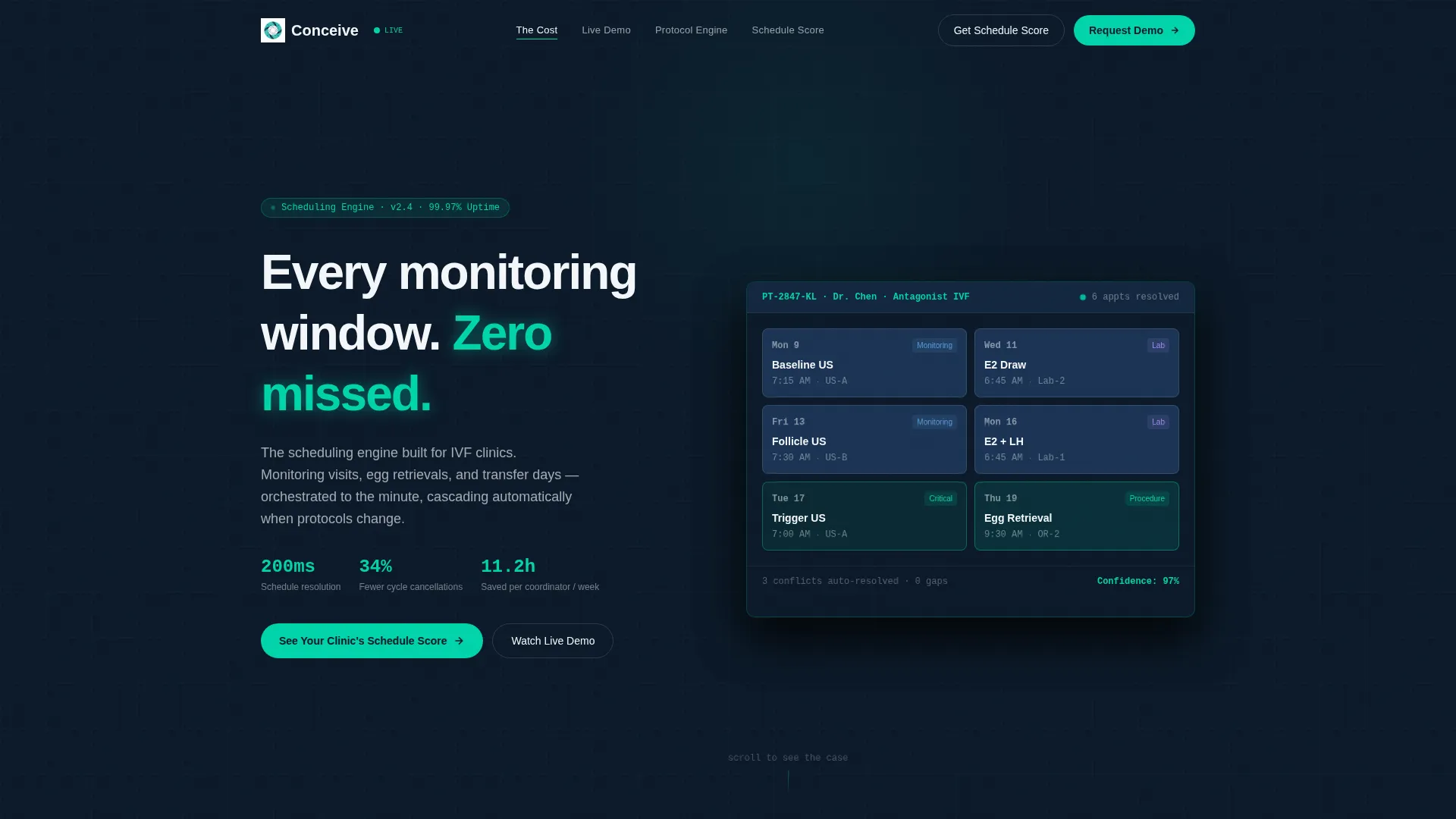
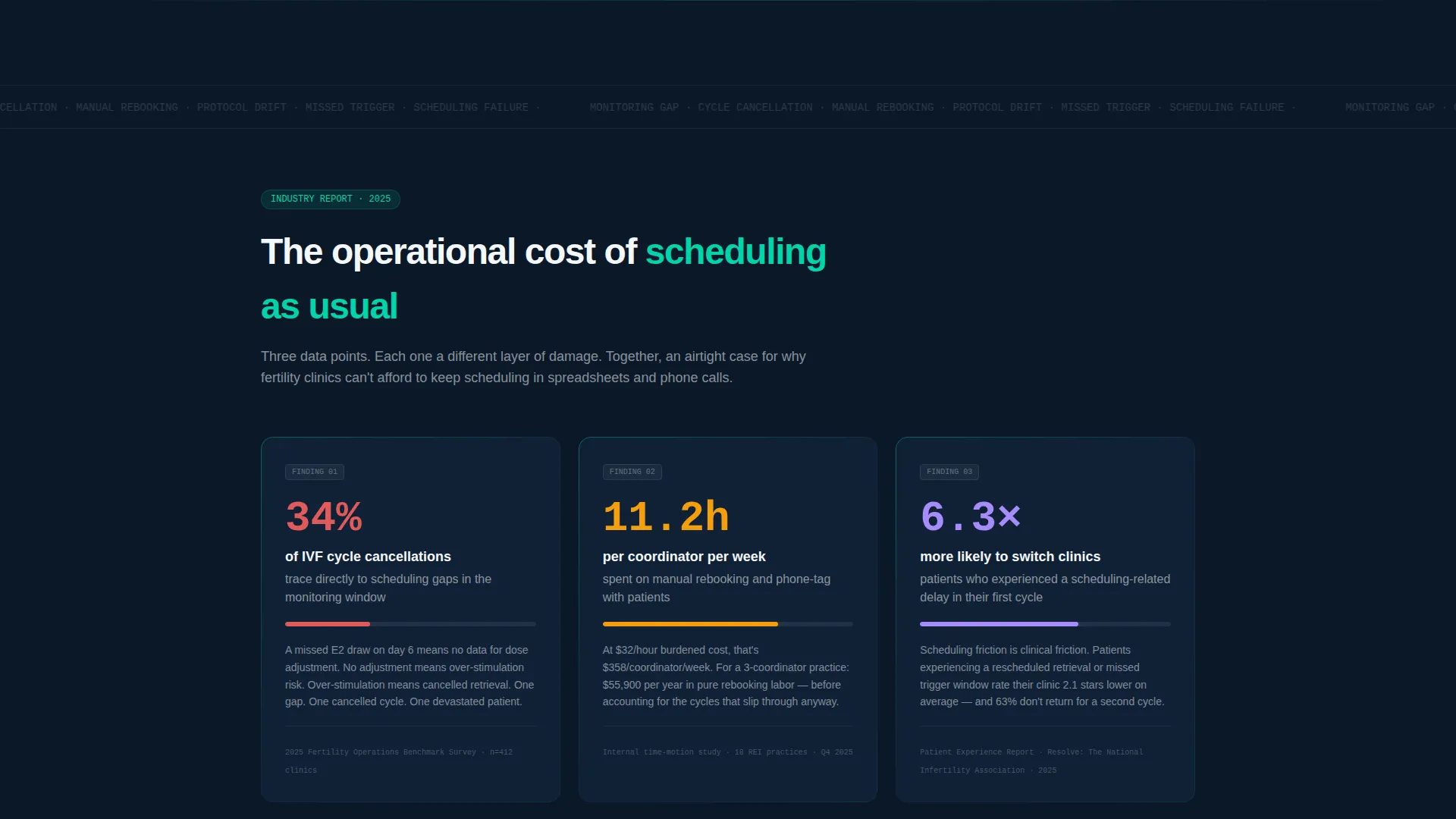
- Manual rebooking consumes an average of 11.2 hours per week per coordinator, pulling focus away from patient care
- Thirty-four percent of cycle cancellations trace back to scheduling gaps during the monitoring window, a finding the template surfaces as a prosecutorial data point
- Clinics lack a single page that translates raw scheduling infrastructure into a compelling, conversion-ready clinical interface
What you get with this template
You get a fully structured, single-page hub-and-spoke layout with anchor navigation that lets visitors jump directly to the section most relevant to their role. The layout is engineered for lead generation, not brand awareness.
- An animated code-snippet header showing a live
POST /cycles/{id}/scheduleAPI call that resolves into a visual calendar user interface in one fluid motion - Four to six anchor-nav spoke sections, each leading with an industry statistic and expanding into an interactive micro-demo such as drag-to-reschedule or protocol-change cascade
- Two conversion paths: a primary "See Your Clinic's Schedule Score" audit form and a secondary gated PDF download for the 2025 Fertility Scheduling Benchmark Report
Feature list
This section outlines the core functional and design components built into the Conceive template.
Animated Code-Snippet Header
The header opens with a stylized POST /cycles/{id}/schedule API call that renders line by line against deep terminal navy. Once complete, the response payload transitions into a visual calendar user interface, showing appointment types, room assignments, and provider availability resolved in 200 milliseconds. The animation communicates technical credibility before a visitor reads a single word.
Hub-and-Spoke Anchor Navigation
A persistent anchor navigation bar links to each spoke section on the page. Visitors can jump to the finding most relevant to their role without scrolling past irrelevant content. This structure keeps bounce rates low and engagement depth high.
Industry-Report Spoke Sections
Each spoke section leads with a data-driven statistic that mirrors how fertility clinics measure operational pain. The statistic opens into a product capability explanation and an interactive micro-demo, building a cumulative case against manual scheduling throughout the scroll.
Interactive Micro-Demo Blocks
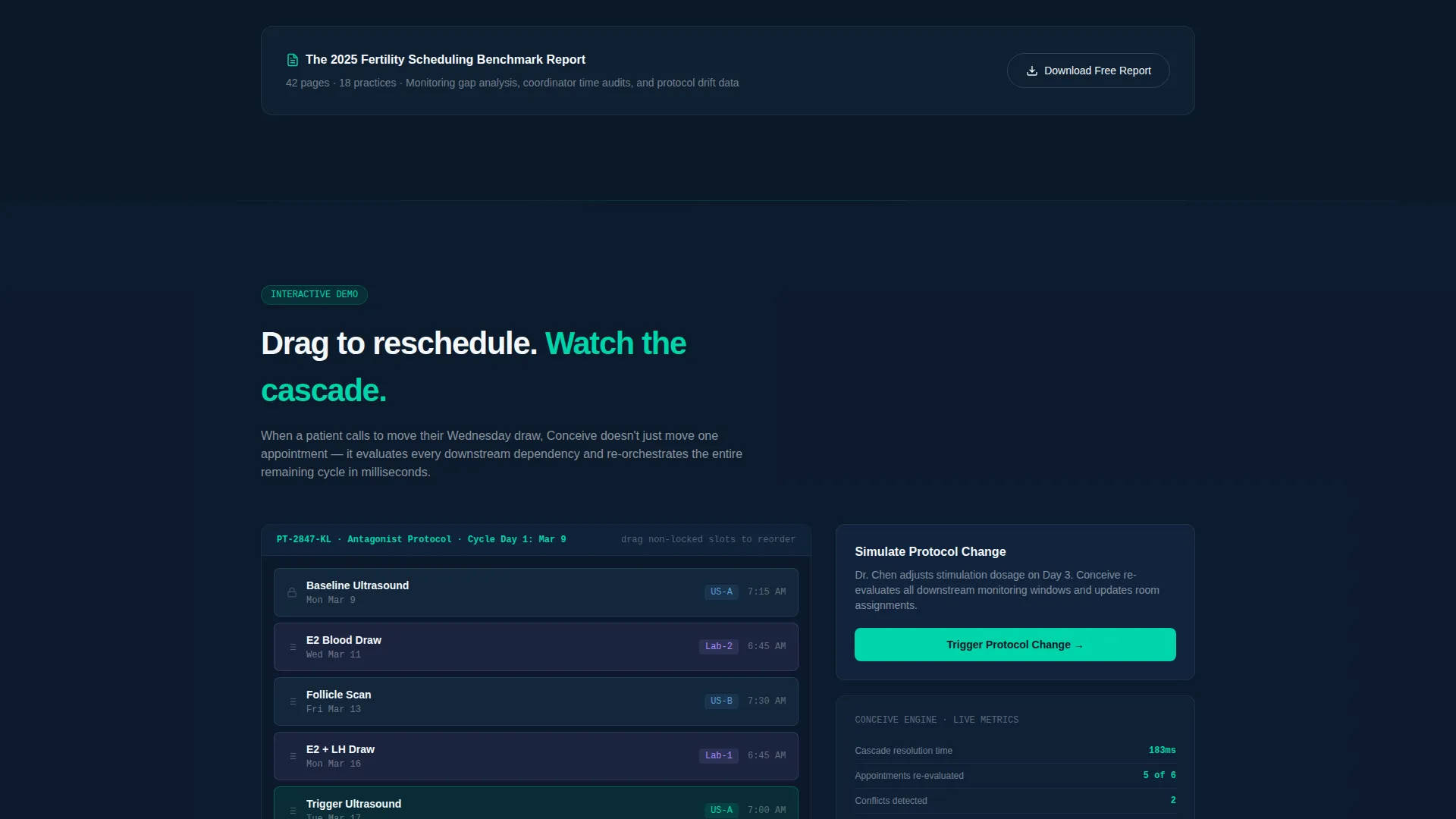
Two interactive demo interactions are built into the spoke sections. The first is a drag-to-reschedule interaction. The second is a protocol-change cascade that auto-adjusts six downstream appointments simultaneously. Both demos let visitors feel the product before they ever fill out a form.
Dual Conversion Path System
The primary call to action captures clinic name, monthly active cycle volume, current electronic health record system via dropdown, and work email for a free schedule audit. The secondary path gates the downloadable benchmark report behind email only, catching visitors who are not yet ready for a demo.
Lead Capture Form with EHR Dropdown
The audit form includes a structured dropdown listing common electronic health record platforms alongside a proprietary option. This signals integration awareness and helps the sales team qualify leads before the first conversation.
Page sections overview
| Section | Purpose |
|---|---|
| Animated Header | Render live API call transitioning to calendar user interface |
| Anchor Nav Bar | Let visitors jump to relevant spoke sections |
| Scheduling Gap Statistic | Lead with cycle cancellation data point |
| Rebooking Cost Statistic | Surface coordinator time-loss finding |
| Drag-to-Reschedule Demo | Show real-time appointment flexibility |
| Protocol Cascade Demo | Demonstrate downstream appointment auto-adjustment |
| Schedule Score Form | Capture leads via free operational audit offer |
| Benchmark Report Gate | Convert research-stage visitors via PDF download |
Design & branding system
The Conceive template uses a Midnight Blue color system built to feel like mission control at 5:47 in the morning: dark, focused, and quietly urgent. Every element earns its presence on screen.
- Core palette includes deep terminal navy (#0B1929), clinical slate (#1E3A5F), sterile white (#F4F7FA), and signal teal (#00D4AA) reserved exclusively for interactive states and live data pulses
- The Startup Velocity theme drives typography and layout density, using tight grids and high-contrast type to reinforce operational precision rather than consumer warmth
- Signal teal appears only on interactive elements and live data indicators, keeping every pixel of color intentional and meaningful
Mobile & speed optimization
The hub-and-spoke layout is structured to translate cleanly from desktop to mobile without losing the visual drama of the code-snippet animation or the data-led section flow.
- Anchor navigation collapses gracefully on smaller screens, keeping jump links accessible without cluttering the viewport
- Micro-demo interactions are designed to function on touch interfaces, so mobile visitors experience the drag-to-reschedule and cascade demos without friction
How this template helps you convert
The Conceive template builds conversion momentum through accumulated evidence rather than a single hero call to action. Each scroll step makes the cost of inaction harder to ignore.
- The animated code-snippet header establishes technical authority in the first three seconds, earning the trust of operations managers and clinicians before any marketing copy appears
- The spoke sections use real clinic statistics to reframe the visitor's current workflow as a liability, making the audit form feel like a logical next step rather than a sales ask
- The dual conversion path system means visitors who are not ready for an audit still convert via the benchmark report download, keeping them in the funnel at their own pace
Other information about this template
The Conceive template is part of a broader family of Startup Velocity themed templates designed for vertical software products that serve regulated or high-stakes industries. A few additional details worth noting before you use it.
- The template style is Hub and Spoke with Anchor Navigation, meaning all sections live on one scrollable page with a fixed nav for orientation
- The creative direction is Industry Report, so placeholder statistics in the template are formatted as real data points and should be replaced with verified figures before launch
- The lead generation direction means both conversion paths are wired for form submission, and the downstream handling of form data depends on your own platform or connected service
- The EHR dropdown in the lead form includes Athena, Epic, and a proprietary option by default, and can be extended to match your actual integration landscape
- The downloadable benchmark report referenced in the template is a content placeholder; you will need to produce the actual PDF to fulfill the secondary conversion promise
Theme
Startup Velocity
Creative direction
Industry Report
Color system
Midnight Blue
Style
Hub & Spoke (Anchor Nav)
Direction
Lead Generation
Page Sections
Animated Code-snippet Header
Hub-and-spoke Anchor Navigation
Industry-report Spoke Sections
Interactive Micro-demo Blocks
Dual Conversion Path System
EHR Dropdown Lead Form
Related questions
Who is the primary audience this landing page is built to reach?
Can I use this template without a working API or live scheduling system?
What do I need to prepare before publishing this template?
How does the dual conversion path work in practice?
Is this template suitable for a product that is still pre-launch?



