Mobile-First Enterprise Software Pricing Website Template
Configure is a mobile-first CPQ (Configure, Price, Quote) app download landing page template built for B2B SaaS teams selling to enterprise buyers. It uses a Tech Glass visual identity, scroll-reveal animations, and an Industry Report creative direction to deliver high converting landing page design that turns field-rep urgency into app downloads and benchmark report leads.
by Rocket studio
Quick summary
Configure is a scroll-reveal landing page template purpose-built for a mobile-first CPQ platform. It combines a Monochrome Steel color system, progressive data reveals, and a dual conversion path to drive app downloads and benchmark report sign-ups. Every section loads evidence before the call to action arrives, making the argument feel earned rather than pushed.
Who this template is for
This template is designed for B2B SaaS founders, product marketers, and revenue operations teams who sell complex quoting software to industrial and enterprise buyers. If your target audience lives on a factory floor or in a distribution warehouse rather than at a desk, this page speaks their language from the first pixel.
The template is specifically suited for:
- VP Sales Operations at mid-market manufacturers who need field reps to close deals without returning to the office
- IT Directors at industrial distributors evaluating mobile enterprise software for field sales teams
- RevOps leads at medical device companies watching deals stall in slow desktop-bound approval chains
What problem this template solves
Desktop CPQ tools cost deals. When a field rep finishes a walkthrough and cannot build a quote on the spot, the 72-hour gap back to the office kills momentum. The problem statement is simple: enterprise buyers need answers now, and legacy tools are anchored to a desk.
This landing page template addresses that problem directly by:
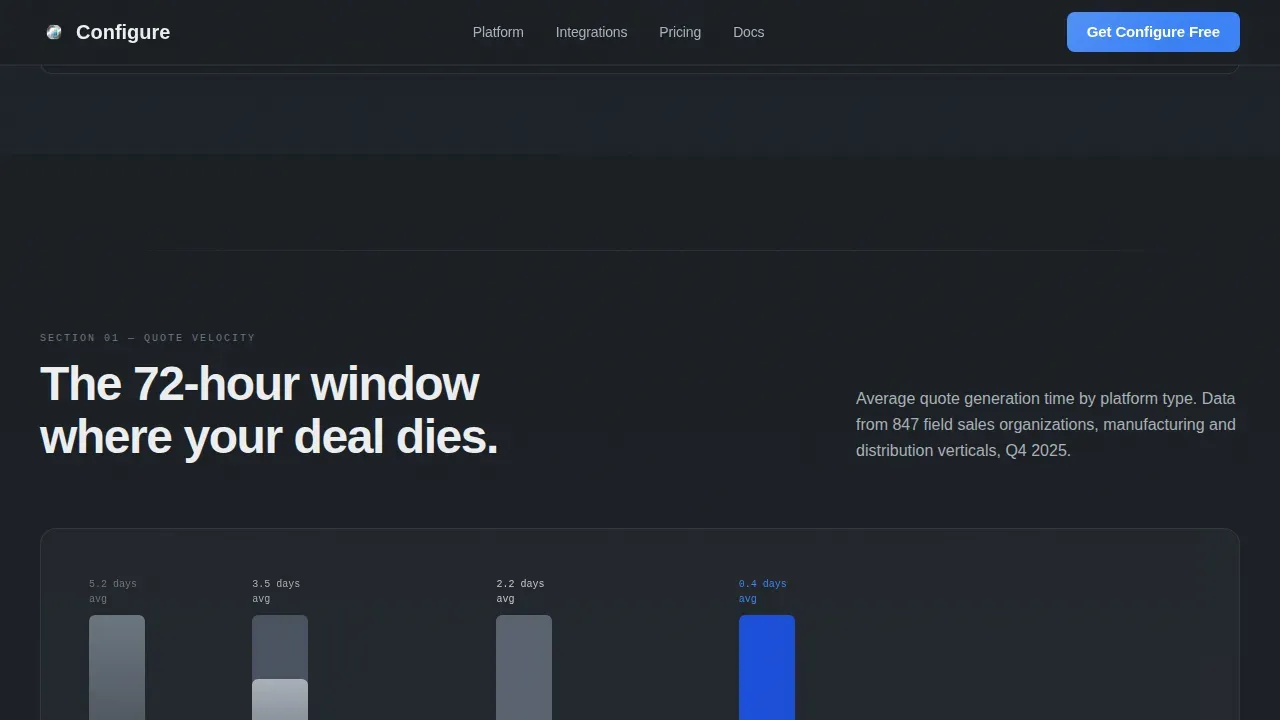
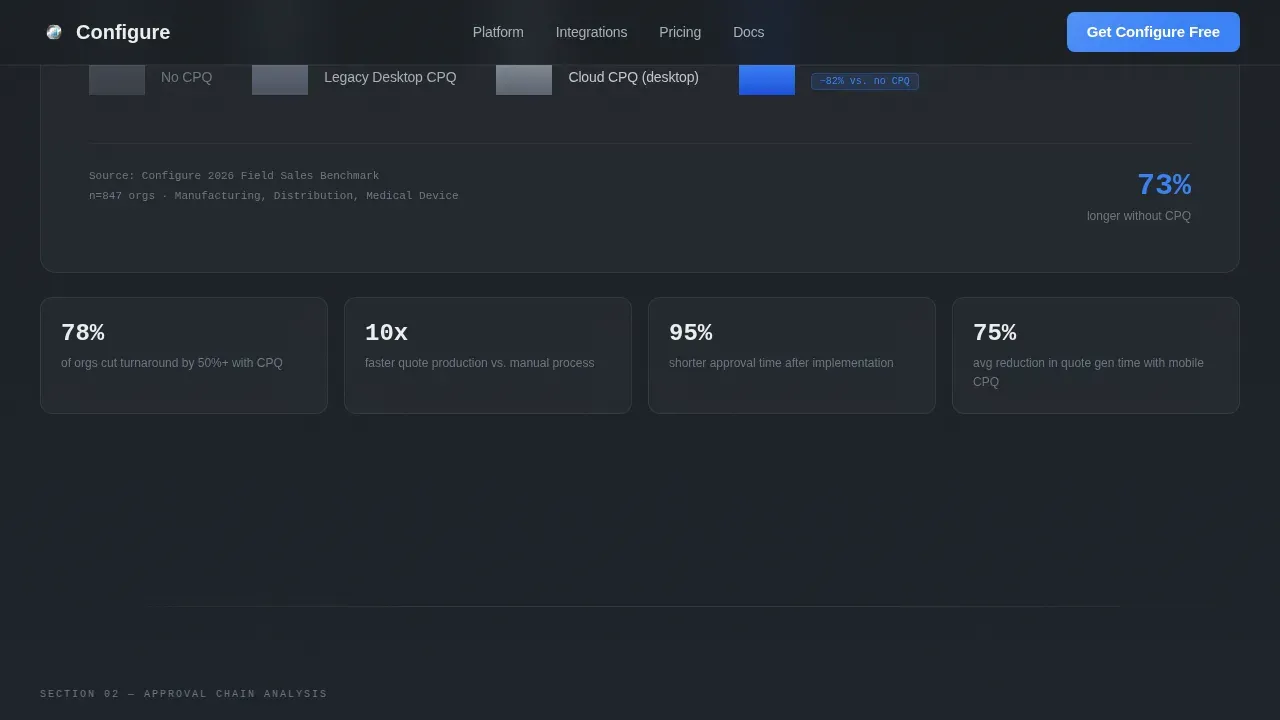
- Front-loading hard data, such as bar charts comparing desktop versus mobile-first quote cycle times, so visitors absorb the cost of inaction before a single marketing claim appears
- Providing a dual conversion path that captures both ready buyers with an app download and research-mode visitors with a benchmark report download
- Structuring the page so each scroll reveal adds a new layer of evidence, building an argument the visitor internalizes without feeling sold to
What you get with this template
This template is a complete, production-ready landing page built around the Configure CPQ use case. It is not a generic starter. Every section, animation, and color choice was made to serve a specific conversion goal: getting enterprise software buyers to download a mobile app or request a benchmark report.
Included in the template:
- Six fully structured page sections, from a credibility-first logo bar header through to a scroll-gated app download call to action, with a minimal single-row footer
- A Monochrome Steel design system using four locked colors: gunmetal, brushed aluminum, panel white, and activation blue, with full typographic pairing in DM Sans and JetBrains Mono
- High-density animation logic including scroll-threshold progressive reveals, staggered section fades, a bar chart draw animation, an approval-chain heatmap with cell pulse, and parallax depth layers
Feature list
This template ships with a focused set of capabilities drawn directly from the project brief. Each feature serves the landing page's single conversion goal.
Scroll-Reveal Progressive Section Architecture
The page uses scroll-threshold-gated section reveals to release information in deliberate stages. Each section fades or slides in only when the visitor reaches it, rewarding continued reading. This approach mirrors an industry report structure, where data accumulates across sections until the call to action feels like the logical next step. Static sections use server components for render efficiency, while animated sections use client components to keep interaction smooth.
Animated Data Visualizations
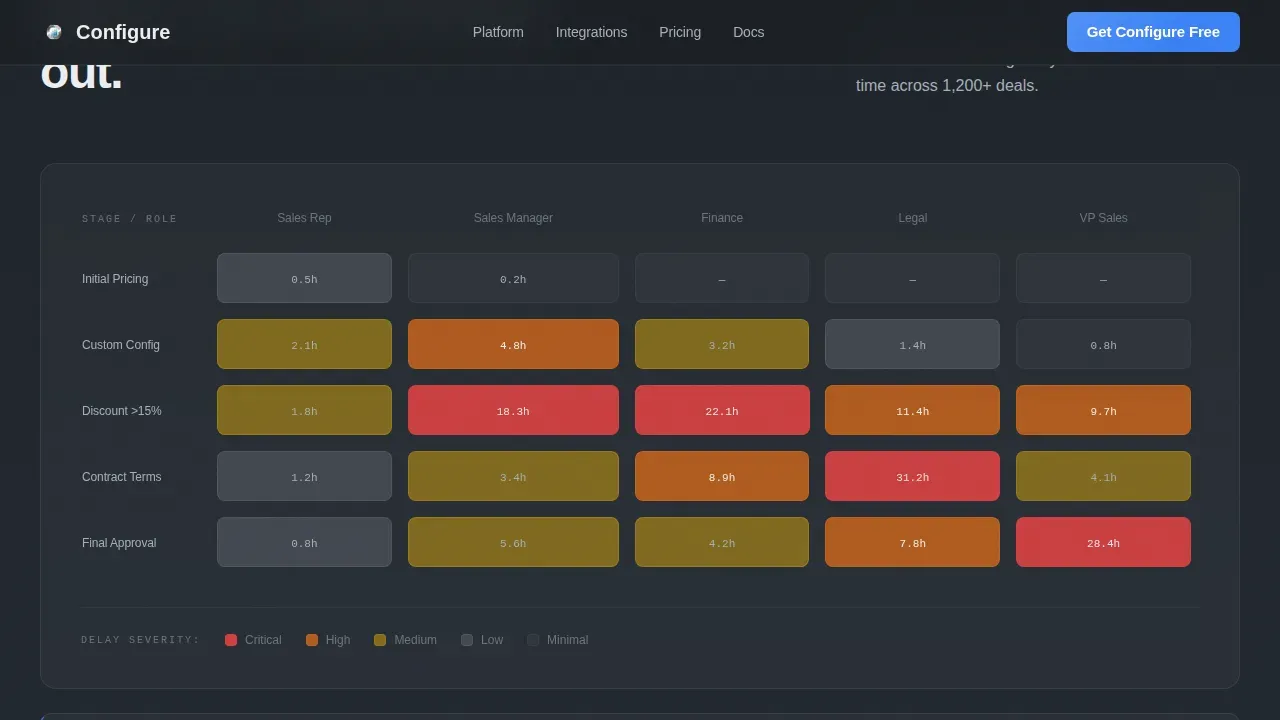
Section one draws a bar chart showing quote cycle time differences between desktop CPQ and mobile-first workflows. Section two pulses a heatmap of approval chain stall points. These are not decorative; they function as the page's core message delivery mechanism. Visitors who respond to data rather than copy receive the argument in a format they trust.
Dual Conversion Path with Progressive Profiling
The primary conversion path is the app download: "Get Configure Free," gated by a single work email field, unlocking a 14-day sandbox with preloaded sample product catalogs. The secondary path offers the benchmark report download, collecting name, company, and title. This progressive profiling approach lets the page capture both high-intent buyers and research-stage visitors without forcing a single conversion goal on everyone.
Tech Glass Visual Identity System
The design system applies a frosted-glass panel aesthetic across all sections. Backgrounds graduate from deep gunmetal at the top to brushed aluminum as sections load. Activation blue appears only on interactive elements and download buttons, acting as a visual signal flare. Contrasting colors are kept to a strict minimum so that every colored element carries deliberate meaning.
Logo Bar Credibility Header
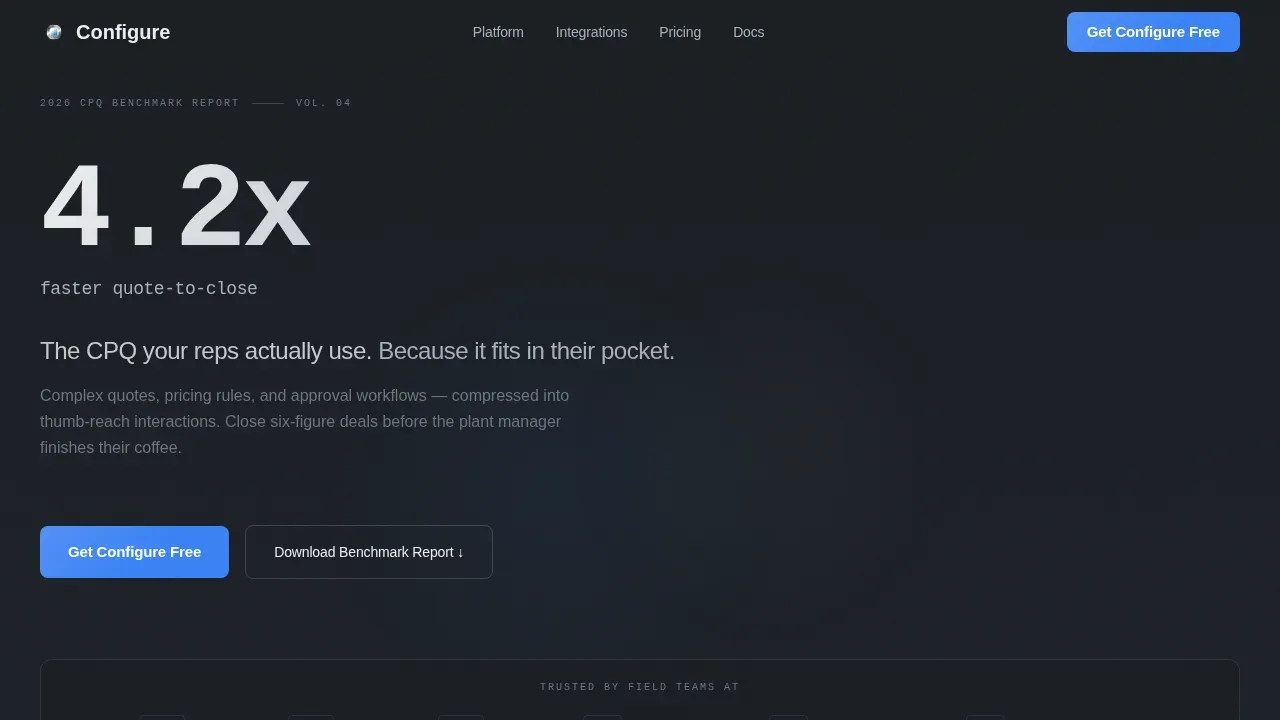
The header opens with a horizontal enterprise logo ribbon sitting on frosted glass, immediately establishing social proof before any product claim appears. A single stat rendered in 120-pixel brushed-steel type anchors the hero section. There is no hero image or phone mockup at the top. The logos and the number do all the work, giving visitors instant orientation without visual clutter.
Phone Mockup Field Scene Reveal
Section three slides in a phone mockup mid-configuration, with a thumb visibly dragging a product bundle. This is the page's hero shot moment, placed after two data sections have already built credibility. By the time the product appears visually, the visitor has already accepted the argument intellectually. The reveal timing is deliberate and converts curiosity into intent.
Page sections overview
| Section | Purpose |
|---|---|
| Logo Bar Header | Establish enterprise credibility with logos and a single bold stat before any product claim |
| Quote Cycle Chart | Bar chart reveal comparing desktop CPQ versus mobile-first quote times to surface the problem |
| Approval Chain Heatmap | Heatmap pulse showing where deals stall, making the pain point visual and specific |
| Phone Mockup Scene | Slide-in product demonstration showing a field rep mid-configuration on a phone screen |
| Vertical Evidence + Report call to action | Industry-specific data by sector, with a benchmark report download as a secondary conversion path |
| App Download call to action | Primary conversion section with App Store and Google Play badges, work email form, and sandbox offer |
| Footer | Single-row minimal footer following the GitHub Developer Minimal pattern |
Design & branding system
The visual language of this template is cold, machined, and precise. It is designed to feel like enterprise hardware, not a consumer app. Every design decision reinforces the message that Configure is a serious tool for serious buyers.
Key design system details:
- Four-color Monochrome Steel palette: deep gunmetal (#1B1F23) for backgrounds, brushed aluminum (#A8B0B8) for secondary text, panel white (#ECEEF0) for body text, and activation blue (#3B82F6) reserved exclusively for call to action elements and interactive components
- Two-typeface system: DM Sans for all user interface body copy and JetBrains Mono for statistics, data labels, and code-adjacent content, reinforcing the Industry Report creative direction
- Visual hierarchy is enforced through scale contrast, white space, and color restraint rather than decoration; the f pattern reading flow is supported by left-aligned data sections and centered call to action moments
Mobile & speed optimization
This landing page template is built on a mobile first approach, which makes sense given that the product it promotes is itself a mobile app. The page must prove its own thesis on a phone screen. Every interactive element, every section reveal, and every call to action is designed with mobile users in mind.
Mobile and speed considerations built into the template:
- Touch-friendly call to action buttons sized for thumb-reach interaction, ensuring the cta button is operable without accidental taps on smaller mobile devices, aligned with the 44x44-pixel minimum for interactive elements
- Scroll-reveal animations are tuned for mobile devices, loading static sections via server components to keep render times low and reduce the risk of exceeding core web vitals thresholds on slower networks
- The page loads key information above the fold so mobile users immediately understand the offer; the mobile site experience mirrors the desktop structure without sacrificing data density
How this template helps you convert
A landing page is a meticulously engineered tool designed for a single, focused purpose: conversion. Every pixel, word, and form field on a landing page can either add to your bottom line or leak ad spend. This template is engineered to convert high intent traffic from the moment the page loads.
- The header section front-loads social proof and a hard stat, giving visitors a reason to keep scrolling before a single product feature is mentioned. Trust signals appear before claims, which reduces visitor anxiety and increases the likelihood of continued engagement. The high converting headline immediately tells the visitor what the product does and who it is for.
- Progressive data reveals accumulate an evidence-based argument across five sections before the call to action appears. By the time users reach the app download section, the value proposition has been delivered through data, not copy. This structure supports high converting landing page performance by earning the click rather than demanding it.
- The dual conversion path captures qualified leads at two stages of readiness. Visitors ready to install see the app download with App Store and Google Play badges. Visitors still evaluating can download the benchmark report with minimal form fields, keeping lead generation active even when the primary conversion is too big a step. This win win structure maximizes the page's conversion goal coverage across all buyer stages.
Other information about this template
This section covers practical details for teams planning to customize, deploy, or run paid traffic to this landing page template.
- The template is designed for use with a landing page builder that supports React or Next.js component architecture; static sections are server-rendered and animated sections are client-rendered for performance balance
- Teams running google ads or other paid campaigns to this page will find the single-page structure ideal for high intent traffic, as there is no navigation bar to pull visitors off the conversion path, keeping attention focused on the primary and secondary calls to action
- The page includes multiple cta buttons placed at logical scroll depth points, each using activation blue as a contrasting color against the gunmetal and panel white base, ensuring visual prominence without overuse
- A qr code can be added to printed sales collateral or conference materials to route potential customers directly to the app download section, bridging offline and online lead gen channels
- Video testimonials or an auto-playing product demo video can be embedded in the field scene section or the vertical evidence section; including a video on a mobile app landing page can improve conversion rates by up to 80%, making this a practical upgrade for teams with video assets
- The page architecture supports a/b testing on the hero section headline and cta button copy without structural rebuilds; teams should test headlines regularly, as a high converting headline can shift conversion rates meaningfully
- For performance marketing campaigns, the template's lack of a navigation bar and its single conversion goal per section make it well-suited to paid campaigns where every distraction costs money
- The benchmark report download section functions as a lead gen asset for professional services and solution consulting teams who need a warm pipeline before a sales call
- Teams using an analytics platform can instrument scroll depth, section engagement, and cta click events to understand user behavior and identify where many visitors drop before reaching the download section
- The page can be adapted for early access campaigns by swapping the "Get Configure Free" primary call to action for an early access waitlist form, keeping the same dual-path structure
- Best landing page examples in the enterprise app category, such as those modeled on best landing page templates for mobile app downloads, informed the scroll-reveal structure and data-forward narrative of this template; the approach shares logic with the most effective mobile app landing page designs observed across high converting page benchmarks
- A swipe file of enterprise mobile app landing pages was used as reference when structuring the accumulation narrative and the frosted-glass visual identity
- The configure mobile first cpq app download landing page template is available as a fully coded starting point, reducing the time required to move from concept to a live, conversion-ready page
Theme
Tech Glass
Creative direction
Industry Report
Color system
Monochrome Steel
Direction
App Download
Page Sections
Scroll-reveal Progressive Section Architecture
Animated Data Visualizations
Dual Conversion Path with Progressive Profiling
Tech Glass Visual Identity System
Logo Bar Credibility Header
Phone Mockup Field Scene Reveal
Related questions
Who is this landing page template built for?
What are the two conversion paths on this landing page?
Can I customize the color system and typography?
Does this template work well on mobile devices?
Can I add video to this landing page?



