Configure - Seamless CPQ Landing Page Template
Configure is a hub-and-spoke landing page template built for white-label configure-price-quote platforms. It uses a glassmorphic Tech Glass visual system, a Problem→Solution Arc narrative structure, and a live code snippet header to speak directly to product managers, solutions architects, and RevOps leads who need to embed branded quoting flows without engineering overhead.
by Rocket studio
Quick summary
Configure is a single-page, anchor-nav landing page template designed for white-label configure-price-quote (CPQ) platforms. It opens with a live syntax-highlighted code snippet, walks visitors through a Problem→Solution Arc, and drives toward a low-friction app download. The glassmorphic visual system makes the product feel precise, modern, and built for technical buyers.
Who this template is for
This template is built for teams selling embedded CPQ tools to mid-market software companies. The copy, structure, and visual tone are calibrated for technically fluent buyers who are tired of workarounds.
- Product managers at mid-market SaaS firms who need a pricing interface that looks native to their own product
- Solutions architects at systems integrators who spin up branded quoting portals for multiple clients
- Revenue operations leads whose sales teams lose deals because generating accurate quotes still requires an engineering ticket
What problem this template solves
Most CPQ landing pages bury the value proposition under stock dashboards and vague benefit claims. Buyers who actually implement quoting tools need to feel the problem before they trust the fix. This template structures the entire scroll around that emotional arc.
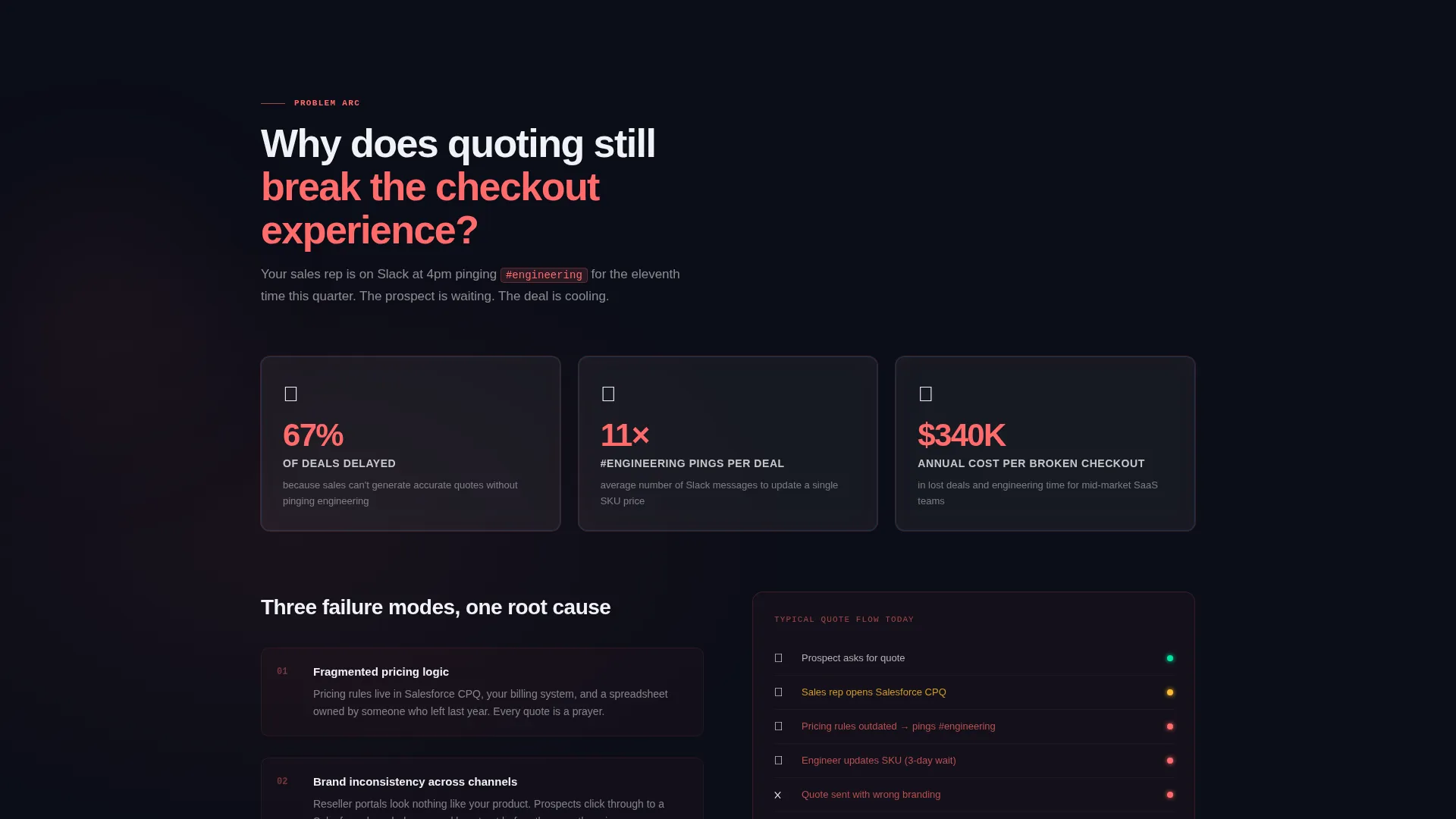
- Quoting flows that redirect users out of the product break trust and kill conversion at checkout
- Brand inconsistency across reseller channels signals a product that was not built to be embedded
- Engineering bottlenecks for every SKU change slow revenue and frustrate sales teams
What you get with this template
You get a complete, ready-to-customize hub-and-spoke landing page with a left-rail anchor navigation system, a structured problem-to-solution content arc, and two distinct conversion paths. Every section is scoped to a specific buyer pain point and its direct resolution.
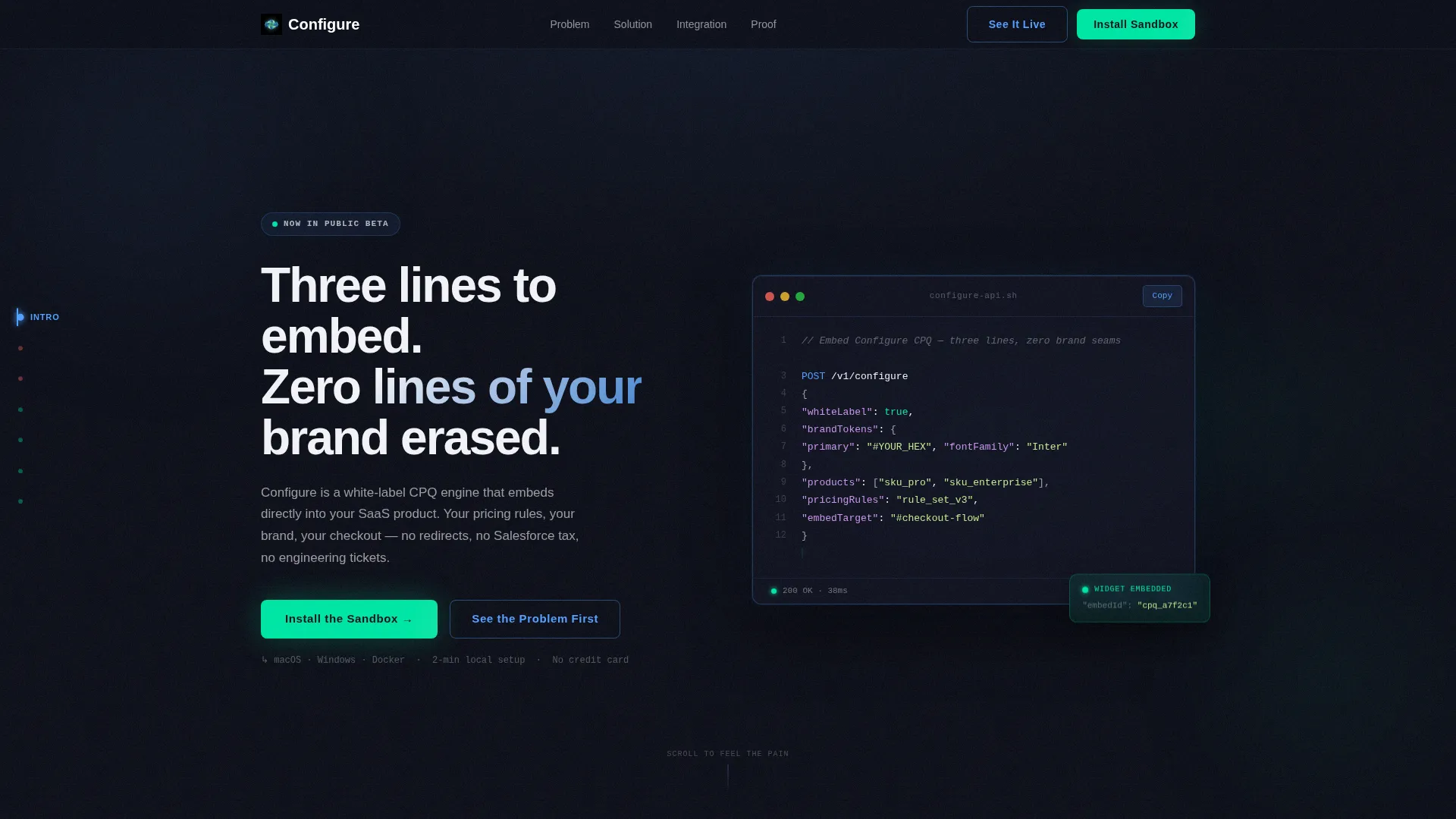
- A live code snippet header block featuring a real
POST /v1/configureREST call with syntax highlighting, a white-label flag in the JSON payload, and a blinking cursor detail - A dual call to action system with a primary "Install the Sandbox" app download form (work email plus platform selection only) and a secondary "See It Configured Live" screen-share booking path
- Anchor navigation with color-coded labels that shift from red-tinted in the problem sections to mint-tinted in the solution sections, making the emotional arc visible in the nav itself
Feature list
This template ships with a set of purpose-built components that match the complexity of a white-label CPQ sale.
Syntax-Highlighted Code Header
The header renders a live-style code block showing a twelve-line REST API call. It includes a product array, pricing rules, and a whiteLabel: true flag in the JSON payload. This is the product demonstration, not a placeholder for one.
Problem-to-Solution Arc Structure
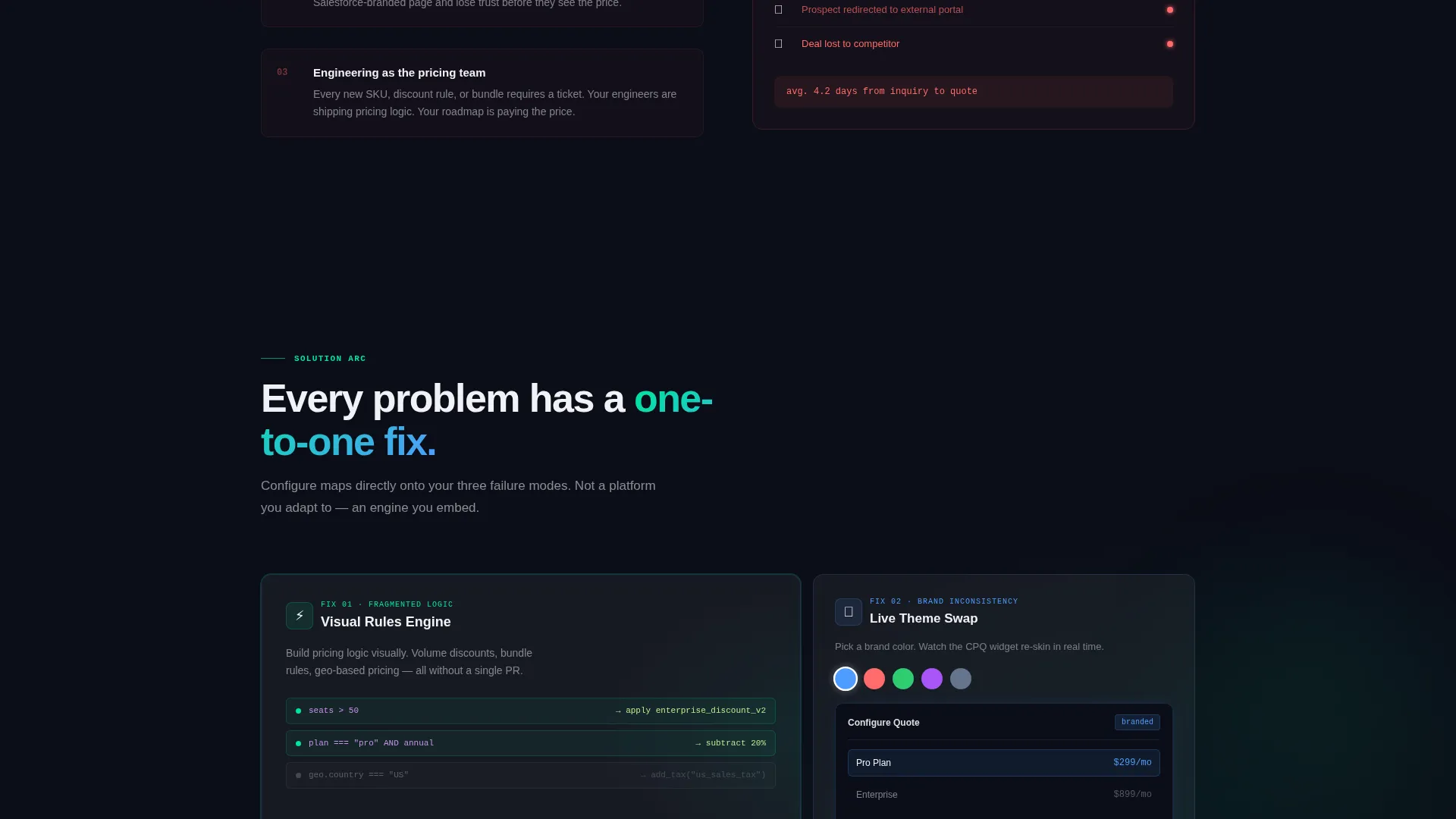
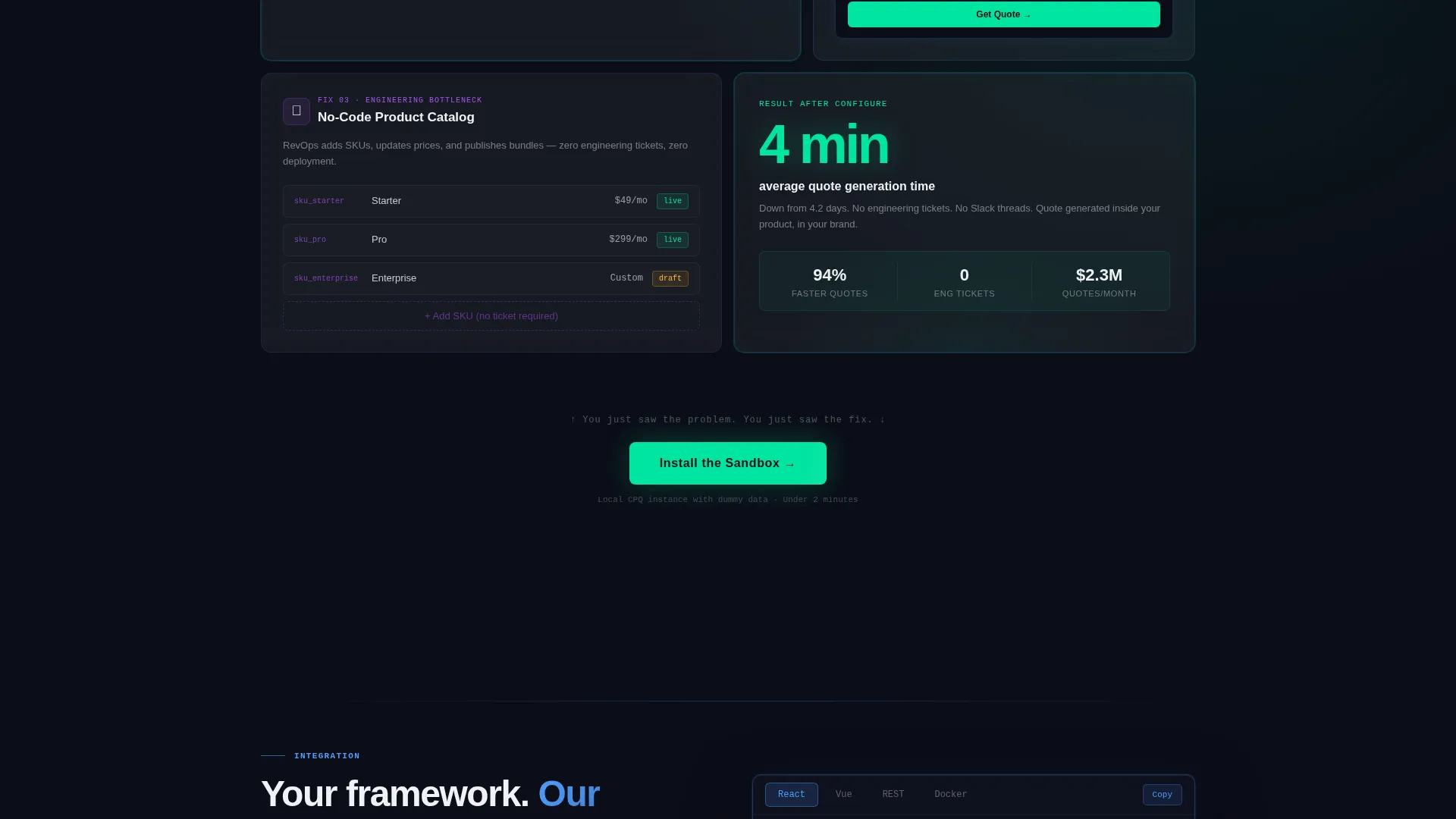
The scroll is organized as a paired narrative: each problem spoke has a direct solution counterpart. Fragmented pricing logic pairs with a visual rules engine demo. Brand inconsistency pairs with a live theme-swapping interaction. Engineering bottlenecks pair with a no-code product catalog builder section.
Color-Coded Anchor Navigation
The left-rail hub navigation tracks scroll position through the arc. Problem-section labels carry a red tint. Solution-section labels shift to mint. This makes the page's emotional movement legible without a word of explanation.
Live Theme-Swapping Interaction Block
One solution spoke lets visitors pick brand colors and watch a CPQ widget re-skin in real time. This section demonstrates white-label capability interactively rather than describing it in prose.
Low-Friction App Download Form
The primary call to action collects only work email and platform choice (macOS, Windows, or Docker). It skips company size and job title fields deliberately to reduce abandonment at the moment of highest intent.
Secondary Screen-Share Booking Path
A "See It Configured Live" secondary conversion option books a 15-minute session where an engineer white-labels the CPQ tool to the prospect's brand live. This path serves buyers who need proof before a download feels justified.
Page sections overview
| Section | Purpose |
|---|---|
| Code Snippet Header | Opens on a live REST call block to signal technical credibility immediately |
| Problem Spoke One | Asks why quoting still breaks the checkout experience |
| Problem Spoke Two | Surfaces fragmented pricing logic as a pain point |
| Problem Spoke Three | Frames brand inconsistency across reseller channels |
| Problem Spoke Four | Calls out engineering bottlenecks from SKU change requests |
| Arc Pivot and call to action | Places the primary "Install the Sandbox" call to action at the emotional midpoint |
| Solution Spoke One | Visual rules engine demo mirrors the fragmented logic problem |
| Solution Spoke Two | Live theme-swapping interaction mirrors the brand inconsistency problem |
| Solution Spoke Three | No-code catalog builder mirrors the engineering bottleneck problem |
| Bottom call to action Block | Repeats the app download call to action with the secondary screen-share booking path |
Design & branding system
The template uses a Tech Glass visual identity built on a glassmorphic color system. The palette is designed to feel like looking through a rain-streaked cockpit window at night: dark, layered, and luminous at the edges.
- Base layer in deep void black (#0B0D17), frosted card surfaces in translucent white (white at 8% opacity), refracted blue (#4F9DFF) for active states and anchor nav indicators, and sharp mint (#00E5A0) reserved exclusively for calls to action and success confirmations
- Backgrounds use subtle radial gradients that shift as the visitor scrolls, card borders carry a 1px rgba blue glow stroke, and body text sits in pure near-white (#F0F2F5) against the void without competing with the glass surfaces floating above it
- Typography uses a light mono typeface in the header to reinforce the code-terminal aesthetic, keeping the visual language consistent from the first impression through the final call to action
Mobile & speed optimization
The template is structured to translate the anchor navigation and glassmorphic layering cleanly across screen sizes. The hub-and-spoke layout adapts so the left-rail nav collapses appropriately on smaller viewports without losing the arc's narrative logic.
- Glassmorphic card surfaces and radial gradient backgrounds are implemented with lightweight CSS layering to keep the visual depth effect usable on mobile without adding render-blocking complexity
- The code snippet header is formatted to remain readable on narrow screens, with horizontal scroll handling for the syntax block so the REST call stays intact and legible
How this template helps you convert
This template earns the click before it asks for it. Every structural decision is pointed toward reducing friction at the moment a qualified buyer is ready to act.
- The Problem→Solution Arc means visitors arrive at the primary call to action already convinced the problem is real. The download feels like relief, not a commitment, because the page has already named and validated what they experience daily.
- The low-friction download form asks only for work email and platform. Skipping company size and title fields removes the two fields most likely to trigger hesitation in a technical buyer evaluating a tool on their own time.
- The secondary "See It Configured Live" path catches buyers who need live proof. It converts visitors who would otherwise leave rather than download, turning a binary decision into a two-lane funnel.
Other information about this template
This template is categorized under Technology, with a subcategory of White-Label Enterprise Software and a niche focus on white-label CPQ platforms. It is designed for teams building or marketing embedded quoting tools in complex B2B sales environments.
- The template style is Hub and Spoke with anchor navigation, making it well suited for long-form single-page experiences that need clear wayfinding across multiple content sections
- The creative direction (Problem→Solution Arc) and the header concept (Code Snippet) are matched intersection choices, meaning they were selected specifically because they align with how white-label CPQ buyers evaluate and trust a platform
- This template can support a configure price quote workflow narrative regardless of the specific CPQ engine being marketed, as long as the product supports embedded, white-label quoting
Theme
Tech Glass
Creative direction
Problem→Solution Arc
Color system
Glassmorphic
Style
Hub & Spoke (Anchor Nav)
Direction
App Download
Page Sections
Syntax-highlighted Code Snippet Header
Problem-to-solution Arc Layout
Color-coded Anchor Navigation
Live Theme-swapping Interaction Block
Low-friction App Download Form
Secondary Screen-share Booking Path
Related questions
Who is this landing page template designed for?
What makes the hub-and-spoke layout useful for a CPQ landing page?
Can I customize the code snippet in the header?
What are the two conversion paths in this template?
Does the template work if my CPQ platform has a different feature set?



