Instant Caregiver Matching Landing Page Template
Sitter is a split-screen landing page template built for a real-time caregiver matching mobile app. It pairs a live sitter-availability map with a bold stat stack, guiding parents from proof to download in seconds. The design uses a Data Command visual theme to showcase babysitting services with algorithmic confidence and genuine parental warmth.
by Rocket studio
Quick summary
Sitter is a single-page, stats-first landing page template designed to drive mobile app downloads for a childcare and babysitting platform. It front-loads social proof, safety credentials, and live data visuals, then guides parents toward one frictionless action: getting their first caregiver booked fast.
Who this template is for
This template is built for founders, product teams, and developers launching a caregiver matching mobile app. It fits anyone creating a professional digital home for babysitting services that needs to convert visitors quickly.
- Childcare marketplace teams who need a high-converting app download page
- Independent agency operators building a professional caregiver scheduling site
- Developers and designers making a polished mobile app design showcase for investors or users
What problem this template solves
Finding trusted babysitters at short notice is stressful. Parents need immediate confidence, not a wall of text. Most landing page templates for home care services bury the proof and hide the call to action.
- Parents cannot quickly find the safety information they need to trust a caregiver
- Generic templates fail to showcase real-time scheduling data or live availability
- Weak app download pages lose users before they ever tap the install button
What you get with this template
You get a fully structured, mobile-first landing page with every section needed to build trust and drive app installs. The layout is clean, purposeful, and ready to adapt to your caregiver services brand.
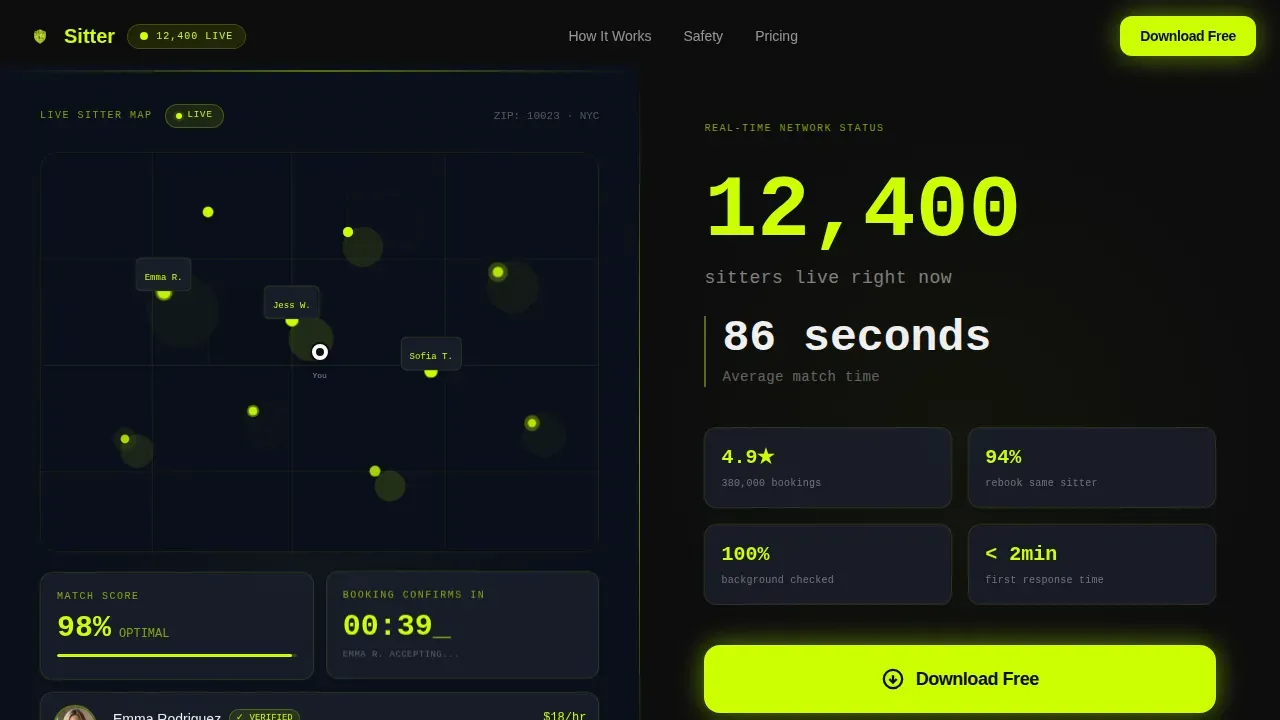
- A 50/50 split-screen hero with a live sitter-map visual and a monospace stat stack
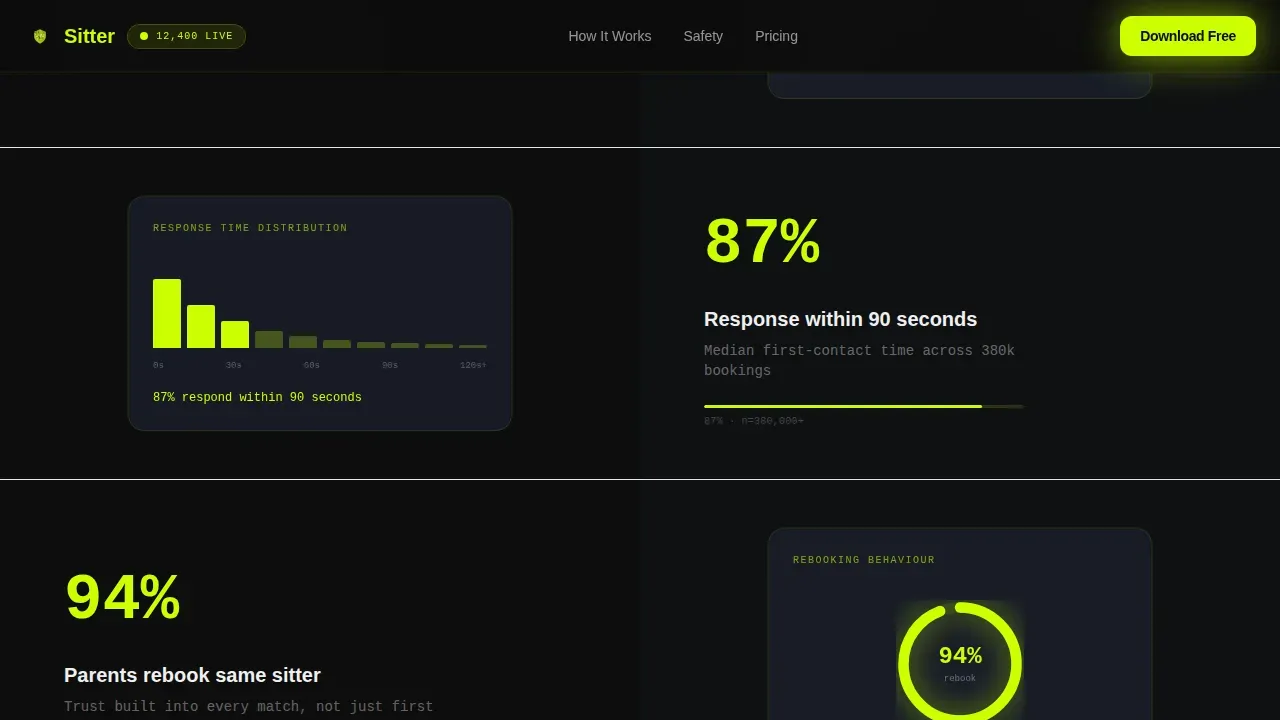
- Alternating claim-and-evidence panels covering verification rates, response times, and rebooking data
- A full-width download call-to-action section with a phone number input field and a desktop QR code path
Feature list
This template is built around a Stats-First Impact creative direction. Every design choice supports one goal: earning the tap before the button appears.
Split-Screen Hero Section
The hero divides into two equal panels. The left panel displays a product screenshot of the app's live sitter-match interface, complete with a pulsing availability map, a 98% match score, and a booking countdown timer. The right panel holds an oversized monospace stat stack and a glowing "Download Free" button against terminal black.
Alternating Proof Panels
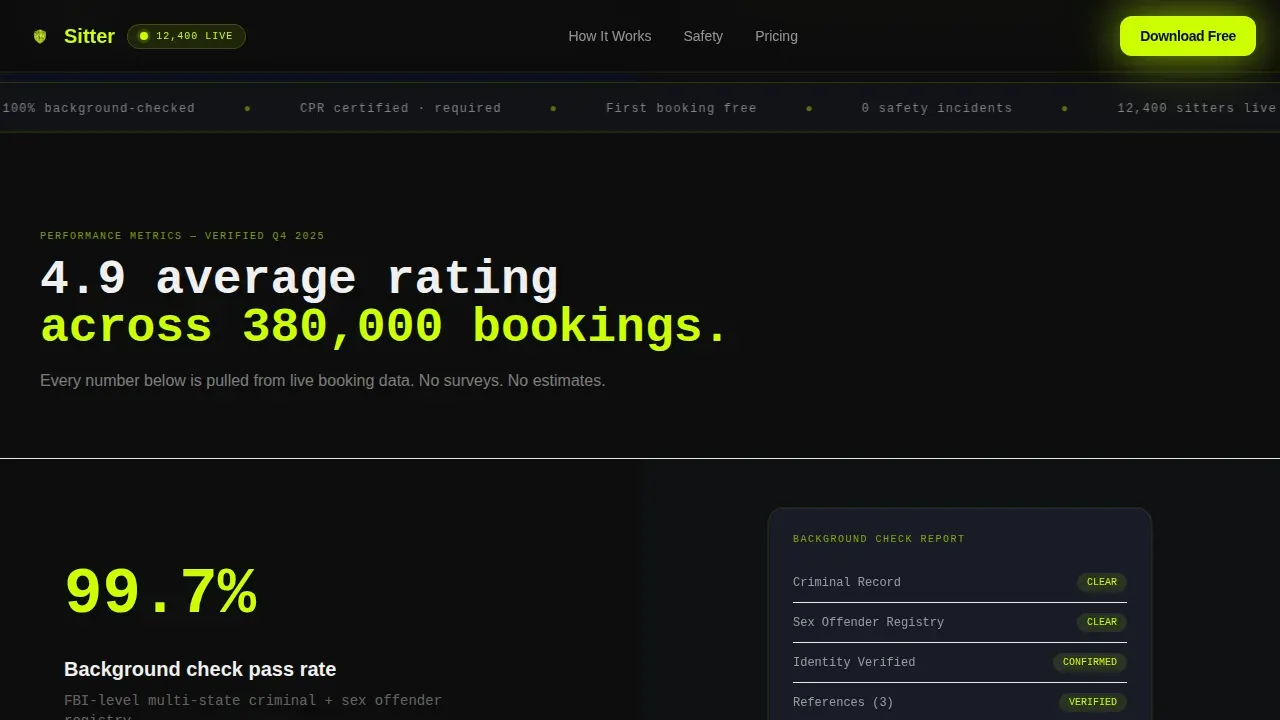
Scroll-reveal sections alternate between data panels and app screenshots. Left panels carry the numbers, such as verification rates and response times. Right panels show the corresponding app screen as evidence, making it easy for parents to read and trust every claim.
Safety Credentials Section
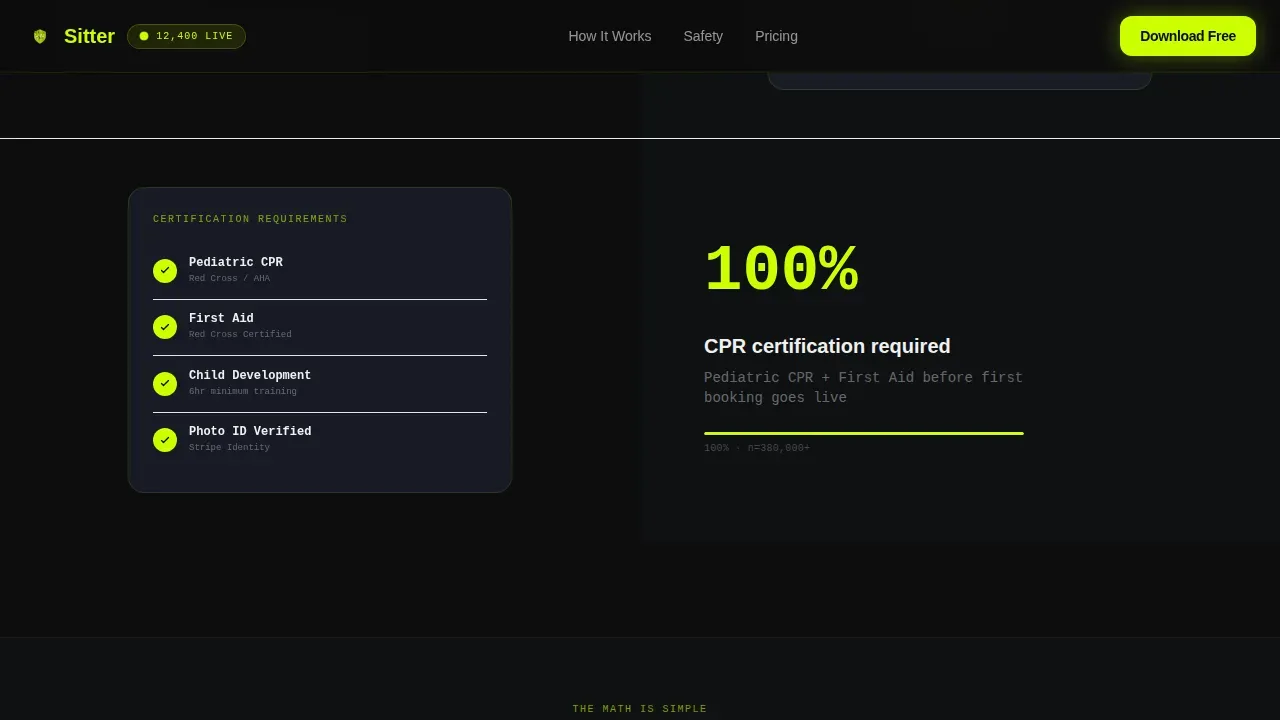
A dedicated section visualizes background check and CPR certification data. This section clearly outlines how babysitters are screened, building the security and confidence parents need before booking home care services.
Parent Testimonial Data Cards
Testimonials are displayed as structured data cards. Each card includes a star rating, a timestamp, and a neighborhood tag, letting families read real reviews in a format that feels like verified information rather than marketing copy.
Download Call-to-Action Section
A full-width section renders the primary call to action in electric chartreuse on terminal black. Users enter a phone number to receive an SMS download link instantly. A QR code path sits alongside it for desktop visitors, making app install easy from any device.
Floating Mobile Call-to-Action Bar
On mobile, the "Get Your First Sitter Free" button is pinned as a floating bottom bar. It repeats at three scroll depths across the page, keeping the primary action always within reach without interrupting the content flow.
Page sections overview
| Section | Purpose |
|---|---|
| Hero Split Screen | Showcase live sitter map and stat stack |
| Stats-First Proof | Alternate claim and evidence panels |
| Safety Credentials | Display background check and CPR data |
| Parent Testimonials | Show data-card reviews with neighborhood tags |
| Download Call-to-Action | Drive app install via phone input and QR code |
| Footer Linear Row | Provide minimal site navigation links |
Design & branding system
The visual identity follows a Data Command theme. It pairs algorithmic precision with parental warmth, making home care services feel both urgent and trustworthy.
- Color palette: electric chartreuse (#CCFF00) for live data and actions, terminal black (#0D0D0D) for backgrounds, interface gray (#1A1F2B) for card surfaces, and clinical white (#F0F0F0) for typography
- Typography: JetBrains Mono fonts for all stats and data points, DM Sans fonts for body copy and interface labels, keeping the design clean and highly legible
- Visual style: pulsing live dots, scroll-reveal stat animations, and staggered data card entrances build a mission-control rhythm across every panel
Mobile & speed optimization
This template is mobile-first by design. The floating call-to-action bar ensures parents can act at any scroll depth without hunting for a button.
- Floating bottom bar pins the primary download action on all mobile screens
- Client-side components handle animations while static sections stay server-rendered for performance
- QR code display on desktop gives a fast, frictionless install path for non-mobile visitors
How this template helps you convert
An effective landing page for a caregiver matching app must prioritize trust, ease of use, and emotional connection. This template earns the download before the button ever appears.
- Social proof lands first: stats like "4.9 average rating across 380,000 bookings" appear before any explanation, making parents feel confident immediately
- Safety credentials are visualized clearly, allowing users to understand how babysitters are screened without reading dense paragraphs
- The one-field phone input and QR code path remove all friction from the final conversion step, so getting started takes seconds
Other information about this template
This template is part of a broader ecosystem of caregiver app design ideas. Developers can adapt the layout for related home care scheduling services or expand it into a multi-page site as their platform grows.
- Caregiver app designs typically include user profiles, location-based services, and in-app communication; this template's design system supports all three visual patterns
- Weblium and similar platforms offer caregiver website templates with online booking forms and services pages; Sitter goes further by centering live data and app download as the core conversion path
- Sitterly-style platforms use advanced filtering and community features; this template's proof panels and testimonial cards can showcase those same services clearly
- The Acid Digital color system and monospace fonts set this apart from generic childcare website templates, giving babysitters and agencies a professional, high-trust first impression
- Caregiver scheduling platforms that want to showcase real-time updates, live availability maps, and instant booking confirmations will find the section structure ready to use out of the box
Theme
Data Command
Creative direction
Stats-First Impact
Color system
Acid Digital
Style
Split Screen (50/50)
Direction
App Download
Page Sections
Split-screen Hero with Live Map Visual
Stats-first Alternating Proof Panels
Safety Credentials Data Visualization
Neighborhood-tagged Testimonial Cards
Frictionless App Download Section
Floating Mobile Call-to-action Bar
Related questions
What type of page is this template designed for?
Can I adapt this template for a home care scheduling agency?
Does the template include a phone number input and QR code section?
How does this template build trust with parents?



