No-Code Platform Documentation Specialist Reviews Website Template
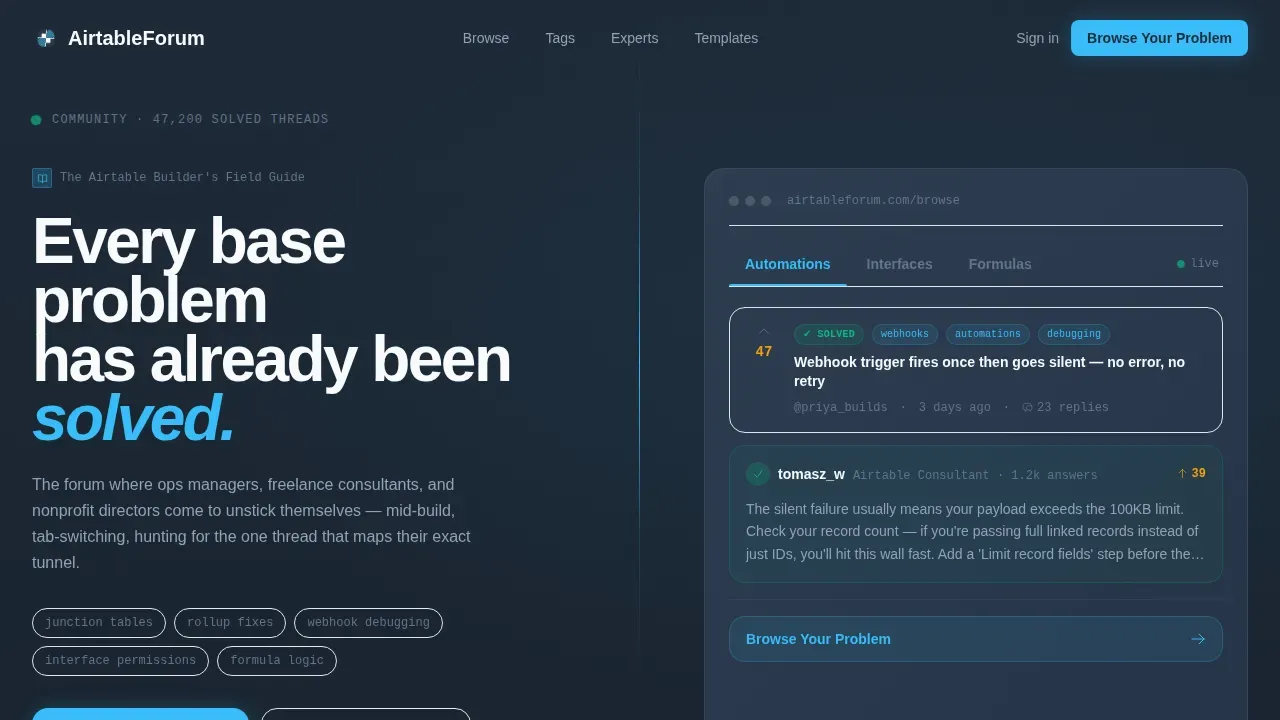
This Airtable community problem solver forum landing page template is built for mid-build Airtable users who need answers fast. A split-screen 50/50 layout pairs a bold headline with a live-feeling tabbed thread preview. The Directory & Discovery theme uses a Slate & Sky color system to keep the interface breathable and easy to read under pressure.
by Rocket studio
Quick summary
This template gives you a focused, click-through landing page for an Airtable community forum. The hero opens with a Feature Tab Switcher showing real thread previews across Automations, Interfaces, and Formulas categories. A Problem→Solution Arc pulls visitors forward through escalating base challenges, building trust before asking them to post or sign up.
Who this template is for
This template is built for people who are actively building in Airtable and need a place to find answers or share knowledge with others who understand the work.
- Ops managers and freelance consultants who build complex bases and need a trusted community resource
- Nonprofit admins and project management leads who work through linked record and formula challenges daily
- Teams who want to create a structured forum landing page to help users find solved problems in minutes
What problem this template solves
Most forum landing pages make visitors hunt. This template puts the most critical elements above the fold so every user lands directly on proof that their challenge has already been solved.
- Visitors leave when they cannot find relevant threads quickly; this template uses clear categories and a tabbed interface to eliminate that friction
- Generic forum pages do not build confidence; this template uses a Problem→Solution Arc with real thread mockups, vote counts, and reply counts to establish trust
- Builders mid-session need a page that works like a field guide, not a marketing brochure, and this template delivers that tone and structure
What you get with this template
You get a fully structured, single-page layout that guides every visitor from recognition to action without unnecessary scrolling or confusion.
- A split-screen hero with a Feature Tab Switcher showing three clickable thread-preview tabs assigned to Automations, Interfaces, and Formulas
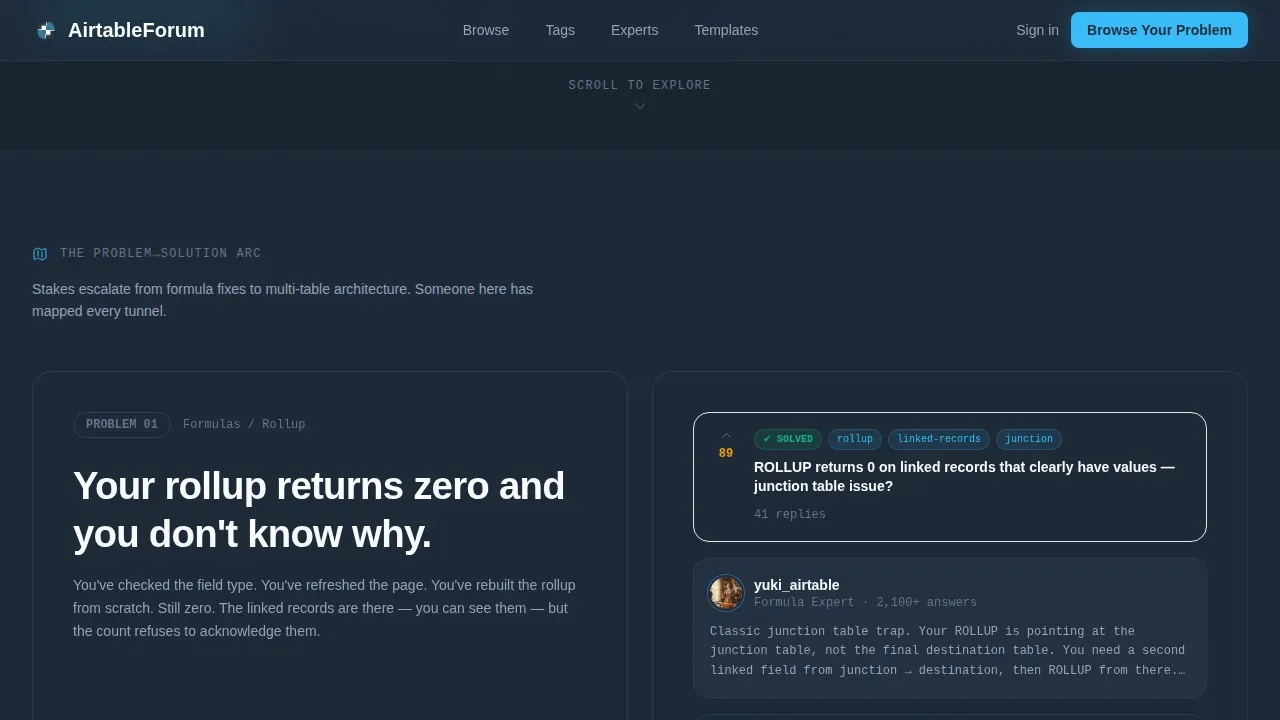
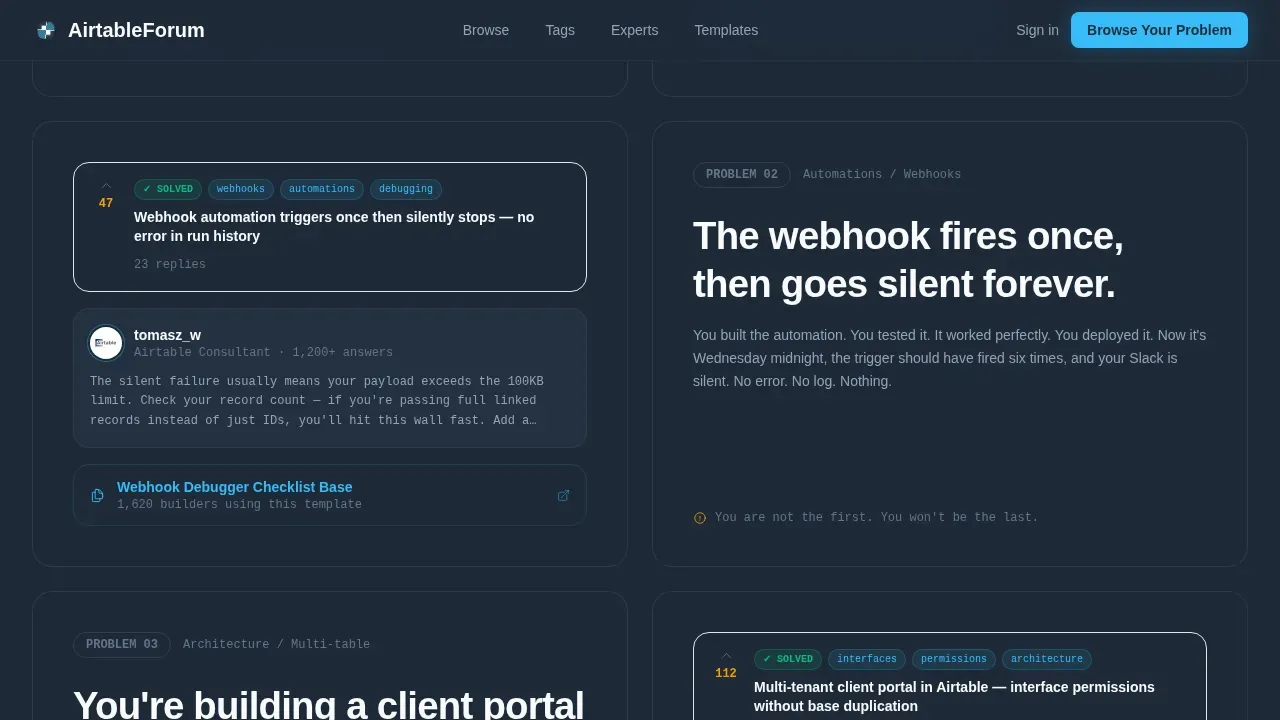
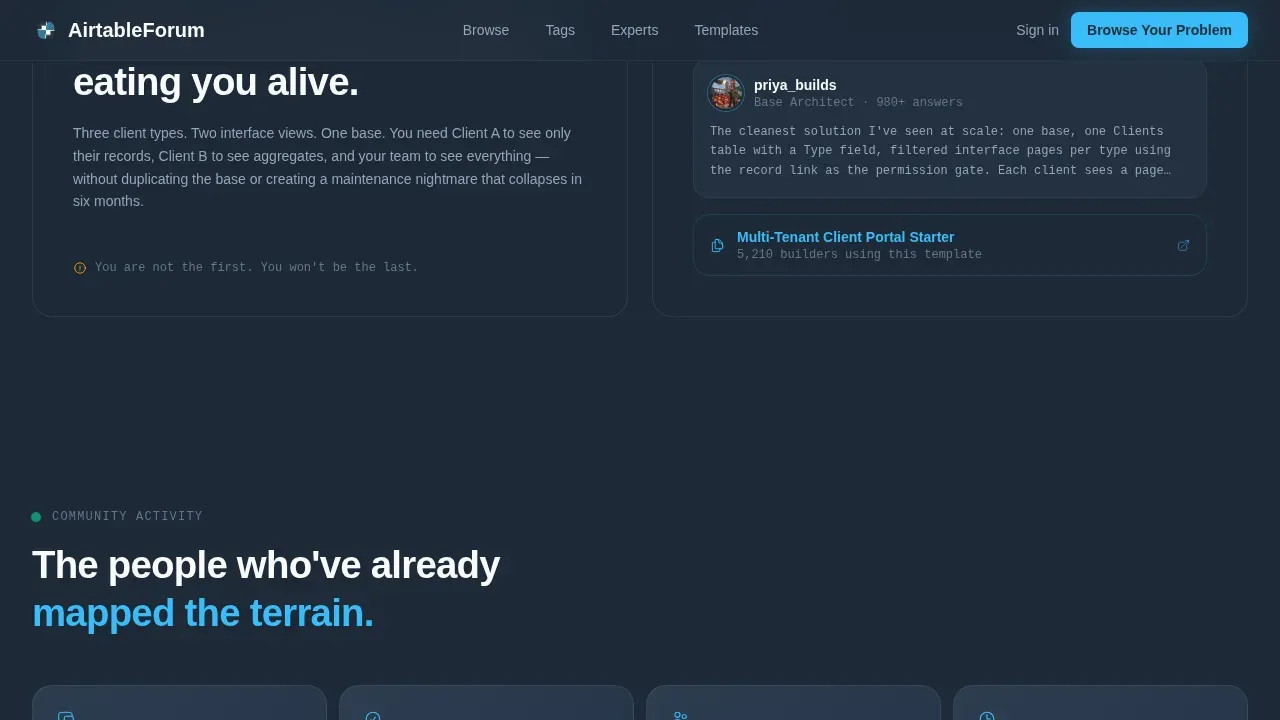
- A Problem→Solution Arc with three escalating sections, each pairing a pain point on the left panel with a thread screenshot, expert profile, and linked template on the right
- A community credibility strip with stats, expert profiles, and recent activity, followed by a secondary call-to-action to post a first question
Feature list
This template includes a focused set of features designed to help users find answers and build confidence in the community fast.
Split-Screen Hero with Tab Switcher
The hero section uses a 50/50 split layout. The left side holds a bold headline. The right side displays a tabbed interface with slide transitions between Automations, Interfaces, and Formulas thread previews. Each tab shows a real question, a top-voted answer snippet, and a reply count.
Problem→Solution Arc Sections
Three scroll sections follow a friction-then-relief rhythm. Each section opens with a recognizable base problem on the left and pairs it with a thread screenshot, a tagged expert profile, and a linked template on the right. Stakes escalate from formula fixes to multi-table architecture questions.
Community Credibility Strip
A dedicated stats strip lets visitors view vote counts, reply counts, solved badges, and top contributor profiles. This section helps every person understand the depth of the community before they decide to post or create an account.
Persistent Mobile Call-to-Action Bar
The primary call-to-action, "Browse Your Problem," appears in the hero and again as a sticky bottom bar on mobile. The secondary path, "Ask Your First Question," appears after the third problem-solution pair, once credibility is assigned and established.
Structured Categories and Navigation
The template organizes forum content into clear categories such as Automations, Formulas, and Scripting. Essential search and navigation elements follow an F-pattern layout so users can find the right thread without extra clicks. High-contrast buttons guide each user toward the next action.
Record Detail View for Posts
Each forum post can display as a clean record detail view showing the full question, answers, and reply thread. This focused layout reduces cognitive load and helps every person get to a solution faster.
Page sections overview
| Section | Purpose |
|---|---|
| Split-screen hero | Show bold headline and tabbed thread previews above the fold |
| Tab switcher interface | Let users browse Automations, Interfaces, and Formulas thread samples |
| Problem→Solution pair one | Match a simple formula challenge to a real solved thread |
| Problem→Solution pair two | Escalate to rollup and linked record issues with expert context |
| Problem→Solution pair three | Address complex multi-table architecture with community resources |
| Credibility stats strip | Share vote counts, reply counts, and top contributor profiles |
| Secondary call-to-action | Invite users to post their first question after trust is built |
| Footer flow | Provide horizontal navigation links and community entry points |
Design & branding system
The visual identity follows a Directory & Discovery theme. The Slate & Sky color system is engineered for long reading sessions without visual fatigue.
- Deep workspace charcoal (#1E2A38) for primary backgrounds, mid-slate (#4A5568) for secondary surfaces, open-sky blue (#38BDF8) for action accents, and chalk white (#F8FAFC) for text and cards
- Plus Jakarta Sans handles headings for editorial clarity; JetBrains Mono is assigned to code snippets and thread text to keep the IDE-meets-field-guide tone
- Clear text labels are used sparingly throughout the interface, with visual hierarchy achieved through grouping and contrast rather than decorative elements
Mobile & speed optimization
The template is built desktop-first to serve users who tab-switch between their base and a browser mid-build, but mobile needs are fully addressed.
- A persistent sticky bottom bar keeps the "Browse Your Problem" call-to-action visible on mobile without requiring the user to scroll back to the hero
- The layout is responsive and places the most critical elements at the top so mobile users can find solutions without excessive scrolling
- A clean design with ample white space reduces cognitive load across all screen sizes, keeping every user productive from the first view
How this template helps you convert
This template earns the click by showing real evidence before making any request. Every section is ordered to build trust progressively.
- The hero Feature Tab Switcher proves community depth immediately, so a user decides within seconds whether to continue rather than bounce
- The Problem→Solution Arc creates a rhythm of friction then relief, matching each visitor's active challenge to a solved thread and a linked template, making the "Browse Your Problem" call-to-action feel like a natural next step
- The secondary call-to-action to post a question appears only after the credibility strip, so the invitation to create an account arrives at the moment of maximum trust
Other information about this template
This template is part of a broader ecosystem of Airtable templates that cover a wide range of workflows. Understanding where this template sits can help you get the most from it.
- Airtable's project management templates provide a pre-structured framework for planning, executing, and tracking projects; adapting those base structures, such as the Issue Tracking template, can extend how problem solver data is organized behind this landing page
- Airtable offers a variety of business templates for marketing, sales, and event planning; users who love those templates will find this forum template follows the same flexible, customizable approach and can be linked to other applications in their workspace
- Users can choose from official templates or user-submitted templates; this template can serve as a starting point that teams adapt to their specific community needs, adding or modifying categories, record views, and email notification settings as their forum grows
Theme
Directory & Discovery
Creative direction
Problem→Solution Arc
Color system
Slate & Sky
Style
Split Screen (50/50)
Direction
Click-Through
Page Sections
Split-screen Hero with Feature Tab Switcher
Problem→solution Arc Layout
Community Credibility Strip
Persistent Mobile Call-to-action Bar
Structured Forum Categories and Navigation
Slate & Sky Design System
Related questions
Can I customize the thread categories shown in the tab switcher?
Does this template support a mobile layout?
How does the Problem→Solution Arc work for new visitors?
Can this template be adapted from existing Airtable project management templates?
What happens after a user submits their first question?



