Directory & Marketplace Platforms Reviews & Social Proof Website Template
The Tutormatch Smart Vetted Tutor Directory Landing Page Template is a single-page lead generation layout built for tutoring directories. It features a tab-switched hero, a scroll-animated comparison table, social proof sections, and a three-step "Find My Tutor" form. The Monochrome Steel palette and Dynamic Motion animations create a focused, trustworthy experience that moves visitors from problem to match in seconds.
by Rocket studio
Quick summary
This landing page template is purpose-built for tutor and teacher directory websites. It follows a Problem-to-Solution arc, opening with a filterable hero and closing with a progressive lead-capture form. Every section is designed to help a stressed parent, an overwhelmed student, or a curious adult learner understand their options fast and take action on the spot.
Who this template is for
This template is perfect for anyone building or relaunching an online tutor landing page or directory website. The layout is built to serve multiple visitor types without diluting the core message.
- Parents searching for vetted tutors on evenings and weekends
- College students facing urgent, subject-specific academic pressure
- Adult learners looking for flexible, judgment-free instruction
What problem this template solves
Finding a reliable tutor online is still surprisingly slow and confusing. Most directory websites scatter information across multiple tabs, hide pricing, and offer no way to filter by real availability. This landing page removes that friction by putting every key decision point on a single, scannable page.
- No centralized filter for subject, level, and availability in one place
- No transparent pricing or verified background check confirmation visible at a glance
- No clear first step for a user who arrives tired and needs help now
What you get with this template
You get a complete, ready-to-customize landing page layout with every section pre-built and logically sequenced. The information architecture follows the AIDA framework, guiding each user from awareness through to a form submission without drop-off distractions.
- A Feature Tab Switcher hero with staggered tutor card animations built using GSAP
- A scroll-triggered comparison table contrasting the old search method with the directory approach
- A three-step progressive form and a dual call-to-action funnel for both students and tutors
Feature list
This landing page is built around components that follow a clear design process: from problem framing, through moodboarding and wireframing, to a polished final layout ready for visual iteration and feedback.
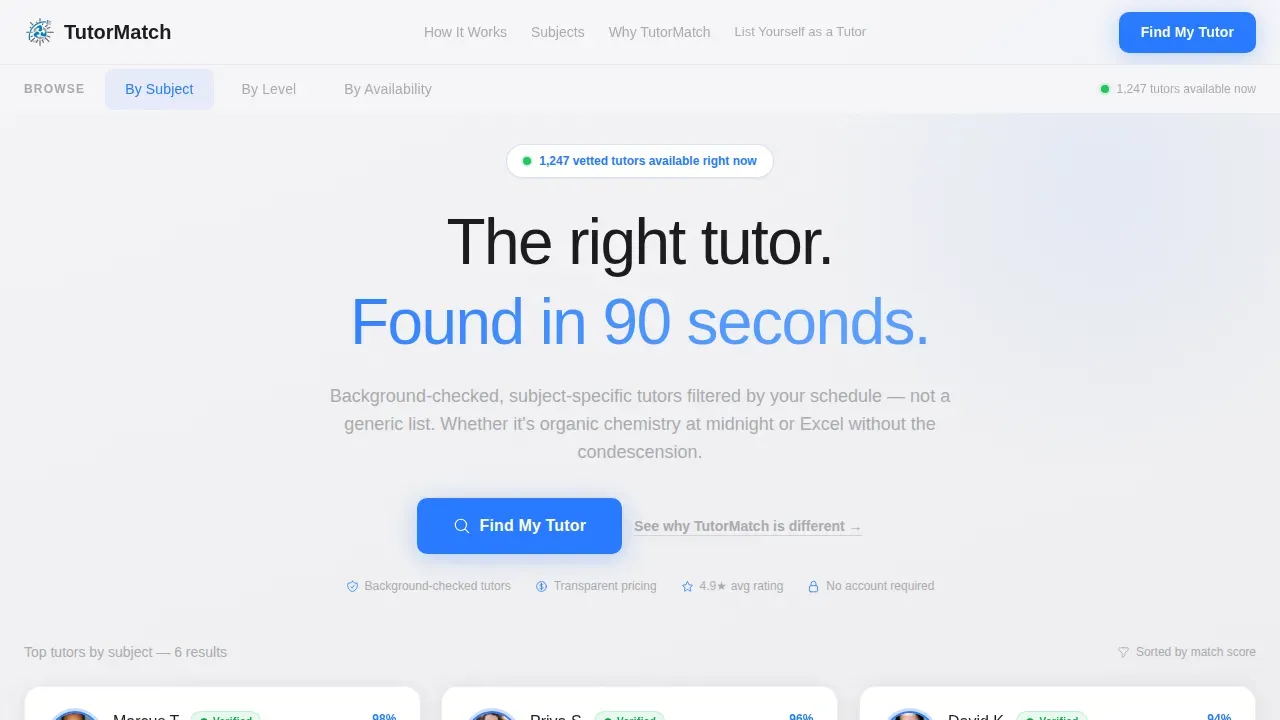
Tab-Switched Filterable Hero
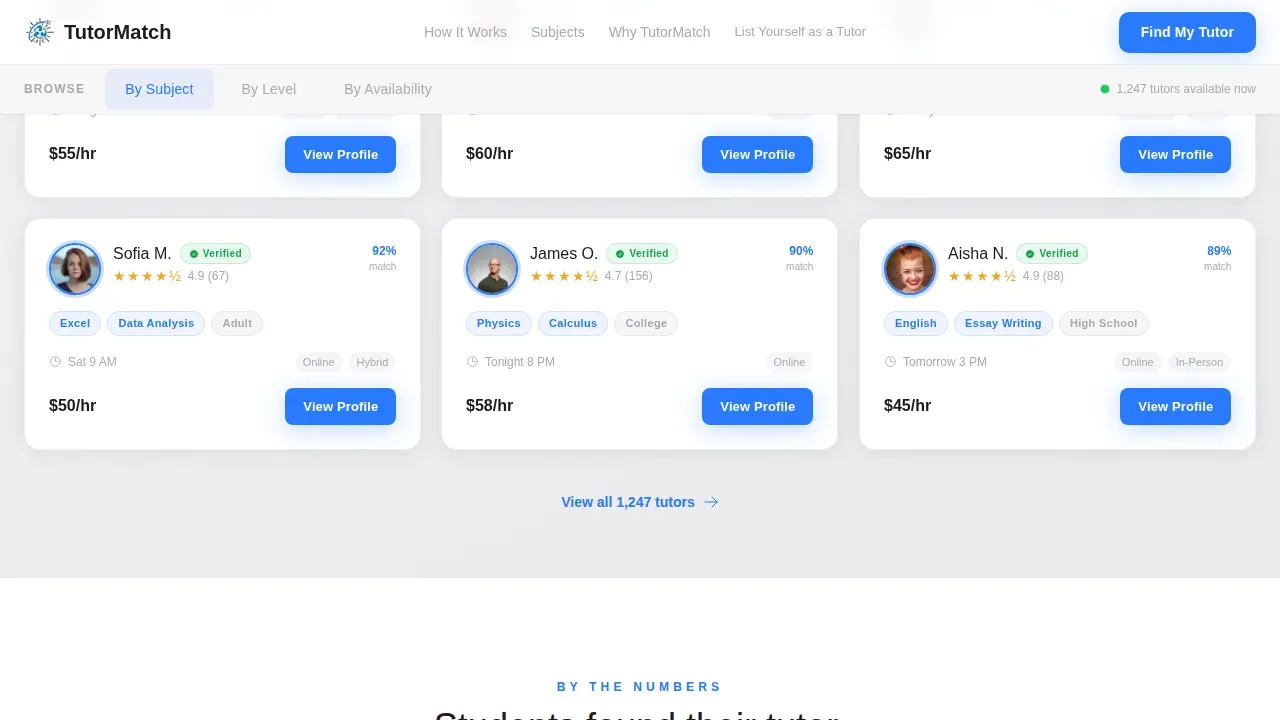
The hero section is the first impression every user sees. Three clickable tabs labeled "By Subject," "By Level," and "By Availability" sit across the top of the viewport. Each tab reveals a live-filtered grid of tutor cards that animate into place with staggered GSAP easing, making the directory feel alive and responsive from the very first scroll view.
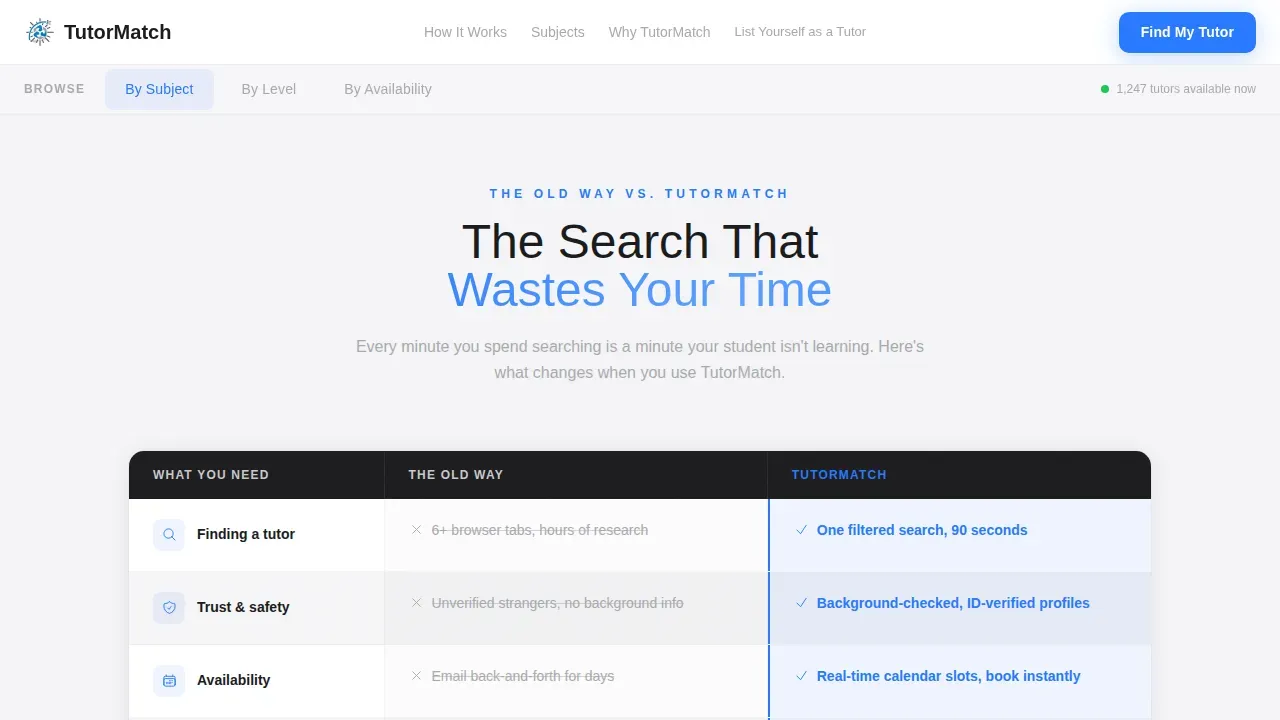
Scroll-Animated Comparison Table
The comparison table section is titled "The Search That Wastes Your Time." It displays a side-by-side breakdown of the old search method versus the directory approach. Rows animate in on scroll, with the old-way column rendered in muted aluminum and the directory column in electric blue. This structure helps users understand the value before they reach the form.
Smart-Vetted Trust Signals
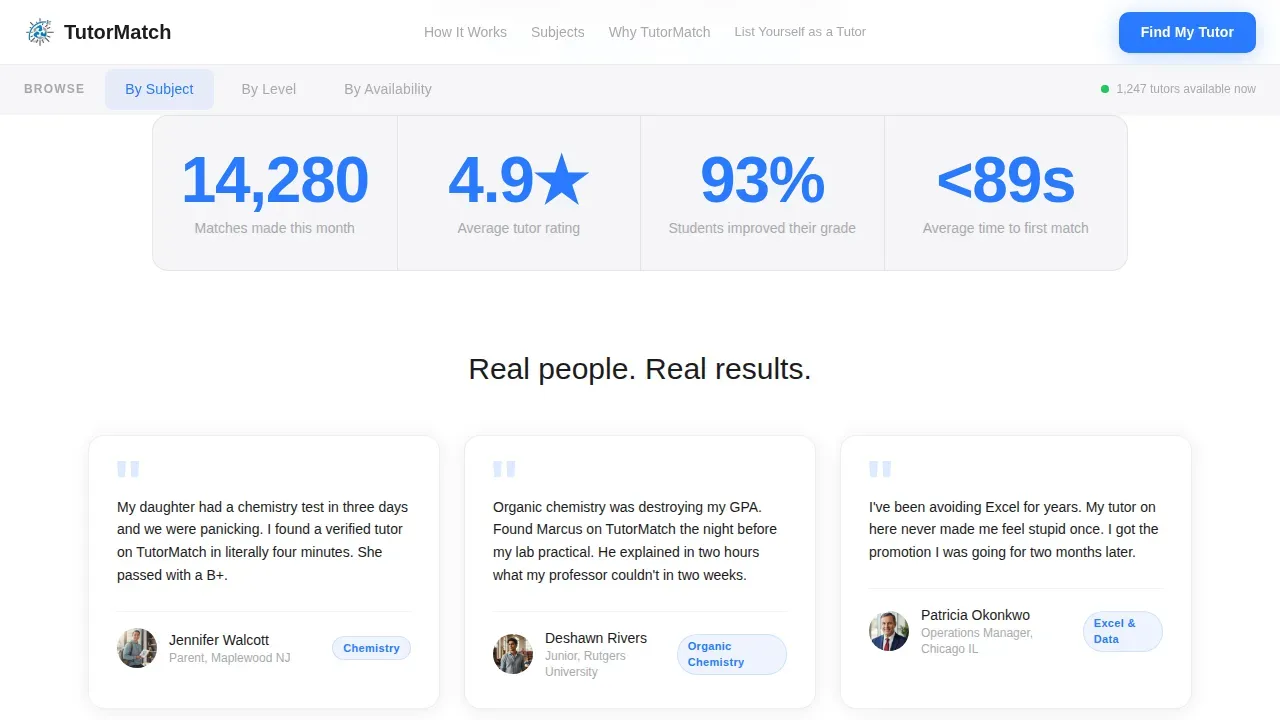
Every tutor card includes a "Smart-Vetted" badge confirming that tutors have passed mandatory background screening and hold proven track records. Trust signals like verified badge counts and a live match counter reinforce credibility. Testimonials from parents and students, focused on measurable academic performance changes, are displayed in a dedicated social proof section.
Three-Step Progressive Lead Form
The primary call-to-action is a "Find My Tutor" button that opens a three-step form. Step one collects subject and level. Step two collects schedule preference and learning format. Step three collects name and email. No account creation is required. No credit card is needed. The form reduces friction and keeps each session of the user's attention focused on one question at a time.
Dual Funnel Navigation
A secondary path, "List Yourself as a Tutor," appears as a subdued text link in the header and footer. This splits the funnel cleanly without competing with the primary call-to-action. Both paths follow the same conversion logic but serve opposite sides of the marketplace.
Page sections overview
| Section | Purpose |
|---|---|
| Tab Switcher Hero | Filter tutors by subject, level, or availability |
| Comparison Table | Show old search pain versus directory solution |
| Social Proof Block | Display testimonials and live match counter |
| Subject Breakdown Grid | Let visitors explore depth by subject area |
| Progressive Lead Form | Capture lead details across three focused steps |
| Footer Arc Split | Separate tutor and student navigation paths |
Design & branding system
The visual identity uses a Monochrome Steel palette that feels engineered for focus. Typography uses Plus Jakarta Sans for headings and DM Sans for body text, both chosen for clean legibility at every screen size. Iterating on these visuals during setup is straightforward because every color role is clearly assigned.
- Deep graphite (#1C1C1E) anchors backgrounds and section dividers
- Brushed aluminum (#A8A9AD) carries secondary text, table borders, and inactive states
- Electric blue (#2979FF) is reserved exclusively for calls-to-action, active tabs, and interactive elements
Mobile & speed optimization
Over 60% of traffic for tutoring services comes from mobile devices, and this landing page is built mobile-first to match that reality. Buttons are sized correctly for touch targets, and content stacks cleanly on smaller screens. The page layout prioritizes fast visual parsing on any device so a parent at 10 PM gets to the right answer without pinching or zooming.
- Mobile-first stacking with touch-friendly button sizing for every call-to-action
- Server Components handle static content while Client Components manage tabs, animations, and the form
- Image blocks support optimization to help the page load quickly for every user
How this template helps you convert
The landing page applies the AIDA framework across its scroll arc: Attention in the hero, Interest in the comparison table, Desire through testimonials, and Action through the progressive form. Removing top menus and external links keeps each user session focused on one goal.
- The comparison table earns trust before the ask, so visitors arrive at the form already convinced
- The floating "Find My Tutor" button stays visible on mobile throughout the session, reducing drop-off
Other information about this template
The Tutormatch Smart Vetted Tutor Directory Landing Page Template is built for teams that want a polished online tutor landing page without starting from scratch. The design process embedded in this template follows industry-recognized steps: researching the problem statement, moodboarding, wireframing, and iterating on visuals to achieve the best results. The layout structure helps protect against common conversion mistakes like cluttered navigation and competing calls-to-action.
- This template is perfect as a starting point for any tutor directory website that needs to establish credibility fast
- The site layout can follow different content priorities simply by reordering or relabeling sections
- Built-in placeholder content and clear section logic make it straightforward to check progress at each build stage
- The page structure supports personalized learning messaging at every scroll depth, from hero views down to the footer
Theme
Dynamic Motion
Creative direction
Problem→Solution Arc
Color system
Monochrome Steel
Style
Comparison Table
Direction
Lead Generation
Page Sections
Tab-switched Filterable Hero
Scroll-animated Comparison Table
Smart-vetted Trust Signals
Three-step Progressive Lead Form
Dual Funnel Navigation
Dynamic Motion Design System
Related questions
Does this template include the actual tutor database or matching logic?
Can I customize the tab labels and filter categories in the hero?
How does the three-step form work for capturing leads?
Is the comparison table layout fixed or can I change the rows?
What makes the testimonials section effective for building trust?



