Field Operations Landing Page Template
Dispatch is a construction field service management landing page template built around a live-looking dashboard hero. It targets general contractors, specialty trade firms, and facility managers who need to show crews, work orders, and punch lists in one command-ready view. The dark Data Command visual theme and amber call-to-action buttons drive demo signups from first scroll to final form step.
by Rocket studio
Quick summary
Dispatch is a single-page lead generation template for construction field service management platforms. It opens with a full-viewport dashboard preview showing active crew locations, work order queues, and completion rings. The dark Midnight Blue palette and amber primary calls to action create urgency and trust before a visitor reads a single headline.
Who this template is for
This template is built for software companies and platform founders serving the construction and field operations industry. It speaks directly to the buyers those platforms target every day.
- General contractors managing multiple subcontractors across several active job sites at once
- Mechanical, electrical, and specialty trade firms dispatching technicians to service calls
- Facility owners and operations managers tired of tracking work orders through paper tickets and voicemail chains
What problem this template solves
Construction field service teams lose time and money when crews, schedules, and work orders live in disconnected systems. A generic software landing page cannot show that problem clearly enough to earn a demo request.
- Scattered crew tracking leaves superintendents without a real-time picture of site progress
- Lost paperwork and missed service-level deadlines (SLAs) erode client trust and project margins
- Visitors landing on a text-heavy page cannot quickly visualize the platform before they are asked to sign up
What you get with this template
The template ships as a complete, single-page layout designed to move a cold visitor from problem recognition to demo request. Every section is purposefully sequenced and visually distinct.
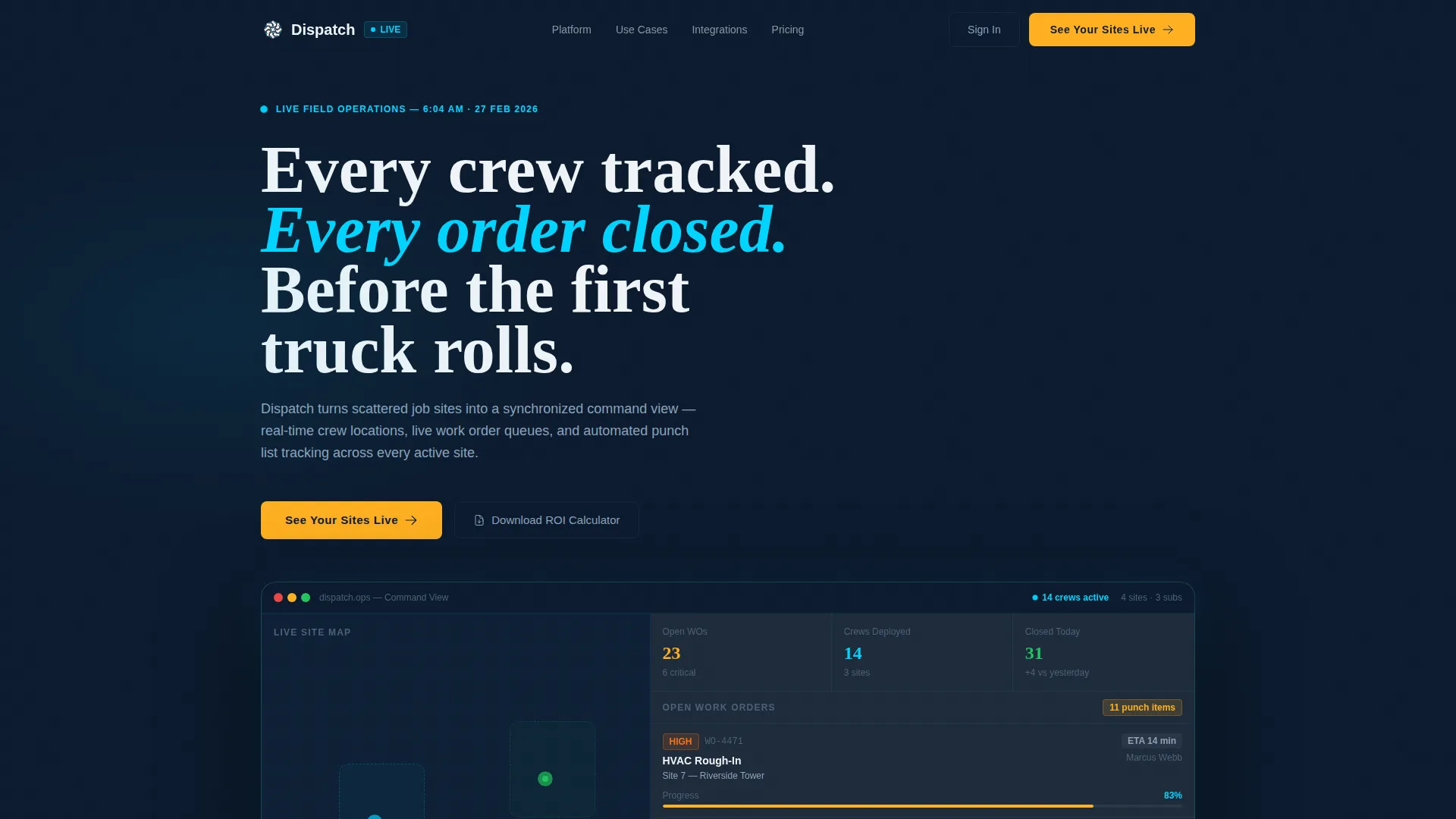
- A full-viewport dashboard hero showing a live-looking map, work order queue, and completion ring with realistic field data labels
- A two-step progressive lead capture form paired with a secondary gated PDF offer for visitors who are not ready to book a demo
- Alternating dark navy and steel-gray content panels with animated counters, customer proof sections, and a sticky bottom call-to-action bar
Feature list
The template includes purpose-built components that reflect real construction dispatch workflows. Each one earns its place on the page.
Full-Viewport Dashboard Hero
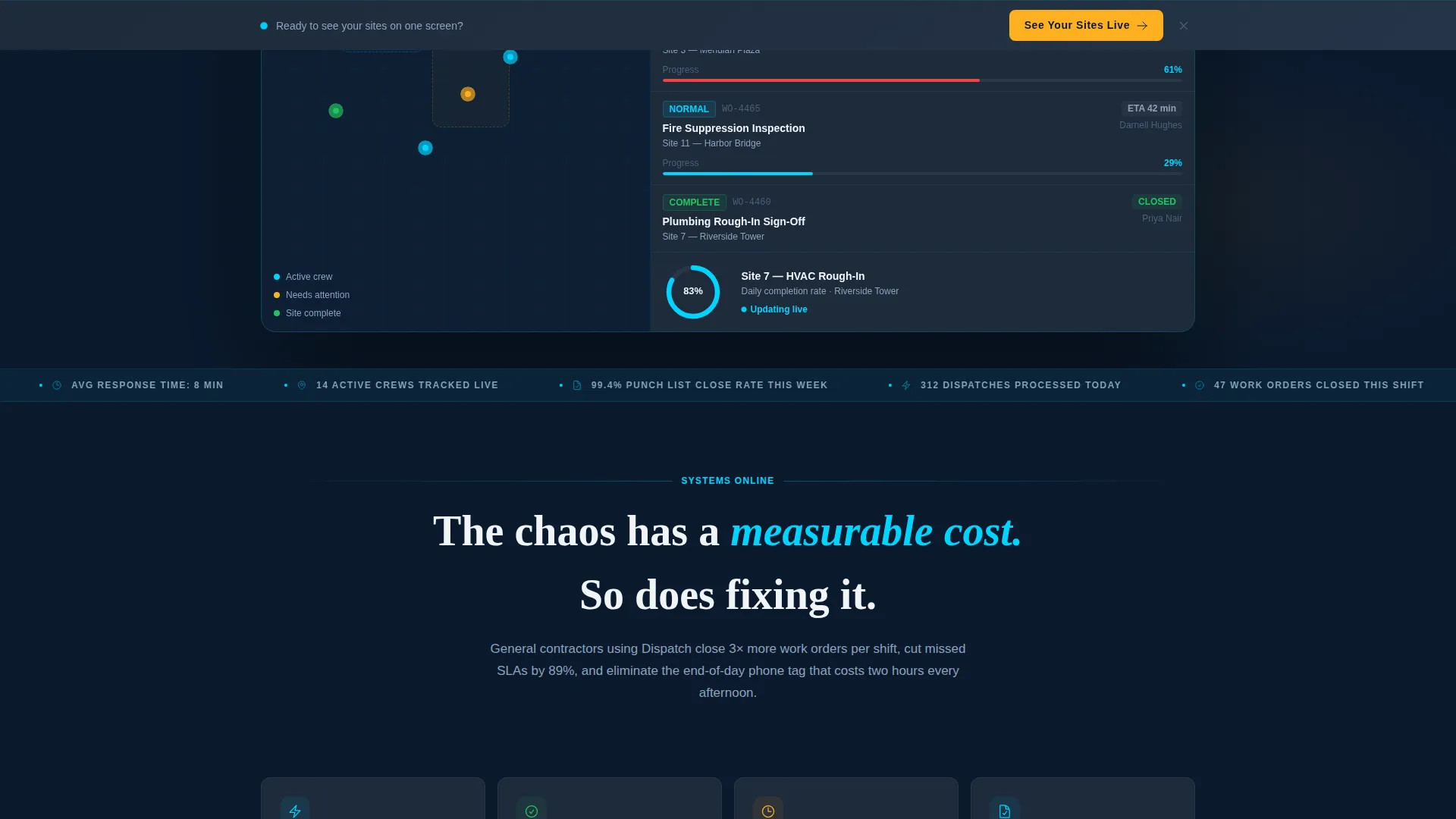
The header fills the entire screen with a simulated field operations interface. It displays a map view with crew location pins across three job sites, a color-coded open work order queue, and a completion percentage ring. Data labels read like real dispatch output: technician names, estimated time of arrival (ETA) badges, and punch list counts ticking downward.
Animated Metric Counters
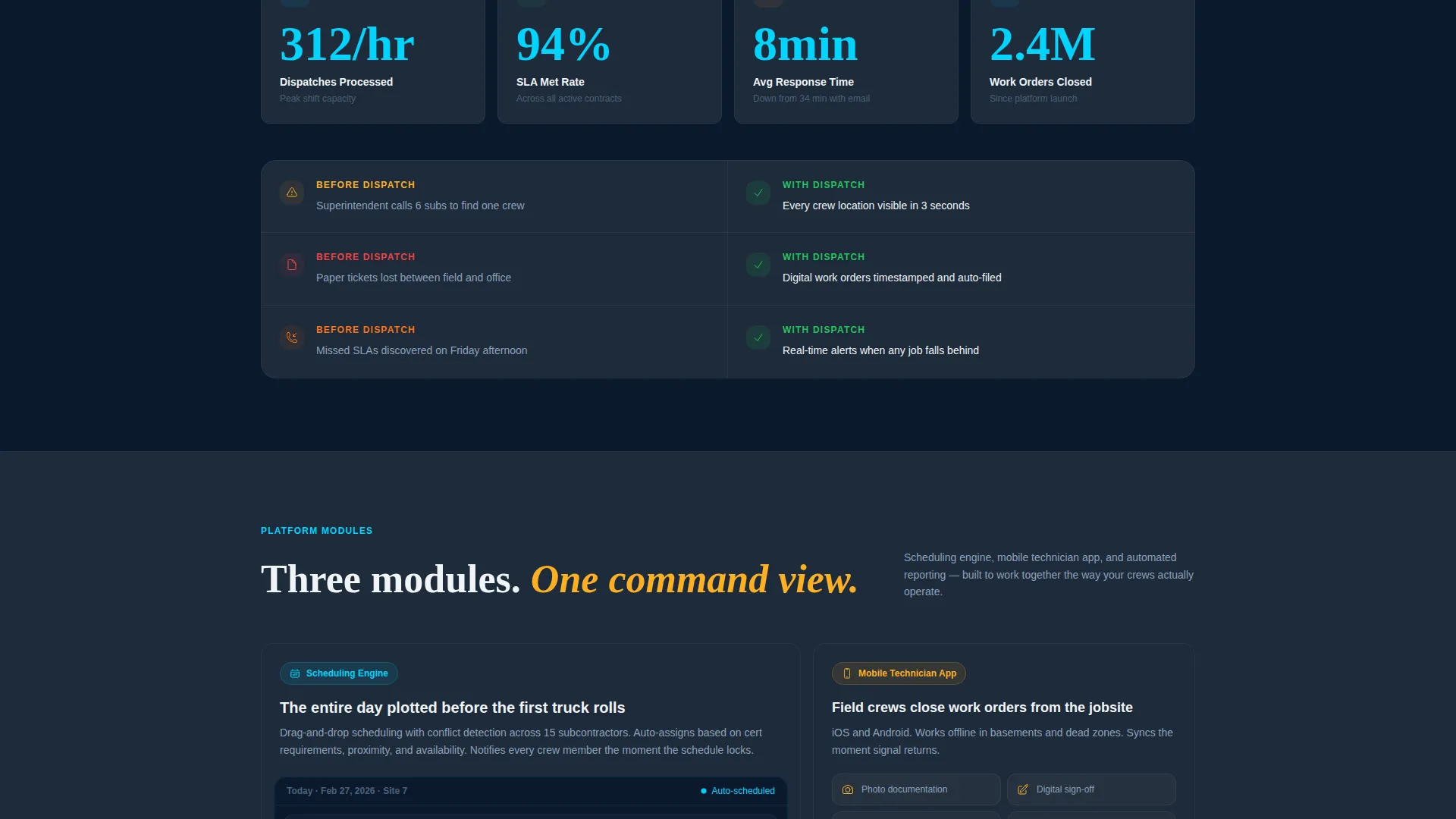
Below the hero, kinetic counters show dispatches per hour, work orders closed per week, and average response time shrinking in real time. These numbers make the platform's operational impact tangible before the visitor reaches any testimonial or feature explanation.
Two-Step Progressive Lead Form
The first form screen asks for company name and number of active job sites using a dropdown with three ranges. The second screen captures name, email, and phone number. This staged approach reduces form friction and qualifies leads by site volume before any contact details are exchanged.
Sticky Bottom Call-to-Action Bar
After the second scroll, a persistent amber "See Your Sites Live" bar anchors to the bottom of the viewport. It keeps the primary conversion path visible throughout the entire page without interrupting content consumption.
Gated Secondary Offer
A "Download the ROI Calculator" path runs parallel to the demo request flow. It captures visitors who are researching rather than ready to buy, giving the platform a second lead channel from the same page visit.
Alternating Content Panel System
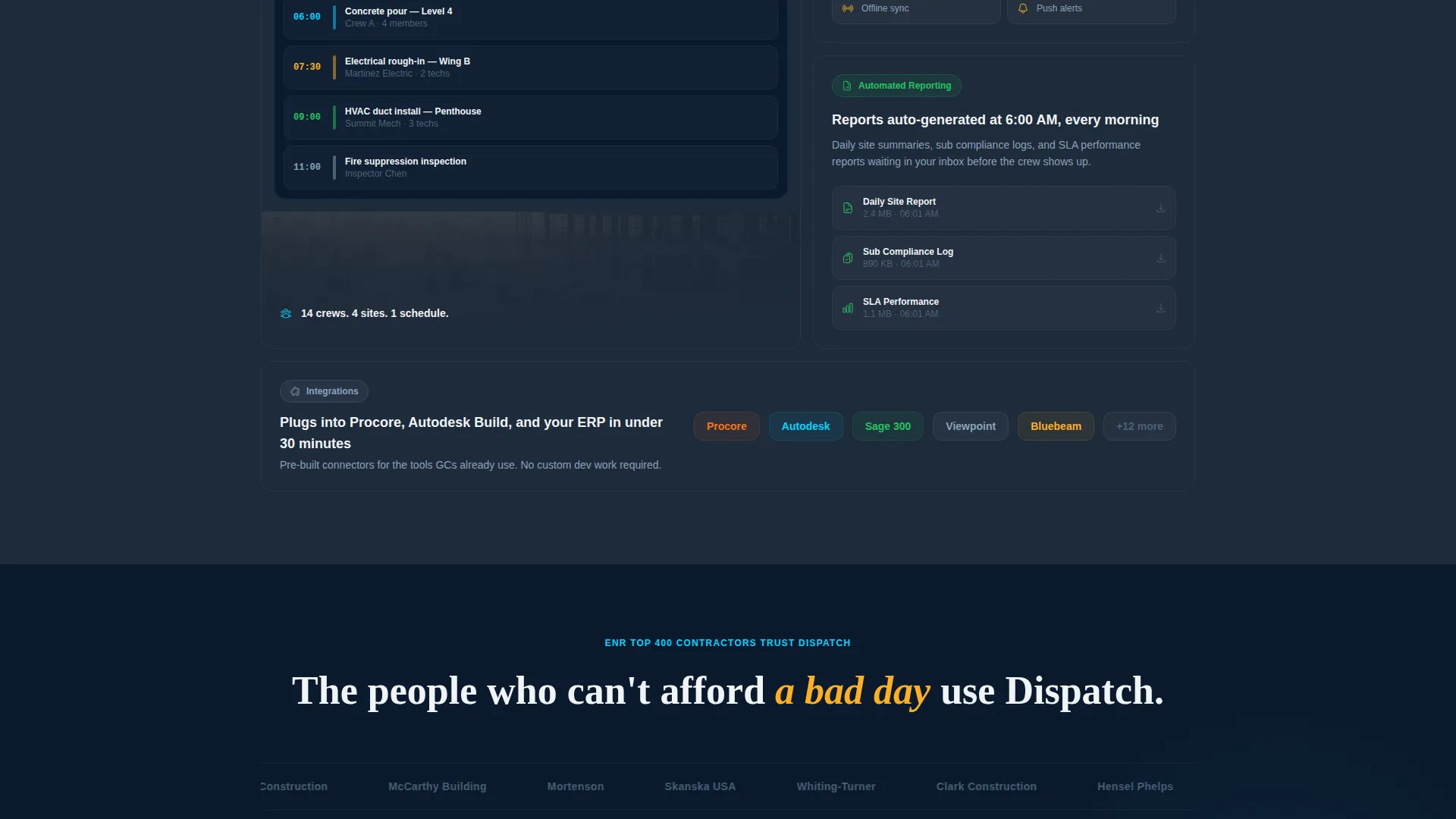
Sections alternate between deep navy full-bleed data panels and steel-gray breakout cards. Each panel introduces a new platform layer: scheduling engine, mobile technician application, and automated reporting. The visual rhythm makes the page feel like systems coming online in sequence.
Page sections overview
| Section | Purpose |
|---|---|
| Dashboard Hero Header | Showcases the live-looking field operations interface at full viewport height |
| Animated Metric Counters | Proves platform impact with kinetic dispatch and response-time stats |
| Problem Narrative Panel | Frames scattered crews, lost paperwork, and missed SLAs as the core pain |
| Scheduling Engine Feature | Highlights the platform's crew and job site coordination capability |
| Mobile Technician App | Shows field-side tools technicians use on active service calls |
| Automated Reporting Panel | Demonstrates work order timestamping and punch list closure tracking |
| Social Proof Section | Displays customer logos and a direct superintendent quote |
| ROI Calculator Offer | Presents the gated PDF secondary conversion path |
| Lead Capture Form | Collects company details and contact info via two progressive steps |
| Sticky call to action Bar | Keeps the primary demo request visible after the second scroll |
Design & branding system
The visual identity follows a Data Command theme that feels like a logistics dispatch screen running before dawn. Every color decision is functional, not decorative.
- Deep navy (#0B1A2E) dominates backgrounds and card surfaces; steel panel gray (#1E2A3A) separates data modules and breakout cards
- Active signal cyan (#00D4FF) marks live status indicators, real-time data highlights, and interactive user interface elements throughout the dashboard hero
- Hard-hat amber (#FFB020) is reserved exclusively for alerts, priority badges, and every primary call-to-action button, so the eye always finds the action point immediately
Mobile & speed optimization
The template layout is structured to keep the dashboard-first experience intact on smaller screens. Field operations buyers often review vendor pages between site visits, so mobile clarity matters.
- The full-viewport dashboard hero scales responsively, keeping crew pins, work order queue, and completion ring readable on phone and tablet screen sizes
- Sticky call to action bar and two-step form flow adapt to touch interaction so the lead capture path stays usable without pinching or horizontal scrolling
How this template helps you convert
The page is sequenced to earn trust before it asks for anything. Every section moves the visitor one step closer to submitting the form.
- The dashboard hero lets visitors see the exact interface they would use before any headline or benefit claim appears, removing the biggest barrier to demo interest
- Animated counters and a superintendent quote add credibility layers that transform skeptical operations managers into qualified form completers
- The two-path conversion system captures both ready-to-demo visitors and early-stage researchers in the same page visit, maximizing the return on every click
Other information about this template
This template is designed specifically for the construction field service management software category and is a strong fit for companies positioning against fragmented, paper-based job site workflows.
- The template style is a Dashboard and Data Grid layout, purpose-built to make software products feel operational and trustworthy at first glance
- The creative direction follows a Launch Energy approach: each section fires in with forward momentum, escalating the narrative from chaos to control
- The header concept is a Dashboard Preview, meaning the product interface itself is the hero, with no stock photography or lifestyle imagery anywhere on the page
- The lead generation direction is reflected in every structural decision: the form is gated behind proof, the secondary offer captures undecided visitors, and the sticky bar maintains conversion pressure without being intrusive
- This template is listed under the Technology category, Construction Software subcategory, and is built for the Construction Field Service Management niche
Theme
Data Command
Creative direction
Launch Energy
Color system
Midnight Blue
Style
Dashboard/Data Grid
Direction
Lead Generation
Page Sections
Full-viewport Dashboard Hero
Animated Metric Counters
Two-step Progressive Lead Form
Sticky Bottom Call to Action Bar
Gated ROI Calculator Offer
Alternating Data Panel System
Related questions
Can I edit the dashboard hero data to reflect my own platform?
Does the two-step form require a specific form provider?
Is the ROI Calculator PDF included with the template?
Can this template work for a single-trade specialty contractor, not just a large general contractor?
What makes the sticky call to action bar different from the header button?



