Consulting Firm New Client Welcome & Onboarding Website Template
Consult is a consulting firm thank you page landing page built for the moment after a client signs. It greets new clients with a syntax-styled engagement overview, then guides them through anchored sections covering project scope, framework downloads, analyst booking, and premium upgrade options. The design runs on a Midnight Blue dashboard palette that feels focused and professional from the first scroll.
by Rocket studio
Quick summary
Consult is a post-engagement landing page that activates the moment a consulting client commits. It opens with a code-snippet header that maps the client's engagement like a configuration file, then flows through anchored spoke sections covering deliverable timelines, downloadable frameworks, analyst access, and premium upgrades. The whole experience is built around the Dashboard Pro theme in a Midnight Blue color system.
Who this template is for
This template is built for consulting firms that need a professional, information-rich confirmation page for newly signed clients. It works across service tiers and client profiles.
- Operations directors who just signed a multi-month transformation engagement and need immediate clarity on what happens next
- Startup founders who submitted an intake form outside business hours and expect a structured response on the other side
- CFOs and procurement teams who require an instant paper trail and clear deliverable scope from the moment of purchase
What problem this template solves
Most consulting confirmation pages do one thing: say thank you. That leaves new clients in a gap where enthusiasm fades and questions pile up. This template fills that gap with a structured, operational experience that starts working immediately.
- Clients often leave a sign-up or intake flow without knowing their timeline, their analyst contact, or where to find their onboarding materials
- Firms lose early momentum when the post-purchase experience feels generic rather than purpose-built
- Without a clear next step, high-value clients email support teams, creating friction on both sides
What you get with this template
You get a fully structured hub and spoke landing page with an anchor navigation bar that connects every section in a single scroll. Each section is designed to surface operational detail progressively.
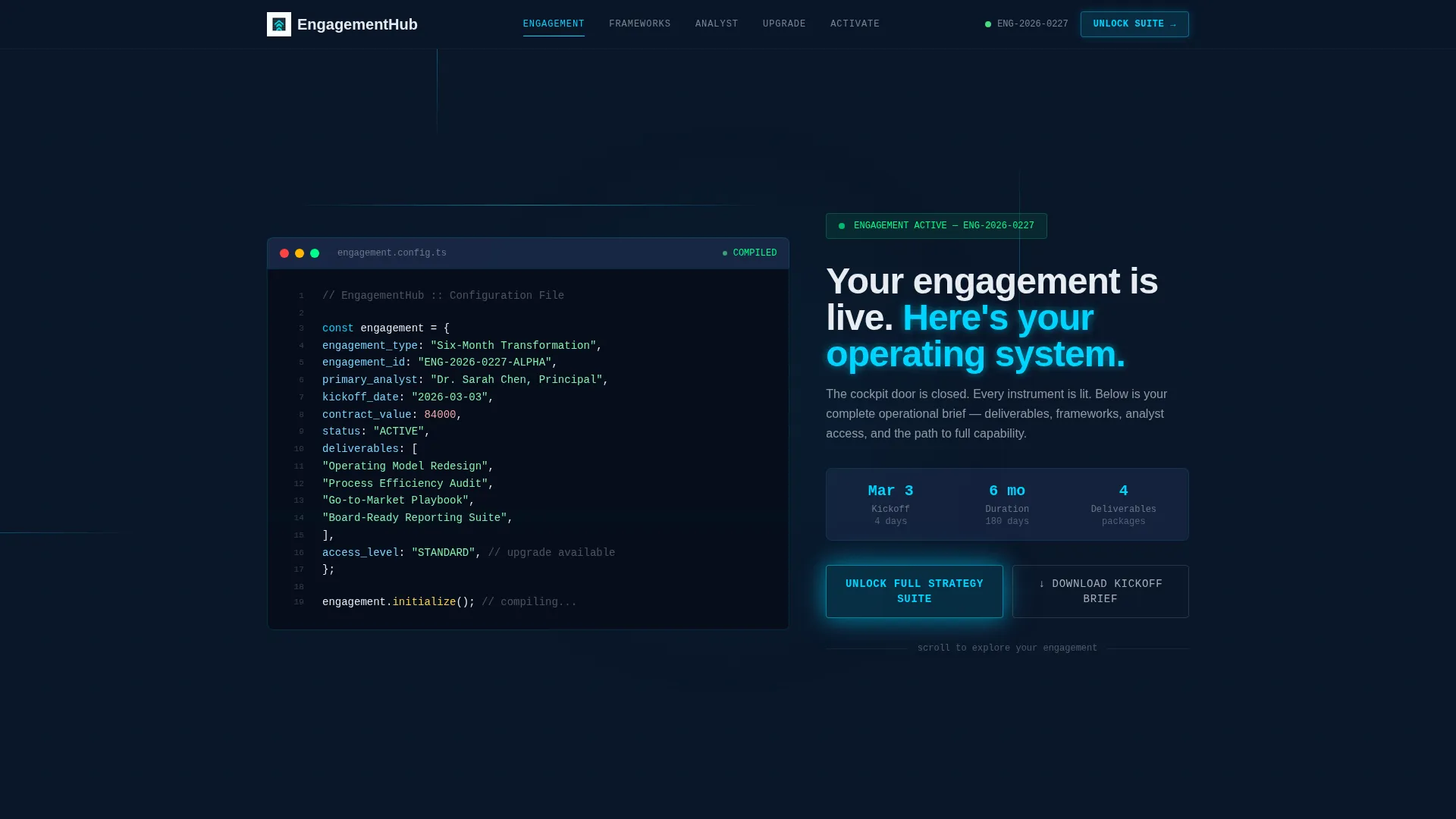
- A code-snippet header block styled in monospaced typeface with pseudo-code variables mapping the engagement structure
- Four anchored spoke sections covering Engagement Summary, Framework Library, Analyst Direct Line, and Upgrade Modules
- Two conversion paths: a freemium trial call-to-action and a zero-friction PDF download gate
Feature list
This section describes the core built-in components of the Consult template.
Syntax-Styled Code Snippet Header
The header renders pseudo-code that maps the client's engagement like a configuration file. Variables such as engagement_type, primary_analyst, kickoff_date, and deliverables[] appear in syntax-highlighted, monospaced type against deep navy. A single line below reads: "Your engagement is live. Here's your operating system."
Persistent Anchor Navigation Bar
A fixed top navigation bar links to every spoke section on the page. Active states fire in electric cyan, making the current section immediately visible. Clients can jump directly to the section most relevant to them without losing their place.
Progressive Disclosure Spoke Sections
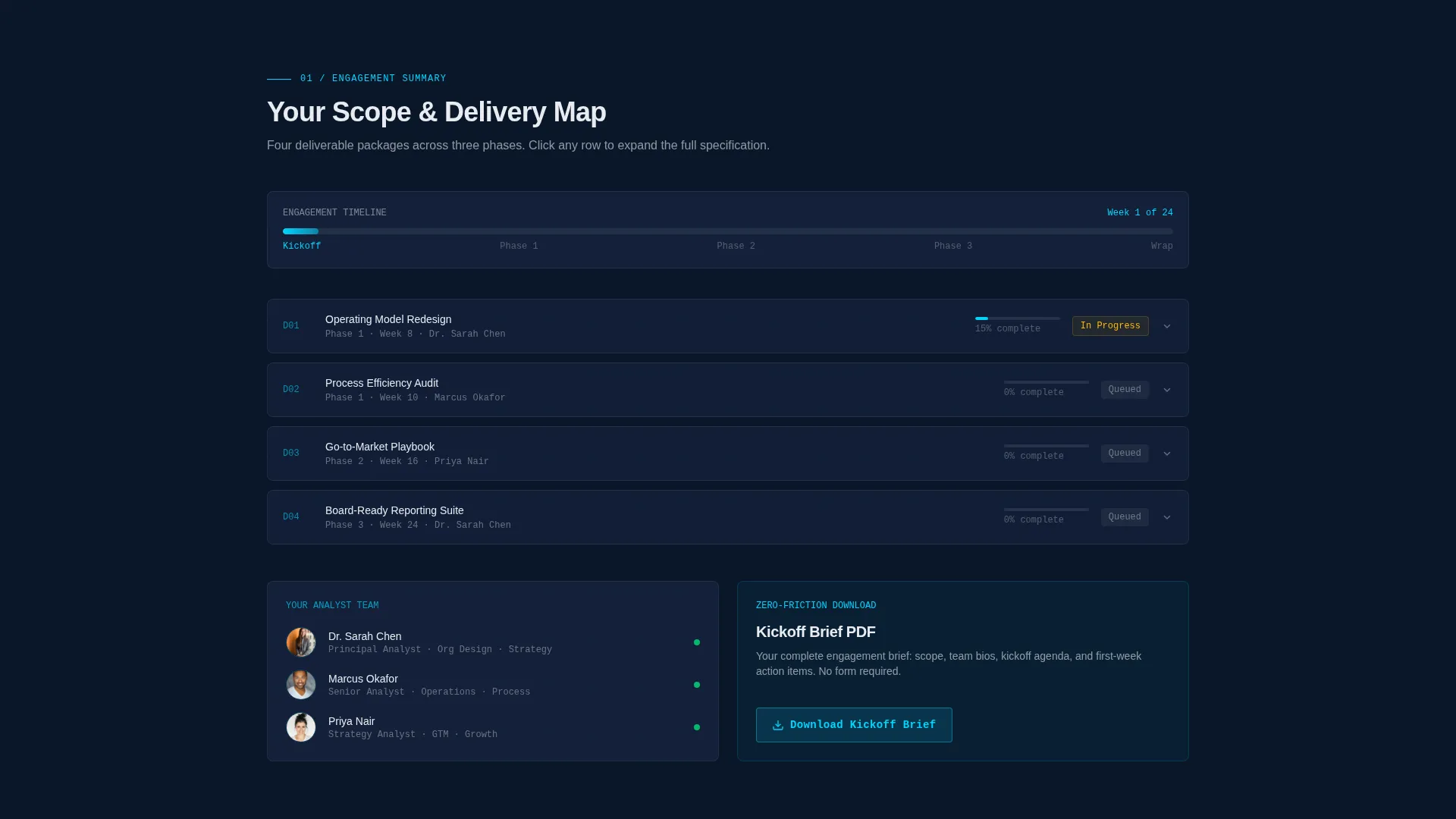
Each of the four spoke sections uses expandable rows and micro-animations that feel like querying a structured dataset. Detail reveals only when a visitor interacts, keeping the page clean while rewarding precision-driven exploration.
Framework Library with Downloads
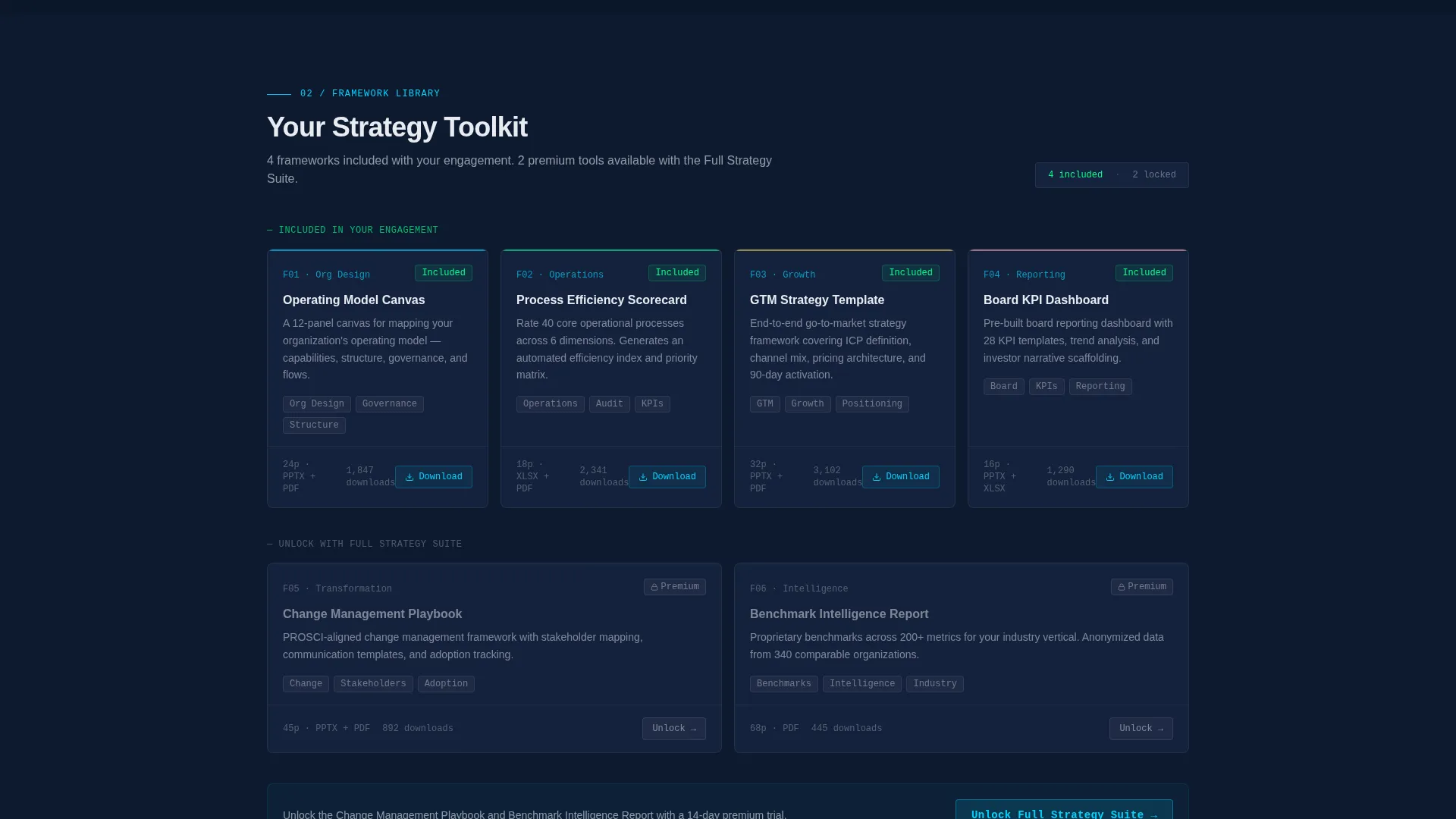
The Framework Library spoke gives clients direct access to downloadable strategy templates. Files are surfaced behind a single authenticated wall, keeping proprietary materials within the confirmed-client experience.
Analyst Direct Line Booking Widget
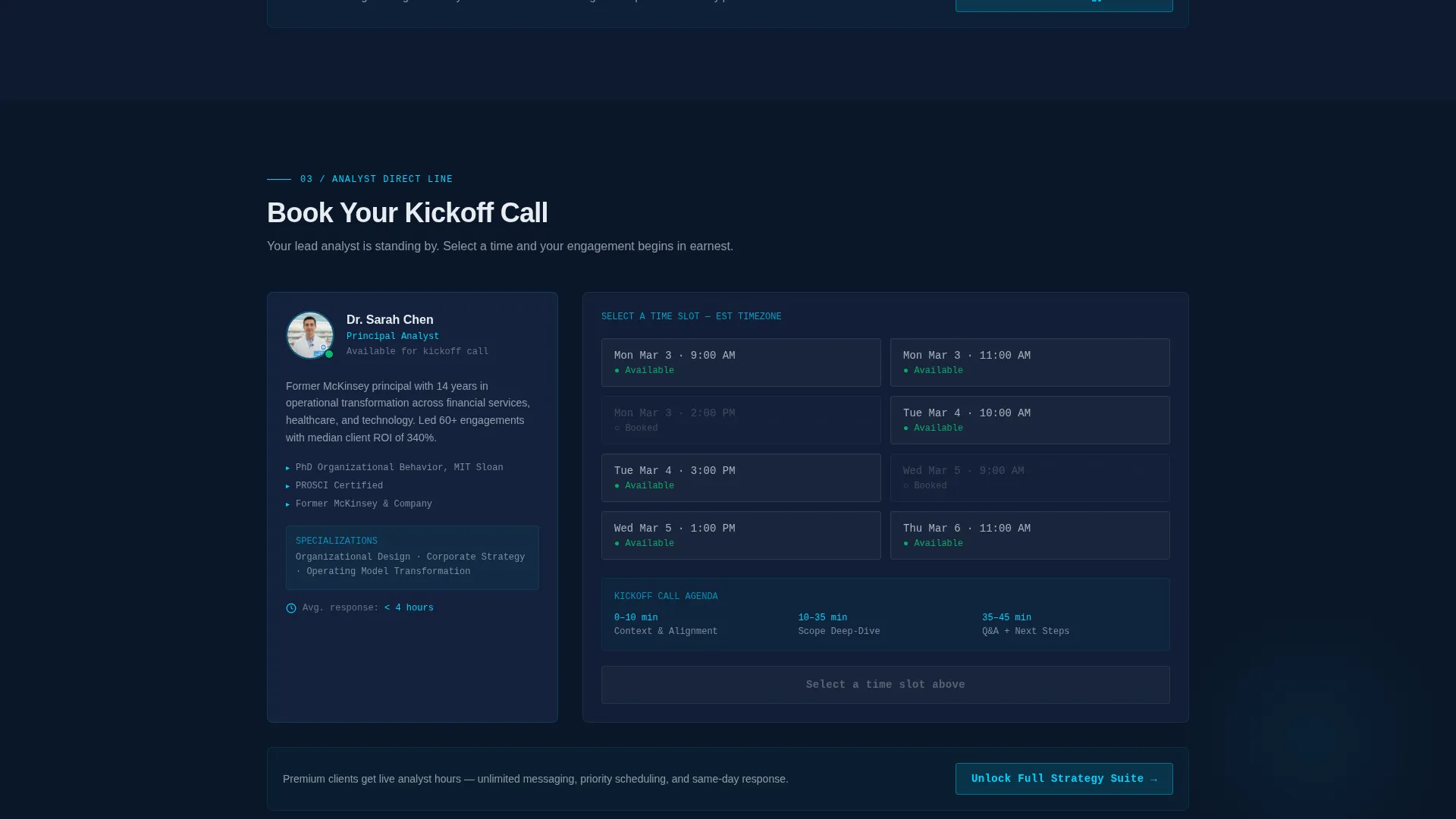
The Analyst Direct Line spoke contains a booking widget for scheduling the first analyst call. It sits within the same page flow, removing the need to navigate away or search for a separate scheduling link.
Freemium Trial Conversion Flow
The primary call-to-action, "Unlock Full Strategy Suite," appears at the hub center and after each spoke section. It opens a 14-day premium trial offer. The form captures only a work email and an engagement ID, two fields the visitor already has on hand.
Page sections overview
| Section | Purpose |
|---|---|
| Code Snippet Header | Opens with pseudo-code engagement map and "engagement is live" confirmation line |
| Anchor Nav Hub | Persistent top bar linking to all four spoke sections with cyan active states |
| Engagement Summary | Displays scope, timeline, and team details for the signed engagement |
| Framework Library | Surfaces downloadable strategy templates behind the authenticated client wall |
| Analyst Direct Line | Hosts booking widget for scheduling the first analyst call |
| Upgrade Modules | Presents premium add-on options with progressive detail on interaction |
| Trial call to action Blocks | Repeating "Unlock Full Strategy Suite" offer placed at hub and after each spoke |
| Kickoff Brief Download | Zero-friction PDF gate requiring no additional input beyond what the client already holds |
Design & branding system
The visual identity follows the Dashboard Pro theme using a Midnight Blue color system. Every color choice serves a specific role in the information hierarchy.
- Deep terminal navy (#0A1628) is the primary background, keeping all content grounded in a focused, low-distraction field
- Tactical slate (#1B2A4A) surfaces card backgrounds and spoke section containers, creating depth without brightness
- Signal white (#E8ECF1) handles all primary typography and data labels for sharp readability against the dark field
- Electric cyan (#00D4FF) is reserved for active states, progress indicators, and anchor navigation highlights, firing only on interactive elements
Mobile & speed optimization
The template is built for clients who may land on this page from a mobile device at any hour, including founders who submitted intake forms late at night.
- The anchor navigation bar is designed to remain accessible on smaller screens, keeping section-jumping functional without requiring a desktop layout
- Progressive disclosure interactions are built to surface detail on tap, matching the touch-based behavior of mobile users
- The two-field conversion form captures only a work email and engagement ID, keeping friction minimal across any device size
How this template helps you convert
The Consult template is designed around two distinct conversion paths that complement each other without competing for attention.
- The "Unlock Full Strategy Suite" call-to-action appears at the hub center and after each spoke section, offering a 14-day premium trial that includes live analyst hours, proprietary benchmark data, and priority scheduling. The short two-field form lowers the barrier to entry at the moment of highest engagement.
- The "Download Your Kickoff Brief" PDF gate requires no additional input from the visitor, building goodwill and immediate value before the trial ask is made. Reciprocity is established first, making the primary conversion feel earned rather than pushed.
Other information about this template
This template is categorized under Consulting Firm Website Templates in the Technology category and is specifically designed for the consulting firm thank you page use case.
- The template style is Hub and Spoke with anchor navigation, making it suitable for clients who need to navigate between multiple operational sections without leaving the page
- The creative direction follows a Spec Sheet approach, meaning each section reads like a panel in a technical document rather than a marketing brochure
- The header concept is a Code Snippet block, which sets a precision-first tone that resonates with analytically minded buyers such as CFOs and operations directors
- The landing page direction is Freemium and Trial, with the primary offer being a 14-day premium trial accessed through a minimal two-field form
- The Dashboard Pro theme and Midnight Blue palette are consistent with the Bloomberg terminal aesthetic described in the brief, where information density and visual clarity are the primary design values
Theme
Dashboard Pro
Creative direction
Spec Sheet
Color system
Midnight Blue
Style
Hub & Spoke (Anchor Nav)
Direction
Freemium/Trial
Page Sections
Syntax-styled Code Snippet Header
Persistent Anchor Navigation Bar
Progressive Disclosure Spoke Sections
Framework Library with Downloads
Analyst Direct Line Booking Widget
Dual Conversion Path Design
Related questions
Who is this landing page template built for?
What sections are included in this template?
Can I use this template for different types of consulting engagements?
How does the freemium trial conversion work in this template?
Does this template require a login or authentication system to use?



