Specialist Consulting Firm Software Appointment Booking Website Template
Consult is a bento grid landing page template built for consulting firm social media management services. It combines a Feature Tab Switcher header, an interactive content calendar, and a Void & Violet glass design system to move visitors from curiosity to a booked strategy session. The page is structured to feel like a live product demo before the first click.
by Rocket studio
Quick summary
Consult is a single-page bento grid landing page for consulting firm social media management. It opens with a three-tab glass header that demonstrates scheduling, analytics, and content amplification in one view. Visitors interact with draggable calendar tiles and animated metric cards before reaching a clear call-to-action that routes them to a strategy-session booking page.
Who this template is for
This template is built for service providers who help consulting firms turn thought leadership into a consistent social presence. The design and messaging speak directly to two buyer types inside those firms.
- Managing partners at mid-market strategy firms who know their expertise is strong but their social presence does not reflect it.
- Marketing directors who manage multiple partners, each with a distinct voice, and need one cohesive brand output across platforms.
What problem this template solves
Consulting firms often produce world-class intellectual property but struggle to publish it consistently or professionally on LinkedIn and other platforms. A poorly organized social presence undercuts credibility with exactly the clients these firms want to attract.
- Partners post inconsistently, and the firm's feed looks fragmented rather than authoritative.
- Marketing directors lack a clear page to show prospective clients what a managed social program actually delivers.
What you get with this template
You get a fully structured, interaction-rich landing page that lets visitors experience the product before they commit. Every section is purposefully sequenced to build trust and guide the reader toward booking a call.
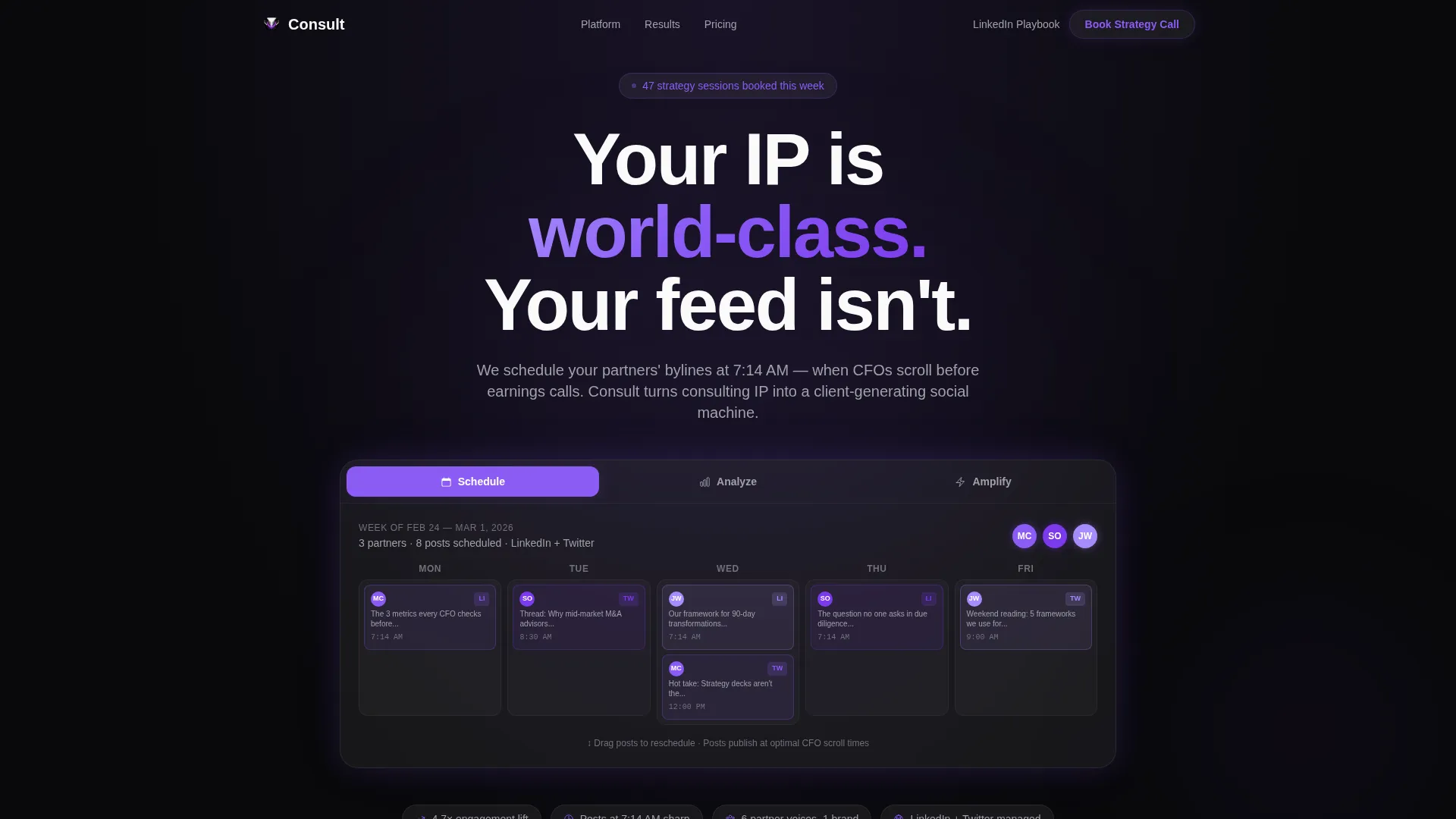
- A three-tab Feature Tab Switcher header showing Schedule, Analyze, and Amplify views inside a frosted glass panel.
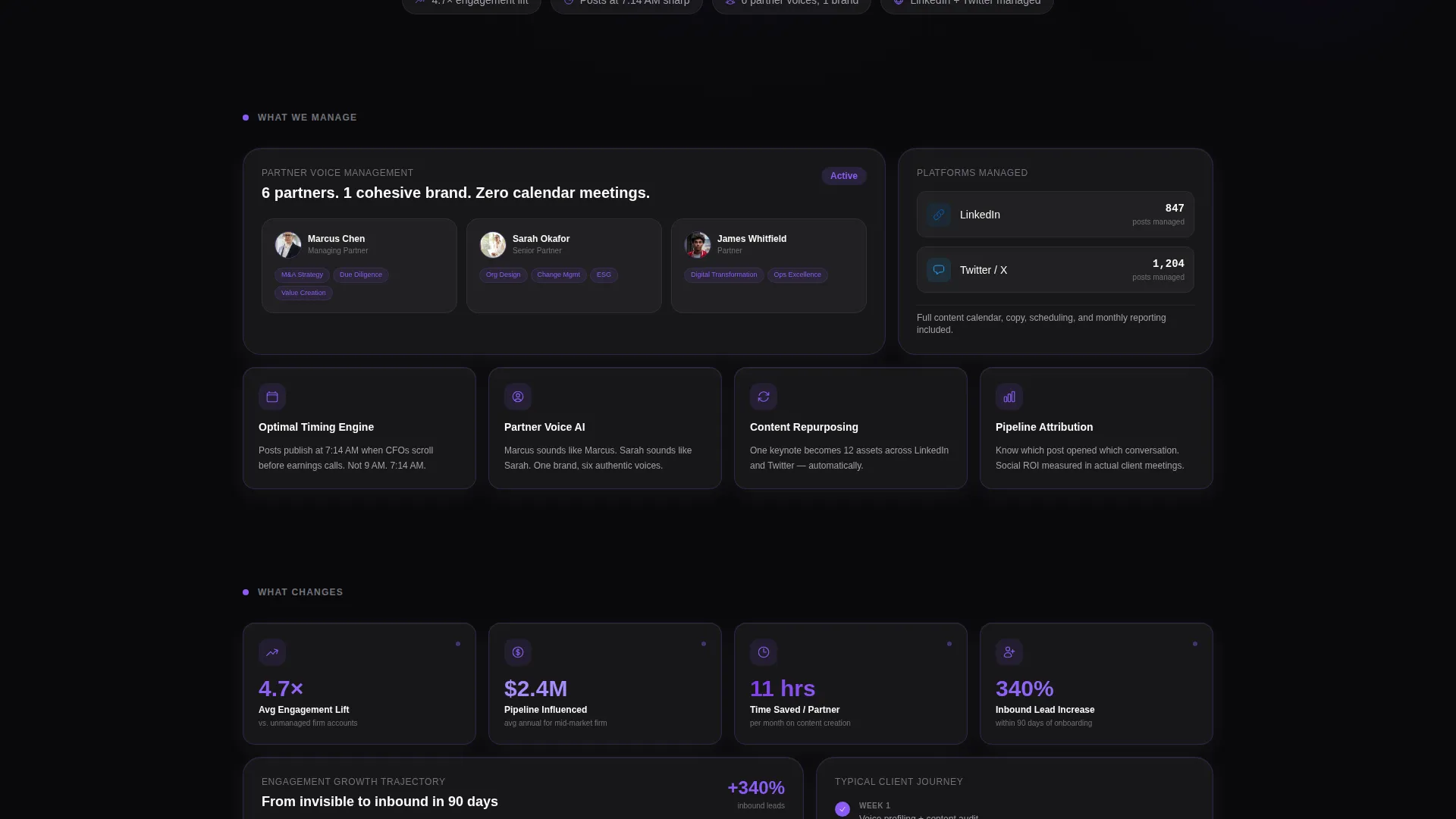
- A staggered bento grid with parallax depth, live-feel metric cards, client-logo carousels, and a draggable interactive content calendar tile.
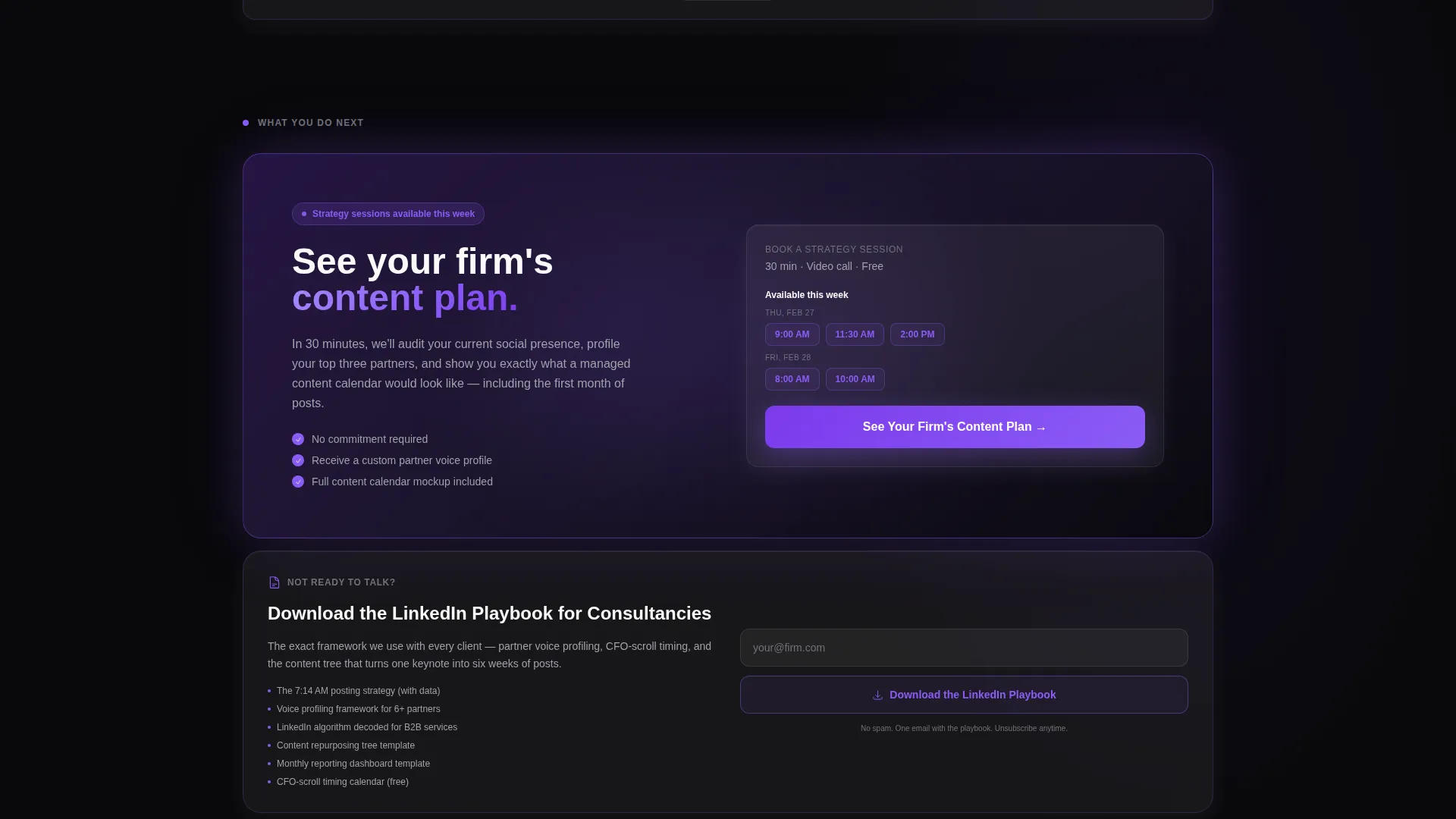
- Two distinct calls-to-action: a primary booking button and a secondary email-capture ghost button for visitors who need more time.
Feature list
This template is built around a small number of high-impact components, each designed to demonstrate the consulting social media management service rather than just describe it.
Three-Tab Feature Switcher Header
The header holds three glass tabs labeled Schedule, Analyze, and Amplify. Each tab click swaps the panel content using a glass-refraction wipe transition. Schedule shows a week-view partner calendar, Analyze reveals an engagement heatmap with rising impression counters, and Amplify displays a content repurposing tree branching one keynote into twelve assets.
Interactive Bento Grid Layout
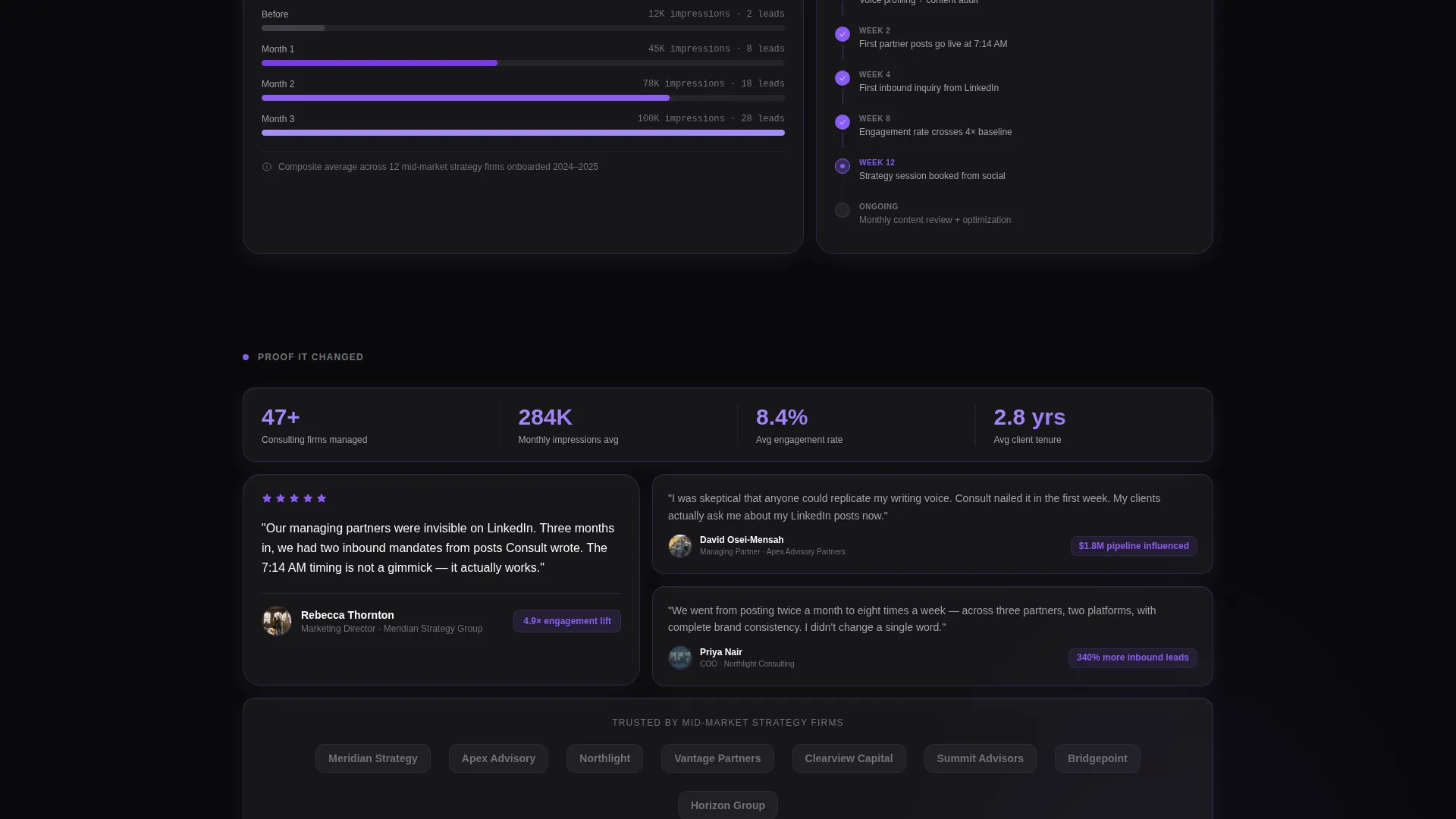
The page body is a multi-row bento grid where tiles stagger in with parallax depth on scroll. Small cards surface single metrics, medium cards hold client-logo carousels behind frosted overlays, and the largest tile is a draggable content calendar visitors can interact with directly.
Escalating Visual Promise Structure
Each row of the grid advances a clear narrative arc. The first row shows what the service manages, the second shows what changes, the third presents proof, and the fourth row anchors the call-to-action. The violet accent color intensifies as the visitor scrolls down, guiding the eye naturally toward conversion.
Dual Call-to-Action System
The primary call-to-action button, labeled "See Your Firm's Content Plan," appears first inside the Analyze tab and again as a full-width glass button in the final bento row. A secondary ghost-button, "Download the LinkedIn Playbook for Consultancies," captures email from visitors who are not yet ready to book.
Void & Violet Glass Design System
Every surface uses absolute void black as the base, with frosted glass panels at low opacity and electric violet on every interactive state. The result is a premium, high-contrast aesthetic that signals technical sophistication without visual noise.
Page sections overview
| Section | Purpose |
|---|---|
| Tab Switcher Header | Demonstrates Schedule, Analyze, Amplify product views |
| Metric Card Row | Surfaces single engagement stats per tile |
| Client Logo Carousel | Builds social proof behind frosted overlays |
| Interactive Calendar Tile | Lets visitors drag and explore the content planner |
| Proof Row | Presents concrete results and performance signals |
| Primary call to action Row | Full-width booking button anchoring the page |
Design & branding system
The visual identity is built around a Tech Glass theme using a Void & Violet color palette. Every design decision reinforces the sense of a live, professional-grade command center rather than a static marketing page.
- Core palette: absolute void black (#09090B) as the base, frosted glass panels at 6% white opacity with backdrop blur, electric violet (#8B5CF6) on all interactive hover states, and muted lavender-gray (#A1A1AA) for secondary text.
- Bento cards float as translucent glass tiles with 1-pixel violet-tinted borders that brighten on hover, and gradients bleed from violet to transparent to simulate light leaking through glass.
Mobile & speed optimization
The bento grid layout is designed to restack cleanly on smaller screens. Each tile is a self-contained card, which means the grid can reflow without breaking the visual hierarchy or losing the interaction cues.
- Glass panel effects and backdrop blur are applied at the component level, so each card degrades gracefully on devices that render transparency with less precision.
- The tab switcher and draggable calendar tile are touch-friendly by design, keeping the interactive experience intact on mobile without requiring extra configuration.
How this template helps you convert
The page is structured as a click-through funnel with one goal: move the visitor from interest to a booked strategy session. No form appears on the page itself, which removes friction at the critical decision moment.
- Visitors interact with the header tabs and drag the calendar tile before they read a single call to action, so they arrive at the booking button already feeling like users of the product.
- Two conversion paths run in parallel: the primary button routes to a pre-loaded scheduler for visitors ready to talk, while the ghost-button email capture retains visitors who need more context first.
Other information about this template
This template is categorized under consulting firm software and is optimized for the consulting firm social media management niche. It is built in the Bento Grid template style with a Tech Glass theme, Interactive Explorer creative direction, and a Click-Through landing-page direction.
- The header concept follows a Feature Tab Switcher pattern, with the Void & Violet color system applied consistently across all interactive states.
- The template is a strong fit for agencies or independent consultants who want to present a polished, demo-first experience to prospective firm clients without building a custom page from scratch.
Theme
Tech Glass
Creative direction
Interactive Explorer
Color system
Void & Violet
Style
Bento Grid
Direction
Click-Through
Page Sections
Three-tab Feature Switcher Header
Interactive Bento Grid Layout
Escalating Visual Narrative Structure
Dual Call-to-action System
Void & Violet Glass Design System
Related questions
Who is this landing page template designed for?
Does this template include any forms for lead capture?
Can I edit the tab labels, calendar content, and metric values?
What makes the bento grid format effective for a consulting social media service?
How does the violet accent gradient work across the page?



