Consultant Matching & Diagnostic Estimator Website Template
Consultmatch is a single-page consulting firm landing page built on a split-screen layout. It opens with a three-step diagnostic estimator that surfaces matched consultant profiles in real time. A scrolling Problem-Solution Arc then pairs named business challenges with proven consultants and outcome data, guiding visitors toward a booked scoping call or a bench report download.
by Rocket studio
Quick summary
Consultmatch is a split-screen consulting firm landing page designed to feel like an intelligent directory. Visitors input their industry, challenge type, and team size, then watch a live shortlist respond. The page scrolls through problem-and-consultant pairings, builds credibility with outcome metrics, and closes with a clear path to a booked call or a bench report.
Who this template is for
This template is built for consulting firms that match specialist talent to complex organizational challenges. It works especially well when your bench includes deeply credentialed operators and your clients arrive with urgent, specific problems.
- Operations and transformation consulting firms that pitch named experts rather than generic capability decks
- Boutique firms serving executives such as Chief Operating Officers, Series B founders, and procurement leads who need a specialist fast
- Consulting practices that want a contact page to do pre-qualification work before the first conversation
What problem this template solves
Most consulting firm contact pages ask visitors to fill out a form and wait. That passivity loses high-intent buyers who want to see expertise before they commit a conversation to it. Consultmatch replaces that friction with an active discovery experience.
- Visitors with no existing relationship can self-qualify by selecting their industry, challenge, and team size before any human interaction
- The Problem-Solution Arc replaces generic case study lists with a rhythm of diagnosis and prescription that mirrors how executives actually think
- The click-through structure removes the on-page form entirely, passing context to a scheduling tool so the first call skips re-explanation
What you get with this template
You get a fully structured single-page layout that handles discovery, credibility-building, and conversion in one continuous scroll. Every section has a defined role and a defined visual treatment.
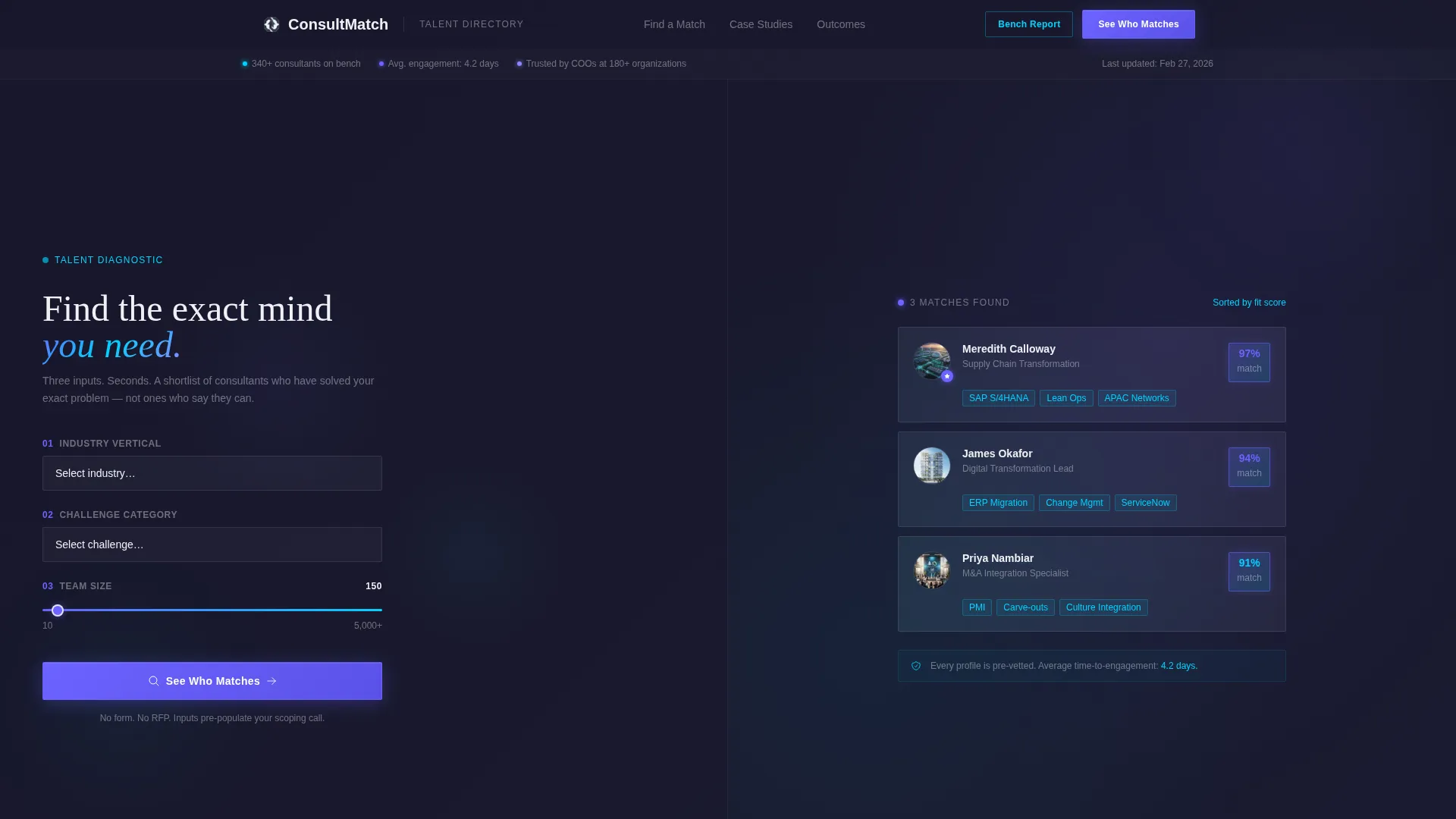
- A Calculator/Estimator header with a three-step input panel and a live consultant shortlist panel side by side
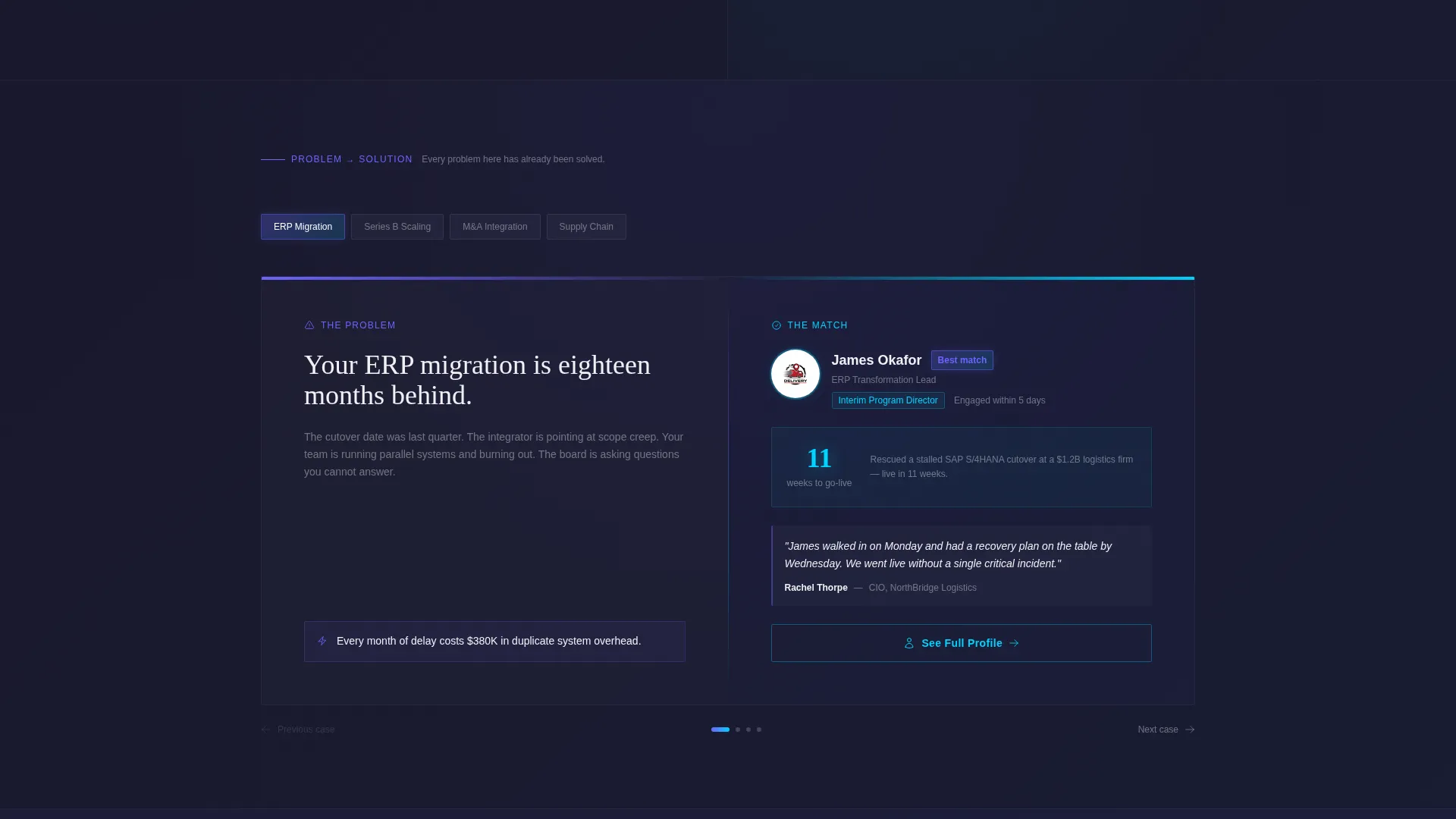
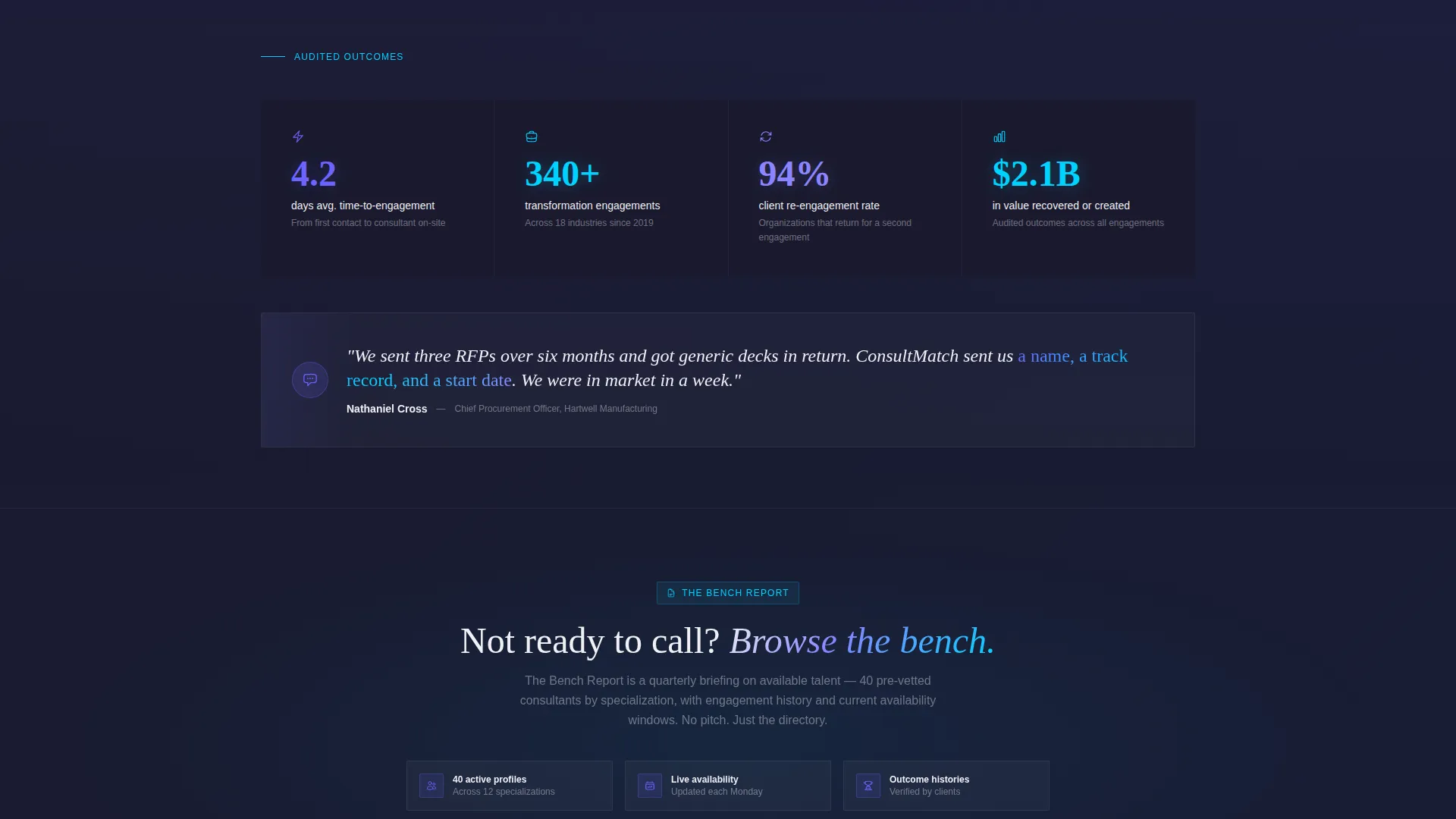
- A scrolling Problem-Solution Arc section with snapping problem-consultant pairs, outcome metrics, and client quotes
- Two conversion paths: a primary call-to-action that evolves from "See Who Matches" to "Book a Scoping Call", and a secondary email-capture path for the bench report
Feature list
This section describes the core functional components built into the Consultmatch template.
Three-Step Diagnostic Estimator
The header is split into two equal panels. The left side holds an industry vertical dropdown, a challenge category selector covering operational efficiency, digital transformation, merger and acquisition integration, and leadership gaps, plus a team size slider. The right panel responds in real time, surfacing a consultant shortlist with match-percentage badges and specialization tags.
Scrolling Problem-Solution Arc
Below the estimator, the page scrolls through a series of named business problems paired with specific consultant profiles. Each pairing includes outcome metrics and a client quote. The scroll snaps from one pairing to the next, with the stakes escalating from tactical fixes to enterprise-wide transformations.
Evolving Primary Call-to-Action
The main call-to-action changes as the visitor moves down the page. It reads "See Who Matches" at the estimator and shifts to "Book a Scoping Call" after the third problem-solution pair. This timing reflects earned credibility rather than premature conversion pressure.
Context-Passing Click-Through
There is no form on this page. When a visitor clicks the primary call-to-action, their diagnostic inputs are passed directly to a scheduling page. The scheduling page arrives pre-populated so the first call begins with context already in place.
Secondary Email-Capture Path
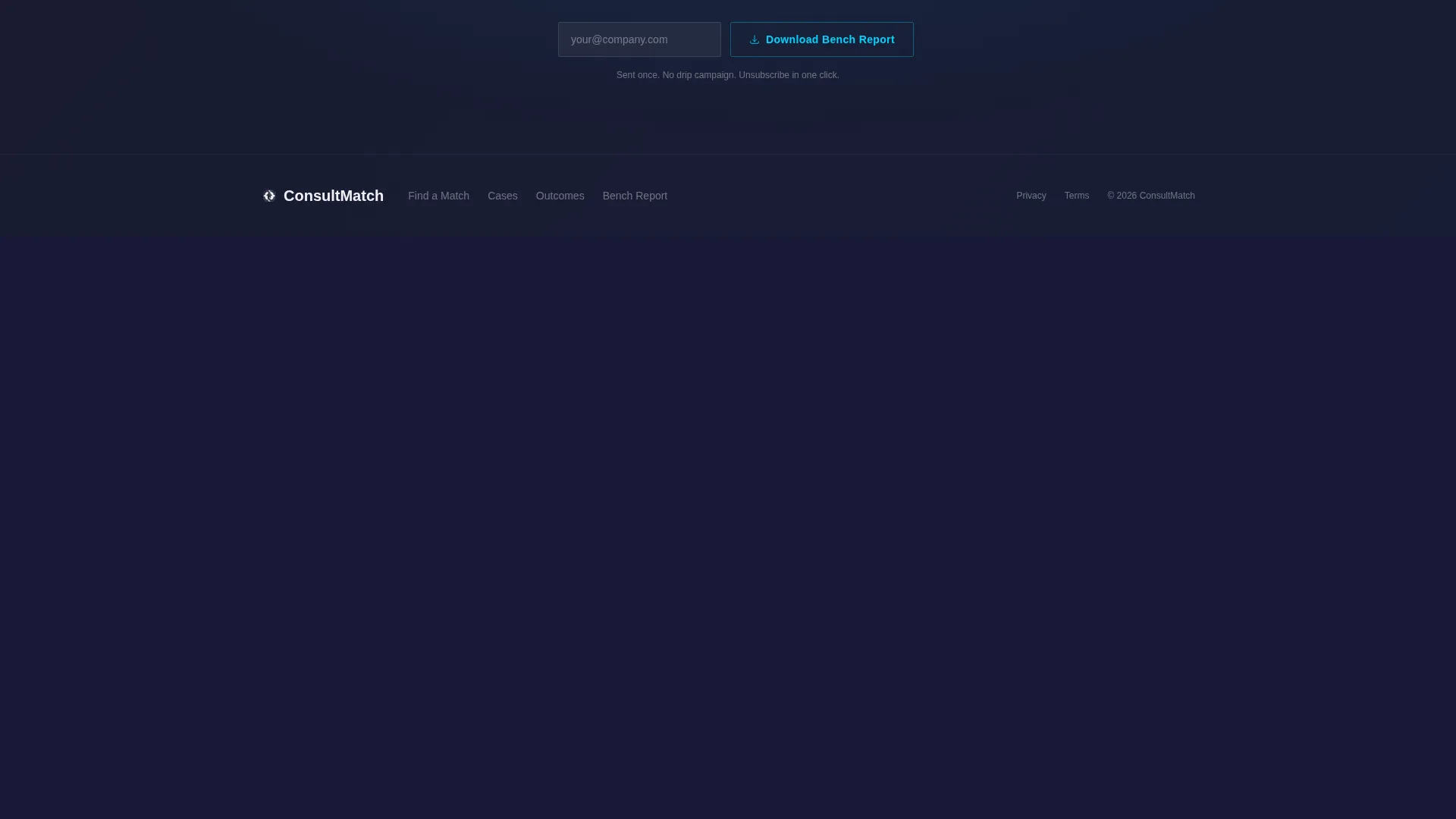
Visitors who are not ready to book a call can choose "Download Our Bench Report." This secondary path collects an email address and delivers a document for visitors who prefer to browse the consultant bench before committing to a conversation.
Iridescent Visual Identity System
The template uses a four-color palette of deep graphite, shifting violet, holographic teal, and soft pearl white. Violet anchors call-to-action elements and active states. Teal marks hover interactions and data lines. Graphite grounds every section, and pearl white gives type room to breathe on cards and profile panels.
Page sections overview
| Section | Purpose |
|---|---|
| Diagnostic Estimator Header | Lets visitors self-qualify by inputting industry, challenge, and team size against a live consultant shortlist |
| Consultant Match Panel | Displays real-time shortlist with match-percentage badges, specialization tags, and engagement summaries |
| Problem Statement Block | Presents a named, high-stakes business problem in bold type to anchor each scroll pairing |
| Consultant Solution Panel | Pairs each problem with the specific consultant who solved it, including outcome metrics and a client quote |
| Primary call to action Evolution | Transitions the main call-to-action from discovery language to commitment language as credibility builds |
| Bench Report Capture | Offers a secondary email-capture path for visitors who want to review the consultant bench before booking |
Design & branding system
The visual identity follows a Directory and Discovery theme built on an AI Iridescent color system. The palette is designed to feel technological without being cold, with each accent color carrying a specific functional role.
- Deep graphite (#1A1A2E) grounds every section as the primary background; shifting violet (#6C63FF) drives call-to-action elements and active states; holographic teal (#00D2FF) traces hover interactions and data lines; soft pearl white (#F0F0F5) gives type legibility on cards and profile modals
- Match-percentage badges glow in iridescent violet and specialization tags render in teal, making the shortlist scannable at a glance
- The overall aesthetic reads like light refracting through a prism onto a matte surface, precise and signal-forward rather than decorative
Mobile & speed optimization
The split-screen layout is structured to adapt from its desktop 50/50 format to a stacked single-column flow on smaller screens. The diagnostic estimator and match panel stack vertically so the input-response relationship stays clear on mobile.
- The Problem-Solution Arc snapping scroll translates to a swipeable or tap-scroll sequence on touch devices, preserving the diagnosis-then-prescription rhythm
- Profile cards, match badges, and specialization tags are sized for legible tap targets without requiring zoom or horizontal scroll
How this template helps you convert
Consultmatch is built around a deliberate conversion sequence. Every scroll position either builds trust or moves the visitor one step closer to a scheduled conversation.
- The estimator creates immediate personal relevance by narrowing the consultant shortlist to the visitor's specific situation, making the first impression feel curated rather than catalogued.
- The Problem-Solution Arc builds conviction through repetition of a familiar executive pattern: state the problem, name the expert, show the result. By the third pairing, the visitor has seen enough evidence to act.
- The dual-path close gives every visitor somewhere to go. High-intent buyers click through to a pre-populated scheduling page. Research-stage visitors capture value through the bench report, giving the firm a warm email contact for follow-up.
Other information about this template
Consultmatch sits within the Consulting Firm Website Templates category under the Technology segment. It is designed specifically for the Consulting Firm Contact Page niche and carries an intersection match score of 13, indicating a well-aligned combination of template style, theme, creative direction, and conversion approach.
- The template style is Split Screen (50/50), the theme is Directory and Discovery, the creative direction is the Problem-Solution Arc, and the header concept is the Calculator/Estimator
- The landing-page direction is Click-Through, meaning the page itself does not close the sale but routes qualified visitors to an external scheduling tool with pre-filled context
- This template is suited to firms that want their contact page to function as an active filter, surfacing the right consultant for the right visitor before any human time is spent
Theme
Directory & Discovery
Creative direction
Problem→Solution Arc
Color system
AI Iridescent
Style
Split Screen (50/50)
Direction
Click-Through
Page Sections
Three-step Diagnostic Estimator
Live Consultant Shortlist Panel
Problem-solution Arc with Snap Scroll
Evolving Click-through Call-to-action
Context-passing Scheduling Integration
Secondary Bench Report Capture
Related questions
Does this template include a contact form?
Can I update the challenge categories in the estimator?
How many problem-solution pairs does the template include?
Who is the bench report download path designed for?
Does the split-screen layout work on mobile devices?



