Contract Command - Powerful Education Management Landing Page Template
ContractCommand is a dashboard-style landing page template built for education contract management platforms. It features a live-data contract grid, a fiscal-year renewal heatmap, a compliance checklist, and a savings calculator, all designed to help school district business officers take control of vendor agreements, procurement cycles, and grant compliance deadlines before anything slips through.
by Rocket studio
Quick summary
ContractCommand is a single-page template designed for education contract management platforms. It gives school district business officers a working preview of their contract data before they ever sign up. The layout combines interactive data components, a freemium conversion funnel, and a deep-slate visual identity that feels both institutional and modern.
Who this template is for
This template is built for software teams and founders selling contract management tools to K-12 school districts. It speaks directly to the people who buy and use those tools every day.
- School district business officers managing 200 or more active contracts across food service, transportation, software licenses, and facilities
- EdTech product teams who need a landing page that demonstrates platform value before asking for a commitment
- Education procurement consultants looking to showcase a searchable contract command center to district decision-makers
What problem this template solves
District business offices carry enormous contract liability. Auto-renewals get missed. Compliance clauses go unreviewed. Grant terms expire quietly. This template gives platforms a way to show, not just tell, how that chaos becomes manageable.
- Vendors lack a compelling way to demonstrate the real cost of contract blind spots to district buyers
- District officers need to feel the product working before they trust it enough to pilot it
- Generic SaaS landing pages fail to reflect the specific pressures of education procurement and fiscal-year planning
What you get with this template
This template delivers a fully structured, interactive landing page with every major section pre-built and pre-populated with realistic education contract data. Each component is designed to let visitors engage with the product concept before seeing a sign-up form.
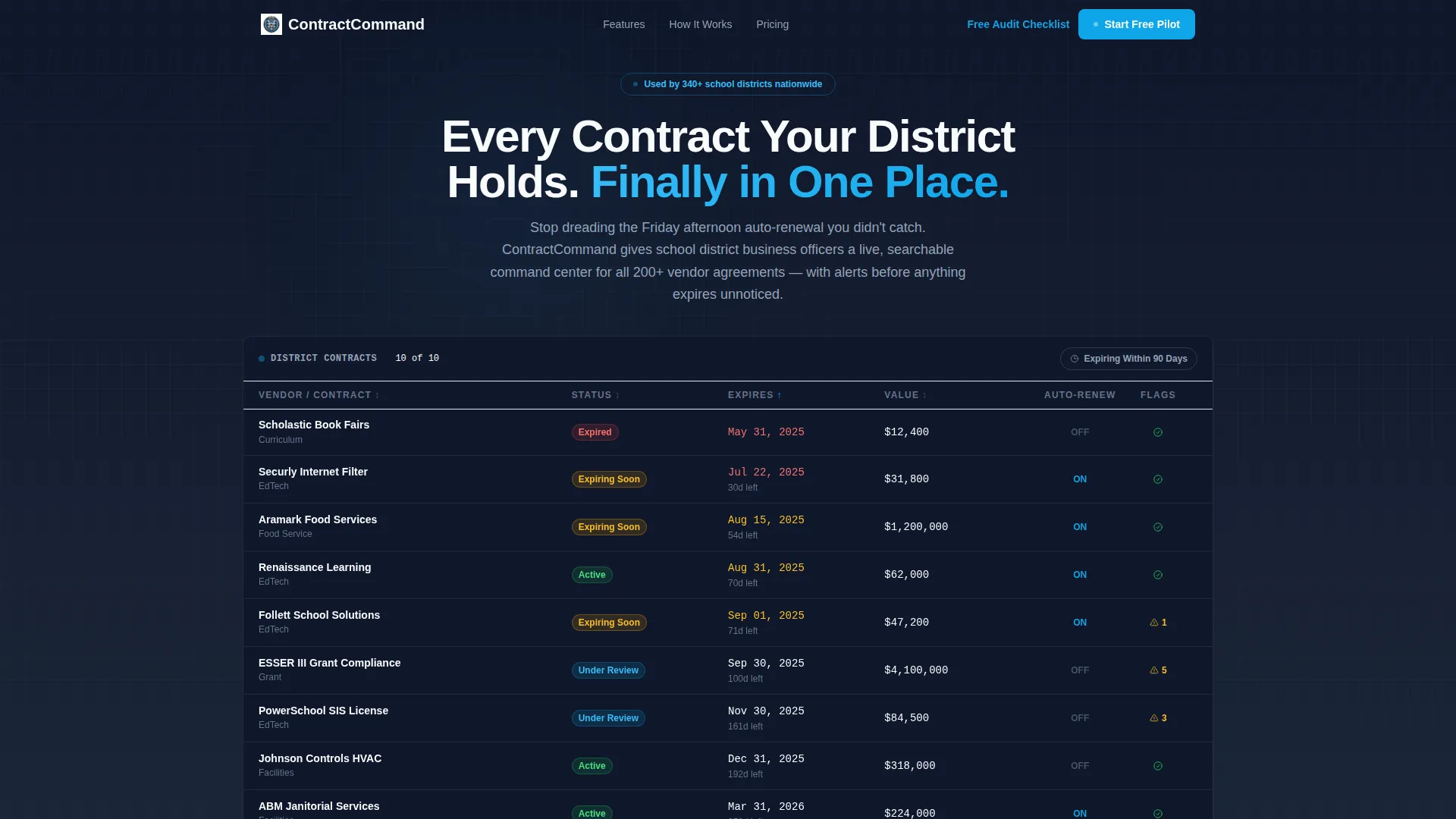
- A functioning contract data grid in the hero section, pre-loaded with realistic vendor rows and sortable columns
- A fiscal-year renewal heatmap, an expandable compliance checklist, and a savings calculator built into the scroll flow
- Two conversion paths: a primary freemium pilot sign-up form and a secondary lead-capture gate for a downloadable audit checklist
Feature list
This template packs several purpose-built interactive components into a single cohesive page layout. Each one is designed to mirror the real workload of a district business officer.
Interactive Contract Data Grid
The hero section features a miniature contract grid populated with realistic education vendor data. Visitors can sort by column headers, hover rows for quick summaries, and toggle a filter chip labeled "Expiring Within 90 Days" to see the grid narrow in real time. It functions like a live product demo, not a static screenshot.
Fiscal-Year Renewal Heatmap
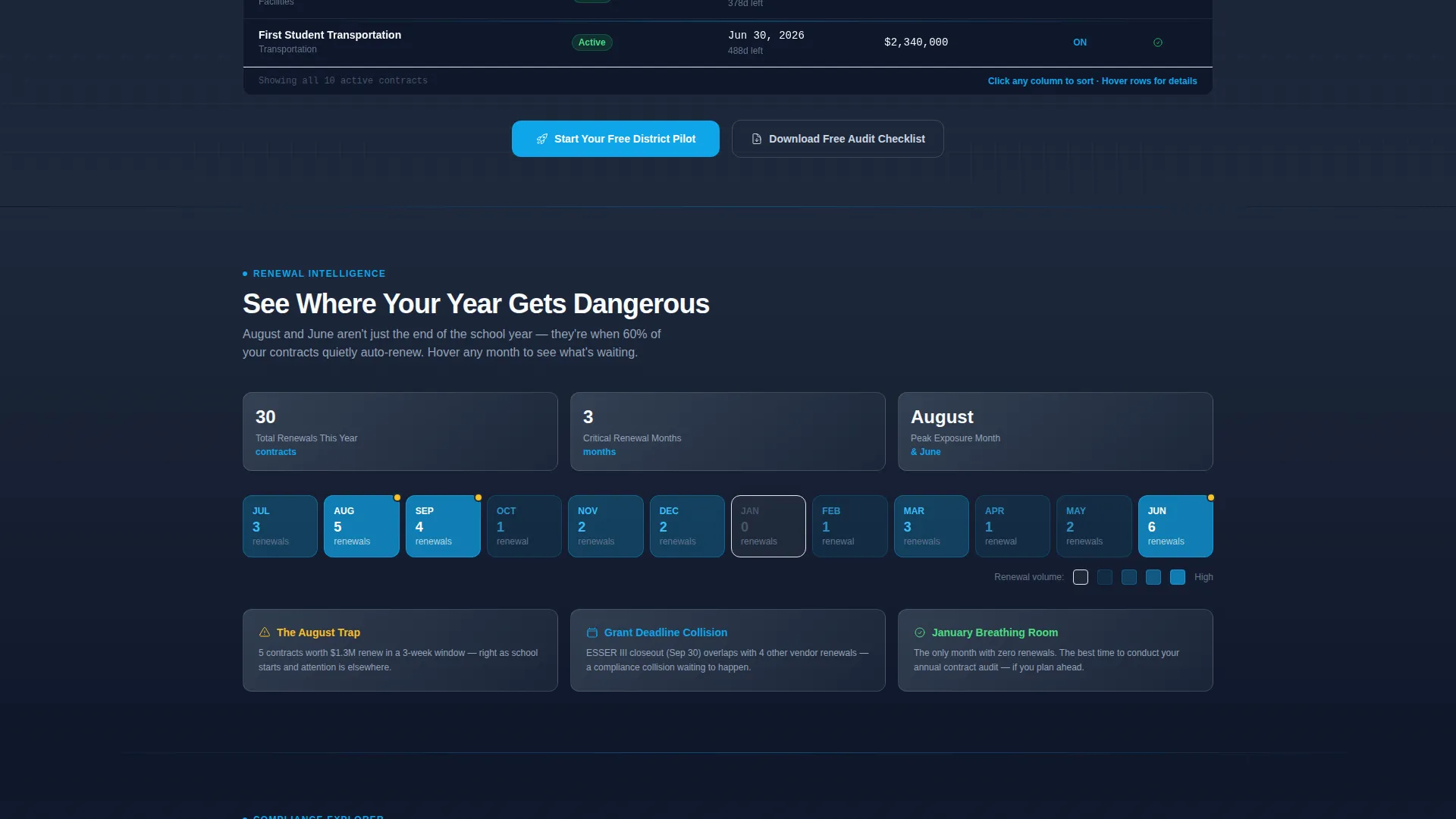
A calendar heatmap below the hero maps contract renewal clusters across the full fiscal year. Visitors hover over months to reveal renewal counts, making it easy to visualize how renewal pressure stacks up in June, August, and other high-stakes windows.
Expandable Compliance Checklist
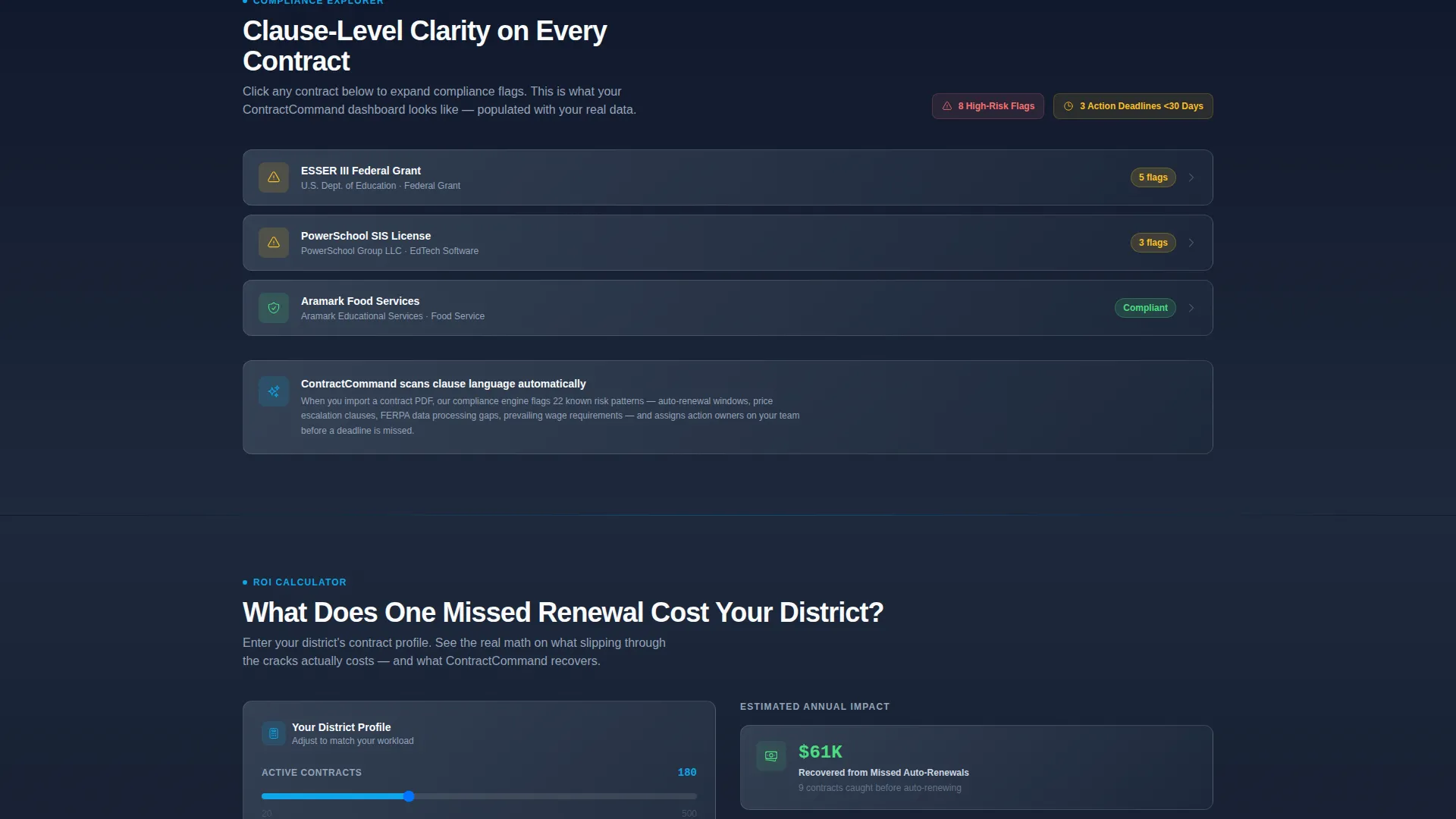
A compliance checklist section lets visitors click to expand individual items and review clause-level detail. This mirrors the real compliance review process and helps district officers recognize their own workflows inside the template.
District Savings Calculator
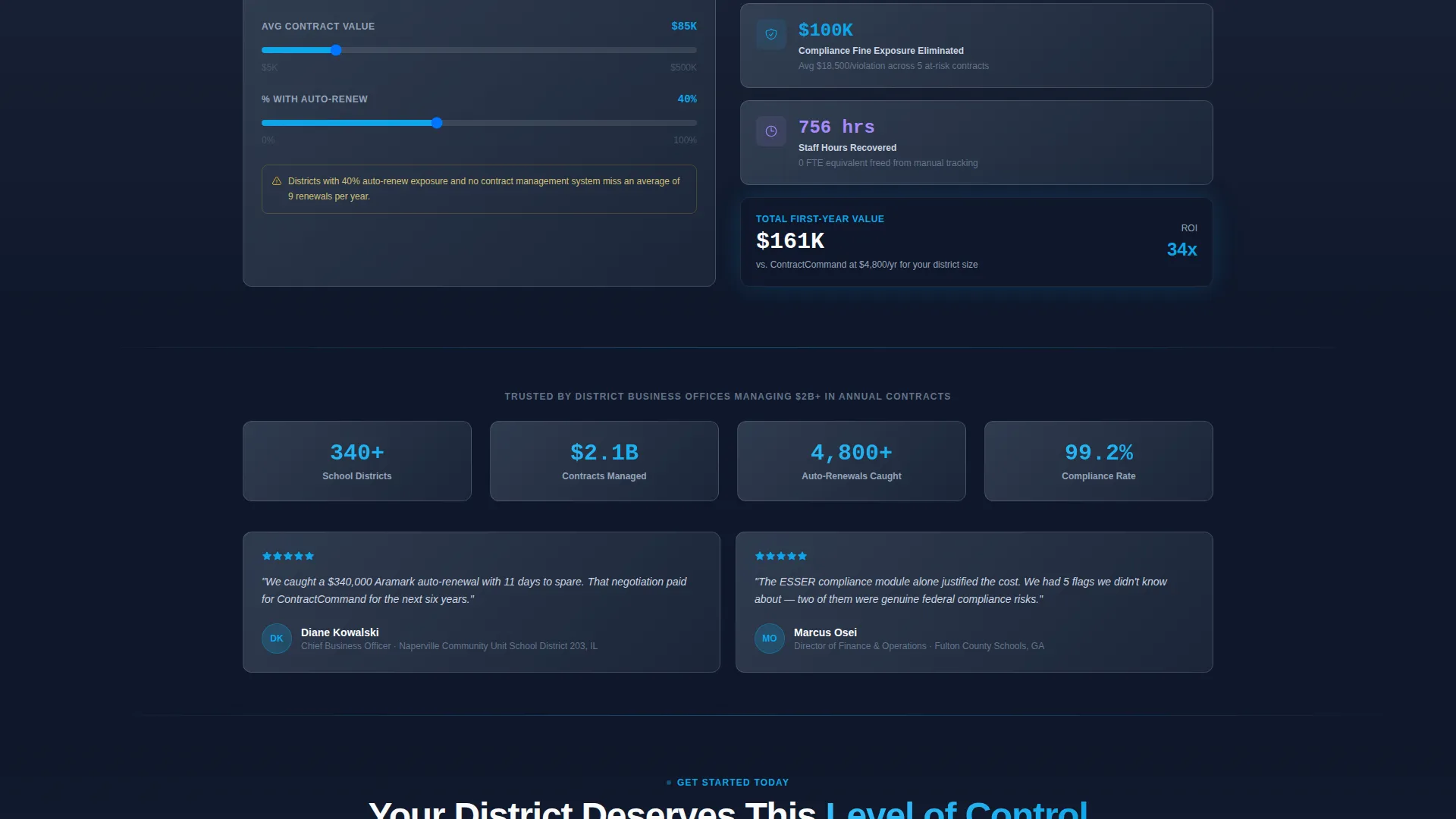
Visitors enter their district's contract volume and receive an estimated figure for costs recovered by eliminating missed auto-renewals. The calculator makes the financial case feel personal and immediate, not hypothetical.
Dual Conversion Funnel
The primary call to action, "Start Your Free District Pilot," appears pinned in the navigation bar and repeats after the savings calculator. A secondary path, "Download the District Contract Audit Checklist," captures leads who want immediate value without committing to a trial.
Role-Aware Sign-Up Form
The pilot sign-up form collects district name first, with autocomplete from a national database to signal platform credibility. It then asks for role title, contract volume range via dropdown, and work email, keeping friction low while qualifying leads precisely.
Page sections overview
| Section | Purpose |
|---|---|
| Pinned Navigation Bar | Anchors the primary call to action across the full page scroll |
| Interactive Hero Grid | Demonstrates platform value with live-sortable contract data |
| Renewal Heatmap Section | Visualizes fiscal-year contract clusters by hover |
| Compliance Checklist Panel | Expands to show clause-level review detail on click |
| Savings Calculator Block | Lets visitors calculate recovered costs from missed renewals |
| Pilot Sign-Up Form | Converts visitors into free district pilot registrations |
| Checklist Lead Gate | Captures emails in exchange for a downloadable audit PDF |
Design & branding system
The visual identity follows a Slate and Sky color system rooted in the Dashboard Pro theme. The palette feels like a modernized superintendent's office, serious and structured, but lifted by the clarity of open sky.
- Deep administrative slate (#1E293B) covers primary backgrounds; brushed graphite (#475569) surfaces card panels and secondary sections; chalkboard white (#F8FAFC) handles all text and data cell content
- Open-sky blue (#0EA5E9) appears exclusively on clickable elements, active status indicators, and urgent alerts, it never decorates, it only signals action
- The overall tone is calm institutional authority: no gradients, no decorative flourishes, just clean grid lines and purposeful contrast
Mobile & speed optimization
The template is structured to translate cleanly from desktop to smaller screens without losing the interactive functionality that drives engagement. Data-heavy components like the contract grid are designed to remain usable on mobile viewports.
- The contract grid and heatmap components are built to reflow for narrower screens while maintaining column readability
- The pinned navigation bar and primary call-to-action button remain accessible at all scroll depths on mobile devices
- Form fields and filter toggles are sized for touch interaction, reducing friction for visitors using phones or tablets
How this template helps you convert
The conversion strategy is built around letting visitors experience the product before asking for anything. Every section earns the next click rather than demanding it.
- The interactive hero grid builds immediate trust by showing realistic contract data in a working interface, so visitors feel the platform's value before reading a single feature bullet.
- The savings calculator creates a personal financial moment right before the primary call to action appears, making the "Start Your Free District Pilot" prompt land at peak emotional readiness.
- The secondary checklist lead gate captures visitors who are not ready to pilot yet, giving the platform a warm lead to nurture without losing the conversion entirely.
Other information about this template
This template is part of a broader Dashboard Pro theme collection built around data-rich landing pages for specialized professional software. It is particularly well-suited for education software platforms targeting K-12 procurement audiences.
- The template style is classified as Dashboard and Data Grid, making it a strong fit for any platform that needs to demonstrate complex data management in a visual and interactive way
- The Interactive Explorer creative direction means every scroll section adds a new way to engage with data, reducing bounce and increasing time on page
- The freemium and free trial landing page direction aligns with the "Start Your Free District Pilot" call to action model, which prioritizes low-friction entry over hard sales pressure
- District-specific form logic, including the national database autocomplete for district name and the contract volume dropdown, is included as part of the template's pre-built form component
Theme
Dashboard Pro
Creative direction
Interactive Explorer
Color system
Slate & Sky
Style
Dashboard/Data Grid
Direction
Freemium/Trial
Page Sections
Interactive Contract Data Grid
Fiscal-year Renewal Heatmap
Expandable Compliance Checklist
District Savings Calculator
Dual Conversion Funnel
Role-aware Sign-up Form
Related questions
Can I replace the sample contract data with real vendor names?
Does the savings calculator require a backend connection to work?
Is this template suitable for districts managing fewer than 200 contracts?
What is the secondary conversion path included in this template?
Can the pinned navigation call-to-action button be updated to match a different offer?



