Religious & Theological Education Education Website Template
The Convene personalized interfaith curriculum hub landing page template is built for education centers that serve seminary students, hospice chaplains, and corporate diversity officers. A four-question inline quiz reorganizes the page in real time, surfacing matched program hubs and a custom syllabus before asking for anything. Visitors explore with confidence and convert with trust.
by Rocket studio
Quick summary
Convene is a hub-and-spoke landing page for an interfaith education center. Students, professionals, and community leaders answer four quick questions and receive a personalized curriculum map in 90 seconds. The page reorganizes its program spokes by match score, shows named instructors and session counts, then asks only for an email to deliver a downloadable custom syllabus.
Who this template is for
This template serves education centers and curriculum platforms that need to meet a professionally diverse audience where they are. It works especially well when your students arrive from very different religious and vocational backgrounds and need a clear starting point.
- Seminary students broadening their comparative theology studies on campus
- Corporate diversity officers building religious literacy programs for large workforces
- Hospice chaplains who need fluency across multiple faith traditions before they enter a patient's room
What problem this template solves
Most interfaith education websites present a flat catalog. Visitors land, feel overwhelmed by the variety of topics and program options, and leave without enrolling. The template solves that disorientation by letting students self-select their path before they ever reach a course list.
- Visitors searching for the right starting point waste time scanning categories that do not match their background or goals
- A generic catalog hides depth; students cannot find proof of academic rigor until they have already committed
- Educators lose leads because they ask for an email before giving the visitor a reason to trust the school
What you get with this template
You get a fully structured, single-page hub with every section needed to guide students from curiosity to commitment. The layout moves from a compelling hero through a live quiz, into three deep program spokes, and ends at a low-friction syllabus download. No section is decorative; every block earns its place.
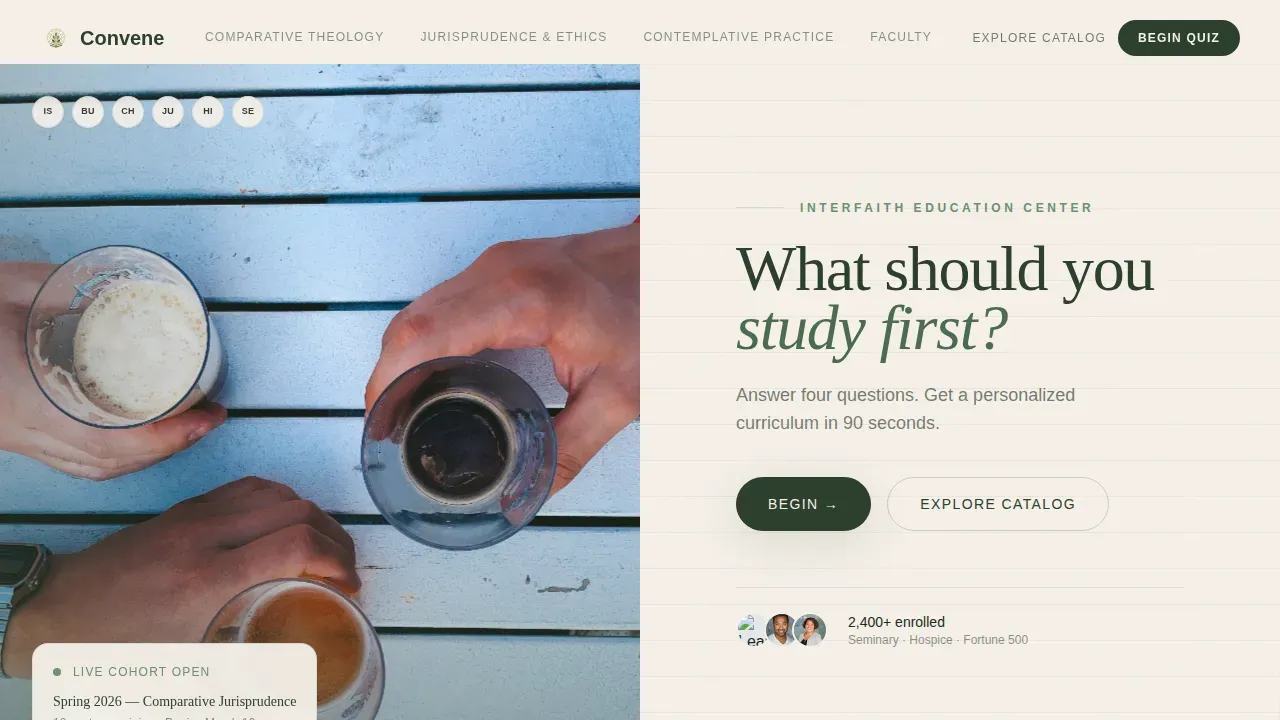
- A half-page photo-and-text hero featuring six hands on an oak seminar table, alongside a serif headline and a single "Begin" call to action
- A four-step inline quiz with a live "Your Path" sidebar that reorganizes the anchor navigation and reorders course cards by match score in real time
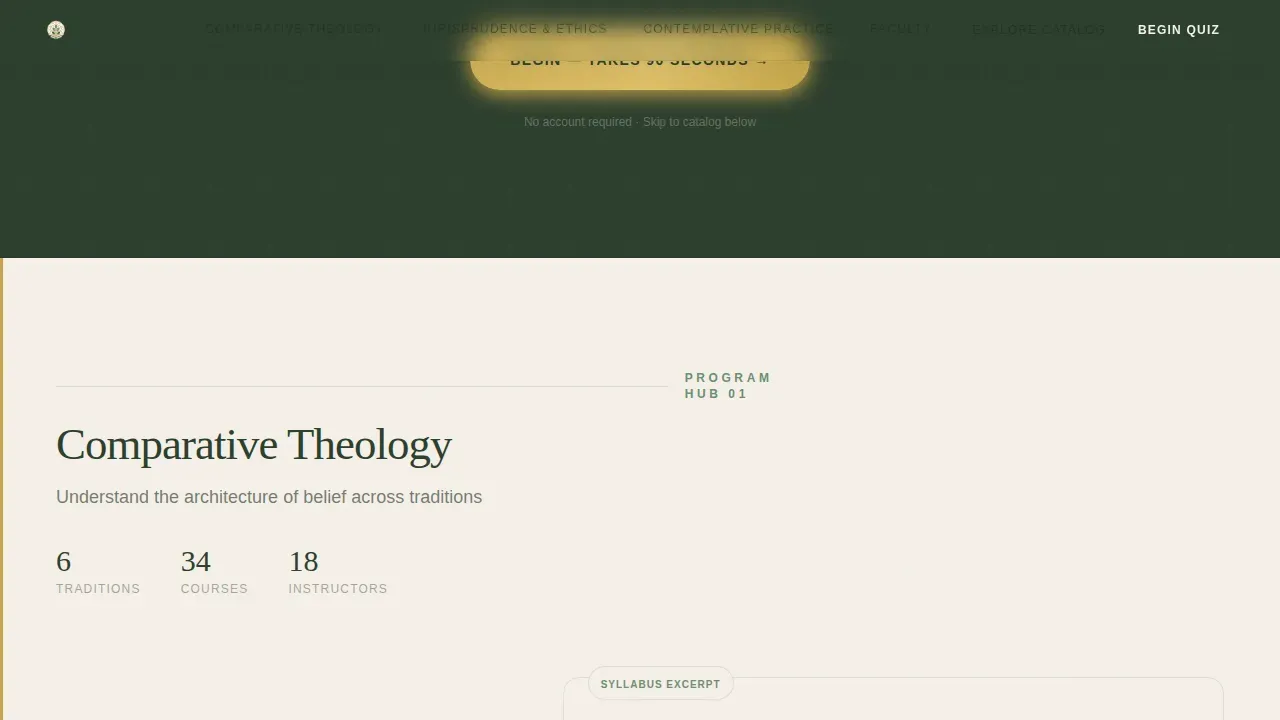
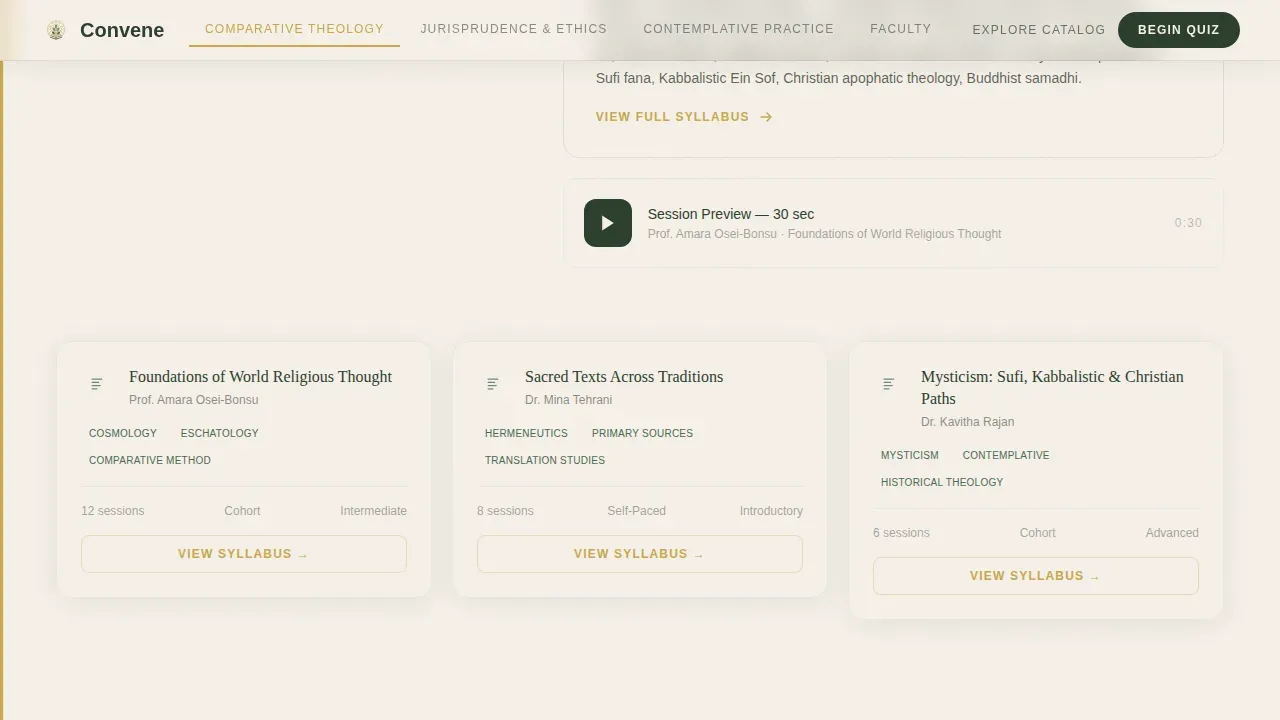
- Three program hub spokes covering Comparative Theology, Jurisprudence and Ethics, and Contemplative Practice, each with syllabi excerpts, named instructor bios, publication titles, and session counts
Feature list
A centralized, digital repository for tailored interfaith learning resources needs more than a course list. The features below are built directly into this template.
Four-Step Personalization Quiz
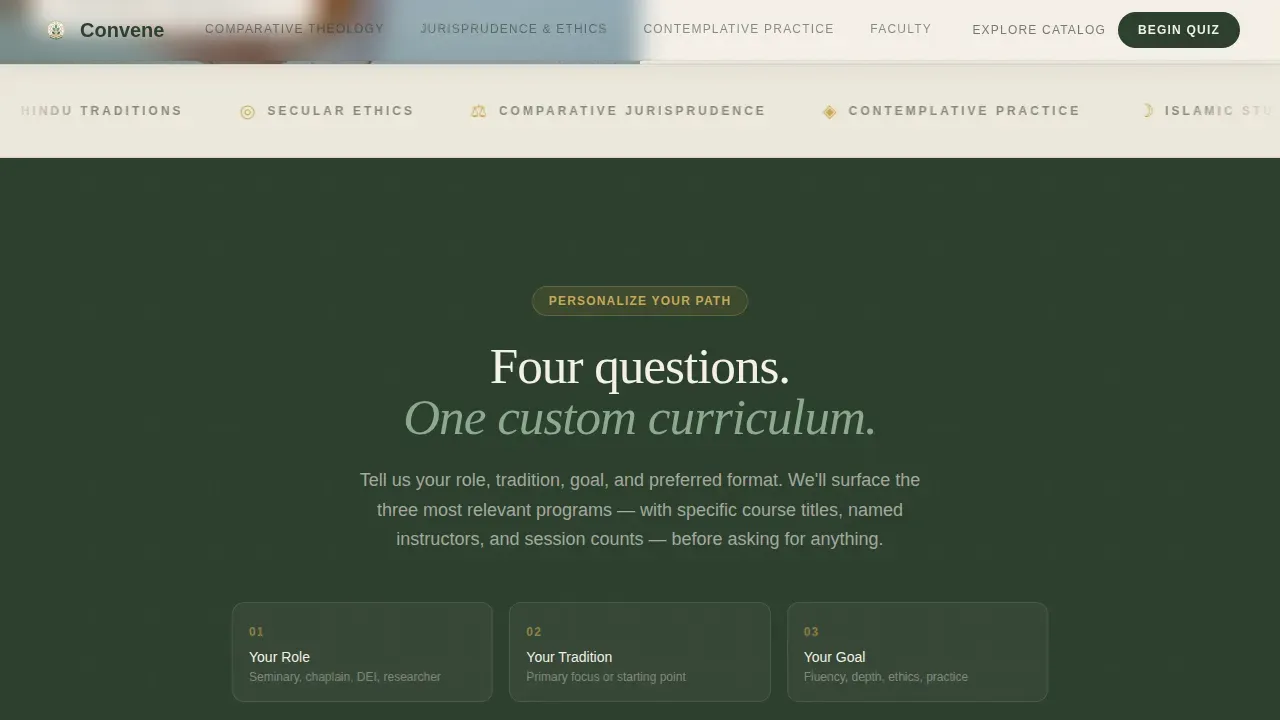
The inline quiz asks four questions: professional role, primary tradition, learning goal, and preferred format (live cohort, self-paced, or intensive retreat). Answers trigger real-time reordering of the anchor nav and course cards. Students find their matched program hubs without scrolling through unrelated material.
Live Anchor Navigation with Match Scores
After the quiz, the sticky anchor nav reorganizes to surface the three most relevant program spokes first. A "Your Path" sidebar assembles alongside each spoke section. This trains students to trust the website and stay engaged as they scroll deeper into the curriculum.
Program Hub Spokes with Instructor Bios
Each of the three program spokes shows syllabi excerpts, specific course titles, session counts, and instructor bios that include actual publication titles. Visitors can evaluate depth before they commit. This approach moves beyond one-size-fits-all instruction by delivering flexible building blocks matched to each learner's goals.
Syllabus Download Conversion Flow
The primary call to action, "Download Your Custom Syllabus," appears at the quiz result moment and again pinned in the anchor nav. It asks only for an email address and organization name. Students already hold the curriculum map; they simply trade minimal information for the full legend.
Thirty-Second Session Recording Teasers
Each program spoke includes teased video clips from recorded sessions. These short previews let prospective students experience the quality and tone of live instruction before enrolling, supporting trust across every category of learner.
Social Proof and Testimonials Block
A dedicated section features named testimonials from chaplains and diversity officers, including their roles, organization names, and specific outcomes. This social proof block, paired with the syllabus download call to action, closes the page with credibility rooted in real-world results.
Page sections overview
| Section | Purpose |
|---|---|
| Hero Photo + Text | Introduces the quiz promise and invites visitors to begin |
| Quiz & Personalize | Collects four answers and reorganizes page content in real time |
| Comparative Theology Hub | Delivers syllabi, instructors, and session details for this spoke |
| Jurisprudence & Ethics Hub | Covers ethics-focused courses with named faculty and session counts |
| Contemplative Practice Hub | Surfaces retreat and self-paced programs for this tradition area |
| Instructor Credibility Block | Presents faculty bios with publication titles and academic background |
| Social Proof + Download call to action | Combines testimonials with the syllabus email capture form |
| Linear Footer Row | Provides navigation links and organization information |
Design & branding system
The visual identity follows a Corporate Precision theme executed through a Botanical color system. The palette feels like a leather-bound field journal left open beside a potted sage plant, scholarly without being sterile, and alive without being chaotic.
- Deep loam (#2C3E2D) anchors all section backgrounds; pressed fern (#6B8F71) marks category headers and progress indicators; vellum cream (#F5F0E8) carries body text panels
- Annotation gold (#C9A84C) appears only on interactive states and hover accents, training the visitor's eye to trust it as a reliable signal for clickable elements
- Typography pairs Fraunces serif display type for headlines with DM Sans for body copy, reinforcing the scholarly-yet-approachable tone across every screen size
Mobile & speed optimization
The template is designed desktop-first to serve the university and corporate audiences most likely to access the website from a workstation or laptop. The layout scales responsively for mobile visitors searching from a phone or tablet, so no learner is left behind.
- The quiz interface and anchor navigation reorder correctly on smaller screens, preserving the personalization experience at every breakpoint
- Server Components handle all static sections, while Client Components manage quiz interactivity, keeping the page performant even with high animation fidelity
How this template helps you convert
Convene earns the download before it asks for anything. The conversion architecture is built around a simple principle: prove depth first, then request an email.
- The quiz delivers three specific course titles, named instructors, and session counts at the result moment, so students already hold a useful curriculum map before any form appears on the screen.
- The "Download Your Custom Syllabus" call to action requires only an email and organization name, lowering the barrier to entry while capturing the lead information needed for follow-up.
- Visitors who skip the quiz can select "Explore the Full Catalog" and reach the spoke sections directly, so the page never dead-ends for students who prefer to browse before they commit.
Other information about this template
This template is a strong fit for any school, seminary, or campus-based learning center that serves students from varied religious, spiritual, and secular worldviews. It draws on proven interfaith education design principles and supports a range of services, from self-paced modules to live cohort sessions and intensive retreat programs.
- The hub structure reflects how effective interfaith programs work in practice: flexible building blocks rather than rigid lesson plans, so every school can adapt the curriculum to its own community needs
- Assessment-oriented design supports tools like the Pluralism and Worldview Engagement Rubric, helping campus program directors measure interfaith development and track metrics over the course of a year or across several months
- Interfaith relationships carry real challenges around values, traditions, and shared life decisions; this template helps programs like Reset and Refresh cohorts meet couples and individuals searching for community and support at the beginning of their faith journey
- The website layout respects cost considerations for smaller schools: the email-only conversion flow requires no payments or complex backend setup to begin capturing leads and delivering resources to students
- Cookies and session-level state management support the quiz's live reorganization behavior, protecting the visitor experience across the full session without disrupting page flow
- The template can support a variety of services across every category of learner, from academic theology researchers to corporate teams, and helps each group find the program home they need on their first visit to the website
- Spiritual landing page design inspiration is widely available on platforms like Dribbble, and no-code platforms allow teams to launch and adapt this kind of website without traditional programming skills, keeping the total cost of ownership low for schools at any budget level
Theme
Corporate Precision
Creative direction
Quiz & Personalize
Color system
Botanical
Style
Hub & Spoke (Anchor Nav)
Direction
Content/Resource
Page Sections
Four-step Personalization Quiz
Live Anchor Nav with Match Scores
Program Hub Spokes with Depth
Syllabus Download Conversion Flow
Session Recording Teasers
Social Proof and Testimonials Block
Related questions
Who is this landing page template designed for?
Does the quiz actually reorganize the page content?
What information is required to download the custom syllabus?
Can visitors skip the quiz and still explore the programs?
Is this template suitable for a school with a small team?



