Converse - Relentless Retail Landing Page Template
Converse is a bento grid landing page template built for a retail AI chatbot product. It uses a Bold Brutalist design with an Electric Indigo color system, a Feature Tab Switcher header, and an Industry Report creative direction. The layout drives app downloads through a sticky deploy call to action, a platform selector modal, and a friction-reducing QR code block near the footer.
by Rocket studio
Quick summary
Converse is a single-page bento grid landing page template for a retail AI chatbot. It combines a Bold Brutalist visual identity with an Industry Report scroll flow, guiding e-commerce directors, retail ops managers, and direct-to-consumer founders toward deploying an AI support and sales engine in their storefronts or checkout flows.
Who this template is for
This template speaks directly to retail and e-commerce operators who are drowning in support volume and cannot scale human teams fast enough. It is built for people who already feel the pain and need to see proof before they act.
- E-commerce directors managing thousands of unread support tickets per week
- Retail operations managers staffing holiday surges with undertrained temporary staff
- Direct-to-consumer founders personally handling customer messages at all hours
What problem this template solves
Support queues do not pause at midnight. Sizing questions go unanswered, carts get abandoned, and warranty queries pile up while staff sleep. This template presents those problems visibly and then shows the chatbot solving each one with real metric evidence.
- Unanswered product questions causing abandoned carts and lost revenue
- Inconsistent support quality during high-volume or after-hours periods
- Founders and managers spending personal time on repetitive customer interactions
What you get with this template
You get a fully structured, single-page bento grid layout designed to convert skeptical retail operators into active deployers. Every section is purposeful, data-forward, and visually assertive.
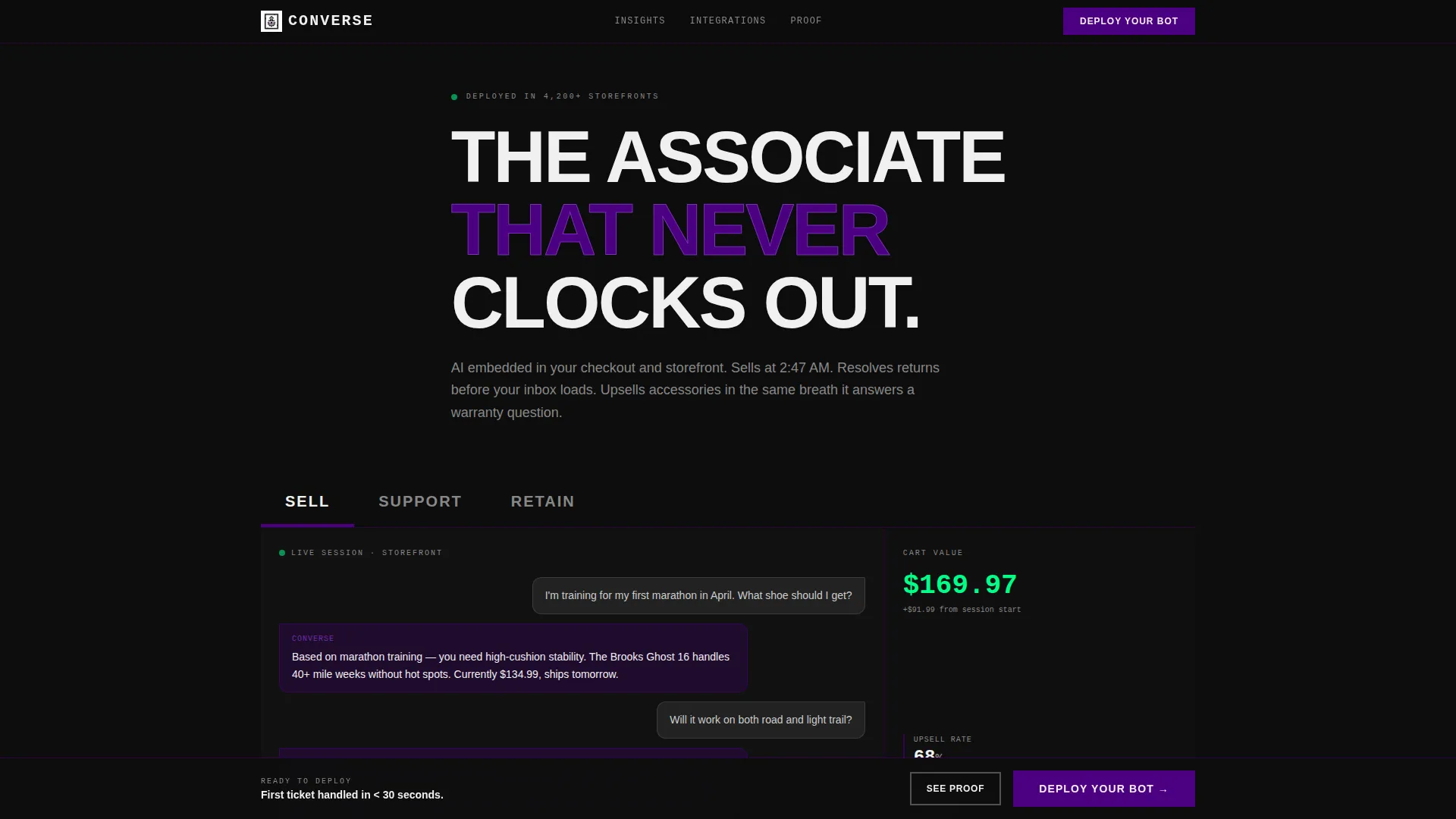
- A Feature Tab Switcher header with three modes: SELL, SUPPORT, and RETAIN
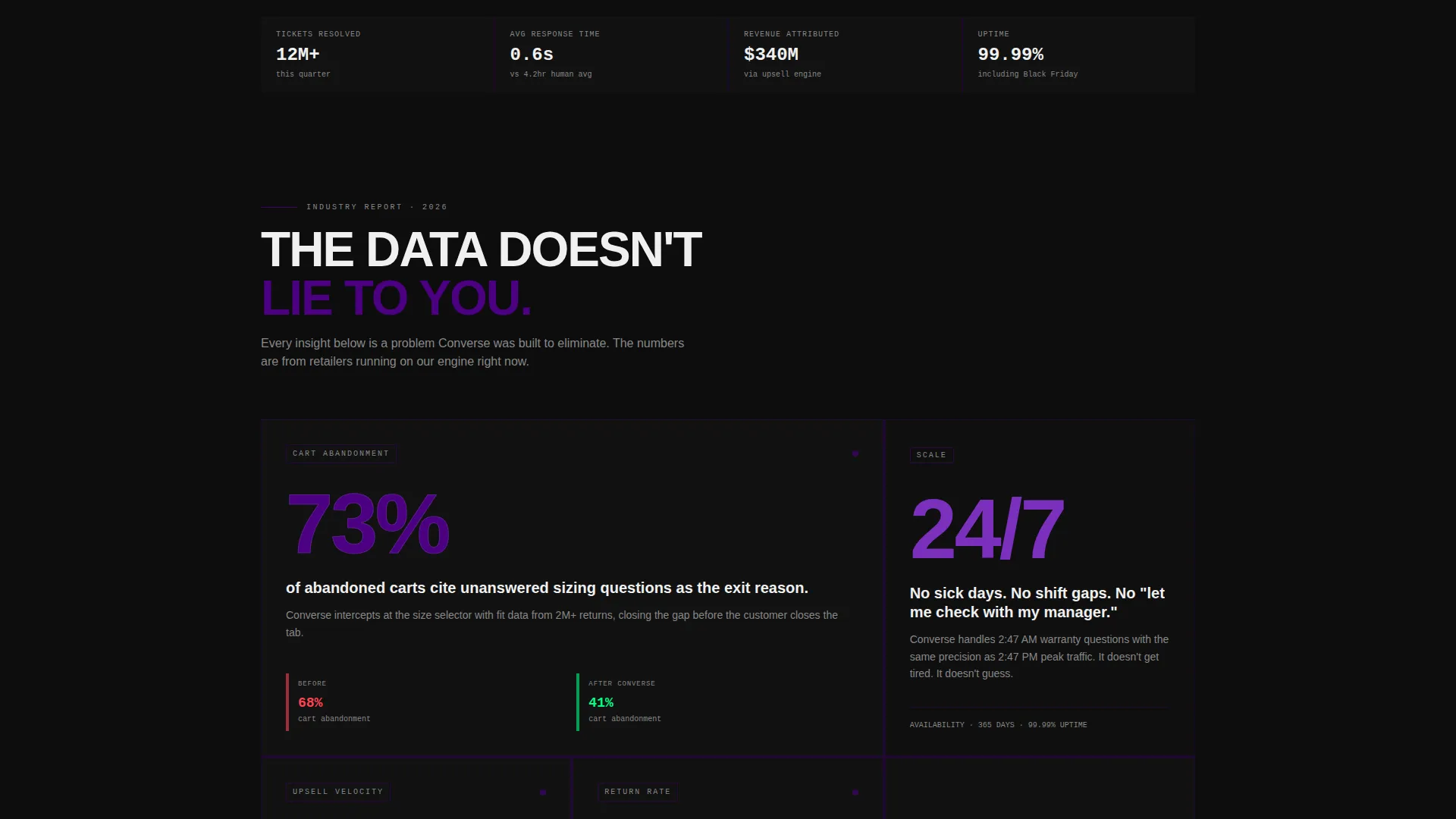
- Scrolling Industry Report bento sections pairing retail statistics with chatbot proof points
- A sticky "Deploy Your Bot" call-to-action bar, a platform selector modal, and a QR code download block
Feature list
This template includes purpose-built components that move visitors from awareness to action without detours.
Feature Tab Switcher Header
Three massive brutalist tabs labeled SELL, SUPPORT, and RETAIN sit across the top of the viewport. Each tab triggers a different bento card arrangement showing live chat transcript mockups, revenue attribution numbers, and resolution time counters. The active tab glows indigo with a hard 4-pixel underline and instant state changes, no animation or easing. The default view loads the SELL tab with a simulated chat and a cart value counter ticking upward.
Industry Report Scroll Sections
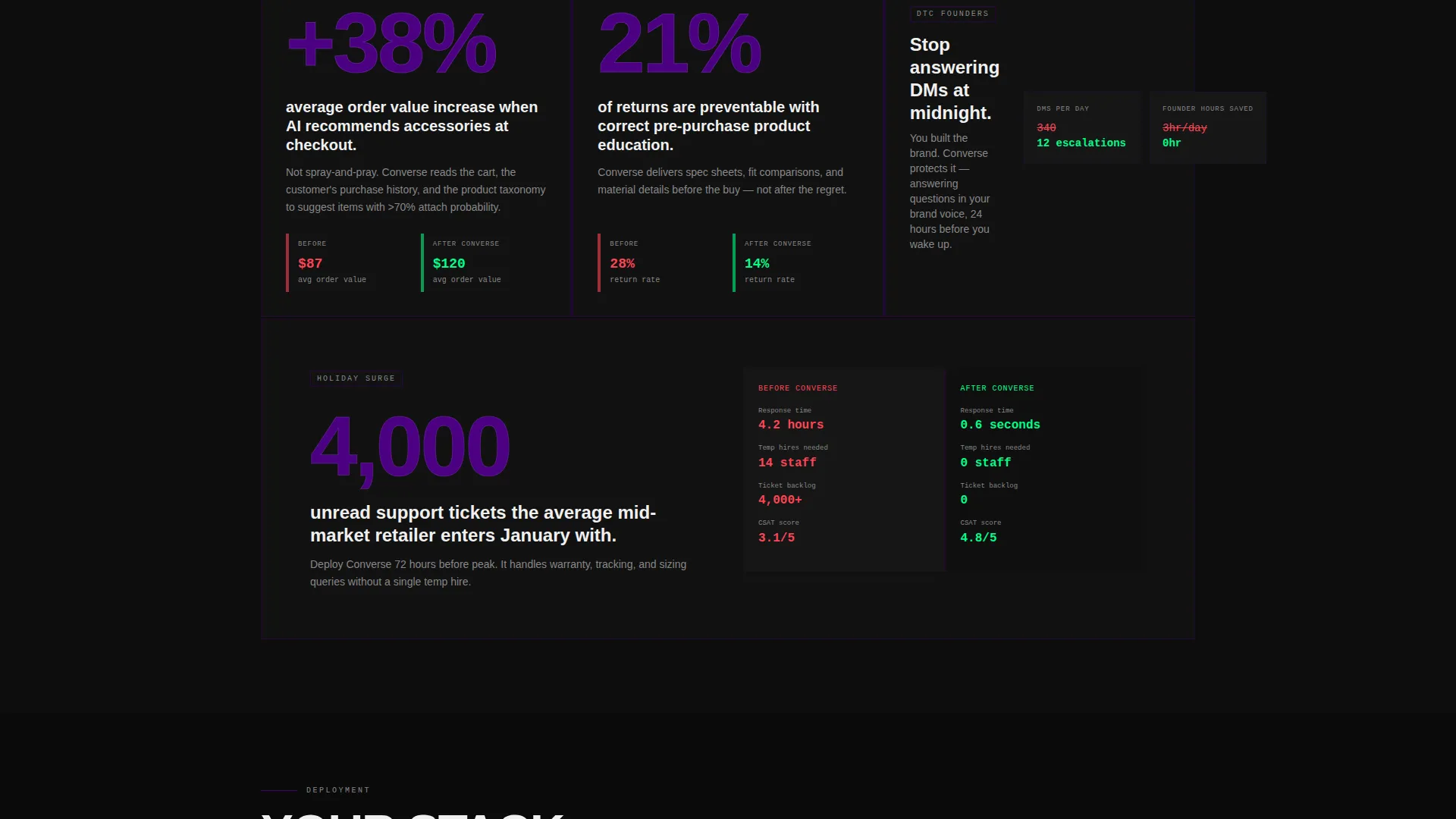
Each bento section pairs a data-backed retail insight with a brutalist card showing the chatbot solution. Metric deltas and before-and-after key performance indicator blocks appear alongside every stat. The grid alternates between single large proof-point cards and tight four-panel clusters of chat screenshots, integration logos, and deployment timelines.
Sticky Deploy call to action Bar
A "Deploy Your Bot" button lives in a sticky bottom bar that only appears after the visitor scrolls past the second data section. This earned-attention mechanic ensures the call to action arrives when intent is highest, not at first load.
Platform Selector Modal
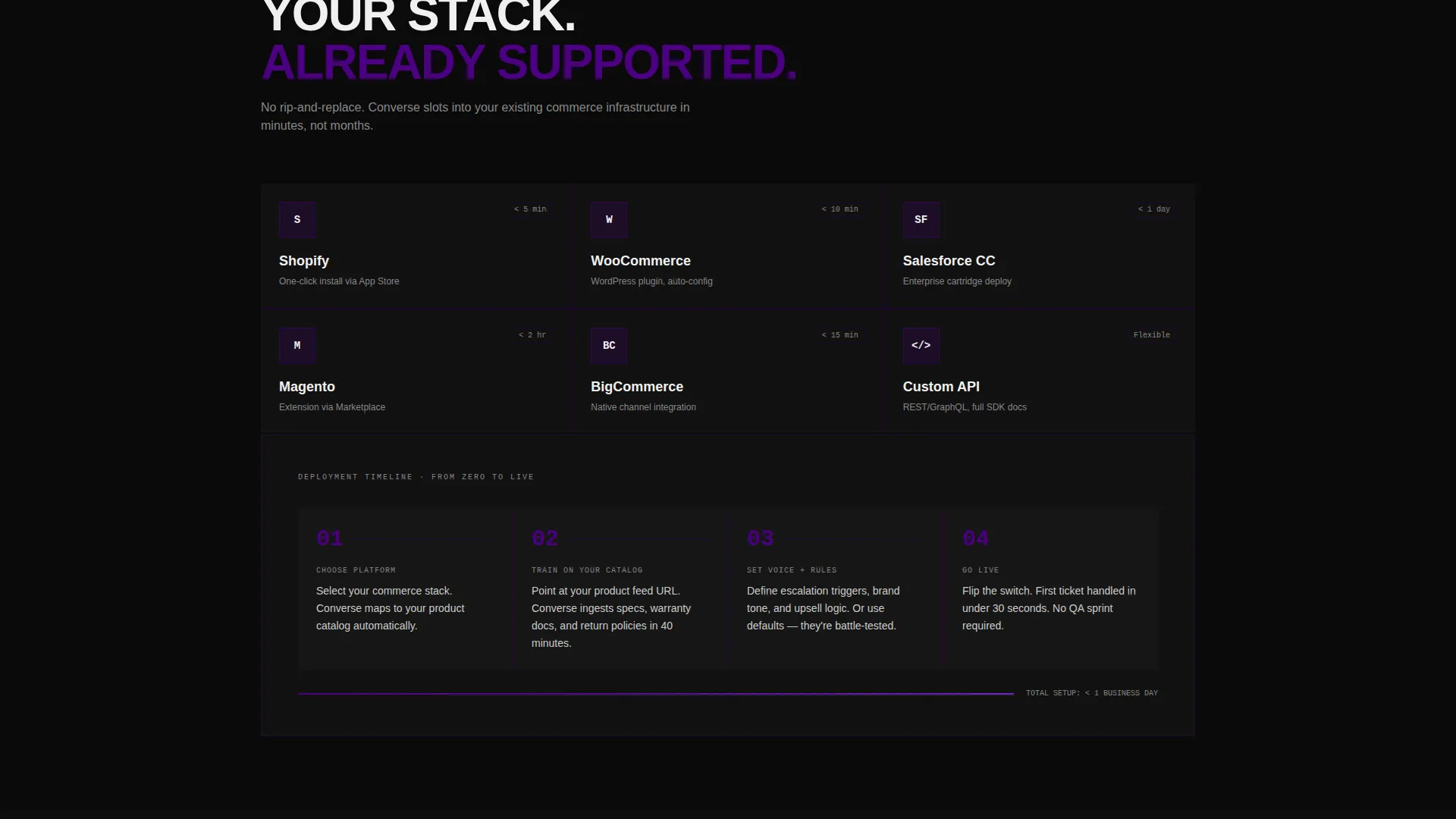
Tapping the deploy button opens a modal with platform selector tiles covering Shopify, WooCommerce, Salesforce Commerce Cloud, and a custom API option. A single email field and a "Send Install Link" button complete the flow with minimal friction.
QR Code Download Block
A brutalist-styled QR code block near the footer lets mobile-first ops managers scan directly to download the merchant dashboard app. No form is required, reducing friction for visitors already convinced and browsing on a phone.
Bento Grid Layout System
The grid reshuffles density section by section as the visitor scrolls. Single massive cards alternate with four-panel clusters, keeping the page visually dynamic without decorative filler. Every card serves a specific informational role tied to the chatbot's sell, support, or retain function.
Page sections overview
| Section | Purpose |
|---|---|
| Feature Tab Header | Switch between SELL, SUPPORT, RETAIN bento views |
| SELL Tab View | Show upsell chat simulation and cart value growth |
| SUPPORT Tab View | Display resolution time counters and ticket metrics |
| RETAIN Tab View | Present retention stats and loyalty chat examples |
| Data Insight Block | Pair retail statistics with chatbot solution cards |
| KPI Delta Cards | Show before-and-after performance metrics |
| Chat Screenshot Cluster | Four-panel proof of live chatbot interactions |
| Integration Logo Panel | Display platform compatibility at a glance |
| Deployment Timeline | Illustrate time-to-live setup steps |
| Sticky Deploy Bar | Anchor primary call to action after second scroll section |
| Platform Selector Modal | Guide platform choice and capture install email |
| QR Code Footer Block | Enable direct app download without a form |
Design & branding system
The visual identity is Bold Brutalist with an Electric Indigo color system. Every design decision is functional and industrial, nothing is decorative.
- Color palette: deep void black (#0D0D0D) on primary backgrounds, electric indigo (#4B0082) as the dominant brand frequency, reactor violet (#7B2FBE) on hover states and data highlights, and bare phosphor white (#F0F0F0) for typography
- Typography: oversized, grotesque-weight white text slammed hard against dark panels, giving every headline the weight of a printed industrial report
- Grid borders and card edges use indigo like exposed structural beams, and the overall aesthetic evokes ultraviolet LEDs bleeding through a server room at full load
Mobile & speed optimization
The template is designed with mobile-first retail operators in mind. The QR code block and sticky call to action bar are specifically built for visitors browsing on phones rather than desktops.
- Sticky bottom bar remains accessible on small screens without blocking primary content
- QR code block near the footer removes the need for form interaction on mobile devices
- Bento grid density shifts between sections, keeping the layout readable at any viewport width
How this template helps you convert
Every structural decision in this template is built around reducing the distance between a skeptical visitor and a committed deployer.
- The Feature Tab Switcher lets visitors self-select their primary pain point (selling, support, or retention) and immediately see a relevant proof-of-concept, making the product feel personally relevant before any pitch is made.
- The earned-attention sticky call to action bar withholds the deploy prompt until the visitor has absorbed at least two data sections, so the ask arrives with evidence behind it rather than in front of it.
- The platform selector modal and the no-form QR code block offer two distinct conversion paths, one for desktop-first evaluators and one for mobile-first operators, covering both decision-making styles in a single page.
Other information about this template
This template is part of the Converse series, designed specifically for the retail AI chatbot category within the broader AI for Retail technology space.
- The template style is Bento Grid, which suits data-dense product presentations where multiple proof points need equal visual weight
- The creative direction follows an Industry Report tone, making it suitable for enterprise-facing retail technology products that need to earn credibility quickly
- Platform references in the modal (Shopify, WooCommerce, Salesforce Commerce Cloud, and custom API) are visual selector tiles included as part of the template layout
Theme
Bold Brutalist
Creative direction
Industry Report
Color system
Electric Indigo
Style
Bento Grid
Direction
App Download
Page Sections
Feature Tab Switcher Header
Industry Report Bento Sections
Earned-attention Sticky Call to Action Bar
Platform Selector Modal
QR Code Footer Block
Reshuffling Bento Grid System
Related questions
What is the primary call to action in this template?
How does the Feature Tab Switcher work?
Who is this landing page template designed for?
Can I change which platforms appear in the selector modal?
Is the QR code block required, or can it be removed?



