Craft — Premium Brewery Landing Page Template
Taproom is a hub-and-spoke landing page template built for craft beverage CRM platforms. It opens with a live-feel dashboard preview, guides visitors through five interactive spoke sections, and converts through a no-credit-card freemium signup. The Teal Catalyst color system and Startup Velocity theme make the page feel as sharp and purposeful as the software it sells.
by Rocket studio
Quick summary
Taproom is a single-page, anchor-nav landing page template designed for a craft beverage CRM platform. It drops visitors into a working dashboard mockup before they scroll a pixel, then guides them through five interactive spoke sections covering distributors, taproom management, campaigns, and analytics. The freemium conversion model lets users feel the product before committing.
Who this template is for
This template is built for founders, marketers, and product teams selling vertical software to the craft beverage industry. If your platform needs to earn trust fast with a hands-on audience, Taproom was designed with that challenge at its center.
- Head brewers and taproom managers who evaluate tools by touching them first
- Regional craft beverage distributors managing dozens of small-batch producer accounts
- SaaS product and growth teams launching or relaunching a craft beverage CRM platform
What problem this template solves
Selling specialized software to craft beverage operators is not like selling generic business tools. These buyers are skeptical of polished decks. They want to see the product working before they believe any claim on the page. Most landing page templates are built for explaining software, not demonstrating it.
- Generic SaaS templates rely on screenshots and bullet points instead of hands-on interaction
- Brewery and cidery operators need to feel operational value before they trust a signup form
- Freemium and trial offers get ignored when the page does not build confidence first
What you get with this template
You get a fully structured, single-page landing page built around the hub-and-spoke navigation pattern. The anchor nav pins to the left as a vertical spoke rail, giving visitors non-linear access to every major section. Every component referenced in the template brief is included and ready to customize.
- A full-fidelity interactive CRM dashboard mockup in the header, showing fictional brewery data and live-feel user interface behavior
- Five spoke sections (Dashboard, Distributors, Taproom, Campaigns, Analytics) each ending with a micro-stat callout
- A single-step freemium signup flow and a secondary "See It With Your Data" guided import conversion path
Feature list
This template is built around a specific set of functional and visual components drawn directly from the product brief. Each one plays a role in moving a craft beverage operator from curious to converted.
Interactive Header Dashboard Preview
The header renders a full-fidelity CRM dashboard mockup for a fictional brewery called Faultline Brewing. It shows 847 taproom regulars, 23 active distributor accounts, a Pacific Northwest keg-movement heatmap, and a "3 reorders pending" notification badge. Visitors can click tabs, hover over distributor cards, and watch a toast notification animate before they scroll.
Pinned Vertical Spoke Rail Navigation
The anchor nav sits pinned to the left side of the page. It displays five icon-labeled spokes: Dashboard, Distributors, Taproom, Campaigns, and Analytics. Visitors can jump to any section in any order without following a linear scroll path.
Interactive Spoke Sections
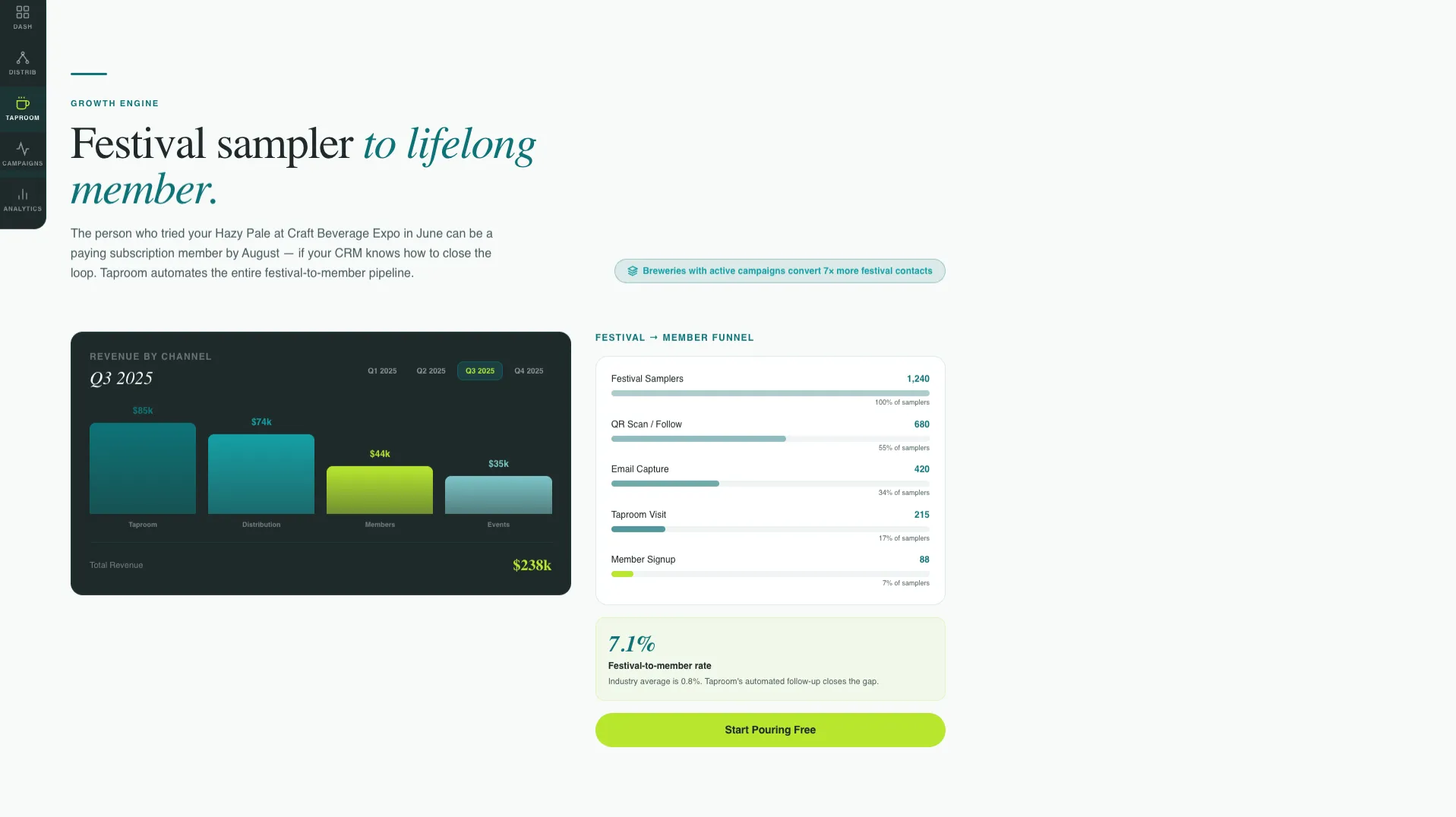
Each spoke section lets visitors manipulate something directly. They can drag a distributor into a territory on a map, build a taproom event email from a template, and watch a revenue graph animate when toggling between quarters. Interaction builds competence and curiosity at the same time.
Micro-Stat Section Closers
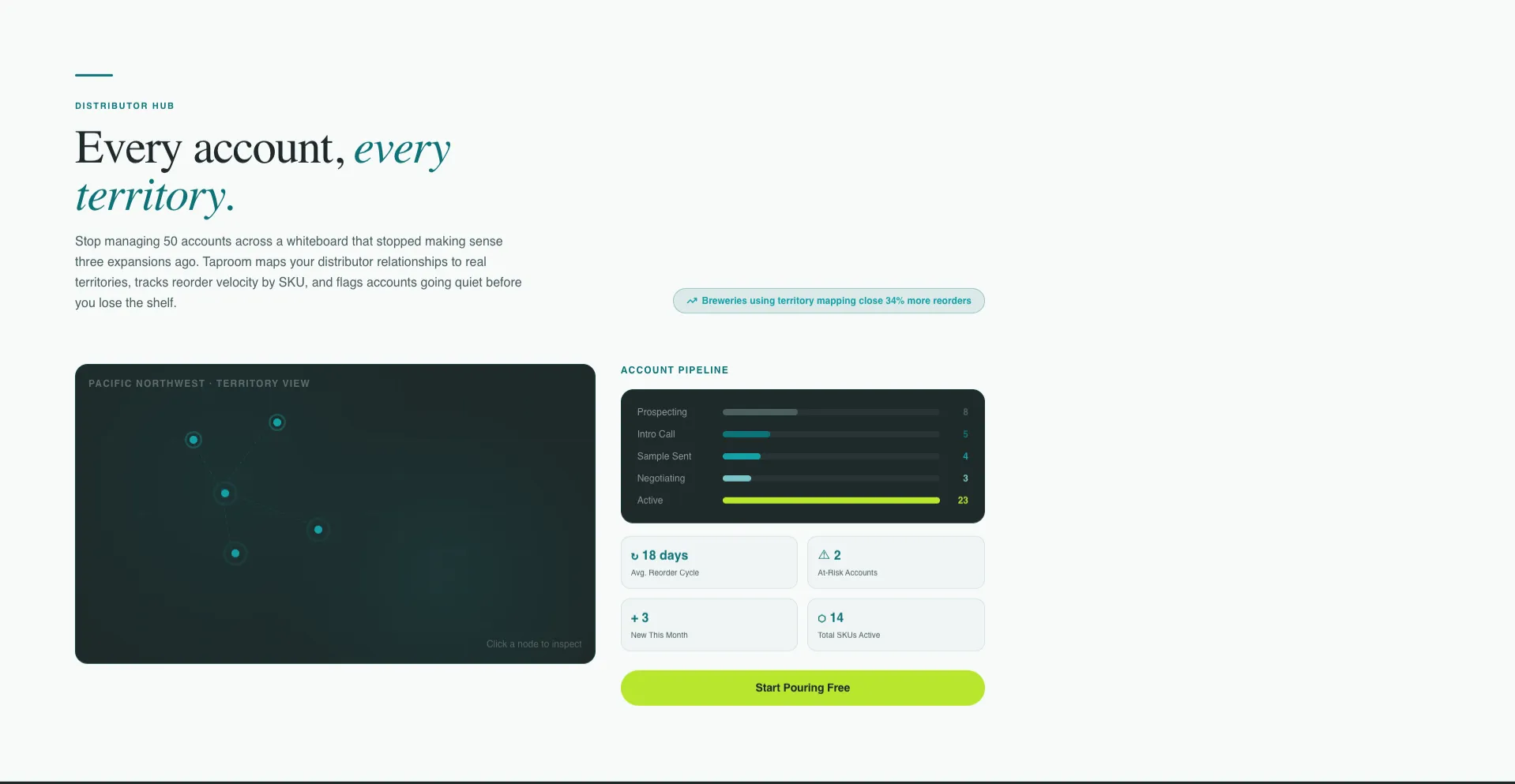
Every spoke section ends with a single credibility micro-stat. For example: "Breweries using territory mapping close 34% more reorders." These short data points reward exploration and earn the next click without interrupting the flow.
Freemium Signup with Production Size Dropdown
The primary call to action, labeled "Start Pouring Free" in catalyst yellow-green, appears as a floating button inside the header dashboard and again at the close of every spoke section. Clicking opens a one-step form collecting brewery name, email, and production size (nano, micro, regional, or contract). No credit card is required.
Guided Data Import Secondary Path
A secondary conversion path labeled "See It With Your Data" offers a 15-minute guided import. The team loads the visitor's actual distributor list into a sandbox account. This path targets visitors who want proof before they self-serve.
Page sections overview
| Section | Purpose |
|---|---|
| Header Dashboard Preview | Drops visitors into a live-feel CRM mockup with fictional brewery data and interactive user interface elements |
| Spoke Rail Nav | Pins a vertical icon nav to the left so visitors jump freely between the five platform sections |
| Dashboard Spoke | Shows the central CRM overview and anchors the platform's core value proposition |
| Distributors Spoke | Lets visitors drag distributors onto a territory map and explore account management features |
| Taproom Spoke | Demonstrates taproom regular tracking and weekend event management capabilities |
| Campaigns Spoke | Lets visitors build a taproom event email from a pre-built template inside the page |
| Analytics Spoke | Displays an animated revenue graph that responds to quarter toggles |
| Micro-Stat Closers | Ends each spoke with a data point that earns the next section click |
| Freemium call to action Block | Repeats the "Start Pouring Free" signup at the close of every spoke section |
| Guided Import Path | Offers a secondary conversion route for visitors who want a personalized onboarding step |
Design & branding system
The Teal Catalyst color system gives this template a look that feels at home in both a production facility and a software dashboard. The palette is clinical enough to build data trust and alive enough to reflect the passion that drives craft beverage culture.
- Deep fermentation teal (#0D7377) as the primary brand anchor across headers, nav elements, and section frames
- Carbonation white (#F7FAFA) across open background fields for breathing room and readability
- Spent-grain charcoal (#1E2A2A) for body text and navigation, with bright catalyst yellow-green (#B8E62E) reserved exclusively for calls to action, active states, and data highlights
Mobile & speed optimization
The Startup Velocity theme is built to feel fast and responsive across screen sizes. The interactive components are designed to work without overloading the visitor experience.
- The pinned vertical spoke rail adapts for smaller viewports so navigation remains accessible on mobile devices
- Interactive elements such as the dashboard mockup and revenue graph are scoped to perform within a single-page layout without requiring external data calls
How this template helps you convert
This template is built around a simple belief: let the visitor use the product before asking them to commit. Every structural and visual decision supports that goal.
- The interactive header dashboard puts a working CRM mockup in front of the visitor the moment they land, eliminating the gap between claim and proof before a single scroll
- The spoke-rail navigation lets buyers explore the sections most relevant to their role first, so a taproom manager and a regional distributor both find immediate value without reading everything
- The freemium call to action repeats at the close of every spoke section, meeting the visitor at peak relevance, after they have already touched the feature being shown
Other information about this template
This template is designed exclusively for single-page, section-led landing page use. It is not a multi-page site structure. The hub-and-spoke layout works best when each spoke section is treated as a self-contained product demo moment, not a static content block.
- The fictional "Faultline Brewing" dataset in the header mockup is a placeholder and can be replaced with a custom fictional or real dataset during setup
- The production size dropdown in the signup form supports four tiers: nano, micro, regional, and contract brewing operations
- The template suits craft beverage SaaS teams launching new platforms, relaunching existing ones, or running targeted acquisition campaigns for the brewery, cidery, and meadery segments
Theme
Startup Velocity
Creative direction
Interactive Explorer
Color system
Teal Catalyst
Style
Hub & Spoke (Anchor Nav)
Direction
Freemium/Trial
Page Sections
Interactive Header Dashboard Preview
Pinned Vertical Spoke Rail Navigation
Hands-on Interactive Spoke Sections
Micro-stat Section Closers
Single-step Freemium Signup Flow
Guided Import Secondary Conversion Path
Related questions
Does this template require coding skills to set up?
Can I replace the fictional Faultline Brewing data with my own brand details?
Is there a conversion option for visitors who are not ready to sign up immediately?
What types of craft beverage businesses does this template target?
How does the anchor navigation work across sections?



