Freight & Logistics Directory Website Template
Crate is a hub-and-spoke landing page template built for artwork and antiques packaging and crating services. It uses an Engineering Blueprint visual identity to present five service tiers as technical specification sheets, each ending with a side-by-side comparison table. The design targets gallery directors, auction house logistics managers, and estate executors who need documented proof of precision before trusting an irreplaceable object to a crate.
by Rocket studio
Quick summary
Crate is a single-page, anchor-nav-driven template for fine art and antiques crating services. It presents five service tiers as spec-sheet spokes, each with technical detail and a head-to-head comparison against generic freight. The Engineering Blueprint visual theme signals precision and authority from the first scroll.
Who this template is for
This template is purpose-built for businesses that offer museum-grade artwork and antiques packaging and crating. It speaks directly to clients who require documented evidence of engineering standards before committing high-value objects to transit.
- Gallery directors and museum registrars who need technical proof before approving a shipment
- Auction house logistics managers comparing service tiers for fragile or high-value lots
- Estate executors and private collectors seeking white-glove assurance for irreplaceable pieces
What problem this template solves
High-value art and antique shippers face a trust gap. Generic logistics pages offer no technical substance, leaving institutional buyers without the spec documentation they need to justify a decision internally.
- Visitors cannot compare your service against standard commercial freight in a structured, credible format
- Service tiers lack clarity, so potential clients cannot match the right crating solution to their object type
- No clear lead-capture path exists for buyers who need more time before committing to a quote
What you get with this template
You get a fully structured, desktop-first landing page that doubles as a technical sales document. Every section is designed to move a qualified visitor from overview to granular specification detail and then to a conversion action.
- A sticky anchor nav linking five service-spoke sections, each formatted as a spec sheet with a comparison table and a call to action form
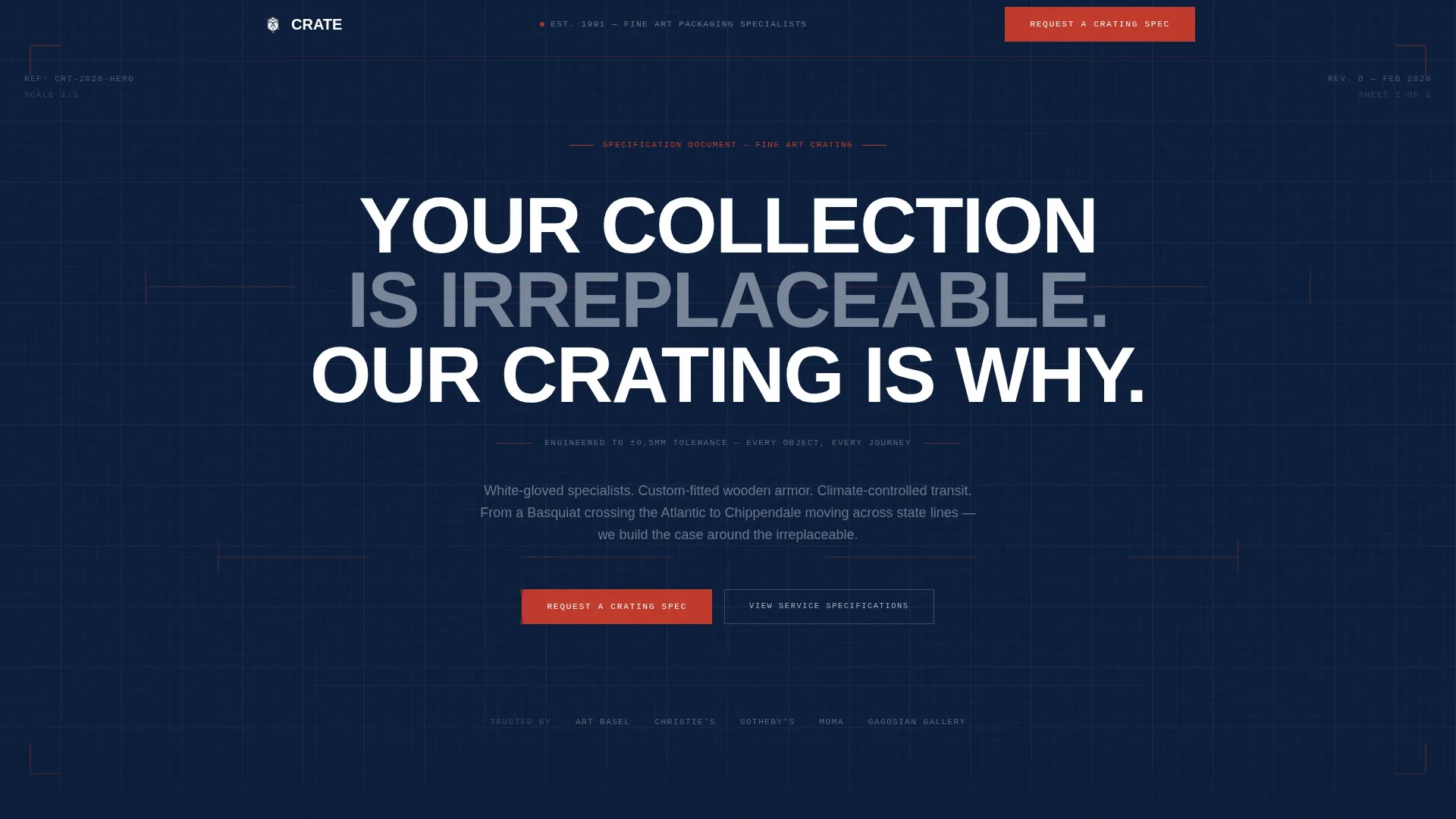
- A hero section with a giant centered headline on deep navy, framed by SVG specification-red dimension lines
- Two lead capture paths: a per-spoke "Request a Crating Spec" short form and a secondary "Download Our Engineering Standards PDF" email capture
Feature list
A single paragraph introduces the feature set. Every component below is drawn directly from the template brief and serves a specific role in the buyer journey.
Sticky Anchor Navigation
A persistent top nav labels all five service spokes: Museum Crate, Travel Frame, Soft Pack, Climate Shuttle, and White Glove Logistics. Visitors can jump to the relevant tier instantly without losing orientation on a long spec-driven page.
Per-Spoke Spec Sheet Layout
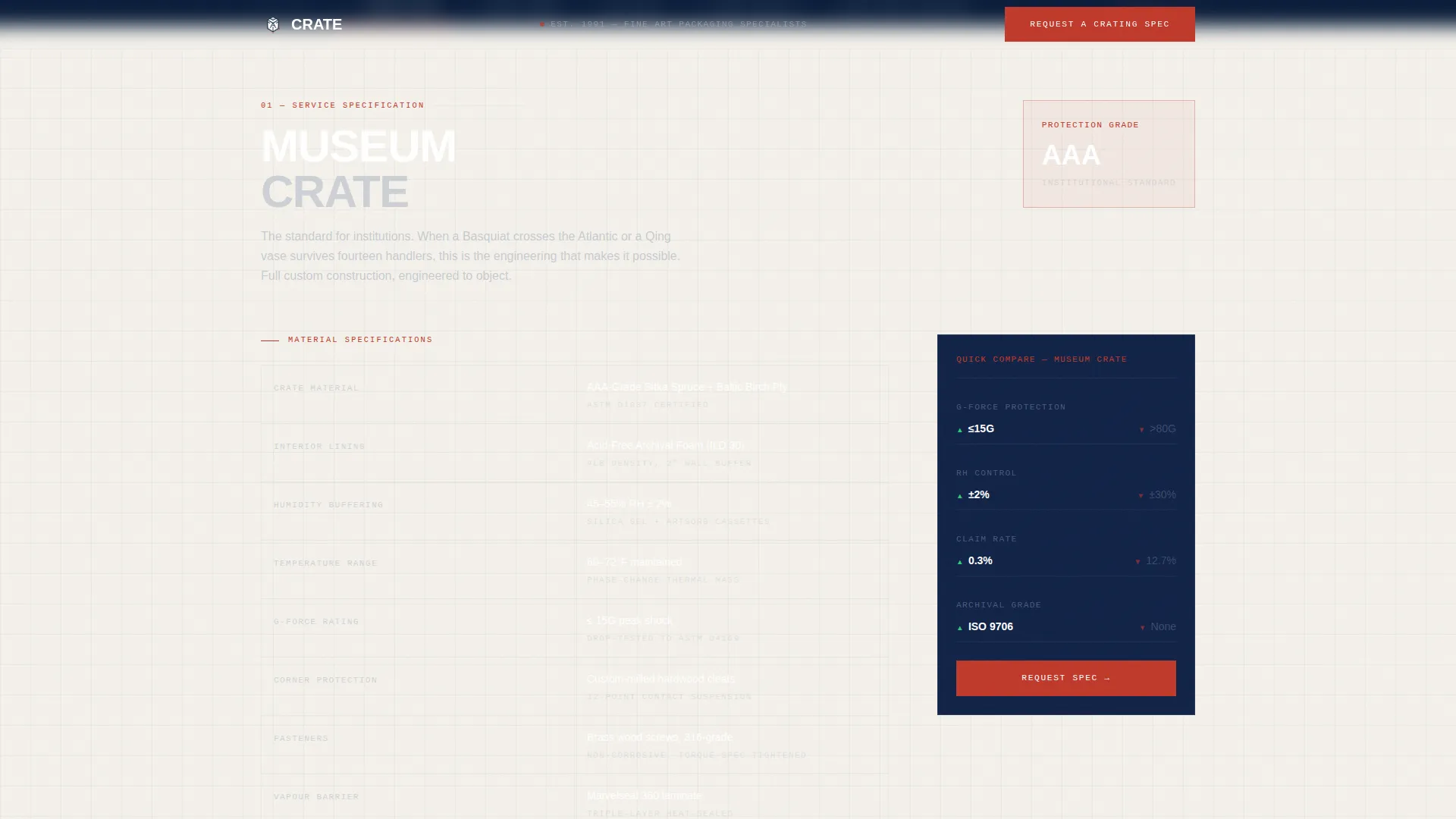
Each spoke section reads like a technical specification document. Detail escalates from a service overview down to material cross-sections, foam densities, climate variance tolerances, and handler protocol data as the visitor scrolls deeper.
Side-by-Side Comparison Tables
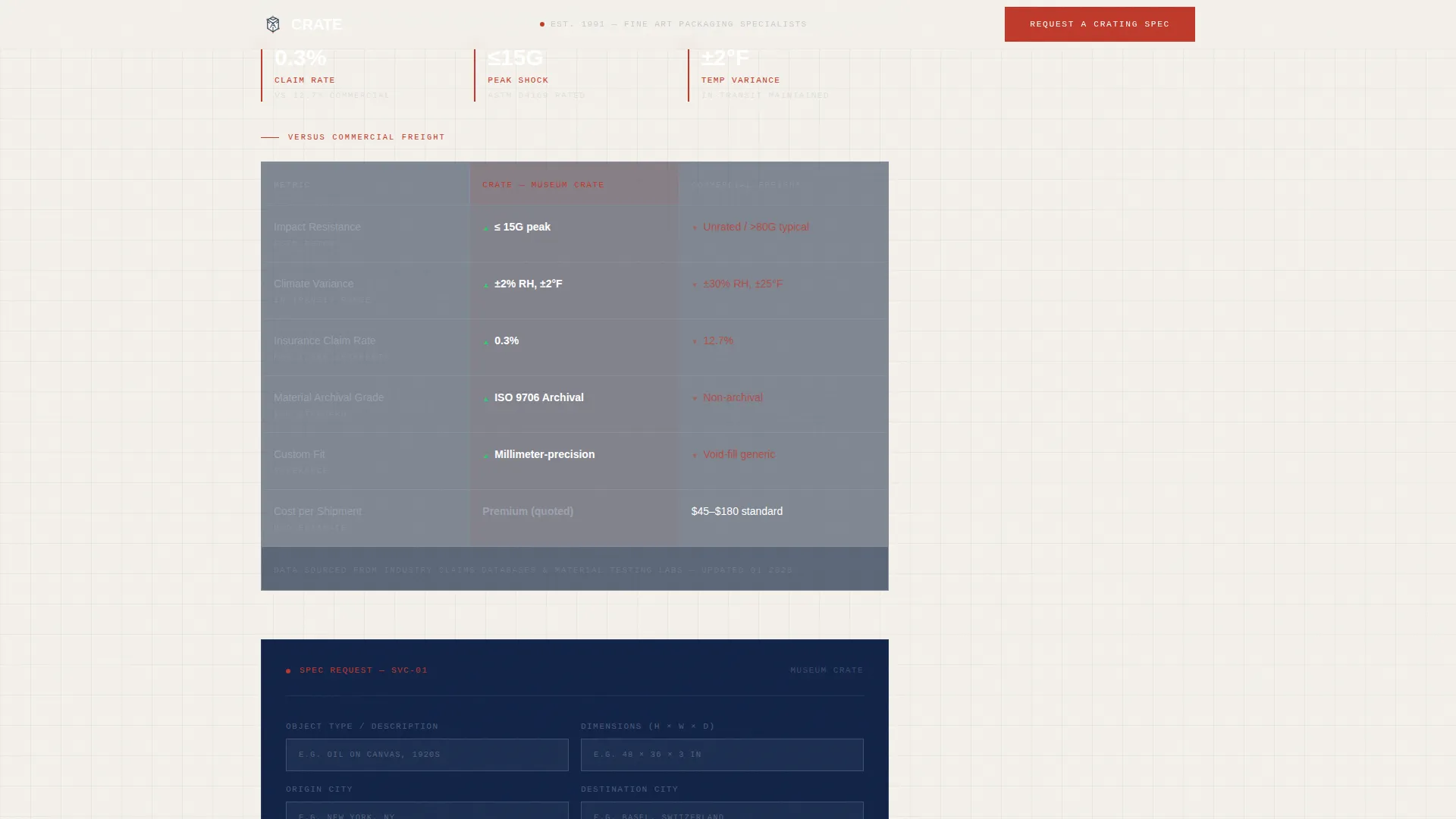
Every spoke ends with a structured table pitting the service tier against generic freight packaging. Metrics include impact resistance, climate variance, insurance claim rates, and material archival grade, giving buyers a clear, data-backed reason to choose the premium option.
Dual Lead Capture System
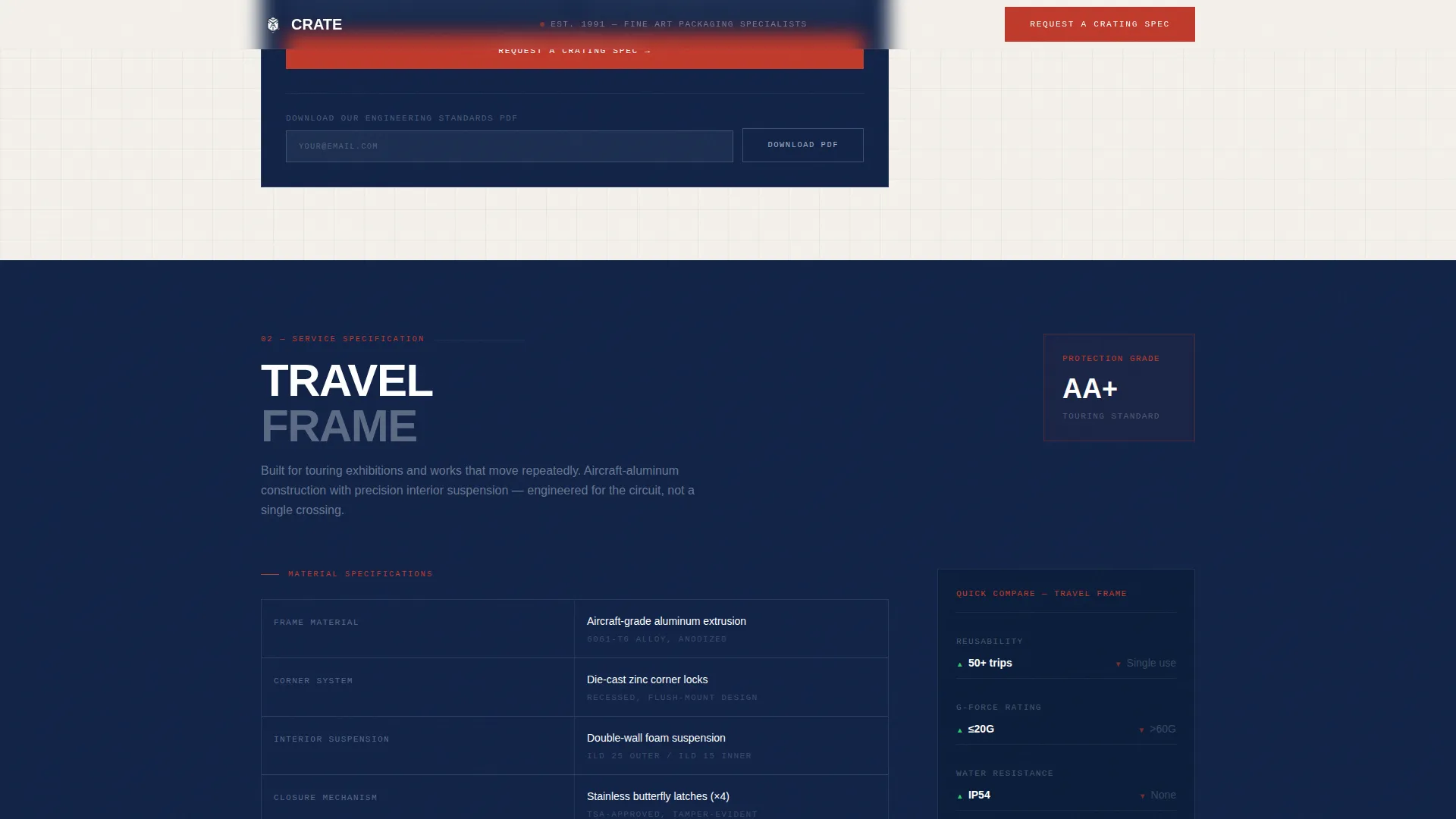
A primary call to action, "Request a Crating Spec," appears at the bottom of each spoke alongside a short form asking for object type, dimensions, origin city, and destination city. A secondary path, "Download Our Engineering Standards PDF," captures email addresses from visitors not yet ready to request a quote.
GSAP ScrollTrigger Animations
Dimension line draw animations, stagger-reveal spec rows, and ScrollTrigger-powered section entries bring the Engineering Blueprint aesthetic to life. Animation intensity is set to medium-high, keeping the experience authoritative without sacrificing readability.
Accordion Spec Detail Panels
Accordion components let visitors expand granular engineering data within each spoke without overwhelming the page on first view. This keeps the layout clean while still supporting the depth that institutional buyers expect.
Page sections overview
| Section | Purpose |
|---|---|
| Hero Headline | Establish authority with giant centered headline on navy background framed by specification-red dimension lines and sticky anchor nav |
| Museum Crate Spoke | Present material cross-sections, humidity buffering, and shock ratings with comparison table and crating spec request form |
| Travel Frame Spoke | Detail foam and frame specifications with head-to-head comparison table and per-spoke call to action form |
| Soft Pack Spoke | Document foam densities and silicone-release tissue grades with comparison table and lead capture form |
| Climate Shuttle Spoke | Display climate control specifications and variance tolerances with comparison table and spec request form |
| White Glove Logistics | Outline handler protocols and service standards with comparison table and dual lead capture |
| Footer | Linear single-row footer with essential links and contact references |
Design & branding system
The visual identity follows an Engineering Blueprint theme. Every color, typeface, and layout decision references the logic of a technical drawing, so the design itself communicates precision before a visitor reads a single word.
- Color palette: deep technical navy (#0B1D3A) as the dominant background, drafting-line silver (#A8B2C1) for secondary text and borders, vellum white (#F4F1EB) for body backgrounds, and specification red (#C0392B) reserved strictly for callout lines, dimension markers, and call to action elements
- Typography: DM Sans in heavy and condensed weights for headlines, Plus Jakarta Sans for body copy and spec data, creating a clear hierarchy between authority statements and technical detail
Mobile & speed optimization
The template is built desktop-first. Gallery directors and auction house registrars typically review specification documentation on desktop screens, and the comparison tables require horizontal space to display all metrics clearly side by side.
- Server Components handle all static content sections, keeping initial load lean while Client Components manage the anchor nav, forms, and animations
- Comparison tables and accordion spec panels are structured to remain legible and functional on tablet viewports, ensuring the page is usable across the full range of professional devices
How this template helps you convert
Every structural decision in this template is aimed at closing the gap between a qualified visitor and a submitted spec request.
- The spec-sheet spoke format earns trust from institutional buyers by presenting engineering detail in a familiar, documentation-style layout, replacing vague service descriptions with measurable criteria
- The comparison table at the end of each spoke creates a direct, data-backed contrast with generic freight, giving buyers the internal justification they need to approve a premium crating spend
- The dual lead capture system catches buyers at two different stages of readiness, with the PDF download keeping the brand in the conversation long after the initial visit
Other information about this template
This template is categorized under Logistics and Supply Chain, specifically within the Artwork and Antiques Logistics subcategory and the Artwork and Antiques Packaging and Crating niche. It is localized for the United States market, with forms using English language, USD pricing context, and city-based origin and destination fields.
- The template style is Hub and Spoke with anchor navigation, suited to services that have multiple distinct tiers requiring equal visual weight
- The creative direction follows a Spec Sheet approach, where content depth escalates within each spoke from summary-level overview to granular engineering data
- The conversion direction is Comparison and Versus, meaning every spoke is structured to contrast the service favorably against a lower-standard alternative
Theme
Engineering Blueprint
Creative direction
Spec Sheet
Color system
Navy Authority
Style
Hub & Spoke (Anchor Nav)
Direction
Comparison/Versus
Page Sections
Sticky Anchor Navigation
Per-spoke Spec Sheet Layout
Side-by-side Comparison Tables
Dual Lead Capture System
GSAP Scrolltrigger Animations
Accordion Spec Detail Panels
Related questions
What kinds of businesses will this template work for?
Can I add or remove service spokes from the anchor nav?
What information does the per-spoke form collect?
Does the template include the comparison table data, or do I supply my own?
Is this template suitable for mobile users?