Music & Performing Arts School Specialist Booking Website Template
Strings is a hub-and-spoke landing page template built for violin and strings teaching studios. It greets visitors with a persona selector, guides them through FAQ-driven spokes that answer real student questions, and converts through a free trial lesson booking form and a downloadable practice starter kit. The design blends playful geometry with a Slate and Sky palette.
by Rocket studio
Quick summary
Strings is a single-page, anchor-nav landing page template for violin and strings schools. It opens with an illustrated persona selector, then walks prospective students through conversational FAQ spokes. Each spoke ends with a micro call to action. The primary conversion path books a free trial lesson. A secondary path offers a downloadable practice starter kit gated by email.
Who this template is for
This template is built for independent violin teachers and strings studio owners who teach a mixed roster of ages and skill levels. If your studio serves young beginners alongside adult returners, this layout reflects that range immediately.
- Young-beginner programs, including Suzuki method and homeschool schedules
- Teen students building audition recordings for conservatory applications
- Adult hobbyists starting later in life or returning after a long break
What problem this template solves
Most music school pages bury the information prospective students actually need. Visitors arrive with specific worries, about age, instrument size, or how long progress really takes, and leave without answers. This template turns those worries into an organized, reassuring conversation.
- Visitors self-select their persona so the most relevant content appears first
- FAQ spokes answer pre-Googled questions before the visitor has to ask
- Every section ends with a low-commitment call to action, reducing drop-off
What you get with this template
You get a fully structured, single-page layout that handles discovery, trust-building, and conversion in one scrollable flow. The design is ready to adapt to your studio's tone and roster.
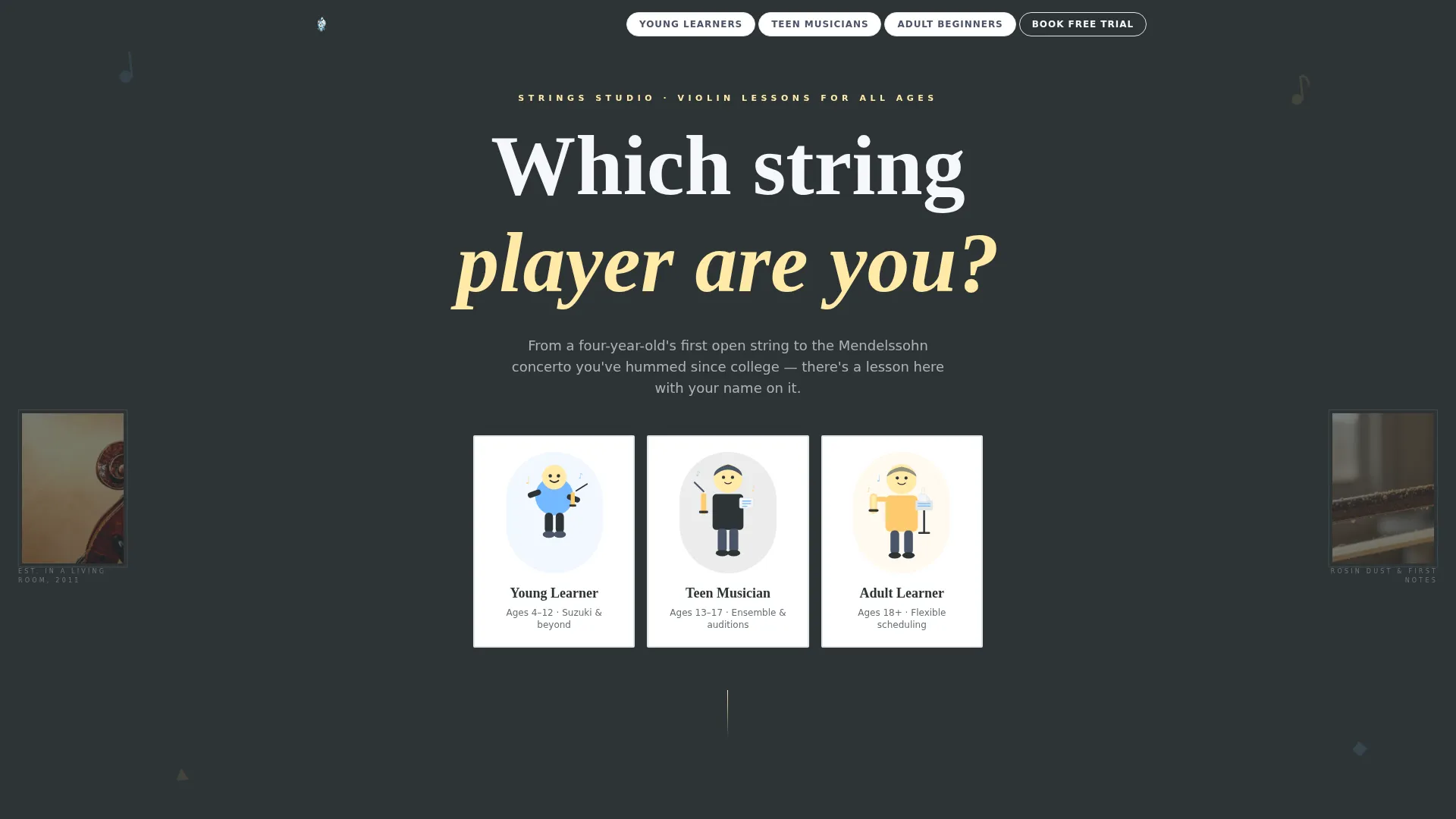
- A persona selector header with three illustrated geometric characters
- A hub-and-spoke anchor navigation system with FAQ-led spoke sections
- A three-field trial lesson booking form and an email-gated PDF download path
Feature list
This template packs specific, purposeful components into a focused single-page structure. Every feature below comes from the brief and serves a real studio need.
Persona Selector Header
Three flat-geometric illustrated characters sit inside interlocking circles: a young child with a fractional violin, a teenager with sheet music, and an adult with a coffee cup on a music stand. Visitors click their match and the anchor navigation reorders to surface that persona's most relevant FAQ spokes first.
FAQ-Driven Spoke Sections
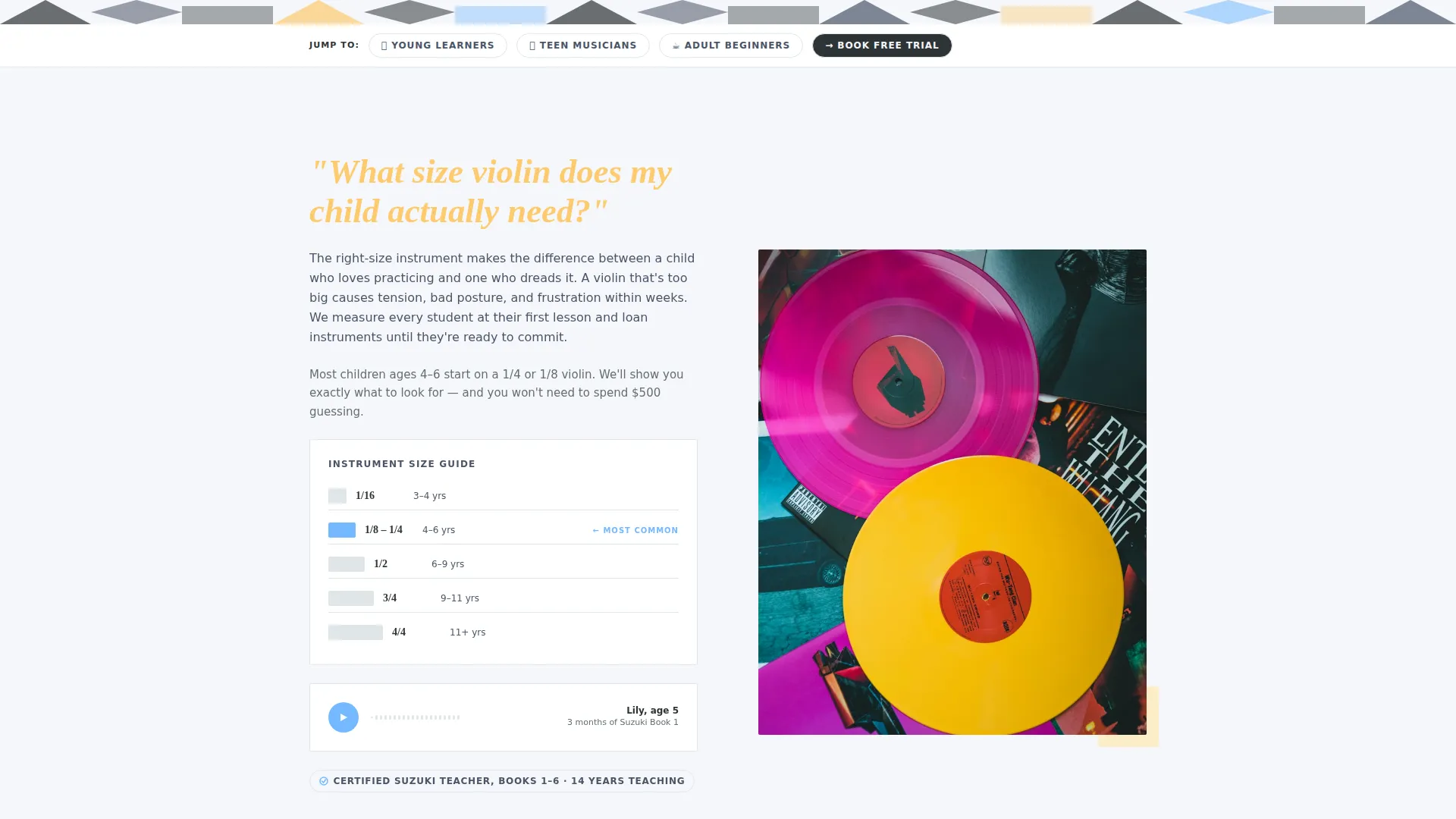
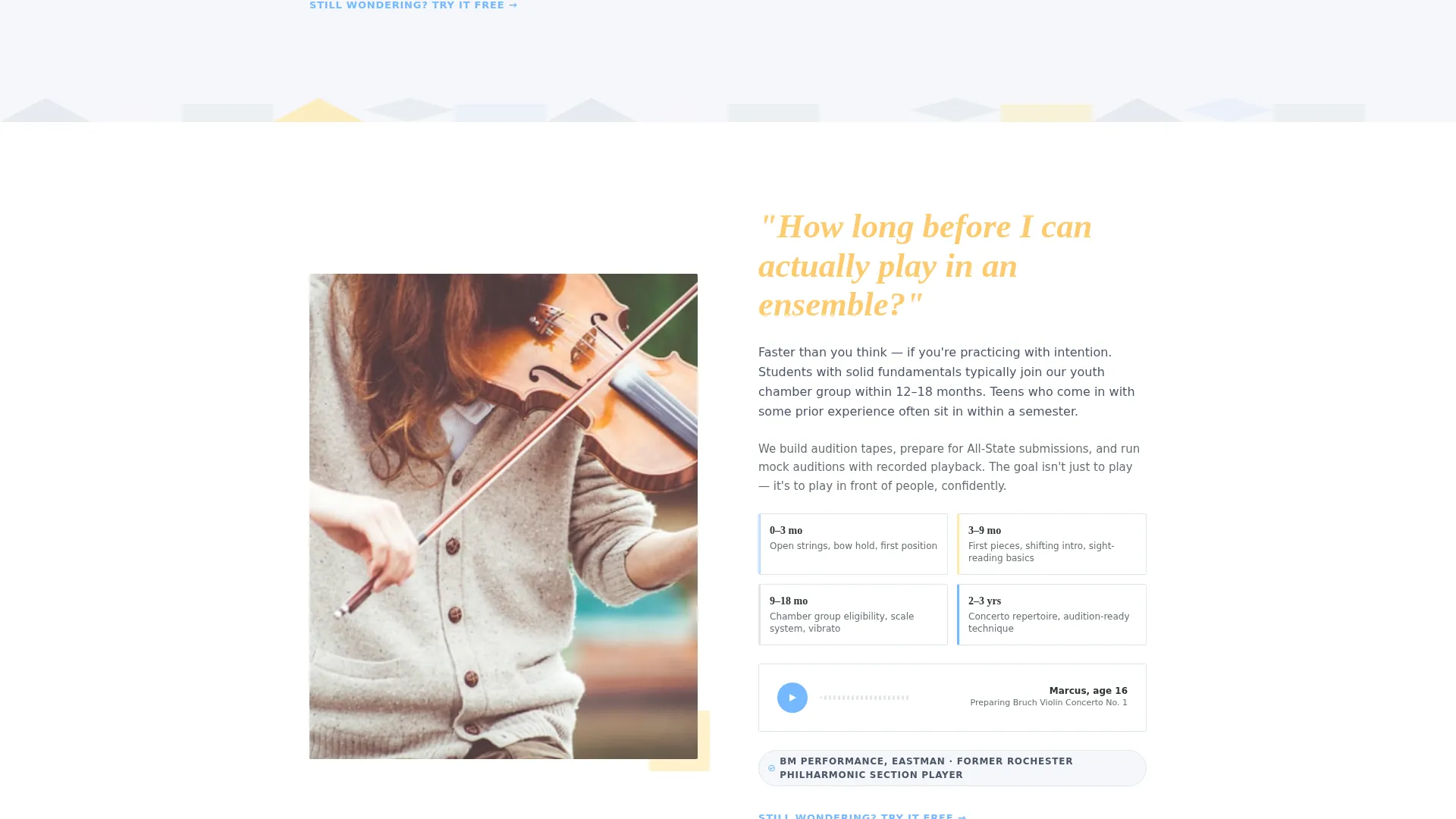
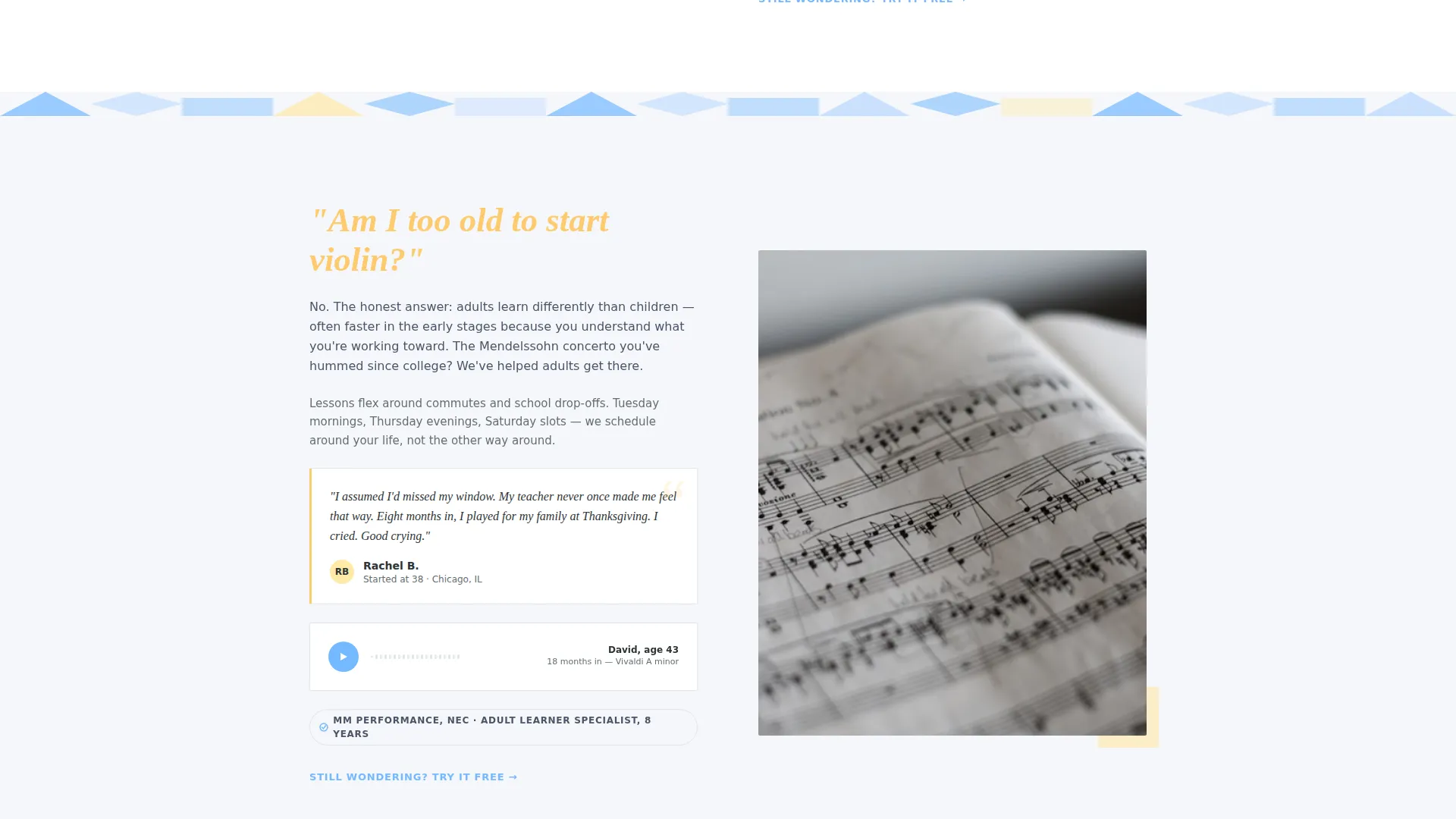
Each spoke opens with a real student question displayed in large apricot type. Two to three conversational sentences follow, then a proof moment such as a student audio clip, a group class photo, or a one-line teacher credential. The format mirrors how a patient teacher answers questions before a student even voices them.
Micro Call-to-Action System
Every FAQ spoke closes with a short, low-pressure prompt: "Still wondering? Try it free." By the time a visitor reaches the final section, the trial lesson ask feels like a natural next step rather than a sales push.
Free Trial Lesson Booking Form
The primary conversion form uses exactly three fields: student name, an age range dropdown covering four age brackets (4 to 6, 7 to 12, 13 to 17, and 18 and above), and preferred day of the week. The form is intentionally brief to keep friction low.
Practice Starter Kit Download
A secondary conversion path offers a free downloadable PDF containing finger charts and a five-minute daily practice routine. Access is gated by email only, making it an easy first step for visitors who are not yet ready to book a lesson.
Playful Geometric Visual System
Geometric shapes including circles, triangles, and quarter-note diamonds tile across section dividers. The effect references abstract sheet music without tipping into childish decoration, keeping the page appropriate for both a four-year-old's first lesson and an adult's return to the instrument.
Page sections overview
| Section | Purpose |
|---|---|
| Persona Selector Header | Lets visitors self-identify and reorders anchor nav |
| Anchor Nav Hub | Provides quick access to all FAQ spokes |
| Young Beginner Spoke | Answers questions about starting age and instrument size |
| Teen Student Spoke | Covers audition prep and ensemble readiness timelines |
| Adult Learner Spoke | Addresses the "am I too old" question with proof moments |
| Trial Lesson Form | Primary booking conversion with three-field form |
| Practice Kit Download | Secondary email-gated PDF conversion path |
| Footer Section | Studio contact and closing information |
Design & branding system
The Slate and Sky color system anchors every design decision. Deep charcoal slate (#2D3436) grounds the layout like a chalkboard, while open-sky blue (#74B9FF) and cloud-white (#F5F6FA) keep the page feeling bright and open. Warm apricot (#FFEAA7) appears on hover states, buttons, and musical notation motifs, adding warmth without clutter.
- Playful Geometric theme: circles, triangles, and quarter-note diamond shapes tile section dividers as rhythmic, abstract ornamentation
- Flat geometric illustration style for the three persona characters, rendered consistently in the Slate and Sky palette
- Apricot accent type used for FAQ spoke headlines, creating a clear visual signal that a question is being addressed
Mobile & speed optimization
The layout is built as a single scrollable page, which naturally reduces navigation overhead on smaller screens. The anchor navigation hub keeps users oriented without requiring a full-page reload or multi-level menu.
- Illustrated persona characters use flat geometric shapes, keeping visual assets lightweight by design
- The three-field booking form is minimal by intent, loading quickly and working cleanly on touch screens
- Section dividers use CSS-style geometric shapes rather than heavy image files, supporting a leaner page structure
How this template helps you convert
The page is structured so that trust is built gradually before any ask is made. Each layer of content removes a barrier, and the conversion moments arrive only after the visitor already feels understood.
- The persona selector creates immediate relevance by showing visitors content matched to their situation, reducing bounce before the first scroll.
- FAQ spokes answer specific objections in sequence, so by the final section the visitor has already resolved most of their hesitation, making the "Book a Free Trial Lesson" call to action feel like a logical conclusion.
Other information about this template
This template is well suited to studios that use approach-based teaching methods, including structured beginner frameworks like Suzuki. The FAQ-driven format also works naturally if your studio runs group classes, private lessons, or a combination of both.
- The age range dropdown in the booking form covers four life-stage brackets, making it immediately useful for mixed-age studios
- The practice starter kit download path gives undecided visitors a reason to share their email without committing to a lesson
- The template style is Hub and Spoke with Anchor Navigation, a format that keeps long FAQ content organized and skimmable on a single page
- The Freemium and Trial conversion model is built directly into the layout, with two distinct paths for different visitor readiness levels
- The template works for solo teachers and small studio teams alike; no multi-page build is required
Theme
Playful Geometric
Creative direction
FAQ-Driven
Color system
Slate & Sky
Style
Hub & Spoke (Anchor Nav)
Direction
Freemium/Trial
Page Sections
Persona Selector with Anchor Nav Reordering
Faq-driven Spoke Layout
Micro Call-to-action Endings
Three-field Trial Lesson Form
Email-gated Practice Starter Kit
Playful Geometric Illustration System
Related questions
Does this template support different age groups in one layout?
What conversion paths does this template include?
Can I adapt this template if I teach only one age group?
What does the FAQ-driven structure mean for my content?
Is the practice starter kit PDF included in the template?



