Smart Culinary Photography Landing Page Template
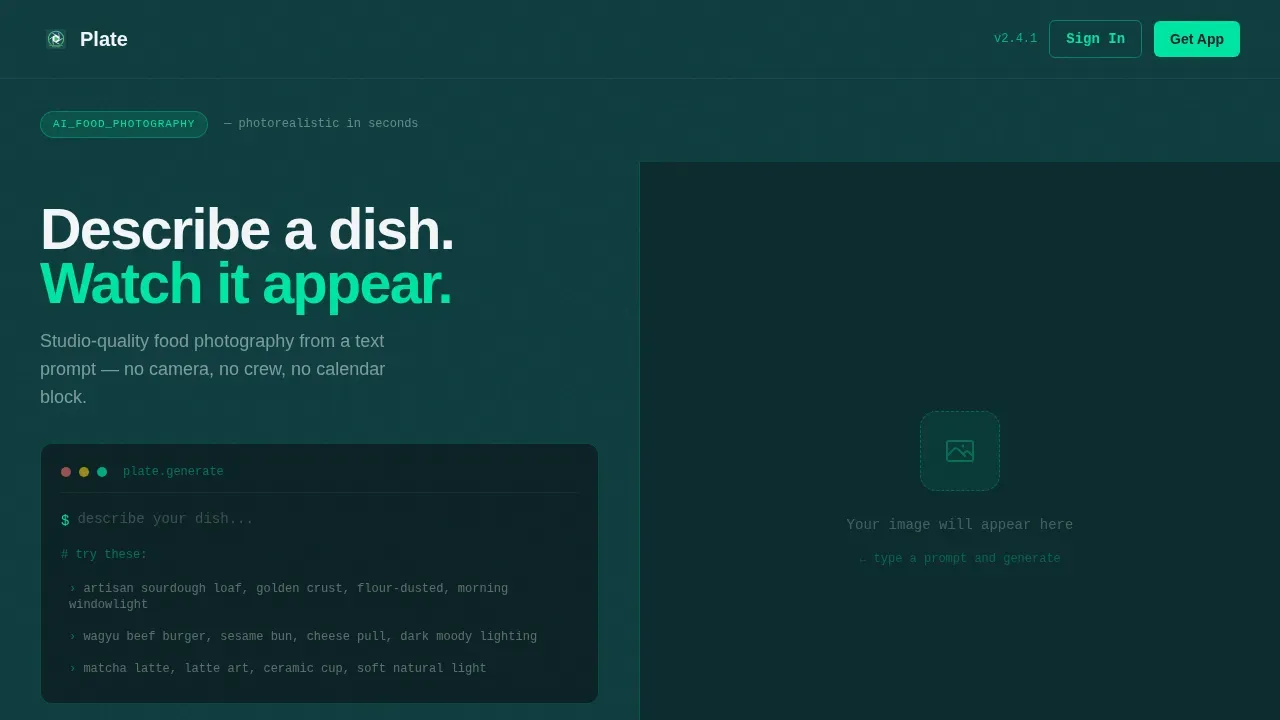
The Plate instant AI food photography landing page template is a split-screen single-page layout built for AI food image generator apps. It pairs a live terminal prompt input with an animated generation result panel, guiding visitors from curiosity to app download. The Data Command design system, Problem-to-Solution arc structure, and mobile-first call-to-action make it ready to convert restaurant owners, food bloggers, and beverage founders.
by Rocket studio
Quick summary
Plate is a single-page, split-screen landing page template designed to showcase an AI food photography app. Visitors type a food prompt directly in the hero, watch ai generated food images appear in seconds, and scroll a Problem-to-Solution arc that justifies the download. The template drives App Store and Google Play installs through smart, platform-detected call-to-action buttons.
Who this template is for
This template is built for founders and marketers launching an ai food image generator app. If your product turns text into photorealistic food images, this page is your proof-of-concept storefront.
- Social media managers at restaurant chains who need to generate food photos for dozens of locations at once
- Direct-to-consumer beverage founders who want ai food pictures of products before manufacturing begins
- Food bloggers who need a professional food photo for every recipe post without spending hours in a studio
What problem this template solves
Traditional food photography is expensive, slow, and rigid. A single shoot can cost $200 to $400 per photo and take 4 to 6 hours, not counting editing time. Restaurant owners and food bloggers cannot afford that pace when menus change weekly and instagram demands fresh visuals daily.
- Blurry smartphone food pictures hurt sales on delivery apps and damage brand credibility
- Scheduling a studio day blocks an entire Wednesday and still risks food spoilage before the shoot ends
- Four-figure photographer invoices make it impossible to generate food images at scale without sacrificing quality
What you get with this template
You get a fully structured, single-page layout that lets visitors experience the ai food photography product before they ever tap a download button. Every section is designed to build trust, prove value, and reduce hesitation.
- A live interactive hero where visitors describe a dish and watch ai generated images flood the right panel in seconds
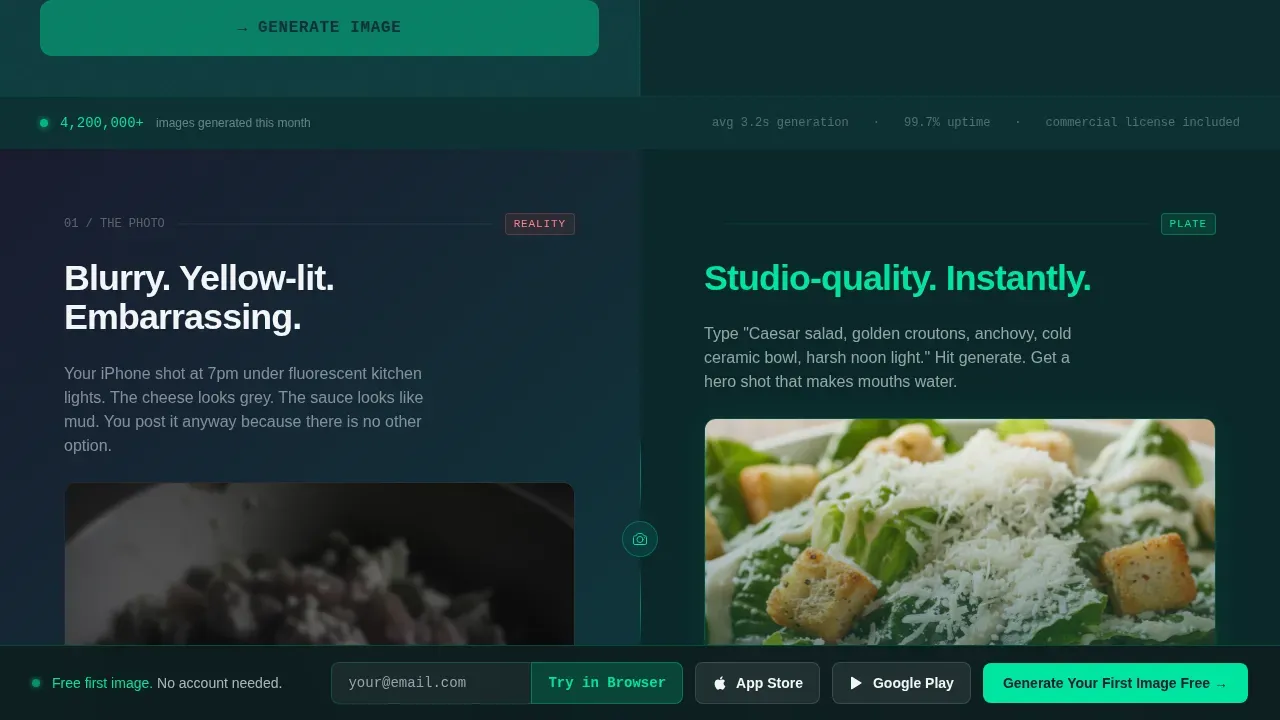
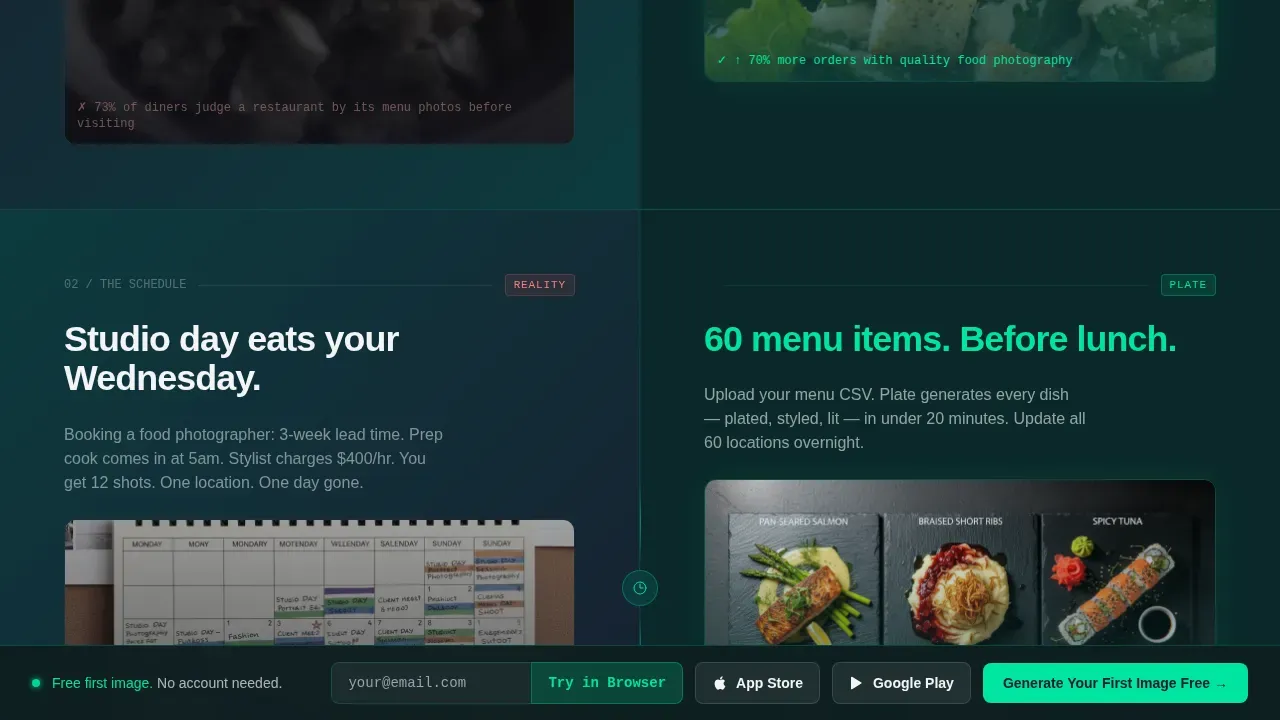
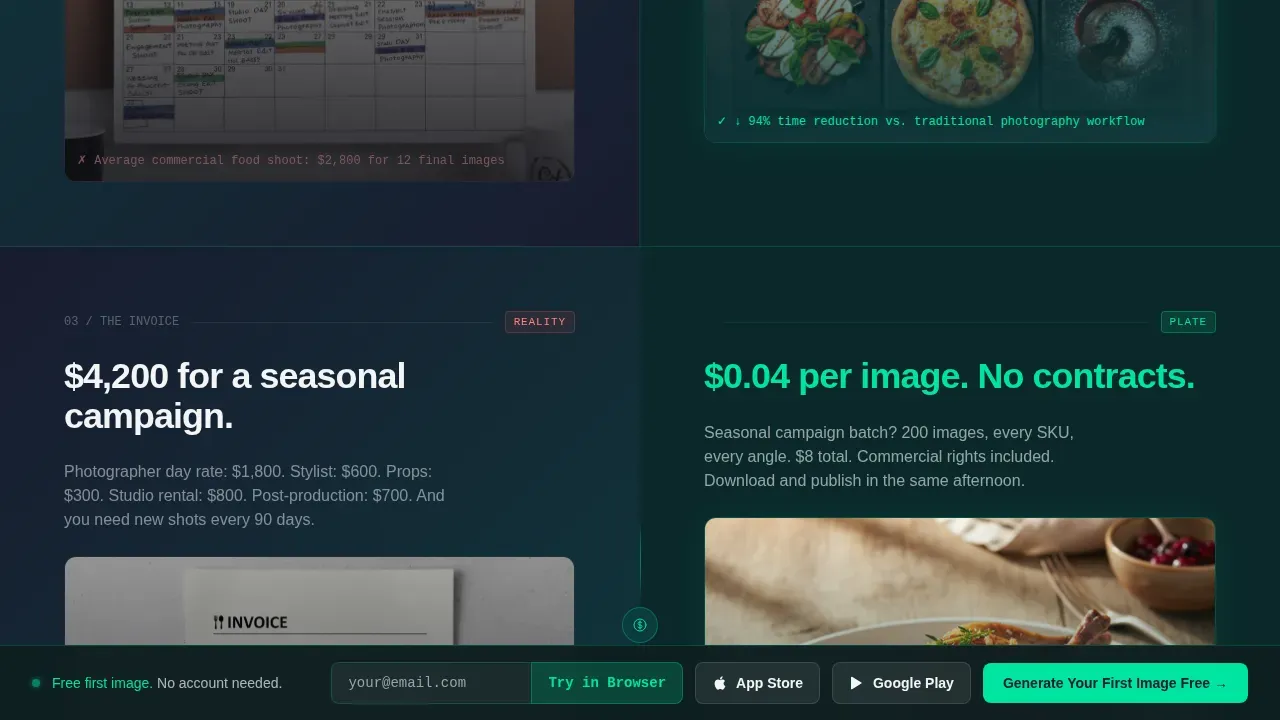
- A three-part Problem-to-Solution arc comparing blurry food photos to ai food photos, studio calendars to instant generation, and invoices to pennies-per-image costs
- A scale proof section showing full menu grids and seasonal campaign batches, plus a footer with App Store and Google Play smart buttons
Feature list
The template includes six core feature areas drawn directly from the design brief.
Live Terminal Prompt Hero
The hero is a 50/50 split screen. The left panel holds a command-terminal styled input where visitors type a food prompt, such as a burger with caramelized onions or bright cherry tomatoes on a rustic surface. On submit, a catalyst green progress bar pulses, then the ai food image floods the right panel edge to edge. A counter beneath reads "4.2M images generated this month," adding instant social proof.
Problem-to-Solution Arc Sections
Three sequential split-screen sections scroll visitors through a clear contrast story. Each left panel shows a real pain point: a blurry food photo, a blocked studio calendar, a commercial photographer invoice. Each right panel answers with an ai generated food equivalent. Lighting, texture, and professional styling are visible in every ai food image shown, making the value self-evident.
Scale Proof Section
A dedicated section demonstrates that the ai food generator works beyond single images. It displays full menu grids and seasonal campaign batches, showing restaurant owners and food brand teams how the tool scales where human workflows collapse. This section covers the jump from one food photo to hundreds of food pictures in a single workflow.
Platform-Detected App Download Call-to-Action
The primary call-to-action reads "Generate Your First Image Free" and is pinned to the bottom of the viewport after the hero interaction. Smart buttons detect the visitor's device and surface the correct App Store or Google Play link. Desktop visitors see a secondary "Try in Browser" path with email capture for the web demo.
Scroll-Triggered Motion System
Motion is deliberate and minimal. Ai generated images slide in from the right like prints emerging from a machine. Section transitions use staggered scroll-triggered reveals. The generation progress bar pulses in catalyst green. Every animation is tied to a specific product behavior, reinforcing how fast the ai food photography app works.
Typography and Layout System
DM Sans handles all interface and body text. JetBrains Mono styles every terminal prompt, counter, and code-feel element across the page. The split-screen architecture repeats consistently, making each section instantly scannable. Visitors can discover the product narrative without reading a single paragraph if they choose to skim visuals alone.
Page sections overview
| Section | Purpose |
|---|---|
| Hero Terminal Split | Live prompt input with ai food image generation result and social proof counter |
| Problem Arc One | Blurry food photo versus ai food photography studio-quality output |
| Problem Arc Two | Studio calendar day versus instant ai food photos generation |
| Problem Arc Three | Photographer invoice versus pennies-per-image ai generated food cost |
| Scale Proof Grid | Full menu and seasonal campaign batch food image generation examples |
| Footer Download | App Store and Google Play smart download buttons with horizontal flow layout |
Design & branding system
The visual identity follows the Data Command theme through the Teal Catalyst color system. The palette feels clinical and energetic at the same time, like a chef's expediting screen crossed with a lab monitor. Natural food colors pop against the dark background because the layout is built around breathing room and contrast.
- Deep terminal teal (#0D3B3E) dominates backgrounds and section dividers; matte charcoal (#1A1A2E) grounds all body text; plate white (#F4F5F7) opens space where food images need to shine
- Electric catalyst green (#00E5A0) fires on buttons, progress bars, and generation animations to signal action and speed
- DM Sans pairs with JetBrains Mono so ui elements feel professional while prompt fields and counters carry a terminal, code-driven style
Mobile & speed optimization
The template is built mobile-first because its primary call-to-action drives app installs. Thumb-friendly buttons and platform-detected smart links mean visitors on a phone land directly on the correct store page without extra taps.
- The hero interaction, progress bar, and image reveal are all built for touch-first devices so visitors can use the ai food product on the same screen they will install it from
- Static sections use a server-component approach for fast loads, while client-side interaction handles the live terminal prompt and ai food image generation animation
How this template helps you convert
The page earns the download by letting visitors use the product first. That sequence removes the biggest objection to any new app: skepticism about whether it actually works.
- The hero terminal lets visitors type a real food prompt and watch realistic food images appear, creating a first-hand proof moment before any scroll
- The Problem-to-Solution arc escalates stakes from a single food photo to full menu designs to seasonal campaign batches, showing the ai food image generator scales with any business size
- The pinned call-to-action and platform-detected store buttons reduce friction at the exact moment visitors are most convinced, turning engagement into installs
Other information about this template
This template is classified under the plate instant ai food photography landing page template category on the marketplace. It is well-suited for any food image generator product targeting restaurants, delivery apps, or social-first food brands.
- Food photography styles supported by this layout include dark and moody, bright and airy, and editorial styles; the template's high-contrast design lets any ai food photos style read clearly
- Visitors can upload a reference or describe a dish from scratch; the template accommodates both prompt-only and upload-plus-prompt user flows for showing ai food pictures
- The before-and-after visual contrast built into the Problem arc sections mirrors the "Before and After" slider pattern recommended for ai generated images tools, making common pitfalls like vague value propositions easy to avoid
- The page is well-suited for showcasing ai food photos of dishes like pizza, salads, desserts, or a classic burger, as well as full beverage product lines with custom aspect ratios and export options
- Join thousands of food and beverage founders who use similar ai food generator landing pages to turn text into pro grade food pictures and drive meaningful app installs
- Teams can edit section copy, swap food examples, and adjust the color tokens to match a specific food brand without rebuilding the layout from scratch
Theme
Data Command
Creative direction
Problem→Solution Arc
Color system
Teal Catalyst
Style
Split Screen (50/50)
Direction
App Download
Page Sections
Live Terminal Prompt Hero
Problem-to-solution Arc
Scale Proof Section
Platform-detected App Download Call to Action
Scroll-triggered Motion System
Terminal Typography System
Related questions
Can visitors actually generate food images inside this template?
Is this template suitable for promoting a food blog or recipe app?
What types of food visuals work best with this page layout?
Can I customize the prompt examples and section copy?
Does this template support both app download and web demo conversion paths?



