Agriculture Vertical SaaS Professional Website Template
Cultivar is a precision agriculture landing page template built for AgTech software platforms. It uses a 50/50 split-screen layout with a three-tab header switcher, data-rich report sections, and a mobile-first app download flow. The dark AI Iridescent color system and GSAP-powered animations make every field metric feel sharp, immediate, and credibly earned.
by Rocket studio
Quick summary
Cultivar is a single-page template designed for precision agriculture software. It combines a split-screen Feature Tab Switcher header, an Industry Report scroll structure, and a direct app download call to action. The result feels like a field-ready data dashboard, dark, dense, and built to earn trust from operations managers and agronomists before asking for a tap.
Who this template is for
This template is built for AgTech teams launching or marketing a precision agriculture platform to serious agricultural professionals. It speaks directly to people who measure decisions in dollars per acre and days of lead time.
- Operations managers overseeing large-scale row crop farms of 10,000 acres or more
- Independent agronomists managing dozens of client farms from a single mobile device
- Family farm operations where one mistimed input can erase a full season's margin
What problem this template solves
Large-scale agriculture buyers are skeptical by default. A generic SaaS landing page does not earn their trust. They need proof, specific metrics, real interface views, and a clear path to getting the tool in their hands.
- Generic software pages fail to speak the language of field-level decision makers
- No clear data narrative means visitors scroll past ROI claims without believing them
- A weak mobile call to action loses the agronomist already standing in a cab
What you get with this template
You get a complete, deployment-ready landing page structured like a published field study. Every section is designed to present data first and ask for action second.
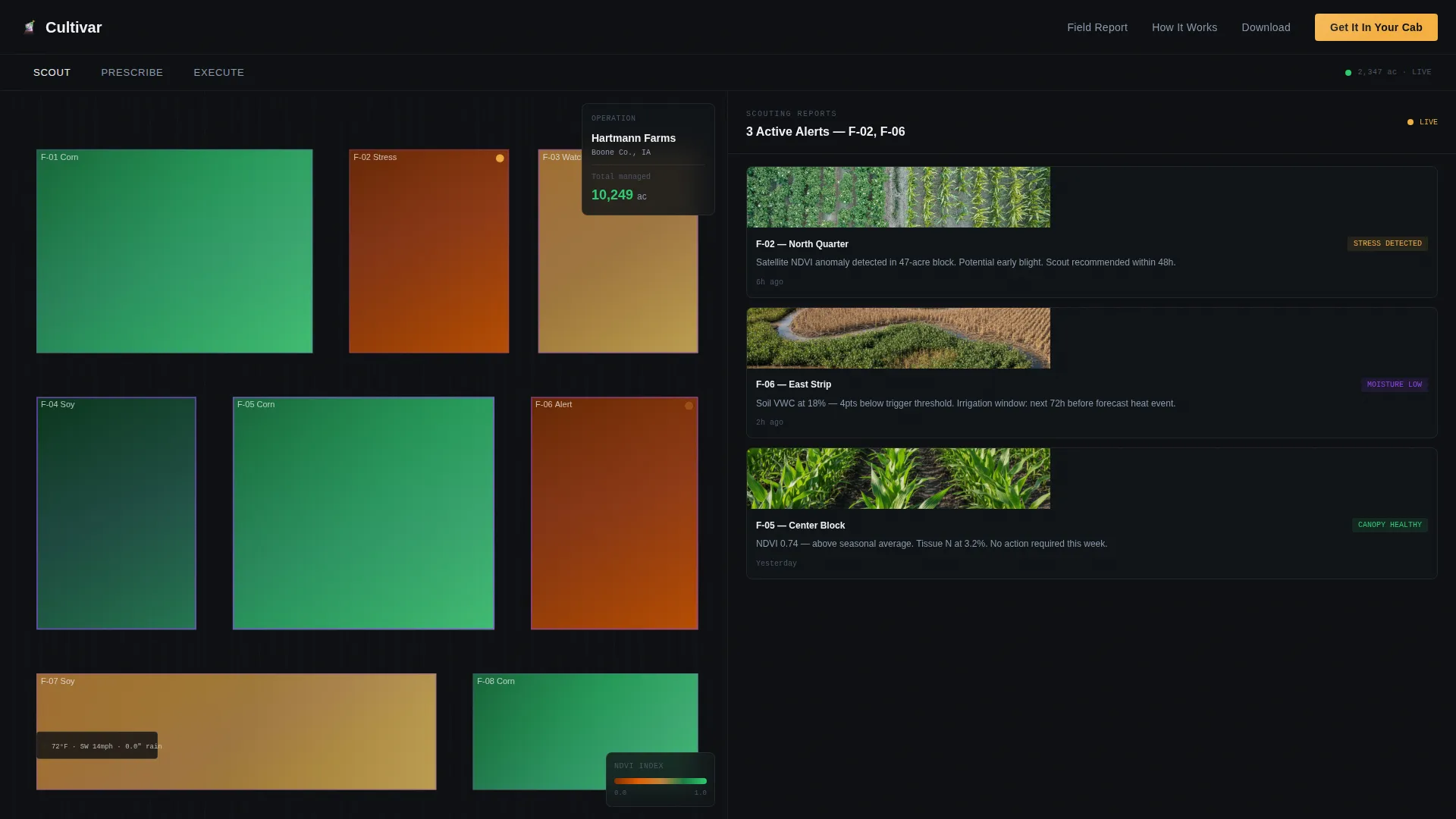
- A three-tab split-screen header with satellite map views and action panels for Scout, Prescribe, and Execute workflows
- Three scrollable Industry Report sections each pairing a data chart with an interface screenshot
- A mobile-first app download footer with App Store and Google Play badges, a QR code, and an SMS opt-in field
Feature list
This template delivers six tightly scoped building blocks. Each one is grounded in the source brief and built to function as a coherent page system.
Three-Tab Feature Switcher Header
The header holds three clickable tabs labeled Scout, Prescribe, and Execute. Clicking a tab swaps both left and right panels simultaneously with a smooth lateral slide animation, mimicking the feel of flipping between views on a cab-mounted display.
Split-Screen Satellite Field Panel
The left panel displays a satellite field map with NDVI (Normalized Difference Vegetation Index) color overlays, plot boundaries drawn in iridescent violet, and a live blinking weather widget. It grounds the hero in real operational context from the first scroll.
Industry Report Scroll Sections
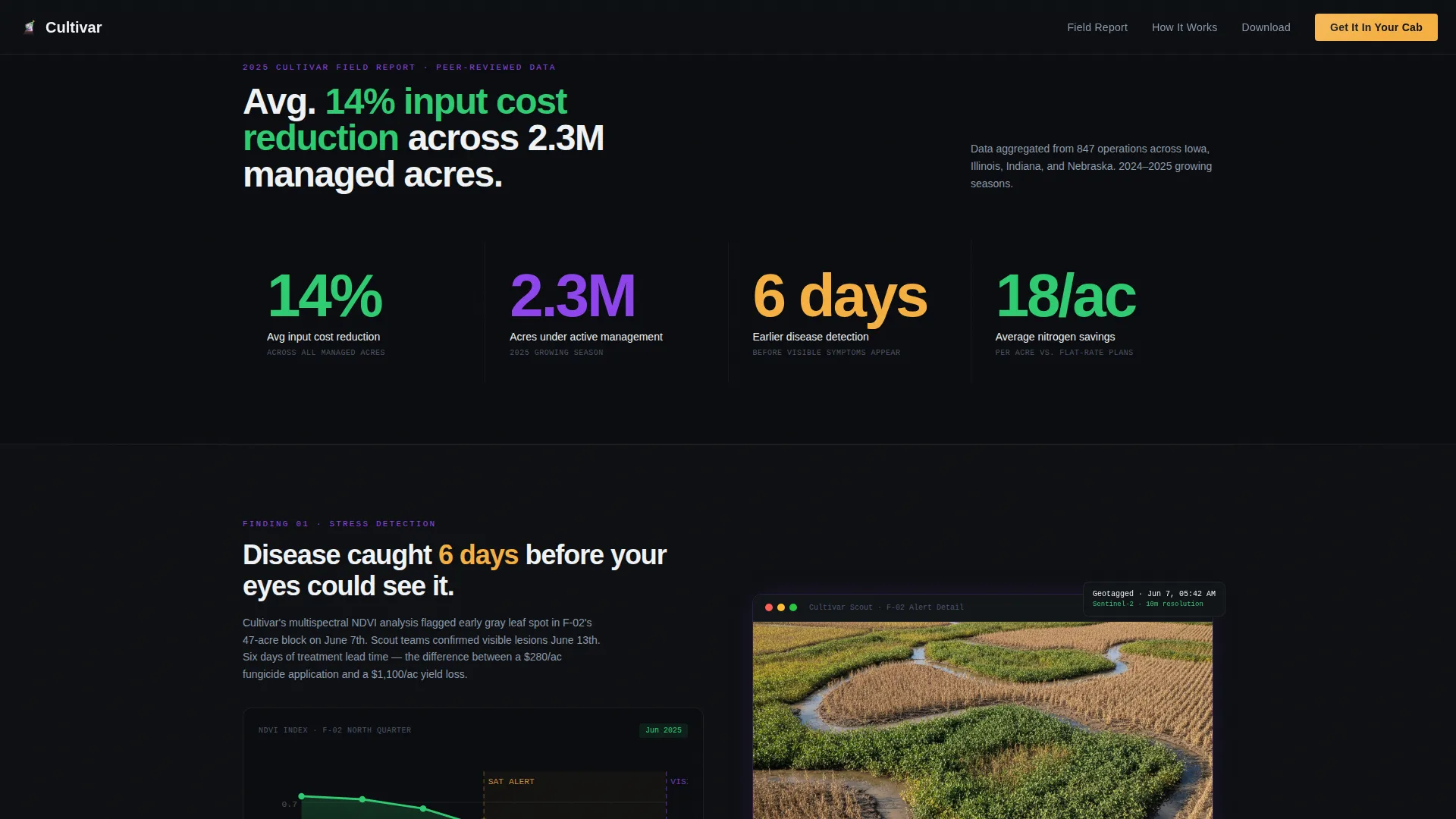
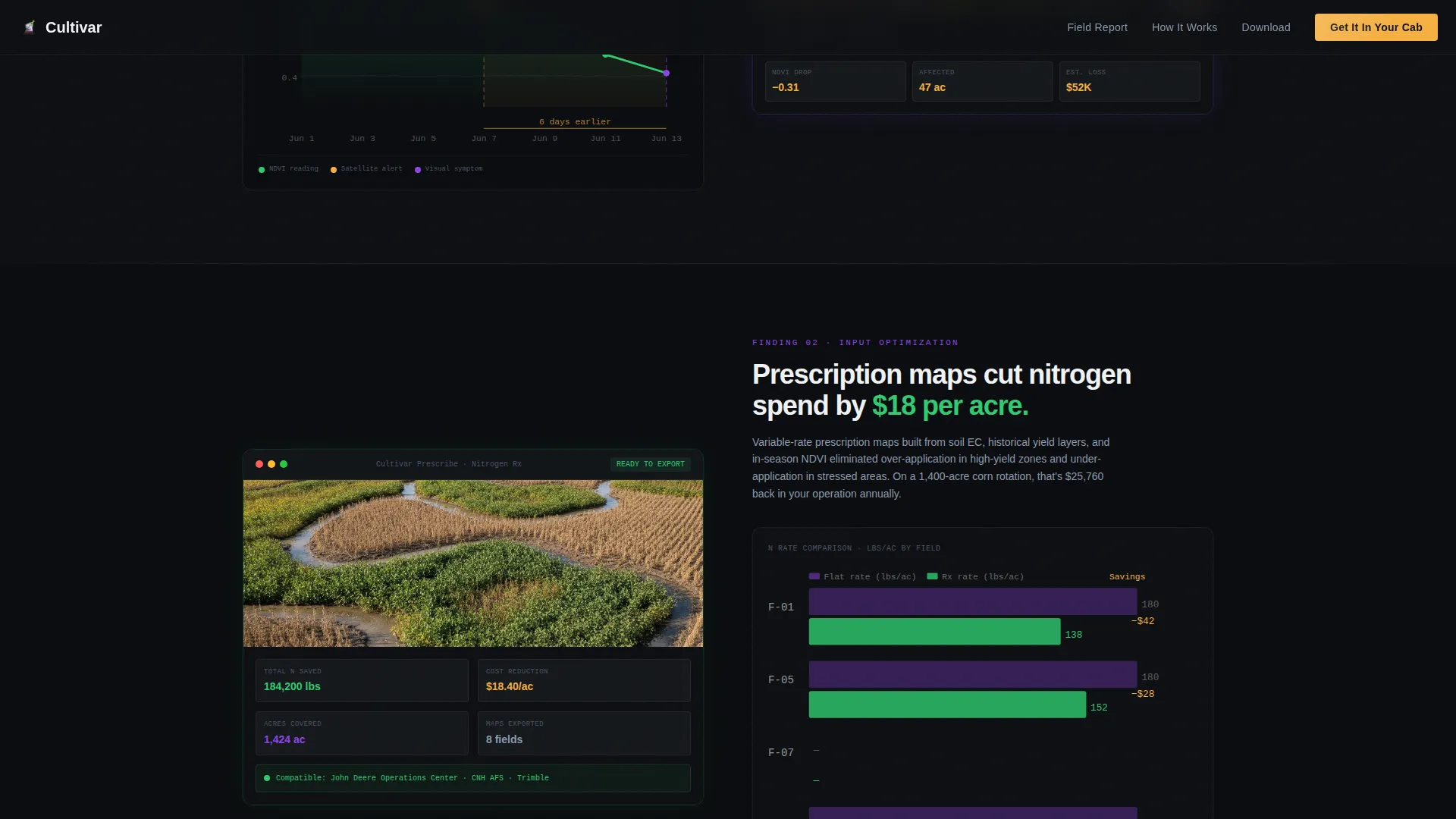
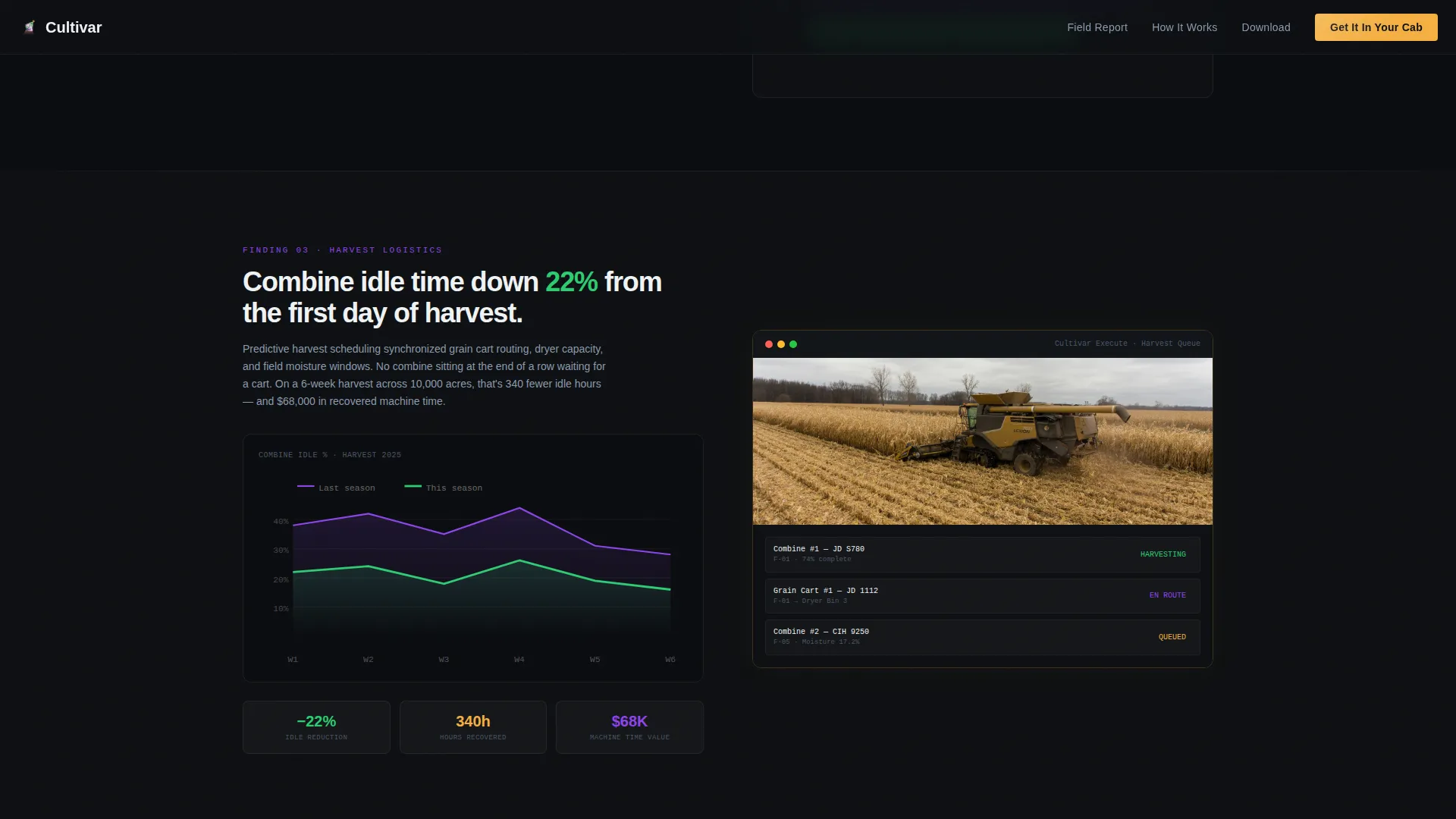
Three sequential report sections follow the hero. Each one leads with a bold data finding, pairs a chart on one side with an interface screenshot on the other, and maintains the 50/50 rhythm throughout the scroll. Claims include early stress detection, nitrogen cost savings, and harvest idle-time reduction.
Bold Stat Block
Directly below the header, a full-width stat block surfaces the headline metric. "Avg. 14% input cost reduction across 2.3M managed acres" anchors the page's credibility before any feature explanation begins.
App Download Call to Action
The primary call to action reads "Get It In Your Cab" and is paired with App Store and Google Play badges plus a scannable QR code. A single-field SMS entry sits below it, sending the download link to the user's phone in ten seconds.
GSAP Animation System
Scroll-triggered counter animations, tab slide transitions, and an NDVI canvas simulation are built into the interactive layer. Animations are powered by GSAP and scoped to client-side components for performance separation.
Page sections overview
| Section | Purpose |
|---|---|
| Hero Tab Switcher | Introduce Scout, Prescribe, Execute with split-screen satellite and action panels |
| Bold Stat Block | Lead with headline ROI metrics to anchor page credibility |
| Report Section One | Satellite stress detection finding with chart and interface screenshot |
| Report Section Two | Prescription map nitrogen ROI with chart and interface screenshot |
| Report Section Three | Harvest logistics efficiency finding with chart and interface screenshot |
| App Download Footer | Drive mobile app installs via badges, QR code, and SMS opt-in |
Design & branding system
The visual identity follows a Startup Velocity theme expressed through an AI Iridescent color palette. The overall feel is a drone feed at golden hour, dark earth below, luminous crop rows above, with a shimmer of something computational underneath.
- Core palette: deep soil black (#0D0F12) for backgrounds, living canopy green (#2ECC71) for primary user interface elements, iridescent data violet (#8E44EC) for graph lines and hover states, and harvest signal amber (#F5B041) reserved for calls to action and alert states
- Typography uses DM Sans for body and display copy, paired with JetBrains Mono for data readouts and interface labels
- Backgrounds alternate between soil black and near-black; body text lives in clean white (#F0F3F5) for maximum legibility against dark fields
Mobile & speed optimization
This template is built mobile-first, which reflects the core use case. Agronomists and operations managers access field data from a tablet or phone, often in poor connectivity conditions.
- The app download call to action, QR code, and SMS form are all designed for single-thumb use on a phone screen
- Server components handle static content while client components isolate interactive panels, keeping the split between rendering layers clean
- GSAP scroll triggers and tab transitions are scoped to client-side rendering to avoid blocking static content delivery
How this template helps you convert
The page is structured to build conviction before asking for commitment. The Industry Report format accumulates evidence so that by the time the call to action appears, the case is already closed.
- The stat block and three report sections each add a layer of proof, moving the skeptical agronomist from curiosity to confidence without a single generic feature claim
- The app download section offers three parallel paths to conversion, badge tap, QR scan, or SMS link, so no matter how a user arrives, they have a frictionless next step
Other information about this template
This template is purpose-built for the Agriculture Vertical SaaS category within the broader Technology space. It fits teams operating at the intersection of precision agriculture, field data software, and mobile-first product delivery.
- Localization is set for the United States market, using USD pricing references, imperial measurements, and Midwest row crop context
- Typography pairing of DM Sans and JetBrains Mono supports both marketing readability and data-display legibility in the same layout
- The template style is a strict 50/50 Split Screen, maintained consistently from the hero through each report section to the footer
- The footer follows a Linear Single-Row pattern, keeping the bottom of the page clean and focused on the download action
- Animation intensity is set to high, using GSAP scroll triggers, counter animations, and an NDVI canvas simulation for the satellite map
Theme
Startup Velocity
Creative direction
Industry Report
Color system
AI Iridescent
Style
Split Screen (50/50)
Direction
App Download
Page Sections
Three-tab Feature Switcher Header
Split-screen Satellite Field Panel
Industry Report Scroll Structure
Bold Full-width Stat Block
App Download Call to Action
GSAP Animation and Interactivity Layer
Related questions
Who is this landing page template designed for?
Can I customize the tab labels and panel content?
What makes the split-screen layout effective for agriculture software?
Does the template include the SMS opt-in and QR code components?
What animation library does this template use?



