Agriculture LMS Bento Grid Landing Page Template
Cultivate is a bento grid landing page template built for agriculture learning management platforms. It leads with a live metrics dashboard, expands into interactive course-category tiles, and funnels engaged visitors toward a single call-to-action. The design uses a Monochrome Steel palette with electric chartreuse signals to project industrial precision and digital momentum.
by Rocket studio
Quick summary
Cultivate is a single-page bento grid template for agriculture learning management platforms. It opens with oversized live metrics, invites visitors to explore course categories inline, and drives clicks toward a dedicated signup flow. The industrial Monochrome Steel palette and chartreuse action signals make the page feel purposeful, fast, and credible from the first scroll.
Who this template is for
This template is built for organizations that train people in agricultural skills through digital courses. It fits teams that need a high-converting landing page without a complex build.
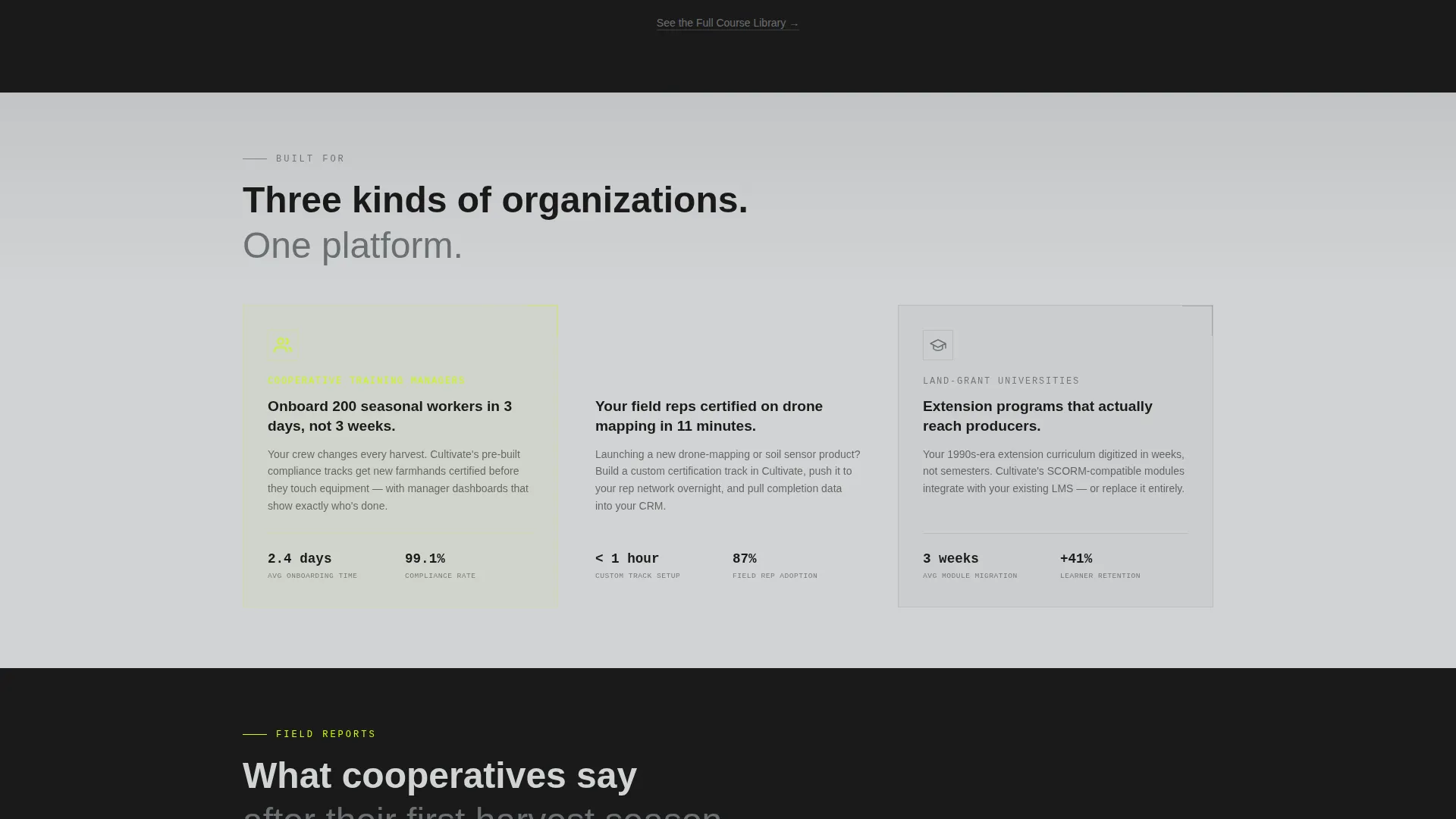
- Cooperative training managers onboarding seasonal field crews
- Agri-tech startups upskilling field representatives on drone-mapping and precision tools
- Land-grant universities digitizing extension programs for modern online delivery
What problem this template solves
Agricultural training programs often struggle to communicate scale and depth on a single page. Visitors leave before they understand the value. This template fixes that by letting the data and the content speak first.
- Static pages fail to show course breadth or learner traction before asking for a signup
- Training platforms lose browsers who want to explore before committing
- Generic templates don't reflect the practical, field-grounded tone that agricultural audiences trust
What you get with this template
You get a fully designed bento grid landing page that combines data credibility with interactive course exploration. Every section has a defined job, and nothing sits idle.
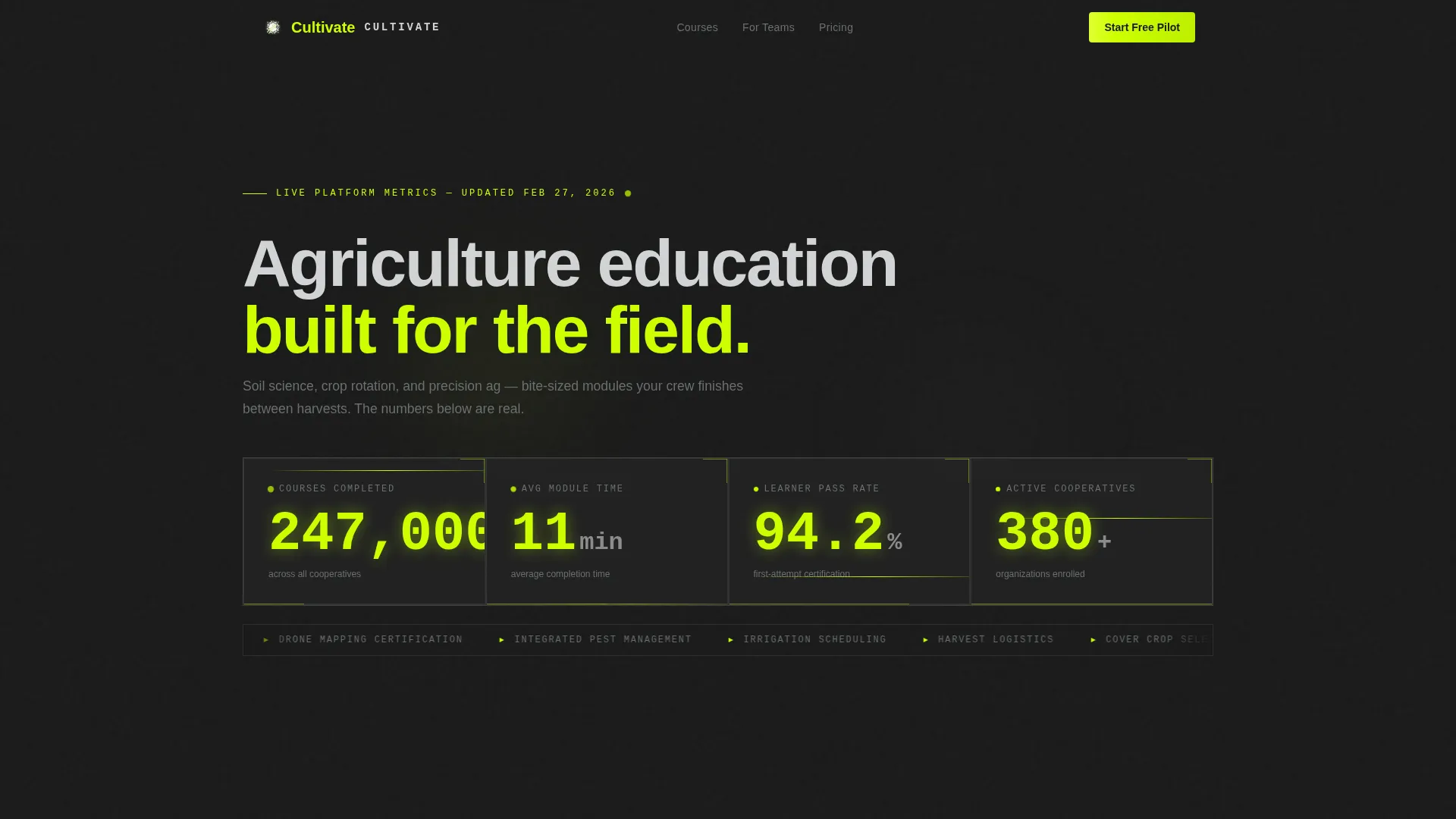
- A full-viewport Stats/Metrics header with four animated live counters in monospaced type
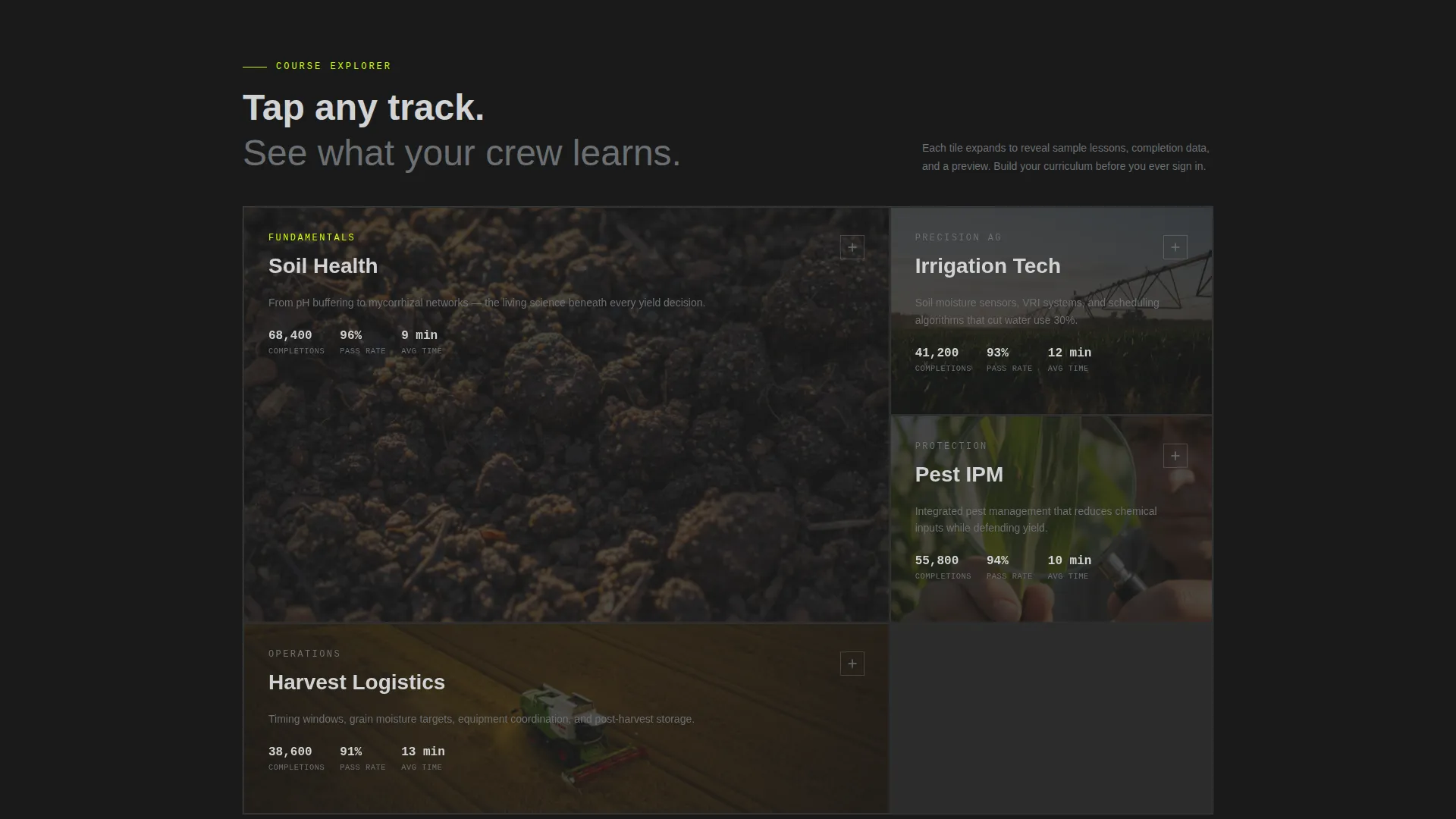
- Four expandable course-category bento tiles with inline lesson previews and completion stats
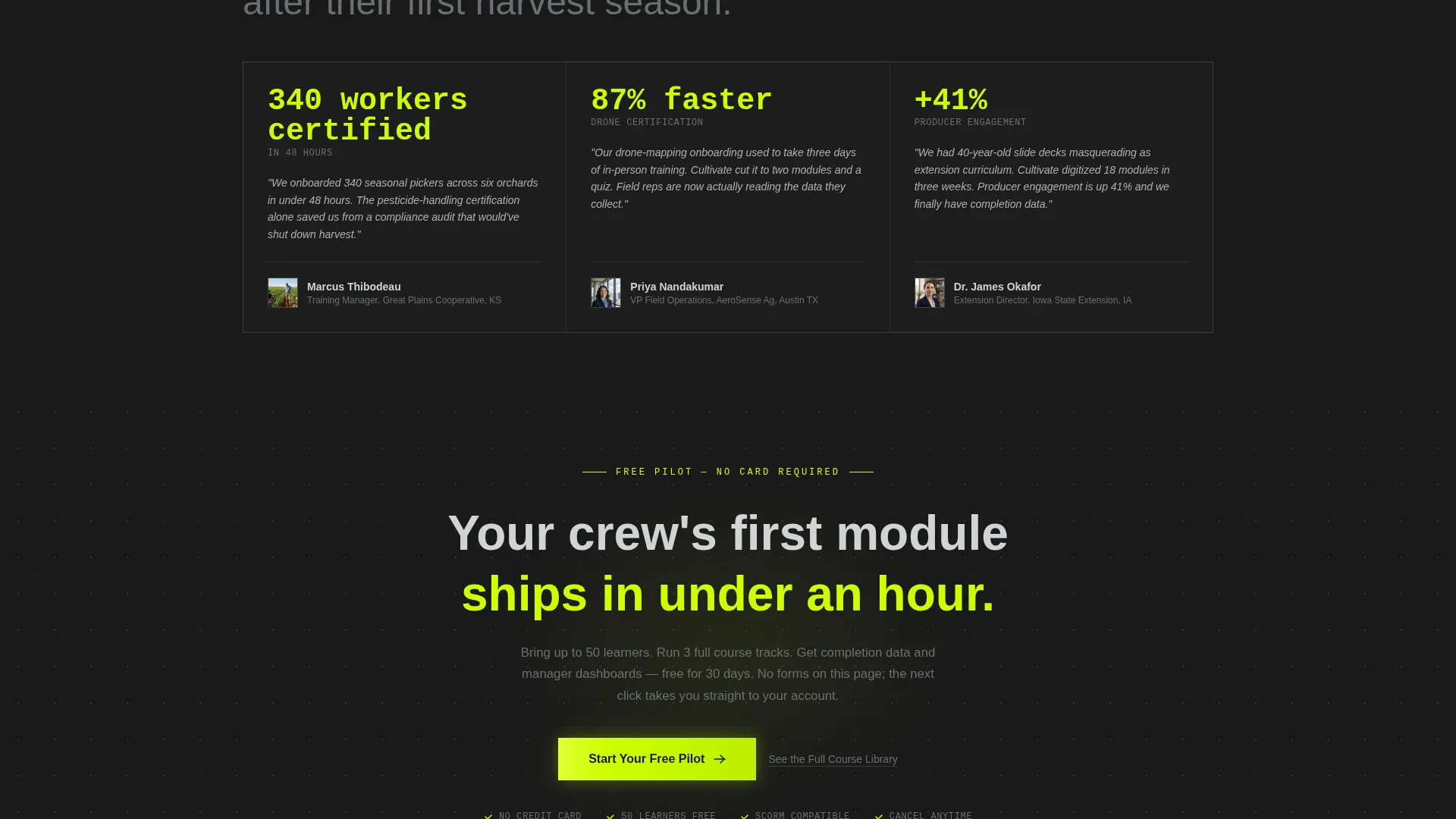
- A sticky chartreuse call-to-action button and a secondary text link for browsers not yet ready to commit
Feature list
This template is built around deliberate interaction design. Each feature below reflects a specific layout or behavioral decision from the source brief.
Live Metrics Header Dashboard
The header fills the full viewport width with four key platform numbers: courses completed (247,000+), average module time (11 minutes), learner pass rate (94.2%), and active cooperatives (380). Each metric sits in its own bento cell, rendered in oversized monospaced type with staggered entrance animations that guide the eye across the grid. No hero image is needed because the data carries the credibility.
Expandable Course-Category Tiles
Below the header, four bento tiles represent core course categories: Soil Health, Irrigation Tech, Pest Integrated Pest Management (IPM), and Harvest Logistics. Each tile is clickable and expands inline to show sample lesson thumbnails, completion statistics, and a fifteen-second looping course video. Visitors explore at their own pace without navigating away from the page.
Sticky Chartreuse Call-to-Action
After a visitor interacts with any two tiles, a "Start Your Free Pilot" button appears pinned at the bottom of the viewport. The button uses the electric chartreuse accent color to signal action clearly. This behavior ties exploration directly to conversion without interrupting the browsing flow.
Secondary Discovery Link
A text link reading "See the Full Course Library" sits beneath the primary call-to-action. It keeps less-decided visitors inside the experience rather than letting them leave. This two-path approach serves both ready buyers and early researchers.
Bento Grid Layout System
The entire page uses a structured bento grid that allocates space with field-notebook precision. Cells are sized by importance, backgrounds alternate between forge-black and brushed aluminum, and the chartreuse accent appears only on interactive or action elements. The grid makes the page scannable and purposeful at every viewport size.
Page sections overview
| Section | Purpose |
|---|---|
| Stats/Metrics Header | Establish platform scale with live animated counters |
| Course Category Tiles | Let visitors explore content areas inline |
| Inline Lesson Previews | Show real course depth without leaving the page |
| Sticky call to action Button | Convert engaged visitors after two tile interactions |
| Secondary Text Link | Retain browsers who are not yet ready to sign up |
Design & branding system
The visual identity channels a Startup Velocity theme through a tight Monochrome Steel color system. Every color decision has a functional role, and decoration is kept to zero.
- Core palette: forge-black (#1A1A1A), galvanized mid-gray (#6B6F73), brushed aluminum (#D1D3D4), and electric chartreuse (#CCFF00)
- Backgrounds alternate between forge-black and brushed aluminum sections; text always lives in high-contrast pairs for legibility
- Chartreuse is reserved exclusively for buttons, progress indicators, and live data signals, never used as decoration
Mobile & speed optimization
The bento grid structure scales naturally across screen sizes. Section proportions and tile interactions are designed to remain usable on smaller viewports.
- Bento cells reflow for narrower screens without losing the grid's visual logic
- Monospaced metric typography remains readable at reduced scale
- Inline video previews within course tiles are kept to fifteen-second loops to minimize load impact on mobile connections
How this template helps you convert
The page is built as a click-through engine. Every design and interaction decision moves the visitor toward one outcome: clicking "Start Your Free Pilot."
- The live metrics header establishes credibility immediately, so visitors arrive at the course tiles already primed to trust the platform's scale.
- Expandable course tiles let visitors invest attention before being asked to commit, which means the call-to-action appears after genuine engagement rather than cold interest.
- The sticky chartreuse button activates only after two tile interactions, timing the ask to the moment when visitor intent is already demonstrated.
Other information about this template
This template is a strong fit for the agriculture learning management system (LMS) space, where course platforms need to balance technical credibility with accessible design. A few additional details worth noting:
- The template style is Bento Grid, which suits data-rich platforms that need to present multiple content types in a single organized view
- The Interactive Explorer creative direction is central to the template's value: it transforms passive browsing into active product discovery
- The Click-Through landing page direction means there is no form on this page; the conversion goal is a single button click to a dedicated signup flow
- This template works for platforms offering courses in soil science, crop rotation, precision agriculture, drone-mapping software, and related agricultural disciplines
- The field-notebook aesthetic, gridlined and purposeful, reinforces the agricultural learning context without relying on imagery
Theme
Startup Velocity
Creative direction
Interactive Explorer
Color system
Monochrome Steel
Style
Bento Grid
Direction
Click-Through
Page Sections
Live Stats Header with Animated Counters
Expandable Course Category Bento Tiles
Interaction-triggered Sticky Call to Action
Secondary Text Link for Browsers
Monochrome Steel Bento Grid Layout
Related questions
Is there a contact form or signup form on this page?
Can I replace the default course category tiles with my own content?
What triggers the sticky call-to-action button to appear?
Who is this template designed for?
Does the metrics header need a live data connection to work?



