Grain Marketing Automation Landing Page Template
Cultivate is a dark-themed, card grid landing page template built for grain marketing automation platforms. It follows a Problem-to-Solution arc, pairing named farm pain points with direct answers. The design feels like a cockpit instrument panel: every color carries real information. Farm operators, cooperative merchandisers, and agribusiness finance teams will recognize their workflow immediately.
by Rocket studio
Quick summary
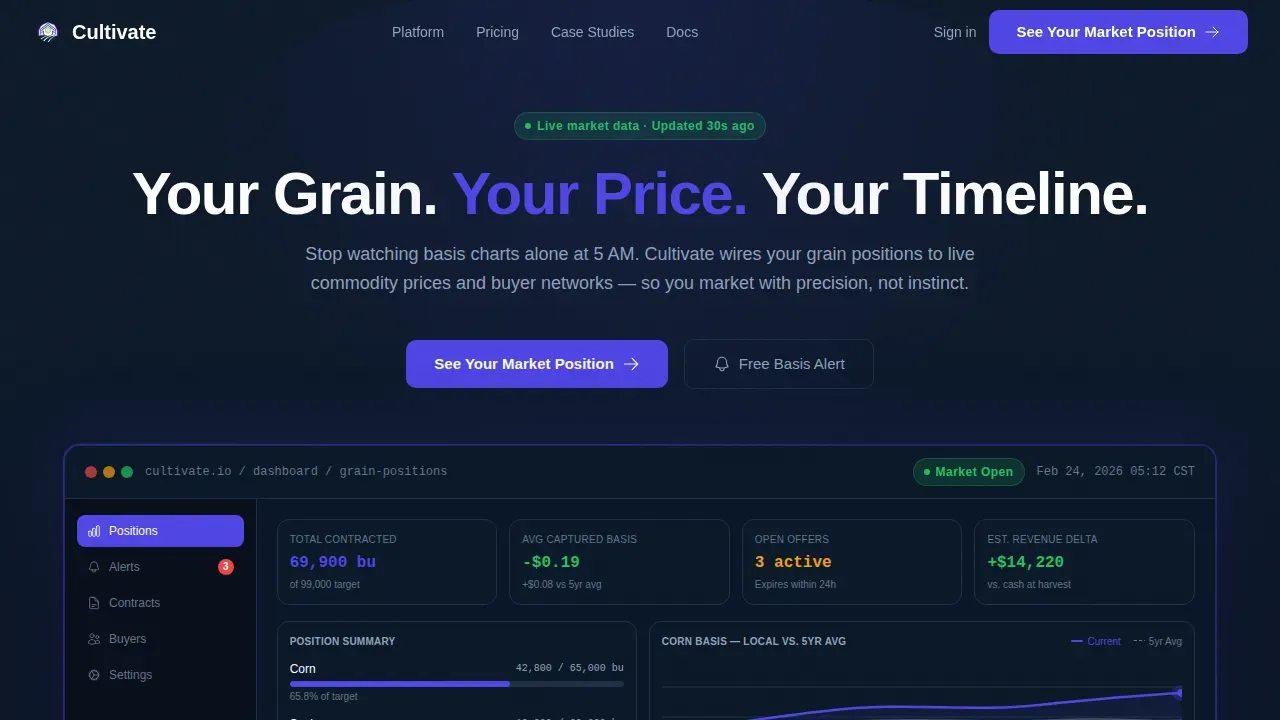
Cultivate is a modular card grid landing page template designed for agriculture marketing automation platforms. It opens with a product screenshot dashboard, walks visitors through a Problem-to-Solution arc, and closes with a progressive lead generation form. The design uses a dark instrument-panel palette to give grain marketing data the visual weight it deserves.
Who this template is for
This agriculture landing page template speaks directly to the people making grain marketing decisions before the market opens. It is built for platforms serving data-driven agricultural operations of every scale.
- Family farm operators tracking basis charts at dawn who need clarity over chaos
- Cooperative grain merchandisers managing multiple elevator locations across a region
- Agribusiness finance leads hedging commodity contracts ahead of board-level deadlines
What problem this template solves
Grain marketing is volatile, and most agriculture landing pages fail to reflect that reality. Visitors arrive with urgent, specific questions. A generic template cannot build credibility or move them toward action. This template addresses the real financial pain points: missed pricing windows, manual contract tracking, and basis alerts buried in text messages.
- Farm operators lose dollars per bushel when pricing decisions rely on spreadsheets and guesswork
- Cooperative merchandisers struggle to manage consistent marketing campaigns across dozens of locations
- Agribusiness clients need a landing page that communicates platform value instantly, without barriers to understanding
What you get with this template
This template gives you a complete, conversion-ready agriculture landing page structure. Every section is purposefully sequenced to introduce the platform, surface the problem, present the solution, and capture leads. No-code development principles mean non-technical users can build and launch the page without extensive coding knowledge.
- A full-width product screenshot hero with headline and dual call-to-action buttons
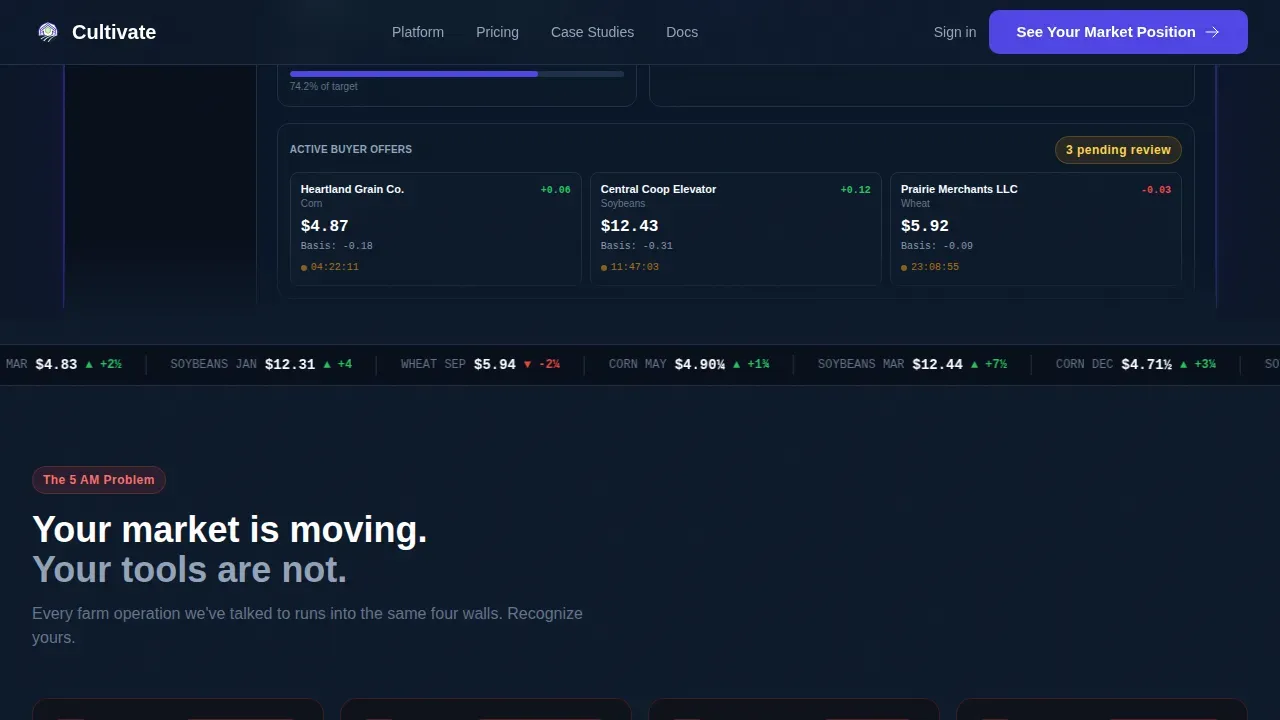
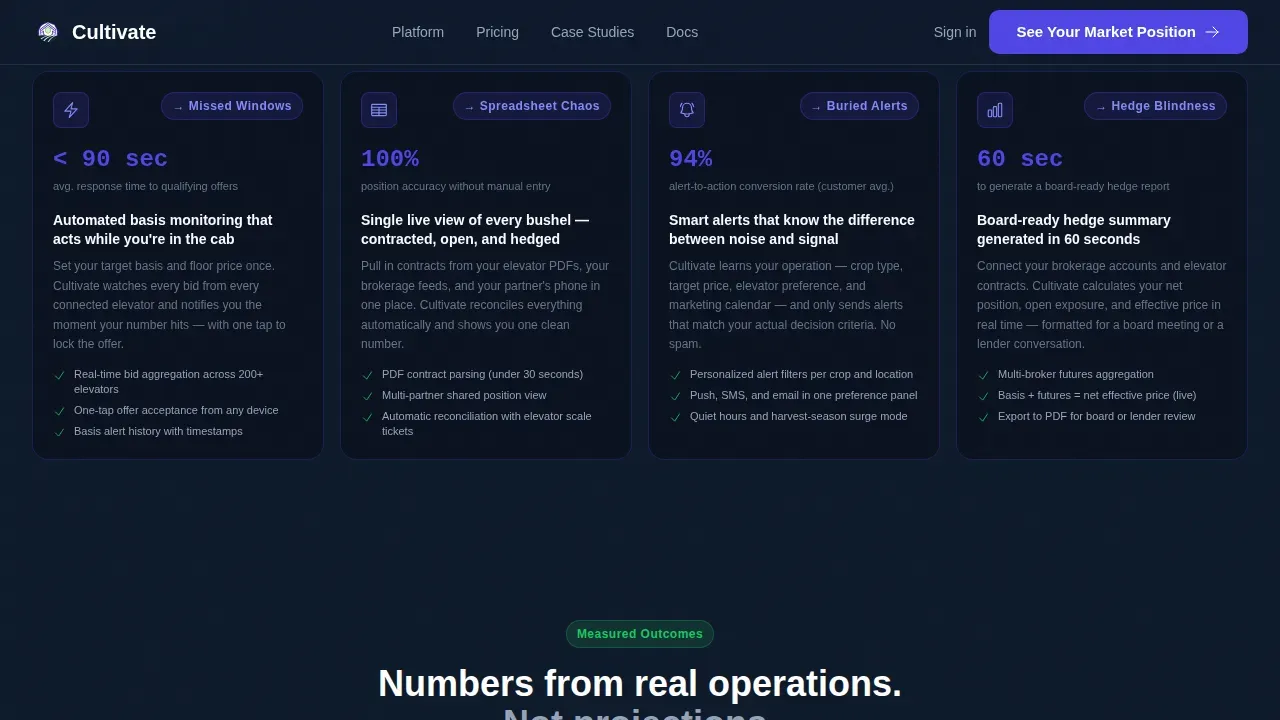
- A modular problem-and-solution card grid with a visual separator and outcome metrics row
- A progressive disclosure lead generation form plus a secondary basis alert micro-form
Feature list
This agriculture landing page template includes six purpose-built components that work together to drive engagement and convert qualified visitors into leads.
Problem-to-Solution Card Grid
Each problem card names a real pain point and pairs it one-to-one with a solution card directly below. Visitors never wonder whether the platform solves their specific issue. The layout is set up for scroll-triggered reveal animations and a drawn indigo separator line between the two grid states.
Product Screenshot Hero Section
The hero section displays a full-width, pixel-sharp dashboard screenshot showing live grain position data. The headline sits cleanly above it in white text on a deep navy background. Two call-to-action buttons sit beneath the screenshot, giving visitors an immediate path to act within the first few seconds of landing.
Progressive Lead Generation Form
The lead capture form uses progressive disclosure: it asks for operation type first, then annual bushels marketed, then email. This step-by-step sequence feels like configuring a tool rather than filling out a sales form. A secondary micro-form for a free basis alert requires only zip code and crop type, lowering the barrier for hesitant visitors.
Outcomes Metrics Row
A dedicated row of cards displays performance statistics: dollars captured per bushel, hours saved per week, and contracts closed before harvest. These figures validate the platform's effectiveness and build trust with agriculture users who respond to specific, measurable results rather than general promises.
Dashboard Pro Dark Design System
The design uses DM Sans for interface text and JetBrains Mono for numerical values and basis figures. The color system carries real information: electric indigo marks active states, bright yield green signals positive pricing alerts, and rain-washed slate handles secondary text and card borders. Every design choice serves data clarity.
Modular Section Architecture
Every section of this landing page is built as an independent, reusable module. Teams can rearrange, remove, or duplicate card blocks without rewriting layout code. This makes it straightforward to run A/B testing on section order, card copy, or call-to-action text to optimize conversion rates over time.
Page sections overview
| Section | Purpose |
|---|---|
| Hero Dashboard Screenshot | Introduce the platform with live grain data visual and headline |
| Problem Card Grid | Surface named pain points with supporting statistics |
| Indigo Separator Line | Create visual pause and signal the shift to solutions |
| Solution Card Grid | Map direct answers to each named problem above |
| Outcomes Metrics Row | Display performance results that build credibility |
| Lead Generation Form | Capture qualified leads via progressive disclosure steps |
| Basis Alert Micro-Form | Offer immediate value to visitors not ready for a demo |
| Footer Linear Row | Provide navigation and supporting links in a single row |
Design & branding system
The visual design follows a Dashboard Pro theme built around the Electric Indigo color system. The palette is intentional: every color earns its place by carrying information. Nothing is decorative.
- Deep field navy (#0E1A2B) sets the primary background, giving the page a calm, data-focused atmosphere
- Electric indigo (#4F46E5) highlights active states and data points; bright yield green (#22C55E) marks positive signals like price alerts
- DM Sans handles all interface and body text; JetBrains Mono renders numbers, basis values, and data fields for immediate legibility
Mobile & speed optimization
The template is designed desktop-first to match the primary use case of farm operators on laptops at the kitchen table before dawn. Responsive components ensure the layout adapts cleanly across screen sizes. Loading performance is supported through a server-and-client component split in the build architecture.
- Responsive card grid reflows gracefully from wide desktop columns to stacked mobile layout
- Server components handle static sections to reduce loading time; client components power animated counters and the interactive form
- Image assets and text blocks are structured to maintain speed across modern browsers
How this template helps you convert
This agriculture landing page is designed around a single objective: turning informed visitors into qualified leads. Every section earns its place in the conversion sequence.
- The Problem-to-Solution arc makes visitors feel seen. They recognize their own workflow in the problem cards, which makes the solution cards credible and the call-to-action feel like a natural next step rather than a sales push.
- Progressive disclosure in the lead form removes friction. Asking for operation type before email respects user preferences and signals that the platform is built for their specific agriculture context, not a generic audience.
- The secondary basis alert path gives hesitant visitors immediate value. Offering free insights with only a zip code and crop type lowers barriers, builds trust early, and creates a second entry point for follow-up marketing campaigns.
Other information about this template
This template is built to support agri-tech startups, established agricultural businesses, and cooperative operations looking to launch or reposition a grain marketing platform. It is well-suited for companies that want to introduce a modern software product to a practical, data-literate agriculture audience.
- The template can support videos in the solution or outcomes sections to demonstrate platform workflows and add depth to the user experience
- Teams can use the modular card structure to build out a portfolio of campaign-specific agriculture landing page variants without starting from scratch each time
- Vibe coding workflows and no-code development tools make it possible for non-technical users to create, customize, and install this template quickly, going from prompt to live page in minutes rather than months
- The Cultivate smart grain marketing automation landing page template is specifically crafted for platforms that need to communicate complex agriculture data services with clarity and immediate visual impact
- Trust signals such as outcome statistics and client-facing performance data are baked into the layout so every agriculture landing page variant built from this template can build credibility from the first scroll
- The design system's fonts, colors, and content hierarchy are ready to adapt to your company's brand tokens without restructuring the page layout

Theme
Dashboard Pro
Creative direction
Problem→Solution Arc
Color system
Electric Indigo
Style
Card Grid (Modular)
Direction
Lead Generation
Page Sections
Problem-to-solution Card Grid
Product Screenshot Hero Section
Progressive Lead Generation Form
Outcomes Metrics Row
Dashboard Pro Dark Design System
Modular Section Architecture
Related questions
Who is this landing page template designed for?
Can non-technical users customize this template?
How does the lead generation form work?
What design style does this template use?
Can I use this template for multiple campaign variants?



