Micro-SaaS & Developer Tools Professional Website Template
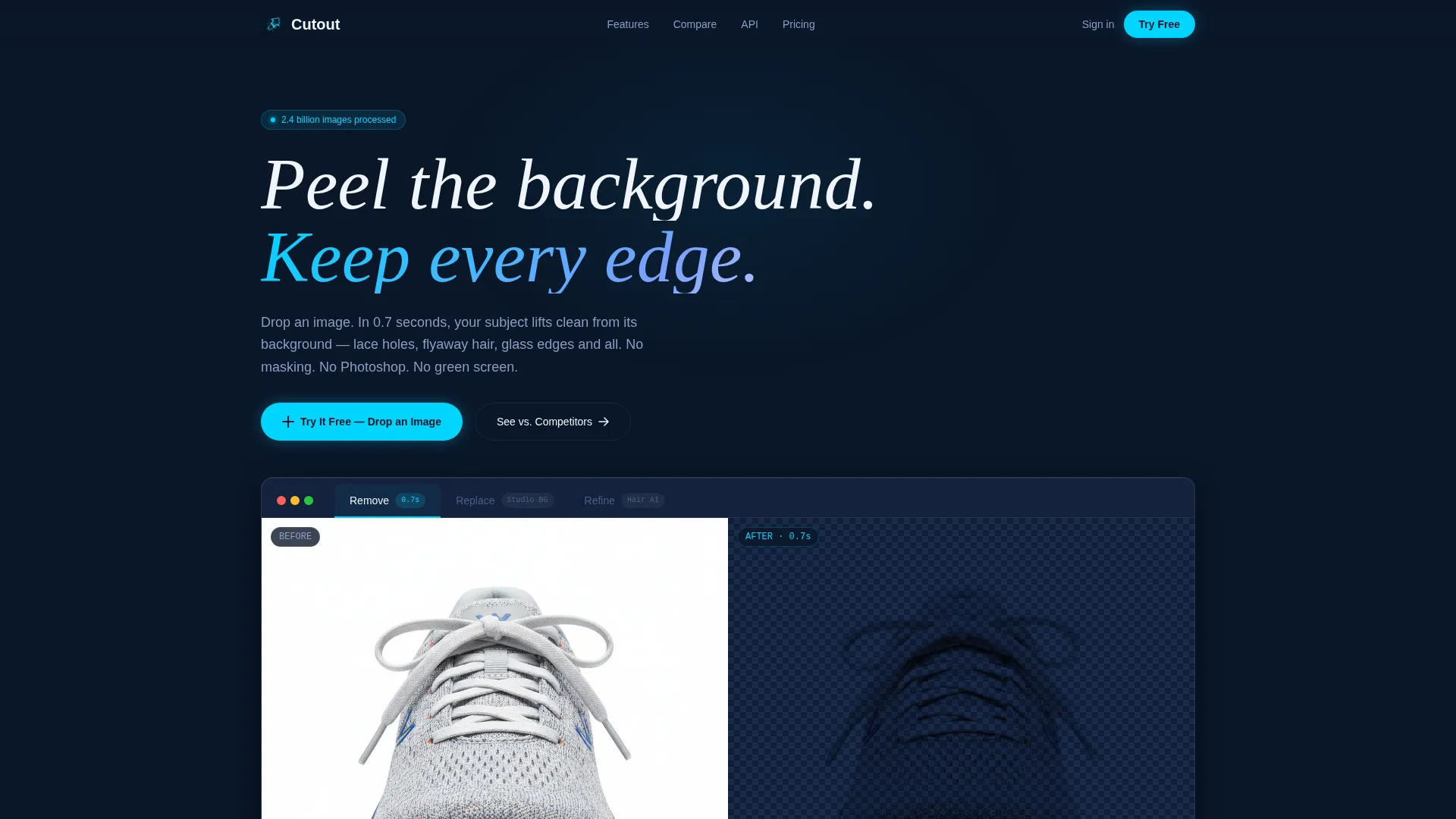
Cutout is a scroll-reveal landing page template built for a browser-based background removal tool. It combines a Feature Tab Switcher header, live drag-and-drop demo, stats-driven proof sections, and a competitor comparison toggle into one cohesive, high-converting page. The Tech Glass visual identity and Midnight Blue color system give it a sharp, clinical look that feels instantly credible.
by Rocket studio
Quick summary
Cutout is a single-page, scroll-reveal landing page template designed for a browser-based background remover tool. It leads with live proof, builds conviction through data, and closes with a drag-and-drop demo that lets visitors test the product before signing up. The Tech Glass design and Midnight Blue palette create a focused, high-trust first impression.
Who this template is for
This template is built for founders, product teams, and developers launching a background removal tool. It speaks directly to users who need to prove accuracy and speed before asking for a commitment.
- E-commerce photographers who batch-process large volumes of product images before catalog deadlines
- Social media managers who need clean headshots and subject cutouts for branded content
- Indie game developers extracting sprite assets and needing fast, reliable edge detection
What problem this template solves
Most landing pages for image tools describe features without demonstrating them. Visitors leave before they believe. This template reverses that sequence by showing the result first and asking for sign-up second.
- Visitors skeptical of AI image tools need to see proof, not promises, before they convert
- Teams switching from existing tools need a direct, side-by-side reason to change their workflow
- Developers evaluating an application programming interface need performance data before they commit
What you get with this template
You get a complete, scroll-reveal landing page structured as a prosecution case: every section adds a new layer of proof. The template ships with clearly defined sections, a live demo zone, and a conversion path built around belief, not pressure.
- A Feature Tab Switcher header with three interactive tabs and dissolve-wipe transitions
- A stats counter bar, competitor comparison toggle table, and batch-processing benchmark section
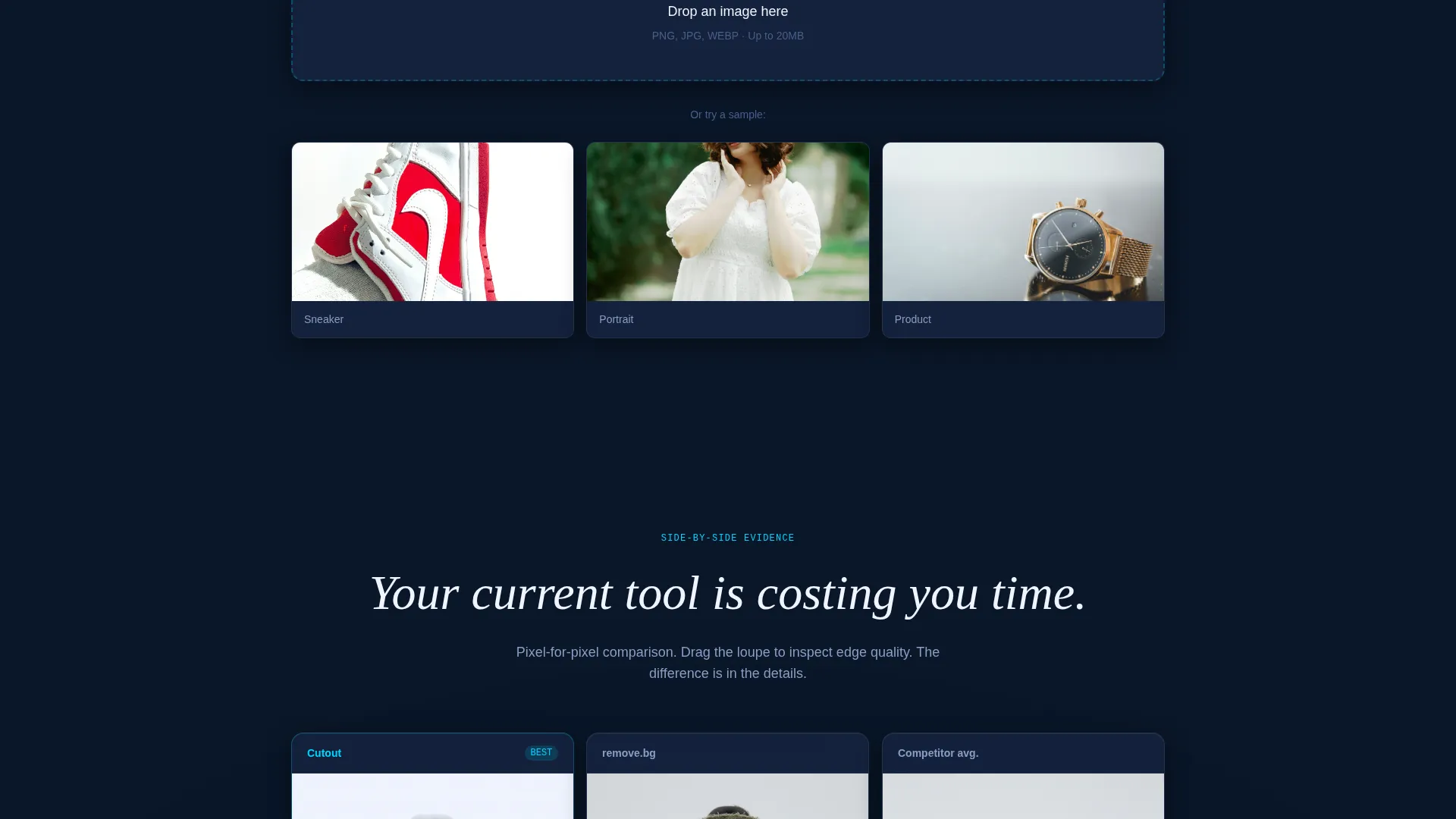
- A drag-and-drop upload zone that processes a visitor's own image live on the page
Feature list
This template covers the full conversion journey from first impression to sign-up. Each built-in component serves a specific role in building trust and reducing hesitation.
Feature Tab Switcher Header
Three glass-paneled tabs labeled "Remove," "Replace," and "Refine" sit across the top of a live demo frame. Each tab shows a different output state, and switching between them triggers a dissolve-wipe transition that mirrors the removal process itself.
Stats-First Counter Bar
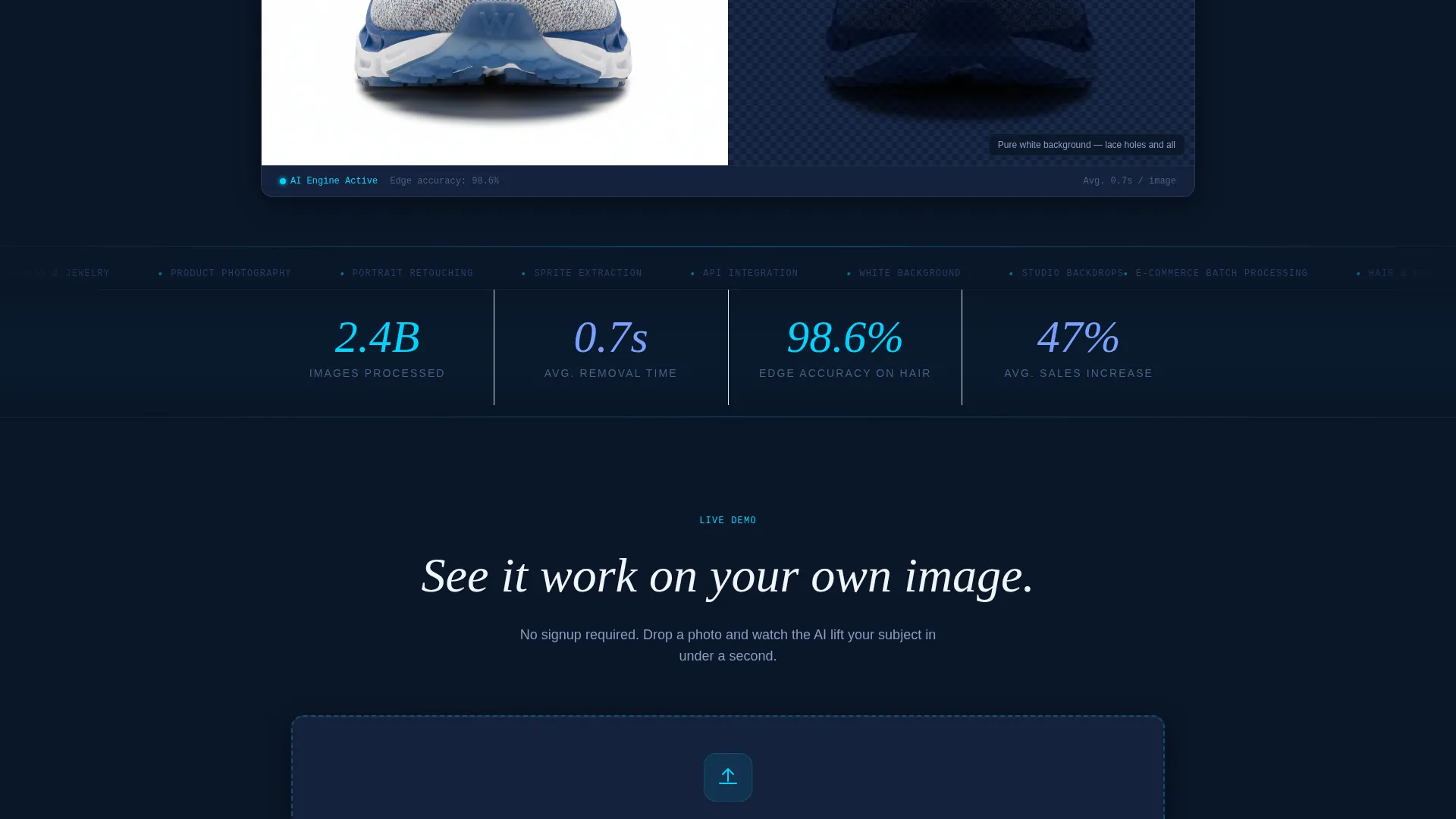
A counter bar snaps into view on scroll and displays key proof points such as images processed, average removal time, and edge accuracy on hair. These stats function as the opening argument, not decoration.
Live Drag-and-Drop Demo Zone
Visitors can drop their own image directly onto the page and see it processed in real time. The primary call to action sits beside this zone, so belief and action happen at the same moment.
Competitor Comparison Toggle
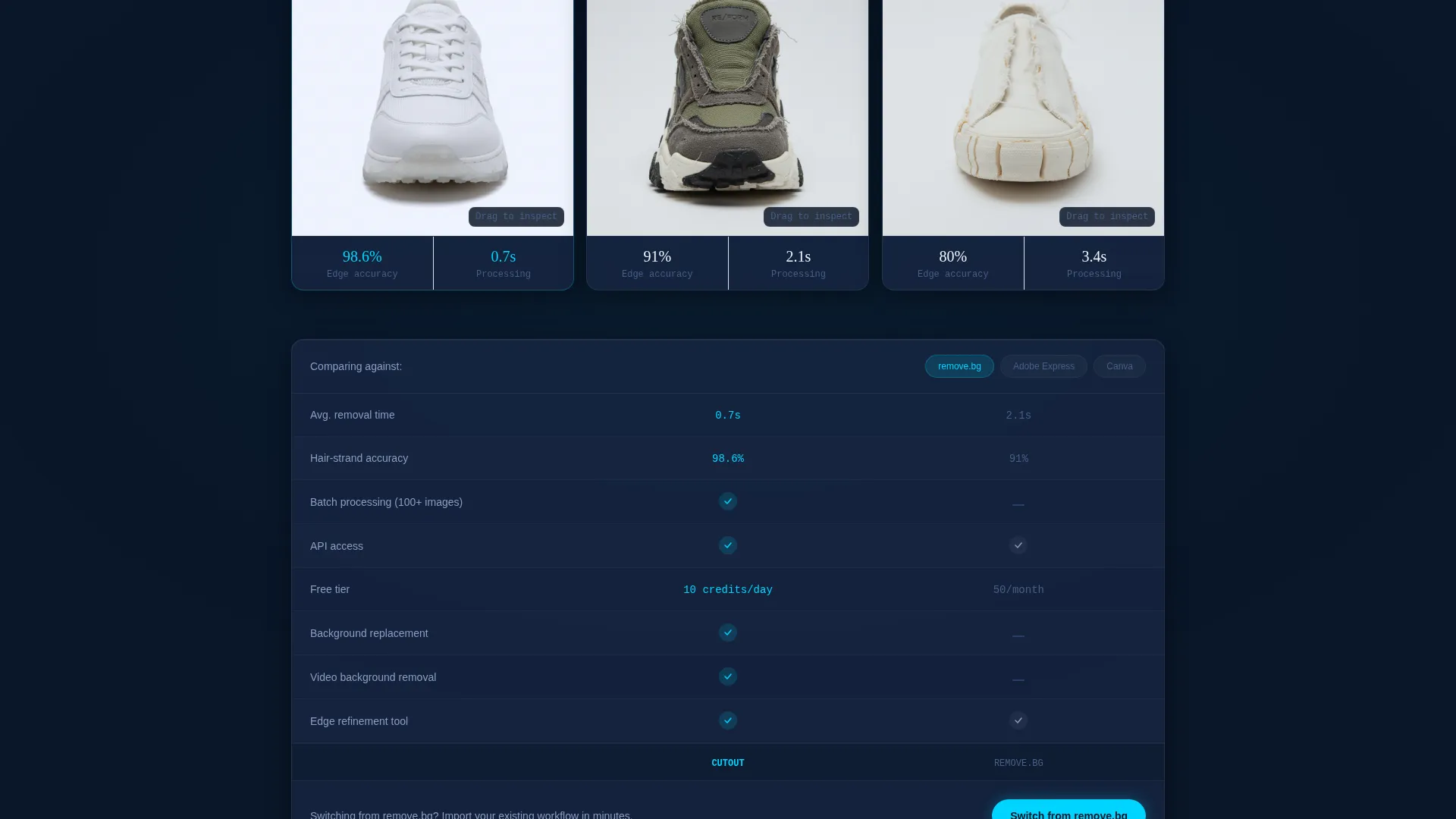
A toggle table lets visitors select their current tool and view a feature-by-feature breakdown. The section ends with a contextual call to action tied to the tool they selected, making the switch feel personal and practical.
Scroll-Reveal Progressive Layout
Each section animates into view as the visitor scrolls, building a cumulative case for the product. The pacing prevents overwhelm and keeps attention focused on one proof point at a time.
Email Capture After Demo
The email capture form appears after the visitor's image is processed, not before. This placement reduces friction by asking for contact details at the moment when the visitor's confidence is highest.
Page sections overview
| Section | Purpose |
|---|---|
| Feature Tab Header | Showcase Remove, Replace, Refine output states with tab switching |
| Stats Counter Bar | Lead with quantified proof points on scroll entry |
| Side-by-Side Grid | Compare output quality against competitors with pixel-zoom loupes |
| Batch Speed Benchmark | Show throughput-per-minute data for high-volume users |
| API Response Chart | Present response-time data for developer evaluation |
| Drag-and-Drop Demo | Let visitors process their own image live before signing up |
| Competitor Toggle Table | Side-by-side feature comparison with contextual switch call to action |
| Email Capture Zone | Collect contact details after demo belief is established |
Design & branding system
The template uses a Tech Glass visual identity built on the Midnight Blue color system. Every surface feels like it is floating on a translucent pane with soft refraction edges, creating a clinical and focused atmosphere.
- Deep terminal navy (#0A1628) as the primary background, frosted glass panel blue (#1B2A4A) for card surfaces
- Electric cyan (#00D4FF) on interactive highlights and stat counters, isolation white (#F0F4FF) for text and processed-image backgrounds
- Translucent card panels with soft refraction edges give each component a floating, layered depth
Mobile & speed optimization
The scroll-reveal layout is structured so each section loads progressively as the visitor moves down the page. The template is built with a responsive layout in mind so the experience holds up across screen sizes.
- Tab switcher and demo zone adapt to touch interactions on mobile devices
- Counter bar and comparison sections reflow cleanly for narrow viewport widths
- Drag-and-drop upload zone is designed to accommodate both desktop drop and mobile file-picker input
How this template helps you convert
The conversion strategy is built on a simple principle: prove the claim first, then ask for the sign-up. Every section is sequenced to reduce objection rather than add pressure.
- The live drag-and-drop demo lets visitors process their own image before any sign-up prompt appears, turning skepticism into firsthand experience.
- The competitor comparison toggle makes switching feel like a logical conclusion rather than a leap of faith, and the contextual call to action closes the gap at the right moment.
- Email capture is positioned immediately after the demo result, when the visitor's belief and motivation are both at their peak.
Other information about this template
This template is designed to work within a Micro-SaaS product context where the tool itself is the best sales argument. The layout supports iterative content updates so teams can refresh stats, competitor data, and demo assets without rebuilding the page structure.
- The template style is Scroll Reveal (Progressive), meaning content enters the viewport in a deliberate, sequenced order
- The landing page direction is Comparison/Versus, making it well-suited for markets where multiple competing tools already exist
- The header concept is a Feature Tab Switcher, which is particularly effective for tools with multiple output modes or use-case variations
- This template fits the Technology category and the background remover tool niche within Micro-SaaS and developer tools
Theme
Tech Glass
Creative direction
Stats-First Impact
Color system
Midnight Blue
Style
Scroll Reveal (Progressive)
Direction
Comparison/Versus
Page Sections
Feature Tab Switcher with Dissolve Transitions
Stats-first Scroll-triggered Counter Bar
Live Drag-and-drop Upload Zone
Competitor Comparison Toggle Table
Progressive Scroll-reveal Layout
Post-demo Email Capture Placement
Related questions
Who is this landing page template designed for?
Does the template include the live demo functionality?
Can I update the stats and competitor data shown on the page?
Is this a single-page or multi-page template?
How does the email capture section work in this template?



