Serverless Enterprise Software Cost Calculator Website Template
Dam is a bento grid landing page template built for serverless digital asset management platforms. It leads with a live cost-and-latency calculator, then unfolds a feature matrix of frosted-glass cards covering edge delivery, on-the-fly transforms, AI tagging, and more. The Tech Glass visual identity and two-step lead capture form make it sharp, credible, and conversion-ready.
by Rocket studio
Quick summary
Dam is a single-page bento grid landing page template designed for serverless digital asset management platforms. The hero is a live estimator tool that calculates costs, latency, and storage savings in real time. A frosted-glass feature matrix follows, showcasing platform capabilities through animated cards. The whole page is wired for lead generation via a two-step migration form.
Who this template is for
This template speaks directly to technical buyers and operations teams who manage large volumes of digital assets. It is built for people who have already outgrown basic cloud storage and need a credible, high-signal landing page to match.
- Engineering leads at software-as-a-service companies dealing with sprawling cloud storage buckets
- Creative operations managers at agencies who are tired of stitching together multiple storage and delivery tools
- Chief technology officers at e-commerce brands whose product image pipelines buckle under peak traffic
What problem this template solves
Most landing pages for infrastructure products lead with marketing copy. Technical buyers distrust that immediately. Dam flips the approach by putting a working estimator front and center, so visitors calculate their own savings before reading a single headline.
- Generic landing pages fail to pre-qualify technical buyers who need proof, not promises
- Feature descriptions buried in paragraphs lose engineers who scan for specifics, not prose
- Long single-step forms create drop-off before intent is confirmed
What you get with this template
Dam delivers a complete, structured landing page layout ready to adapt for a serverless digital asset management platform. Every section has a defined role, from the calculator header through to the final lead capture form.
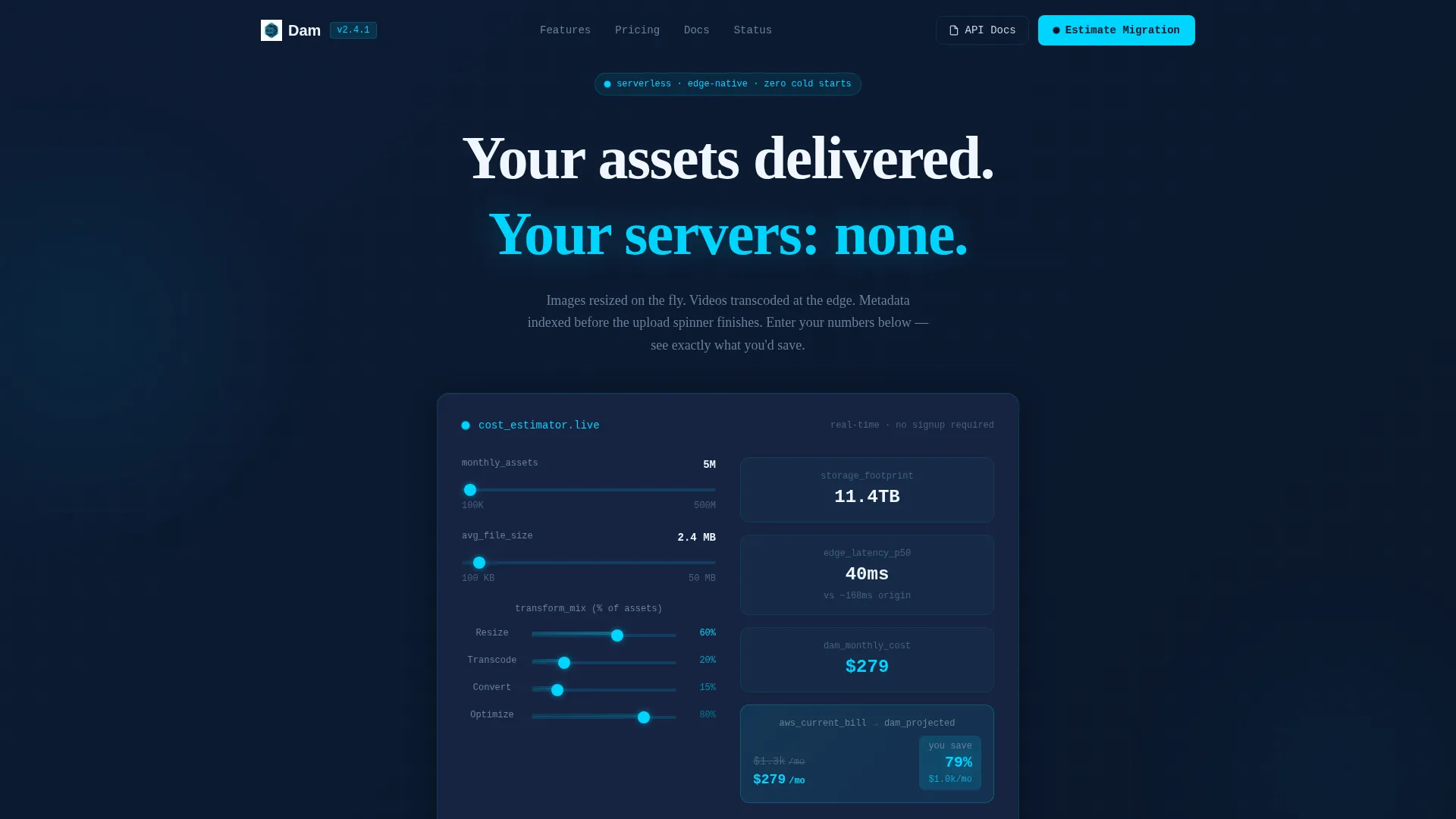
- A live calculator hero card that computes estimated cost, delivery latency, and storage savings based on visitor inputs
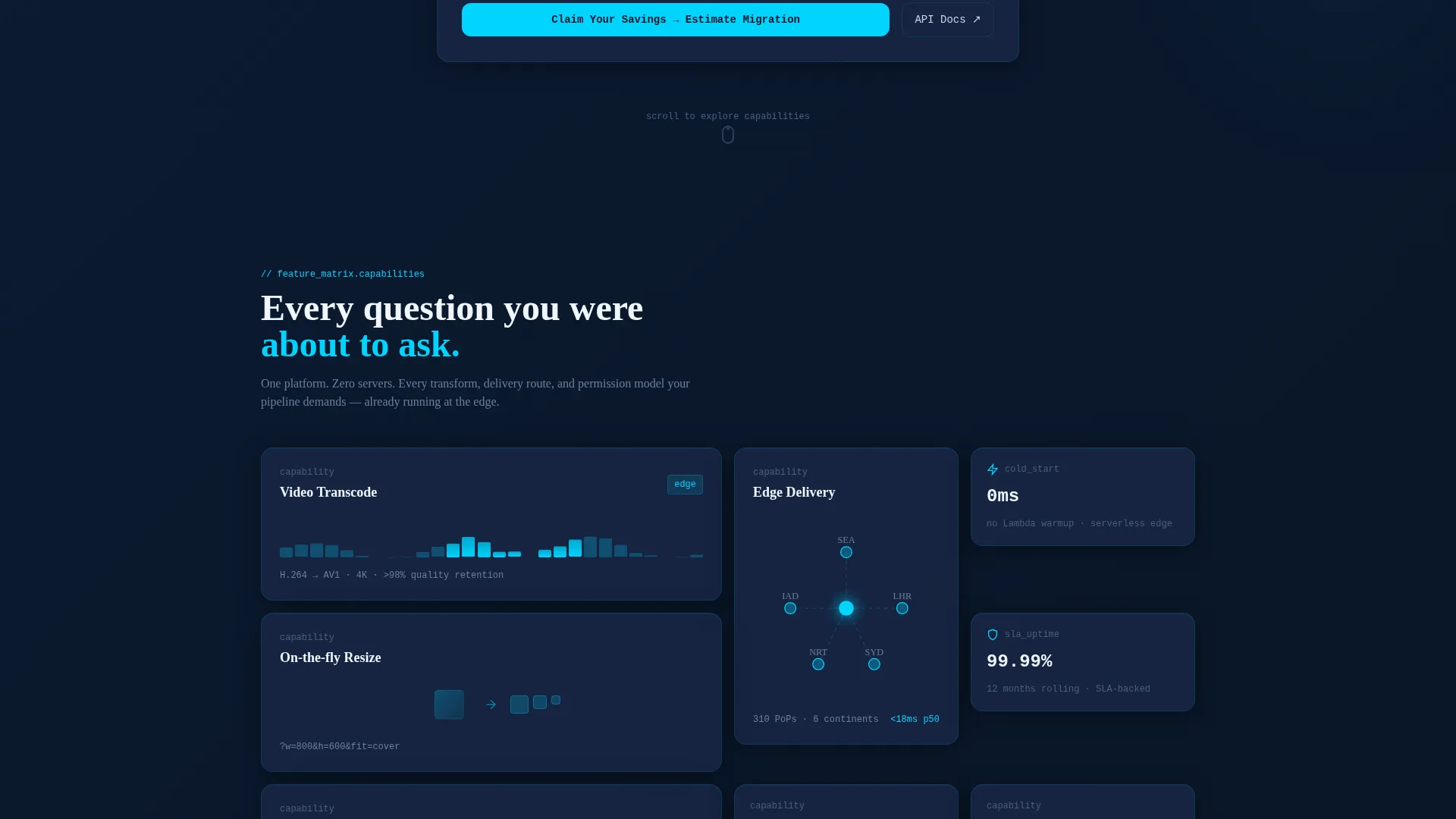
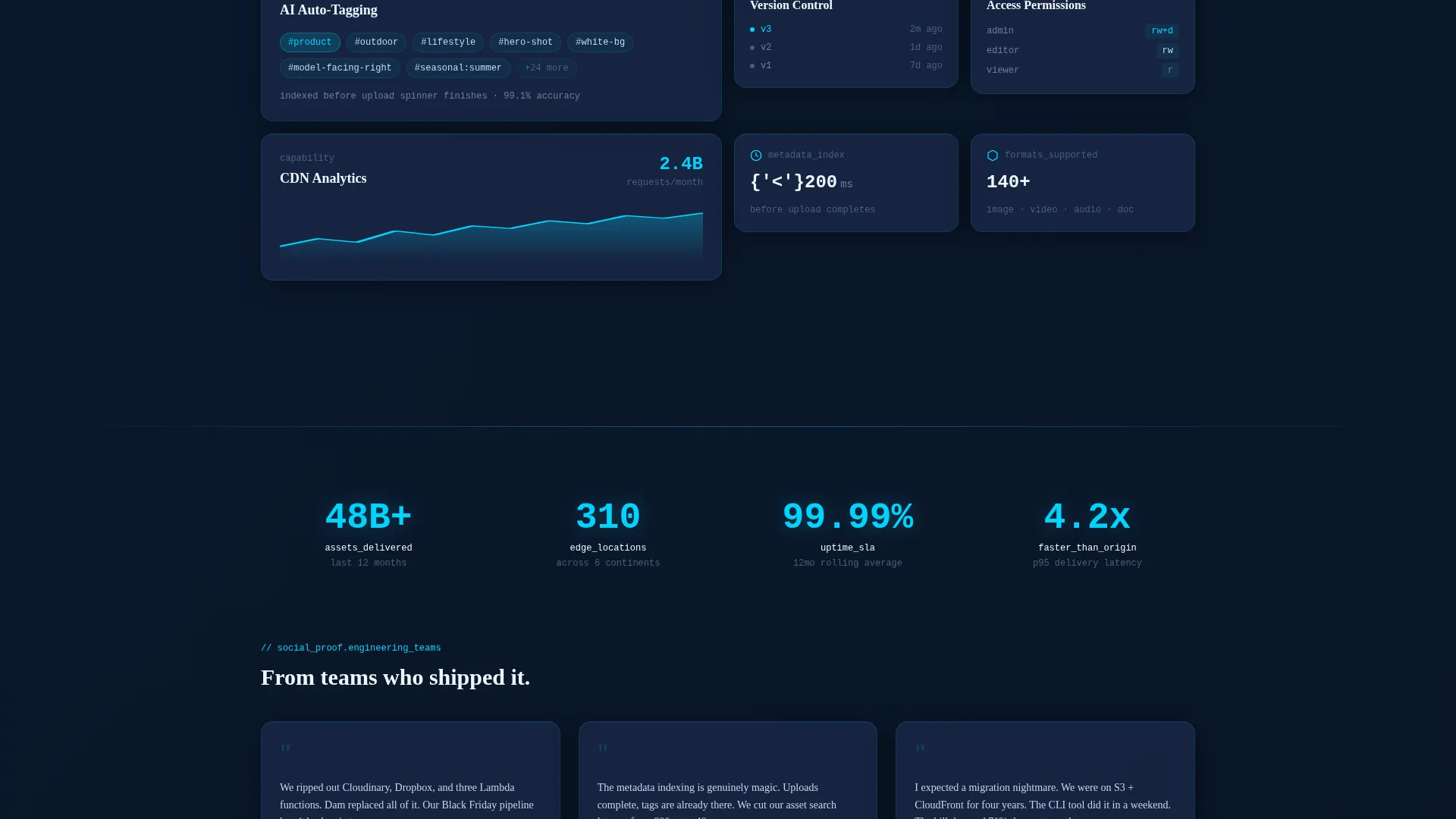
- A bento grid feature matrix with large animated cards and small icon-and-stat cards covering the full platform capability set
- A sticky navigation bar with a primary call-to-action button and a two-step lead generation form that captures email, current storage provider, asset volume, and top priority
Feature list
Dam is built around a focused set of purpose-designed components. Each one serves a specific conversion or communication goal.
Live Cost and Latency Estimator
The header is a frosted-glass calculator card. Visitors enter monthly asset volume, average file size, and transformation types, then watch cost estimates, delivery latency projections, and storage savings update in real time. A comparison line shows their current cloud storage bill against the projected platform cost, with the savings delta highlighted in electric cyan.
Bento Grid Feature Matrix
After the calculator, the page scrolls into an asymmetric bento grid. Large cards carry live micro-animations showing actions like thumbnail resizing and waveform transcoding. Small cards pair a single icon with a single stat. Together they cover edge delivery, on-the-fly transforms, artificial intelligence tagging, version control, access permissions, and content delivery network analytics.
Two-Step Lead Generation Form
The primary conversion path uses a two-step form tied to the sticky "Estimate Your Migration" button. Step one captures work email and current storage provider via a dropdown. Step two asks for monthly asset volume and top priority. The form flow is intentionally short and sequenced to reduce friction.
Secondary API Documentation Path
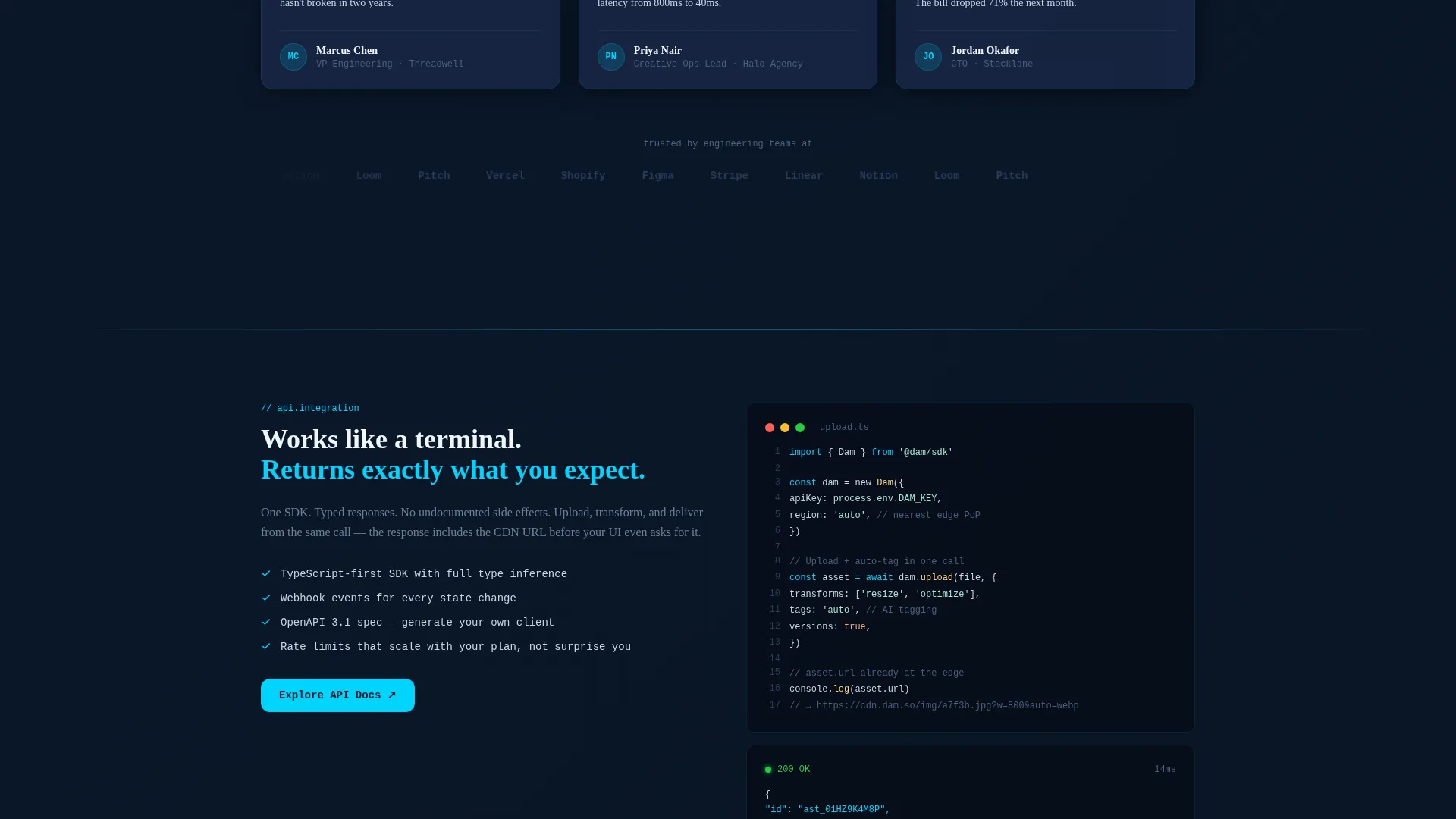
A lower-commitment call to action invites visitors to explore the application programming interface (API) documentation in a new tab. This path serves visitors who are not yet ready to convert but are evaluating the platform technically. The session is cookied for retargeting.
Tech Glass Visual System
The entire page uses a consistent Tech Glass design language. Frosted-glass card panels sit against a void-dark navy background. Electric cyan drives all interactive states. Cool silver handles body text. The palette and surface treatment create a coherent, premium infrastructure aesthetic throughout.
Page sections overview
| Section | Purpose |
|---|---|
| Calculator Hero Card | Pre-qualify visitors with real-time cost, latency, and savings estimates |
| Sticky Navigation Bar | Keep the primary call to action visible and accessible during scroll |
| Bento Feature Grid | Communicate platform capabilities through animated and stat cards |
| Migration Lead Form | Capture qualified leads via a two-step email and context form |
| API Docs call to action | Offer a lower-commitment path for technical evaluators |
Design & branding system
The visual identity is built on a Midnight Blue color system using a Tech Glass aesthetic. Every surface suggests depth, precision, and invisible power without visual clutter.
- Core colors: void-dark navy (#0A1628) as the primary background, frosted glass panel blue (#1B2A4A) for bento cards, electric cyan (#00D4FF) for accents and hover states, and cool silver (#C8D6E5) for body text
- No stock photography or illustrations are used anywhere on the page; the calculator tool and animated feature cards carry all visual weight
- Card sizing is deliberately asymmetric to create visual rhythm and keep the eye moving across the grid
Mobile & speed optimization
The bento grid layout and frosted-glass card system are designed with responsive behavior in mind. The template structure supports a clean reflow from desktop grid to stacked mobile columns.
- The asymmetric grid adapts to narrower viewports by collapsing multi-column card groups into readable single-column stacks
- The sticky navigation and primary call-to-action button remain accessible at all scroll positions on both desktop and mobile
- The two-step form is kept short by design, reducing tap-count and load on smaller screens
How this template helps you convert
The page is structured as a deliberate intent funnel. Every section builds on the previous one to move visitors from curiosity to commitment.
- The live estimator in the header creates a personal, data-driven reason to keep reading before any marketing copy appears
- The bento feature grid answers capability questions in scannable, visual form, reducing the need for visitors to seek information elsewhere
- The two-step form captures qualified leads after intent is confirmed by the calculator, and the secondary API documentation link retains evaluators who need more time
Other information about this template
Dam is a purpose-built template for the serverless digital asset management niche. It is well-suited for platforms competing in the enterprise software space where technical credibility is a prerequisite for conversion.
- The template style is Bento Grid, which is particularly effective for feature-rich infrastructure products where completeness needs to be communicated at a glance
- The header calculator concept is a strong differentiator for this category; it replaces generic hero imagery with an interactive tool that proves value through the visitor's own numbers
- The creative direction follows a Feature Matrix approach, ensuring every major platform capability has a dedicated visual presence on the page
- The lead generation flow is designed around a migration use case, making it relevant for buyers who are actively switching from existing storage providers
Theme
Tech Glass
Creative direction
Feature Matrix
Color system
Midnight Blue
Style
Bento Grid
Direction
Lead Generation
Page Sections
Live Cost and Latency Estimator Hero
Asymmetric Bento Grid Feature Matrix
Two-step Migration Lead Form
Secondary API Documentation Call to Action
Tech Glass Visual Identity System
Related questions
What is the Dam template designed for?
What does the calculator hero section actually do?
How does the two-step lead generation form work?
Is this template suitable for a pre-launch or early-access product?
Does the template include the calculator logic and micro-animations?



