Deal - Powerful Whitelabel Landing Page Template
Deal is a split-screen landing page template built for white-label deal and coupon platforms. It features a live interactive preview header, pain-point-versus-solution scroll sections, and a sticky app-download call to action bar. Designed for agencies and SaaS teams pitching branded deal platforms to retail chains, restaurant groups, and franchise marketing directors.
by Rocket studio
Quick summary
Deal is a single-page landing page template built around a white-label deal and coupon platform pitch. It uses a 50/50 split-screen layout, a live brand-personalization header, and a launch-energy scroll structure to move visitors from curiosity to demo request fast. The primary goal is driving app demo downloads via a two-field SMS form.
Who this template is for
This template is built for teams that sell or license white-label deal and coupon platforms to other businesses. It speaks directly to the person making the pitch, not the end consumer.
- Agencies and SaaS founders selling branded coupon or deal platform licenses to clients
- Franchise marketing directors and regional restaurant groups managing multi-location promotions
- Mid-market retail chains looking to replace spreadsheet-based coupon workflows with a managed platform
What problem this template solves
Most deal and coupon platform pitches fail because they look generic. The prospect cannot picture the product as their own. This template closes that gap by letting visitors personalize the preview before they ever fill out a form.
- Brands lose attribution when coupon codes live in email blasts and manual spreadsheets
- Paper coupons and untracked redemptions leave marketing directors with no proof of performance
- Generic SaaS demos feel distant; prospects need to see their own logo before they commit
What you get with this template
You get a focused, single-page landing page that leads with a live demo experience and drives toward one action: launching a branded demo app. Every section is purposeful and ordered by conversion logic.
- An interactive split-screen header where visitors type a brand name and watch the preview re-skin in real time
- A rapid-fire feature walkthrough pairing pain points on the left with platform answers on the right
- A sticky bottom call to action bar and an inline video fallback path for visitors not ready to share a phone number
Feature list
This template is built around six core components that work together to create a high-momentum, conversion-focused landing page experience.
Live Brand Personalization Header
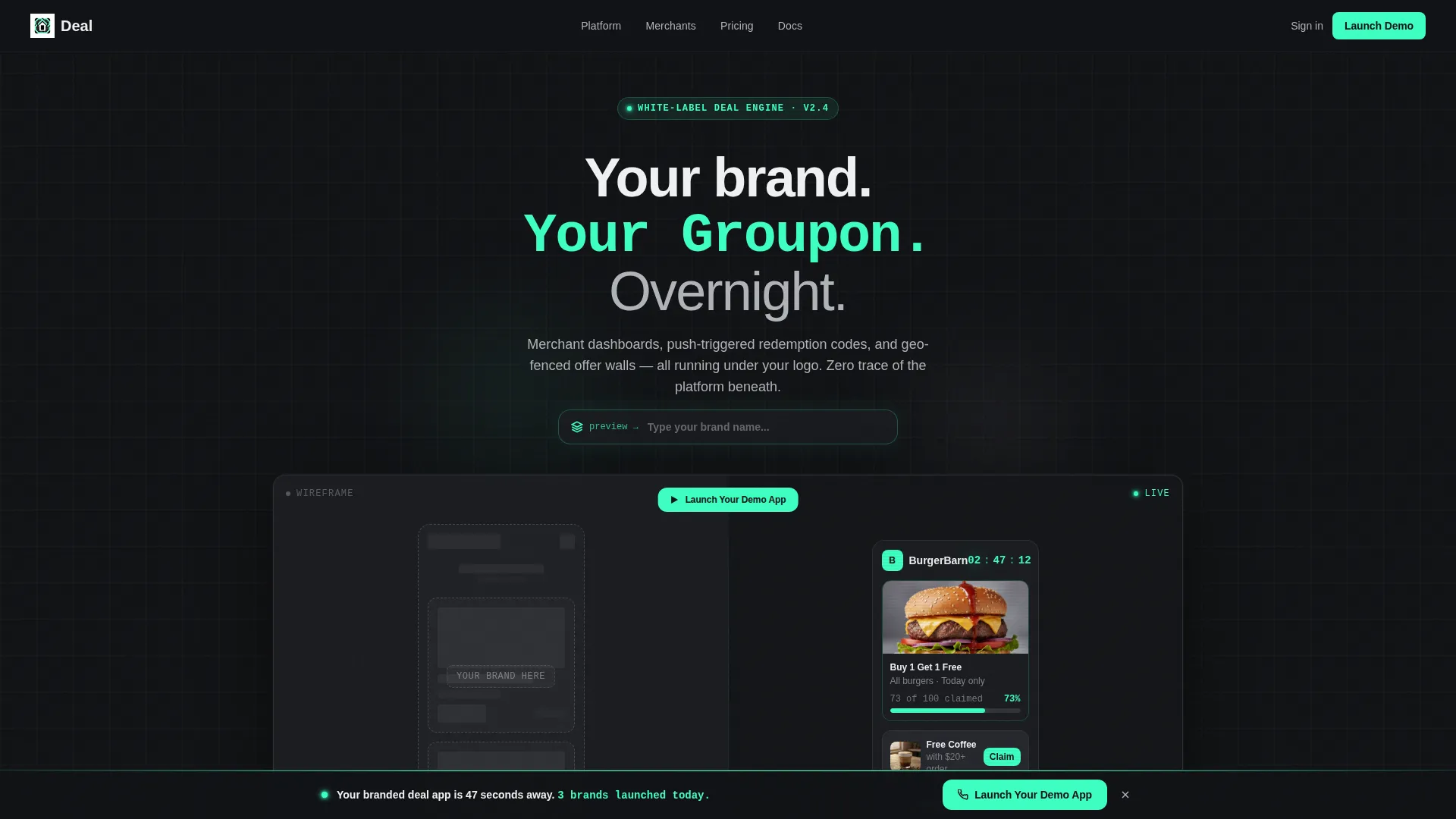
The header splits the viewport 50/50. The left side shows a skeletal wireframe labeled "Your Brand Here." The right side renders a fully skinned, live version. Visitors type a brand name into a floating input field and watch the preview update instantly with a new logo slug, a shifted accent color, and reshuffled offer cards.
Pain-Point-to-Solution Scroll Sections
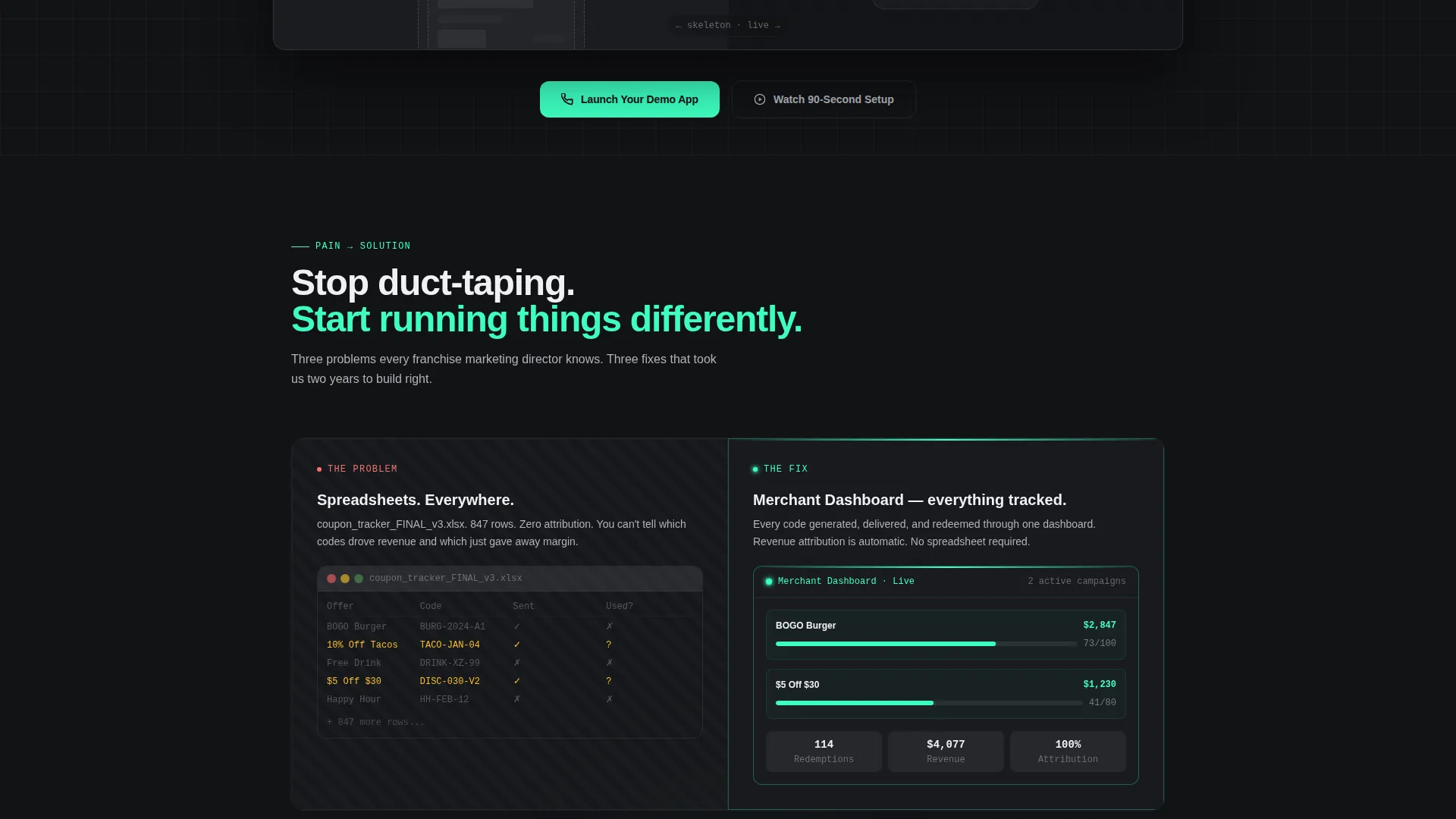
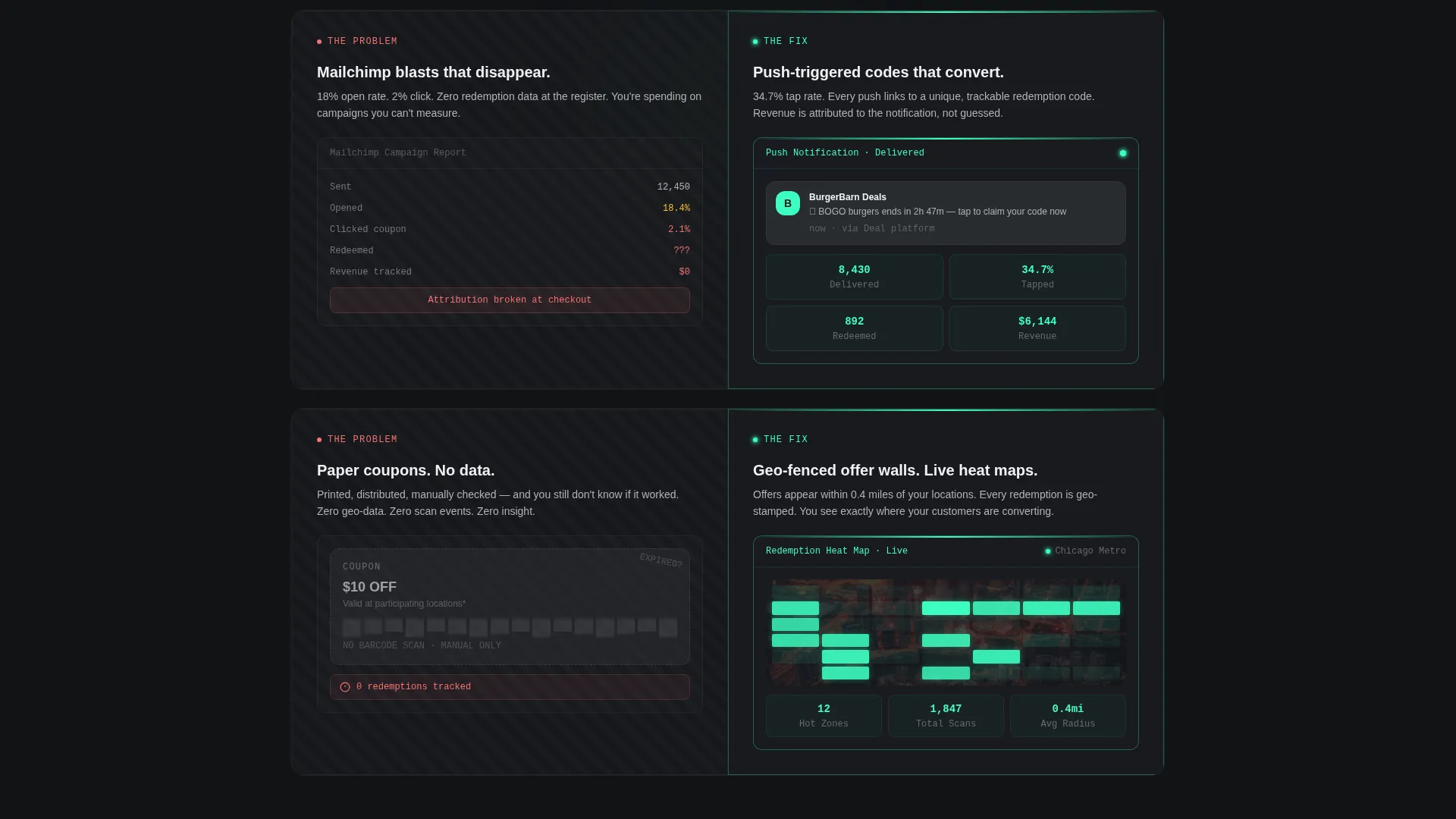
Each scroll section pairs a real operational problem on the left with the platform answer on the right. Visuals include a cluttered spreadsheet, a bounced email preview, and an untracked paper coupon matched against a merchant dashboard, a push notification preview, and a live redemption heat map.
Spring-Animated Section Transitions
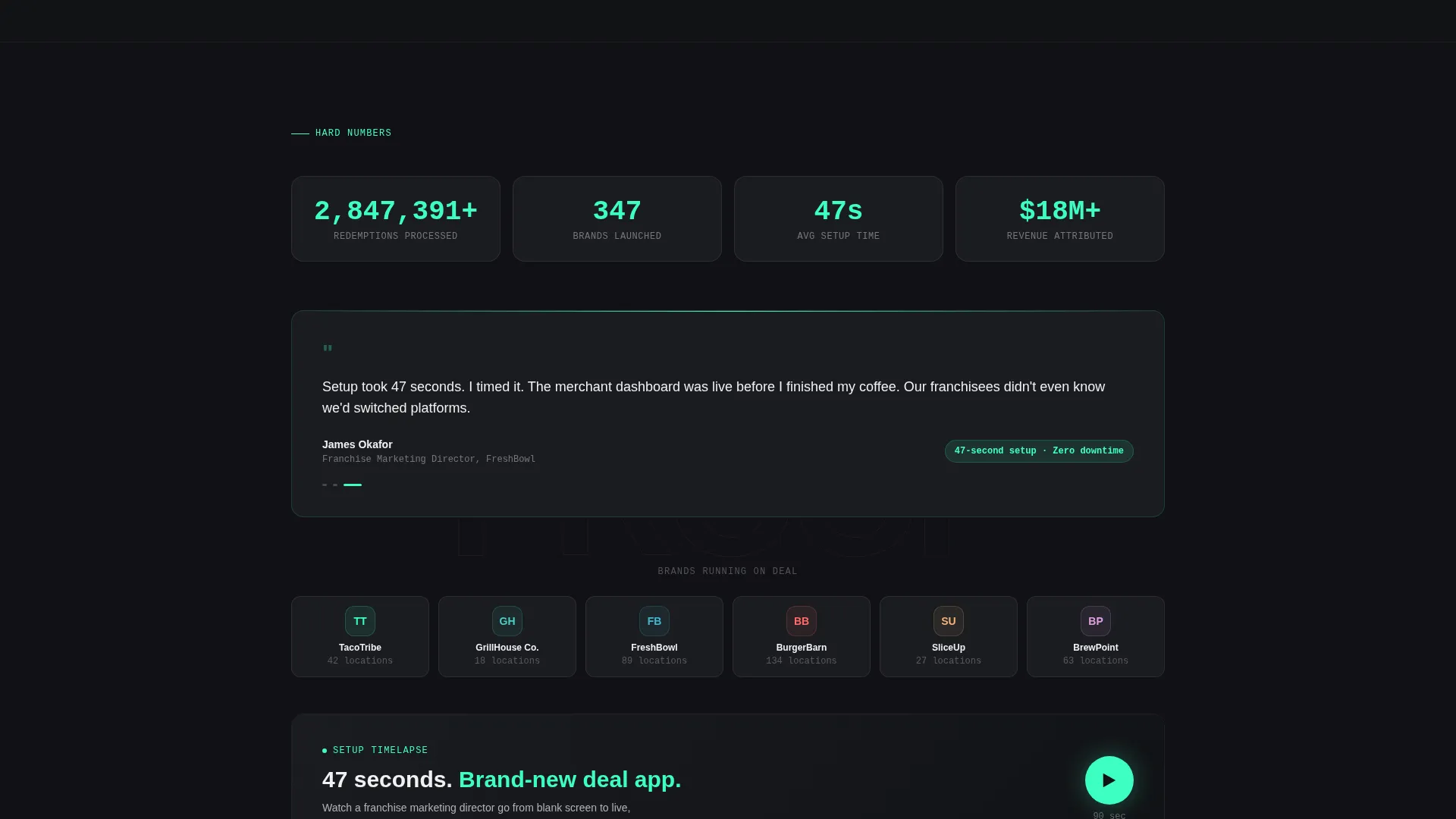
Each split-screen section snaps into view with a subtle spring animation styled after a keynote slide build. Sections shorten as the page progresses. Proof elements grow harder: client logos appear, then redemption volume counters, then a 47-second setup timelapse.
Sticky App-Download call to action Bar
After the first scroll, a bottom bar locks into place with the primary call to action: "Launch Your Demo App." Tapping opens a two-field micro-form asking only for a business name and a mobile number. The platform then texts a link to a fully branded demo app pre-loaded with sample deals.
Inline Video Fallback Path
A secondary call to action labeled "Watch the 90-Second Setup" triggers an inline autoplay video for visitors not ready to share a phone number. The video ends with the same SMS prompt, keeping both visitor paths converging on the same conversion goal.
Dashboard Pro Visual System
The template uses a Monochrome Steel color palette across every section. Forge-black and brushed gunmetal form the structural base. Cool interface gray handles text and secondary elements. A single electric-mint accent is reserved strictly for interactive states, calls to action, and live data pulses.
Page sections overview
| Section | Purpose |
|---|---|
| Interactive Preview Header | Personalize the live brand demo and anchor the primary call to action |
| Pain versus. Solution Rows | Map client pain points to platform features in split-screen pairs |
| Social Proof Strip | Display client logos and redemption volume counters |
| Setup Timelapse Block | Build urgency with a 47-second visual proof of fast onboarding |
| Inline Video Section | Serve a low-commitment path for visitors who want to watch first |
| Sticky call to action Bar | Keep the demo app download action visible after the first scroll |
Design & branding system
The template uses a Dashboard Pro theme built on the Monochrome Steel color system. Every color has a functional job. Nothing is decorative.
- Forge-black (#111215) and brushed gunmetal (#3A3D42) form the dark structural base across all sections
- Cool interface gray (#B0B3B8) handles body text, labels, and secondary interface elements
- Electric-mint (#3DFFC2) appears exclusively on interactive states, calls to action, countdown timers, and live data indicators
Mobile & speed optimization
The split-screen layout is structured to adapt cleanly across screen sizes. The sticky call to action bar and two-field micro-form are built for fast thumb interaction on mobile devices.
- The 50/50 split-screen sections reflow gracefully so pain-point and solution panels remain readable on smaller screens
- The two-field SMS form keeps input friction minimal, with only a business name and mobile number required
- Spring animations are lightweight by design, keeping transitions smooth without adding visual clutter
How this template helps you convert
The page is engineered around a single conversion event: getting a prospect to launch a branded demo app. Every design and copy decision points toward that moment.
- The interactive header creates a sense of ownership before any commitment. Visitors who personalize the preview are already mentally inside the product, which lowers resistance to the demo request.
- The sticky call to action bar ensures the primary action stays visible throughout the entire scroll, while the inline video fallback captures visitors who need more context before sharing a phone number.
Other information about this template
This template is part of a broader set of white-label platform templates designed for the technology and consumer app category. It is especially suited for teams building or reselling deal and coupon platform solutions to multi-location businesses.
- The template style is Split Screen (50/50), making it visually distinct from standard single-column SaaS landing pages
- The creative direction follows a Launch Energy structure, borrowing pacing cues from product-launch keynotes to build scroll momentum
- The header concept is classified as an Interactive Preview, a format that works well when the core product value is personalization or branding flexibility
- This template fits use cases where the buyer needs to feel the product before they trust the pitch
Theme
Dashboard Pro
Creative direction
Launch Energy
Color system
Monochrome Steel
Style
Split Screen (50/50)
Direction
App Download
Page Sections
Live Brand Personalization Header
Pain-point-to-solution Split Sections
Spring-animated Section Transitions
Sticky App-download Call to Action Bar
Inline Video Fallback Path
Monochrome Steel Visual System
Related questions
Who is this landing page template designed for?
What makes the header different from a standard hero section?
Can I use this template without a video asset?
What does the demo request form collect?
Is this template suitable for a single-location business?



