Dental Software & SaaS Booking Website Template
Chairside is a hub-and-spoke dental booking software landing page template built for front-desk teams, office managers, and dental service organization directors. It combines a Feature Tab Switcher hero, sticky anchor navigation, and interactive micro-interaction demos to showcase a drag-and-drop scheduling engine. The page drives app downloads and demo bookings with a premium SaaS dashboard aesthetic in Electric Indigo.
by Rocket studio
Quick summary
Chairside is a single-page dental booking software landing page template designed around a hub-and-spoke anchor navigation pattern. It features a clickable Feature Tab Switcher hero, six interactive spoke sections, and a sticky mobile call-to-action bar. The Electric Indigo color system and Dashboard Pro theme give it the feel of a live, premium SaaS product.
Who this template is for
This landing page template was built specifically for dental scheduling software products that serve busy clinical environments. It speaks directly to the people who feel scheduling chaos every morning and need a page that matches the urgency of their workflow.
- Office managers running two to ten provider practices who need a scheduling solution that actually fits their day.
- Solo practitioners still handling appointment booking manually and looking for a credible software landing page.
- Dental service organization (DSO) operations directors standardizing booking across dozens of dental clinic locations.
What problem this template solves
Dental software products often launch with a generic landing page that fails to demonstrate real workflow value. A dentist website that does not show the product in motion leaves potential patients and buyers unconvinced. This template solves the credibility gap by letting visitors interact with the product before they install it.
- Front-desk teams cannot picture how a new scheduler fits their operatory routine from a static screenshot page.
- DSO buyers need more than bullet points to justify procurement; they need to see the system in action.
- Generic dental landing page templates do not reflect the speed and precision that dental care environments demand.
What you get with this template
This template delivers a fully structured, interactive landing page ready to represent a dental scheduling software product. Every section is purpose-built to reduce friction between a first visit and an app download or demo request.
- A hero section with a three-tab Feature Tab Switcher (Schedule, Recall, Analytics) rendering a live dashboard mockup with crossfade transitions.
- A persistent sticky anchor navigation bar linking to six hub sections: Schedule, Recall, Waitlist, Insurance, Analytics, and Integrations.
- A sticky mobile call-to-action bar that surfaces "Start Your Free Schedule" with platform-detected routing to App Store and Google Play.
Feature list
This landing page template includes six core interactive and visual capabilities drawn directly from the product brief. Each one is built to help dental professionals showcase their scheduling engine with confidence.
Three-Tab Feature Switcher Hero
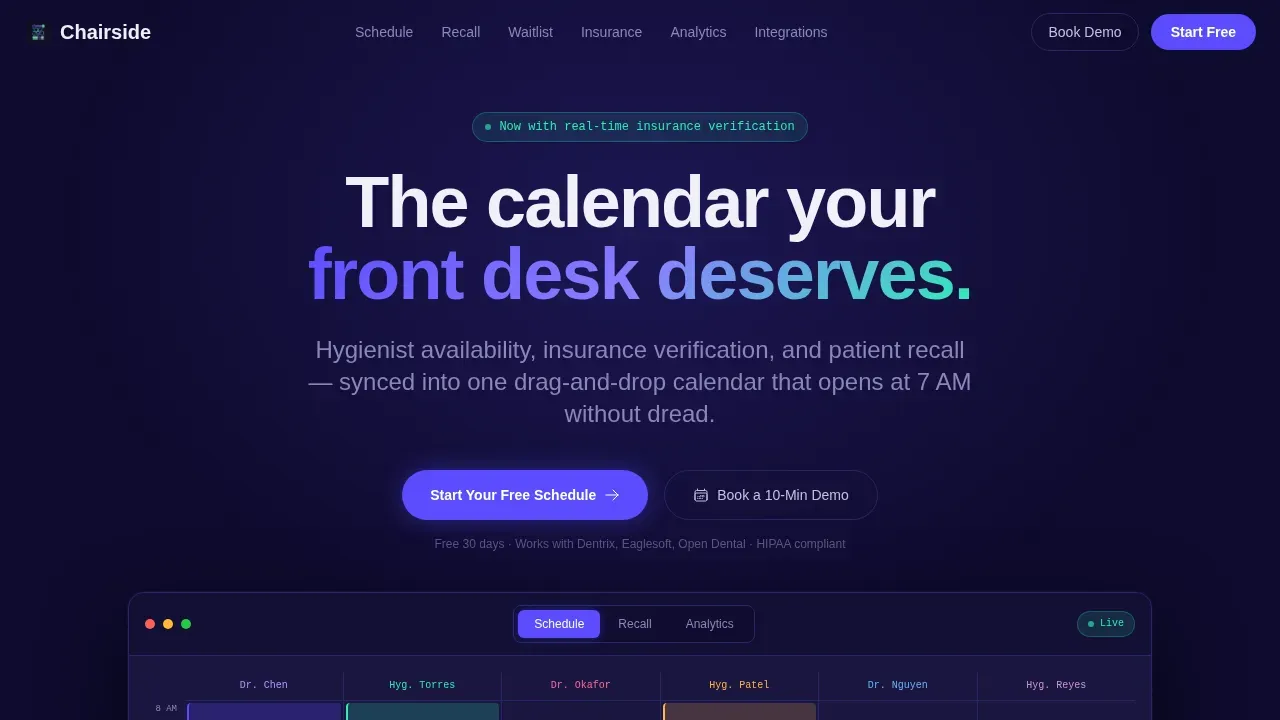
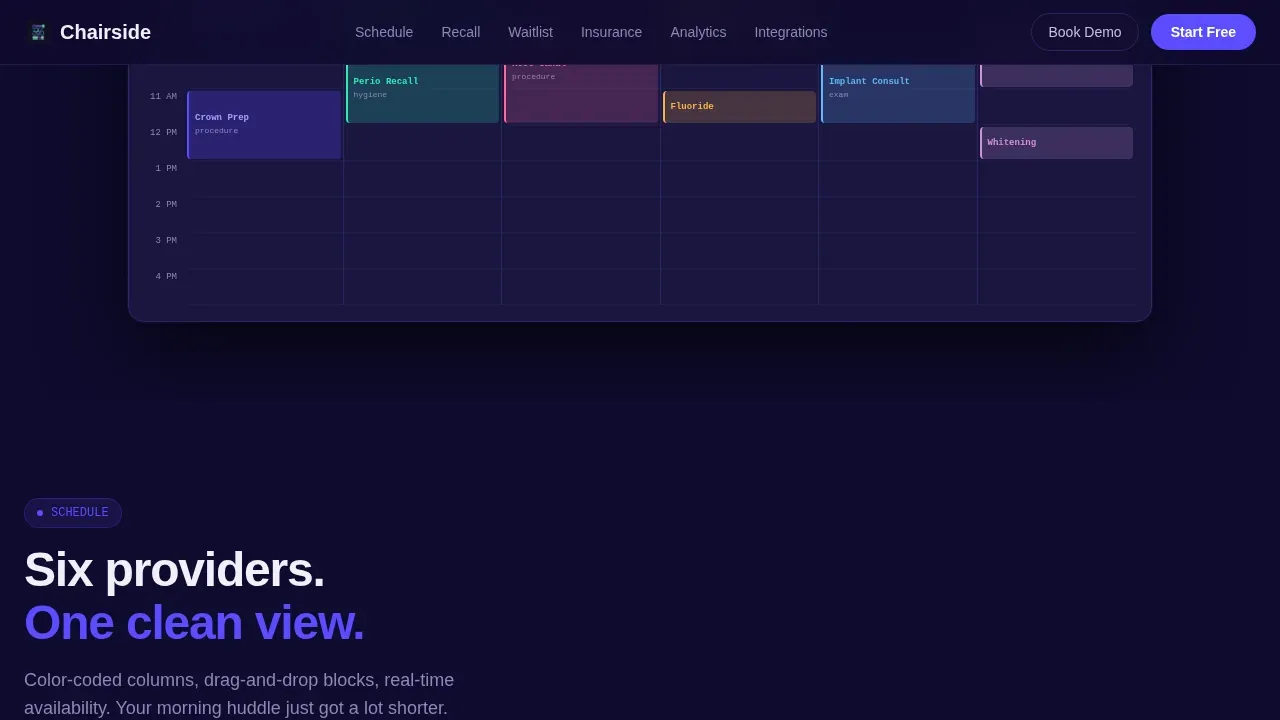
The hero section anchors the entire page with a Feature Tab Switcher showing three labeled tabs: Schedule, Recall, and Analytics. Each tab click triggers a crossfade transition to a different live dashboard mockup view. The default view renders a weekly dental clinic calendar with color-coded appointment blocks, provider columns, and a drag animation mid-motion showing a hygiene block moving from 2 PM to 10 AM. This interactive header immediately demonstrates the software's appointment booking capabilities to any visitor who lands on the page.
Sticky Anchor Navigation Bar
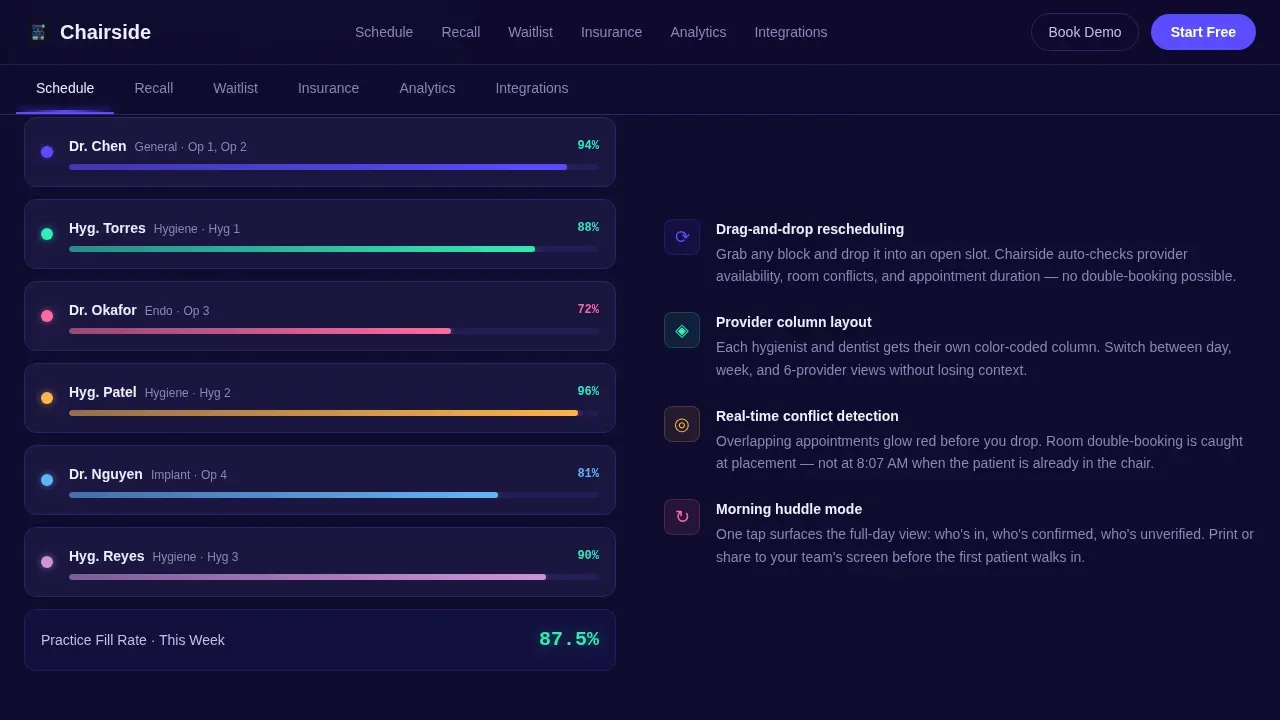
A persistent spoke menu pins to the top of the page on scroll. It contains six navigation labels: Schedule, Recall, Waitlist, Insurance, Analytics, and Integrations. Clicking any spoke smooth-scrolls to the corresponding hub section below. This user friendly navigation pattern keeps visitors oriented and encourages exploration of every feature without losing their place on the page. It also provides easy navigation back to any section without scrolling manually.
Hub Section Micro-Interactions
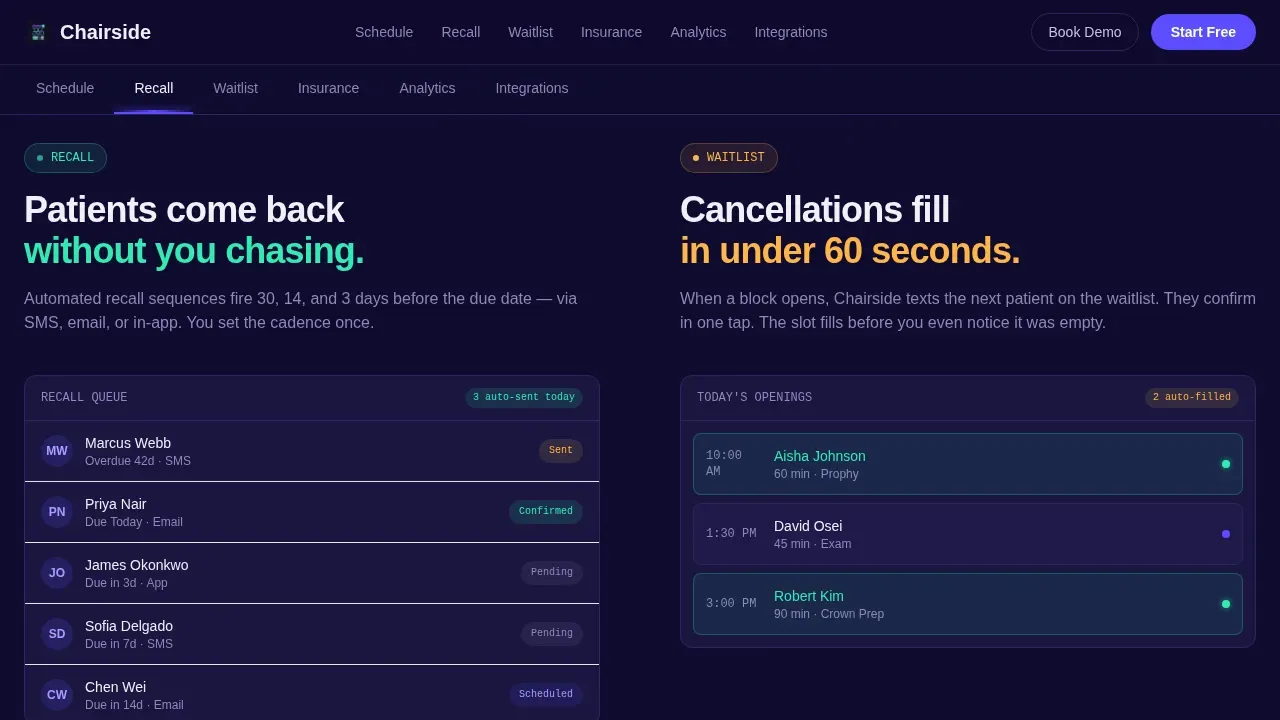
Each of the six hub sections includes a built-in micro-interaction that simulates a real product event. A waitlist slot auto-fills a cancellation. An insurance eligibility badge turns green after a simulated real-time check. A recall sequence animates across a timeline. These interactions let dental clinic operators and practice managers test-drive the experience without creating an account, which builds trust and drives deeper page engagement.
Dual Conversion Path Layout
The page supports two conversion goals simultaneously. The primary call to action is "Start Your Free Schedule," appearing in the hero and as a sticky bottom bar on mobile devices. A secondary path, "Book a 10-Minute Demo," targets DSO buyers who need a procurement conversation. This dual-path structure serves both individual dental offices and enterprise buyers without diluting either message.
Social Proof and Metrics Section
The template includes a dedicated social proof block with metrics placeholders for total practices using the software and total appointments scheduled. It also includes testimonial card slots for office manager quotes. Patient testimonials and customer testimonials are essential trust signals on any dental landing page, and this section is structured to hold them prominently so they build credibility with every visitor who scrolls past.
Dashboard Pro Visual System
The entire landing page is styled using a Dashboard Pro theme built on the Electric Indigo color system. Deep product-shell navy (#0F0B2E) forms the page background. Primary indigo (#5B4CFF) marks interactive elements and selected states. Cool interface gray (#E8E6F0) surfaces card areas. Confirmation mint (#2FEDB4) highlights success states and active toggles. Typography pairs DM Sans for body text with JetBrains Mono for data display elements, reinforcing the modern design language of a premium SaaS product.
Page sections overview
| Section | Purpose |
|---|---|
| Hero Tab Switcher | Introduces the scheduling engine with a three-tab interactive dashboard mockup |
| Sticky Anchor Nav | Pins six spoke links to the top so visitors can jump to any feature section |
| Schedule Hub | Shows the drag-and-drop calendar micro-interaction with provider columns |
| Recall Waitlist Hub | Animates an auto-fill cancellation and a recall timeline sequence |
| Insurance Analytics Hub | Displays a real-time eligibility badge and an ROI metrics bento layout |
| Social Proof Block | Holds practice metrics and office manager testimonial cards |
| Mobile call to action Bar | Sticky bottom bar surfacing the primary app download call to action |
| Single-Row Footer | Linear footer with contact buttons and secondary navigation links |
Design & branding system
The visual identity is built around a premium SaaS dashboard aesthetic that communicates precision and reliability. Calming, professional color schemes signal trustworthiness the moment a visitor's eye lands on the page, a proven approach for dental care software that needs to earn confidence quickly.
- Color palette: deep navy (#0F0B2E) background, primary indigo (#5B4CFF) for interactive states, interface gray (#E8E6F0) for card surfaces, and mint (#2FEDB4) for success and active toggle states.
- Typography: DM Sans for readable body copy and headings, JetBrains Mono for code-style data labels, creating a deliberate contrast between clinical clarity and technical precision.
- All color choices, type scales, and spacing values are fully customizable so teams can apply their own brand identity without rebuilding the layout from scratch.
Mobile & speed optimization
The template is built desktop-first, reflecting the real work environment of front-desk teams at a workstation. However, mobile responsiveness is not an afterthought. The sticky bottom bar ensures that mobile devices always surface the primary conversion action, regardless of scroll depth.
- The sticky mobile call-to-action bar uses platform-detected smart routing to send users directly to the App Store or Google Play, reducing friction for on-the-go visitors.
- Responsive design principles are applied across all hub sections so that dental clinic staff reviewing the page on a tablet or phone still get a coherent, readable layout.
- Server Components handle static content rendering, while Client Components power the interactive dashboard mockup, keeping the page structured for performance-conscious builds.
How this template helps you convert
A high-converting landing page for dental booking software must reduce administrative doubt, demonstrate real workflow value, and move a visitor toward action in a single scroll session. This template is designed to do exactly that.
- The interactive hub sections let visitors experience appointment booking, recall automation, and insurance verification as live product demos, eliminating the hesitation that comes from reading feature lists alone. A well-designed dentist landing page reduces the time from first visit to booked appointment, and this template's micro-interactions serve that goal directly.
- The dual conversion path (app download plus demo booking) captures both individual dental practice buyers and DSO procurement teams in one page structure. Clear contact buttons, a simplified lead form with minimal fields, and a persistent call to action at the bottom of the page on mobile ensure no buyer intent goes uncaptured.
Other information about this template
This template is one of the more comprehensive dental landing page options available for scheduling software products. Below is additional context for teams evaluating whether it fits their launch or redesign needs.
- The chairside smart dental booking software landing page template is designed to reflect HIPAA-compliant software environments, making it appropriate for products operating under US dental data regulations.
- The page structure supports integration messaging sections where dental professionals can communicate compatibility with practice management systems and clinical workflows.
- Smile galleries, before-and-after treatment images, and patient photos can be placed within hub sections or the social proof block to help potential patients relate to the dental care experience being marketed.
- For cosmetic dentistry landing use cases, the template's visual layout and color schemes can support cosmetic dentistry service pages by swapping the scheduling focus for a service-specific dental landing page flow.
- Cosmetic dentistry sections such as implants, smile galleries, and cosmetic treatment plans can be adapted into the hub-section format, making this template flexible for cosmetic dentist website use cases beyond pure scheduling software.
- Stock photos can fill image slots as placeholders during development; replacing them with authentic patient photos and pictures of the dental team builds stronger patient trust and social proof.
- The footer follows a linear single-row pattern (Pattern 1) with contact buttons and links, keeping the page clean and distraction-free consistent with high-conversion landing page design principles.
- Teams building a new landing page for a dental clinic should note that this template's anchor navigation and crossfade tab system are not present in most standard dental website templates, making it a differentiated option for software-forward products.
- Payment options and insurance detail sections can be layered into existing hub slots, giving dental offices a place to address common patient and buyer concerns about cost and coverage.
- Practice growth messaging, patient acquisition copy, and loyal patients retention angles can all be written into the testimonial and metrics blocks without changing the template structure.
- The template is fully customizable within the stated design system, offering meaningful customization options for teams who want to keep the layout but adjust copy, colors, and imagery to match their brand.
- For DSO buyers, the "Book a 10-Minute Demo" secondary conversion path provides a procurement-focused entry point that keeps enterprise patient acquisition conversations separate from consumer app downloads.
- Education-focused dental software products can adapt the analytics hub section to surface training metrics, completion rates, or provider education data relevant to their platform.
Theme
Dashboard Pro
Creative direction
Interactive Explorer
Color system
Electric Indigo
Style
Hub & Spoke (Anchor Nav)
Direction
App Download
Page Sections
Feature Tab Switcher Hero Section
Sticky Hub-and-spoke Anchor Navigation
Interactive Hub Section Micro-interactions
Dual Conversion Path Structure
Social Proof and Metrics Block
Electric Indigo Dashboard Visual System
Related questions
Who is this landing page template designed for?
Can I use this template for a general dental clinic website?
Does this template support mobile visitors?
How does the social proof section work?
What conversion actions does this page support?



