No-Code HRM Comparison Landing Page Template
The Deploy No-Code HRM Comparison Landing Page Template gives ops teams and HR managers a fully interactive, dark-cockpit landing page to showcase their platform against spreadsheet setups and legacy HRM suites. No coding knowledge required. Drag, toggle, and launch a feature-rich comparison page that turns visitors into sign ups through live module picking and a teal-lit call-to-action flow.
by Rocket studio
Quick summary
This is a single-page, conversion-focused landing page template built for no-code HRM platforms. It lets you publish a polished competitor comparison page without any coding experience. The cockpit-style design, interactive comparison toggle, and live module picker work together to move visitors from curiosity to commitment before they reach the footer.
Who this template is for
This no-code landing template is built for a specific kind of builder: someone who understands the HR pain deeply and needs the right tool to communicate it fast. You do not need technical expertise or coding skills to deploy it. Whether you are wiring your first no-code platform or relaunching a saas product page, this template fits.
- Startup founders at the 30-to-200 employee stage who have hit the limits of spreadsheets and need a credible saas website to attract the right audience
- HR managers at mid-size agencies juggling contractor and full-time employee data across multiple tabs and other tools, ready to consolidate
- Ops leads at remote-first companies who need one living source of truth and want a no-code landing page that communicates that story clearly
What problem this template solves
Building a compelling competitor comparison landing page for a no-code HRM platform is harder than it sounds. Most teams either spend weeks on development work or settle for a static, forgettable table. Neither approach converts well. Common pain points include slow setup process timelines, poor mobile fallback, and comparison tables that feel like spreadsheets rather than sales tools.
This template solves those problems directly:
- It replaces slow, expensive development process cycles with a drag and drop editor that requires zero coding experience to operate
- It gives your marketing team a comparison page that addresses buyer objections through transparent, side by side comparison of time-to-launch, integration counts, and per-seat cost
- It eliminates manual effort by pre-building the interactive sections, so you focus on content, not construction
What you get with this template
You get a production-ready, single-page landing page designed specifically for no-code HRM platforms competing in a crowded market. Every section is structured to support lead generation and move visitors toward the primary call to action without a form. The layout covers the full buyer journey from first impression to decision.
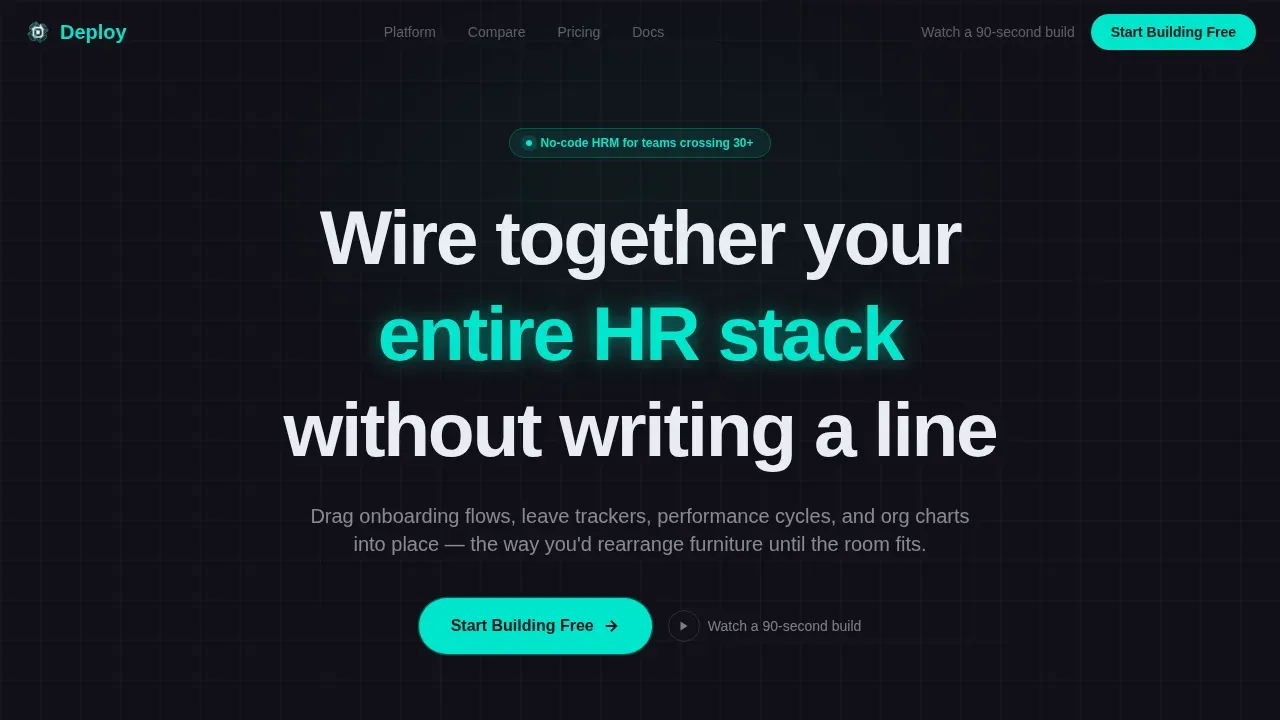
- An animated hero section with a pixel-perfect HRM dashboard preview, a teal pill call-to-action button, and a secondary inline video trigger for visitors who want proof before commitment
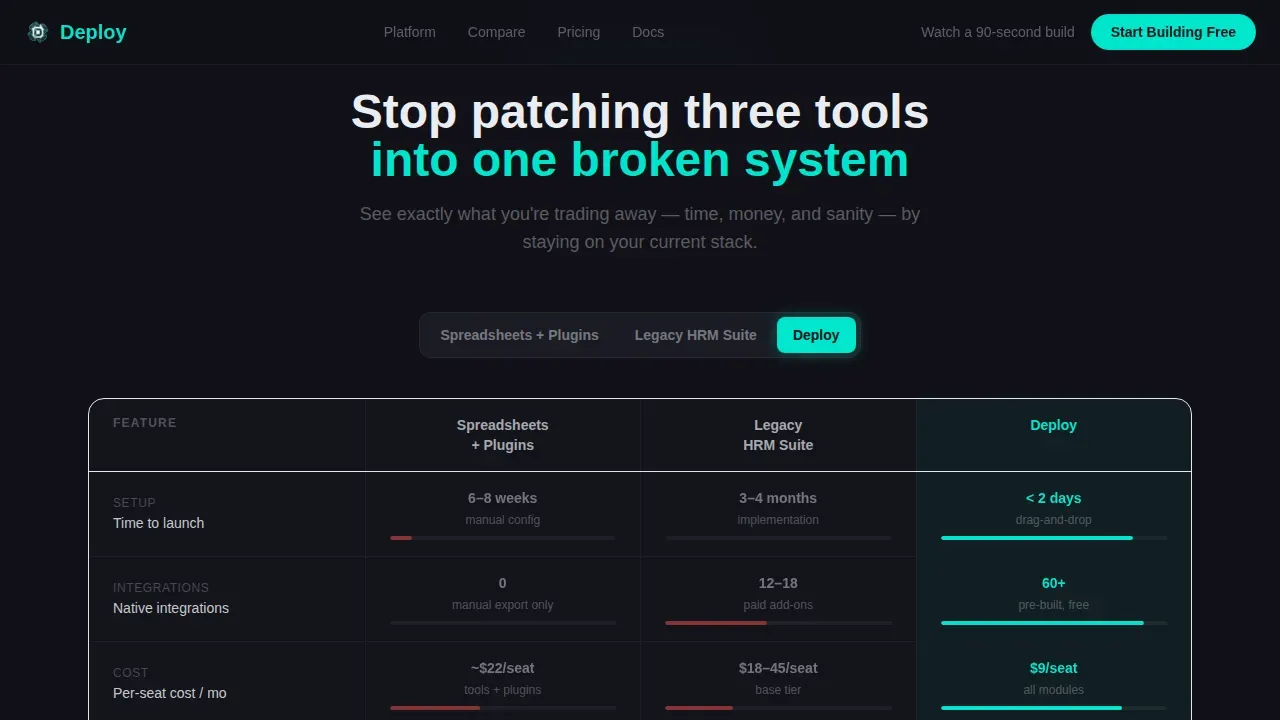
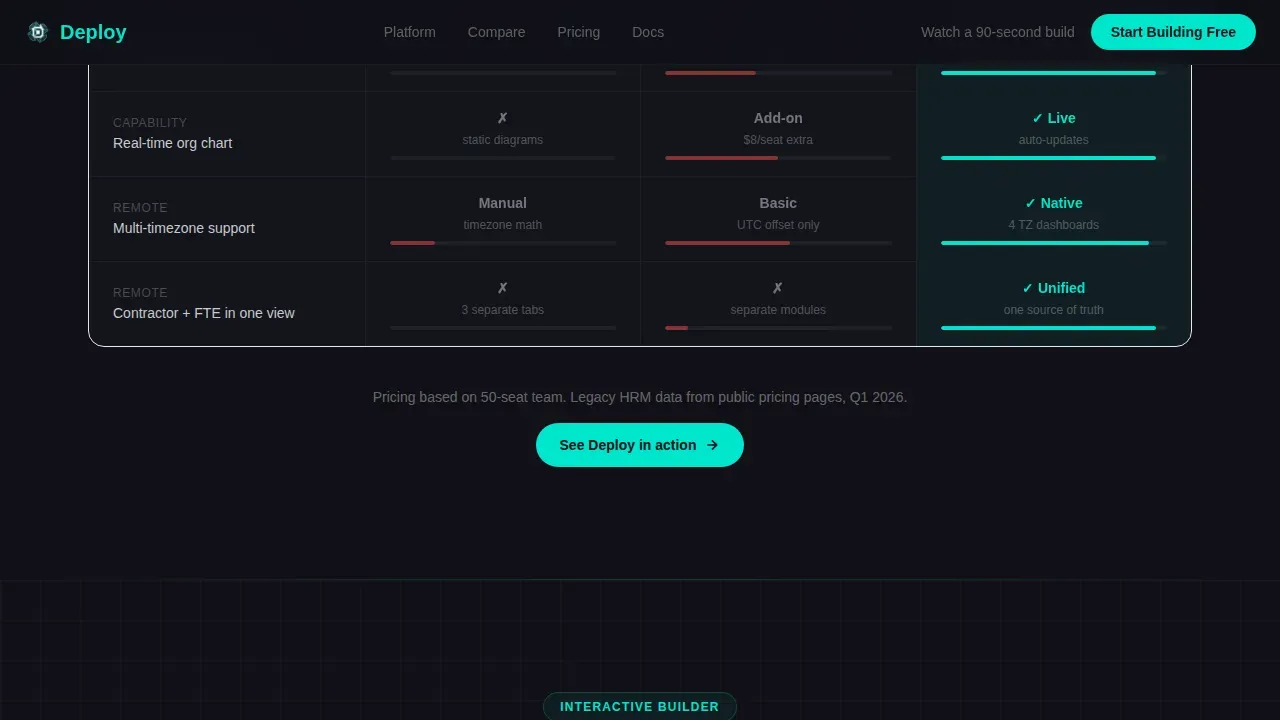
- An interactive three-column comparison table toggling between spreadsheet setups, legacy HRM suites, and your platform, with live column transitions and micro-animations
- A module picker with live dashboard preview that rebuilds in real time as visitors check boxes for Onboarding, Payroll Sync, and OKR Tracking, unlocking the primary call-to-action after two or more selections
Feature list
This template is built around interactive elements and conversion-focused design. Every feature listed below is drawn directly from the source brief.
Animated Cockpit Hero with Dashboard Preview
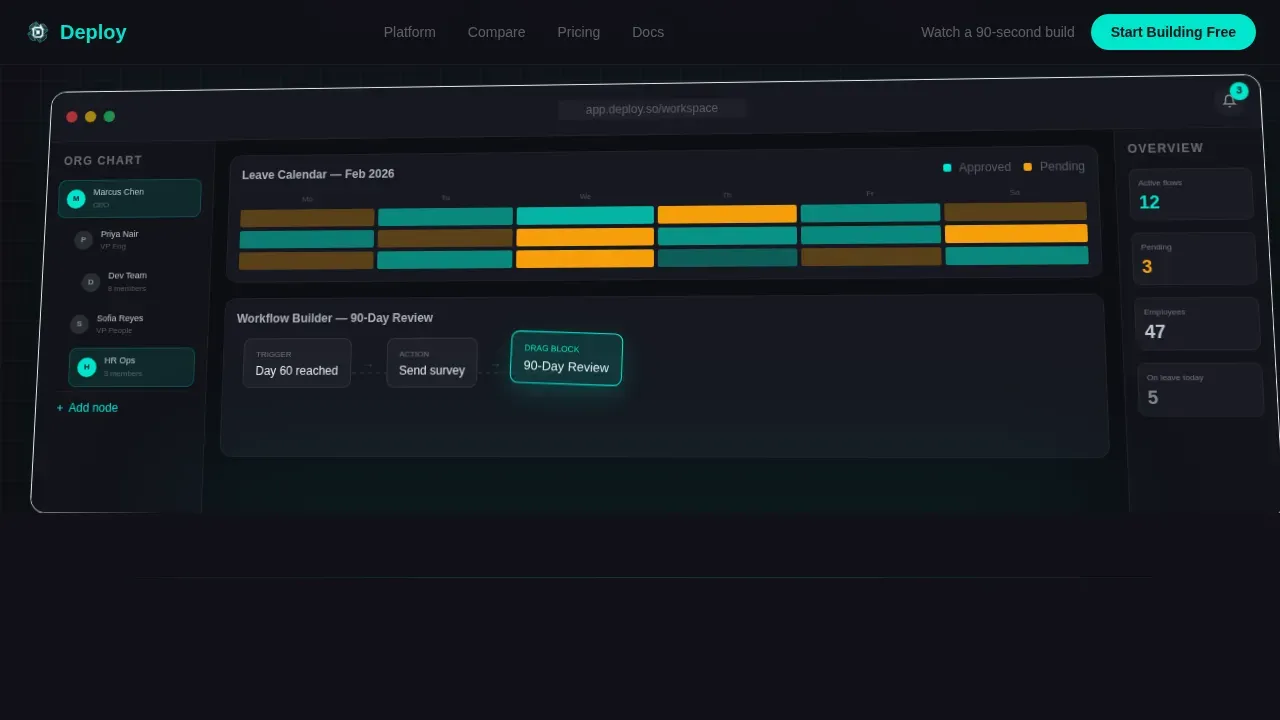
The hero section renders a pixel-perfect HRM cockpit mid-use: an org-chart sidebar half-expanded, a leave-calendar heat map glowing teal and amber, a pending-approval badge, and a drag handle hovering over a workflow block. A cursor animation drags one block into a flow, connections light up, and a toast notification confirms the action. No stock photography. The product is the hero.
Interactive Three-Column Comparison Toggle
Visitors toggle between three columns: Build It Yourself using spreadsheets and plugins, a Legacy HRM Suite, and Deploy. Each column populates live with key details including time-to-launch estimates, integration counts, and per-seat cost. A micro-animation shows complexity shrinking as the visitor moves toward the Deploy column. This competitor comparison approach builds trust through transparency, not pressure.
Live Module Picker with Real-Time Dashboard Rebuild
Below the comparison table, an interactive module picker invites visitors to check boxes for modules such as Onboarding, Payroll Sync, and OKR Tracking. A live preview panel on the right rebuilds the dashboard in real time, adding cards and widgets with each selection. Once at least two modules are checked, the primary "Start Building Free" call-to-action appears, making the path to sign ups feel earned.
Progressive Scroll Narrative
The page is structured as a scroll story. First the visitor sees the finished product. Then they see how it compares against other systems. Then they build their own version through the module picker. By the bottom, they have already experienced ownership. This structure is not decorative. It is the development process for the visitor's decision, compressed into a single page.
Social Proof Bento Grid
A bento-style social proof section displays named team outcomes, specific time-to-launch numbers, and seat cost comparisons. This contextual evidence answers the buyer's silent objections. Including third party reviews and outcome metrics on competitor comparison pages builds the credibility needed to convert visitors who are comparing multiple saas product options.
Carbon Fiber Dark Mode Design System
The full design system ships with the template. Deep cockpit black at #111117 dominates backgrounds. Machined graphite at #2A2D35 lifts cards and table rows on hover. Status-indicator teal at #00E5CC fires on toggles, active states, and call-to-action surfaces. Filament white at #EAEDF2 keeps typography readable against the dark field. This is a complete dark mode palette, not a toggle added as an afterthought.
Page sections overview
| Section | Purpose |
|---|---|
| Animated Hero Panel | Introduce the platform through a live dashboard preview with a teal call-to-action pill and inline video trigger |
| Comparison Toggle Table | Let visitors run a competitor comparison across spreadsheets, legacy HRM, and Deploy with live column transitions |
| Interactive Module Picker | Allow visitors to select HR modules and watch the dashboard rebuild in real time, unlocking the primary call-to-action |
| Social Proof Bento | Display named team outcomes, time-to-launch metrics, and seat cost data to support informed decisions |
| Final Contextual call to action | Deliver a closing call-to-action after the interactive exploration, tied to the modules the visitor explored |
| Linear Single-Row Footer | Provide minimal navigation links and legal references without distracting from conversion |
Design & branding system
The design follows a Directory and Discovery theme expressed through a Carbon Fiber color system. The overall feel is technical, matte, and premium. Typography uses Plus Jakarta Sans for headings and DM Sans for body copy, both chosen for razor-legible rendering on dark backgrounds. Tailwind CSS powers the utility-first styling layer, giving you easy customization without touching the underlying structure.
- Color palette: deep cockpit black (#111117) for backgrounds, machined graphite (#2A2D35) for card and row hover states, status-indicator teal (#00E5CC) for active toggles and call-to-action surfaces, and filament white (#EAEDF2) for all text and divider lines
- Typography and motion: Plus Jakarta Sans headings paired with DM Sans body copy, with high-animation fidelity including cursor drag simulation, table column transitions, live dashboard rebuild, and scroll reveal sequences that deliver dynamic content without slowing the page
Mobile & speed optimization
The template is desktop-first by design. The cockpit metaphor, comparison table interactions, and live module picker are built for a wide viewport where every dial is visible at once. A mobile fallback is included to ensure the landing page remains usable on smaller screens, preserving key details and call-to-action visibility without breaking the layout. Non technical users on any device can still reach the primary conversion point.
- Desktop-first architecture with a mobile fallback that maintains comparison page readability and call-to-action access across devices
- Server components handle all static sections for fast initial load, while client components manage the interactive comparison toggle and module picker, keeping the setup process lean and performance balanced
How this template helps you convert
A powerful landing page earns the click before asking for it. This template is built on that principle. The no-code landing page design guides visitors through three stages of commitment: seeing, comparing, and building. By the time the call-to-action appears, the visitor has already invested in the experience.
- The interactive comparison toggle handles competitor comparison objections early by surfacing transparent key details such as per-seat cost and time-to-launch, so visitors can make informed decisions without leaving the page or hunting for third party reviews
- The live module picker creates a sense of ownership before any commitment, and the call-to-action only appears after at least two modules are selected, meaning lead generation happens at the moment of highest engagement rather than at the first scroll
Other information about this template
This template sits at the intersection of no-code landing page design and HRM platform marketing. The information below covers additional context useful for builders evaluating fit, comparing options, or planning their next project.
- The deploy no code hrm comparison landing page template is production-ready and designed for the specific niches of no-code enterprise software and HRM platform marketing, where competitor comparison pages must balance technical credibility with accessible communication
- No-code landing page builders allow users to create landing pages without needing any coding experience, and this template extends that principle to the comparison page format, giving non technical users a feature rich starting point
- No-code platforms do not require any coding knowledge, making them accessible to business users without deep technical skill, unlike low-code platforms which require some familiarity with programming languages
- No-code platforms excel at rapid prototyping, letting teams validate ideas and launch a comparison page quickly without upfront development work or reliance on engineering resources
- A free plan or free template option makes it easier for SaaS companies to evaluate landing page tools before committing, and this template is designed to integrate with platforms that offer such entry points, supporting easy customization at every stage
- Integration with marketing tools such as email platforms, marketing automation systems, and analytics pipelines is a common expectation for no-code landing pages; this template is built to support connection with those marketing platforms without requiring coding skills
- Google Analytics and other analytics pipelines can be connected to track landing page performance, sign ups, and lead generation outcomes, giving your marketing team the valuable insights needed to optimize marketing campaigns over time
- Contact forms are not included on this landing page by design; the click-through model routes visitors directly into a pre-seeded workspace, which removes friction from the setup process and eliminates the delay between interest and action
- The comparison page structure here is designed to help visitors make informed decisions through transparent data and competitor comparison details, following best practices for no-code HRM landing pages that emphasize clean data tables over stock imagery
- Building landing pages for HRM platforms often involves connecting to existing data layers; this template can support cms integration and content management system connections depending on the platform it is deployed on
- Teams considering this template may also explore other tools such as those that support drag and drop builders, drag and drop interfaces, and drag and drop features for rapid prototyping of saas website pages across specific niches
- Platforms like Webflow, Wix, and Framer remain top choices for building landing pages in 2026, with Wix offering built-in hosting and AI tools through Wix ADI for small-to-medium businesses; Framer suits startups looking for slick animations and quick output
- Glide supports HR app creation directly from spreadsheets, and Softr enables secure employee portals on top of Airtable or Google Sheets, both useful for teams exploring no-code options beyond this template
- Unbounce is well suited to high-volume recruiting marketing campaigns with conversion-focused pre built templates, while Carrd handles minimalist single page career sites with minimal hassle at low cost
- Competitor comparison pages built on this template can improve visibility in search engines by targeting relevant queries, supporting lead management and lead generation goals for software as a service platforms operating in the HRM market
- The saas website structure here supports streamline workflows for both the marketing team building the page and the visitors using it, reducing manual effort across the board
- Custom domain support, crm systems connection, and mobile apps compatibility depend on the platform you deploy this template on; check your chosen host for those advanced functionality options
- The design elements in this template, including the carbon fiber palette, teal active states, and isometric dashboard preview, are distinct enough to stand out from other brands in the HRM space without requiring additional development work
- Teams that want to switch platforms later will find the Tailwind CSS utility structure and clear component layout make migration manageable, since key benefits are embedded in the design system rather than locked into proprietary builder logic
- The scroll narrative builds seamless integration between product demonstration and conversion, meaning visitors move from awareness to action through the page itself, with no need for external marketing tools to carry that load
- Customer relationships in HRM are built on trust and clarity, and a well-structured competitor comparison page communicates both; this template gives you the foundation to do that without deep understanding of design systems or coding experience
Theme
Directory & Discovery
Creative direction
Interactive Explorer
Color system
Carbon Fiber
Style
Comparison Table
Direction
Click-Through
Page Sections
Animated Cockpit Hero with Live Dashboard
Interactive Three-column Comparison Toggle
Live Module Picker with Real-time Preview
Progressive Scroll Narrative Structure
Social Proof Bento Grid
Carbon Fiber Dark Mode Design System
Related questions
Do I need coding skills to use this template?
What sections does this landing page include?
Is this a free template?
How does the competitor comparison section work?
Can this landing page connect to marketing tools or analytics?



