Cloud Architecture Newsletter Bento Grid Landing Page
Deploy is a bento grid landing page template built for cloud architecture newsletters and technical communities. It pairs a dark Dashboard Pro aesthetic with a Void and Violet color system to create a focused, terminal-like experience. The layout uses a product screenshot header, a feature matrix grid, and a click-through call to action structure designed to earn subscriber trust before asking for an email.
by Rocket studio
Quick summary
Deploy is a single-page bento grid template for cloud architecture newsletters and technical communities. It opens with a styled product screenshot header, then breaks the offer into a scannable feature matrix of cells. The design runs on a dark Void and Violet palette that feels like a production monitoring dashboard, built to convert senior engineers who need proof before they subscribe.
Who this template is for
This template is built for technical founders and community operators who publish for an engineering audience. It suits anyone running a cloud infrastructure newsletter, a platform engineering community, or a DevOps-focused content product.
- Senior platform engineers and cloud architects launching or growing a newsletter
- DevOps leads and infrastructure teams building a paid or free community
- Technical content creators who need a high-trust landing page that leads with real content
What problem this template solves
Generic newsletter landing pages rely on vague promises. Engineers are skeptical by default, and a soft hero with stock imagery will not convert a cloud architect who has been burned by bad migrations before. This template solves that credibility gap directly.
- Leads with visible, real-looking content so visitors assess quality before committing
- Replaces generic description copy with discrete, evidence-packed bento grid cells
- Pairs a soft-gated click-through flow with a persistent call to action so conversion pressure builds naturally
What you get with this template
You get a complete, production-ready landing page layout that puts real content front and center. Every section is designed to reduce friction and build trust before any email is requested.
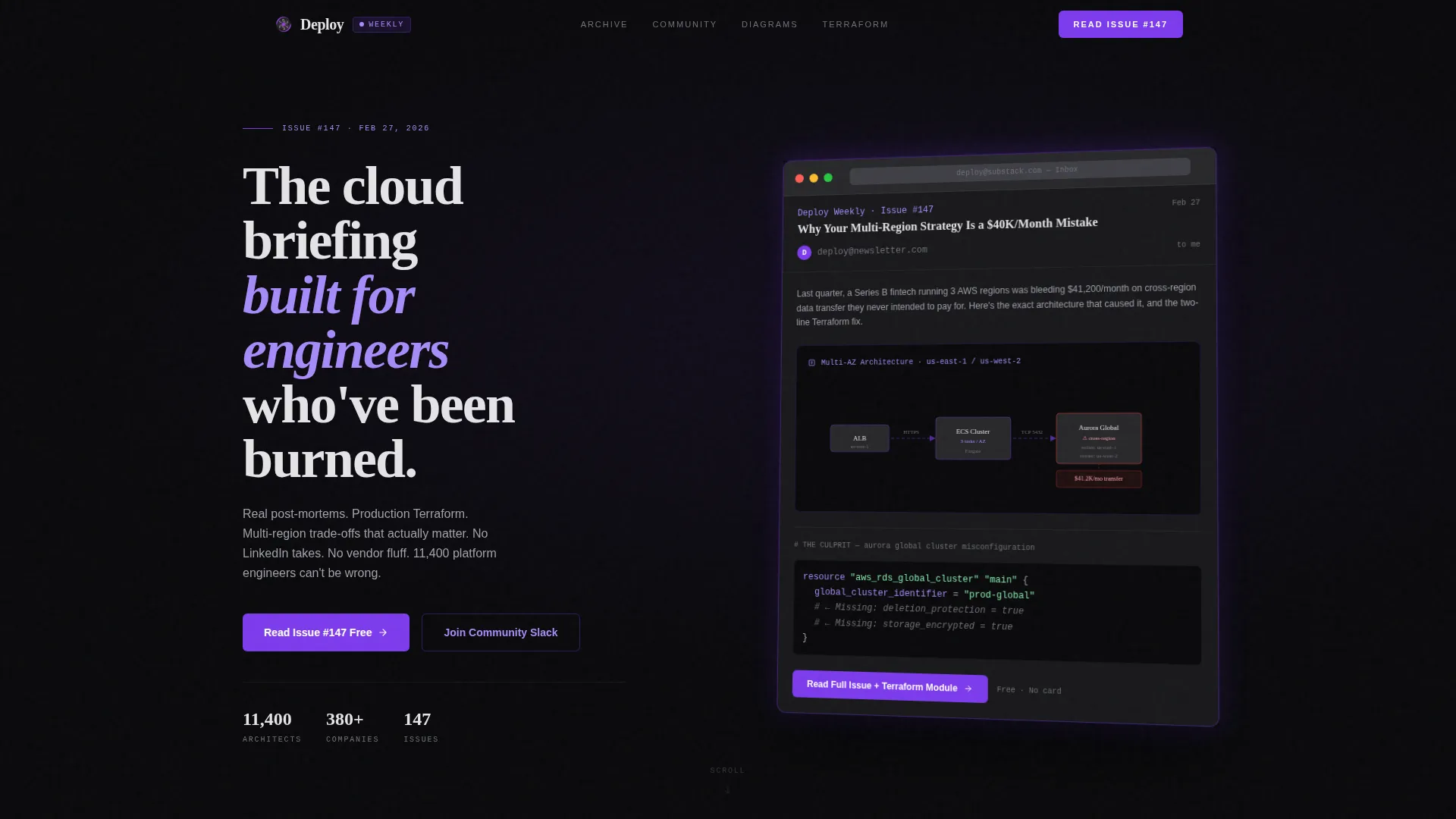
- A product screenshot header showing a styled email client frame with a visible newsletter issue inside
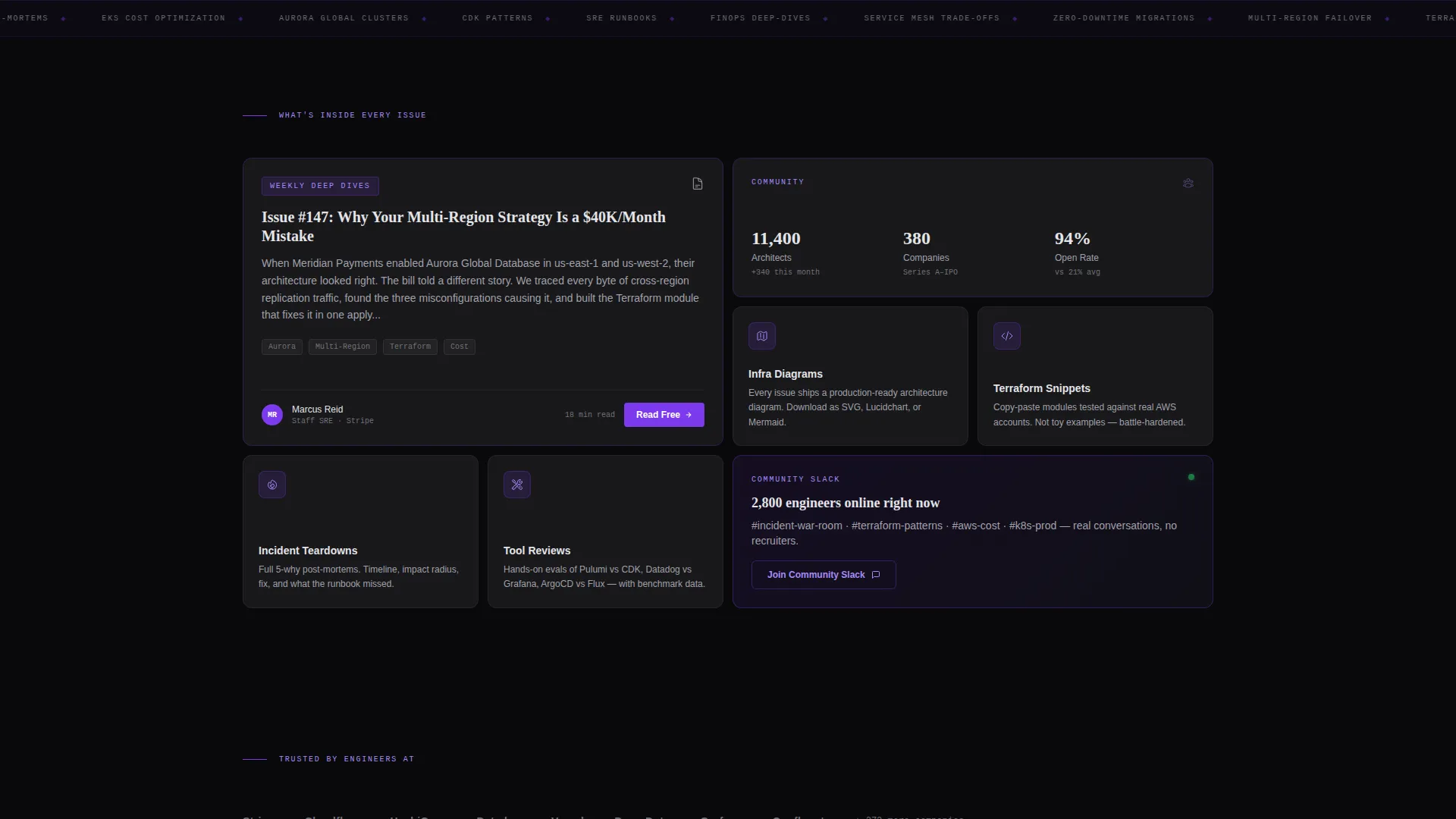
- A bento grid feature matrix with cells of varying sizes for deep dives, community stats, diagrams, snippets, teardowns, and tool reviews
- A dual call-to-action structure with a primary read-free prompt and a secondary community Slack invite
Feature list
This template ships with a focused set of layout and interaction capabilities drawn directly from the design brief.
Styled Product Screenshot Header
The header renders a pixel-perfect newsletter mockup inside a stylized email client frame. The visible issue displays a real multi-availability-zone architecture diagram with labeled components including a load balancer, container cluster, and global database. The frame floats against the void background with a faint violet edge glow and a soft angled shadow, making it feel like a physical artifact.
Bento Grid Feature Matrix
The main body uses a bento grid layout with cells of varying sizes. A large cell previews a weekly deep dive article. Medium and small cells surface community statistics, infrastructure diagrams, code snippets, incident teardowns, and tool reviews. Each cell carries a violet icon and a one-line description, making the grid scannable and dense with signal.
Staggered Scroll Animations
As the visitor scrolls, each bento cell animates in with staggered timing. The effect layers evidence progressively rather than dumping everything at once, creating a rhythm that mirrors how engineers read documentation.
Dual Call-to-Action Structure
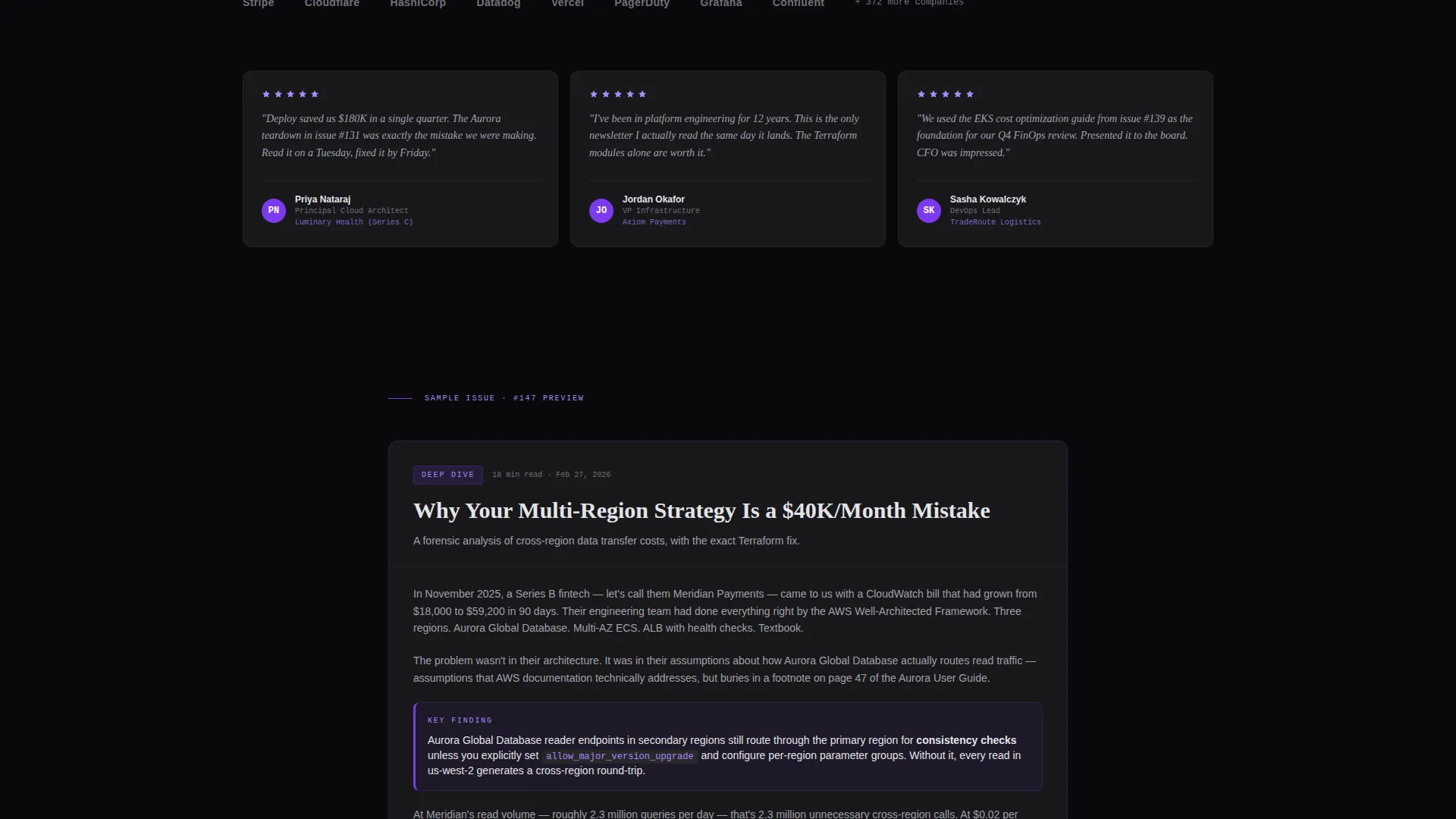
The primary call to action reads "Read Issue #147 Free" and appears both inside the header frame and as a persistent bottom bar on mobile. A secondary call to action in the grid invites visitors to join the community Slack. The soft gate lets readers access 60 percent of a sample issue before an inline prompt requests an email to unlock the architecture diagram and code module.
Void and Violet Color System
The palette runs on absolute void black, deep terminal gray, electric violet for interactive states and accent borders, cool phosphor white for body text, and plasma purple for hover states and active grid cells. Every color decision reinforces the feel of a production monitoring interface.
Page sections overview
| Section | Purpose |
|---|---|
| Header screenshot frame | Displays real newsletter issue inside a styled email client with violet glow and angled shadow |
| Primary call to action bar | Prompts visitors to read Issue #147 free; repeats as persistent bottom bar on mobile |
| Bento grid matrix | Breaks the newsletter offering into scannable cells covering content types and community data |
| Community stats cell | Surfaces the 11,400-architect and 380-company figures as social proof |
| Deep dive preview | Shows a truncated article excerpt to demonstrate content depth and writing quality |
| Specialty content cells | Highlights infrastructure diagrams, code snippets, incident teardowns, and tool reviews |
| Secondary call to action cell | Invites grid visitors to join the community Slack as an alternative conversion path |
| Soft content gate | Prompts email input after 60 percent of sample issue to unlock diagram and code module |
Design & branding system
The visual identity is built around a Dashboard Pro theme using the Void and Violet color system. Every design decision points toward one goal: making the page feel like a trusted engineering tool, not a marketing site.
- Core colors: absolute void black (#09090B) for backgrounds, deep terminal gray (#18181B) for cell surfaces, electric violet (#7C3AED) for borders and interactive states, cool phosphor white (#E4E4E7) for body text, and plasma purple (#A78BFA) for hover and active states
- The violet accent pulses across the grid like a health check indicator, reinforcing the production dashboard metaphor throughout the layout
Mobile & speed optimization
The template is designed so the persistent mobile bottom bar keeps the primary call to action reachable at all times. The bento grid adapts across screen sizes without losing the density that makes it convincing.
- Persistent bottom bar on mobile keeps "Read Issue #147 Free" visible during scroll without interrupting content
- Staggered cell animations are timed to feel responsive rather than heavy, keeping the interface sharp on smaller viewports
How this template helps you convert
This template converts by showing rather than describing. Every structural decision reduces the skepticism that technical audiences carry into a new subscription decision.
- The product screenshot header puts real content on screen immediately, so the visitor evaluates quality before reading a single line of marketing copy
- The bento grid layers community proof, content type variety, and specific data points across cells so trust compounds as the visitor scrolls rather than relying on a single hero claim
- The soft gate on the sample issue lets visitors invest in the content first, making the email request feel like a logical next step rather than a barrier
Other information about this template
This template is part of a broader set of Dashboard Pro themed layouts designed for technical and B2B content products. It is a strong fit for infrastructure-focused brands that need a landing page reflecting their engineering credibility.
- Template style: Bento Grid, single-page landing page layout
- Theme: Dashboard Pro with a Void and Violet color system
- Header concept: Product Screenshot with styled email client frame
- Creative direction: Feature Matrix with staggered scroll animations
- Landing page direction: Click-Through with soft content gate
- Niche alignment: Cloud architecture newsletter and community, covering infrastructure, platform engineering, and DevOps content products

Theme
Dashboard Pro
Creative direction
Feature Matrix
Color system
Void & Violet
Style
Bento Grid
Direction
Click-Through
Page Sections
Product Screenshot Header with Violet Glow
Bento Grid Feature Matrix Layout
Staggered Scroll Cell Animations
Dual Call-to-action Structure
Soft Content Gate with Inline Prompt
Community Social Proof Cell
Related questions
Can I change the colors to match a different brand?
Does the template include the soft gate logic for the sample issue?
Is this template only suitable for newsletters?
Can I update the community stats and issue number shown in the template?
How does the dual call-to-action structure work on mobile?



