White Label CMS Platform Landing Page Template
Deploy is a white label CMS landing page template built for agencies, SaaS companies, and freelance developers who need to ship a fully branded content management system under their own name. It uses a Data Command visual style with a live dashboard mockup, animated counters, a competitive comparison matrix, and click-through calls to action that push visitors straight into a sandbox trial.
by Rocket studio
Quick summary
Deploy is a single-page, click-through landing page template for a white label CMS platform. It targets digital agency founders, SaaS product teams, and developers who want to offer a fully branded, customized content management system to their clients. The page leads with a dark full-bleed header, animated data grids, and a direct call to action that skips forms entirely.
Who this template is for
This template is built for builders who resell or embed a white label CMS as a core part of their service. If your business depends on clients never seeing the engine underneath, this page speaks your language directly.
- Digital agency founders managing multiple client sites from a single login who bill under their own brand
- SaaS product teams bolting a CMS module into an existing product and needing a conversion page fast
- Freelance developers ready to move beyond patching a generic website together and offer a polished, branded platform instead
What problem this template solves
Most CMS marketing pages look the same. They list plugin features, show a screenshot, and ask for an email. That approach does not work when your entire value proposition is invisibility. Your clients should never know what is running underneath. This template solves the credibility gap between saying "white label" and actually proving it.
- Visitors arrive skeptical. The page leads with live visual evidence, not promises, so trust builds before the first click.
- Technical buyers need architecture proof before committing. The secondary docs link catches that audience without cluttering the primary funnel.
- Competitive pressure is real. The comparison matrix makes the case against familiar alternatives row by row, column by column.
What you get with this template
You get a fully structured, single-page layout ready to represent a white label CMS platform. Every section is designed to move a specific type of visitor one step closer to launching a sandbox trial. No forms, no friction, no guesswork.
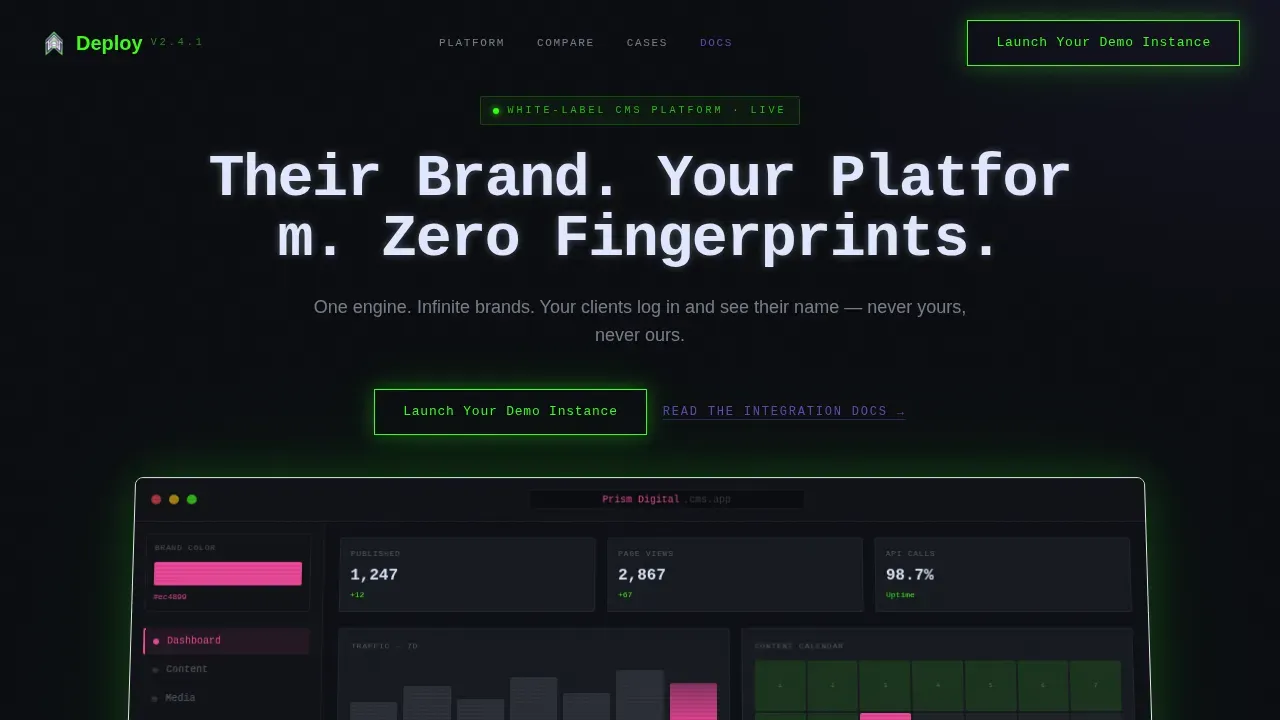
- A hero section with a floating dashboard mockup, a typewriter headline, and a brand-swap animation that proves the white label promise in seconds
- A live stats grid, a competitive comparison matrix, and three classified-style case study cards that build evidence progressively as the visitor scrolls
- Two strategically placed calls to action plus a secondary text link for technical buyers who need documentation before committing
Feature list
This template is built around a small number of high-impact components. Each one earns its place on the page.
Animated Hero with Dashboard Mockup
The header is a dark full-bleed canvas. A dashboard mockup floats center-frame with a neon-green outer glow. Inside the mockup, a content calendar populates, analytics graphs tick upward, and a brand-color picker cycles through palettes in real time. The typewriter headline types itself in monospace above the frame, each character arriving with a faint phosphor bloom. This section functions as a live demo of the white label promise before the visitor reads a single bullet point.
Live Stats Counter Grid
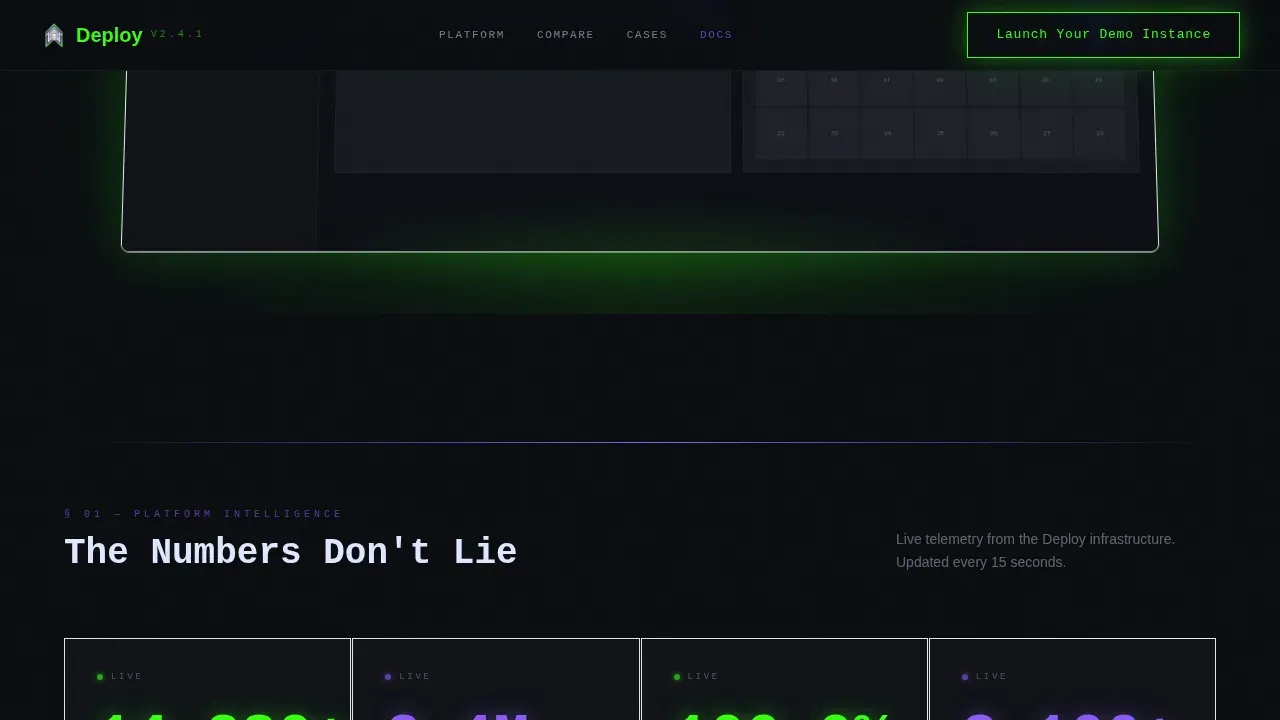
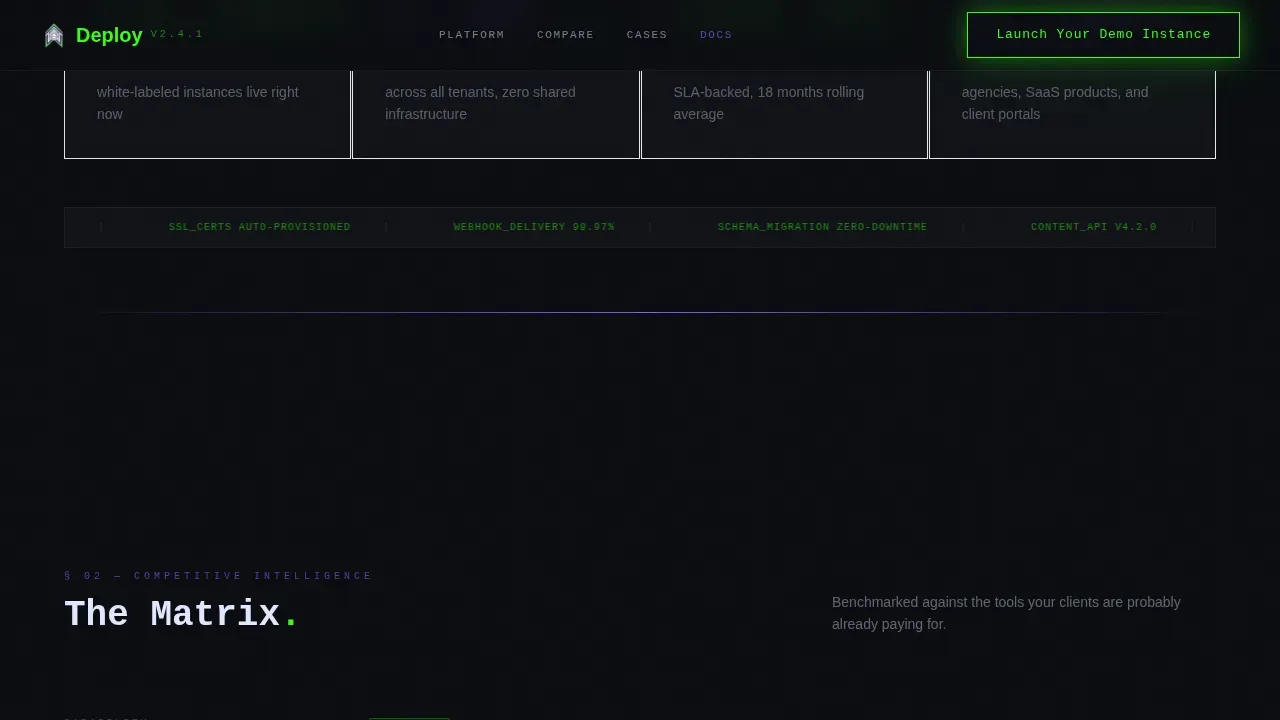
Section one beneath the hero is a data grid showing deployment counts, API call volume, and uptime percentage ticking upward in real time. These counters act as social proof without requiring testimonials. They communicate scale and reliability through raw numbers. The grid follows the Data Command aesthetic, with terminal-green digits on a void-black background.
Competitive Comparison Matrix
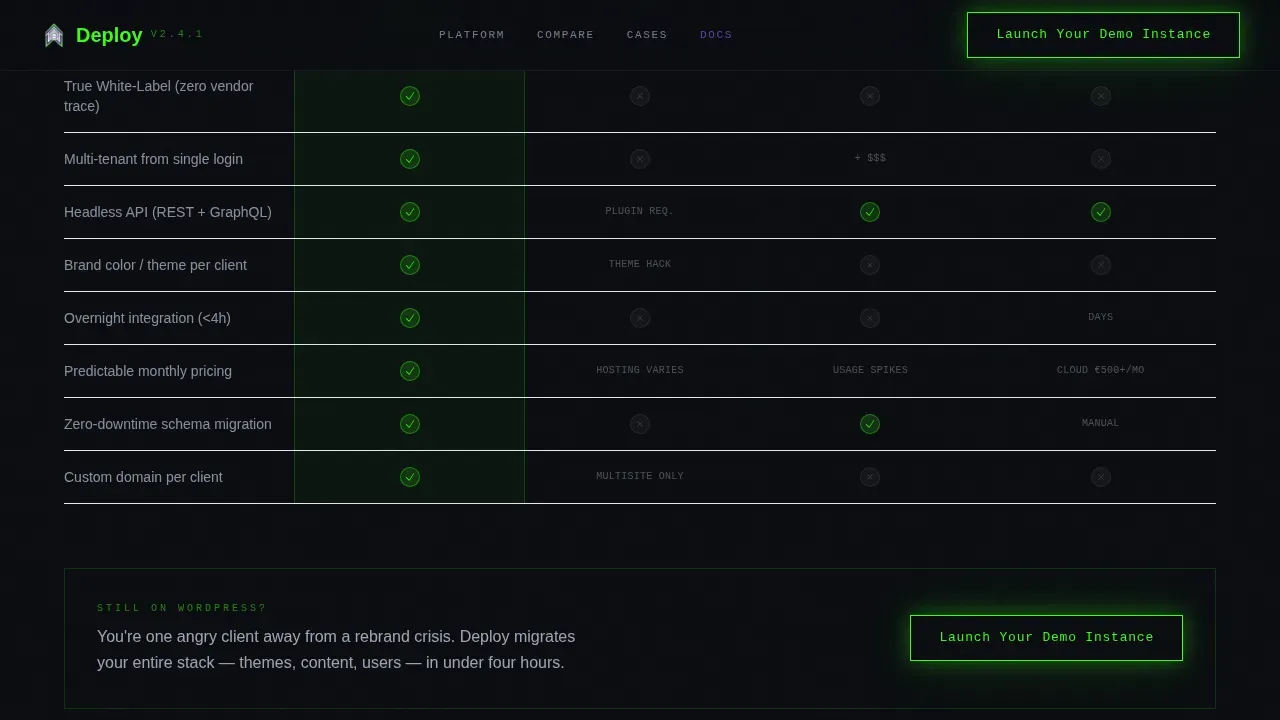
Section two is a structured matrix comparing the platform against well-known alternatives across multiple capability columns. The platform row glows acid green across every cell. This layout gives the visitor a clear visual summary of where competing tools fall short without making claims the copy has to defend alone. Buyers who have spent time evaluating other options find immediate confirmation here.
Case Study Dossier Cards
Section three presents three cards styled as classified dossiers. Revenue impact figures are hidden by default and revealed on hover, creating a moment of discovery that rewards engaged visitors. Each card is self-contained and scannable. Together they provide real-world evidence that the platform delivers results, not just features.
Click-Through Call to Action Placement
The primary call to action, "Launch Your Demo Instance," appears in the header navigation and again directly after the comparison matrix, where competitive frustration is highest. Both buttons use terminal-green with a subtle glow pulse. No form sits between the click and the destination. The visitor lands inside a pre-loaded dashboard with sample data and a rebranded browser tab, proving the product in the first ten seconds of the next page.
Secondary Docs Link for Technical Buyers
A plain text secondary link, "Read the Integration Docs," sits near the primary call to action. It catches the technical buyer who needs architecture answers before committing. This prevents the page from losing a high-intent visitor simply because they want to verify compatibility before clicking the main button.
Page sections overview
| Section | Purpose |
|---|---|
| Hero Dashboard | Typewriter headline, brand-swap animation, primary call to action |
| Live Stats Grid | Real-time deployment counters and uptime percentage |
| Comparison Matrix | Side-by-side feature comparison with platform row highlighted |
| Case Study Dossiers | Three hover-reveal cards with revenue impact figures |
| Call to Action Strip | Terminal-green sandbox button and secondary docs link |
| Footer | Single-row linear footer with minimal navigation |
Design & branding system
The visual identity follows a Data Command theme through an Acid Digital color system. The palette reads like a server room at 2 a.m., with screens humming and status indicators blinking against total darkness. Every color choice is intentional and functional.
- Void black (#0B0D11) as the primary background, terminal green (#39FF14) for live-state indicators and hover glows, electric violet (#8B5CF6) on key data points and section dividers, and phosphor white (#E0E7FF) for body text
- JetBrains Mono for headlines and typewriter elements, DM Sans for body copy, creating a sharp contrast between command-line precision and readable prose
- High animation density including typewriter effects, counter tick-ups, glow pulse buttons, hover reveals on dossier cards, and scroll-triggered section entrances
Mobile & speed optimization
The template is built desktop-first, which matches how agency founders and SaaS product teams actually evaluate tools. A dashboard mockup that spans horizontal space needs room to breathe. The layout prioritizes that experience without abandoning smaller viewports.
- Client-side components are used only where animation is required; the static shell is server-rendered to keep the page load lean
- The dashboard mockup, counter grid, and comparison matrix reflow cleanly for tablet viewports while preserving the core visual hierarchy
How this template helps you convert
Every section of this page is sequenced to reduce doubt and increase readiness to click. The page does not ask for a commitment until it has already delivered proof.
- The hero section delivers visual proof of the white label promise before the visitor reads a headline, replacing skepticism with curiosity inside the first few seconds of the page load.
- The comparison matrix places the platform in direct context with familiar alternatives, so visitors who arrive with an existing shortlist can reach a decision without leaving the page.
- The dual call to action placement targets the visitor twice, once at peak interest after the hero and once at peak competitive frustration after the matrix, maximizing the chance of a click at each natural conversion moment.
Other information about this template
This template is designed to work as the front door for any white label CMS solution where the selling point is complete control over the branded client experience. Several practical details are worth noting before you customize and deploy it.
- The white label CMS plugin workflow is central to how agencies actually deliver branded platforms. This template reflects that workflow visually, showing a fully customized dashboard with custom branding, own logo placement, and a polished login interface that clients interact with as if it were your proprietary product.
- When agencies set up a white label CMS admin environment, they typically need to customize the login page with a background image and own logo, configure the admin bar, adjust admin menu items, hide menus irrelevant to client user roles, remove default widgets from the welcome dashboard panel, and add custom widgets in their place. This template's hero dashboard mockup illustrates that end state directly.
- The white label CMS plugin allows you to customize the entire client experience including the login screen, dashboard, and admin menus. You can add your own logo to the admin bar, manage menus by user role, and use custom CSS to match your brand color schemes, all without deep coding knowledge.
- The white label CMS stands apart from other plugins offering similar functions because it gives you full control over the WordPress admin area. You can restrict access to wp admin for specific user roles, suppress nag messages from other plugins, and configure dashboard panel sets that show only what each client needs.
- Deploying a landing page template on a white label CMS involves accessing the admin panel, creating a new page, and selecting a custom template or importing HTML, CSS, and JavaScript files. Many white label platforms permit the direct upload of pre-built templates as compressed files using an Upload Template button in the dashboard.
- The workflow for a web developer launching a page via command-line interface involves initializing the project, configuring settings, and executing deployment commands. For high-scale deployment, a single template can pull website content from a database, making it easy to create dozens of client pages from one source.
- White label plugins are a powerful solution for agencies that want to remove any reference to the underlying platform from clients websites. A user friendly plugin approach means even non-technical team members can customise login screens, adjust the login interface, set a new background image, and configure admin toolbar items in just a few clicks.
- The white label CMS admin feature lets you manage menus, configure clients admin access by role, and control which admin menu items appear for other users. You can also set up your own RSS feed or own rss feed display inside the dashboard panel, and create custom admin plugins to extend the experience further.
- This template supports the industry report creative direction, meaning the scroll experience is structured like reading a confidential benchmark report. Each section raises the stakes with harder evidence, from the wp log of live deployments to the classified dossier cards that reveal revenue numbers.
- The welcome dashboard panel is one of the first things clients see after login. Customizing it, clearing default items, and adding relevant dashboard panel sets is an interesting point that many agencies overlook. This template highlights that capability visually inside the hero mockup.
- Excellent plugin setups typically include a mix of white label plugins, custom admin plugins, and a few simple features that reduce client confusion. Removing nag messages, suppressing plugins offering similar functions, and keeping only what the client needs are all simple features that add up to a dramatically cleaner experience.
- Feature requests from clients often center on the login page experience. Being able to customise login screens with a custom logo, color schemes, and a branded background image addresses those requests without any coding knowledge required.
- The deploy command your white label cms platform landing page template is categorized under Technology, White-Label Enterprise Software, and the White-Label CMS niche.
Theme
Data Command
Creative direction
Industry Report
Color system
Acid Digital
Style
Dashboard/Data Grid
Direction
Click-Through
Page Sections
Animated Hero with Brand-swap Dashboard
Live Deployment Counter Grid
Competitive Comparison Matrix
Hover-reveal Case Study Dossiers
Dual Call to Action Placement
Secondary Docs Link for Technical Buyers
Related questions
What type of page is this template?
Who is the primary audience for this template?
Does the template include a form or lead capture element?
Can I customize the branding and admin area shown in the dashboard mockup?
What visual style does this template use?



