DevOps Coming Soon Landing Page Template
Deploy is a coming soon landing page template built for IT infrastructure and DevOps service companies. It opens with a full-viewport terminal typewriter animation, flows into an interactive three-tier comparison table with hover micro-animations, and closes with an early access form. The design uses a dark terminal aesthetic with iridescent violet and cyan accents.
by Rocket studio
Quick summary
Deploy is a pre-launch landing page template for IT services and DevOps platform companies. It combines a terminal typewriter hero, an interactive comparison table with animated feature rows, a scroll-linked roadmap timeline, and an early access signup form. The design is dark, technical, and intentionally built to impress engineers on first load.
Who this template is for
This template is built for infrastructure-focused teams preparing a pre-launch or coming soon page. It speaks directly to a technical audience and earns their trust before asking for a signup.
- IT services companies launching a DevOps or cloud infrastructure platform
- Series B startup CTOs who need to communicate service tiers clearly before launch
- Solo DevOps engineers or small infrastructure teams building a waitlist ahead of a product release
What problem this template solves
Most coming soon pages feel generic. They offer a headline, an email field, and nothing else. For a technical audience, that is not enough. Engineers and IT directors evaluate credibility the moment a page loads.
- Visitors leave without understanding what service tiers exist or what the free option includes
- There is no visual proof that the team behind the product understands infrastructure at a craft level
- A plain static page cannot communicate the depth of a DevOps platform before launch
What you get with this template
You get a fully structured, single-page coming soon layout with high interactivity baked in. Every section is designed to inform and engage a technical audience progressively as they scroll.
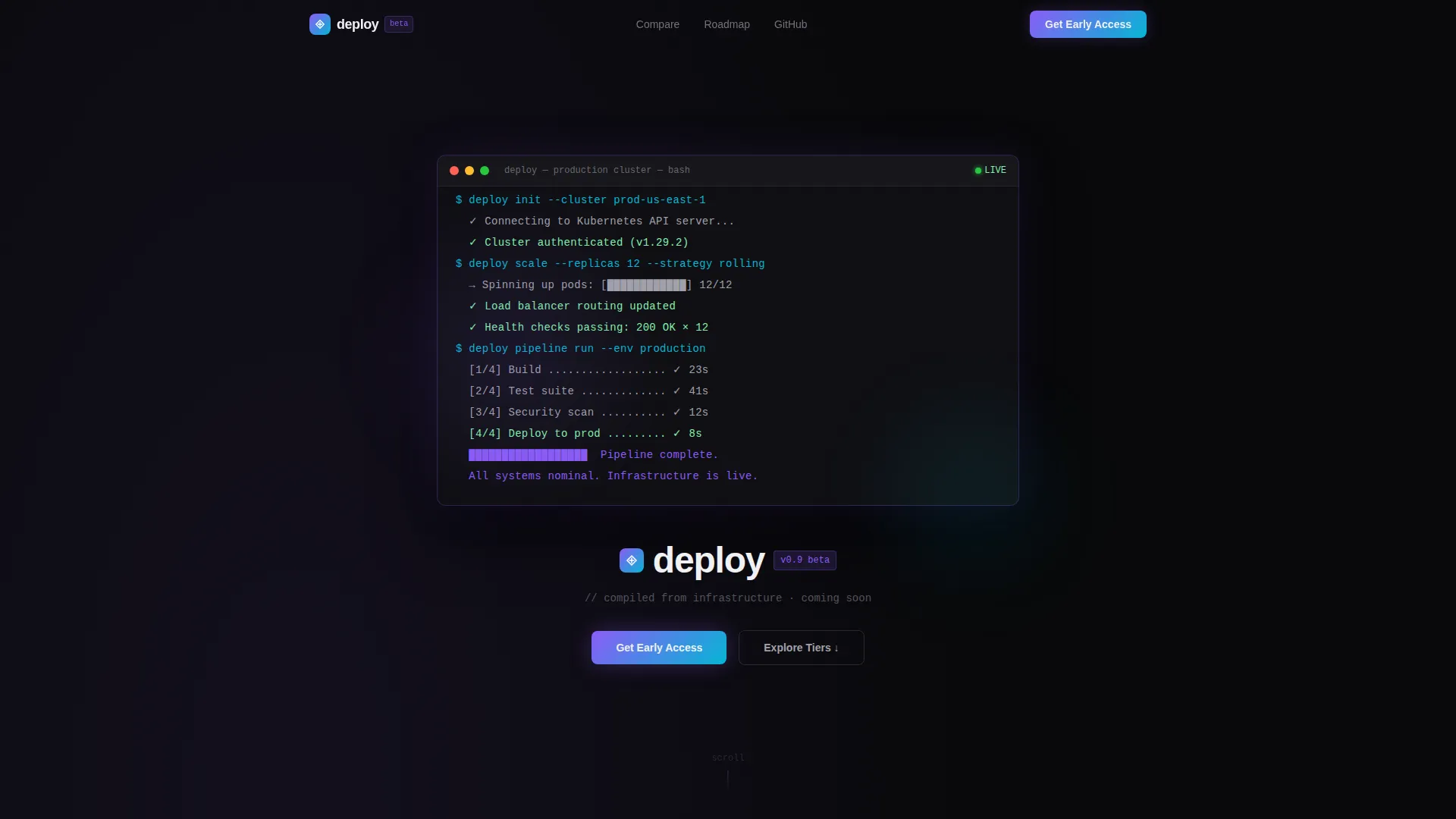
- A terminal typewriter hero section that resolves into the company wordmark after the animation completes
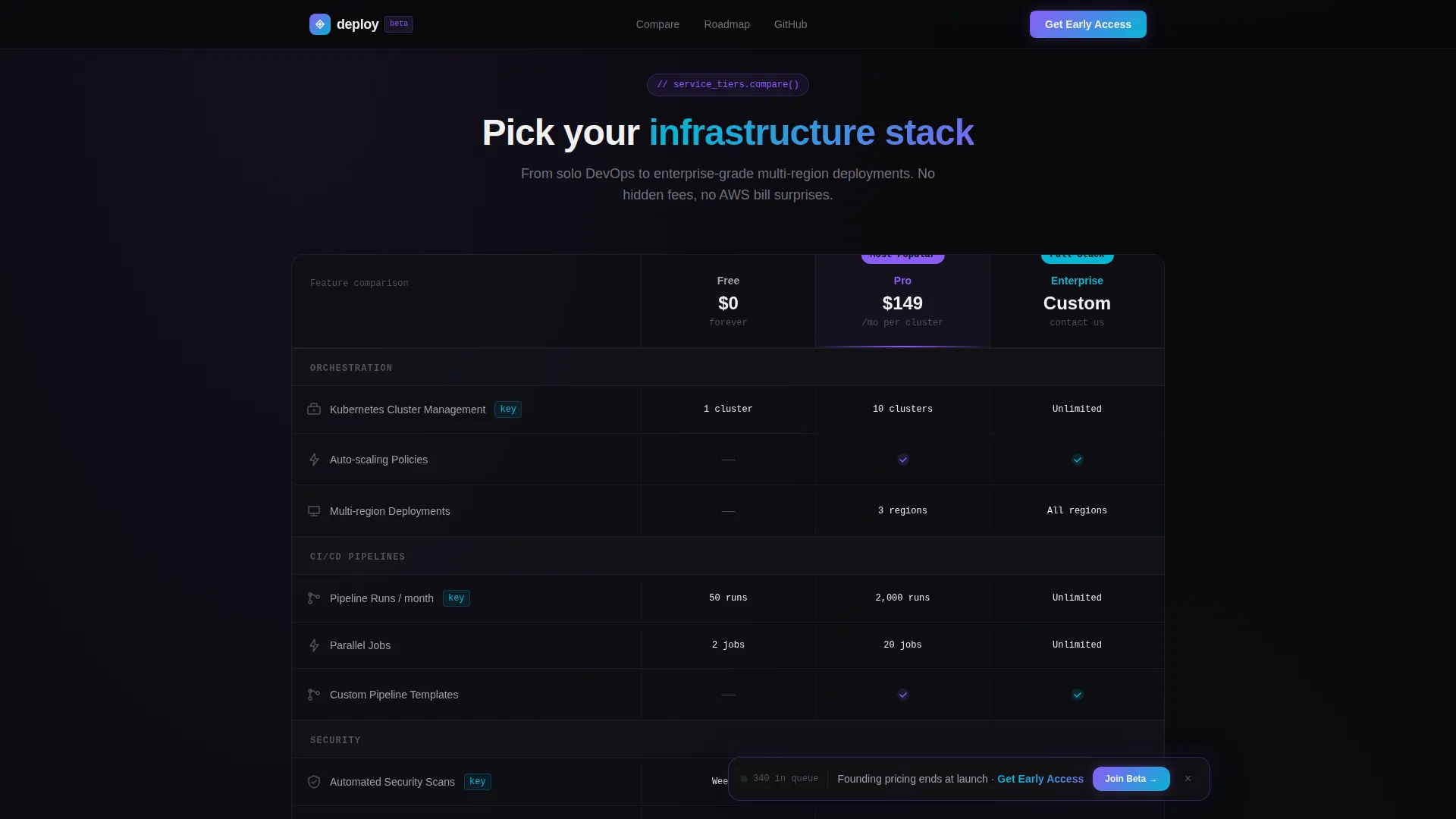
- An interactive three-tier comparison table with hover micro-animations on each feature row
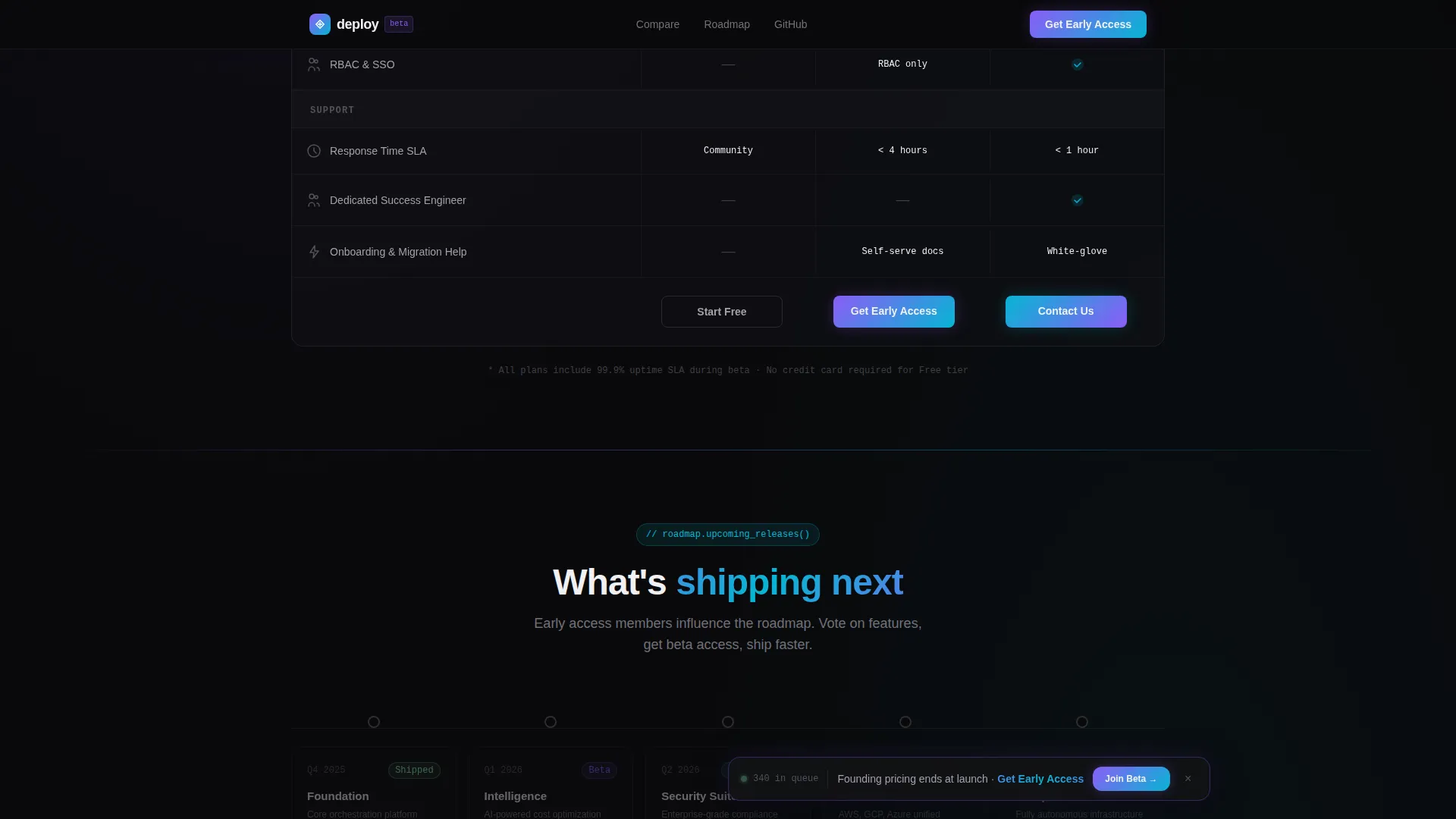
- A horizontal scroll-animated roadmap timeline, an early access form with role selector, and a social proof section
Feature list
This template delivers six distinct interactive and visual capabilities, each grounded in the source brief.
Terminal Typewriter Hero
The hero opens as a full-viewport dark terminal window. Lines of syntax-highlighted code type themselves into existence, character by character, building a deployment configuration in real time. A blinking cursor pulses at the end of each line. After the final command completes, the output resolves into the company wordmark.
Interactive Comparison Table
The comparison table lets visitors toggle between three service tiers. Each feature row responds to hover with micro-animations that visualize the capability, such as a spinning container icon for orchestration, a pulsing shield for security audits, and a branching tree for CI/CD pipelines. Iridescent gradient trails follow the cursor across rows.
Scroll-Animated Roadmap Timeline
A horizontal timeline sits midway through the page. As the visitor scrolls, timeline nodes light up in sequence, teasing unreleased services. The animation is linked to scroll position so the reveal feels earned and paced.
Floating Early Access Bar
A persistent bottom bar appears after the first scroll. It pins a primary call to action in view at all times without blocking content. The bar stays unobtrusive and relevant throughout the entire scroll journey.
Early Access Signup Form
The form section includes a single email field, a role selector with options for CTO, DevOps, Engineering Lead, and Other, and an optional company name field. The layout is minimal and frictionless, designed to maximize completions from a skeptical technical audience.
Social Proof and GitHub Anchor
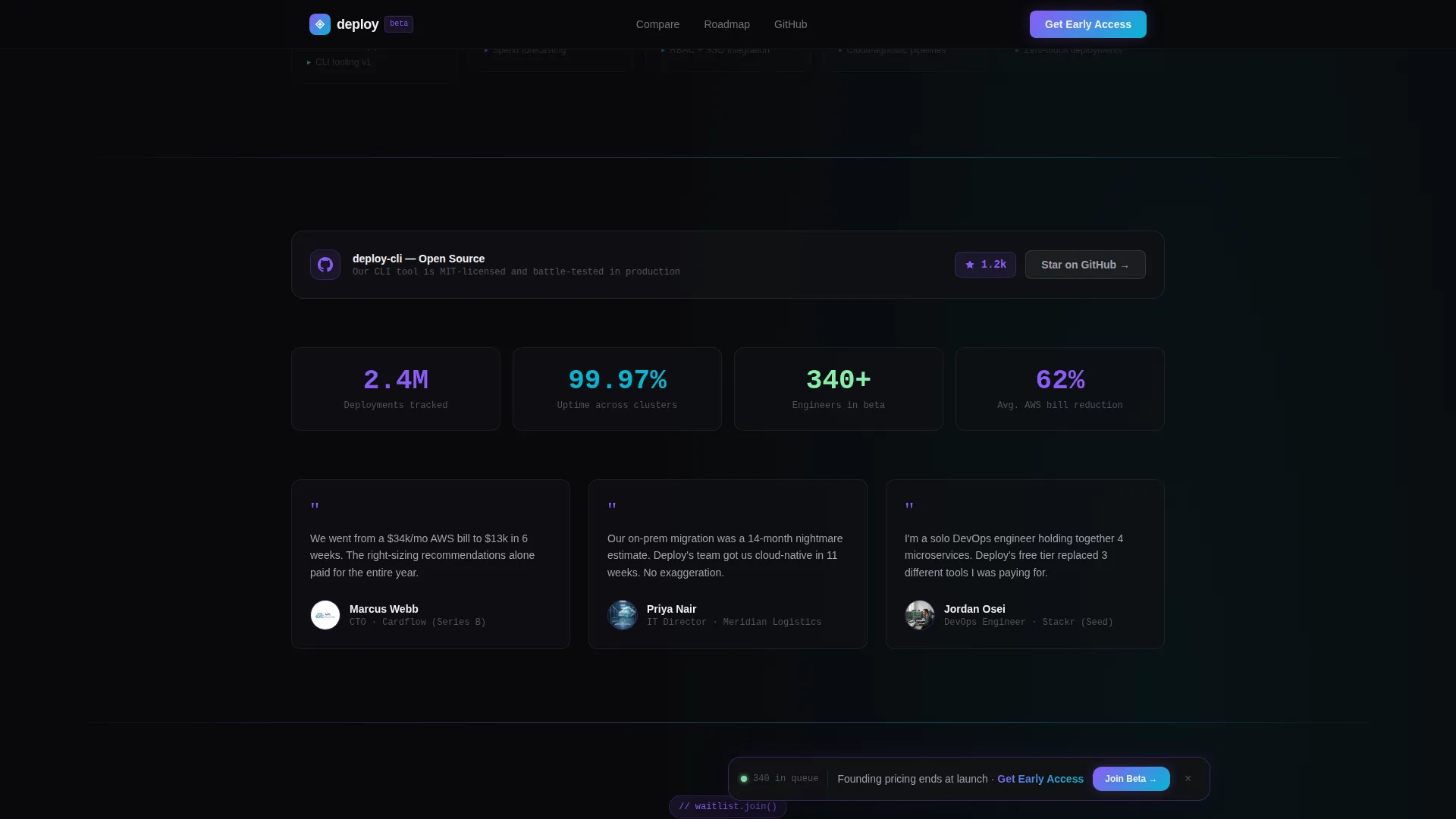
A dedicated social proof section surfaces a GitHub stars counter, deployment metrics, and company count. A secondary call to action links to an open-source tool the team has shipped, providing a concrete credibility signal before visitors commit to signing up.
Page sections overview
| Section | Purpose |
|---|---|
| Terminal Hero | Typewriter animation resolving into wordmark |
| Comparison Table | Interactive three-tier feature breakdown |
| Roadmap Timeline | Scroll-animated coming soon service preview |
| Social Proof | GitHub stars, deployment stats, company count |
| Early Access Form | Email, role selector, optional company name |
| Footer | Horizontal layout with navigation and links |
Design & branding system
The visual identity follows a Dynamic Motion theme built on an AI Iridescent color system. The overall feel is a dark terminal screen with light refracting across it in synthetic, shifting gradients.
- Color palette: void black (#09090B) dominates backgrounds; holographic violet (#8B5CF6) and shimmer cyan (#06B6D4) trade off as accent gradients on hover states and interactive borders; neural white (#F0F0F3) keeps typography clinical and sharp
- Typography: JetBrains Mono is used for all code and terminal output; DM Sans handles interface text, labels, and body copy for clean contrast between technical and conversational registers
Mobile & speed optimization
The template is designed desktop-first to serve the primary audience of CTOs and DevOps engineers who work on large screens. A mobile fallback ensures the page remains functional and readable on smaller devices.
- GPU-accelerated transforms power the typewriter, hover trails, and scroll-linked timeline without layout jank
- Intersection Observer drives scroll animations so elements only activate when they enter the viewport, keeping the experience smooth across devices
How this template helps you convert
Every section of this template is sequenced to move a skeptical technical visitor toward signing up for early access.
- The terminal hero establishes immediate credibility by demonstrating that the team thinks and builds in code, earning trust before a single feature is listed.
- The interactive comparison table does the conversion work by the time visitors have explored all three tiers. They understand exactly what the free tier includes and what upgrading unlocks, removing the main objection to signing up.
- The floating early access bar and the GitHub credibility anchor give visitors two low-friction paths forward, a direct signup or a softer engagement through an open-source tool, meeting them wherever they are in their decision.
Other information about this template
This template is categorized under IT Services Company Website Templates and is specifically designed for the coming soon page use case within the technology category.
- The template style is a Comparison Table layout, making it well suited for DevOps platforms that need to communicate tiered service offerings before a full product launch
- The creative direction is Interactive Explorer, meaning the scroll experience is designed to perform as well as inform, with each section acting as a small proof of technical craft
- The header concept is a Code Snippet, a deliberate choice to open with the language the target audience trusts most
- Localization defaults are set to English, USD, and US date format, reflecting the primary North American B2B market this template targets
Theme
Dynamic Motion
Creative direction
Interactive Explorer
Color system
AI Iridescent
Style
Comparison Table
Direction
Freemium/Trial
Page Sections
Terminal Typewriter Hero Animation
Interactive Three-tier Comparison Table
Scroll-linked Roadmap Timeline
Floating Early Access Call-to-action Bar
Role-segmented Signup Form
Social Proof and Github Credibility Section
Related questions
Who is this landing page template designed for?
What makes the comparison table interactive?
Can I customize the service tiers and feature rows?
What does the early access form collect?
Does the template include the roadmap timeline section?



