Coworking Digital Presence Appointment Booking Website Template
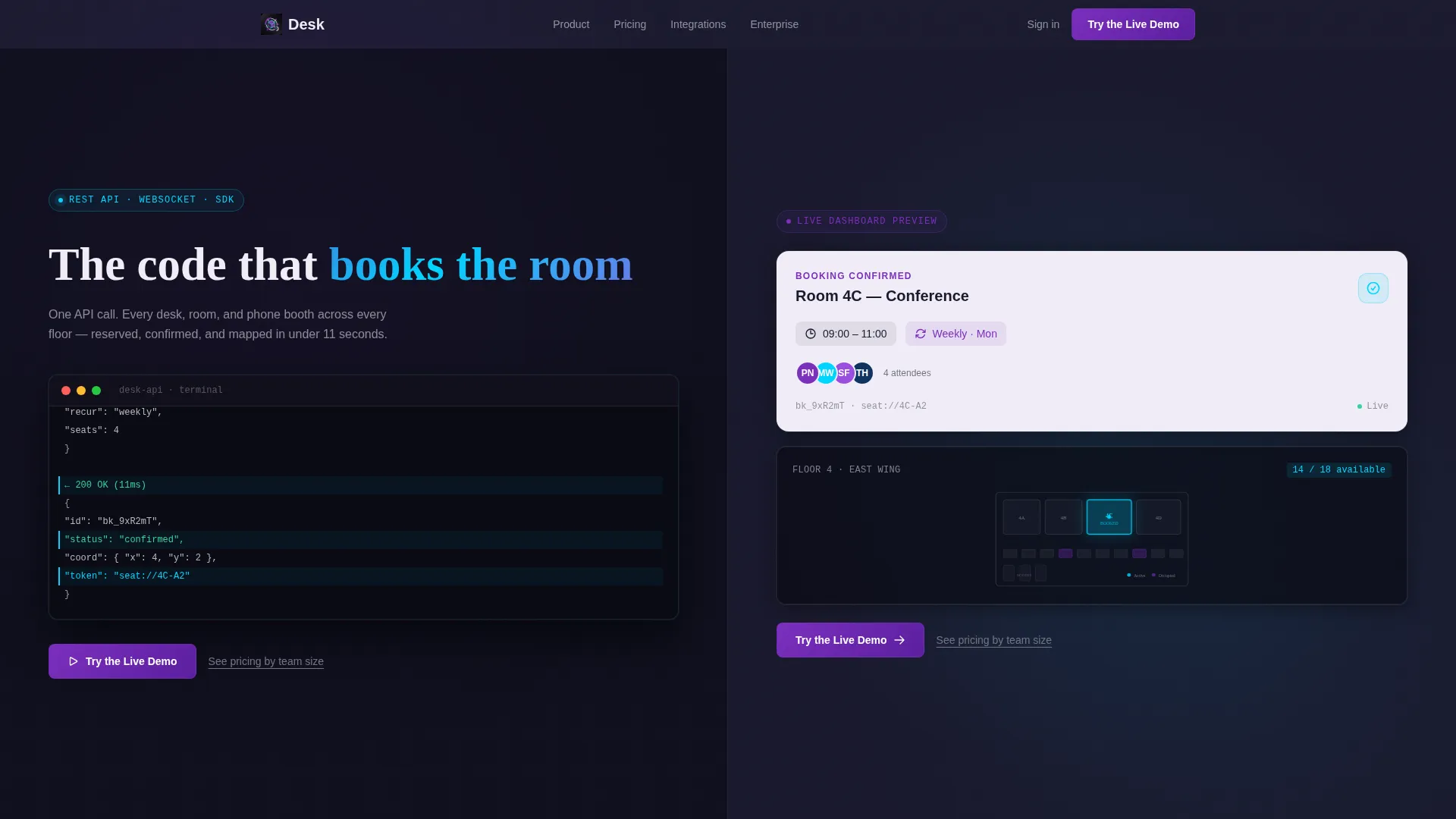
Desk is a split-screen coworking landing page template built for booking and scheduling platforms. It pairs a live API code snippet with a polished dashboard card, leads with bold real-time stats, and drives visitors toward a free interactive demo. The design uses a deep graphite and iridescent accent palette that feels precise, technical, and alive.
by Rocket studio
Quick summary
Desk is a single-page template for coworking booking and scheduling platforms. It opens with a dramatic split-screen header pairing a live code snippet against a rendered dashboard card. Stats hit immediately below. The design uses a dark graphite base with holographic violet and shimmer cyan accents, and every section is built to move visitors toward one clear action: trying the live demo.
Who this template is for
This template speaks directly to the people managing shared spaces at scale. It is built for product and marketing teams who need a landing page that matches the technical confidence of their platform.
- Operations managers coordinating hybrid workers across multiple floors and locations
- Freelancers and independent workers looking for a reliable, bookable desk on a recurring schedule
- Startup office managers who have outgrown a fixed lease but need a cost-efficient workspace solution
What problem this template solves
Managing hot desks, meeting rooms, and phone booths across locations creates real friction. Most coworking platforms struggle to show that complexity without overwhelming the visitor. This template solves that by leading with the product itself.
- Visitors rarely trust a platform they cannot see working, so the template shows the interface before asking for anything
- Teams and freelancers need to know a system handles recurring bookings cleanly, and the code snippet header proves that upfront
- Without a clear primary action, visitors bounce; this template removes form fields entirely and funnels every click into a single demo entry point
What you get with this template
The template is a complete, ready-to-customize single-page layout structured for high click-through performance. Every section is purposefully sequenced to build confidence and drive the demo click.
- A 50/50 split-screen header with a dark terminal code panel on the left and a live dashboard card preview on the right
- A full-width stats row with countup animations showing real platform-scale numbers
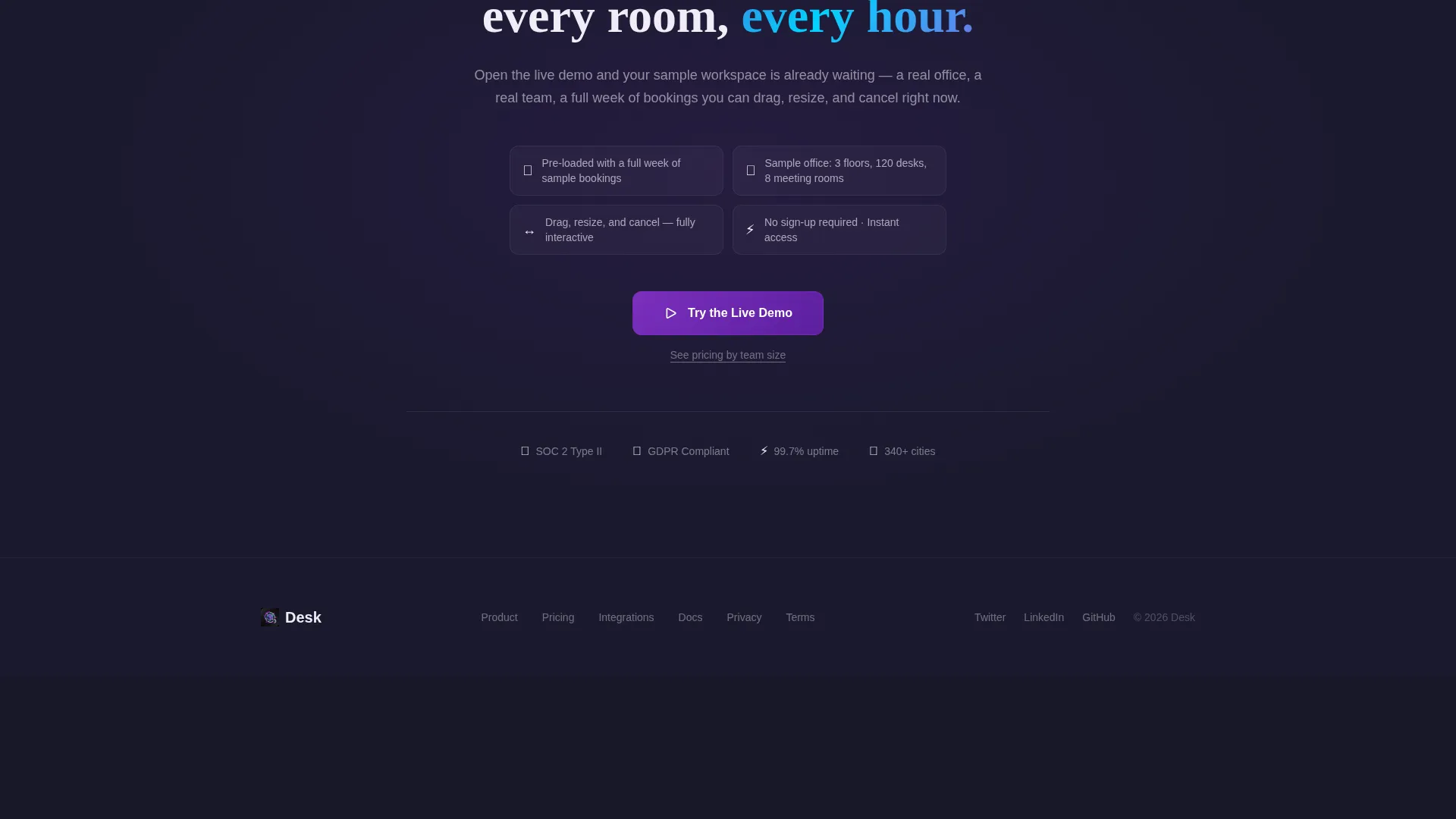
- A sticky bottom bar call-to-action that slides in after the first scroll, keeping the primary action always visible
Feature list
This section covers the core built-in capabilities delivered with the Desk template.
Split-Screen Header with Code and Dashboard
The header divides equally between a dark terminal panel and a rendered output card. The left side shows a monospaced POST /bookings API request with a JSON payload and a 200 OK response. The right side renders what that call produces: a confirmed room card, an avatar stack, and a miniature floor plan with the booked space glowing cyan.
Stats-First Hero Row
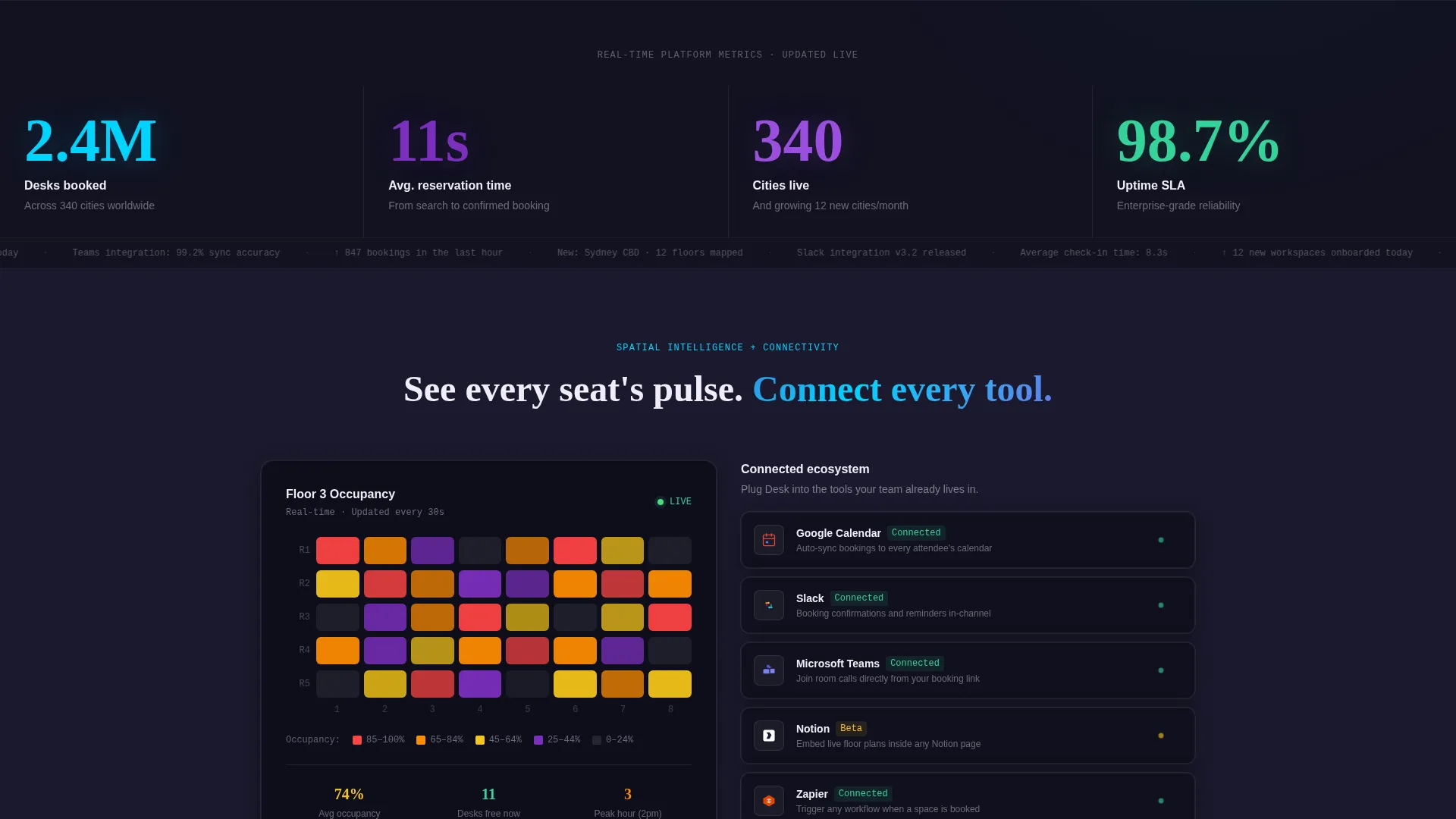
Immediately below the header, three bold typographic stats hit full-width: "2.4M desks booked," "11-second average reservation," and "340 cities live." Each stat uses a countup entry animation that reads like a live ticker, establishing platform credibility before any descriptive copy appears.
Real-Time Occupancy Heatmap Section
A dedicated section displays a sample floor occupancy heatmap on the left side. This visual communicates spatial data density at a glance and shows visitors exactly how the platform surfaces availability across a whole floor in one view.
Integration Status Panel
The right side of the heatmap section lists key platform integrations alongside green connection-status indicator dots. This panel shows the platform's connectivity in a clean, scannable format without overloading the layout.
Dual Call-to-Action System
The primary call-to-action, "Try the Live Demo," appears twice: once in the header aligned to the right side against the dashboard card, and once as a sticky bottom bar that slides in after the first scroll. A secondary text link reading "See pricing by team size" sits beneath the primary button for visitors at a later decision stage.
AI Iridescent Dashboard Pro Theme
The visual system uses four defined colors: deep graphite (#1A1A2E) as the base, holographic violet (#7B2FBE) for primary actions and active states, shimmer cyan (#00D4FF) for data visualizations and hover states, and soft pearl white (#F0EDF6) for card surfaces and typography. The result is a technically alive palette that feels like a dark glass desk reflecting neon light.
Page sections overview
| Section | Purpose |
|---|---|
| Split-screen header | Pairs live API code with a rendered dashboard card |
| Stats ticker row | Leads with bold platform-scale numbers and countup animation |
| Occupancy heatmap panel | Shows floor-level spatial data in a live visual format |
| Integrations status panel | Lists connected tools with green live-status indicator dots |
| Sticky demo bar | Keeps the primary call-to-action visible after the first scroll |
Design & branding system
The template follows the Dashboard Pro theme with an AI Iridescent color system. The palette is intentionally technical and atmospheric, built to reflect a high-data environment without feeling cold.
- Four defined colors: graphite (#1A1A2E) for backgrounds, violet (#7B2FBE) for primary actions, cyan (#00D4FF) for data states and hover, and pearl white (#F0EDF6) for card surfaces and text
- Typography uses a monospaced font inside the terminal panel for the code snippet, contrasting with clean sans-serif display type for stats and body sections
- Violet anchors every interactive element; cyan signals live data and responsiveness throughout the layout
Mobile & speed optimization
The Desk template is structured for a clean, responsive experience across screen sizes. The split-screen layout reflows gracefully so both the code panel and dashboard card remain legible on smaller viewports.
- The 50/50 split sections stack vertically on mobile without losing the visual hierarchy or section purpose
- The sticky bottom call-to-action bar is designed to stay functional on both desktop and touch-based navigation
- Countup stat animations and heatmap visuals are scoped to their containers so they scale without breaking the surrounding layout
How this template helps you convert
The Desk template is purpose-built as a click-through landing page with one conversion goal: getting visitors into the live demo. Every structural decision supports that path.
- The split-screen header shows the product working before the visitor reads a single sentence, which builds trust faster than any headline can
- The stats row immediately quantifies platform scale, giving hesitant visitors a data-backed reason to continue scrolling
- The dual call-to-action system, with both a header button and a persistent sticky bar, ensures the demo entry point is never more than one click away regardless of scroll depth
Other information about this template
This template was designed for the coworking booking and scheduling site niche within the broader coworking digital presence category. It sits at the intersection of technology product marketing and workspace management software promotion.
- The template style is Split Screen (50/50), the theme is Dashboard Pro, and the color system is AI Iridescent
- The landing page direction is Click-Through, meaning no form fields appear on the page; the single conversion action is a direct click into a sandbox demo environment
- The header concept is Code Snippet, a deliberate creative choice that speaks to technically literate buyers such as operations leads and platform evaluators
- The creative direction is Stats-First Impact, which sequences numbers before narrative to hook data-driven visitors immediately on load
Theme
Dashboard Pro
Creative direction
Stats-First Impact
Color system
AI Iridescent
Style
Split Screen (50/50)
Direction
Click-Through
Page Sections
Split-screen Header
Stats-first Hero with Countup Animation
Real-time Floor Occupancy Heatmap
Integration Status Panel with Live Indicators
Dual Call-to-action with Sticky Bar
AI Iridescent Dashboard Pro Color System
Related questions
Who is the Desk template designed for?
Does this template include form fields or a signup flow?
Can I customize the color palette and typography?
What sections are included in this template?
Is the code snippet in the header functional?



