Coworking Digital Presence Reviews & Testimonials Website Template
Desk is a bento grid coworking space landing page built for directory-style membership sites. The page opens with a live API code snippet and an interactive cost calculator, then unfolds into filterable workspace cards, side-by-side space comparisons, social proof, and a freemium upgrade flow. It is designed desktop-first with full mobile support and a bold Teal Catalyst color system.
by Rocket studio
Quick summary
Desk is a single-page coworking space landing page template built around a tool-first design philosophy. The hero doubles as a working directory demo, with a syntax-highlighted API snippet and a live cost calculator that lets every user compare workspace costs before scrolling past the fold. The page earns trust by letting visitors use the directory before asking for a sign-up.
Who this template is for
This landing page template is built for businesses and teams that need to present a searchable coworking space directory to a technical, cost-conscious audience.
- Freelance developers and remote workers comparing day-pass prices across a city
- Startup founders scouting a first shared workspace or small team room
- Coworking operators and agency teams launching a directory or membership site for urban workspace discovery
What problem this template solves
Most coworking space landing pages lead with aspirational copy and stock photos. Visitors leave within the first five seconds because they cannot find practical information quickly. This landing page template flips that pattern.
- It puts a working cost calculator and a real booking description on the page before any scroll
- It helps users understand live desk availability, transparent pricing, and amenity filters without signing up first
- It removes friction by letting visitors access core directory features for free, then contextually prompting an upgrade when they reach gated depth
What you get with this template
This page template ships as a complete, ready-to-customize bento grid layout. Every section is built to perform as a standalone coworking space landing block, so the page works as a fast, predictable discovery tool.
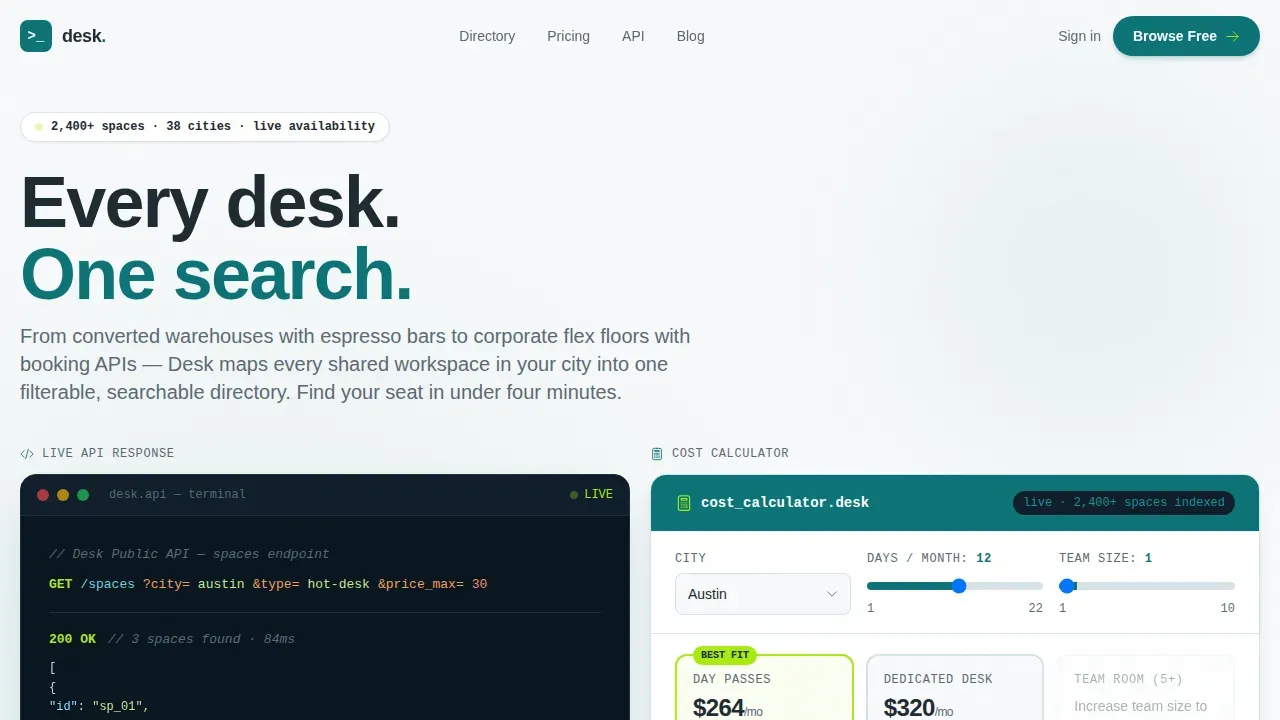
- A hero section with a styled API code snippet, a live interactive cost calculator, and a primary call-to-action for free space browsing
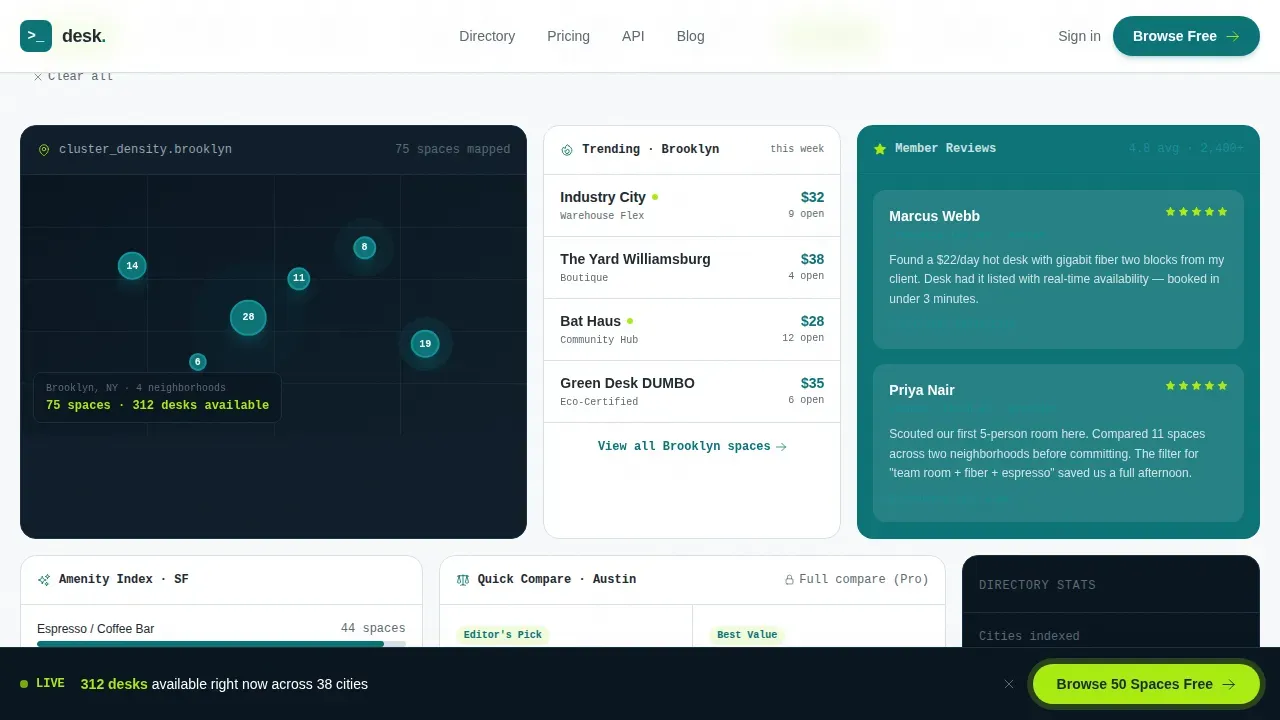
- A discovery bento grid with mixed card types including a map tile, a side-by-side comparison card, a reviews snippet, a trending micro-list, and an amenity filter chip cloud
- A social proof section with testimonial cards, space ratings, and member metrics, plus a freemium upgrade block with a tier comparison and email lead-capture form
Feature list
This page template includes several purpose-built features. Each one addresses a specific coworking space landing need.
Interactive Cost Calculator
The hero calculator accepts city, days per month, and team size as inputs. It instantly renders a bento card comparing solo day-pass costs, dedicated desk rates, and team room pricing. Transparent pricing is displayed before any sign-up, which helps visitors make confident decisions faster.
API Code Snippet Hero
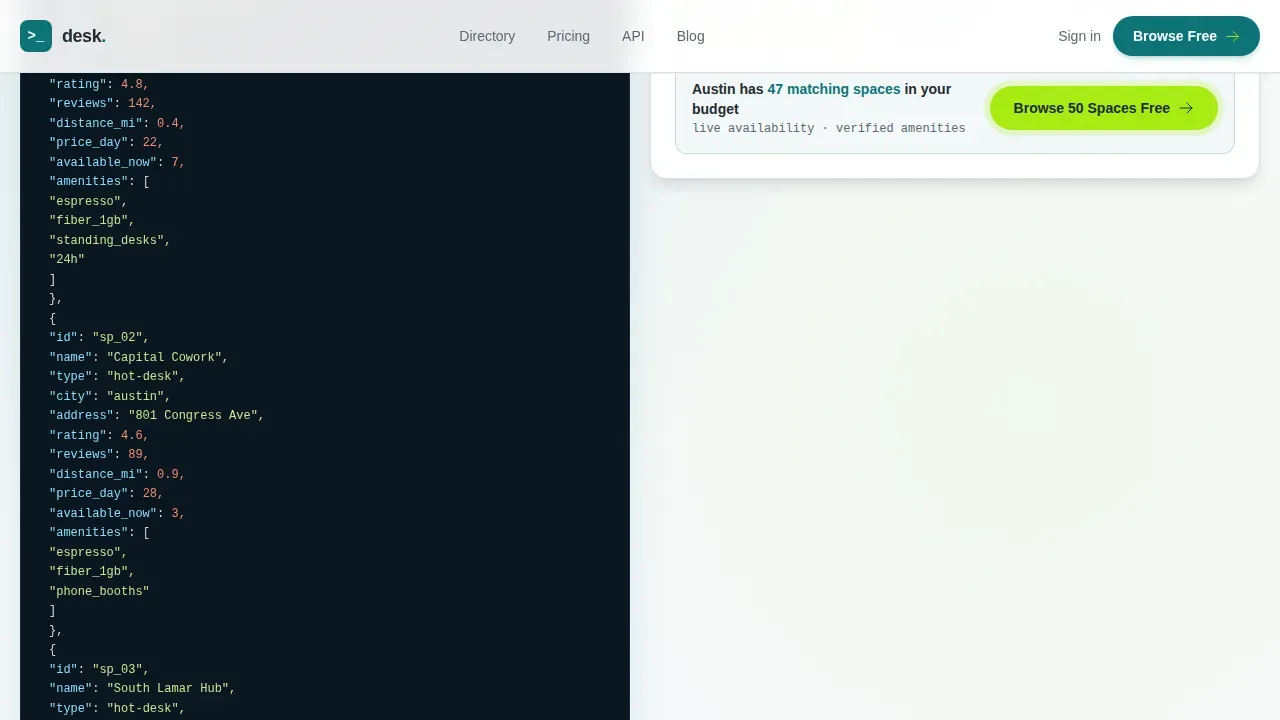
The header opens with a syntax-highlighted GET request block returning a live JSON description of three coworking spaces, complete with names, ratings, distances, and availability counts. This design choice proves directory depth to technical users in the first few seconds on the page.
Discovery Bento Grid
Below the calculator, workspace cards populate in a staggered bento layout. Card types shift per row, covering map cluster tiles, space comparisons, trending neighborhood lists, review snippets, and active amenity filter chips. The rhythm helps each user build a mental picture of the full directory as the user scrolls.
Freemium Upgrade Flow
Free tier access covers city search and basic filters. When a visitor tries to reach live availability, saved shortlists, or team booking, a contextual upgrade prompt appears with a single email field and an optional team-size selector. The lead-capture form is incentivized by the directory depth already demonstrated on the page.
Social Proof Section
Testimonial cards include role, company, and specific use-case detail. Space ratings, review counts, and member metrics are displayed alongside each card. These trust signals give both solo users and businesses the feedback they need to feel confident choosing a workspace.
Sticky Call-to-Action Bar
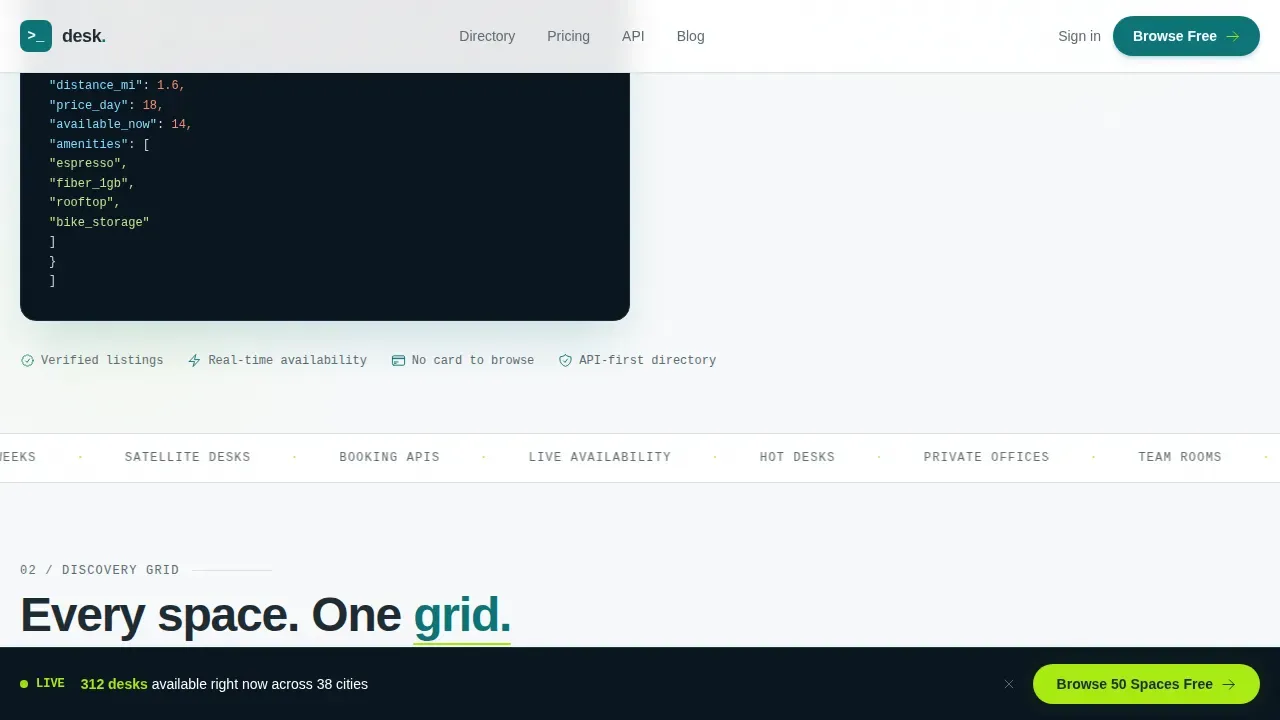
A "Browse 50 Spaces Free" call-to-action appears first inside the calculator results. After the second scroll section, it reappears as a sticky bottom bar. This keeps the primary conversion step visible without interrupting the discovery flow for the user.
Page sections overview
| Section | Purpose |
|---|---|
| Hero Code Snippet | Display API request block proving directory depth immediately |
| Live Cost Calculator | Let visitors compare workspace costs before any scroll |
| Discovery Bento Grid | Show mixed space cards as a browsable directory dashboard |
| Space Comparison Cards | Stack two coworking spaces side-by-side with availability gate |
| Social Proof Block | Share testimonials, ratings, and member metrics as trust signals |
| Freemium Upgrade Block | Present tier comparison and email sign-up to convert free users |
| Footer Flow | Provide navigation links and site-level information |
Design & branding system
The design follows a Directory and Discovery theme. The Teal Catalyst color system keeps the page clean, energized, and data-forward without relying on photos or illustration.
- Deep workspace teal (#0D7377) anchors primary actions and headings; chalk white (#F7F9FA) fills card backgrounds and open space; charcoal (#1E2A32) carries body text and data labels
- Electric lime (#A8EB12) drives interactive hits including active filter chips, toggle states, hover effects, and call-to-action pulses
- DM Sans handles all headings and body copy for readability; JetBrains Mono renders code blocks and data labels to reinforce the technical, directory-grade feel
Mobile & speed optimization
The template is built desktop-first to match how most users compare coworking space options on a laptop. Full mobile support is included so the landing page performs correctly across device sizes.
- The bento grid collapses gracefully on mobile screens, keeping card descriptions and filter chips readable on smaller viewports
- GSAP ScrollTrigger powers staggered card reveals and masked text animations, keeping motion purposeful rather than decorative
- Server Components handle static sections while Client Components manage the live calculator and filter interactions, keeping the page responsive for every user
How this template helps you convert
This coworking landing page is structured around a freemium conversion model. Every design and copy decision is built to move visitors from curiosity to sign-up naturally.
- The tool-first hero lets visitors use the directory immediately, so the value of the coworking space website is felt before any gate appears
- Contextual upgrade prompts appear only when a user reaches a depth that requires a paid tier, making the conversion feel like unlocking a tool they already trust rather than hitting a wall
- A sticky call-to-action bar keeps the free browsing offer visible as the user scrolls, reducing drop-off without interrupting the discovery experience
Other information about this template
This landing page template is easy to edit, resize, and adapt. It suits coworking operators, directory businesses, and agency teams building a coworking space website for clients. Below are additional details worth noting before you get started.
- The page template is localized to English with USD pricing and includes examples set in US cities including Austin, Brooklyn, San Francisco, and Chicago
- Each space card on the landing page can function as its own mini location page, following the principle that each location page should carry essential information as a standalone coworking space landing unit
- The design system ships with customizable photos placeholder areas and image slots so teams can drop in high-resolution workspace photos or keep the data-forward layout without photography
- Ad campaigns driving traffic to this landing page will benefit from the fast, solution-first structure, since the first step a visitor takes is already productive
- The template is built to share easily across team members; a single URL gives collaborators and clients a clear, date-stamped view of the directory concept
- Bot traffic and spam sign-ups can be managed at the platform level; the freemium form is intentionally minimal to reduce friction for real users while making it straightforward to protect the sign-up flow
Theme
Directory & Discovery
Creative direction
Calculator/Tool First
Color system
Teal Catalyst
Style
Bento Grid
Direction
Freemium/Trial
Page Sections
Interactive Cost Calculator Hero
API Code Snippet Header Block
Discovery Bento Grid Layout
Contextual Freemium Upgrade Prompt
Social Proof and Trust Signals
Sticky Call-to-action Bar
Related questions
What is the Desk template designed to do?
Can I customize the design colors and typography?
How does the freemium upgrade flow work?
Does the template support mobile layouts?
Who typically builds with this page template?



