Specialist Coworking Digital Presence Reviews & Social Proof Website Template
The Desk Data Command Coworking Social Media Landing Page Template is a split-screen, lead-generation landing page built for coworking space managers. It pairs a live-styled social dashboard with stacked Canva template previews, walking visitors through data-backed social proof before presenting a frictionless download form. Every section is designed to convert skeptics into qualified leads.
by Rocket studio
Quick summary
This landing page template gives coworking space marketing teams a polished, data-forward page that showcases ready-made social media templates. The split-screen layout puts a live-styled dashboard on the left and three stacked Canva template previews on the right. Visitors see the value immediately. The page then earns the click with proof before asking for a single form field.
Who this template is for
This template is built for the people running social media at a coworking space with no spare hours and no in-house design team. It speaks directly to the target audience managing brand presence across multiple channels every day.
- Community managers at single-location coworking spaces who post between giving tours and answering Slack messages
- Marketing coordinators at boutique coworking brands who need professional-looking content fast
- Multi-location operators who need every workspace looking on-brand without hiring a designer per site
What problem this template solves
Coworking space managers spend real time staring at a blank Canva canvas when they should be filling meeting rooms and selling day passes. Inconsistent posting hurts visibility. More than 60% of potential members for a coworking space are generated through Instagram, Facebook, and LinkedIn, and social media traffic represents between 20% and 40% of the traffic of coworking space websites in the US. Without a system, that channel goes to waste.
- No starting point: community managers waste time on design instead of community building
- Inconsistent visuals: multi-location operators struggle to keep every coworking space on-brand
- Weak conversion: a coworking space landing page that lacks social proof fails to convert visitors into leads
What you get with this template
The template delivers a complete, single-page lead generation experience. Every section is structured to move a user from awareness to action without friction. You get a page that feels like a mission control screen, where every metric is green and every post is scheduled.
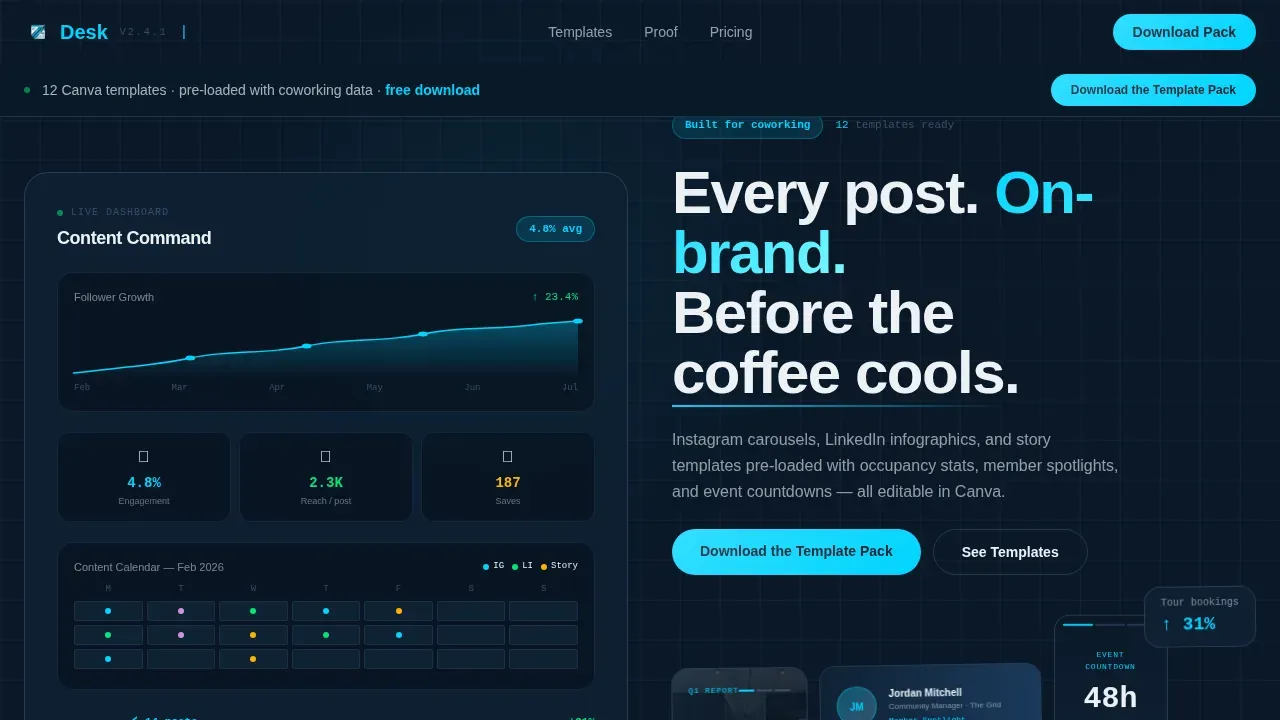
- A hero section with a split 50/50 layout: live-styled dashboard left, stacked Instagram carousel, LinkedIn banner, and story template previews right
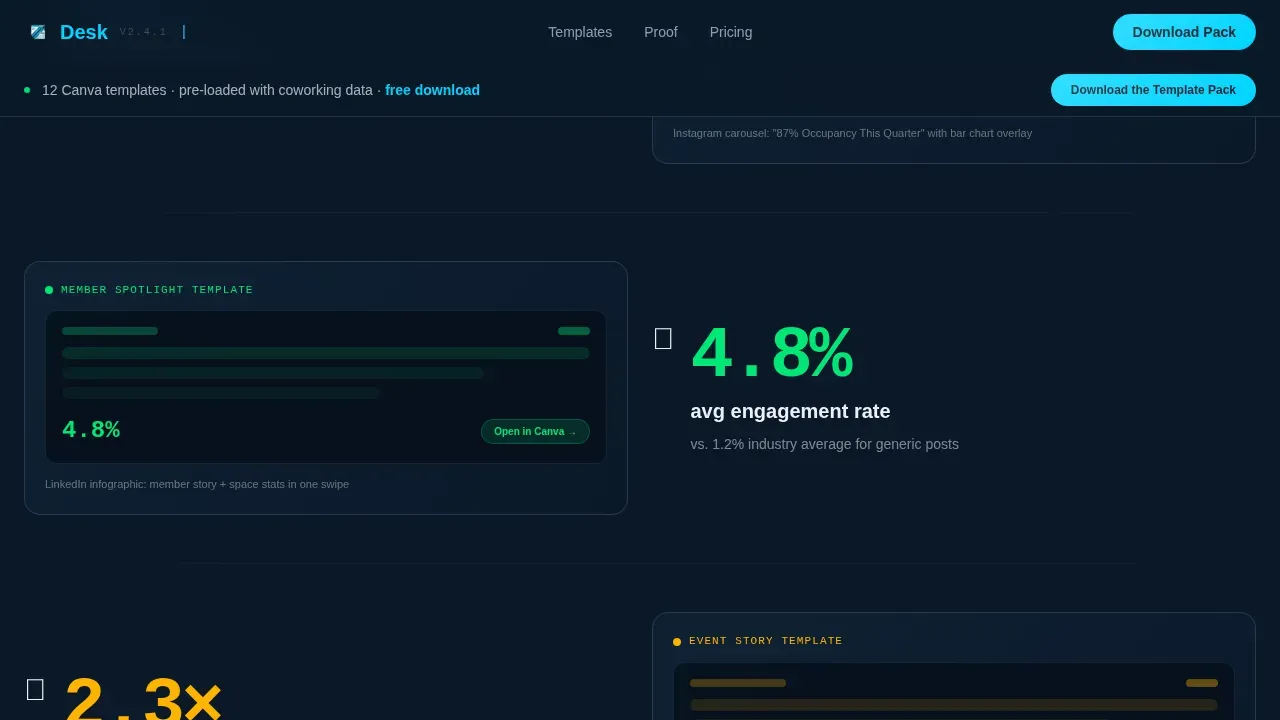
- A stats proof strip following an Industry Report cadence with four bold data points and paired template reveals
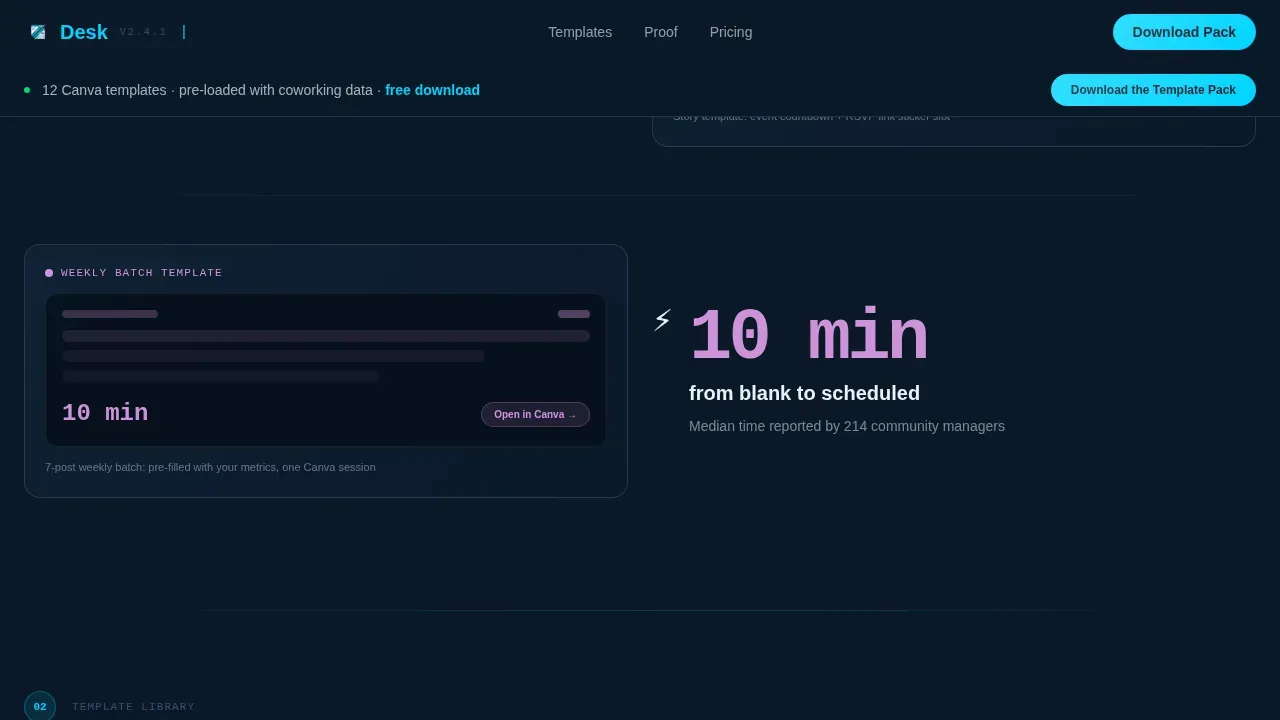
- A three-step Canva workflow section with time stamps showing the full editing process takes under ten minutes
Feature list
This landing page template is built around six purpose-built components that focus on converting coworking space visitors into email leads.
Split-Screen Hero with Dashboard Visuals
The hero section pairs a live-styled social media dashboard with three stacked template previews. The left panel shows follower growth curves, engagement rate badges, and a content calendar grid with colored dots for scheduled posts. The right panel displays an Instagram carousel image, a LinkedIn banner, and a story template. The layout captures attention in the first five seconds and communicates value before a user scrolls past the fold.
Stats Proof Strip with Industry Report Cadence
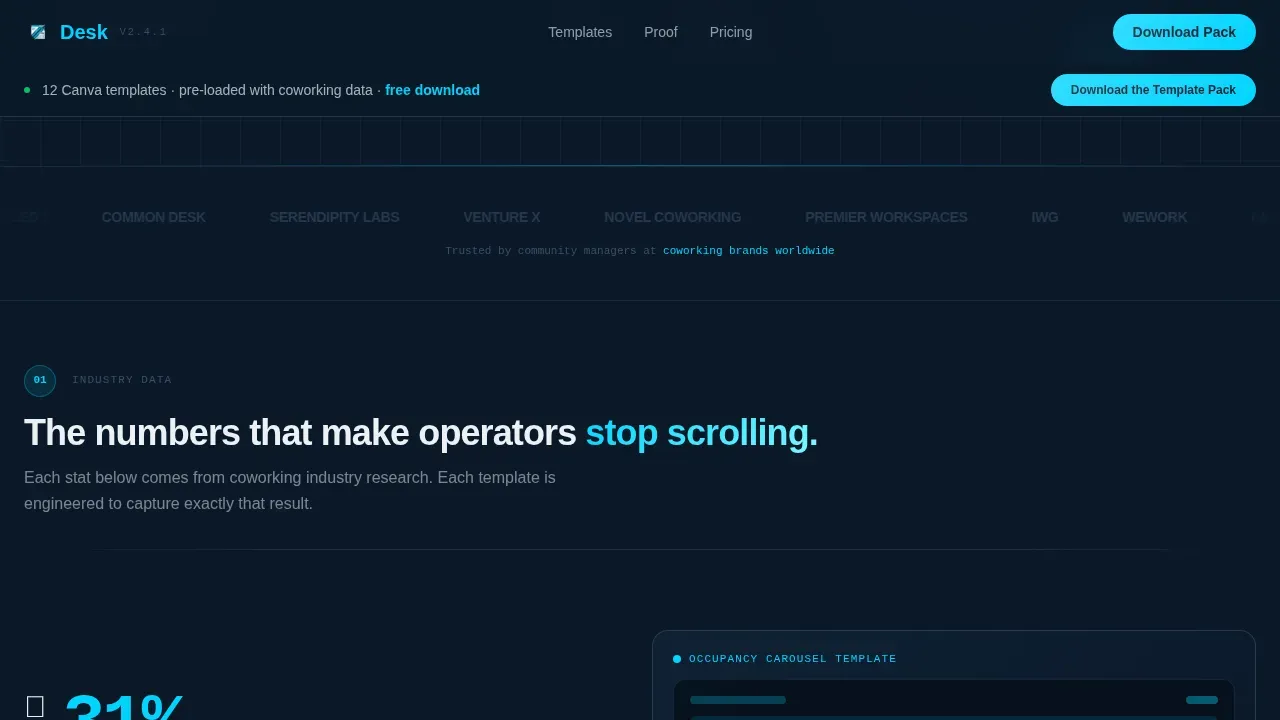
Four bold statistics open each subsection on the left, then reveal the exact template that delivers that result on the right. This structure mirrors an annual coworking trends report. Data earns trust, and each stat escalates from awareness metrics to conversion proof, keeping the user engaged as the page unfolds.
Scrolling Template Showcase Carousel
A three-dimensional scrolling carousel displays the full range of Canva templates: Instagram carousel slides with occupancy overlays, LinkedIn infographics with member spotlights, and story templates counting down to networking events. Each template preview glows against the midnight navy background, making the products feel tangible and ready to use.
Three-Step Canva Workflow Section
This section shows the editing process in three clear steps, each with a timestamp. The total workflow runs under ten minutes. Community managers can evaluate the time investment at a glance, removing a common objection before they reach the form.
Social Proof Strip with Before and After Grid
A case-study strip shows before-and-after Instagram grids from real coworking brands. Three testimonial cards include job titles and feedback from active users. Including testimonials from satisfied members with job titles builds credibility and provides the social proof that coworking landing pages need to convert skeptics.
Sticky Lead Capture Bar with Dual Conversion Paths
A sticky call-to-action bar appears after the second section scroll. The primary form captures email address, coworking brand name, and number of locations in a single horizontal row. A secondary path offers a free single-template sample gated only by email, reducing friction for visitors who are not yet ready to commit.
Page sections overview
| Section | Purpose |
|---|---|
| Hero Split Screen | Introduce dashboard and template previews |
| Stats Proof Strip | Build trust with data-backed social proof |
| Template Showcase Carousel | Display full Canva template range |
| Canva Workflow Steps | Show editing speed and simplicity |
| Social Proof Strip | Testimonials and before/after grid |
| Sticky call to action Bar | Capture leads via dual form paths |
| Footer | Navigation and brand close |
Design & branding system
The visual identity follows a Data Command theme that feels like a Bloomberg terminal redesigned by a Scandinavian design studio. Authoritative data density is softened by generous whitespace and one luminous accent color that draws the eye like a cursor blinking in the dark.
- Color palette: deep terminal navy (#0B1929) as the primary background, muted steel slate (#3A4F6A) as the surface, crisp dashboard white (#EDF1F5) for foreground text, and electric cyan (#00D4FF) for buttons, chart lines, and hover states
- Typography: DM Sans in bold and black weights for headings, JetBrains Mono for stats and numbers to reinforce the data-terminal aesthetic
- Visual style: no stock photos of people pointing at screens; the page focuses on the template artifacts themselves, icons, engagement badges, and calendar grids glowing against the navy
Mobile & speed optimization
The template is built desktop-first, reflecting how community managers typically work at their desks in the morning. It includes a mobile-responsive fallback to address visits from remote workers browsing on phones. Matching the visuals and messaging on this landing page with any social media post or ad campaign that drove traffic to it is crucial for reducing bounce rates.
- Desktop-first layout with a mobile-responsive fallback structure
- No heavy hero videos that slow load times on mobile; the hero relies on illustrated dashboard graphics and stacked template image previews
- Lightweight section components with scroll-triggered reveals, so the page loads fast and feels active without sacrificing performance on smaller screens
How this template helps you convert
A coworking space landing page converts best when it proves value before asking for anything. This template is built around that principle. The page uses an Industry Report cadence to escalate stakes from awareness to conversion, and the lead capture form appears only after trust is established.
- The hero section communicates the core value in under five seconds, showing real template previews and live-styled metrics that make the product feel tangible before a user scrolls to the next panel
- The sticky lead generation bar appears after the second section scroll, placing the form exactly where user intent is naturally high, and the simple horizontal row with three fields keeps friction low to maximize leads
Other information about this template
This template sits in the Technology category, within the Coworking Digital Presence subcategory. It is designed around the Coworking Social Media Template niche. The page can support a coworking space website that needs a dedicated campaign or product page separate from the main site. Each location page for a multi-site operator can be treated like its own mini landing page using this same structure.
- The template is built for coworking space landing use cases that focus on social media toolkit downloads, making it directly useful for businesses running ad campaigns tied to a specific product offer
- Amenities like meeting rooms, day passes, private offices, and parking are not the primary focus of this page, but the template structure can accommodate mention of those services in the stats strip or testimonial section if operators want to connect workspace offerings to their social media presence
- The page can integrate with any email marketing workflow by directing form submissions to the platform of your choice; the template provides the front-end landing experience and lead capture structure
- High-quality content that aligns with your brand is essential to attract potential members; this template helps coworking space teams create that content consistently and at scale
- Embedding photos, pictures, and videos of real community events into the template previews adds authenticity; user-generated content is important for attracting new members to a coworking space
- A social media strategy for a coworking space should analyse both qualitative and quantitative goals; the stats proof strip on this page gives operators ready-made ideas and examples of how to frame those goals visually
- Resources like a blog or article series can address questions from remote workers and other audience segments; this landing page can link to those resources in the footer or navigation to extend reach beyond the coworking space landing itself
- The page uses scroll-triggered reveals, spotlight hover effects, floating pills, and a marquee strip to keep the experience active and engaging as a user scrolls through each section
Theme
Data Command
Creative direction
Industry Report
Color system
Midnight Blue
Style
Split Screen (50/50)
Direction
Lead Generation
Page Sections
Split-screen Hero with Live Dashboard
Industry Report Stats Proof Strip
3D Scrolling Template Showcase
Timed Three-step Canva Workflow
Social Proof and Before/after Grid
Sticky Dual-path Lead Capture Bar
Related questions
Who is this landing page template built for?
Can I edit the Canva templates shown in the previews?
Does this template work for a coworking space with multiple locations?
What makes this different from a generic social media template page?
Do I need design skills to use this landing page template?



