Specialist Coworking Digital Presence Appointment Booking Website Template
Deskdrop is a scroll-reveal coworking landing page built around a dark Electric Indigo visual identity and an interactive workspace discovery experience. Visitors explore location pins, filter by amenities, and browse workspace cards that animate in as they scroll. Two clear conversion paths capture leads: a "Book a Free Tour" form and a lower-commitment "Get the Availability Report" email capture.
by Rocket studio
Quick summary
Deskdrop is a single-page coworking directory template designed for scroll-driven discovery. It pulls visitors through a cinematic dark header, an interactive location map, filterable workspace cards, and two lead capture forms. The Electric Indigo color system gives every interactive element a lit, futuristic quality that matches the energy of a well-run shared workspace.
Who this template is for
This template is built for coworking space operators, workspace network managers, and flexible office brands that need to convert curious visitors into booked tours. It works equally well for a single-location studio or a multi-site coworking directory.
- Solo freelancers and small agencies looking for a polished digital presence for their shared workspace business
- Operators managing several locations who need a filterable, map-driven discovery experience
- Distributed team ops managers scouting satellite offices who expect a slick, information-dense page
What problem this template solves
Most coworking pages list amenities in a flat table and bury the booking form at the bottom. Visitors leave before they find the space that fits them. Deskdrop solves that by turning the scroll itself into a guided discovery, so the right workspace surfaces before the visitor loses patience.
- Visitors cannot easily compare spaces, filter by amenity, or preview a location without clicking away to a new page
- Generic coworking pages feel static and fail to communicate the atmosphere that actually sells memberships
What you get with this template
You get a complete, single-page layout with every section pre-built and ready to customize. The progressive scroll reveal structure means each section enters the viewport with deliberate animation, keeping attention focused from the aerial header all the way to the final call to action.
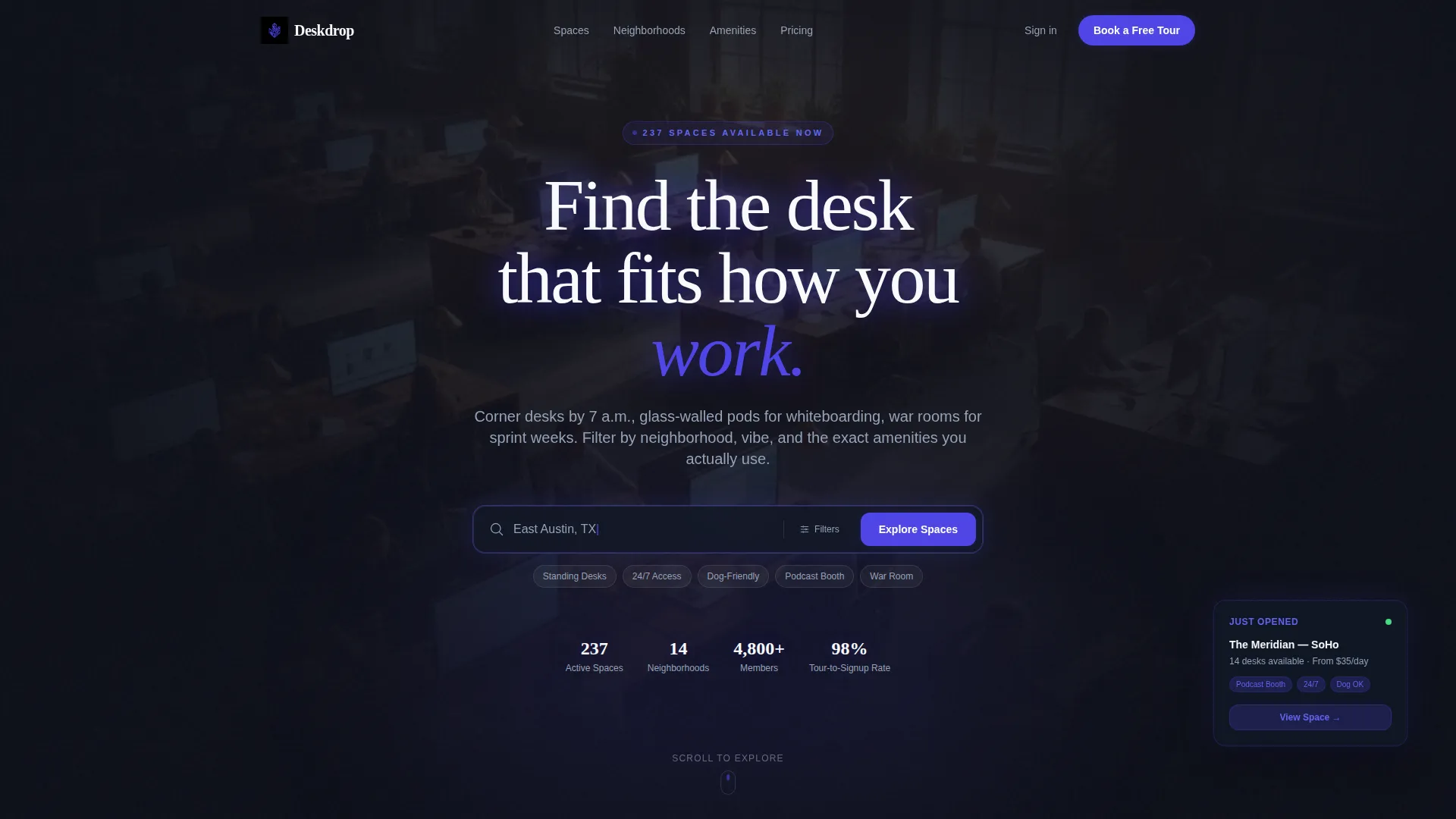
- A dark full-bleed hero with an animated search bar, a glowing indigo headline, and a cinematic vignette effect
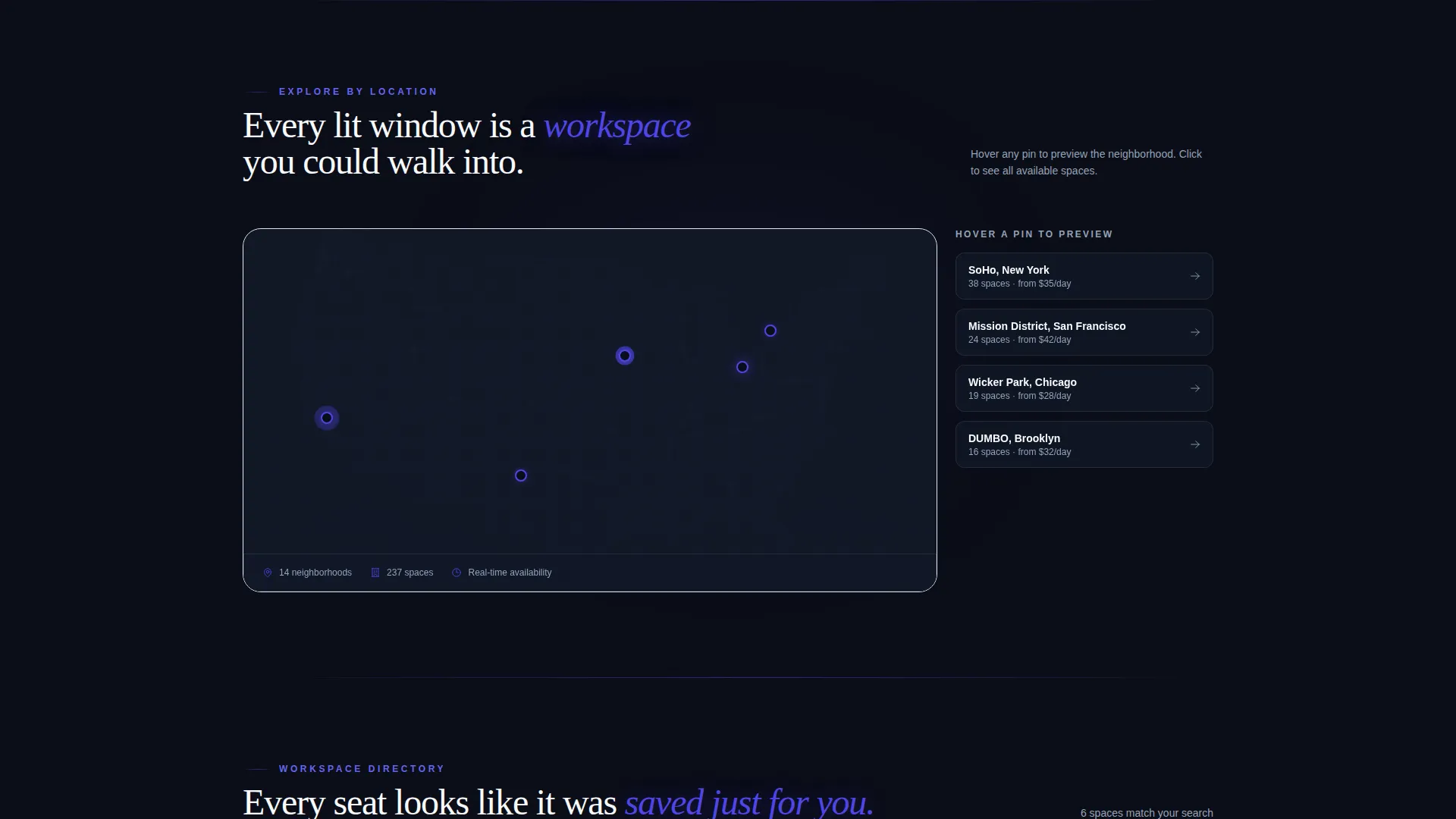
- An interactive location map with hoverable glowing pins and workspace preview cards that animate in on scroll
- Two lead generation forms: a multi-field tour booking form and a single-email availability report capture
Feature list
A single paragraph introduces the feature set before the individual items below.
Deskdrop packs a focused set of purpose-built features into one cohesive layout. Each feature below comes directly from the template design and interaction model described in the brief.
Scroll Reveal Progressive Animation
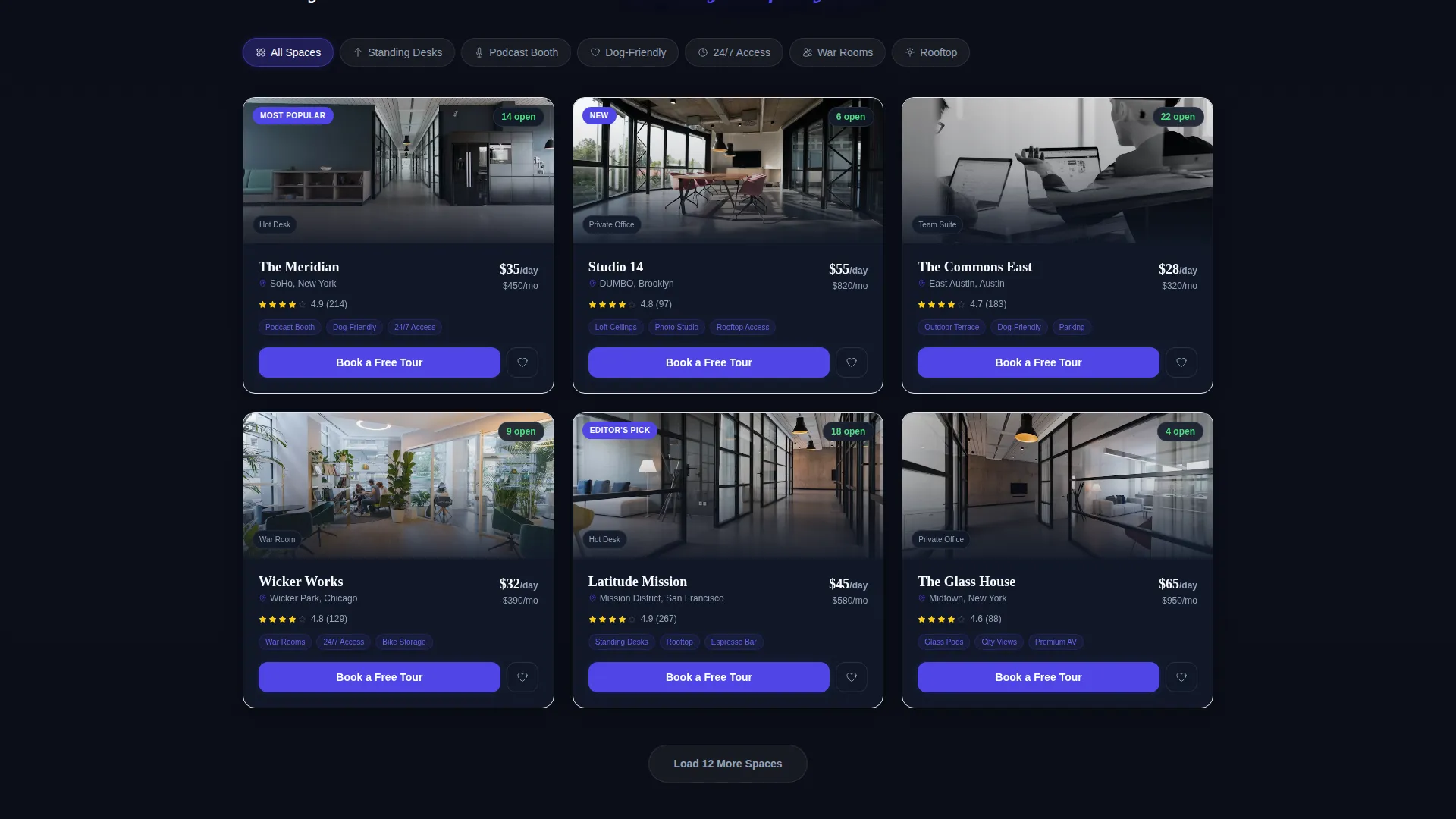
Every section enters the viewport through a controlled progressive reveal. Workspace cards tilt slightly on entrance with an indigo border glow, creating a sense of depth and forward momentum as visitors scroll.
Interactive Location Map with Glowing Pins
A location map fades up after the header and displays glowing pins visitors can hover to preview individual spaces. This turns passive browsing into active exploration without requiring a page reload.
Amenity Filter Panel
A slide-in filter panel lets visitors narrow workspace cards by specific amenities such as standing desks, podcast booths, dog-friendly floors, or twenty-four-hour access. The panel slides in from the side to keep the layout uncluttered.
Dual Lead Capture Paths
The primary path is a multi-step tour booking form collecting preferred neighborhood, work style, email, and preferred tour date. The secondary path is a single-email field for the Availability Report, offering a lower-commitment entry point for hesitant visitors.
Sticky Call-to-Action Pill Button
After the hero clears the viewport, a sticky pill button labeled "Book a Free Tour" follows the visitor down the page. The same call to action also appears anchored inside each individual workspace card.
Dark Full-Bleed Hero with Animated Search Bar
The header uses a moody overhead aerial photograph of a coworking floor at golden hour. A glowing animated search bar sits beneath the headline, inviting interaction before the visitor has scrolled a single pixel.
Page sections overview
| Section | Purpose |
|---|---|
| Dark Hero Header | Establishes atmosphere and invites immediate search interaction |
| Animated Search Bar | Prompts location or amenity intent before scrolling begins |
| Interactive Location Map | Lets visitors hover glowing pins to preview workspace options |
| Workspace Card Grid | Progressively reveals individual spaces with tilt-entrance animation |
| Amenity Filter Panel | Slides in to let visitors narrow results by specific workspace features |
| Tour Booking Form | Captures preferred neighborhood, work style, email, and tour date |
| Availability Report Capture | Low-commitment single-email field for visitors not ready to book |
| Sticky call to action Button | Persists after the hero and keeps the booking action always visible |
Design & branding system
The Electric Indigo color system gives Deskdrop a night-city atmosphere that feels both premium and functional. Every color has a clear role: backgrounds recede, interactive elements glow, and headlines cut through the darkness without competing with each other.
- Deep void black (#0B0D17) as the primary background, cool slate (#94A3B8) for secondary text and dividers, electric indigo (#4F46E5) on all interactive and hover states, and bright white (#F8FAFC) for primary headlines
- The indigo text-shadow pulse on the hero headline and the border glow on workspace card entrances reinforce the Directory and Discovery theme throughout the scroll
Mobile & speed optimization
The progressive scroll reveal structure and the dark full-bleed header are both designed with mobile viewports in mind. Animation triggers are tied to scroll position, so they work as naturally on a phone as they do on a wide desktop monitor.
- The sticky pill button and the slide-in filter panel are sized and positioned for touch targets, keeping the conversion path accessible on smaller screens
- The single-column card reveal on narrow viewports maintains the tilt-entrance effect without layout overflow
How this template helps you convert
The interactive explorer model earns the conversion before asking for it. By the time a visitor has hovered pins, filtered by amenity, and compared three workspace cards, requesting a tour feels like the natural next step.
- The sticky "Book a Free Tour" pill button appears immediately after the hero clears, then repeats inside every workspace card, keeping the primary conversion action visible at all times without interrupting the discovery flow.
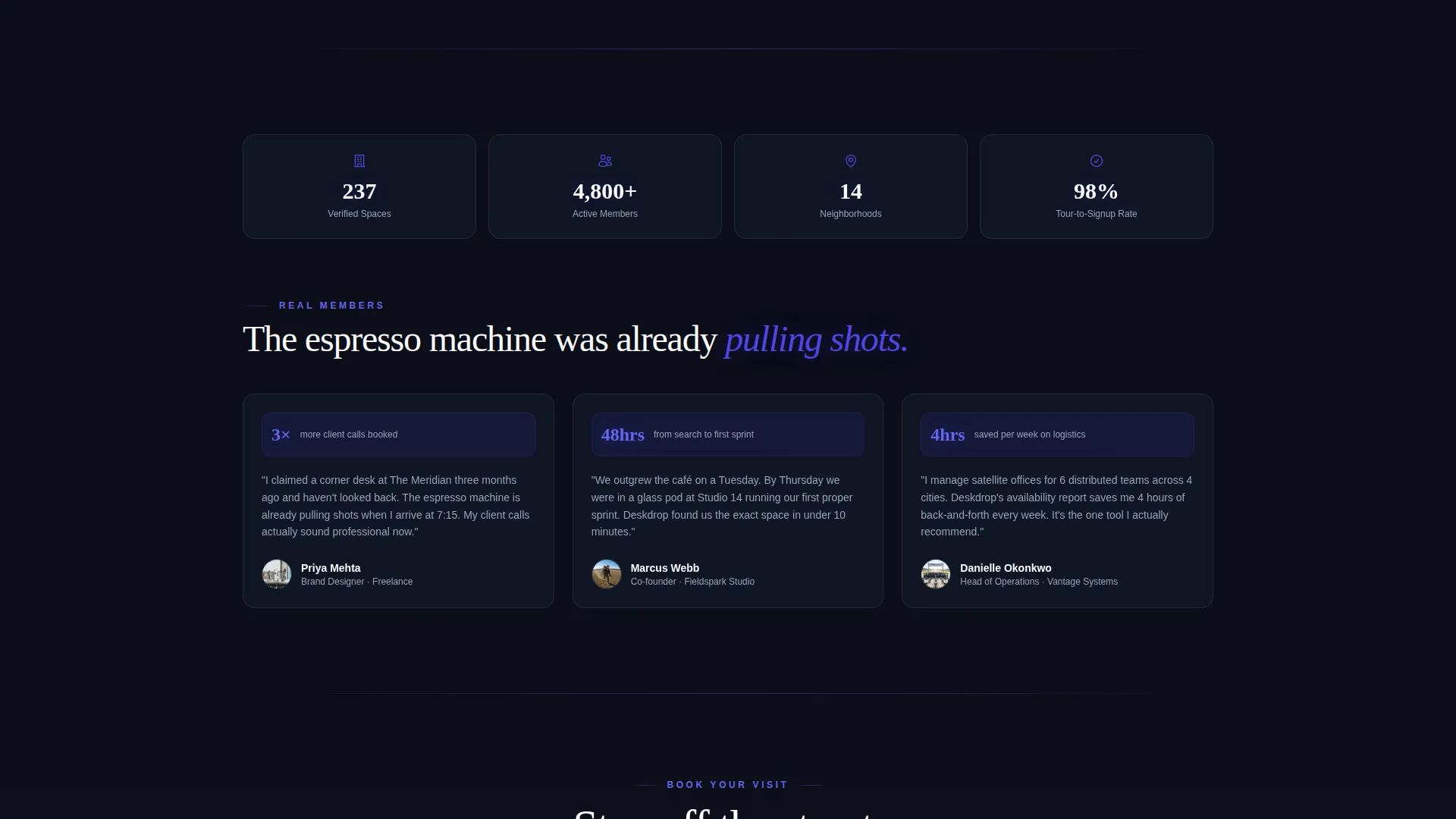
- The secondary Availability Report capture requires only an email address, lowering the commitment threshold for visitors who are still comparing options and turning them into leads even before they decide on a space.
Other information about this template
This template belongs to the Technology category with a Coworking Digital Presence subcategory focus. It is built for teams and operators who want a coworking landing page that feels as considered as the spaces it represents.
- The template style is Scroll Reveal (Progressive), meaning each section enters the viewport in sequence rather than loading all at once
- The creative direction is Interactive Explorer, a model where the visitor's own scroll and hover behavior drives discovery
- The header concept is Dark Full-Bleed with Glow, using an aerial golden-hour photograph with edge vignetting and an indigo neon-bleed treatment
- The theme is Directory and Discovery, making this template a strong fit for coworking networks with multiple locations or amenity tiers
Theme
Directory & Discovery
Creative direction
Interactive Explorer
Color system
Electric Indigo
Style
Scroll Reveal (Progressive)
Direction
Lead Generation
Page Sections
Scroll Reveal Progressive Animation
Interactive Location Map
Slide-in Amenity Filter Panel
Dual Lead Capture Forms
Sticky Book-a-tour Call to Action
Dark Full-bleed Hero with Animated Search Bar
Related questions
Can I use this template for a single coworking location?
What fields does the tour booking form collect?
How does the Availability Report email capture work?
Is the sticky call-to-action button always on screen?
Who is the ideal audience for a landing page built with this template?



