Expert Surgical Consultation Landing Page Template
Scaffold is a modular landing page template built for platform engineering tools and frameworks. It leads with an interactive cost-and-time estimator, then walks engineers through a paired Problem→Solution card grid that escalates from individual friction to org-level cost. The layout is built to earn trust before asking for anything.
by Rocket studio
Quick summary
Scaffold is a dark-mode, card grid landing page template designed for platform engineering tools and frameworks. It opens with a live calculator that shows engineers the real cost of their current infrastructure approach, then guides them through paired problem-and-solution cards and a side-by-side comparison table. The result is a page that converts through clarity, not pressure.
Who this template is for
This template is purpose-built for teams shipping developer tooling, internal platforms, and infrastructure frameworks. It speaks the language of engineers and technical decision-makers who evaluate tools on evidence, not marketing copy.
- Platform engineers managing sprawling Terraform modules and golden-path rebuilds across teams
- Site Reliability Engineering leads who need to justify a new framework investment to leadership
- Engineering VPs tracking developer productivity against rising headcount costs
What problem this template solves
Most landing pages for developer tools lead with feature lists and vague promises. That approach fails with technical audiences who need to see proof before they trust anything. Scaffold flips the script.
- Engineers land on a calculator that quantifies their current pain before a single paragraph is read
- Paired problem-and-solution cards address real friction in the language engineers actually use
- A comparison table handles the "how does this stack up" question directly, reducing drop-off at the evaluation stage
What you get with this template
Scaffold delivers a fully structured, single-page layout designed around one goal: helping a skeptical technical audience talk themselves into the right decision. Every section earns its place.
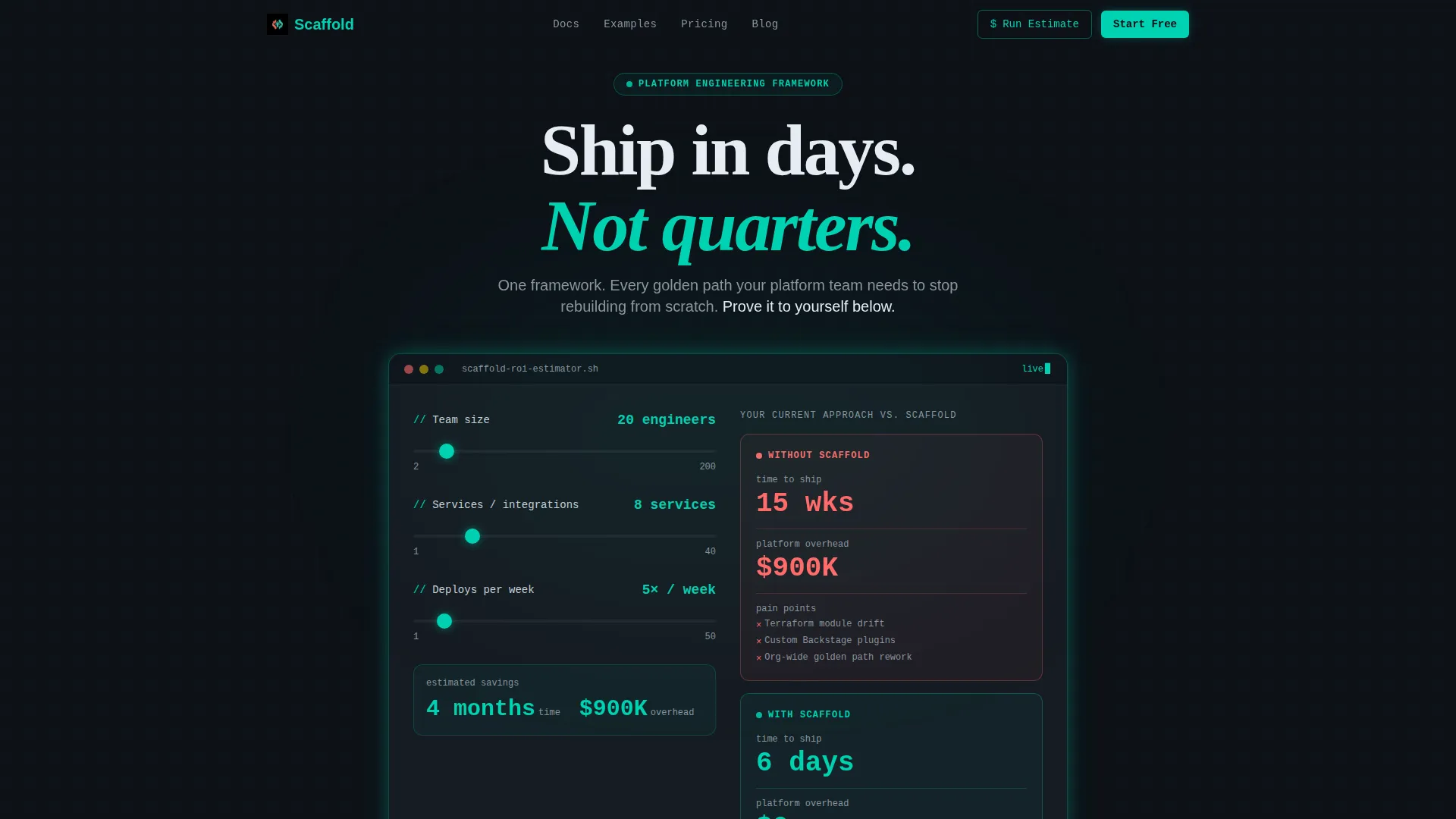
- An interactive estimator widget in the header with animated sliders for team size, service count, and deploy frequency
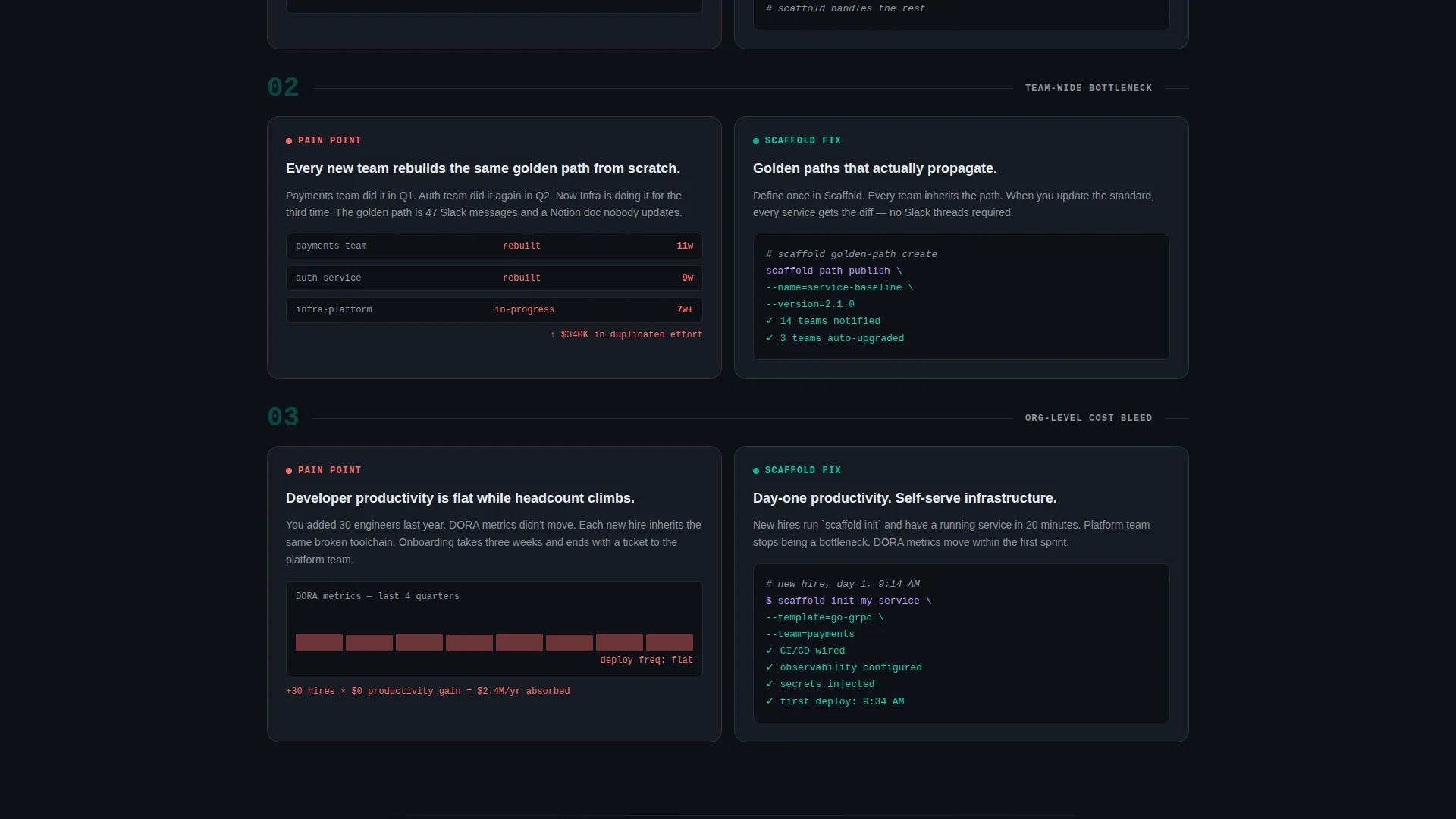
- Modular paired card rows that map each pain point to a resolution with embedded code snippets or architecture diagrams
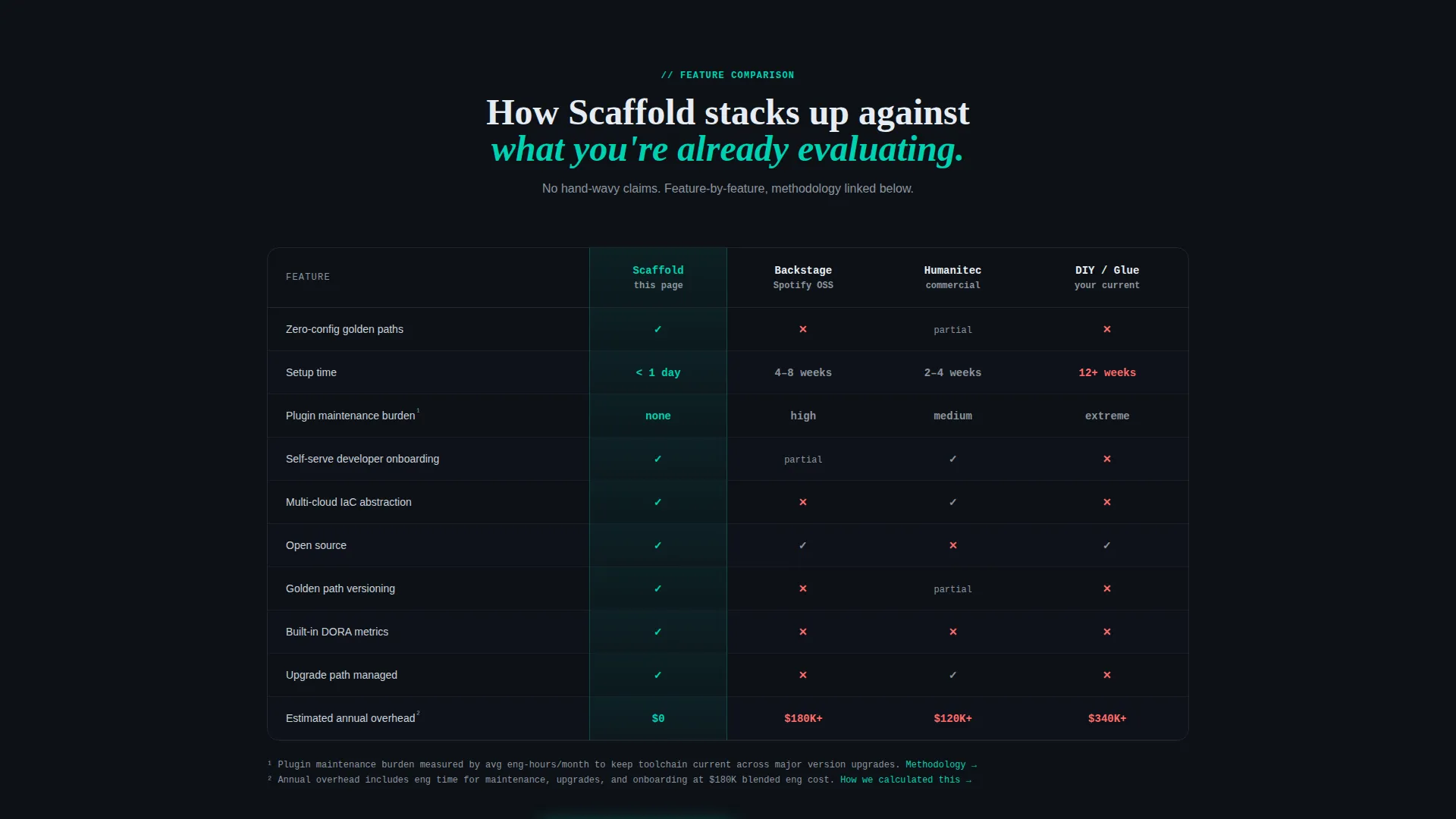
- A scroll-triggered comparison table with teal and coral visual indicators for at-a-glance evaluation
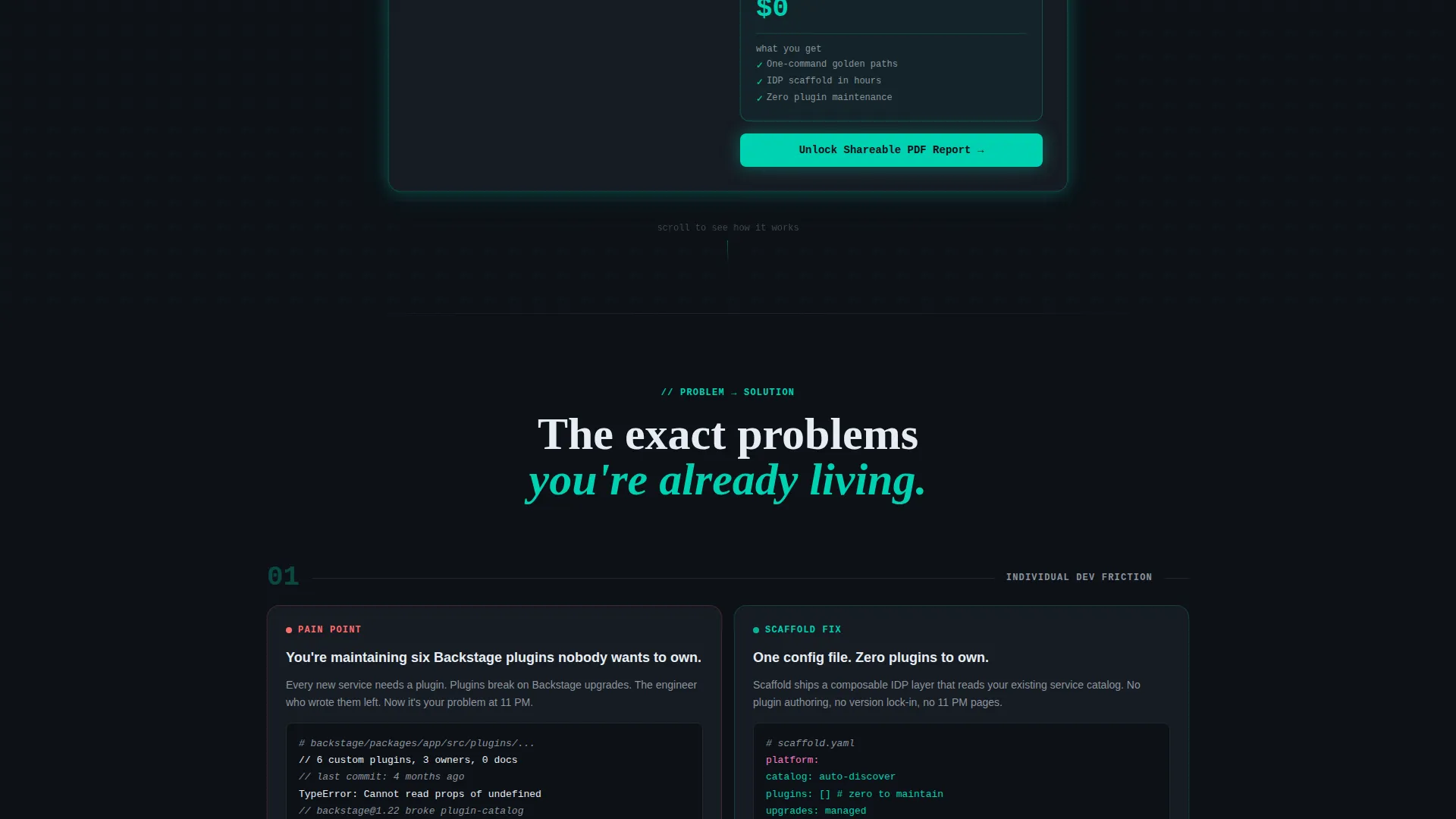
- A gated PDF report form that only appears after the estimate renders, so the ask is earned
Feature list
The following features are built into the Scaffold template based on the layout and interaction design described in the brief.
Interactive Cost and Time Estimator
The header widget lets visitors input their team size, number of services, and current deploy frequency. As sliders move, the results column updates in real time, splitting the output into a coral "Without" column and a teal "With" column. The contrast is immediate and visceral.
Paired Problem and Solution Card Grid
Below the estimator, modular cards appear in paired rows. The left card names a specific infrastructure pain point in plain engineering language. The right card shows the resolution, supported by a code snippet or architecture diagram. Rows escalate in scope from individual friction to team bottleneck to org-level cost bleed.
Scroll-Triggered Comparison Table
A horizontal comparison table locks into view between card rows as the visitor scrolls. It runs a feature-by-feature comparison against two or three alternatives engineers are already evaluating. Teal checkmarks and coral cross marks make the verdict readable at a glance.
Anchored Primary and Secondary calls to action
The primary call to action, "Run Your Own Estimate," anchors back to the calculator at the top of the page. The secondary call to action, "Start Building Free," links directly to the open-source quickstart. Neither call to action requires an email address upfront.
Post-Estimate Email Gate
The contact form appears only after the estimator has rendered a result. It asks for a work email and company size, then unlocks a shareable PDF report. This sequence means the page earns the lead before asking for it.
Dark-Mode IDE Visual System
The entire page is styled in a focused dark-mode palette built around terminal black, electric teal, muted slate, and hot coral. The result feels like a high-focus development environment rather than a typical marketing page, which builds immediate credibility with a technical audience.
Page sections overview
| Section | Purpose |
|---|---|
| Header Estimator Widget | Quantify current infrastructure cost and time before any scrolling |
| Without versus. With Results | Split-column output showing coral pain versus teal resolution |
| Pain Point Cards | State specific developer friction in engineering-native language |
| Solution Resolution Cards | Pair each pain point with a concrete framework answer |
| Escalating Card Rows | Step scope from individual friction to org-level cost bleed |
| Comparison Table | Feature-by-feature evaluation against existing alternatives |
| Primary call to action Block | Anchor back to the estimator with "Run Your Own Estimate" |
| Secondary call to action Block | Drive open-source adoption with "Start Building Free" |
| Post-Estimate Form | Collect work email after ROI is already proven to the visitor |
Design & branding system
Scaffold uses the Teal Catalyst color system, styled around the feeling of a dark-mode code editor at the moment a long build finally passes. Every color has a specific, non-interchangeable role.
- Deep terminal black (#0D1117) covers all backgrounds, giving the page its focused, high-contrast foundation
- Electric teal (#00D1B2) marks primary actions, live data outputs, and positive comparison indicators
- Muted slate (#8B949E) handles secondary text, borders, and supporting labels without competing for attention
- Hot coral (#FF6B6B) is reserved strictly for the competitor column and pain-point callouts, making problems feel immediately recognizable
Mobile & speed optimization
The Scaffold template is structured for responsive display across device sizes. The modular card grid adapts naturally to narrower viewports without losing the paired layout logic.
- Card rows reflow to single-column stacks on smaller screens, preserving the problem-then-solution reading order
- The estimator widget and its animated result columns are designed to remain functional and readable on touch devices
- The comparison table uses horizontal scroll on mobile so no column data is hidden or truncated
How this template helps you convert
Scaffold is built around a deliberate conversion sequence. Every step earns the next one before asking for anything in return.
- The estimator runs first, letting engineers calculate their own ROI before reading a single feature claim, which builds trust before the ask
- Paired cards and the comparison table handle objections in the order engineers naturally raise them, reducing the friction between curiosity and decision
- The email gate appears only after the estimate renders, so the form feels like a reward for engagement rather than a toll at the door
Other information about this template
Scaffold is categorized under Platform Engineering Technology and sits within the broader Technology category on the template marketplace. It is built using the Card Grid modular template style and follows the Startup Velocity theme.
- The creative direction follows a Problem→Solution Arc, meaning every visual and structural choice is tied to moving visitors from recognized pain to confident resolution
- The landing page direction is Comparison and Versus, making it well-suited for products that compete against established tools or manual approaches engineers already know
- The header concept is a Calculator and Estimator, which is a high-intent interaction pattern for developer tooling audiences who need quantified proof before committing
- This template is a strong fit for open-source frameworks, internal developer platform products, and platform engineering tools targeting technically literate buyers
Theme
Startup Velocity
Creative direction
Problem→Solution Arc
Color system
Teal Catalyst
Style
Card Grid (Modular)
Direction
Comparison/Versus
Page Sections
Interactive Cost and Time Estimator
Paired Problem and Solution Card Grid
Scroll-triggered Comparison Table
Anchored Dual Call to Action Layout
Post-estimate Email Gate
Dark-mode IDE Visual System
Related questions
Can I edit the estimator inputs and output labels?
Do I need a backend connection to make the estimator work?
Is the comparison table easy to update with my own competitors?
Who is the target audience for a page built with this template?
Can I use this template if my tool is not open source?



